
Các tác nhân RCS for Business giao tiếp với người dùng bằng cách gửi và nhận tin nhắn. Để gửi tin nhắn cho người dùng, tác nhân của bạn sẽ gửi yêu cầu gửi tin nhắn đến RCS Business Messaging API. Một yêu cầu có thể bao gồm văn bản, thẻ đa dạng thức, tệp đa phương tiện và tệp PDF, câu trả lời gợi ý và hành động gợi ý.
Nền tảng RCS for Business trả về lỗi trong một số trường hợp để giúp bạn quản lý việc gửi tin nhắn:
- Nếu bạn gửi tin nhắn cho một người dùng có thiết bị không hỗ trợ RCS hoặc chưa bật RCS, thì nền tảng RCS for Business sẽ trả về lỗi
404 NOT_FOUND. Trong trường hợp này, bạn có thể cố gắng liên hệ với người dùng thông qua các phương thức dự phòng được xác định trong cơ sở hạ tầng của bạn. - Nếu bạn gửi tin nhắn cho một người dùng RCS trên mạng mà tác nhân của bạn chưa được ra mắt hoặc trên mạng chưa bật lưu lượng truy cập RCS, thì nền tảng RCS for Business sẽ trả về lỗi
404 NOT_FOUND. - Nếu bạn gửi một tin nhắn có các tính năng mà thiết bị của người dùng không hỗ trợ, thì nền tảng RCS for Business sẽ trả về lỗi
400 INVALID_ARGUMENTvà không gửi tin nhắn của bạn.
Trong chiến lược nhắn tin đa kênh, tốt nhất là bạn nên thu hồi những tin nhắn không được gửi sau một khoảng thời gian hợp lý và gửi chúng qua một kênh khác. Để tự động thu hồi tin nhắn vào một thời điểm xác định trước, hãy thiết lập thời gian hết hạn của tin nhắn.
Người nhận đang ngoại tuyến
Nền tảng RCS for Business vẫn chấp nhận một tin nhắn để gửi nếu người nhận không kết nối mạng. Bạn nhận được phản hồi 200 OK và nền tảng RCS for Business sẽ giữ lại tin nhắn và cố gắng gửi lại trong 30 ngày. Bạn không cần yêu cầu RCS for Business gửi lại tin nhắn.
RCS for Business sẽ xoá mọi tin nhắn chưa được gửi sau 30 ngày kể từ khi tin nhắn được gửi.
Tuỳ thuộc vào trường hợp sử dụng của trợ lý ảo, bạn có thể muốn thu hồi một tin nhắn chưa được gửi trước khi hết thời gian chờ 30 ngày này. Việc thu hồi có thể ngăn người dùng không có mạng nhận được thông báo lỗi thời khi họ kết nối mạng trở lại. Có nhiều cách để thu hồi một tin nhắn:
- Gửi yêu cầu thu hồi để kích hoạt quy trình thu hồi.
- Đặt thời gian hết hạn cho tin nhắn để tự động thu hồi tin nhắn vào thời điểm thích hợp.
Đặt thời gian hết hạn cho tin nhắn
Tin nhắn của nhân viên hỗ trợ có bị giới hạn thời gian không? Ví dụ: OTP chỉ có hiệu lực trong một khoảng thời gian ngắn. Ưu đãi có thời hạn sẽ hết hiệu lực. Lời nhắc về cuộc hẹn sẽ không còn phù hợp sau ngày hẹn. Để đảm bảo tin nhắn luôn kịp thời và phù hợp, hãy đặt thời gian hết hạn cho tin nhắn. Điều này có thể ngăn người dùng không có mạng nhận được nội dung cũ khi họ kết nối lại với mạng. Thời hạn cũng là một tín hiệu tốt để kích hoạt chiến lược nhắn tin dự phòng, nhờ đó người dùng nhận được thông tin họ cần đúng lúc.
Để đặt thời gian hết hạn của thông báo, hãy chỉ định một trong các trường sau trong thông báo của tác nhân:
expireTime: thời gian chính xác theo giờ UTC khi thông báo hết hạn.ttl(thời gian tồn tại): khoảng thời gian trước khi tin nhắn hết hạn.
Để biết các lựa chọn về định dạng và giá trị, hãy xem AgentMessage.
Giá trị tối đa cho ttl và expireTime là 15 ngày sau khi gửi thông báo.
Mặc dù không có giá trị tối thiểu ttl và expireTime, nhưng bạn nên đợi ít nhất 10 giây sau khi gửi thông báo để giảm đáng kể khả năng nhận được thông báo về cả việc thu hồi và gửi.
Thời gian tồn tại (TTL) của một thông báo
Khi đặt TTL cho một tin nhắn RCS for Business, bạn sẽ chỉ định khoảng thời gian mà tin nhắn đó được coi là hợp lệ và có thể gửi được. Nếu không gửi được tin nhắn đến thiết bị của người dùng trong khoảng thời gian TTL này, thì nền tảng RCS cho doanh nghiệp sẽ tự động cố gắng thu hồi tin nhắn.
Khi bắt đầu thu hồi tin nhắn, bạn yêu cầu nền tảng RCS for Business ngừng cố gắng gửi tin nhắn cụ thể đó. Tuy nhiên, thao tác này chỉ ảnh hưởng đến những lần giao hàng trong tương lai. Nếu thiết bị của người dùng đã truy xuất thành công tin nhắn, thì tin nhắn đó đang được xử lý và nền tảng RCS for Business không thể thu hồi tin nhắn khỏi thiết bị của người dùng.
Sau đây là những điều bạn cần biết về thông báo:
Thông báo được gửi trong TTL: Nếu thiết bị của người dùng chuyển sang trạng thái trực tuyến và nhận được thông báo trước khi TTL hết hạn, bạn sẽ nhận được thông báo
DELIVERED. Chúng tôi sẽ không gửi thông báo thu hồi vì thư đã được gửi thành công. Đây là trường hợp phổ biến nhất và nằm trong dự kiến.Tin nhắn không được gửi trước khi hết TTL: Nếu TTL hết hạn trước khi tin nhắn đến thiết bị của người dùng (ví dụ: thiết bị đang ở chế độ ngoại tuyến), thì nền tảng RCS for Business sẽ cố gắng thu hồi tin nhắn. Bạn sẽ nhận được thông báo
TTL_EXPIRATION_REVOKEDcho biết thư đã được xoá thành công khỏi hàng đợi gửi. Trong trường hợp này, người dùng sẽ không nhận được thông báo.
Đề xuất về cách xử lý các trường hợp đặc biệt
Hệ thống của chúng tôi xử lý việc gửi tin nhắn RCS for Business và thời gian hết hiệu lực TTL song song. Do đó, rất hiếm khi bạn có thể thấy các trường hợp đặc biệt mà thời gian thông báo không như mong đợi. Ví dụ: bạn có thể nhận được cả thông báo về việc gửi và TTL hoặc không nhận được thông báo nào.
Sau đây là những việc bạn nên làm để xử lý thông báo tin nhắn RCS for Business:
Thông báo
DELIVERED: Nếu bạn nhận được thông báoDELIVEREDcho một tin nhắn, thì thông báo này xác nhận rằng tin nhắn đã đến được người dùng. Bạn có thể yên tâm bỏ qua mọi thông báo TTL tiếp theo cho thông báo cụ thể đó.Thông báo
TTL_EXPIRATION_REVOKED: Nếu bạn nhận được thông báo TTL có trạng tháiTTL_EXPIRATION_REVOKED, tức là hệ thống RCS cho Doanh nghiệp sẽ ngừng cố gắng gửi thông báo cụ thể đó. Bạn nên coi thông báo này là chưa được gửi và tiếp tục thực hiện chiến lược dự phòng nếu cần.Thông báo TTL có trạng thái bất kỳ khác: Nếu bạn nhận được thông báo TTL có trạng thái bất kỳ khác, thì điều này cho thấy một nỗ lực thu hồi không có kết quả.
- Đối với các thông báo quan trọng, chẳng hạn như mật khẩu một lần (OTP), hãy bắt đầu phương thức dự phòng.
- Đối với các thông báo không quan trọng, hãy quyết định có nên bắt đầu cơ chế dự phòng hay không.
- Không có thông báo: Trong một số ít trường hợp, hệ thống có thể không gửi được thông báo TTL và ứng dụng cũng có thể không tạo được thông báo gửi. Đây là một trường hợp cực kỳ hiếm gặp.
Đặt loại lưu lượng truy cập thông báo
RBM API có một trường messageTrafficType để phân loại tin nhắn.
Mặc dù các trường hợp sử dụng nhân viên hỗ trợ vẫn xác định hành vi của nhân viên hỗ trợ và quy tắc kinh doanh nào áp dụng, nhưng messageTrafficType cho phép phân loại nội dung tin nhắn chi tiết hơn. Cuối cùng, điều này giúp một tác nhân duy nhất có thể xử lý nhiều trường hợp sử dụng. Hiện tại, các trường hợp sử dụng tác nhân hoặc quy tắc kinh doanh hiện có sẽ không bị ảnh hưởng.
Đây là trường không bắt buộc, nhưng bạn nên đặt trường này ngay bây giờ để không gặp lỗi khi trường này trở thành trường bắt buộc.
Để đặt loại lưu lượng truy cập của thông báo, hãy chỉ định messageTrafficType thích hợp cho từng thông báo dựa trên nội dung của thông báo đó. RCS for Business hỗ trợ các loại lưu lượng truy cập sau.
| Loại lưu lượng truy cập | Nội dung tin nhắn | Trường hợp sử dụng của nhân viên hỗ trợ |
|---|---|---|
AUTHENTICATION |
Đối với thư xác thực. | OTP |
TRANSACTION |
Đối với tin nhắn về các dịch vụ hoặc sản phẩm hiện có của người dùng. Ví dụ: xác nhận, biên nhận thanh toán hoặc thông tin đặt phòng. | Giao dịch hoặc Đa năng |
PROMOTION |
Đối với các thông báo quảng bá như ưu đãi, chiết khấu, thông báo hoặc nội dung quảng bá khác. | Khuyến mãi hoặc Đa năng |
SERVICEREQUEST |
Đối với những thông báo về các dịch vụ mà người dùng đã yêu cầu một cách rõ ràng. | OTP, Giao dịch, Khuyến mãi hoặc Nhiều mục đích sử dụng |
ACKNOWLEDGEMENT |
Đối với những thông báo dùng để xác nhận hành động của người dùng – cụ thể là yêu cầu huỷ đăng ký. Thông báo này xác nhận rằng yêu cầu của người dùng đã được nhận và đang được xử lý. | OTP, Giao dịch, Khuyến mãi hoặc Nhiều mục đích sử dụng |
Nếu bạn không đặt loại lưu lượng truy cập, hệ thống sẽ chỉ định loại mặc định cho trường hợp sử dụng của tác nhân.
| Trường hợp sử dụng của nhân viên hỗ trợ | Loại lưu lượng truy cập mặc định |
|---|---|
| OTP | AUTHENTICATION |
| Giao dịch | TRANSACTION |
| Quảng bá | PROMOTION |
| Đa năng | MESSAGE_TRAFFIC_TYPE_UNSPECIFIED |
Các tác nhân đa năng không có loại lưu lượng truy cập mặc định. Bạn phải đặt rõ ràng loại lưu lượng truy cập cho từng thông báo dựa trên nội dung của thông báo đó. Nếu bạn không thay thế giá trị MESSAGE_TRAFFIC_TYPE_UNSPECIFIED, hệ thống sẽ báo lỗi.
Giới hạn kích thước thư
Kích thước tối đa của toàn bộ AgentMessage được chuyển đổi thành chuỗi là 250 KB. Phần văn bản của thông báo có giới hạn riêng là 3072 ký tự.
Để ngăn người dùng tiêu thụ dữ liệu ngoài ý muốn, kích thước tối đa của một tệp có thể gửi qua RCS cho doanh nghiệp là 100 MiB và tổng kích thước kết hợp của tất cả tệp đính kèm nội dung nghe nhìn và PDF trong một tin nhắn RCS cho doanh nghiệp không được vượt quá 100 MiB. (1 MiB = 1.048.576 byte). Để biết thêm thông tin, hãy tham khảo tệp đa phương tiện và tệp PDF.
Văn bản
Những tin nhắn đơn giản nhất được tạo từ văn bản. Tin nhắn văn bản phù hợp nhất để truyền đạt thông tin mà không cần hình ảnh, tương tác phức tạp hoặc phản hồi.
Ví dụ
Đoạn mã sau đây gửi một tin nhắn văn bản thuần tuý. Để biết các lựa chọn về định dạng và giá trị, hãy xem phones.agentMessages.create.
cURL
curl -X POST "https://REGION-rcsbusinessmessaging.googleapis.com/v1/phones/PHONE_NUMBER/agentMessages?messageId=MESSAGE_ID&agentId=AGENT_ID" \
-H "Content-Type: application/json" \
-H "User-Agent: curl/rcs-business-messaging" \
-H "`oauth2l header --json PATH_TO_SERVICE_ACCOUNT_KEY rcsbusinessmessaging`" \
-d '{
  "contentMessage": {
    "text": "Hello, world!"
  },
  "messageTrafficType": "PROMOTION"
}'
Node.js
// Reference to RBM API helper
const rbmApiHelper = require('@google/rcsbusinessmessaging');

let params = {
   messageText: 'Hello, world!',
   msisdn: '+12223334444',
};

// Send a simple message to the device
rbmApiHelper.sendMessage(params, function(response) {
   console.log(response);
});
Java
import com.google.rbm.RbmApiHelper;
…

try {
   // Create an instance of the RBM API helper
   RbmApiHelper rbmApiHelper = new RbmApiHelper();

   // Send simple text message to user
   rbmApiHelper.sendTextMessage(
      "Hello, world!",
      "+12223334444"
   );
} catch(Exception e) {
   e.printStackTrace();
}
Python
# Reference to RBM Python client helper and messaging object structure
from rcs_business_messaging import rbm_service
from rcs_business_messaging import messages

# Create a simple RBM text message
message_text = messages.TextMessage('Hello, world!')

# Send text message to the device
messages.MessageCluster().append_message(message_text).send_to_msisdn('+12223334444')
C#
using RCSBusinessMessaging;
…

// Create an instance of the RBM API helper
RbmApiHelper rbmApiHelper = new RbmApiHelper(credentialsFileLocation,
                                             projectId);

rbmApiHelper.SendTextMessage(
    "Hello, world!",
    "+12223334444",
);
Nội dung của Basic Message – chuyển đổi từ SMS
Các nhà mạng đã giới thiệu mô hình thanh toán để hỗ trợ việc chuyển tin nhắn SMS sang RCS for Business. Tin nhắn RCS for Business chứa tối đa 160 ký tự UTF-8 được gọi là Tin nhắn cơ bản.
Khi tạo yêu cầu gửi Tin nhắn cơ bản, hãy nhớ rằng các ký tự được tính là 1 byte (UTF-8). Nếu bạn gửi một tin nhắn có chứa các ký tự đặc biệt như biểu tượng cảm xúc hoặc một bộ ký tự nhiều byte, thì mỗi ký tự sẽ được tính là 2-4 ký tự UTF-8 trở lên.
Nhập một đoạn văn bản vào hộp để kiểm tra độ dài:
Nội dung tin nhắn văn bản và bản xem trước đường liên kết
Các ứng dụng RCS có thể triển khai tính năng xem trước đường liên kết. Nếu một tin nhắn RCS chỉ có văn bản dành cho RCS for Business có chứa URL của một trang web có thẻ openGraph, thì ứng dụng có thể tạo bản xem trước (hình ảnh, tiêu đề, v.v.), mang đến trải nghiệm phong phú hơn. Ví dụ: hãy xem thông báo cơ bản có bản xem trước URL.
Xin lưu ý rằng ứng dụng RCS có thể cho phép người dùng tắt tính năng xem trước đường liên kết.
Mật khẩu một lần để xác minh người dùng
Bạn có thể sử dụng RCS cho Doanh nghiệp để gửi mật khẩu dùng một lần (OTP) nhằm tự động xác minh người dùng bằng SMS Retriever API. Không có API chuyên dụng để đọc OTP nhận được qua RCS for Business.
Cách hoạt động trên Android
Đối với những ứng dụng Android đã đăng ký bằng SMS Retriever API, API này sẽ chờ một tin nhắn RCS for Business có định dạng chính xác. Thông báo này phải chứa cả OTP và một hàm băm riêng biệt để xác định ứng dụng của bạn.
Khi nhận được một tin nhắn RCS cho Doanh nghiệp có định dạng chính xác, SMS Retriever API sẽ xử lý tin nhắn đó giống như xử lý một OTP SMS. Sau khi mã băm khớp với ứng dụng của bạn, OTP sẽ được trích xuất và chuyển tiếp đến ứng dụng của bạn để tự động xác minh người dùng.
- Tin nhắn văn bản mẫu theo chuẩn RCS for Business để xác minh người dùng:
Your code is <OTP><app hash>. - Ví dụ:
Your code is 123456 M8tue43FGT.
Để tìm hiểu thêm về SMS Retriever và các API liên quan, hãy xem tài liệu về SMS Retriever. Để biết thông tin chi tiết về quy trình xác minh người dùng tự động trong các ứng dụng đã đăng ký bằng SMS Retriever API, hãy xem sơ đồ quy trình này.
Cách hoạt động trên iOS
Đối với iOS, tính năng xử lý OTP tích hợp của hệ thống sẽ tự động phát hiện và đề xuất OTP RCS cho Doanh nghiệp để tự động điền, giống như OTP SMS. Ứng dụng iOS không cần tích hợp API cụ thể để đọc OTP.
Tệp đa phương tiện và tệp PDF
Khi gửi tin nhắn kèm theo tệp hình ảnh, video, âm thanh hoặc PDF, nhân viên hỗ trợ của bạn phải cung cấp một URL công khai cho nội dung hoặc tải trực tiếp tệp lên.
Kích thước tối đa của một tệp có thể gửi là 100 MiB và tổng kích thước của tất cả tệp đính kèm đa phương tiện và PDF trong một tin nhắn không được vượt quá 100 MiB.
Nén và chuyển mã nội dung nghe nhìn
Nền tảng RCS for Business tự động chuyển mã và nén các tệp đa phương tiện (chẳng hạn như hình ảnh và video) trước khi gửi đi để đảm bảo các tệp này tải nhanh và hoạt động tốt trên nhiều mạng và thiết bị.
Quá trình nén dựa trên chất lượng của nội dung nghe nhìn đầu vào chứ không chỉ dựa trên giới hạn kích thước tệp. Điều này có nghĩa là một tệp có thể được nén ngay cả khi kích thước của tệp nhỏ hơn nhiều so với giới hạn tối đa 100 MiB. Các tiêu chuẩn chuyển mã luôn thay đổi, vì vậy, không có giới hạn cố định về kích thước tệp để xác định thời điểm bỏ qua quy trình chuyển mã. Thử nghiệm với nhiều định dạng, kích thước và tốc độ nén của nội dung nghe nhìn để tìm ra sự cân bằng tối ưu cho tải trọng của bạn.
Quy cách của hình thu nhỏ
Đối với tệp nội dung nghe nhìn, bạn cũng có thể chỉ định một hình thu nhỏ để người dùng xem trước nội dung trước khi nhấp vào. Đối với tệp âm thanh, tiện ích âm thanh mặc định sẽ được dùng làm phần giữ chỗ.
- Kích thước tệp tối đa của hình thu nhỏ là 100 KB. Để mang lại trải nghiệm tối ưu cho người dùng, bạn nên đặt kích thước của tệp này ở mức 50 kB trở xuống.
- Tỷ lệ khung hình của hình thu nhỏ phải khớp với tỷ lệ của tệp gốc.
Lưu vào bộ nhớ đệm và quản lý URL
Nền tảng RCS for Business lưu trữ tệp trong bộ nhớ đệm trong 60 ngày và API này trả về một mã tệp mà tác nhân của bạn có thể đưa vào tin nhắn gửi cho người dùng. Sau 60 ngày, RCS cho Doanh nghiệp sẽ xoá các tệp khỏi bộ nhớ đệm.
Khi chỉ định tệp theo URL, bạn nên đặt contentMessage.forceRefresh thành false. Việc đặt contentMessage.forceRefresh thành true buộc RCS for Business tìm nạp nội dung mới từ URL đã chỉ định, ngay cả khi nội dung URL được lưu vào bộ nhớ đệm. Điều này làm tăng thời gian gửi tin nhắn cho người dùng.
Ví dụ về URL của tệp
Đoạn mã sau đây sẽ gửi một hình ảnh. Để biết các lựa chọn về định dạng và giá trị, hãy xem AgentContentMessage.
cURL
curl -X POST "https://REGION-rcsbusinessmessaging.googleapis.com/v1/phones/PHONE_NUMBER/agentMessages?messageId=MESSAGE_ID&agentId=AGENT_ID" \
-H "Content-Type: application/json" \
-H "User-Agent: curl/rcs-business-messaging" \
-H "`oauth2l header --json PATH_TO_SERVICE_ACCOUNT_KEY rcsbusinessmessaging`" \
-d '{
  "contentMessage": {
    "contentInfo": {
      "fileUrl": "http://www.google.com/logos/doodles/2015/googles-new-logo-5078286822539264.3-hp2x.gif",
      "forceRefresh": false
    }
  }
}'
Node.js
// Reference to RBM API helper
const rbmApiHelper = require('@google/rcsbusinessmessaging');

let params = {
   fileUrl: 'http://www.google.com/logos/doodles/2015/googles-new-logo-5078286822539264.3-hp2x.gif',
   msisdn: '+12223334444',
};

// Send an image/video to a device
rbmApiHelper.sendMessage(params, function(response) {
   console.log(response);
});
Java
import com.google.api.services.rcsbusinessmessaging.v1.model.AgentContentMessage;
import com.google.api.services.rcsbusinessmessaging.v1.model.AgentMessage;
import com.google.rbm.RbmApiHelper;
…

try {
   // Create an instance of the RBM API helper
   RbmApiHelper rbmApiHelper = new RbmApiHelper();

   String fileUrl = "http://www.google.com/logos/doodles/2015/googles-new-logo-5078286822539264.3-hp2x.gif";

   // create media only message
   AgentContentMessage agentContentMessage = new AgentContentMessage();
   agentContentMessage.setContentInfo(new ContentInfo().setFileUrl(fileUrl));

   // attach content to message
   AgentMessage agentMessage = new AgentMessage();
   agentMessage.setContentMessage(agentContentMessage);

   rbmApiHelper.sendAgentMessage(agentMessage, "+12223334444");
} catch(Exception e) {
   e.printStackTrace();
}
Python
# Reference to RBM Python client helper and messaging object structure
from rcs_business_messaging import rbm_service
from rcs_business_messaging import messages

# Create media file attachment
file_message = messages.FileMessage('http://www.google.com/logos/doodles/2015/googles-new-logo-5078286822539264.3-hp2x.gif')

messages.MessageCluster().append_message(file_message).send_to_msisdn('+12223334444')
C#
using Google.Apis.RCSBusinessMessaging.v1.Data;
using RCSBusinessMessaging;
…

// Create an instance of the RBM API helper
RbmApiHelper rbmApiHelper = new RbmApiHelper(credentialsFileLocation,
                                                 projectId);

string fileUrl = "http://www.google.com/logos/doodles/2015/googles-new-logo-5078286822539264.3-hp2x.gif";

// Create content info with the file url
ContentInfo contentInfo = new ContentInfo
{
    FileUrl = fileUrl
};

// Attach content info to a message
AgentContentMessage agentContentMessage = new AgentContentMessage
{
    ContentInfo = contentInfo,
};

// Attach content to message
AgentMessage agentMessage = new AgentMessage
{
    ContentMessage = agentContentMessage
};

rbmApiHelper.SendAgentMessage(agentMessage, "+12223334444");
Ngoài ra, bạn có thể tải tệp đa phương tiện lên trước khi gửi trong tin nhắn bằng biểu tượng files.create.
Ví dụ về tải tệp lên
Đoạn mã sau đây tải một tệp video và một tệp hình thu nhỏ lên, sau đó gửi cả hai tệp này trong một thông báo. Để biết các lựa chọn về định dạng và giá trị, hãy xem files.create và AgentContentMessage.
cURL
curl -X POST "https://REGION-rcsbusinessmessaging.googleapis.com/upload/v1/files?agentId=AGENT_ID" \ -H "Content-Type: video/mp4" \ -H "User-Agent: curl/rcs-business-messaging" \ -H "`oauth2l header --json PATH_TO_SERVICE_ACCOUNT_KEY rcsbusinessmessaging`" \ --upload-file "FULL_PATH_TO_VIDEO_MEDIA_FILE"# Capture server-specified video file name from response body JSONcurl -X POST "https://REGION-rcsbusinessmessaging.googleapis.com/upload/v1/files?agentId=AGENT_ID" \ -H "Content-Type: image/jpeg" \ -H "User-Agent: curl/rcs-business-messaging" \ -H "`oauth2l header --json PATH_TO_SERVICE_ACCOUNT_KEY rcsbusinessmessaging`" \ --upload-file "FULL_PATH_TO_THUMBNAIL_MEDIA_FILE"# Capture server-specified image file name from response body JSONcurl -X POST "https://REGION-rcsbusinessmessaging.googleapis.com/v1/phones/PHONE_NUMBER/agentMessages?messageId=MESSAGE_ID&agentId=AGENT_ID" \ -H "Content-Type: application/json" \ -H "User-Agent: curl/rcs-business-messaging" \ -H "`oauth2l header --json PATH_TO_SERVICE_ACCOUNT_KEY rcsbusinessmessaging`" \ -d '{ "contentMessage": { "uploadedRbmFile": { "fileName": "SERVER-SPECIFIED_VIDEO_FILE_NAME", "thumbnailName": "SERVER-SPECIFIED_THUMBNAIL_FILE_NAME" } } }'
Các loại nội dung nghe nhìn được hỗ trợ
RCS for Business hỗ trợ các loại nội dung nghe nhìn sau đây. Đối với hình thu nhỏ, chỉ hỗ trợ image/jpeg, image/jpg, image/gif và image/png.
| Loại nội dung nghe nhìn | Loại tài liệu | Phần mở rộng | Hoạt động với thẻ thông tin chi tiết |
|---|---|---|---|
| application/ogg | Âm thanh OGG | .ogx | Không |
| application/pdf | Có (Chỉ dành cho Google Tin nhắn ở Ấn Độ) | ||
| audio/aac | Âm thanh AAC | .aac | Không |
| audio/mp3 | Âm thanh MP3 | .mp3 | Không |
| audio/mpeg | Âm thanh MPEG | .mpeg | Không |
| audio/mpg | Âm thanh MPG | .mp3 | Không |
| audio/mp4 | Âm thanh MP4 | .mp4 | Không |
| audio/mp4-latm | Âm thanh MP4-latm | .mp4 | Không |
| audio/3gpp | Âm thanh 3GPP | .3gp | Không |
| image/jpeg | JPEG | .jpeg, .jpg | Có |
| hình ảnh/gif | GIF | .gif | Có |
| hình ảnh/png | PNG | .png | Có |
| video/h263 | Video H263 | .h263 | Có |
| video/m4v | Video M4V | .m4v | Có |
| video/mp4 | Video MP4 | .mp4 | Có |
| video/mpeg4 | Video MPEG-4 | .mp4, .m4p | Có |
| video/mpeg | Video MPEG | .mpeg | Có |
| video/webm | Video WEBM | .webm | Có |
Nội dung đề xuất
Trợ lý của bạn gửi các đề xuất (câu trả lời và hành động đề xuất) trong danh sách khối đề xuất hoặc trong thẻ đa phương tiện.
Câu trả lời đề xuất
Câu trả lời đề xuất hướng dẫn người dùng trong các cuộc trò chuyện bằng cách cung cấp những câu trả lời mà nhân viên hỗ trợ của bạn biết cách phản hồi.
Khi người dùng nhấn vào một câu trả lời được đề xuất, nhân viên hỗ trợ của bạn sẽ nhận được một sự kiện chứa văn bản và dữ liệu gửi lại của câu trả lời. Tải trọng có tối đa 2048 ký tự.
Ví dụ
Đoạn mã sau đây gửi văn bản kèm theo 2 câu trả lời đề xuất. Để biết các lựa chọn về định dạng và giá trị, hãy xem biểu tượng SuggestedReply.
cURL
curl -X POST "https://REGION-rcsbusinessmessaging.googleapis.com/v1/phones/PHONE_NUMBER/agentMessages?messageId=MESSAGE_ID&agentId=AGENT_ID" \
-H "Content-Type: application/json" \
-H "User-Agent: curl/rcs-business-messaging" \
-H "`oauth2l header --json PATH_TO_SERVICE_ACCOUNT_KEY rcsbusinessmessaging`" \
-d '{
  "contentMessage": {
    "text": "Hello, world!",
    "suggestions": [
      {
        "reply": {
          "text": "Suggestion #1",
          "postbackData": "suggestion_1"
        }
      },
      {
        "reply": {
          "text": "Suggestion #2",
          "postbackData": "suggestion_2"
        }
      }
    ]
  }
}'
Node.js
// Reference to RBM API helper
const rbmApiHelper = require('@google/rcsbusinessmessaging');

let suggestions = [
   {
      reply: {
         'text': 'Suggestion #1',
         'postbackData': 'suggestion_1',
      },
   },
   {
      reply: {
         'text': 'Suggestion #2',
         'postbackData': 'suggestion_2',
      },
   },
];

let params = {
   messageText: 'Hello, world!',
   msisdn: '+12223334444',
   suggestions: suggestions,
};

// Send a simple message with suggestion chips to the device
rbmApiHelper.sendMessage(params, function(response) {
   console.log(response);
});
Java
import com.google.api.services.rcsbusinessmessaging.v1.model.Suggestion;
import com.google.rbm.RbmApiHelper;
import com.google.rbm.SuggestionHelper;
…

try {
   // Create an instance of the RBM API helper
   RbmApiHelper rbmApiHelper = new RbmApiHelper();

   // Create suggestions for chip list
   List<Suggestion> suggestions = new ArrayList<Suggestion>();
   suggestions.add(
      new SuggestionHelper("Suggestion #1", "suggestion_1").getSuggestedReply());

   suggestions.add(
      new SuggestionHelper("Suggestion #2", "suggestion_2").getSuggestedReply());

   // Send simple text message to user
   rbmApiHelper.sendTextMessage(
      "Hello, world!",
      "+12223334444",
      suggestions
   );
} catch(Exception e) {
   e.printStackTrace();
}
Python
# Reference to RBM Python client helper and messaging object structure
from rcs_business_messaging import rbm_service
from rcs_business_messaging import messages

# Create text message to send to user
text_msg = messages.TextMessage('Hello, world!')
cluster = messages.MessageCluster().append_message(text_msg)

# Append suggested replies for the message to send to the user
cluster.append_suggestion_chip(messages.SuggestedReply('Suggestion #1', 'reply:suggestion_1'))
cluster.append_suggestion_chip(messages.SuggestedReply('Suggestion #2', 'reply:suggestion_2'))

# Send a simple message with suggestion chips to the device
cluster.send_to_msisdn('+12223334444')
C#
using Google.Apis.RCSBusinessMessaging.v1.Data;
using RCSBusinessMessaging;
…

// Create an instance of the RBM API helper
RbmApiHelper rbmApiHelper = new RbmApiHelper(credentialsFileLocation,
                                             projectId);

List<Suggestion> suggestions = new List<Suggestion>
{
   // Create suggestion chips
   new SuggestionHelper("Suggestion #1", "suggestion_1").SuggestedReply(),
   new SuggestionHelper("Suggestion #2", "suggestion_2").SuggestedReply()
};

// Send simple text message with suggestions to user
rbmApiHelper.SendTextMessage(
    "Hello, world!",
    "+12223334444",
   suggestions
);
Hành động đề xuất
Các hành động đề xuất hướng dẫn người dùng trong các cuộc trò chuyện bằng cách tận dụng chức năng tích hợp của thiết bị. Trợ lý của bạn có thể đề xuất người dùng quay số, mở một vị trí trên bản đồ, chia sẻ vị trí, mở một URL hoặc tạo một sự kiện trên lịch.
Đối với mỗi thao tác được đề xuất, bạn có thể cung cấp một URL dự phòng (tối đa 2048 ký tự). URL này sẽ mở trong một cửa sổ trình duyệt mới nếu thiết bị của người dùng không hỗ trợ thao tác được đề xuất.
Khi người dùng nhấn vào một hành động được đề xuất, tác nhân của bạn sẽ nhận được một sự kiện chứa dữ liệu gửi lại của hành động đó.
Để biết các lựa chọn về định dạng và giá trị, hãy xem SuggestedAction.
Hiển thị đề xuất
Có 2 cách để hiển thị đề xuất:
- Persistent: Các hành động hoặc câu trả lời được đề xuất xuất hiện bên trong bong bóng tin nhắn và luôn cố định trong suốt cuộc trò chuyện.
- Tạm thời: Đề xuất xuất hiện bên ngoài bong bóng tin nhắn và biến mất khi cuộc trò chuyện tiếp tục.
Các định dạng thông báo được hỗ trợ
- Đề xuất liên tục: Hoạt động với tin nhắn văn bản độc lập và thẻ đa dạng.
- Đề xuất tạm thời: Hoạt động với tin nhắn văn bản độc lập, tin nhắn đa phương tiện và thẻ đa phương tiện.
Kết hợp các đề xuất
Bạn có thể kết hợp các đề xuất liên tục và tạm thời trong cùng một thông báo hoặc thẻ đa phương tiện.
- Tin nhắn văn bản: Các đề xuất chỉ xuất hiện tạm thời theo mặc định. Để các thành phần này nằm trong bong bóng, bạn phải định cấu hình chúng dưới dạng thành phần liên tục.
- Thẻ thông tin chi tiết: Theo mặc định, thẻ này hỗ trợ tối đa 4 đề xuất liên tục. Sau đó, bạn có thể thêm các đề xuất tạm thời dưới dạng "danh sách chip" bên dưới thẻ.
Giới hạn về số lượng đề xuất
Một tin nhắn văn bản hỗ trợ tối đa 11 đề xuất. Mọi đề xuất cố định mà bạn đưa vào đều được tính vào tổng hạn mức này. Ví dụ: nếu có 4 đề xuất cố định, bạn có thể thêm tối đa 7 đề xuất tạm thời.
| Loại đề xuất | Giới hạn | Vị trí xuất hiện |
|---|---|---|
| Liên tục | Tối đa 4 | Bên trong bong bóng tin nhắn |
| Tạm thời | Tối đa 11 | Bên ngoài bong bóng (dưới dạng khối) |
Giới hạn ký tự
Mỗi đề xuất có tối đa 25 ký tự.
Tính minh bạch của URL trong các hành động được đề xuất
Để tạo dựng niềm tin của người dùng, URL cơ bản sẽ xuất hiện dưới dạng dòng văn bản thứ hai bên trong nút đề xuất cho các hành động được đề xuất "Mở một URL". Hành vi nhất quán này áp dụng cho các tin nhắn văn bản độc lập, thẻ đa dạng thức và băng chuyền.
Các ứng dụng được hỗ trợ cho đề xuất liên tục
- Được hỗ trợ: Google Tin nhắn (phiên bản
20260225.00trở lên). - Không được hỗ trợ: Google Tin nhắn phiên bản cũ hơn
20260225.00, iOS và Samsung Messages.
Quay số
Thao tác Quay số hướng dẫn người dùng quay số điện thoại do nhân viên hỗ trợ của bạn chỉ định.
Số điện thoại chỉ có thể chứa chữ số (0-9), dấu cộng (+), dấu hoa thị (*) và dấu thăng (#). Định dạng quốc tế E.164 (ví dụ: +14155555555) được hỗ trợ nhưng không bắt buộc. Tức là cả +14155555555 và 1011 đều là mục nhập hợp lệ.
Ví dụ
Đoạn mã sau đây gửi một thao tác quay số. Để biết các lựa chọn về định dạng và giá trị, hãy xem DialAction.
cURL
curl -X POST "https://REGION-rcsbusinessmessaging.googleapis.com/v1/phones/PHONE_NUMBER/agentMessages?messageId=MESSAGE_ID&agentId=AGENT_ID" \
-H "Content-Type: application/json" \
-H "User-Agent: curl/rcs-business-messaging" \
-H "`oauth2l header --json PATH_TO_SERVICE_ACCOUNT_KEY rcsbusinessmessaging`" \
-d '{
  "contentMessage": {
    "text": "Hello, world!",
    "suggestions": [
      {
        "action": {
          "text": "Call",
          "postbackData": "postback_data_1234",
          "fallbackUrl": "https://www.google.com/contact/",
          "dialAction": {
            "phoneNumber": "+15556667777"
          }
        }
      }
    ]
  }
}'
Node.js
// Reference to RBM API helper
const rbmApiHelper = require('@google/rcsbusinessmessaging');

// Define a dial suggested action
let suggestions = [
   {
      action: {
         text: 'Call',
         postbackData: 'postback_data_1234',
         dialAction: {
            phoneNumber: '+15556667777'
         }
      }
   },
];

let params = {
   messageText: 'Hello, world!',
   msisdn: '+12223334444',
   suggestions: suggestions,
};

// Send a simple message with a dial suggested action
rbmApiHelper.sendMessage(params, function(response) {
   console.log(response);
});
Java
import com.google.api.services.rcsbusinessmessaging.v1.model.DialAction;
import com.google.api.services.rcsbusinessmessaging.v1.model.SuggestedAction;
import com.google.api.services.rcsbusinessmessaging.v1.model.Suggestion;
import com.google.rbm.RbmApiHelper;
…

try {
   // Create an instance of the RBM API helper
   RbmApiHelper rbmApiHelper = new RbmApiHelper();

   // Create suggestions for chip list
   List<Suggestion> suggestions = new ArrayList<Suggestion>();

   // creating a dial suggested action
   DialAction dialAction = new DialAction();
   dialAction.setPhoneNumber("+15556667777");

   // creating a suggested action based on a dial action
   SuggestedAction suggestedAction = new SuggestedAction();
   suggestedAction.setText("Call");
   suggestedAction.setPostbackData("postback_data_1234");
   suggestedAction.setDialAction(dialAction);

   // attaching action to a suggestion
   Suggestion suggestion = new Suggestion();
   suggestion.setAction(suggestedAction);

   suggestions.add(suggestion);

   // Send simple text message with the suggestion action
   rbmApiHelper.sendTextMessage(
      "Hello, world!",
      "+12223334444",
      suggestions
   );
} catch(Exception e) {
   e.printStackTrace();
}
Python
# Reference to RBM Python client helper and messaging object structure
from rcs_business_messaging import rbm_service
from rcs_business_messaging import messages

# Create a dial suggested action
suggestions = [
      messages.DialAction('Call', 'reply:postback_data_1234', '+15556667777')
]

# Create text message to send to user
text_msg = messages.TextMessage('Hello, world!')
cluster = messages.MessageCluster().append_message(text_msg)

# Append suggestions for the message to send to the user
for suggestion in suggestions:
    cluster.append_suggestion_chip(suggestion)

# Send a simple message with suggested action to the device
cluster.send_to_msisdn('+12223334444')
C#
using Google.Apis.RCSBusinessMessaging.v1.Data;
using RCSBusinessMessaging;
…

// Create an instance of the RBM API helper
RbmApiHelper rbmApiHelper = new RbmApiHelper(credentialsFileLocation,
                                                 projectId);

// Create a dial an agent suggested action
DialAction dialAction = new DialAction
{
    PhoneNumber = "+15556667777"
};

// Creating a suggested action based on a dial action
SuggestedAction suggestedAction = new SuggestedAction
{
    Text = "Call",
    PostbackData = "postback_data_1234",
    DialAction = dialAction
};

// Attach action to a suggestion
Suggestion suggestion = new Suggestion
{
    Action = suggestedAction
};

List<Suggestion> suggestions = new List<Suggestion>
{
    suggestion
};

rbmApiHelper.SendTextMessage(
    "Hello, world!",
    "+12223334444",
    suggestions
);
Xem một vị trí
Thao tác Xem vị trí sẽ hiển thị một vị trí trong ứng dụng bản đồ mặc định của người dùng. Bạn có thể chỉ định vị trí theo vĩ độ và kinh độ hoặc bằng một truy vấn dựa trên vị trí hiện tại của người dùng. Bạn cũng có thể đặt nhãn tuỳ chỉnh cho ghim xuất hiện trong ứng dụng bản đồ.
Ví dụ
Đoạn mã sau đây sẽ gửi một thao tác xem vị trí. Để biết các lựa chọn về định dạng và giá trị, hãy xem ViewLocationAction.
cURL
curl -X POST "https://REGION-rcsbusinessmessaging.googleapis.com/v1/phones/PHONE_NUMBER/agentMessages?messageId=MESSAGE_ID&agentId=AGENT_ID" \
-H "Content-Type: application/json" \
-H "User-Agent: curl/rcs-business-messaging" \
-H "`oauth2l header --json PATH_TO_SERVICE_ACCOUNT_KEY rcsbusinessmessaging`" \
-d '{
  "contentMessage": {
    "text": "Hello, world!",
    "suggestions": [
      {
        "action": {
          "text": "View map",
          "postbackData": "postback_data_1234",
          "fallbackUrl": "https://www.google.com/maps/@37.4220188,-122.0844786,15z",
          "viewLocationAction": {
            "latLong": {
              "latitude": "37.4220188",
              "longitude": "-122.0844786"
            },
            "label": "Googleplex"
          }
        }
      }
    ]
  }
}'
Node.js
// Reference to RBM API helper
const rbmApiHelper = require('@google/rcsbusinessmessaging');

// Define a view location suggested action
let suggestions = [
   {
      action: {
         text: 'View map',
         postbackData: 'postback_data_1234',
         viewLocationAction: {
            latLong: {
               latitude: 37.4220188,
               longitude: -122.0844786
            },
            label: 'Googleplex'
         }
      }
   },
];

let params = {
   messageText: 'Hello, world!',
   msisdn: '+12223334444',
   suggestions: suggestions,
};

// Send a simple message with a view location suggested action
rbmApiHelper.sendMessage(params, function(response) {
   console.log(response);
});
Java
import com.google.api.services.rcsbusinessmessaging.v1.model.ViewLocationAction;
import com.google.api.services.rcsbusinessmessaging.v1.model.SuggestedAction;
import com.google.api.services.rcsbusinessmessaging.v1.model.Suggestion;
import com.google.rbm.RbmApiHelper;
…

try {
   // Create an instance of the RBM API helper
   RbmApiHelper rbmApiHelper = new RbmApiHelper();

   // Create suggestions for chip list
   List<Suggestion> suggestions = new ArrayList<Suggestion>();

   // creating a view location suggested action
   ViewLocationAction viewLocationAction = new ViewLocationAction();
   viewLocationAction.setQuery("Googleplex, Mountain View, CA");

   // creating a suggested action based on a view location action
   SuggestedAction suggestedAction = new SuggestedAction();
   suggestedAction.setText("View map");
   suggestedAction.setPostbackData("postback_data_1234");
   suggestedAction.setViewLocationAction(viewLocationAction);

   // attaching action to a suggestion
   Suggestion suggestion = new Suggestion();
   suggestion.setAction(suggestedAction);

   suggestions.add(suggestion);

   // Send simple text message with the suggestion action
   rbmApiHelper.sendTextMessage(
      "Hello, world!",
      "+12223334444",
      suggestions
   );
} catch(Exception e) {
   e.printStackTrace();
}
Python
# Reference to RBM Python client helper and messaging object structure
from rcs_business_messaging import rbm_service
from rcs_business_messaging import messages

# Create a view location suggested action
suggestions = [
      messages.ViewLocationAction('View map',
            'reply:postback_data_1234',
            query='Googleplex, Mountain View, CA')
]

# Create text message to send to user
text_msg = messages.TextMessage('Hello, world!')
cluster = messages.MessageCluster().append_message(text_msg)

# Append suggestions for the message to send to the user
for suggestion in suggestions:
    cluster.append_suggestion_chip(suggestion)

# Send a simple message with suggested action to the device
cluster.send_to_msisdn('+12223334444')
C#
using Google.Apis.RCSBusinessMessaging.v1.Data;
using RCSBusinessMessaging;
…

// Create an instance of the RBM API helper
RbmApiHelper rbmApiHelper = new RbmApiHelper(credentialsFileLocation,
                                                 projectId);

// create an view location action
ViewLocationAction viewLocationAction = new ViewLocationAction
{
    Query = "Googleplex Mountain View, CA"
};

// Attach the view location action to a suggested action
SuggestedAction suggestedAction = new SuggestedAction
{
    ViewLocationAction = viewLocationAction,
    Text = "View map",
    PostbackData = "postback_data_1234"
};

// Attach the action to a suggestion object
Suggestion suggestion = new Suggestion
{
    Action = suggestedAction
};

List<Suggestion> suggestions = new List<Suggestion>
{
    suggestion
};

rbmApiHelper.SendTextMessage(
    "Hello, world!",
    "+12223334444",
    suggestions
);
Chia sẻ vị trí
Hành động Chia sẻ vị trí cho phép người dùng chia sẻ vị trí với nhân viên hỗ trợ của bạn. Người dùng có thể chia sẻ vị trí hiện tại hoặc vị trí được chọn theo cách thủ công trong ứng dụng Maps.
Ví dụ
Đoạn mã sau đây sẽ gửi một thao tác chia sẻ vị trí. Để biết các lựa chọn về định dạng và giá trị, hãy xem ShareLocationAction.
cURL
curl -X POST "https://REGION-rcsbusinessmessaging.googleapis.com/v1/phones/PHONE_NUMBER/agentMessages?messageId=MESSAGE_ID&agentId=AGENT_ID" \
-H "Content-Type: application/json" \
-H "User-Agent: curl/rcs-business-messaging" \
-H "`oauth2l header --json PATH_TO_SERVICE_ACCOUNT_KEY rcsbusinessmessaging`" \
-d '{
  "contentMessage": {
    "text": "Hello, world!",
    "suggestions": [
      {
        "action": {
          "text": "Share your location",
          "postbackData": "postback_data_1234",
          "shareLocationAction": {}
        }
      }
    ]
  }
}'
Node.js
// Reference to RBM API helper
const rbmApiHelper = require('@google/rcsbusinessmessaging');

// Define a share location suggested action
let suggestions = [
   {
      action: {
         text: 'Share your location',
         postbackData: 'postback_data_1234',
         shareLocationAction: {
         }
      }
   },
];

let params = {
   messageText: 'Hello, world!',
   msisdn: '+12223334444',
   suggestions: suggestions,
};

// Send a simple message with a share location suggested action
rbmApiHelper.sendMessage(params, function(response) {
   console.log(response);
});
Java
import com.google.api.services.rcsbusinessmessaging.v1.model.ShareLocationAction;
import com.google.api.services.rcsbusinessmessaging.v1.model.SuggestedAction;
import com.google.api.services.rcsbusinessmessaging.v1.model.Suggestion;
import com.google.rbm.RbmApiHelper;
…

try {
   // Create an instance of the RBM API helper
   RbmApiHelper rbmApiHelper = new RbmApiHelper();

   // Create suggestions for chip list
   List<Suggestion> suggestions = new ArrayList<Suggestion>();

   // creating a share location suggested action
   ShareLocationAction shareLocationAction = new ShareLocationAction();

   // creating a suggested action based on a share location action
   SuggestedAction suggestedAction = new SuggestedAction();
   suggestedAction.setText("Share location");
   suggestedAction.setPostbackData("postback_data_1234");
   suggestedAction.setShareLocationAction(shareLocationAction);

   // attaching action to a suggestion
   Suggestion suggestion = new Suggestion();
   suggestion.setAction(suggestedAction);

   suggestions.add(suggestion);

   // Send simple text message with the suggestion action
   rbmApiHelper.sendTextMessage(
      "Hello, world!",
      "+12223334444",
      suggestions
   );
} catch(Exception e) {
   e.printStackTrace();
}
Python
# Reference to RBM Python client helper and messaging object structure
from rcs_business_messaging import rbm_service
from rcs_business_messaging import messages

# Create a share location suggested action
suggestions = [
      messages.ShareLocationAction('Share location',
            'reply:postback_data_1234')
]

# Create text message to send to user
text_msg = messages.TextMessage('Hello, world!')
cluster = messages.MessageCluster().append_message(text_msg)

# Append suggestions for the message to send to the user
for suggestion in suggestions:
    cluster.append_suggestion_chip(suggestion)

# Send a simple message with suggested action to the device
cluster.send_to_msisdn('+12223334444')
C#
using Google.Apis.RCSBusinessMessaging.v1.Data;
using RCSBusinessMessaging;
…

// Create an instance of the RBM API helper
RbmApiHelper rbmApiHelper = new RbmApiHelper(credentialsFileLocation,
                                                 projectId);

// Create a share location action
ShareLocationAction shareLocationAction = new ShareLocationAction();

// Attach the share location action to a suggested action
SuggestedAction suggestedAction = new SuggestedAction
{
    ShareLocationAction = shareLocationAction,
    Text = "Share location",
    PostbackData = "postback_data_1234"
};

// Attach the action to a suggestion object
Suggestion suggestion = new Suggestion
{
    Action = suggestedAction
};

List<Suggestion> suggestions = new List<Suggestion>
{
    suggestion
};

rbmApiHelper.SendTextMessage(
    "Hello, world!",
    "+12223334444",
    suggestions
);
Mở một URL
Thao tác Mở URL cho phép bạn hướng dẫn người dùng đến một trang web do tác nhân của bạn chỉ định. Theo mặc định, trang web sẽ mở trong trình duyệt của người dùng. Bạn cũng có thể đặt trang web để mở trong một webview. Hãy xem phần Mở URL bằng webview để biết thông tin chi tiết.
Chỉ có trong Google Tin nhắn
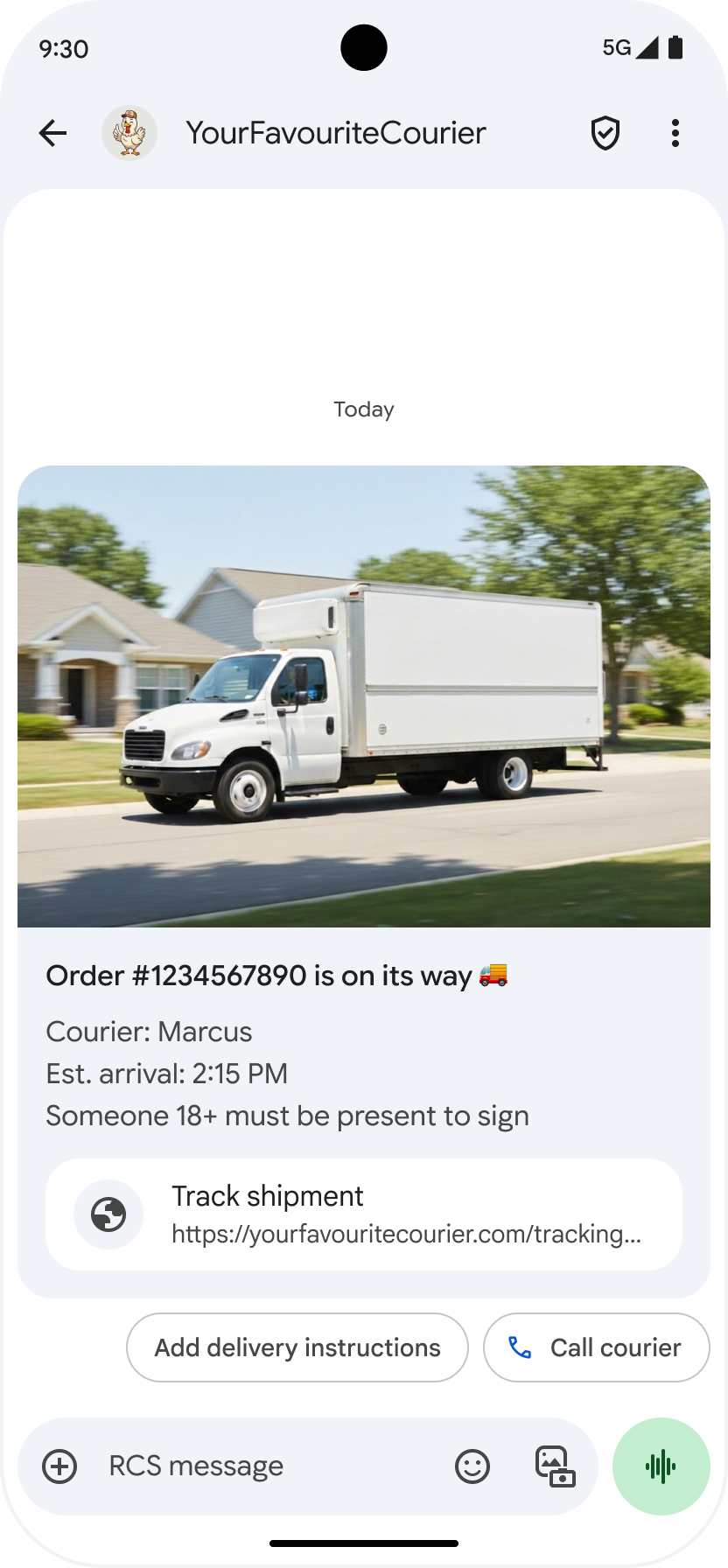
Hiển thị URL cơ bản: Để tăng tính minh bạch trong tin nhắn A2P, Google Tin nhắn sẽ hiển thị địa chỉ URL cơ bản trong hành động được đề xuất "Mở một URL". Thay đổi này ảnh hưởng đến các hành động được đề xuất trong thẻ thông tin chi tiết tiêu chuẩn và băng chuyền thẻ thông tin chi tiết.
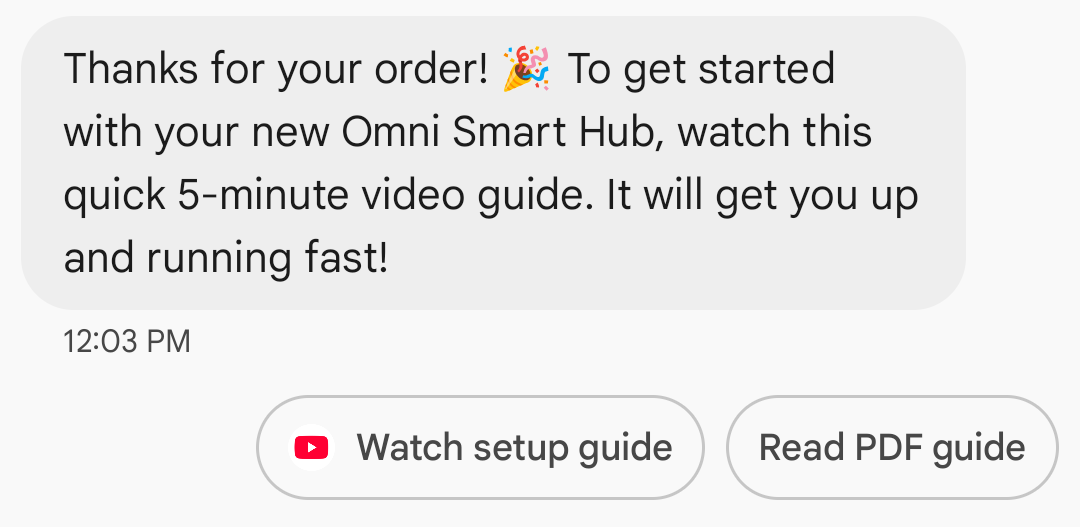
Hiển thị biểu tượng ứng dụng cho đường liên kết trên web: Nếu người dùng đã định cấu hình một ứng dụng mặc định cho trang web, thì ứng dụng đó sẽ mở thay vì trình duyệt hoặc webview, đồng thời nút đề xuất sẽ hiển thị biểu tượng của ứng dụng. Để biểu tượng ứng dụng xuất hiện trong Google Tin nhắn, bạn cần cung cấp URL đầy đủ và trực tiếp. Nếu bạn sử dụng một URL rút gọn, thì biểu tượng Mở URL mặc định sẽ xuất hiện.
Ví dụ
Đoạn mã sau đây sẽ gửi một thao tác mở URL. Để biết các lựa chọn về định dạng và giá trị, hãy xem OpenUrlAction.
cURL
curl -X POST "https://REGION-rcsbusinessmessaging.googleapis.com/v1/phones/PHONE_NUMBER/agentMessages?messageId=MESSAGE_ID&agentId=AGENT_ID" \
-H "Content-Type: application/json" \
-H "User-Agent: curl/rcs-business-messaging" \
-H "`oauth2l header --json PATH_TO_SERVICE_ACCOUNT_KEY rcsbusinessmessaging`" \
-d '{
  "contentMessage": {
    "text": "Hello, world!",
    "suggestions": [
      {
        "action": {
          "text": "Open Google",
          "postbackData": "postback_data_1234",
          "openUrlAction": {
            "url": "https://www.google.com"
          }
        }
      }
    ]
  }
}'
Node.js
// Reference to RBM API helper
const rbmApiHelper = require('@google/rcsbusinessmessaging');

// Define an open URL suggested action
let suggestions = [
   {
      action: {
         text: 'Open Google',
         postbackData: 'postback_data_1234',
         openUrlAction: {
            url: 'https://www.google.com'
         }
      }
   },
];

let params = {
   messageText: 'Hello, world!',
   msisdn: '+12223334444',
   suggestions: suggestions,
};

// Send a simple message with an open URL suggested action
rbmApiHelper.sendMessage(params, function(response) {
   console.log(response);
});
Java
import com.google.api.services.rcsbusinessmessaging.v1.model.OpenUrlAction;
import com.google.api.services.rcsbusinessmessaging.v1.model.SuggestedAction;
import com.google.api.services.rcsbusinessmessaging.v1.model.Suggestion;
import com.google.rbm.RbmApiHelper;
…

try {
   // Create an instance of the RBM API helper
   RbmApiHelper rbmApiHelper = new RbmApiHelper();

   // Create suggestions for chip list
   List<Suggestion> suggestions = new ArrayList<Suggestion>();

   // creating an open url suggested action
   OpenUrlAction openUrlAction = new OpenUrlAction();
   openUrlAction.setUrl("https://www.google.com");

   // creating a suggested action based on an open url action
   SuggestedAction suggestedAction = new SuggestedAction();
   suggestedAction.setText("Open Google");
   suggestedAction.setPostbackData("postback_data_1234");
   suggestedAction.setOpenUrlAction(openUrlAction);

   // attaching action to a suggestion
   Suggestion suggestion = new Suggestion();
   suggestion.setAction(suggestedAction);

   suggestions.add(suggestion);

   // Send simple text message with the suggestion action
   rbmApiHelper.sendTextMessage(
      "Hello, world!",
      "+12223334444",
      suggestions
   );
} catch(Exception e) {
   e.printStackTrace();
}
Python
# Reference to RBM Python client helper and messaging object structure
from rcs_business_messaging import rbm_service
from rcs_business_messaging import messages

# Create an open url suggested action
suggestions = [
      messages.OpenUrlAction('Open Google',
            'reply:postback_data_1234',
            'https://www.google.com')
]

# Create text message to send to user
text_msg = messages.TextMessage('Hello, world!')
cluster = messages.MessageCluster().append_message(text_msg)

# Append suggestions for the message to send to the user
for suggestion in suggestions:
    cluster.append_suggestion_chip(suggestion)

# Send a simple message with suggested action to the device
cluster.send_to_msisdn('+12223334444')
C#
using Google.Apis.RCSBusinessMessaging.v1.Data;
using RCSBusinessMessaging;
…

// Create an instance of the RBM API helper
RbmApiHelper rbmApiHelper = new RbmApiHelper(credentialsFileLocation,
                                                 projectId);

// Create an open url action
OpenUrlAction openUrlAction = new OpenUrlAction
{
    Url = "https://www.google.com"
};

// Attach the open url action to a suggested action
SuggestedAction suggestedAction = new SuggestedAction
{
    OpenUrlAction = openUrlAction,
    Text = "Open Google",
    PostbackData = "postback_data_1234"
};

// Attach the action to a suggestion object
Suggestion suggestion = new Suggestion
{
    Action = suggestedAction
};

List<Suggestion> suggestions = new List<Suggestion>
{
    suggestion
};

rbmApiHelper.SendTextMessage(
    "Hello, world!",
    "+12223334444",
    suggestions
);
Mở URL bằng webview
Thao tác Mở URL bằng webview sẽ tải trang web được chỉ định vào bên trong ứng dụng nhắn tin bằng công cụ kết xuất của trình duyệt mặc định. Điều này cho phép người dùng tương tác với trang web mà không cần rời khỏi cuộc trò chuyện RCS cho Doanh nghiệp. Nếu thiết bị của người dùng không hỗ trợ webview, thì trang web sẽ mở trong trình duyệt của người dùng. Để bật webview, hãy xem OpenURLApplication.
Webview có 3 chế độ hiển thị. Để biết các lựa chọn về định dạng và giá trị, hãy xem WebviewViewMode.
- Đầy đủ: Trang web chiếm toàn bộ màn hình
- Nửa: Trang web chiếm một nửa màn hình
- Dọc: Trang web chiếm 3/4 màn hình
Ví dụ
Đoạn mã sau đây gửi một thao tác Mở URL bằng webview. Để biết các lựa chọn về định dạng và giá trị, hãy xem biểu tượng OpenURLAction.
cURL
curl -X POST "https://REGION-rcsbusinessmessaging.googleapis.com/v1/phones/PHONE_NUMBER/agentMessages?messageId=MESSAGE_ID&agentId=AGENT_ID" \
-H "Content-Type: application/json" \
-H "User-Agent: curl/rcs-business-messaging" \
-H "`oauth2l header --json PATH_TO_SERVICE_ACCOUNT_KEY rcsbusinessmessaging`" \
-d '{
 "contentMessage": {
   "text": "Hello, world!",
   "suggestions": [
     {
       "action": {
         "text": "Open Google",
         "postbackData": "postback_data_1234",
         "openUrlAction": {
           "url": "https://www.google.com",
           "application": "WEBVIEW",
           "webviewViewMode": "FULL",
           "description": "Accessibility description"
         }
       }
     }
   ]
 }
}'
Java
import com.google.api.services.rcsbusinessmessaging.v1.model.OpenUrlAction;
import com.google.api.services.rcsbusinessmessaging.v1.model.SuggestedAction;
import com.google.api.services.rcsbusinessmessaging.v1.model.Suggestion;
import com.google.rbm.RbmApiHelper;
…

try {

   String URL = "https://www.google.com";

   // Create an instance of the RBM API helper
   RbmApiHelper rbmApiHelper = new RbmApiHelper();

   // Create suggestions for chip list
   List<Suggestion> suggestions = new ArrayList<Suggestion>();

   // Create suggestion to view webpage in full mode
   Suggestion viewInFullMode =  getUrlActionInWebview(URL, "FULL")
   suggestions.add(viewInFullMode);

   // create suggestion to view webpage in half mode
   Suggestion viewInHalfMode =  getUrlActionInWebview(URL, "HALF")
   suggestions.add(viewInHalfMode);

   // create suggestion to view webpage in tall mode
   Suggestion viewInTallMode =  getUrlActionInWebview(URL, "TALL")
   suggestions.add(viewInTallMode);

   // Send simple text message with the suggested action
   rbmApiHelper.sendTextMessage(
      "Hello, world!",
      "+12223334444",
      suggestions
   );
} catch(Exception e) {
   e.printStackTrace();
}

  /**
    * Creates a suggested action to open URL in webview.
    *
    * @return a suggestion object for an open URL in webview action .
    */
    private Suggestion getUrlActionInWebview(String url,
                                             String viewMode) {
      // create an open url action
      OpenUrlAction openUrlAction = new OpenUrlAction();
      openUrlAction.setUrl(url);
      openUrlAction.setApplication("WEBVIEW");
      openUrlAction.setWebviewViewMode(viewMode);
      openUrlAction.setDescription("Accessibility description");

      // attach the open url action to a suggested action
      SuggestedAction suggestedAction = new SuggestedAction();
      suggestedAction.setOpenUrlAction(openUrlAction);
      suggestedAction.setText('display_text');
      suggestedAction.setPostbackData('postback_data_123');

      // attach the action to a suggestion object
      Suggestion suggestion = new Suggestion();
      suggestion.setAction(suggestedAction);

      return suggestion;
    }
Tạo sự kiện trên lịch
Thao tác Tạo sự kiện trên lịch sẽ mở ứng dụng lịch của người dùng và bắt đầu tạo một sự kiện mới có thông tin được chỉ định.
Bạn phải có tiêu đề sự kiện trên lịch. Thuộc tính này có tối đa 100 ký tự. Bạn không bắt buộc phải nhập nội dung mô tả sự kiện trên lịch và nội dung này có tối đa 500 ký tự.
Ví dụ
Đoạn mã sau đây sẽ gửi một thao tác tạo sự kiện trên lịch. Để biết các lựa chọn về định dạng và giá trị, hãy xem biểu tượng CreateCalendarEventAction.
cURL
curl -X POST "https://REGION-rcsbusinessmessaging.googleapis.com/v1/phones/PHONE_NUMBER/agentMessages?messageId=MESSAGE_ID&agentId=AGENT_ID" \
-H "Content-Type: application/json" \
-H "User-Agent: curl/rcs-business-messaging" \
-H "`oauth2l header --json PATH_TO_SERVICE_ACCOUNT_KEY rcsbusinessmessaging`" \
-d '{
  "contentMessage": {
    "text": "Hello, world!",
    "suggestions": [
      {
        "action": {
          "text": "Save to calendar",
          "postbackData": "postback_data_1234",
          "fallbackUrl": "https://www.google.com/calendar",
          "createCalendarEventAction": {
            "startTime": "2020-06-30T19:00:00Z",
            "endTime": "2020-06-30T20:00:00Z",
            "title": "My calendar event",
            "description": "Description of the calendar event"
          }
        }
      }
    ]
  }
}'
Node.js
// Reference to RBM API helper
const rbmApiHelper = require('@google/rcsbusinessmessaging');

// Define a create calendar event suggested action
let suggestions = [
   {
      action: {
         text: 'Save to calendar',
         postbackData: 'postback_data_1234',
         createCalendarEventAction: {
            startTime: '2020-06-30T19:00:00Z',
            endTime: '2020-06-30T20:00:00Z',
            title: 'My calendar event',
            description: 'Description of the calendar event',
         },
      }
   },
];

let params = {
   messageText: 'Hello, world!',
   msisdn: '+12223334444',
   suggestions: suggestions,
};

// Send a simple message with a create calendar event suggested action
rbmApiHelper.sendMessage(params, function(response) {
   console.log(response);
});
Java
import com.google.api.services.rcsbusinessmessaging.v1.model.CreateCalendarEventAction;
import com.google.api.services.rcsbusinessmessaging.v1.model.SuggestedAction;
import com.google.api.services.rcsbusinessmessaging.v1.model.Suggestion;
import com.google.rbm.RbmApiHelper;
…

try {
   // Create an instance of the RBM API helper
   RbmApiHelper rbmApiHelper = new RbmApiHelper();

   // Create suggestions for chip list
   List<Suggestion> suggestions = new ArrayList<Suggestion>();

   // creating a create calendar event suggested action
   CreateCalendarEventAction createCalendarEventAction = new CreateCalendarEventAction();
   calendarEventAction.setTitle("My calendar event");
   calendarEventAction.setDescription("Description of the calendar event");
   calendarEventAction.setStartTime("2020-06-30T19:00:00Z");
   calendarEventAction.setEndTime("2020-06-30T20:00:00Z");

   // creating a suggested action based on a create calendar event action
   SuggestedAction suggestedAction = new SuggestedAction();
   suggestedAction.setText("Save to calendar");
   suggestedAction.setPostbackData("postback_data_1234");
   suggestedAction.setCreateCalendarEventAction(createCalendarEventAction);

   // attaching action to a suggestion
   Suggestion suggestion = new Suggestion();
   suggestion.setAction(suggestedAction);

   suggestions.add(suggestion);

   // Send simple text message with the suggestion action
   rbmApiHelper.sendTextMessage(
      "Hello, world!",
      "+12223334444",
      suggestions
   );
} catch(Exception e) {
   e.printStackTrace();
}
Python
# Reference to RBM Python client helper and messaging object structure
from rcs_business_messaging import rbm_service
from rcs_business_messaging import messages

# Create a calendar event suggested action
suggestions = [
      messages.CreateCalendarEventAction('Save to Calendar',
                             'reply:postback_data_1234',
                             '2020-06-30T19:00:00Z',
                             '2020-06-30T20:00:00Z',
                             'My calendar event',
                             'Description of the calendar event')

]

# Create text message to send to user
text_msg = messages.TextMessage('Hello, world!')
cluster = messages.MessageCluster().append_message(text_msg)

# Append suggestions for the message to send to the user
for suggestion in suggestions:
    cluster.append_suggestion_chip(suggestion)

# Send a simple message with suggested action to the device
cluster.send_to_msisdn('+12223334444')
C#
using Google.Apis.RCSBusinessMessaging.v1.Data;
using RCSBusinessMessaging;
…

// Create an instance of the RBM API helper
RbmApiHelper rbmApiHelper = new RbmApiHelper(credentialsFileLocation,
                                                 projectId);

// Create a calendar event action
CreateCalendarEventAction calendarEventAction = new CreateCalendarEventAction
{
    Title = "My calendar event",
    Description = "Description of the calendar event",
    StartTime = "2020-06-30T19:00:00Z",
    EndTime = "2020-06-30T20:00:00Z"
};

// Attach the calendar event action to a suggested action
SuggestedAction suggestedAction = new SuggestedAction
{
    CreateCalendarEventAction = calendarEventAction,
    Text = "Save to calendar",
    PostbackData = "postback_data_1234"
};

// Attach the action to a suggestion object
Suggestion suggestion = new Suggestion
{
    Action = suggestedAction
};

List<Suggestion> suggestions = new List<Suggestion>
{
    suggestion
};

rbmApiHelper.SendTextMessage(
    "Hello, world!",
    "+12223334444",
    suggestions
);
Danh sách khối đề xuất
Tác nhân của bạn gửi danh sách các khối đề xuất cùng với tin nhắn để hướng dẫn người dùng thực hiện các hành động tiếp theo. Danh sách khối chỉ xuất hiện khi thông báo liên quan nằm ở cuối cuộc trò chuyện. Mọi tin nhắn tiếp theo trong cuộc trò chuyện (từ người dùng hoặc tác nhân của bạn) sẽ ghi đè danh sách các khối thông tin.
Các khối trong danh sách là câu trả lời đề xuất và hành động đề xuất.
Danh sách khối chứa tối đa 11 khối đề xuất và mỗi nhãn khối có thể có tối đa 25 ký tự.
Để biết các lựa chọn về định dạng và giá trị, hãy xem AgentContentMessage.
Thẻ thông tin chi tiết
Thẻ đa phương tiện kết hợp nội dung nghe nhìn, văn bản và các đề xuất tương tác thành một tin nhắn duy nhất. Đây là lựa chọn lý tưởng để trình bày thông tin liên quan (ví dụ: một sản phẩm có hình ảnh, tên và giá) và hướng dẫn người dùng thực hiện bước tiếp theo rõ ràng như đề xuất "Xem chi tiết".
Thẻ thông tin chi tiết có thể chứa những nội dung sau:
- Nội dung nghe nhìn (hình ảnh, ảnh GIF hoặc video)
- Văn bản tiêu đề
- Văn bản mô tả
- Câu trả lời đề xuất và hành động được đề xuất (tối đa 4)
Mỗi trường trong số này đều không bắt buộc, nhưng bạn phải thêm ít nhất một trong các trường 1–3 vào thẻ đa dạng.
Bạn có thể gửi nhiều thẻ cùng lúc trong một băng chuyền có thể cuộn theo chiều ngang.
Xin lưu ý rằng tổng trọng tải cho một thẻ thông tin chi tiết là 250 KB.
Để biết thông tin kỹ thuật đầy đủ, hãy xem Tài liệu về thẻ thông tin đa dạng.
Chiều cao thẻ
Thẻ thông tin chi tiết mở rộng theo chiều dọc để phù hợp với nội dung. Chúng có chiều cao tối thiểu là 112 DP và chiều cao tối đa là 344 DP. Nếu nội dung thẻ không đủ lớn để lấp đầy chiều cao tối thiểu của thẻ, thì thẻ sẽ mở rộng và lấp đầy chiều cao thừa bằng khoảng trắng.
Nội dung nghe nhìn trong thẻ đa dạng phải có một trong ba chiều cao sau:
- Ngắn: 112 DP
- Trung bình: 168 DP
- Cao: 264 DP
Nếu nội dung nghe nhìn không vừa với kích thước trong thẻ theo chiều cao đã chọn, thì bản xem trước nội dung nghe nhìn sẽ được chọn bằng cách phóng to và cắt nội dung nghe nhìn.
Ví dụ
Mã sau đây gửi một thẻ đa phương tiện có hình ảnh và câu trả lời đề xuất. Để biết các lựa chọn về định dạng và giá trị, hãy xem RichCard.
cURL
curl -X POST "https://REGION-rcsbusinessmessaging.googleapis.com/v1/phones/PHONE_NUMBER/agentMessages?messageId=MESSAGE_ID&agentId=AGENT_ID" \
-H "Content-Type: application/json" \
-H "User-Agent: curl/rcs-business-messaging" \
-H "`oauth2l header --json PATH_TO_SERVICE_ACCOUNT_KEY rcsbusinessmessaging`" \
-d '{
  "contentMessage": {
    "richCard": {
      "standaloneCard": {
        "thumbnailImageAlignment": "RIGHT",
        "cardOrientation": "VERTICAL",
        "cardContent": {
          "title": "Hello, world!",
          "description": "RBM is awesome!",
          "media": {
            "height": "TALL",
            "contentInfo":{
              "fileUrl": "http://www.google.com/logos/doodles/2015/googles-new-logo-5078286822539264.3-hp2x.gif",
              "forceRefresh": false
            }
          },
          "suggestions": [
            {
              "reply": {
                "text": "Suggestion #1",
                "postbackData": "suggestion_1"
              }
            },
            {
              "reply": {
                "text": "Suggestion #2",
                "postbackData": "suggestion_2"
              }
            }
          ]
        }
      }
    }
  }
}'
Node.js
// Reference to RBM API helper
const rbmApiHelper = require('@google/rcsbusinessmessaging');

// Suggested replies to be used in the card
let suggestions = [
   {
      reply: {
         'text': 'Suggestion #1',
         'postbackData': 'suggestion_1',
      },
   },
   {
      reply: {
         'text': 'Suggestion #2',
         'postbackData': 'suggestion_2',
      },
   },
];

// Image to be displayed by the card
let imageUrl = 'http://www.google.com/logos/doodles/2015/googles-new-logo-5078286822539264.3-hp2x.gif';

// Definition of the card parameters
let params = {
   messageText: 'Hello, world!',
   messageDescription: 'RBM is awesome!',
   msisdn: '+12223334444',
   suggestions: suggestions,
   imageUrl: imageUrl,
   height: 'TALL',
};

// Send rich card to device
rbmApiHelper.sendRichCard(params, function(response) {
   console.log(response);
});
Java
import com.google.api.services.rcsbusinessmessaging.v1.model.StandaloneCard;
import com.google.api.services.rcsbusinessmessaging.v1.model.Suggestion;
import com.google.rbm.cards.CardOrientation;
import com.google.rbm.cards.MediaHeight;
import com.google.rbm.RbmApiHelper;
import com.google.rbm.SuggestionHelper;
…

try {
   // Create an instance of the RBM API helper
   RbmApiHelper rbmApiHelper = new RbmApiHelper();

   // Create suggestions for chip list
   List<Suggestion> suggestions = new ArrayList<Suggestion>();
   suggestions.add(
      new SuggestionHelper("Suggestion #1", "suggestion_1").getSuggestedReply());

   suggestions.add(
      new SuggestionHelper("Suggestion #2", "suggestion_2").getSuggestedReply());

   String imageUrl = "http://www.google.com/logos/doodles/2015/googles-new-logo-5078286822539264.3-hp2x.gif";

   // Create a standalone rich card to send to the user
   StandaloneCard standaloneCard = rbmApiHelper.createStandaloneCard(
       "Hello, world!",
       "RBM is awesome!",
       imageUrl,
       MediaHeight.MEDIUM,
       CardOrientation.VERTICAL,
       suggestions
   );

   rbmApiHelper.sendStandaloneCard(standaloneCard, "+12223334444");
} catch(Exception e) {
   e.printStackTrace();
}
Python
# Reference to RBM Python client helper and messaging object structure
from rcs_business_messaging import rbm_service
from rcs_business_messaging import messages

# Suggested replies to be used in the card
suggestions = [
      messages.SuggestedReply('Suggestion #1', 'reply:suggestion_1'),
      messages.SuggestedReply('Suggestion #2', 'reply:suggestion_2')
]

# Image to be displayed by the card
image_url = 'http://www.google.com/logos/doodles/2015/googles-new-logo-5078286822539264.3-hp2x.gif';

# Define rich card structure
rich_card = messages.StandaloneCard('VERTICAL',
                                    'Hello, world!',
                                    'RBM is awesome!',
                                    suggestions,
                                    image_url,
                                    None,
                                    None,
                                    'MEDIUM')

# Append rich card and send to the user
cluster = messages.MessageCluster().append_message(rich_card)
cluster.send_to_msisdn('+12223334444')
C#
using Google.Apis.RCSBusinessMessaging.v1.Data;
using RCSBusinessMessaging;
using RCSBusinessMessaging.Cards;
…

// Create an instance of the RBM API helper
RbmApiHelper rbmApiHelper = new RbmApiHelper(credentialsFileLocation,
                                             projectId);

List<Suggestion> suggestions = new List<Suggestion>
{
   // Create suggestion chips
   new SuggestionHelper("Suggestion #1", "suggestion_1").SuggestedReply(),
   new SuggestionHelper("Suggestion #2", "suggestion_2").SuggestedReply()
};

string imageUrl = "http://www.google.com/logos/doodles/2015/googles-new-logo-5078286822539264.3-hp2x.gif";

// Create rich card with suggestions
StandaloneCard standaloneCard = rbmApiHelper.CreateStandaloneCard(
   "Hello, world!",
   "RBM is awesome",
   imageUrl,
   MediaHeight.TALL,
   CardOrientation.VERTICAL,
   suggestions
);

// Send rich card to user
rbmApiHelper.SendStandaloneCard(standaloneCard, "+12223334444");
Băng chuyền thẻ thông tin chi tiết
Băng chuyền kết hợp nhiều thẻ đa phương tiện, cho phép người dùng so sánh các mục và phản ứng với từng mục riêng lẻ.
Băng chuyền có thể chứa tối thiểu 2 và tối đa 10 thẻ đa dạng. Thẻ thông tin chi tiết trong băng chuyền phải tuân thủ các yêu cầu chung về thẻ thông tin chi tiết đối với nội dung và chiều cao, như mô tả trong Tài liệu về thẻ thông tin chi tiết. Để biết thêm thông tin về bố cục và quy cách của băng chuyền, hãy xem tài liệu về Băng chuyền.
Ví dụ
Đoạn mã sau đây sẽ gửi một băng chuyền thẻ thông tin chi tiết. Để biết các lựa chọn về định dạng và giá trị, hãy xem RichCard.
cURL
curl -X POST "https://REGION-rcsbusinessmessaging.googleapis.com/v1/phones/PHONE_NUMBER/agentMessages?messageId=MESSAGE_ID&agentId=AGENT_ID" \
-H "Content-Type: application/json" \
-H "User-Agent: curl/rcs-business-messaging" \
-H "`oauth2l header --json PATH_TO_SERVICE_ACCOUNT_KEY rcsbusinessmessaging`" \
-d '{
  "contentMessage": {
    "richCard": {
      "carouselCard": {
        "cardWidth": "MEDIUM",
        "cardContents": [
          {
            "title": "Card #1",
            "description": "The description for card #1",
            "suggestions": [
              {
                "reply": {
                  "text": "Card #1",
                  "postbackData": "card_1"
                }
              }
            ],
            "media": {
              "height": "MEDIUM",
              "contentInfo": {
                "fileUrl": "https://storage.googleapis.com/welcome-bot-sample-images/200.jpg",
                "forceRefresh": false
              }
            }
          },
          {
            "title": "Card #2",
            "description": "The description for card #2",
            "suggestions": [
              {
                "reply": {
                  "text": "Card #2",
                  "postbackData": "card_2"
                }
              }
            ],
            "media": {
              "height": "MEDIUM",
              "contentInfo": {
                "fileUrl": "https://storage.googleapis.com/welcome-bot-sample-images/201.jpg",
                "forceRefresh": false
              }
            }
          }
        ]
      }
    }
  }
}'
Node.js
// Reference to RBM API helper
const rbmApiHelper = require('@google/rcsbusinessmessaging');

// Images for the carousel cards
let card1Image = 'https://storage.googleapis.com/welcome-bot-sample-images/200.jpg';
let card2Image = 'https://storage.googleapis.com/welcome-bot-sample-images/201.jpg';

// Define the card contents for a carousel with two cards, each with one suggested reply
let cardContents = [
   {
      title: 'Card #1',
      description: 'The description for card #1',
      suggestions: [
         {
            reply: {
               text: 'Card #1',
               postbackData: 'card_1',
            }
         }
      ],
      media: {
         height: 'MEDIUM',
         contentInfo: {
            fileUrl: card1Image,
            forceRefresh: false,
         },
      },
   },
   {
      title: 'Card #2',
      description: 'The description for card #2',
      suggestions: [
         {
            reply: {
               text: 'Card #2',
               postbackData: 'card_2',
            }
         }
      ],
      media: {
         height: 'MEDIUM',
         contentInfo: {
            fileUrl: card2Image,
            forceRefresh: false,
         },
      },
   },
];

// Definition of carousel card
let params = {
   msisdn: '+12223334444',
   cardContents: cardContents,
};

// Send the device the carousel card defined above
rbmApiHelper.sendCarouselCard(params, function(response) {
   console.log(response);
});
Java
import com.google.api.services.rcsbusinessmessaging.v1.model.CardContent;
import com.google.api.services.rcsbusinessmessaging.v1.model.Suggestion;
import com.google.rbm.cards.CardOrientation;
import com.google.rbm.cards.CardWidth;
import com.google.rbm.cards.MediaHeight;
import com.google.rbm.RbmApiHelper;
import com.google.rbm.SuggestionHelper;
…

try {
            // Create an instance of the RBM API helper
            RbmApiHelper rbmApiHelper = new RbmApiHelper();

            List cardContents = new ArrayList();

            // Images for the carousel cards
            String card1Image = "https://storage.googleapis.com/welcome-bot-sample-images/200.jpg";

            // Create suggestions for first carousel card
            List card1Suggestions = new ArrayList();
            card1Suggestions.add(
                new SuggestionHelper("Card #1", "card_1"));

            cardContents.add(
                new StandaloneCardHelper(
                    "Card #1",
                    "The description for card #1",
                    card1Image,
                    card1Suggestions)
                    .getCardContent(MediaHeight.SHORT)
            );

            // Images for the carousel cards
            String card2Image = "https://storage.googleapis.com/welcome-bot-sample-images/201.jpg";

            // Create suggestions for second carousel card
            List card2Suggestions = new ArrayList();
            card2Suggestions.add(
                new SuggestionHelper("Card #2", "card_2"));

            cardContents.add(
                new StandaloneCardHelper(
                    "Card #2",
                    "The description for card #2",
                    card2Image,
                    card2Suggestions)
                    .getCardContent(MediaHeight.SHORT)
            );

            // Send the carousel to the user
            rbmApiHelper.sendCarouselCards(cardContents, CardWidth.MEDIUM, "+12223334444");
        } catch(Exception e) {
            e.printStackTrace();
        }
Python
# Reference to RBM Python client helper and messaging object structure
from rcs_business_messaging import rbm_service
from rcs_business_messaging import messages

# Images for the carousel cards
card_image_1 = 'https://storage.googleapis.com/welcome-bot-sample-images/200.jpg';
card_image_2 = 'https://storage.googleapis.com/welcome-bot-sample-images/201.jpg';

# Suggested replies to be used in the cards
suggestions1 = [
      messages.SuggestedReply('Card #1', 'reply:card_1')
]

suggestions2 = [
      messages.SuggestedReply('Card #2', 'reply:card_2')
]

# Define the card contents for a carousel with two cards,
# each with one suggested reply
card_contents = []
card_contents.append(messages.CardContent('Card #1',
                                          'The description for card #1',
                                          card_image_1,
                                          'MEDIUM',
                                          suggestions1))

card_contents.append(messages.CardContent('Card #2',
                                          'The description for card #2',
                                          card_image_2,
                                          'MEDIUM',
                                          suggestions2))

# Send the device the carousel card defined above
carousel_card = messages.CarouselCard('MEDIUM', card_contents)
cluster = messages.MessageCluster().append_message(carousel_card)
cluster.send_to_msisdn('+12223334444')
C#
using Google.Apis.RCSBusinessMessaging.v1.Data;
using RCSBusinessMessaging;
using RCSBusinessMessaging.Cards;
…

// Create an instance of the RBM API helper
RbmApiHelper rbmApiHelper = new RbmApiHelper(credentialsFileLocation,
                                             projectId);

// Image references to be used in the carousel cards
string card1Image = "https://storage.googleapis.com/welcome-bot-sample-images/200.jpg";
string card2Image = "https://storage.googleapis.com/welcome-bot-sample-images/201.jpg";

// Suggestion chip lists to be used in carousel cards
List<Suggestion> suggestions1 = new List<Suggestion>
{
   new SuggestionHelper("Card #1", "card_1").SuggestedReply()
};

List<Suggestion> suggestions2 = new List<Suggestion>
{
   new SuggestionHelper("Card #2", "card_2").SuggestedReply()
};

// Create the card content for the carousel
List<CardContent> cardContents = new List<CardContent>
{
   // Add items as card content
   new StandaloneCardHelper(
                    "Card #1",
                    "The description for card #1",
                    card1Image,
                    suggestions1).GetCardContent(),
   new StandaloneCardHelper(
                    "Card #2",
                    "The description for card #2",
                    card2Image,
                    suggestions2).GetCardContent()
};

// Send the carousel to the user
rbmApiHelper.SendCarouselCards(cardContents, CardWidth.MEDIUM, msisdn);