
ユーザーからメッセージを受信したら、返信を送信して 会話を続けます。ユーザーの最後のメッセージから 30 日以内であれば、ユーザーにメッセージを送信できます。
エージェントは、メッセージの送受信によってユーザーとコミュニケーションを取ります。ユーザーにメッセージを送信するには、エージェントが Business Messages にメッセージ リクエストを送信します。
メッセージを送信するには、次の情報を含む HTTP POST リクエストを Business Messages API に送信します。
- 一意のメッセージ ID
- 会話 ID
- メッセージの内容
Business Messages API がユーザーにメッセージを送信すると、200 OK が返されます。メッセージに必要な値が不足している場合、API は 400 エラーを返します。メッセージで無効な認証情報が使用されている場合、API は 401 エラーを返します。
メッセージ配信の問題をデバッグするには、Business Communications Developer Console のログ ページ を使用します。
フォールバック戦略
ユーザーのデバイスが送信しようとしているメッセージをサポートしていない場合(
ユーザーが返信文の候補をサポートしていない場合など)、API は 400 (FAILED
PRECONDITION) エラーを返します。ただし、送信するメッセージごとに fallback テキストを指定することで、サポートされていないメッセージ タイプを回避できます。fallback テキストを指定すると、ユーザーのデバイスがメッセージ タイプをサポートしていない場合でも、API は 200 OK レスポンスを返します。
デバイスがサポートしていないメッセージを受信したユーザーのデバイスには、fallback テキストが含まれている場合、代わりに fallback テキストが表示されます。この
動作により、会話の流れを中断したり、
400
(FAILED PRECONDITION) エラーの処理や代替メッセージの特定に余分な時間をかけたりすることなく、会話を積極的に継続できます。
特定のメッセージの fallback テキストは、メッセージの機能を反映する必要があります。たとえば
- 返信文の候補やアクションを含むメッセージの場合は、メッセージ テキストを
fallbackテキストに含め、会話を続けるためのオプションに関するガイダンスを含めます。 - リッチカードやカルーセルの場合は、タイトルと説明を
fallbackテキストに含め、画像やウェブサイトへのリンクを含めます。
fallback テキストに改行を挿入するには、\n または \r\n を使用します。
フォールバック テキストをテストする
エージェントを起動する前に、URL パラメータ forceFallback を true に設定したメッセージを送信して、フォールバック テキストが会話にどのように表示されるかをテストできます。フォールバック テキストを強制すると、会話ではメインのメッセージ コンテンツ(次の例ではテキストと [URL を開く] の候補)が無視され、代わりにフォールバック テキストが表示されます。
cURL
# Copyright 2021 Google LLC # # Licensed under the Apache License, Version 2.0 (the "License"); # you may not use this file except in compliance with the License. # You may obtain a copy of the License at # https://www.apache.org/licenses/LICENSE-2.0 # Unless required by applicable law or agreed to in writing, software # distributed under the License is distributed on an "AS IS" BASIS, # WITHOUT WARRANTIES OR CONDITIONS OF ANY KIND, either express or implied. # See the License for the specific language governing permissions and # limitations under the License. # This code sends a text message to the user with a fallback text. # Read more: https://developers.google.com/business-communications/business-messages/guides/how-to/message/send?hl=en#fallback_strategy # Replace the __CONVERSATION_ID__ with a conversation id that you can send messages to # Make sure a service account key file exists at ./service_account_key.json curl -X POST \ "https://businessmessages.googleapis.com/v1/conversations/__CONVERSATION_ID__/messages?forceFallback=true" \ -H "Content-Type: application/json" \ -H "User-Agent: curl/business-messages" \ -H "$(oauth2l header --json ./service_account_key.json businessmessages)" \ -d "{ 'messageId': '$(uuidgen)', 'text': 'Hello world!', 'fallback': 'Hello, world!\n\nSay \"Hello\" at https://www.growingtreebank.com', 'suggestions': [ { 'action': { 'text': 'Hello', 'postbackData': 'hello-formal', 'openUrlAction': { 'url': 'https://www.growingtreebank.com', } }, }, ], 'representative': { 'avatarImage': 'https://developers.google.com/identity/images/g-logo.png', 'displayName': 'Chatbot', 'representativeType': 'BOT' } }"
Node.js
/** * This code sends a text message to the user with a fallback text. * Read more: https://developers.google.com/business-communications/business-messages/guides/how-to/message/send?hl=en#fallback_strategy * * This code is based on the https://github.com/google-business-communications/nodejs-businessmessages Node.js * Business Messages client library. */ /** * Edit the values below: */ const PATH_TO_SERVICE_ACCOUNT_KEY = './service_account_key.json'; const CONVERSATION_ID = 'EDIT_HERE'; const businessmessages = require('businessmessages'); const uuidv4 = require('uuid').v4; const {google} = require('googleapis'); // Initialize the Business Messages API const bmApi = new businessmessages.businessmessages_v1.Businessmessages({}); // Set the scope that we need for the Business Messages API const scopes = [ 'https://www.googleapis.com/auth/businessmessages', ]; // Set the private key to the service account file const privatekey = require(PATH_TO_SERVICE_ACCOUNT_KEY); /** * Posts a message to the Business Messages API defaulting to the fallback text. * * @param {string} conversationId The unique id for this user and agent. * @param {string} message The message text to send the user. * @param {string} representativeType A value of BOT or HUMAN. */ async function sendMessage(conversationId, message, representativeType) { const authClient = await initCredentials(); // Create the payload for sending a message const apiParams = { auth: authClient, parent: 'conversations/' + conversationId, forceFallback: true, // Force usage of the fallback text resource: { messageId: uuidv4(), representative: { representativeType: representativeType, }, text: message, fallback: 'This is the fallback text' }, }; // Call the message create function using the // Business Messages client library bmApi.conversations.messages.create(apiParams, {auth: authClient}, (err, response) => { console.log(err); console.log(response); }); } /** * Initializes the Google credentials for calling the * Business Messages API. */ async function initCredentials() { // configure a JWT auth client const authClient = new google.auth.JWT( privatekey.client_email, null, privatekey.private_key, scopes, ); return new Promise(function(resolve, reject) { // authenticate request authClient.authorize(function(err, tokens) { if (err) { reject(false); } else { resolve(authClient); } }); }); } sendMessage(CONVERSATION_ID, 'BOT');
Java
import com.google.api.client.googleapis.services.AbstractGoogleClientRequest; import com.google.api.client.http.HttpBackOffUnsuccessfulResponseHandler; import com.google.api.client.http.HttpRequest; import com.google.api.client.googleapis.auth.oauth2.GoogleCredential; import com.google.api.client.googleapis.javanet.GoogleNetHttpTransport; import com.google.api.client.http.HttpTransport; import com.google.api.client.json.jackson2.JacksonFactory; import com.google.api.client.util.ExponentialBackOff; import com.google.api.services.businessmessages.v1.Businessmessages; import com.google.api.services.businessmessages.v1.model.*; import java.io.FileInputStream; import java.util.Arrays; import java.util.UUID; class TestFallbackTestSnippet { /** * Initializes credentials used by the Business Messages API. */ private static Businessmessages.Builder getBusinessMessagesBuilder() { Businessmessages.Builder builder = null; try { GoogleCredential credential = GoogleCredential .fromStream(new FileInputStream("PATH_TO_SERVICE_ACCOUNT_KEY")); credential = credential.createScoped(Arrays.asList( "https://www.googleapis.com/auth/businessmessages")); credential.refreshToken(); HttpTransport httpTransport = GoogleNetHttpTransport.newTrustedTransport(); JacksonFactory jsonFactory = JacksonFactory.getDefaultInstance(); // Create instance of the Business Messages API builder = new Businessmessages .Builder(httpTransport, jsonFactory, null) .setApplicationName("Sample Application"); // Set the API credentials and endpoint builder.setHttpRequestInitializer(credential); } catch (Exception e) { e.printStackTrace(); } return builder; } public static void main(String args[]) { try { String conversationId = "CONVERSATION_ID"; // Create client library reference Businessmessages.Builder builder = getBusinessMessagesBuilder(); // Create a basic text message with fallback text BusinessMessagesMessage message = new BusinessMessagesMessage() .setMessageId(UUID.randomUUID().toString()) .setFallback("This is the fallback text") .setText("MESSAGE_TEXT") .setRepresentative(new BusinessMessagesRepresentative() .setRepresentativeType("TYPE")); // Create message request Businessmessages.Conversations.Messages.Create messageRequest = builder.build().conversations().messages() .create("conversations/" + conversationId, message); // Force usage of the fallback text messageRequest.setForceFallback(true); // Setup retries with exponential backoff HttpRequest httpRequest = ((AbstractGoogleClientRequest) messageRequest).buildHttpRequest(); httpRequest.setUnsuccessfulResponseHandler(new HttpBackOffUnsuccessfulResponseHandler( new ExponentialBackOff())); // Execute request httpRequest.execute(); } catch (Exception e) { e.printStackTrace(); } } }
Python
"""This code sends a text message to the user with a fallback text. Read more: https://developers.google.com/business-communications/business-messages/guides/how-to/message/send?hl=en#fallback_strategy This code is based on the https://github.com/google-business-communications/python-businessmessages Python Business Messages client library. """ import uuid from businessmessages import businessmessages_v1_client as bm_client from businessmessages.businessmessages_v1_messages import BusinessmessagesConversationsMessagesCreateRequest from businessmessages.businessmessages_v1_messages import BusinessMessagesMessage from businessmessages.businessmessages_v1_messages import BusinessMessagesRepresentative from oauth2client.service_account import ServiceAccountCredentials # Edit the values below: path_to_service_account_key = './service_account_key.json' conversation_id = 'EDIT_HERE' credentials = ServiceAccountCredentials.from_json_keyfile_name( path_to_service_account_key, scopes=['https://www.googleapis.com/auth/businessmessages']) client = bm_client.BusinessmessagesV1(credentials=credentials) representative_type_as_string = 'BOT' if representative_type_as_string == 'BOT': representative_type = BusinessMessagesRepresentative.RepresentativeTypeValueValuesEnum.BOT else: representative_type = BusinessMessagesRepresentative.RepresentativeTypeValueValuesEnum.HUMAN # Create message with fallback text message = BusinessMessagesMessage( messageId=str(uuid.uuid4().int), fallback='This is the fallback text', representative=BusinessMessagesRepresentative( representativeType=representative_type ), text='This is a sample text') # Create the message request, force usage of the fallback text create_request = BusinessmessagesConversationsMessagesCreateRequest( businessMessagesMessage=message, forceFallback=True, parent='conversations/' + conversation_id) # Send the message bm_client.BusinessmessagesV1.ConversationsMessagesService( client=client).Create(request=create_request)
詳しくは、
Message をご覧ください。
下院議員
エージェントがメッセージを送信するときは、メッセージを作成した担当者(人間または自動化)を指定します。Business Messages は、HUMAN と BOT の担当者をサポートしています。
自動化によってメッセージが作成される場合は、BOT 担当者を指定します。自動化は、ユーザーにキュー内の位置を伝える自動応答、ユーザーの詳細に動的にアクセスできる複雑な自然言語理解エージェントなど、どのようなものでもかまいません。担当者のメッセージには、小さなアイコンが表示されます。これにより、ユーザーはどのようなやり取りが行われるかを予測できます。BOT
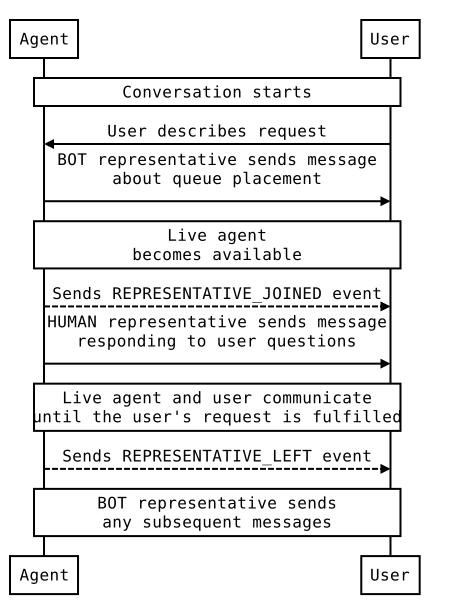
HUMAN 担当者は、人間のエージェントがメッセージを作成する場合にのみ指定します。HUMAN担当者からメッセージを送信する前に、
REPRESENTATIVE_JOINED
イベントを送信して、
ユーザーが自由形式または複雑なメッセージを送信できることを知らせます。HUMAN 担当者から最後のメッセージを送信したら、REPRESENTATIVE_LEFT イベントを送信して、ユーザーの期待値を再度設定します。
たとえば、ユーザーがエージェントとの会話を開始し、2 分以内に人間のエージェントが対応するという自動メッセージを送信する場合、そのメッセージは BOT 担当者から送信する必要があります。人間のエージェントが参加する前に、REPRESENTATIVE_JOINED イベントを送信します。人間のエージェントからのメッセージはすべて、HUMAN 担当者からのものとしてラベル付けする必要があります。人間のエージェントが会話を終了したら、REPRESENTATIVE_LEFT イベントを送信します。別の人間のエージェントが会話に参加しない限り、以降のメッセージはすべて BOT 担当者から送信されます。
`BOT` 担当者と `HUMAN` 担当者の切り替えに関する会話とコードの例については、ボットから人間のエージェントへのハンドオフ
をご覧ください。BOTHUMAN
担当者が BOT か HUMAN かにかかわらず、担当者の表示名とアバターを指定できます。表示名とアバターはどちらもユーザーに表示されます。
アバター画像は 1024 x 1024 ピクセル、最大 50 KB で、一般公開されている URL として指定する必要があります。アバター画像を指定しない場合、エージェントのロゴが担当者のアバターとして使用されます。
テキスト
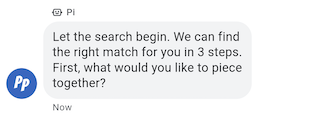
最もシンプルなメッセージはテキストで構成されています。テキスト メッセージは、ビジュアル、複雑な操作、応答を必要とせずに情報を伝達するのに最適です。
例
次のコードは、シンプルなテキスト メッセージを送信します。参考情報については、
conversations.messages.create をご覧ください。
cURL
# Copyright 2021 Google LLC # # Licensed under the Apache License, Version 2.0 (the "License"); # you may not use this file except in compliance with the License. # You may obtain a copy of the License at # https://www.apache.org/licenses/LICENSE-2.0 # Unless required by applicable law or agreed to in writing, software # distributed under the License is distributed on an "AS IS" BASIS, # WITHOUT WARRANTIES OR CONDITIONS OF ANY KIND, either express or implied. # See the License for the specific language governing permissions and # limitations under the License. # This code sends a text message to the user. # Read more: https://developers.google.com/business-communications/business-messages/guides/how-to/message/send?hl=en#text # Replace the __CONVERSATION_ID__ with a conversation id that you can send messages to # Make sure a service account key file exists at ./service_account_key.json curl -X POST "https://businessmessages.googleapis.com/v1/conversations/__CONVERSATION_ID__/messages" \ -H "Content-Type: application/json" \ -H "User-Agent: curl/business-messages" \ -H "$(oauth2l header --json ./service_account_key.json businessmessages)" \ -d "{ 'messageId': '$(uuidgen)', 'text': 'Hello world!', 'representative': { 'avatarImage': 'https://developers.google.com/identity/images/g-logo.png', 'displayName': 'Chatbot', 'representativeType': 'BOT' } }"
Node.js
/** * This code sends a text message to the user. * Read more: https://developers.google.com/business-communications/business-messages/guides/how-to/message/send?hl=en#text * * This code is based on the https://github.com/google-business-communications/nodejs-businessmessages Node.js * Business Messages client library. */ /** * Edit the values below: */ const PATH_TO_SERVICE_ACCOUNT_KEY = './service_account_key.json'; const CONVERSATION_ID = 'EDIT_HERE'; const businessmessages = require('businessmessages'); const uuidv4 = require('uuid').v4; const {google} = require('googleapis'); // Initialize the Business Messages API const bmApi = new businessmessages.businessmessages_v1.Businessmessages({}); // Set the scope that we need for the Business Messages API const scopes = [ 'https://www.googleapis.com/auth/businessmessages', ]; // Set the private key to the service account file const privatekey = require(PATH_TO_SERVICE_ACCOUNT_KEY); /** * Posts a text message to the Business Messages API. * * @param {string} conversationId The unique id for this user and agent. * @param {string} message The message text to send the user. * @param {string} representativeType A value of BOT or HUMAN. */ async function sendMessage(conversationId, message, representativeType) { const authClient = await initCredentials(); // Create the payload for sending a message const apiParams = { auth: authClient, parent: 'conversations/' + conversationId, resource: { messageId: uuidv4(), representative: { representativeType: representativeType, }, text: message, }, }; // Call the message create function using the // Business Messages client library bmApi.conversations.messages.create(apiParams, {auth: authClient}, (err, response) => { console.log(err); console.log(response); }); } /** * Initializes the Google credentials for calling the * Business Messages API. */ async function initCredentials() { // configure a JWT auth client const authClient = new google.auth.JWT( privatekey.client_email, null, privatekey.private_key, scopes, ); return new Promise(function(resolve, reject) { // authenticate request authClient.authorize(function(err, tokens) { if (err) { reject(false); } else { resolve(authClient); } }); }); } sendMessage(CONVERSATION_ID, 'This is a test message', 'BOT');
Java
import com.google.api.client.googleapis.services.AbstractGoogleClientRequest; import com.google.api.client.http.HttpBackOffUnsuccessfulResponseHandler; import com.google.api.client.http.HttpRequest; import com.google.api.client.googleapis.auth.oauth2.GoogleCredential; import com.google.api.client.googleapis.javanet.GoogleNetHttpTransport; import com.google.api.client.http.HttpTransport; import com.google.api.client.json.jackson2.JacksonFactory; import com.google.api.client.util.ExponentialBackOff; import com.google.api.services.businessmessages.v1.Businessmessages; import com.google.api.services.businessmessages.v1.model.*; import java.io.FileInputStream; import java.util.Arrays; import java.util.UUID; class SendTextMessageSnippet { /** * Initializes credentials used by the Business Messages API. */ private static Businessmessages.Builder getBusinessMessagesBuilder() { Businessmessages.Builder builder = null; try { GoogleCredential credential = GoogleCredential .fromStream(new FileInputStream("PATH_TO_SERVICE_ACCOUNT_KEY")); credential = credential.createScoped(Arrays.asList( "https://www.googleapis.com/auth/businessmessages")); credential.refreshToken(); HttpTransport httpTransport = GoogleNetHttpTransport.newTrustedTransport(); JacksonFactory jsonFactory = JacksonFactory.getDefaultInstance(); // Create instance of the Business Messages API builder = new Businessmessages .Builder(httpTransport, jsonFactory, null) .setApplicationName("Sample Application"); // Set the API credentials and endpoint builder.setHttpRequestInitializer(credential); } catch (Exception e) { e.printStackTrace(); } return builder; } public static void main(String args[]) { try { String conversationId = "CONVERSATION_ID"; // Create client library reference Businessmessages.Builder builder = getBusinessMessagesBuilder(); // Create a basic text message BusinessMessagesMessage message = new BusinessMessagesMessage() .setMessageId(UUID.randomUUID().toString()) .setText("MESSAGE_TEXT") .setRepresentative(new BusinessMessagesRepresentative() .setRepresentativeType("TYPE")); // Create message request Businessmessages.Conversations.Messages.Create messageRequest = builder.build().conversations().messages() .create("conversations/" + conversationId, message); // Setup retries with exponential backoff HttpRequest httpRequest = ((AbstractGoogleClientRequest) messageRequest).buildHttpRequest(); httpRequest.setUnsuccessfulResponseHandler(new HttpBackOffUnsuccessfulResponseHandler( new ExponentialBackOff())); // Execute request httpRequest.execute(); } catch (Exception e) { e.printStackTrace(); } } }
Python
"""This code sends a text message to the user. Read more: https://developers.google.com/business-communications/business-messages/guides/how-to/message/send?hl=en#text This code is based on the https://github.com/google-business-communications/python-businessmessages Python Business Messages client library. """ import uuid from businessmessages import businessmessages_v1_client as bm_client from businessmessages.businessmessages_v1_messages import BusinessmessagesConversationsMessagesCreateRequest from businessmessages.businessmessages_v1_messages import BusinessMessagesMessage from businessmessages.businessmessages_v1_messages import BusinessMessagesRepresentative from oauth2client.service_account import ServiceAccountCredentials # Edit the values below: path_to_service_account_key = './service_account_key.json' conversation_id = 'EDIT_HERE' credentials = ServiceAccountCredentials.from_json_keyfile_name( path_to_service_account_key, scopes=['https://www.googleapis.com/auth/businessmessages']) client = bm_client.BusinessmessagesV1(credentials=credentials) representative_type_as_string = 'BOT' if representative_type_as_string == 'BOT': representative_type = BusinessMessagesRepresentative.RepresentativeTypeValueValuesEnum.BOT else: representative_type = BusinessMessagesRepresentative.RepresentativeTypeValueValuesEnum.HUMAN # Create a text message message = BusinessMessagesMessage( messageId=str(uuid.uuid4().int), representative=BusinessMessagesRepresentative( representativeType=representative_type ), text='This is a sample text') # Create the message request create_request = BusinessmessagesConversationsMessagesCreateRequest( businessMessagesMessage=message, parent='conversations/' + conversation_id) # Send the message bm_client.BusinessmessagesV1.ConversationsMessagesService( client=client).Create(request=create_request)
リッチテキスト
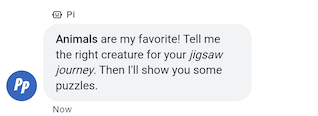
containsRichText が true に設定されたテキスト メッセージには、基本的な Markdown 書式設定を含めることができます。ハイパーリンクを含めたり、テキストを太字や斜体にしたりできます。次の表に、有効な例を示します。
| 書式設定 | 文字数 | 書式なしテキスト | レンダリングされたテキスト |
|---|---|---|---|
| 太字 | ** |
**Some text** |
Some text |
| イタリック体 | * |
*Some text* |
Some text |
| Hyperlink | []() |
[Click here](https://www.example.com) |
こちらをクリック |
| 改行 | \n
|
Line one\nLine two
|
Line one Line two |
書式設定には、次の追加ルールが適用されます。
- すべてのリンクは
https://またはhttp://で始まる必要があります。 - 異なる種類の書式設定はネストできますが、重複させることはできません。
\nを使用した改行はメッセージ内の任意の場所で許可されますが、メッセージの末尾の改行は表示されません。- 予約文字(
*、\、[、])を通常どおりに表示するには、バックスラッシュ文字(\)を前に付けます。
無効な書式設定のメッセージは、無効な Markdown に関するエラー メッセージとともに送信に失敗します。次の表に、上記のルールに基づく有効な例と無効な例を示します。
| 書式なしテキスト | 有効性 | レンダリングされたテキスト |
|---|---|---|
[Click here](www.example.com) |
無効。リンクが http:// または https:// で始まっていません。 |
レンダリングされません。 |
[**Click here**](https://www.example.com) |
有効。ネストは許可されています。 | こちらをクリック |
**This is [not** valid](https://www.example.com) |
無効。書式設定の重複は許可されていません。 | レンダリングされません。 |
** Some bold text ** |
無効。** の内側に末尾の空白文字は使用できません。 |
レンダリングされません。 |
Citation below\* |
有効。* 文字がエスケープされています。 |
Citation below* |
例
次のコードは、リッチテキスト メッセージを送信します。参考情報については、
conversations.messages.create をご覧ください。
cURL
# Copyright 2021 Google LLC # # Licensed under the Apache License, Version 2.0 (the "License"); # you may not use this file except in compliance with the License. # You may obtain a copy of the License at # https://www.apache.org/licenses/LICENSE-2.0 # Unless required by applicable law or agreed to in writing, software # distributed under the License is distributed on an "AS IS" BASIS, # WITHOUT WARRANTIES OR CONDITIONS OF ANY KIND, either express or implied. # See the License for the specific language governing permissions and # limitations under the License. # This code sends a rich text to the user with a fallback text. # Read more: https://developers.google.com/business-communications/business-messages/guides/how-to/message/send?hl=en#rich_text # Replace the __CONVERSATION_ID__ with a conversation id that you can send messages to # Make sure a service account key file exists at ./service_account_key.json curl -X POST "https://businessmessages.googleapis.com/v1/conversations/__CONVERSATION_ID__/messages" \ -H "Content-Type: application/json" \ -H "User-Agent: curl/business-messages" \ -H "$(oauth2l header --json ./service_account_key.json businessmessages)" \ -d "{ 'messageId': '$(uuidgen)', 'fallback': 'Hello, check out this link https://www.google.com.', 'text': 'Hello, here is some **bold text**, *italicized text*, and a [link](https://www.google.com).', 'containsRichText': 'true', 'representative': { 'avatarImage': 'https://developers.google.com/identity/images/g-logo.png', 'displayName': 'Chatbot', 'representativeType': 'BOT' } }"
Node.js
/** * This code sends a rich text to the user with a fallback text. * Read more: https://developers.google.com/business-communications/business-messages/guides/how-to/message/send?hl=en#rich_text * * This code is based on the https://github.com/google-business-communications/nodejs-businessmessages Node.js * Business Messages client library. */ /** * Edit the values below: */ const PATH_TO_SERVICE_ACCOUNT_KEY = './service_account_key.json'; const CONVERSATION_ID = 'EDIT_HERE'; const businessmessages = require('businessmessages'); const uuidv4 = require('uuid').v4; const {google} = require('googleapis'); // Initialize the Business Messages API const bmApi = new businessmessages.businessmessages_v1.Businessmessages({}); // Set the scope that we need for the Business Messages API const scopes = [ 'https://www.googleapis.com/auth/businessmessages', ]; // Set the private key to the service account file const privatekey = require(PATH_TO_SERVICE_ACCOUNT_KEY); /** * Posts a rich text message using markdown to the Business Messages API. * * @param {string} conversationId The unique id for this user and agent. * @param {string} representativeType A value of BOT or HUMAN. */ async function sendMessage(conversationId, message, representativeType) { const authClient = await initCredentials(); // Create the payload for sending a rich text message const apiParams = { auth: authClient, parent: 'conversations/' + conversationId, resource: { messageId: uuidv4(), representative: { representativeType: representativeType, }, containsRichText: true, // Force this message to be processed as rich text text: 'Hello, here is some **bold text**, *italicized text*, and a [link](https://www.google.com).', fallback: 'Hello, check out this link https://www.google.com.' }, }; // Call the message create function using the // Business Messages client library bmApi.conversations.messages.create(apiParams, {auth: authClient}, (err, response) => { console.log(err); console.log(response); }); } /** * Initializes the Google credentials for calling the * Business Messages API. */ async function initCredentials() { // configure a JWT auth client const authClient = new google.auth.JWT( privatekey.client_email, null, privatekey.private_key, scopes, ); return new Promise(function(resolve, reject) { // authenticate request authClient.authorize(function(err, tokens) { if (err) { reject(false); } else { resolve(authClient); } }); }); } sendMessage(CONVERSATION_ID, 'BOT');
Java
import com.google.api.client.googleapis.services.AbstractGoogleClientRequest; import com.google.api.client.http.HttpBackOffUnsuccessfulResponseHandler; import com.google.api.client.http.HttpRequest; import com.google.api.client.googleapis.auth.oauth2.GoogleCredential; import com.google.api.client.googleapis.javanet.GoogleNetHttpTransport; import com.google.api.client.http.HttpTransport; import com.google.api.client.json.jackson2.JacksonFactory; import com.google.api.client.util.ExponentialBackOff; import com.google.api.services.businessmessages.v1.Businessmessages; import com.google.api.services.businessmessages.v1.model.*; import java.io.FileInputStream; import java.util.Arrays; import java.util.UUID; class SendRichTextMessageSnippet { /** * Initializes credentials used by the Business Messages API. */ private static Businessmessages.Builder getBusinessMessagesBuilder() { Businessmessages.Builder builder = null; try { GoogleCredential credential = GoogleCredential .fromStream(new FileInputStream("PATH_TO_SERVICE_ACCOUNT_KEY")); credential = credential.createScoped(Arrays.asList( "https://www.googleapis.com/auth/businessmessages")); credential.refreshToken(); HttpTransport httpTransport = GoogleNetHttpTransport.newTrustedTransport(); JacksonFactory jsonFactory = JacksonFactory.getDefaultInstance(); // Create instance of the Business Messages API builder = new Businessmessages .Builder(httpTransport, jsonFactory, null) .setApplicationName("Sample Application"); // Set the API credentials and endpoint builder.setHttpRequestInitializer(credential); } catch (Exception e) { e.printStackTrace(); } return builder; } public static void main(String args[]) { try { String conversationId = "CONVERSATION_ID"; // Create client library reference Businessmessages.Builder builder = getBusinessMessagesBuilder(); // Create a rich text message BusinessMessagesMessage message = new BusinessMessagesMessage() .setMessageId(UUID.randomUUID().toString()) .setContainsRichText(true) // Force this message to be processed as rich text .setText("Hello, here is some **bold text**, *italicized text*, and a [link](https://www.google.com).") .setFallback("Hello, check out this link https://www.google.com.") .setRepresentative(new BusinessMessagesRepresentative() .setRepresentativeType("TYPE")); // Create message request Businessmessages.Conversations.Messages.Create messageRequest = builder.build().conversations().messages() .create("conversations/" + conversationId, message); // Setup retries with exponential backoff HttpRequest httpRequest = ((AbstractGoogleClientRequest) messageRequest).buildHttpRequest(); httpRequest.setUnsuccessfulResponseHandler(new HttpBackOffUnsuccessfulResponseHandler( new ExponentialBackOff())); // Execute request httpRequest.execute(); } catch (Exception e) { e.printStackTrace(); } } }
Python
"""This code sends a rich text to the user with a fallback text. Read more: https://developers.google.com/business-communications/business-messages/guides/how-to/message/send?hl=en#rich_text This code is based on the https://github.com/google-business-communications/python-businessmessages Python Business Messages client library. """ import uuid from businessmessages import businessmessages_v1_client as bm_client from businessmessages.businessmessages_v1_messages import BusinessmessagesConversationsMessagesCreateRequest from businessmessages.businessmessages_v1_messages import BusinessMessagesMessage from businessmessages.businessmessages_v1_messages import BusinessMessagesRepresentative from oauth2client.service_account import ServiceAccountCredentials # Edit the values below: path_to_service_account_key = './service_account_key.json' conversation_id = 'EDIT_HERE' credentials = ServiceAccountCredentials.from_json_keyfile_name( path_to_service_account_key, scopes=['https://www.googleapis.com/auth/businessmessages']) client = bm_client.BusinessmessagesV1(credentials=credentials) representative_type_as_string = 'BOT' if representative_type_as_string == 'BOT': representative_type = BusinessMessagesRepresentative.RepresentativeTypeValueValuesEnum.BOT else: representative_type = BusinessMessagesRepresentative.RepresentativeTypeValueValuesEnum.HUMAN # Create a rich text message with fallback text message = BusinessMessagesMessage( messageId=str(uuid.uuid4().int), fallback='Hello, check out this link https://www.google.com.', containsRichText=True, # Force this message to be processed as rich text representative=BusinessMessagesRepresentative( representativeType=representative_type ), text='Hello, here is some **bold text**, *italicized text*, and a [link](https://www.google.com).') # Create the message request create_request = BusinessmessagesConversationsMessagesCreateRequest( businessMessagesMessage=message, parent='conversations/' + conversation_id) # Send the message bm_client.BusinessmessagesV1.ConversationsMessagesService( client=client).Create(request=create_request)
画像検索
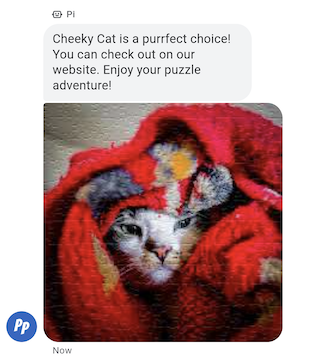
メッセージでユーザーに画像を送信します。
画像と画像のサムネイルの URL を含む画像メッセージを送信できます。
例
次のコードは画像を送信します。書式設定と
値のオプションについては、
conversations.messages.create
と
Imageをご覧ください。
cURL
# Copyright 2021 Google LLC # # Licensed under the Apache License, Version 2.0 (the "License"); # you may not use this file except in compliance with the License. # You may obtain a copy of the License at # https://www.apache.org/licenses/LICENSE-2.0 # Unless required by applicable law or agreed to in writing, software # distributed under the License is distributed on an "AS IS" BASIS, # WITHOUT WARRANTIES OR CONDITIONS OF ANY KIND, either express or implied. # See the License for the specific language governing permissions and # limitations under the License. # This code sends an image to the user with a fallback text. # Read more: https://developers.google.com/business-communications/business-messages/guides/how-to/message/send?hl=en#images # Replace the __CONVERSATION_ID__ with a conversation id that you can send messages to # Make sure a service account key file exists at ./service_account_key.json curl -X POST "https://businessmessages.googleapis.com/v1/conversations/__CONVERSATION_ID__/messages" \ -H "Content-Type: application/json" \ -H "User-Agent: curl/business-messages" \ -H "$(oauth2l header --json ./service_account_key.json businessmessages)" \ -d "{ 'messageId': '$(uuidgen)', 'representative': { 'avatarImage': 'https://developers.google.com/identity/images/g-logo.png', 'displayName': 'Chatbot', 'representativeType': 'BOT' }, 'fallback': 'Hello, world!\nAn image has been sent with Business Messages.', 'image': { 'contentInfo':{ 'altText': 'Image alternative text', 'fileUrl': 'https://storage.googleapis.com/kitchen-sink-sample-images/cute-dog.jpg', 'forceRefresh': 'false' } }, }"
Node.js
/** * This code sends an image to the user with a fallback text. * Read more: https://developers.google.com/business-communications/business-messages/guides/how-to/message/send?hl=en#images * * This code is based on the https://github.com/google-business-communications/nodejs-businessmessages Node.js * Business Messages client library. */ /** * Edit the values below: */ const PATH_TO_SERVICE_ACCOUNT_KEY = './service_account_key.json'; const CONVERSATION_ID = 'EDIT_HERE'; const businessmessages = require('businessmessages'); const uuidv4 = require('uuid').v4; const {google} = require('googleapis'); // Initialize the Business Messages API const bmApi = new businessmessages.businessmessages_v1.Businessmessages({}); // Set the scope that we need for the Business Messages API const scopes = [ 'https://www.googleapis.com/auth/businessmessages', ]; // Set the private key to the service account file const privatekey = require(PATH_TO_SERVICE_ACCOUNT_KEY); /** * Posts an image message to the Business Messages API. * * @param {string} conversationId The unique id for this user and agent. * @param {string} representativeType A value of BOT or HUMAN. */ async function sendMessage(conversationId, representativeType) { const authClient = await initCredentials(); if (authClient) { // Create the payload for sending an image message const apiParams = { auth: authClient, parent: 'conversations/' + conversationId, resource: { messageId: uuidv4(), representative: { representativeType: representativeType, }, fallback: 'Hello, world!\n An image has been sent with Business Messages.', image: { contentInfo: { altText: 'Some alternative text', fileUrl: 'https://www.google.com/images/branding/googlelogo/2x/googlelogo_color_272x92dp.png', forceRefresh: true, }, }, }, }; // Call the message create function using the // Business Messages client library bmApi.conversations.messages.create(apiParams, {auth: authClient}, (err, response) => { console.log(err); console.log(response); }); } else { console.log('Authentication failure.'); } } /** * Initializes the Google credentials for calling the * Business Messages API. */ async function initCredentials() { // configure a JWT auth client const authClient = new google.auth.JWT( privatekey.client_email, null, privatekey.private_key, scopes, ); return new Promise(function(resolve, reject) { // authenticate request authClient.authorize(function(err, tokens) { if (err) { reject(false); } else { resolve(authClient); } }); }); } sendMessage(CONVERSATION_ID, 'BOT');
Java
import com.google.api.client.googleapis.services.AbstractGoogleClientRequest; import com.google.api.client.http.HttpBackOffUnsuccessfulResponseHandler; import com.google.api.client.http.HttpRequest; import com.google.api.client.googleapis.auth.oauth2.GoogleCredential; import com.google.api.client.googleapis.javanet.GoogleNetHttpTransport; import com.google.api.client.http.HttpTransport; import com.google.api.client.json.jackson2.JacksonFactory; import com.google.api.client.util.ExponentialBackOff; import com.google.api.services.businessmessages.v1.Businessmessages; import com.google.api.services.businessmessages.v1.model.*; import com.google.communications.businessmessages.v1.MediaHeight; import java.io.FileInputStream; import java.util.Arrays; import java.util.UUID; class SendImageMessageSnippet { /** * Initializes credentials used by the Business Messages API. */ private static Businessmessages.Builder getBusinessMessagesBuilder() { Businessmessages.Builder builder = null; try { GoogleCredential credential = GoogleCredential .fromStream(new FileInputStream("PATH_TO_SERVICE_ACCOUNT_KEY")); credential = credential.createScoped(Arrays.asList( "https://www.googleapis.com/auth/businessmessages")); credential.refreshToken(); HttpTransport httpTransport = GoogleNetHttpTransport.newTrustedTransport(); JacksonFactory jsonFactory = JacksonFactory.getDefaultInstance(); // Create instance of the Business Messages API builder = new Businessmessages .Builder(httpTransport, jsonFactory, null) .setApplicationName("Sample Application"); // Set the API credentials and endpoint builder.setHttpRequestInitializer(credential); } catch (Exception e) { e.printStackTrace(); } return builder; } public static void main(String args[]) { try { String conversationId = "CONVERSATION_ID"; // Create client library reference Businessmessages.Builder builder = getBusinessMessagesBuilder(); // Create an Image BusinessMessagesMessage message = new BusinessMessagesMessage() .setMessageId(UUID.randomUUID().toString()) .setRepresentative(representative) .setImage(new BusinessMessagesImage() .setContentInfo( new BusinessMessagesContentInfo() .setFileUrl("FILE_URL") .setAltText("ALT_TEXT") .setForceRefresh("FORCE_REFRESH") )); // Create message request Businessmessages.Conversations.Messages.Create messageRequest = builder.build().conversations().messages() .create("conversations/" + conversationId, message); // Setup retries with exponential backoff HttpRequest httpRequest = ((AbstractGoogleClientRequest) messageRequest).buildHttpRequest(); httpRequest.setUnsuccessfulResponseHandler(new HttpBackOffUnsuccessfulResponseHandler( new ExponentialBackOff())); // Execute request httpRequest.execute(); } catch (Exception e) { e.printStackTrace(); } } }
Python
"""This code sends an image to the user with a fallback text. Read more: https://developers.google.com/business-communications/business-messages/guides/how-to/message/send?hl=en#images This code is based on the https://github.com/google-business-communications/python-businessmessages Python Business Messages client library. """ import uuid from businessmessages import businessmessages_v1_client as bm_client from businessmessages.businessmessages_v1_messages import BusinessMessagesContentInfo from businessmessages.businessmessages_v1_messages import BusinessmessagesConversationsMessagesCreateRequest from businessmessages.businessmessages_v1_messages import BusinessMessagesImage from businessmessages.businessmessages_v1_messages import BusinessMessagesMessage from businessmessages.businessmessages_v1_messages import BusinessMessagesRepresentative from oauth2client.service_account import ServiceAccountCredentials # Edit the values below: path_to_service_account_key = './service_account_key.json' conversation_id = 'EDIT_HERE' image_file_url = 'EDIT_HERE' credentials = ServiceAccountCredentials.from_json_keyfile_name( path_to_service_account_key, scopes=['https://www.googleapis.com/auth/businessmessages']) client = bm_client.BusinessmessagesV1(credentials=credentials) representative_type_as_string = 'BOT' if representative_type_as_string == 'BOT': representative_type = BusinessMessagesRepresentative.RepresentativeTypeValueValuesEnum.BOT else: representative_type = BusinessMessagesRepresentative.RepresentativeTypeValueValuesEnum.HUMAN # Create an image message with fallback text message = BusinessMessagesMessage( messageId=str(uuid.uuid4().int), representative=BusinessMessagesRepresentative( representativeType=representative_type ), fallback='Hello, world!\nAn image has been sent with Business Messages.', image=BusinessMessagesImage( contentInfo=BusinessMessagesContentInfo( altText='Alternative text', fileUrl=image_file_url, forceRefresh=True ) )) # Create the message request create_request = BusinessmessagesConversationsMessagesCreateRequest( businessMessagesMessage=message, parent='conversations/' + conversation_id) # Send the message bm_client.BusinessmessagesV1.ConversationsMessagesService( client=client).Create(request=create_request)
返信文の候補
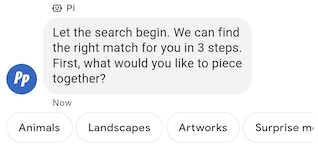
返信文の候補は、エージェントが対応できる返信を提供することで、ユーザーを会話に誘導します。
ユーザーが返信文の候補をタップすると、エージェントは返信のテキストとポストバック データを含むメッセージを受信します。
返信文の候補は最大 25 文字で、1 つのメッセージに最大 13 個の候補を含めることができます。
例
次のコードは、2 つの返信文の候補を含むテキストを送信します。書式設定と
値のオプションについては、
conversations.messages.create
と
SuggestedReplyをご覧ください。
cURL
# Copyright 2021 Google LLC # # Licensed under the Apache License, Version 2.0 (the "License"); # you may not use this file except in compliance with the License. # You may obtain a copy of the License at # https://www.apache.org/licenses/LICENSE-2.0 # Unless required by applicable law or agreed to in writing, software # distributed under the License is distributed on an "AS IS" BASIS, # WITHOUT WARRANTIES OR CONDITIONS OF ANY KIND, either express or implied. # See the License for the specific language governing permissions and # limitations under the License. # This code sends a text mesage to the user with suggested replies. # Read more: https://developers.google.com/business-communications/business-messages/guides/how-to/message/send?hl=en#suggested_replies # Replace the __CONVERSATION_ID__ with a conversation id that you can send messages to # Make sure a service account key file exists at ./service_account_key.json curl -X POST "https://businessmessages.googleapis.com/v1/conversations/__CONVERSATION_ID__/messages" \ -H "Content-Type: application/json" \ -H "User-Agent: curl/business-messages" \ -H "$(oauth2l header --json ./service_account_key.json businessmessages)" \ -d "{ 'messageId': '$(uuidgen)', 'text': 'Hello, world!', 'fallback': 'Hello, world!\n\nReply with \"Hello\" or \"Hi!\"', 'suggestions': [ { 'reply': { 'text': 'Hello', 'postbackData': 'hello-formal', }, }, { 'reply': { 'text': 'Hi!', 'postbackData': 'hello-informal', }, }, ], 'representative': { 'avatarImage': 'https://developers.google.com/identity/images/g-logo.png', 'displayName': 'Chatbot', 'representativeType': 'BOT' }, }"
Node.js
/** * This code sends a text mesage to the user with suggested replies. * Read more: https://developers.google.com/business-communications/business-messages/guides/how-to/message/send?hl=en#suggested_replies * * This code is based on the https://github.com/google-business-communications/nodejs-businessmessages Node.js * Business Messages client library. */ /** * Edit the values below: */ const PATH_TO_SERVICE_ACCOUNT_KEY = './service_account_key.json'; const CONVERSATION_ID = 'EDIT_HERE'; const businessmessages = require('businessmessages'); const uuidv4 = require('uuid').v4; const {google} = require('googleapis'); // Initialize the Business Messages API const bmApi = new businessmessages.businessmessages_v1.Businessmessages({}); // Set the scope that we need for the Business Messages API const scopes = [ 'https://www.googleapis.com/auth/businessmessages', ]; // Set the private key to the service account file const privatekey = require(PATH_TO_SERVICE_ACCOUNT_KEY); /** * Posts a message of "Hello, world!" to the Business Messages API along with two suggested replies. * * @param {string} conversationId The unique id for this user and agent. * @param {string} representativeType A value of BOT or HUMAN. */ async function sendMessage(conversationId, representativeType) { const authClient = await initCredentials(); // Create a text message with two suggested replies const apiParams = { auth: authClient, parent: 'conversations/' + conversationId, resource: { messageId: uuidv4(), representative: { representativeType: representativeType, }, fallback: 'Hello, world!\n\nReply with "Hello" or "Hi!"', text: 'Hello, world!', suggestions: [ { reply: { text: 'Hello', postbackData: 'hello-formal', }, }, { reply: { text: 'Hello', postbackData: 'hello-informal', }, }, ], }, }; // Call the message create function using the // Business Messages client library bmApi.conversations.messages.create(apiParams, {auth: authClient}, (err, response) => { console.log(err); console.log(response); }); } /** * Initializes the Google credentials for calling the * Business Messages API. */ async function initCredentials() { // configure a JWT auth client const authClient = new google.auth.JWT( privatekey.client_email, null, privatekey.private_key, scopes, ); return new Promise(function(resolve, reject) { // authenticate request authClient.authorize(function(err, tokens) { if (err) { reject(false); } else { resolve(authClient); } }); }); } sendMessage(CONVERSATION_ID, 'BOT');
Java
import com.google.api.client.googleapis.services.AbstractGoogleClientRequest; import com.google.api.client.http.HttpBackOffUnsuccessfulResponseHandler; import com.google.api.client.http.HttpRequest; import com.google.api.client.googleapis.auth.oauth2.GoogleCredential; import com.google.api.client.googleapis.javanet.GoogleNetHttpTransport; import com.google.api.client.http.HttpTransport; import com.google.api.client.json.jackson2.JacksonFactory; import com.google.api.client.util.ExponentialBackOff; import com.google.api.services.businessmessages.v1.Businessmessages; import com.google.api.services.businessmessages.v1.model.*; import java.io.FileInputStream; import java.util.Arrays; import java.util.UUID; class SendSuggestedReplySnippet { /** * Initializes credentials used by the Business Messages API. */ private static Businessmessages.Builder getBusinessMessagesBuilder() { Businessmessages.Builder builder = null; try { GoogleCredential credential = GoogleCredential .fromStream(new FileInputStream("PATH_TO_SERVICE_ACCOUNT_KEY")); credential = credential.createScoped(Arrays.asList( "https://www.googleapis.com/auth/businessmessages")); credential.refreshToken(); HttpTransport httpTransport = GoogleNetHttpTransport.newTrustedTransport(); JacksonFactory jsonFactory = JacksonFactory.getDefaultInstance(); // Create instance of the Business Messages API builder = new Businessmessages .Builder(httpTransport, jsonFactory, null) .setApplicationName("Sample Application"); // Set the API credentials and endpoint builder.setHttpRequestInitializer(credential); } catch (Exception e) { e.printStackTrace(); } return builder; } public static void main(String args[]) { try { String conversationId = "CONVERSATION_ID"; // Create client library reference Businessmessages.Builder builder = getBusinessMessagesBuilder(); // Create a text message with two suggested replies BusinessMessagesMessage message = new BusinessMessagesMessage() .setMessageId(UUID.randomUUID().toString()) .setText("Hello, world!") .setFallback("Hello, world!\n\nReply with \"Hello\" or \"Hi!\"") .setSuggestions(Arrays.asList( new BusinessMessagesSuggestion() .setReply(new BusinessMessagesSuggestedReply() .setText("Hello").setPostbackData("hello-formal") ), new BusinessMessagesSuggestion() .setReply(new BusinessMessagesSuggestedReply() .setText("Hi!").setPostbackData("hello-informal") )) ) .setRepresentative(new BusinessMessagesRepresentative() .setRepresentativeType("TYPE")); // Create message request Businessmessages.Conversations.Messages.Create messageRequest = builder.build().conversations().messages() .create("conversations/" + conversationId, message); // Setup retries with exponential backoff HttpRequest httpRequest = ((AbstractGoogleClientRequest) messageRequest).buildHttpRequest(); httpRequest.setUnsuccessfulResponseHandler(new HttpBackOffUnsuccessfulResponseHandler( new ExponentialBackOff())); // Execute request httpRequest.execute(); } catch (Exception e) { e.printStackTrace(); } } }
Python
"""This code sends a text mesage to the user with suggested replies. Read more: https://developers.google.com/business-communications/business-messages/guides/how-to/message/send?hl=en#suggested_replies This code is based on the https://github.com/google-business-communications/python-businessmessages Python Business Messages client library. """ import uuid from businessmessages import businessmessages_v1_client as bm_client from businessmessages.businessmessages_v1_messages import BusinessmessagesConversationsMessagesCreateRequest from businessmessages.businessmessages_v1_messages import BusinessMessagesMessage from businessmessages.businessmessages_v1_messages import BusinessMessagesRepresentative from businessmessages.businessmessages_v1_messages import BusinessMessagesSuggestedReply from businessmessages.businessmessages_v1_messages import BusinessMessagesSuggestion from oauth2client.service_account import ServiceAccountCredentials # Edit the values below: path_to_service_account_key = './service_account_key.json' conversation_id = 'EDIT_HERE' credentials = ServiceAccountCredentials.from_json_keyfile_name( path_to_service_account_key, scopes=['https://www.googleapis.com/auth/businessmessages']) client = bm_client.BusinessmessagesV1(credentials=credentials) representative_type_as_string = 'BOT' if representative_type_as_string == 'BOT': representative_type = BusinessMessagesRepresentative.RepresentativeTypeValueValuesEnum.BOT else: representative_type = BusinessMessagesRepresentative.RepresentativeTypeValueValuesEnum.HUMAN # Create a text message with two suggested replies and fallback text message = BusinessMessagesMessage( messageId=str(uuid.uuid4().int), representative=BusinessMessagesRepresentative( representativeType=representative_type ), text='Hello, world!', fallback='Hello, world!\n\nReply with \"Hello\" or \"Hi!\"', suggestions=[ BusinessMessagesSuggestion( reply=BusinessMessagesSuggestedReply( text='Hello', postbackData='hello-formal') ), BusinessMessagesSuggestion( reply=BusinessMessagesSuggestedReply( text='Hi!', postbackData='hello-informal') ) ]) # Create the message request create_request = BusinessmessagesConversationsMessagesCreateRequest( businessMessagesMessage=message, parent='conversations/' + conversation_id) # Send the message bm_client.BusinessmessagesV1.ConversationsMessagesService( client=client).Create(request=create_request)
推奨される措置
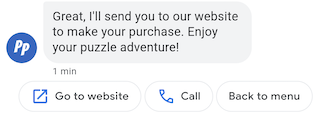
推奨される措置は、デバイスのネイティブ機能を利用してユーザーを会話に誘導します。ユーザーが提案されたアクションをタップすると、エージェントはアクションのテキストとポストバック データを含むメッセージを受信します。
推奨される措置は最大 25 文字で、1 つのメッセージに最大 13 個の候補を含めることができます。
書式設定と値のオプションについては、
conversations.messages.create
と
SuggestedActionをご覧ください。
URL を開くアクション
[URL を開く] アクションを使用すると、エージェントはユーザーが開く URL を提案します。アプリが URL のデフォルト ハンドラとして登録されている場合は、代わりにアプリが開き、アクションのアイコンはアプリのアイコンになります。[URL を開く] アクションは、HTTP プロトコルと HTTPS プロトコルの URL のみをサポートしています。他のプロトコル(mailto など)はサポートされていません。
次のコードは、[URL を開く] アクションを含むテキストを送信します。書式設定と値
のオプションについては、
OpenUrlActionをご覧ください。
cURL
# Copyright 2021 Google LLC # # Licensed under the Apache License, Version 2.0 (the "License"); # you may not use this file except in compliance with the License. # You may obtain a copy of the License at # https://www.apache.org/licenses/LICENSE-2.0 # Unless required by applicable law or agreed to in writing, software # distributed under the License is distributed on an "AS IS" BASIS, # WITHOUT WARRANTIES OR CONDITIONS OF ANY KIND, either express or implied. # See the License for the specific language governing permissions and # limitations under the License. # This code sends a text mesage to the user with a suggestion action toopen a URL # and a fallback text. # Read more: https://developers.google.com/business-communications/business-messages/guides/how-to/message/send?hl=en#open_url_action # Replace the __CONVERSATION_ID__ with a conversation id that you can send messages to # Make sure a service account key file exists at ./service_account_key.json curl -X POST "https://businessmessages.googleapis.com/v1/conversations/__CONVERSATION_ID__/messages" \ -H "Content-Type: application/json" \ -H "User-Agent: curl/business-messages" \ -H "$(oauth2l header --json ./service_account_key.json businessmessages)" \ -d "{ 'messageId': '$(uuidgen)', 'text': 'Hello world!', 'fallback': 'Hello, world!\n\nSay \"Hello\" at https://www.growingtreebank.com', 'suggestions': [ { 'action': { 'text': 'Hello', 'postbackData': 'hello-formal', 'openUrlAction': { 'url': 'https://www.growingtreebank.com', } }, }, ], 'representative': { 'avatarImage': 'https://developers.google.com/identity/images/g-logo.png', 'displayName': 'Chatbot', 'representativeType': 'BOT' }, }"
Node.js
/** * This code sends a text mesage to the user with a suggestion action toopen a URL * and a fallback text. * Read more: https://developers.google.com/business-communications/business-messages/guides/how-to/message/send?hl=en#open_url_action * * This code is based on the https://github.com/google-business-communications/nodejs-businessmessages Node.js * Business Messages client library. */ /** * Edit the values below: */ const PATH_TO_SERVICE_ACCOUNT_KEY = './service_account_key.json'; const CONVERSATION_ID = 'EDIT_HERE'; const businessmessages = require('businessmessages'); const uuidv4 = require('uuid').v4; const {google} = require('googleapis'); // Initialize the Business Messages API const bmApi = new businessmessages.businessmessages_v1.Businessmessages({}); // Set the scope that we need for the Business Messages API const scopes = [ 'https://www.googleapis.com/auth/businessmessages', ]; // Set the private key to the service account file const privatekey = require(PATH_TO_SERVICE_ACCOUNT_KEY); /** * Posts a message with an open URL action to the Business Messages API. * * @param {string} conversationId The unique id for this user and agent. * @param {string} representativeType A value of BOT or HUMAN. */ async function sendMessage(conversationId, representativeType) { const authClient = await initCredentials(); if (authClient) { // Create the payload for sending a message along with an open url action const apiParams = { auth: authClient, parent: 'conversations/' + conversationId, resource: { messageId: uuidv4(), representative: { representativeType: representativeType, }, fallback: 'Hello, world!\n\nSay \"Hello\" at https://www.growingtreebank.com', text: 'Hello world!', suggestions: [ { action: { text: 'Hello', postbackData: 'hello-formal', openUrlAction: { url: 'https://www.growingtreebank.com', }, }, }, ], }, }; // Call the message create function using the // Business Messages client library bmApi.conversations.messages.create(apiParams, {auth: authClient}, (err, response) => { console.log(err); console.log(response); }); } else { console.log('Authentication failure.'); } } /** * Initializes the Google credentials for calling the * Business Messages API. */ async function initCredentials() { // configure a JWT auth client const authClient = new google.auth.JWT( privatekey.client_email, null, privatekey.private_key, scopes, ); return new Promise(function(resolve, reject) { // authenticate request authClient.authorize(function(err, tokens) { if (err) { reject(false); } else { resolve(authClient); } }); }); } sendMessage(CONVERSATION_ID, 'BOT');
Java
import com.google.api.client.googleapis.services.AbstractGoogleClientRequest; import com.google.api.client.http.HttpBackOffUnsuccessfulResponseHandler; import com.google.api.client.http.HttpRequest; import com.google.api.client.googleapis.auth.oauth2.GoogleCredential; import com.google.api.client.googleapis.javanet.GoogleNetHttpTransport; import com.google.api.client.http.HttpTransport; import com.google.api.client.json.jackson2.JacksonFactory; import com.google.api.client.util.ExponentialBackOff; import com.google.api.services.businessmessages.v1.Businessmessages; import com.google.api.services.businessmessages.v1.model.*; import java.io.FileInputStream; import java.util.Arrays; import java.util.UUID; class SendSuggestedActionSnippet { /** * Initializes credentials used by the Business Messages API. */ private static Businessmessages.Builder getBusinessMessagesBuilder() { Businessmessages.Builder builder = null; try { GoogleCredential credential = GoogleCredential .fromStream(new FileInputStream("PATH_TO_SERVICE_ACCOUNT_KEY")); credential = credential.createScoped(Arrays.asList( "https://www.googleapis.com/auth/businessmessages")); credential.refreshToken(); HttpTransport httpTransport = GoogleNetHttpTransport.newTrustedTransport(); JacksonFactory jsonFactory = JacksonFactory.getDefaultInstance(); // Create instance of the Business Messages API builder = new Businessmessages .Builder(httpTransport, jsonFactory, null) .setApplicationName("Sample Application"); // Set the API credentials and endpoint builder.setHttpRequestInitializer(credential); } catch (Exception e) { e.printStackTrace(); } return builder; } public static void main(String args[]) { try { String conversationId = "CONVERSATION_ID"; // Create client library reference Businessmessages.Builder builder = getBusinessMessagesBuilder(); // Create a text message with an open url action BusinessMessagesMessage message = new BusinessMessagesMessage() .setMessageId(UUID.randomUUID().toString()) .setText("Hello world!") .setFallback("Hello, world!\n\nSay \"Hello\" at https://www.growingtreebank.com") .setSuggestions(Arrays.asList(new BusinessMessagesSuggestion() .setAction(new BusinessMessagesSuggestedAction() .setText("Hello").setPostbackData("hello-formal") .setOpenUrlAction( new BusinessMessagesOpenUrlAction().setUrl("https://www.growingtreebank.com")) )) ) .setRepresentative(new BusinessMessagesRepresentative() .setRepresentativeType("TYPE")); // Create message request Businessmessages.Conversations.Messages.Create messageRequest = builder.build().conversations().messages() .create("conversations/" + conversationId, message); // Setup retries with exponential backoff HttpRequest httpRequest = ((AbstractGoogleClientRequest) messageRequest).buildHttpRequest(); httpRequest.setUnsuccessfulResponseHandler(new HttpBackOffUnsuccessfulResponseHandler( new ExponentialBackOff())); // Execute request httpRequest.execute(); } catch (Exception e) { e.printStackTrace(); } } }
Python
"""This code sends a text mesage to the user with a suggestion action to open a URL. Read more: https://developers.google.com/business-communications/business-messages/guides/how-to/message/send?hl=en#open_url_action This code is based on the https://github.com/google-business-communications/python-businessmessages Python Business Messages client library. """ import uuid from businessmessages import businessmessages_v1_client as bm_client from businessmessages.businessmessages_v1_messages import BusinessmessagesConversationsMessagesCreateRequest from businessmessages.businessmessages_v1_messages import BusinessMessagesMessage from businessmessages.businessmessages_v1_messages import BusinessMessagesOpenUrlAction from businessmessages.businessmessages_v1_messages import BusinessMessagesRepresentative from businessmessages.businessmessages_v1_messages import BusinessMessagesSuggestedAction from businessmessages.businessmessages_v1_messages import BusinessMessagesSuggestion from oauth2client.service_account import ServiceAccountCredentials # Edit the values below: path_to_service_account_key = './service_account_key.json' conversation_id = 'EDIT_HERE' credentials = ServiceAccountCredentials.from_json_keyfile_name( path_to_service_account_key, scopes=['https://www.googleapis.com/auth/businessmessages']) client = bm_client.BusinessmessagesV1(credentials=credentials) representative_type_as_string = 'BOT' if representative_type_as_string == 'BOT': representative_type = BusinessMessagesRepresentative.RepresentativeTypeValueValuesEnum.BOT else: representative_type = BusinessMessagesRepresentative.RepresentativeTypeValueValuesEnum.HUMAN # Create a text message with an open url action and fallback text message = BusinessMessagesMessage( messageId=str(uuid.uuid4().int), representative=BusinessMessagesRepresentative( representativeType=representative_type ), text='Hello, world!', fallback='Hello, world!\n\nReply with \"Hello\" or \"Hi!\"', suggestions=[ BusinessMessagesSuggestion( action=BusinessMessagesSuggestedAction( text='Hello', postbackData='hello-formal', openUrlAction=BusinessMessagesOpenUrlAction( url='https://www.growingtreebank.com')) ), ]) # Create the message request create_request = BusinessmessagesConversationsMessagesCreateRequest( businessMessagesMessage=message, parent='conversations/' + conversation_id) # Send the message bm_client.BusinessmessagesV1.ConversationsMessagesService( client=client).Create(request=create_request)
通話アクション
[通話] アクションは、ユーザーが電話をかける電話番号を提案します。ユーザーが [通話] アクションの候補ワードをタップすると、ユーザーのデフォルトの電話アプリが開き、指定した電話番号が事前に入力されます。
次のコードは、[通話] アクションを含むテキストを送信します。書式設定と値
のオプションについては、
DialActionをご覧ください。
cURL
# Copyright 2021 Google LLC # # Licensed under the Apache License, Version 2.0 (the "License"); # you may not use this file except in compliance with the License. # You may obtain a copy of the License at # https://www.apache.org/licenses/LICENSE-2.0 # Unless required by applicable law or agreed to in writing, software # distributed under the License is distributed on an "AS IS" BASIS, # WITHOUT WARRANTIES OR CONDITIONS OF ANY KIND, either express or implied. # See the License for the specific language governing permissions and # limitations under the License. # This code sends a text mesage to the user with a suggestion action to dial # a phone number and a fallback text. # Read more: https://developers.google.com/business-communications/business-messages/guides/how-to/message/send?hl=en#dial_action # Replace the __CONVERSATION_ID__ with a conversation id that you can send messages to # Make sure a service account key file exists at ./service_account_key.json curl -X POST "https://businessmessages.googleapis.com/v1/conversations/__CONVERSATION_ID__/messages" \ -H "Content-Type: application/json" \ -H "User-Agent: curl/business-messages" \ -H "$(oauth2l header --json ./service_account_key.json businessmessages)" \ -d "{ 'messageId': '$(uuidgen)', 'text': 'Contact support for help with this issue.', 'fallback': 'Give us a call at +12223334444.', 'suggestions': [ { 'action': { 'text': 'Call support', 'postbackData': 'call-support', 'dialAction': { 'phoneNumber': '+12223334444', } }, }, ], 'representative': { 'avatarImage': 'https://developers.google.com/identity/images/g-logo.png', 'displayName': 'Chatbot', 'representativeType': 'BOT' }, }"
Node.js
/** * This code sends a text mesage to the user with a suggestion action to dial * a phone number and a fallback text. * Read more: https://developers.google.com/business-communications/business-messages/guides/how-to/message/send?hl=en#dial_action * * This code is based on the https://github.com/google-business-communications/nodejs-businessmessages Node.js * Business Messages client library. */ /** * Edit the values below: */ const PATH_TO_SERVICE_ACCOUNT_KEY = './service_account_key.json'; const CONVERSATION_ID = 'EDIT_HERE'; const businessmessages = require('businessmessages'); const uuidv4 = require('uuid').v4; const {google} = require('googleapis'); // Initialize the Business Messages API const bmApi = new businessmessages.businessmessages_v1.Businessmessages({}); // Set the scope that we need for the Business Messages API const scopes = [ 'https://www.googleapis.com/auth/businessmessages', ]; // Set the private key to the service account file const privatekey = require(PATH_TO_SERVICE_ACCOUNT_KEY); /** * Posts a message with a dial suggested action to the Business Messages API. * * @param {string} conversationId The unique id for this user and agent. * @param {string} representativeType A value of BOT or HUMAN. */ async function sendMessage(conversationId, representativeType) { const authClient = await initCredentials(); if (authClient) { // Create the payload for sending a message along with a dial action const apiParams = { auth: authClient, parent: 'conversations/' + conversationId, resource: { messageId: uuidv4(), representative: { representativeType: representativeType, }, fallback: 'Give us a call at +12223334444.', text: 'Contact support for help with this issue.', suggestions: [ { action: { text: 'Call support', postbackData: 'call-support', dialAction: { phoneNumber: '+12223334444', }, }, }, ], }, }; // Call the message create function using the // Business Messages client library bmApi.conversations.messages.create(apiParams, {auth: authClient}, (err, response) => { console.log(err); console.log(response); }); } else { console.log('Authentication failure.'); } } /** * Initializes the Google credentials for calling the * Business Messages API. */ async function initCredentials() { // configure a JWT auth client const authClient = new google.auth.JWT( privatekey.client_email, null, privatekey.private_key, scopes, ); return new Promise(function(resolve, reject) { // authenticate request authClient.authorize(function(err, tokens) { if (err) { reject(false); } else { resolve(authClient); } }); }); } sendMessage(CONVERSATION_ID, 'BOT');
Java
import com.google.api.client.googleapis.services.AbstractGoogleClientRequest; import com.google.api.client.http.HttpBackOffUnsuccessfulResponseHandler; import com.google.api.client.http.HttpRequest; import com.google.api.client.googleapis.auth.oauth2.GoogleCredential; import com.google.api.client.googleapis.javanet.GoogleNetHttpTransport; import com.google.api.client.http.HttpTransport; import com.google.api.client.json.jackson2.JacksonFactory; import com.google.api.client.util.ExponentialBackOff; import com.google.api.services.businessmessages.v1.Businessmessages; import com.google.api.services.businessmessages.v1.model.*; import java.io.FileInputStream; import java.util.Arrays; import java.util.UUID; class SendDialActionSnippet { /** * Initializes credentials used by the Business Messages API. */ private static Businessmessages.Builder getBusinessMessagesBuilder() { Businessmessages.Builder builder = null; try { GoogleCredential credential = GoogleCredential .fromStream(new FileInputStream("PATH_TO_SERVICE_ACCOUNT_KEY")); credential = credential.createScoped(Arrays.asList( "https://www.googleapis.com/auth/businessmessages")); credential.refreshToken(); HttpTransport httpTransport = GoogleNetHttpTransport.newTrustedTransport(); JacksonFactory jsonFactory = JacksonFactory.getDefaultInstance(); // Create instance of the Business Messages API builder = new Businessmessages .Builder(httpTransport, jsonFactory, null) .setApplicationName("Sample Application"); // Set the API credentials and endpoint builder.setHttpRequestInitializer(credential); } catch (Exception e) { e.printStackTrace(); } return builder; } public static void main(String args[]) { try { String conversationId = "CONVERSATION_ID"; // Create client library reference Businessmessages.Builder builder = getBusinessMessagesBuilder(); // Create a text message with a dial action BusinessMessagesMessage message = new BusinessMessagesMessage() .setMessageId(UUID.randomUUID().toString()) .setText("Contact support for help with this issue.") .setFallback("Give us a call at +12223334444.") .setSuggestions(Arrays.asList(new BusinessMessagesSuggestion() .setAction(new BusinessMessagesSuggestedAction() .setText("Call support").setPostbackData("call-support") .setDialAction( new BusinessMessagesDialAction().setPhoneNumber("+12223334444")) ))) .setRepresentative(new BusinessMessagesRepresentative() .setRepresentativeType("TYPE")); // Create message request Businessmessages.Conversations.Messages.Create messageRequest = builder.build().conversations().messages() .create("conversations/" + conversationId, message); // Setup retries with exponential backoff HttpRequest httpRequest = ((AbstractGoogleClientRequest) messageRequest).buildHttpRequest(); httpRequest.setUnsuccessfulResponseHandler(new HttpBackOffUnsuccessfulResponseHandler( new ExponentialBackOff())); // Execute request httpRequest.execute(); } catch (Exception e) { e.printStackTrace(); } } }
Python
"""Sends a text mesage to the user with a suggestion action to dial a phone number. Read more: https://developers.google.com/business-communications/business-messages/guides/how-to/message/send?hl=en#dial_action This code is based on the https://github.com/google-business-communications/python-businessmessages Python Business Messages client library. """ import uuid from businessmessages import businessmessages_v1_client as bm_client from businessmessages.businessmessages_v1_messages import BusinessmessagesConversationsMessagesCreateRequest from businessmessages.businessmessages_v1_messages import BusinessMessagesDialAction from businessmessages.businessmessages_v1_messages import BusinessMessagesMessage from businessmessages.businessmessages_v1_messages import BusinessMessagesRepresentative from businessmessages.businessmessages_v1_messages import BusinessMessagesSuggestedAction from businessmessages.businessmessages_v1_messages import BusinessMessagesSuggestion from oauth2client.service_account import ServiceAccountCredentials # Edit the values below: path_to_service_account_key = './service_account_key.json' conversation_id = 'EDIT_HERE' credentials = ServiceAccountCredentials.from_json_keyfile_name( path_to_service_account_key, scopes=['https://www.googleapis.com/auth/businessmessages']) client = bm_client.BusinessmessagesV1(credentials=credentials) representative_type_as_string = 'BOT' if representative_type_as_string == 'BOT': representative_type = BusinessMessagesRepresentative.RepresentativeTypeValueValuesEnum.BOT else: representative_type = BusinessMessagesRepresentative.RepresentativeTypeValueValuesEnum.HUMAN # Create a text message with a dial action and fallback text message = BusinessMessagesMessage( messageId=str(uuid.uuid4().int), representative=BusinessMessagesRepresentative( representativeType=representative_type ), text='Contact support for help with this issue.', fallback='Give us a call at +12223334444.', suggestions=[ BusinessMessagesSuggestion( action=BusinessMessagesSuggestedAction( text='Call support', postbackData='call-support', dialAction=BusinessMessagesDialAction( phoneNumber='+12223334444')) ), ]) # Create the message request create_request = BusinessmessagesConversationsMessagesCreateRequest( businessMessagesMessage=message, parent='conversations/' + conversation_id) # Send the message bm_client.BusinessmessagesV1.ConversationsMessagesService( client=client).Create(request=create_request)
認証リクエストの候補
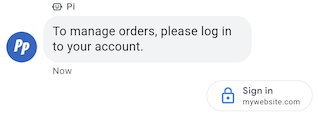
認証リクエストの候補は、OAuth 2.0 準拠のアプリケーションにログインするようユーザーに促し、認証コードを渡してアカウント データを確認し、カスタマイズされたユーザー エクスペリエンスと詳細な会話フローを有効にします。OAuth で認証するをご覧ください。
例
次のコードは、認証リクエストの候補を含むテキストを送信します。書式設定と値のオプションについては、
をご覧ください。
conversations.messages.create
と
Suggestion
cURL
# Copyright 2021 Google LLC # # Licensed under the Apache License, Version 2.0 (the "License"); # you may not use this file except in compliance with the License. # You may obtain a copy of the License at # https://www.apache.org/licenses/LICENSE-2.0 # Unless required by applicable law or agreed to in writing, software # distributed under the License is distributed on an "AS IS" BASIS, # WITHOUT WARRANTIES OR CONDITIONS OF ANY KIND, either express or implied. # See the License for the specific language governing permissions and # limitations under the License. # This code sends a text message to the user with an authentication request suggestion # that allows the user to authenticate with OAuth. It also has a fallback text. # Read more: https://developers.google.com/business-communications/business-messages/guides/how-to/message/send?hl=en#authentication-request-suggestion # Replace the __CONVERSATION_ID__ with a conversation id that you can send messages to # Make sure a service account key file exists at ./service_account_key.json # Replace the __CLIENT_ID__ # Replace the __CODE_CHALLENGE__ # Replace the __SCOPE__ curl -X POST "https://businessmessages.googleapis.com/v1/conversations/__CONVERSATION_ID__/messages" \ -H "Content-Type: application/json" \ -H "User-Agent: curl/business-messages" \ -H "$(oauth2l header --json ./service_account_key.json businessmessages)" \ -d "{ 'messageId': '$(uuidgen)', 'text': 'Sign in to continue the conversation.', 'fallback': 'Visit support.growingtreebank.com to continue.', 'suggestions': [ { 'authenticationRequest': { 'oauth': { 'clientId': '__CLIENT_ID__', 'codeChallenge': '__CODE_CHALLENGE__', 'scopes': [ '__SCOPE__', ], }, }, }, ], 'representative': { 'avatarImage': 'https://developers.google.com/identity/images/g-logo.png', 'displayName': 'Chatbot', 'representativeType': 'BOT' } }"
Node.js
/** * This code sends a text message to the user with an authentication request suggestion * that allows the user to authenticate with OAuth. It also has a fallback text. * Read more: https://developers.google.com/business-communications/business-messages/guides/how-to/message/send?hl=en#authentication-request-suggestion * * This code is based on the https://github.com/google-business-communications/nodejs-businessmessages Node.js * Business Messages client library. */ /** * Before continuing, learn more about the prerequisites for authenticating * with OAuth at: https://developers.google.com/business-communications/business-messages/guides/how-to/integrate/oauth?hl=en * * Edit the values below: */ const PATH_TO_SERVICE_ACCOUNT_KEY = './service_account_key.json'; const CONVERSATION_ID = 'EDIT_HERE'; const OAUTH_CLIENT_ID = 'EDIT_HERE'; const OAUTH_CODE_CHALLENGE = 'EDIT_HERE'; const OAUTH_SCOPE = 'EDIT_HERE'; const businessmessages = require('businessmessages'); const uuidv4 = require('uuid').v4; const {google} = require('googleapis'); // Initialize the Business Messages API const bmApi = new businessmessages.businessmessages_v1.Businessmessages({}); // Set the scope that we need for the Business Messages API const scopes = [ 'https://www.googleapis.com/auth/businessmessages', ]; // Set the private key to the service account file const privatekey = require(PATH_TO_SERVICE_ACCOUNT_KEY); /** * Posts a message to the Business Messages API along with an authentication request. * * @param {string} conversationId The unique id for this user and agent. * @param {string} representativeType A value of BOT or HUMAN. */ async function sendMessage(conversationId, representativeType) { const authClient = await initCredentials(); if (authClient) { // Create the payload for sending a message along with an authentication request const apiParams = { auth: authClient, parent: 'conversations/' + conversationId, resource: { messageId: uuidv4(), representative: { representativeType: representativeType, }, fallback: 'Visit support.growingtreebank.com to continue.', text: 'Sign in to continue the conversation.', suggestions: [ { authenticationRequest: { oauth: { clientId: OAUTH_CLIENT_ID, codeChallenge: OAUTH_CODE_CHALLENGE, scopes: [OAUTH_SCOPE] } } }, ], }, }; // Call the message create function using the // Business Messages client library bmApi.conversations.messages.create(apiParams, {auth: authClient}, (err, response) => { console.log(err); console.log(response); }); } else { console.log('Authentication failure.'); } } /** * Initializes the Google credentials for calling the * Business Messages API. */ async function initCredentials() { // configure a JWT auth client const authClient = new google.auth.JWT( privatekey.client_email, null, privatekey.private_key, scopes, ); return new Promise(function(resolve, reject) { // authenticate request authClient.authorize(function(err, tokens) { if (err) { reject(false); } else { resolve(authClient); } }); }); } sendMessage(CONVERSATION_ID, 'BOT');
Java
import com.google.api.client.googleapis.services.AbstractGoogleClientRequest; import com.google.api.client.http.HttpBackOffUnsuccessfulResponseHandler; import com.google.api.client.http.HttpRequest; import com.google.api.client.googleapis.auth.oauth2.GoogleCredential; import com.google.api.client.googleapis.javanet.GoogleNetHttpTransport; import com.google.api.client.http.HttpTransport; import com.google.api.client.json.jackson2.JacksonFactory; import com.google.api.client.util.ExponentialBackOff; import com.google.api.services.businessmessages.v1.Businessmessages; import com.google.api.services.businessmessages.v1.model.*; import java.io.FileInputStream; import java.util.Arrays; import java.util.UUID; class SendAuthenticationRequestSuggestionSnippet { /** * Initializes credentials used by the Business Messages API. */ private static Businessmessages.Builder getBusinessMessagesBuilder() { Businessmessages.Builder builder = null; try { GoogleCredential credential = GoogleCredential .fromStream(new FileInputStream("PATH_TO_SERVICE_ACCOUNT_KEY")); credential = credential.createScoped(Arrays.asList( "https://www.googleapis.com/auth/businessmessages")); credential.refreshToken(); HttpTransport httpTransport = GoogleNetHttpTransport.newTrustedTransport(); JacksonFactory jsonFactory = JacksonFactory.getDefaultInstance(); // Create instance of the Business Messages API builder = new Businessmessages .Builder(httpTransport, jsonFactory, null) .setApplicationName("Sample Application"); // Set the API credentials and endpoint builder.setHttpRequestInitializer(credential); } catch (Exception e) { e.printStackTrace(); } return builder; } public static void main(String args[]) { try { String conversationId = "CONVERSATION_ID"; // Create client library reference Businessmessages.Builder builder = getBusinessMessagesBuilder(); // Create a text message with an authentication request BusinessMessagesMessage message = new BusinessMessagesMessage() .setMessageId(UUID.randomUUID().toString()) .setText("Would you like to chat with a live agent?") .setFallback("Would you like to chat with a live agent?") .setSuggestions(Arrays.asList(new BusinessMessagesSuggestion() .setAuthenticationRequest(new BusinessMessagesAuthenticationRequest() .setOauth(new BusinessMessagesAuthenticationRequestOauth() .setClientId("CLIENT_ID") .setCodeChallenge("CODE_CHALLENGE") .setScopes(Arrays.asList("SCOPE")) ))) ) .setRepresentative(new BusinessMessagesRepresentative() .setRepresentativeType("TYPE")); // Create message request Businessmessages.Conversations.Messages.Create messageRequest = builder.build().conversations().messages() .create("conversations/" + conversationId, message); // Setup retries with exponential backoff HttpRequest httpRequest = ((AbstractGoogleClientRequest) messageRequest).buildHttpRequest(); httpRequest.setUnsuccessfulResponseHandler(new HttpBackOffUnsuccessfulResponseHandler( new ExponentialBackOff())); // Execute request httpRequest.execute(); } catch (Exception e) { e.printStackTrace(); } } }
Python
"""Sends a text message to the user with an authentication request suggestion. It allows the user to authenticate with OAuth and has a fallback text. Read more: https://developers.google.com/business-communications/business-messages/guides/how-to/message/send?hl=en#authentication-request-suggestion This code is based on the https://github.com/google-business-communications/python-businessmessages Python Business Messages client library. """ import uuid from businessmessages import businessmessages_v1_client as bm_client from businessmessages.businessmessages_v1_messages import BusinessMessagesAuthenticationRequest from businessmessages.businessmessages_v1_messages import BusinessMessagesAuthenticationRequestOauth from businessmessages.businessmessages_v1_messages import BusinessmessagesConversationsMessagesCreateRequest from businessmessages.businessmessages_v1_messages import BusinessMessagesMessage from businessmessages.businessmessages_v1_messages import BusinessMessagesRepresentative from businessmessages.businessmessages_v1_messages import BusinessMessagesSuggestion from oauth2client.service_account import ServiceAccountCredentials # Before continuing, learn more about the prerequisites for authenticating # with OAuth at: https://developers.google.com/business-communications/business-messages/guides/how-to/integrate/oauth?hl=en # Edit the values below: path_to_service_account_key = './service_account_key.json' conversation_id = 'EDIT_HERE' oauth_client_id = 'EDIT_HERE' oauth_code_challenge = 'EDIT_HERE' oauth_scope = 'EDIT_HERE' credentials = ServiceAccountCredentials.from_json_keyfile_name( path_to_service_account_key, scopes=['https://www.googleapis.com/auth/businessmessages']) client = bm_client.BusinessmessagesV1(credentials=credentials) representative_type_as_string = 'BOT' if representative_type_as_string == 'BOT': representative_type = BusinessMessagesRepresentative.RepresentativeTypeValueValuesEnum.BOT else: representative_type = BusinessMessagesRepresentative.RepresentativeTypeValueValuesEnum.HUMAN # Create a text message with an authentication request message = BusinessMessagesMessage( messageId=str(uuid.uuid4().int), representative=BusinessMessagesRepresentative( representativeType=representative_type ), text='Sign in to continue the conversation.', fallback='Visit support.growingtreebank.com to continue.', suggestions=[ BusinessMessagesSuggestion( authenticationRequest=BusinessMessagesAuthenticationRequest( oauth=BusinessMessagesAuthenticationRequestOauth( clientId=oauth_client_id, codeChallenge=oauth_code_challenge, scopes=[oauth_scope]) ) ), ] ) # Create the message request create_request = BusinessmessagesConversationsMessagesCreateRequest( businessMessagesMessage=message, parent='conversations/' + conversation_id) # Send the message bm_client.BusinessmessagesV1.ConversationsMessagesService( client=client).Create(request=create_request)
人間のエージェントのリクエストの候補

人間のエージェントのリクエストの候補を使用すると、複雑なやり取りや、自動化でユーザーのリクエストを処理できない場合に、人間の担当者とのやり取りにユーザーを誘導できます。
ユーザーは、会話の任意の時点でオーバーフロー メニューから人間のエージェントをリクエストできます。この候補により、エージェントは会話のコンテキストに基づいて、人間の担当者とのやり取りをプログラムで提案できます。エージェントは、人間のエージェントのリクエストの候補を送信しなかった場合でも、人間のエージェントのリクエスト イベントに常に対応できるようにする必要があります。
ユーザーが人間のエージェントのリクエストの候補をタップすると、人間のエージェント リクエスト済み イベントがトリガーされます。
例
次のコードは、人間のエージェントのリクエストの候補を含むテキストを送信します。書式設定と値のオプションについては、
をご覧ください。
conversations.messages.create
と
Suggestion
cURL
# Copyright 2021 Google LLC # # Licensed under the Apache License, Version 2.0 (the "License"); # you may not use this file except in compliance with the License. # You may obtain a copy of the License at # https://www.apache.org/licenses/LICENSE-2.0 # Unless required by applicable law or agreed to in writing, software # distributed under the License is distributed on an "AS IS" BASIS, # WITHOUT WARRANTIES OR CONDITIONS OF ANY KIND, either express or implied. # See the License for the specific language governing permissions and # limitations under the License. # This code sends a text message to the user with a Live agent request suggestion # that allows the user to connect with a Live agent. # Read more: https://developers.google.com/business-communications/business-messages/guides/how-to/message/send?hl=en#live_agent_request_suggestion # Replace the __CONVERSATION_ID__ with a conversation id that you can send messages to # Make sure a service account key file exists at ./service_account_key.json curl -X POST "https://businessmessages.googleapis.com/v1/conversations/__CONVERSATION_ID__/messages" \ -H "Content-Type: application/json" \ -H "User-Agent: curl/business-messages" \ -H "$(oauth2l header --json ./service_account_key.json businessmessages)" \ -d "{ 'messageId': '$(uuidgen)', 'text': 'Would you like to chat with a live agent?', 'fallback': 'Would you like to chat with a live agent?', 'suggestions': [ { 'liveAgentRequest': {}, }, ], 'representative': { 'avatarImage': 'https://developers.google.com/identity/images/g-logo.png', 'displayName': 'Chatbot', 'representativeType': 'BOT' }, }"
Node.js
/** * This code sends a text message to the user with a Live agent request suggestion * that allows the user to connect with a Live agent. * Read more: https://developers.google.com/business-communications/business-messages/guides/how-to/message/send?hl=en#live_agent_request_suggestion * * This code is based on the https://github.com/google-business-communications/nodejs-businessmessages Node.js * Business Messages client library. */ /** * Edit the values below: */ const PATH_TO_SERVICE_ACCOUNT_KEY = './service_account_key.json'; const CONVERSATION_ID = 'EDIT_HERE'; const businessmessages = require('businessmessages'); const uuidv4 = require('uuid').v4; const {google} = require('googleapis'); // Initialize the Business Messages API const bmApi = new businessmessages.businessmessages_v1.Businessmessages({}); // Set the scope that we need for the Business Messages API const scopes = [ 'https://www.googleapis.com/auth/businessmessages', ]; // Set the private key to the service account file const privatekey = require(PATH_TO_SERVICE_ACCOUNT_KEY); /** * Posts a message with a live agent request action to the Business Messages API. * * @param {string} conversationId The unique id for this user and agent. */ async function sendMessage(conversationId) { const authClient = await initCredentials(); if (authClient) { // Create the payload for sending a message along with a request for live agent action const apiParams = { auth: authClient, parent: 'conversations/' + conversationId, resource: { messageId: uuidv4(), representative: { representativeType: 'BOT', // Must be sent from a BOT representative }, fallback: 'Would you like to chat with a live agent?', text: 'Would you like to chat with a live agent?', suggestions: [ { liveAgentRequest: {} }, ], }, }; // Call the message create function using the // Business Messages client library bmApi.conversations.messages.create(apiParams, {auth: authClient}, (err, response) => { console.log(err); console.log(response); }); } else { console.log('Authentication failure.'); } } /** * Initializes the Google credentials for calling the * Business Messages API. */ async function initCredentials() { // configure a JWT auth client const authClient = new google.auth.JWT( privatekey.client_email, null, privatekey.private_key, scopes, ); return new Promise(function(resolve, reject) { // authenticate request authClient.authorize(function(err, tokens) { if (err) { reject(false); } else { resolve(authClient); } }); }); } sendMessage(CONVERSATION_ID);
Java
import com.google.api.client.googleapis.services.AbstractGoogleClientRequest; import com.google.api.client.http.HttpBackOffUnsuccessfulResponseHandler; import com.google.api.client.http.HttpRequest; import com.google.api.client.googleapis.auth.oauth2.GoogleCredential; import com.google.api.client.googleapis.javanet.GoogleNetHttpTransport; import com.google.api.client.http.HttpTransport; import com.google.api.client.json.jackson2.JacksonFactory; import com.google.api.client.util.ExponentialBackOff; import com.google.api.services.businessmessages.v1.Businessmessages; import com.google.api.services.businessmessages.v1.model.*; import java.io.FileInputStream; import java.util.Arrays; import java.util.UUID; class SendLiveAgentRequestSuggestionSnippet { /** * Initializes credentials used by the Business Messages API. */ private static Businessmessages.Builder getBusinessMessagesBuilder() { Businessmessages.Builder builder = null; try { GoogleCredential credential = GoogleCredential .fromStream(new FileInputStream("PATH_TO_SERVICE_ACCOUNT_KEY")); credential = credential.createScoped(Arrays.asList( "https://www.googleapis.com/auth/businessmessages")); credential.refreshToken(); HttpTransport httpTransport = GoogleNetHttpTransport.newTrustedTransport(); JacksonFactory jsonFactory = JacksonFactory.getDefaultInstance(); // Create instance of the Business Messages API builder = new Businessmessages .Builder(httpTransport, jsonFactory, null) .setApplicationName("Sample Application"); // Set the API credentials and endpoint builder.setHttpRequestInitializer(credential); } catch (Exception e) { e.printStackTrace(); } return builder; } public static void main(String args[]) { try { String conversationId = "CONVERSATION_ID"; // Create client library reference Businessmessages.Builder builder = getBusinessMessagesBuilder(); // Create a text message with a live request action BusinessMessagesMessage message = new BusinessMessagesMessage() .setMessageId(UUID.randomUUID().toString()) .setText("Would you like to chat with a live agent?") .setFallback("Would you like to chat with a live agent?") .setSuggestions(Arrays.asList(new BusinessMessagesSuggestion() .setLiveAgentRequest(new BusinessMessagesLiveAgentRequest())) ) .setRepresentative(new BusinessMessagesRepresentative() .setRepresentativeType("BOT")); // Must be sent from a BOT representative // Create message request Businessmessages.Conversations.Messages.Create messageRequest = builder.build().conversations().messages() .create("conversations/" + conversationId, message); // Setup retries with exponential backoff HttpRequest httpRequest = ((AbstractGoogleClientRequest) messageRequest).buildHttpRequest(); httpRequest.setUnsuccessfulResponseHandler(new HttpBackOffUnsuccessfulResponseHandler( new ExponentialBackOff())); // Execute request httpRequest.execute(); } catch (Exception e) { e.printStackTrace(); } } }
Python
"""Sends a text message to the user with a Live agent request suggestion. It allows the user to connect with a Live agent. Read more: https://developers.google.com/business-communications/business-messages/guides/how-to/message/send?hl=en#live_agent_request_suggestion This code is based on the https://github.com/google-business-communications/python-businessmessages Python Business Messages client library. """ import uuid from businessmessages import businessmessages_v1_client as bm_client from businessmessages.businessmessages_v1_messages import BusinessmessagesConversationsMessagesCreateRequest from businessmessages.businessmessages_v1_messages import BusinessMessagesLiveAgentRequest from businessmessages.businessmessages_v1_messages import BusinessMessagesMessage from businessmessages.businessmessages_v1_messages import BusinessMessagesRepresentative from businessmessages.businessmessages_v1_messages import BusinessMessagesSuggestion from oauth2client.service_account import ServiceAccountCredentials # Edit the values below: path_to_service_account_key = './service_account_key.json' conversation_id = 'EDIT_HERE' credentials = ServiceAccountCredentials.from_json_keyfile_name( path_to_service_account_key, scopes=['https://www.googleapis.com/auth/businessmessages']) client = bm_client.BusinessmessagesV1(credentials=credentials) # Create a text message with a live agent request action and fallback text # Follow instructions at https://developers.google.com/business-communications/business-messages/guides/how-to/message/send?hl=en#live_agent_request_suggestion message = BusinessMessagesMessage( messageId=str(uuid.uuid4().int), representative=BusinessMessagesRepresentative( # Must be sent from a BOT representative representativeType=BusinessMessagesRepresentative.RepresentativeTypeValueValuesEnum.BOT ), text='Would you like to chat with a live agent?', fallback='Would you like to chat with a live agent?', suggestions=[ BusinessMessagesSuggestion( liveAgentRequest=BusinessMessagesLiveAgentRequest() ) ]) # Create the message request create_request = BusinessmessagesConversationsMessagesCreateRequest( businessMessagesMessage=message, parent='conversations/' + conversation_id) # Send the message bm_client.BusinessmessagesV1.ConversationsMessagesService( client=client).Create(request=create_request)
リッチカード
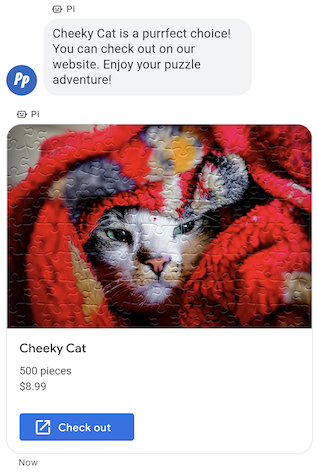
関連する情報、メディア、候補をまとめて送信する必要がある場合は、リッチカードを送信する必要があります。リッチカードを使用すると、エージェントは 1 つのメッセージで複数の情報を送信できます。
リッチカードには次のアイテムを含めることができます。
- メディア(JPG、JPEG、PNG、最大 5 MB)
- メディアのサムネイル(JPG、JPEG、PNG、最大 25 KB)
- タイトル(最大 200 文字)
- 説明(最大 2,000 文字)
- 返信文の候補 と推奨される措置 のリスト(最大 4 つ)
リッチカードには、リストされたアイテムの一部またはすべてを含めることができますが、カードが有効であるためには、少なくともメディアまたはタイトルを含める必要があります。リッチカードには、推奨される措置と返信文の候補を最大 4 つ含めることができます。
エージェントは、複数のリッチカードをリッチカード カルーセルでまとめて送信できます。
例
次のコードは、画像と返信文の候補を含むリッチカードを送信します。書式設定と値のオプションについては、
をご覧ください
conversations.messages.create
と
RichCard。
cURL
# Copyright 2021 Google LLC # # Licensed under the Apache License, Version 2.0 (the "License"); # you may not use this file except in compliance with the License. # You may obtain a copy of the License at # https://www.apache.org/licenses/LICENSE-2.0 # Unless required by applicable law or agreed to in writing, software # distributed under the License is distributed on an "AS IS" BASIS, # WITHOUT WARRANTIES OR CONDITIONS OF ANY KIND, either express or implied. # See the License for the specific language governing permissions and # limitations under the License. # This code sends a rich card to the user with a fallback text. # Read more: https://developers.google.com/business-communications/business-messages/guides/how-to/message/send?hl=en#rich-cards # Replace the __CONVERSATION_ID__ with a conversation id that you can send messages to # Make sure a service account key file exists at ./service_account_key.json curl -X POST "https://businessmessages.googleapis.com/v1/conversations/__CONVERSATION_ID__/messages" \ -H "Content-Type: application/json" \ -H "User-Agent: curl/business-messages" \ -H "$(oauth2l header --json ./service_account_key.json businessmessages)" \ -d "{ 'messageId': '$(uuidgen)', 'representative': { 'avatarImage': 'https://developers.google.com/identity/images/g-logo.png', 'displayName': 'Chatbot', 'representativeType': 'BOT' }, 'fallback': 'Hello, world!\nSent with Business Messages\n\nReply with \"Suggestion #1\" or \"Suggestion #2\"', 'richCard': { 'standaloneCard': { 'cardContent': { 'title': 'Hello, world!', 'description': 'Sent with Business Messages.', 'media': { 'height': 'TALL', 'contentInfo':{ 'altText': 'Google logo', 'fileUrl': 'https://www.google.com/images/branding/googlelogo/2x/googlelogo_color_272x92dp.png', 'forceRefresh': 'false' } }, 'suggestions': [ { 'reply': { 'text': 'Suggestion #1', 'postbackData': 'suggestion_1' } }, { 'reply': { 'text': 'Suggestion #2', 'postbackData': 'suggestion_2' } } ] } } } }"
Node.js
/** * This code sends a rich card to the user with a fallback text. * Read more: https://developers.google.com/business-communications/business-messages/guides/how-to/message/send?hl=en#rich-cards * * This code is based on the https://github.com/google-business-communications/nodejs-businessmessages Node.js * Business Messages client library. */ /** * Edit the values below: */ const PATH_TO_SERVICE_ACCOUNT_KEY = './service_account_key.json'; const CONVERSATION_ID = 'EDIT_HERE'; const businessmessages = require('businessmessages'); const uuidv4 = require('uuid').v4; const {google} = require('googleapis'); // Initialize the Business Messages API const bmApi = new businessmessages.businessmessages_v1.Businessmessages({}); // Set the scope that we need for the Business Messages API const scopes = [ 'https://www.googleapis.com/auth/businessmessages', ]; // Set the private key to the service account file const privatekey = require(PATH_TO_SERVICE_ACCOUNT_KEY); /** * Posts a rich card message to the Business Messages API. * * @param {string} conversationId The unique id for this user and agent. * @param {string} representativeType A value of BOT or HUMAN. */ async function sendMessage(conversationId, representativeType) { const authClient = await initCredentials(); if (authClient) { // Create the payload for sending a rich card message with two suggested replies const apiParams = { auth: authClient, parent: 'conversations/' + conversationId, resource: { messageId: uuidv4(), representative: { representativeType: representativeType, }, fallback: 'Hello, world!\nSent with Business Messages\n\nReply with \"Suggestion #1\" or \"Suggestion #2\"', richCard: { standaloneCard: { cardContent: { title: 'Hello, world!', description: 'Sent with Business Messages.', media: { height: 'TALL', contentInfo: { altText: 'Google logo', fileUrl: 'https://www.google.com/images/branding/googlelogo/2x/googlelogo_color_272x92dp.png', forceRefresh: false, }, }, suggestions: [ { reply: { text: 'Suggestion #1', postbackData: 'suggestion_1', }, }, { reply: { text: 'Suggestion #2', postbackData: 'suggestion_2', }, }, ], }, }, }, }, }; // Call the message create function using the // Business Messages client library bmApi.conversations.messages.create(apiParams, {auth: authClient}, (err, response) => { console.log(err); console.log(response); }); } else { console.log('Authentication failure.'); } } /** * Initializes the Google credentials for calling the * Business Messages API. */ async function initCredentials() { // configure a JWT auth client const authClient = new google.auth.JWT( privatekey.client_email, null, privatekey.private_key, scopes, ); return new Promise(function(resolve, reject) { // authenticate request authClient.authorize(function(err, tokens) { if (err) { reject(false); } else { resolve(authClient); } }); }); } sendMessage(CONVERSATION_ID, 'BOT');
Java
import com.google.api.client.googleapis.services.AbstractGoogleClientRequest; import com.google.api.client.http.HttpBackOffUnsuccessfulResponseHandler; import com.google.api.client.http.HttpRequest; import com.google.api.client.googleapis.auth.oauth2.GoogleCredential; import com.google.api.client.googleapis.javanet.GoogleNetHttpTransport; import com.google.api.client.http.HttpTransport; import com.google.api.client.json.jackson2.JacksonFactory; import com.google.api.client.util.ExponentialBackOff; import com.google.api.services.businessmessages.v1.Businessmessages; import com.google.api.services.businessmessages.v1.model.*; import com.google.communications.businessmessages.v1.MediaHeight; import java.io.FileInputStream; import java.util.Arrays; import java.util.UUID; class SendRichCardMessageSnippet { /** * Initializes credentials used by the Business Messages API. */ private static Businessmessages.Builder getBusinessMessagesBuilder() { Businessmessages.Builder builder = null; try { GoogleCredential credential = GoogleCredential .fromStream(new FileInputStream("PATH_TO_SERVICE_ACCOUNT_KEY")); credential = credential.createScoped(Arrays.asList( "https://www.googleapis.com/auth/businessmessages")); credential.refreshToken(); HttpTransport httpTransport = GoogleNetHttpTransport.newTrustedTransport(); JacksonFactory jsonFactory = JacksonFactory.getDefaultInstance(); // Create instance of the Business Messages API builder = new Businessmessages .Builder(httpTransport, jsonFactory, null) .setApplicationName("Sample Application"); // Set the API credentials and endpoint builder.setHttpRequestInitializer(credential); } catch (Exception e) { e.printStackTrace(); } return builder; } public static void main(String args[]) { try { String conversationId = "CONVERSATION_ID"; // Create client library reference Businessmessages.Builder builder = getBusinessMessagesBuilder(); // Create a rich card with two suggested replies BusinessMessagesMessage message = new BusinessMessagesMessage() .setMessageId(UUID.randomUUID().toString()) .setFallback("Hello, world!\nSent with Business Messages\n\nReply with \"Suggestion #1\" or \"Suggestion #2\"") .setRichCard(new BusinessMessagesRichCard() .setStandaloneCard(new BusinessMessagesStandaloneCard() .setCardContent( new BusinessMessagesCardContent() .setTitle("Hello, world!") .setDescription("Sent with Business Messages.") .setSuggestions(Arrays.asList( new BusinessMessagesSuggestion() .setReply(new BusinessMessagesSuggestedReply() .setText("Suggestion #1").setPostbackData("suggestion_1") ), new BusinessMessagesSuggestion() .setReply(new BusinessMessagesSuggestedReply() .setText("Suggestion #2").setPostbackData("suggestion_2") )) ) .setMedia(new BusinessMessagesMedia() .setHeight(MediaHeight.MEDIUM.toString()) .setContentInfo( new BusinessMessagesContentInfo() .setAltText("Google logo") .setFileUrl("https://www.google.com/images/branding/googlelogo/2x/googlelogo_color_272x92dp.png") .setForceRefresh(false) )) ))) .setRepresentative(new BusinessMessagesRepresentative() .setRepresentativeType("TYPE")); // Create message request Businessmessages.Conversations.Messages.Create messageRequest = builder.build().conversations().messages() .create("conversations/" + conversationId, message); // Setup retries with exponential backoff HttpRequest httpRequest = ((AbstractGoogleClientRequest) messageRequest).buildHttpRequest(); httpRequest.setUnsuccessfulResponseHandler(new HttpBackOffUnsuccessfulResponseHandler( new ExponentialBackOff())); // Execute request httpRequest.execute(); } catch (Exception e) { e.printStackTrace(); } } }
Python
"""This code sends a rich card to the user with a fallback text. Read more: https://developers.google.com/business-communications/business-messages/guides/how-to/message/send?hl=en#rich-cards This code is based on the https://github.com/google-business-communications/python-businessmessages Python Business Messages client library. """ import uuid from businessmessages import businessmessages_v1_client as bm_client from businessmessages.businessmessages_v1_messages import BusinessMessagesCardContent from businessmessages.businessmessages_v1_messages import BusinessMessagesContentInfo from businessmessages.businessmessages_v1_messages import BusinessmessagesConversationsMessagesCreateRequest from businessmessages.businessmessages_v1_messages import BusinessMessagesMedia from businessmessages.businessmessages_v1_messages import BusinessMessagesMessage from businessmessages.businessmessages_v1_messages import BusinessMessagesRepresentative from businessmessages.businessmessages_v1_messages import BusinessMessagesRichCard from businessmessages.businessmessages_v1_messages import BusinessMessagesStandaloneCard from businessmessages.businessmessages_v1_messages import BusinessMessagesSuggestedReply from businessmessages.businessmessages_v1_messages import BusinessMessagesSuggestion from oauth2client.service_account import ServiceAccountCredentials # Edit the values below: path_to_service_account_key = './service_account_key.json' conversation_id = 'EDIT_HERE' credentials = ServiceAccountCredentials.from_json_keyfile_name( path_to_service_account_key, scopes=['https://www.googleapis.com/auth/businessmessages']) client = bm_client.BusinessmessagesV1(credentials=credentials) representative_type_as_string = 'BOT' if representative_type_as_string == 'BOT': representative_type = BusinessMessagesRepresentative.RepresentativeTypeValueValuesEnum.BOT else: representative_type = BusinessMessagesRepresentative.RepresentativeTypeValueValuesEnum.HUMAN # Create a rich card message with two suggested replies and fallback text message = BusinessMessagesMessage( messageId=str(uuid.uuid4().int), representative=BusinessMessagesRepresentative( representativeType=representative_type ), fallback='Hello, world!\nSent with Business Messages\n\nReply with \"Suggestion #1\" or \"Suggestion #2\"', richCard=BusinessMessagesRichCard( standaloneCard=BusinessMessagesStandaloneCard( cardContent=BusinessMessagesCardContent( title='Hello, world!', description='Sent with Business Messages.', suggestions=[ BusinessMessagesSuggestion( reply=BusinessMessagesSuggestedReply( text='Suggestion #1', postbackData='suggestion_1') ), BusinessMessagesSuggestion( reply=BusinessMessagesSuggestedReply( text='Suggestion #2', postbackData='suggestion_2') ) ], media=BusinessMessagesMedia( height=BusinessMessagesMedia.HeightValueValuesEnum.TALL, contentInfo=BusinessMessagesContentInfo( altText='Google logo', fileUrl='https://www.google.com/images/branding/googlelogo/2x/googlelogo_color_272x92dp.png', forceRefresh=False )) )))) # Create the message request create_request = BusinessmessagesConversationsMessagesCreateRequest( businessMessagesMessage=message, parent='conversations/' + conversation_id) # Send the message bm_client.BusinessmessagesV1.ConversationsMessagesService( client=client).Create(request=create_request)
リッチカード カルーセル
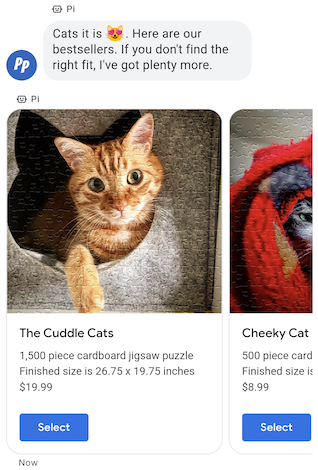
ユーザーに複数の選択肢を提示する必要がある場合は、リッチカード カルーセルを使用します。カルーセルは複数のリッチ カードを連結し、ユーザーはアイテムを比較して個別に 反応できます。
カルーセルには、最小 2 つ、最大 10 個のリッチカードを含めることができます。カルーセル内のリッチカードは、コンテンツと高さに関する一般的なリッチカードの要件に準拠している必要があります。
例
次のコードは、リッチカード カルーセルを送信します。書式設定と
値のオプションについては、
conversations.messages.create
と
RichCardをご覧ください。
cURL
# Copyright 2021 Google LLC # # Licensed under the Apache License, Version 2.0 (the "License"); # you may not use this file except in compliance with the License. # You may obtain a copy of the License at # https://www.apache.org/licenses/LICENSE-2.0 # Unless required by applicable law or agreed to in writing, software # distributed under the License is distributed on an "AS IS" BASIS, # WITHOUT WARRANTIES OR CONDITIONS OF ANY KIND, either express or implied. # See the License for the specific language governing permissions and # limitations under the License. # This code sends to the user a carousel with rich cards and a fallback text. # Read more: https://developers.google.com/business-communications/business-messages/guides/how-to/message/send?hl=en#rich-card-carousels # Replace the __CONVERSATION_ID__ with a conversation id that you can send messages to # Make sure a service account key file exists at ./service_account_key.json curl -X POST "https://businessmessages.googleapis.com/v1/conversations/__CONVERSATION_ID__/messages" \ -H "Content-Type: application/json" \ -H "User-Agent: curl/business-messages" \ -H "$(oauth2l header --json ./service_account_key.json businessmessages)" \ -d "{ 'messageId': '$(uuidgen)', 'representative': { 'avatarImage': 'https://developers.google.com/identity/images/g-logo.png', 'displayName': 'Chatbot', 'representativeType': 'BOT' }, 'fallback': 'Card #1\nThe description for card #1\n\nCard #2\nThe description for card #2\n\nReply with \"Card #1\" or \"Card #2\"', 'richCard': { 'carouselCard': { 'cardWidth': 'MEDIUM', 'cardContents': [ { 'title': 'Card #1', 'description': 'The description for card #1', 'suggestions': [ { 'reply': { 'text': 'Card #1', 'postbackData': 'card_1' } } ], 'media': { 'height': 'MEDIUM', 'contentInfo': { 'fileUrl': 'https://storage.googleapis.com/kitchen-sink-sample-images/cute-dog.jpg', 'forceRefresh': 'false', } } }, { 'title': 'Card #2', 'description': 'The description for card #2', 'suggestions': [ { 'reply': { 'text': 'Card #2', 'postbackData': 'card_2' } } ], 'media': { 'height': 'MEDIUM', 'contentInfo': { 'fileUrl': 'https://storage.googleapis.com/kitchen-sink-sample-images/elephant.jpg', 'forceRefresh': 'false', } } } ] } } }"
Node.js
/** * This code sends to the user a carousel with rich cards and a fallback text. * Read more: https://developers.google.com/business-communications/business-messages/guides/how-to/message/send?hl=en#rich-card-carousels * * This code is based on the https://github.com/google-business-communications/nodejs-businessmessages Node.js * Business Messages client library. */ /** * Edit the values below: */ const PATH_TO_SERVICE_ACCOUNT_KEY = './service_account_key.json'; const CONVERSATION_ID = 'EDIT_HERE'; const businessmessages = require('businessmessages'); const uuidv4 = require('uuid').v4; const {google} = require('googleapis'); // Initialize the Business Messages API const bmApi = new businessmessages.businessmessages_v1.Businessmessages({}); // Set the scope that we need for the Business Messages API const scopes = [ 'https://www.googleapis.com/auth/businessmessages', ]; // Set the private key to the service account file const privatekey = require(PATH_TO_SERVICE_ACCOUNT_KEY); /** * Posts a carousel card message to the Business Messages API. * * @param {string} conversationId The unique id for this user and agent. * @param {string} representativeType A value of BOT or HUMAN. */ async function sendMessage(conversationId, representativeType) { const authClient = await initCredentials(); if (authClient) { // Create the payload for sending carousel message // with two cards and a suggested reply for each card const apiParams = { auth: authClient, parent: 'conversations/' + conversationId, resource: { messageId: uuidv4(), representative: { representativeType: representativeType, }, fallback: 'Card #1\nThe description for card #1\n\nCard #2\nThe description for card #2\n\nReply with \"Card #1\" or \"Card #2\"', richCard: { carouselCard: { cardWidth: 'MEDIUM', cardContents: [ { title: 'Card #1', description: 'The description for card #1', suggestions: [ { reply: { text: 'Card #1', postbackData: 'card_1' } } ], media: { height: 'MEDIUM', contentInfo: { fileUrl: 'https://storage.googleapis.com/kitchen-sink-sample-images/cute-dog.jpg', forceRefresh: 'false', } } }, { title: 'Card #2', description: 'The description for card #2', suggestions: [ { reply: { text: 'Card #2', postbackData: 'card_2' } } ], media: { height: 'MEDIUM', contentInfo: { fileUrl: 'https://storage.googleapis.com/kitchen-sink-sample-images/elephant.jpg', forceRefresh: 'false', } } } ] } } }, }; // Call the message create function using the // Business Messages client library bmApi.conversations.messages.create(apiParams, {auth: authClient}, (err, response) => { console.log(err); console.log(response); }); } else { console.log('Authentication failure.'); } } /** * Initializes the Google credentials for calling the * Business Messages API. */ async function initCredentials() { // configure a JWT auth client const authClient = new google.auth.JWT( privatekey.client_email, null, privatekey.private_key, scopes, ); return new Promise(function(resolve, reject) { // authenticate request authClient.authorize(function(err, tokens) { if (err) { reject(false); } else { resolve(authClient); } }); }); } sendMessage(CONVERSATION_ID, 'BOT');
Java
import com.google.api.client.googleapis.services.AbstractGoogleClientRequest; import com.google.api.client.http.HttpBackOffUnsuccessfulResponseHandler; import com.google.api.client.http.HttpRequest; import com.google.api.client.googleapis.auth.oauth2.GoogleCredential; import com.google.api.client.googleapis.javanet.GoogleNetHttpTransport; import com.google.api.client.http.HttpTransport; import com.google.api.client.json.jackson2.JacksonFactory; import com.google.api.client.util.ExponentialBackOff; import com.google.api.services.businessmessages.v1.Businessmessages; import com.google.api.services.businessmessages.v1.model.*; import com.google.communications.businessmessages.v1.MediaHeight; import java.io.FileInputStream; import java.util.Arrays; import java.util.UUID; class SendRichCardCarouselMessage { /** * Initializes credentials used by the Business Messages API. */ private static Businessmessages.Builder getBusinessMessagesBuilder() { Businessmessages.Builder builder = null; try { GoogleCredential credential = GoogleCredential .fromStream(new FileInputStream("PATH_TO_SERVICE_ACCOUNT_KEY")); credential = credential.createScoped(Arrays.asList( "https://www.googleapis.com/auth/businessmessages")); credential.refreshToken(); HttpTransport httpTransport = GoogleNetHttpTransport.newTrustedTransport(); JacksonFactory jsonFactory = JacksonFactory.getDefaultInstance(); // Create instance of the Business Messages API builder = new Businessmessages .Builder(httpTransport, jsonFactory, null) .setApplicationName("Sample Application"); // Set the API credentials and endpoint builder.setHttpRequestInitializer(credential); } catch (Exception e) { e.printStackTrace(); } return builder; } public static void main(String args[]) { try { String conversationId = "CONVERSATION_ID"; // Create client library reference Businessmessages.Builder builder = getBusinessMessagesBuilder(); // Create a rich card with two suggested replies BusinessMessagesMessage message = new BusinessMessagesMessage() .setMessageId(UUID.randomUUID().toString()) .setFallback("Hello, world!\nSent with Business Messages\n\nReply with \"Suggestion #1\" or \"Suggestion #2\"") .setRichCard(new BusinessMessagesRichCard() .setCarouselCard(new BusinessMessagesCarouselCard().setCardWidth("MEDIUM") .setCardContents(Arrays.asList( new BusinessMessagesCardContent() .setTitle("Card #1") .setDescription("The description for card #1") .setSuggestions(Arrays.asList(new BusinessMessagesSuggestion() .setReply(new BusinessMessagesSuggestedReply() .setText("Card #1").setPostbackData("card_1") ))) .setMedia(new BusinessMessagesMedia() .setHeight(MediaHeight.MEDIUM.toString()) .setContentInfo(new BusinessMessagesContentInfo() .setFileUrl("https://storage.googleapis.com/kitchen-sink-sample-images/cute-dog.jpg"))), new BusinessMessagesCardContent() .setTitle("Card #2") .setDescription("The description for card #2") .setSuggestions(Arrays.asList(new BusinessMessagesSuggestion() .setReply(new BusinessMessagesSuggestedReply() .setText("Card #2").setPostbackData("card_2") ))) .setMedia(new BusinessMessagesMedia() .setHeight(MediaHeight.MEDIUM.toString()) .setContentInfo(new BusinessMessagesContentInfo() .setFileUrl("https://storage.googleapis.com/kitchen-sink-sample-images/elephant.jpg"))) ) ))) .setRepresentative(new BusinessMessagesRepresentative() .setRepresentativeType("TYPE")); // Create message request Businessmessages.Conversations.Messages.Create messageRequest = builder.build().conversations().messages() .create("conversations/" + conversationId, message); // Setup retries with exponential backoff HttpRequest httpRequest = ((AbstractGoogleClientRequest) messageRequest).buildHttpRequest(); httpRequest.setUnsuccessfulResponseHandler(new HttpBackOffUnsuccessfulResponseHandler( new ExponentialBackOff())); // Execute request httpRequest.execute(); } catch (Exception e) { e.printStackTrace(); } } }
Python
"""This code sends to the user a carousel with rich cards and a fallback text. Read more: https://developers.google.com/business-communications/business-messages/guides/how-to/message/send?hl=en#rich-card-carousels This code is based on the https://github.com/google-business-communications/python-businessmessages Python Business Messages client library. """ import uuid from businessmessages import businessmessages_v1_client as bm_client from businessmessages.businessmessages_v1_messages import BusinessMessagesCardContent from businessmessages.businessmessages_v1_messages import BusinessMessagesCarouselCard from businessmessages.businessmessages_v1_messages import BusinessMessagesContentInfo from businessmessages.businessmessages_v1_messages import BusinessmessagesConversationsMessagesCreateRequest from businessmessages.businessmessages_v1_messages import BusinessMessagesMedia from businessmessages.businessmessages_v1_messages import BusinessMessagesMessage from businessmessages.businessmessages_v1_messages import BusinessMessagesRepresentative from businessmessages.businessmessages_v1_messages import BusinessMessagesRichCard from businessmessages.businessmessages_v1_messages import BusinessMessagesSuggestedReply from businessmessages.businessmessages_v1_messages import BusinessMessagesSuggestion from oauth2client.service_account import ServiceAccountCredentials # Edit the values below: path_to_service_account_key = './service_account_key.json' conversation_id = 'EDIT_HERE' credentials = ServiceAccountCredentials.from_json_keyfile_name( path_to_service_account_key, scopes=['https://www.googleapis.com/auth/businessmessages']) client = bm_client.BusinessmessagesV1(credentials=credentials) representative_type_as_string = 'BOT' if representative_type_as_string == 'BOT': representative_type = BusinessMessagesRepresentative.RepresentativeTypeValueValuesEnum.BOT else: representative_type = BusinessMessagesRepresentative.RepresentativeTypeValueValuesEnum.HUMAN # Create a carousel message with two cards and a suggested reply for each card # and fallback text message = BusinessMessagesMessage( messageId=str(uuid.uuid4().int), representative=BusinessMessagesRepresentative( representativeType=representative_type ), fallback='Card #1\nThe description for card #1\n\nCard #2\nThe description for card #2\n\nReply with \"Card #1\" or \"Card #2\"', richCard=BusinessMessagesRichCard( carouselCard=BusinessMessagesCarouselCard( cardWidth=BusinessMessagesCarouselCard.CardWidthValueValuesEnum.MEDIUM, cardContents=[ BusinessMessagesCardContent( title='Card #1', description='The description for card #1', suggestions=[ BusinessMessagesSuggestion( reply=BusinessMessagesSuggestedReply( text='Card #1', postbackData='card_1') ) ], media=BusinessMessagesMedia( height=BusinessMessagesMedia.HeightValueValuesEnum.MEDIUM, contentInfo=BusinessMessagesContentInfo( fileUrl='https://storage.googleapis.com/kitchen-sink-sample-images/cute-dog.jpg', forceRefresh=False))), BusinessMessagesCardContent( title='Card #2', description='The description for card #2', suggestions=[ BusinessMessagesSuggestion( reply=BusinessMessagesSuggestedReply( text='Card #2', postbackData='card_2') ) ], media=BusinessMessagesMedia( height=BusinessMessagesMedia.HeightValueValuesEnum.MEDIUM, contentInfo=BusinessMessagesContentInfo( fileUrl='https://storage.googleapis.com/kitchen-sink-sample-images/elephant.jpg', forceRefresh=False))) ]))) # Create the message request create_request = BusinessmessagesConversationsMessagesCreateRequest( businessMessagesMessage=message, parent='conversations/' + conversation_id) # Send the message bm_client.BusinessmessagesV1.ConversationsMessagesService( client=client).Create(request=create_request)