

Page Summary
-
The Places UI Kit offers pre-built UI components for integrating Google Maps Places functionality into your apps and web pages.
-
It includes components like Place Details, Place List, and Elevation for displaying place information and elevation data.
-
This kit is cost-effective compared to the Places API and allows customization of data and display options.
-
This product or feature is currently in the Experimental (pre-GA) phase, which means it has limited support and potential for incompatibility.
The Places UI Kit component library lets you bring the familiar Google Maps user experience for Places to your apps and web pages, using the same data that powers the Places API. It includes an individual UI component that can be used independently, together, or in conjunction with other Google Maps Platform APIs to deliver a Places-rich experience with minimal cost and code.
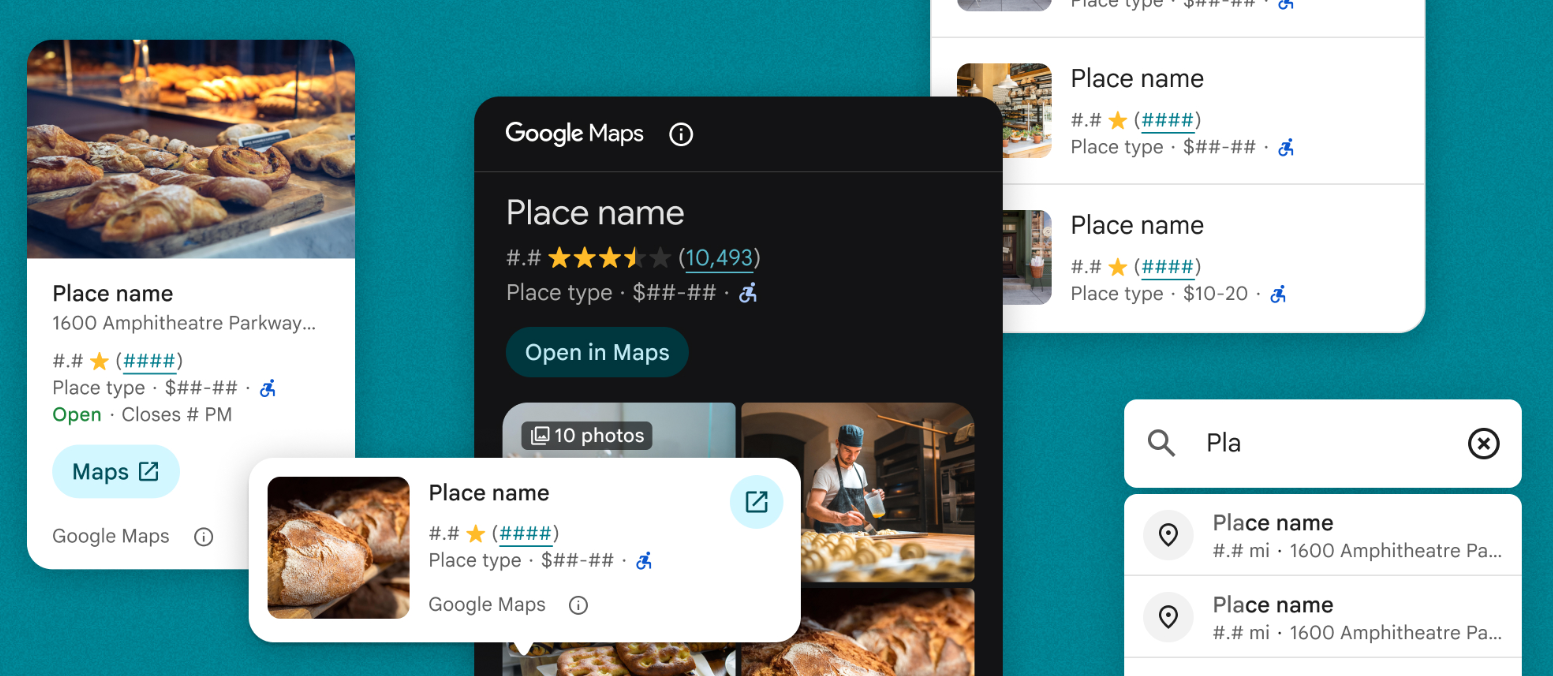
The Places UI Kit includes the following HTML elements for rendering Places data:
- Place Details Elements render details such as opening hours, website, and reviews for a selected place.
- Advanced Place Details Elements (preview) extend the Place Details Elements, letting you configure action buttons and apply search and filtering options to reviews and media.
- Place Search Elements render a list of places in response to either a nearby search or text search query.
- Advanced Place Search Elements (preview) extend the Place Search Elements, letting you configure action buttons and apply search and filtering options to reviews and media.
- Advanced Place List Element (preview) renders a collection of places in a list given a set of Place IDs, and also supports custom buttons and filtering.
- Basic Place Autocomplete Element renders a text input field, supplies place predictions in a UI pick list, and returns a place ID for the selected place.
Key features and capabilities
- Incorporate Google's trusted experience starting with minimal code.
- Bring Google Maps UI for Places to your apps at a lower cost than the Places API.
- Choose the data and display options that best suit your needs.
Places UI Kit Essentials and Pro
Places UI Kit offers two tiers: Essentials and Pro. The Places UI Kit Essentials tier offers the Place Details, Basic Place Autocomplete, and Place Search components. The Pro tier offers the Advanced Place Details, Advanced Place Search, and Advanced Place List components, which provide the same functionality as the Essentials tier components, but with more customization options and advanced features.
The table below provides a detailed comparison of the Places UI Kit Essentials and Pro tiers:
| Capability | Places UI Kit Essentials | Places UI Kit Pro |
|---|---|---|
| Low code | ||
| Style customization | ||
| Content configuration | ||
| Place Details | ||
| Photos and reviews | ||
| Photo and review configurations | ||
| Button configurations | ||
| Custom place lists |
Billing
The following elements bill the Places UI Kit Pro SKU:
AdvancedPlaceListElementAdvancedPlaceSearchElementAdvancedPlaceDetailsElementAdvancedPlaceDetailsCompactElement
Places UI Kit queries are billed per component instantiation, not based on the Places API data included in the response. There's no additional cost associated with any underlying API calls necessary to provide the response. For example, a Places UI Kit Nearby Search won't create any additional charges for returning photos of each place.