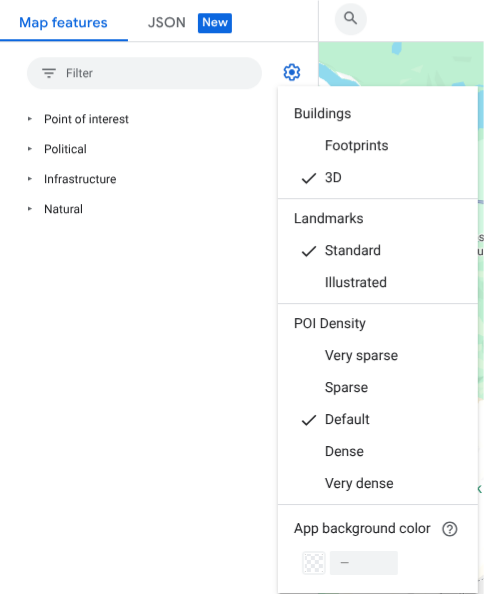
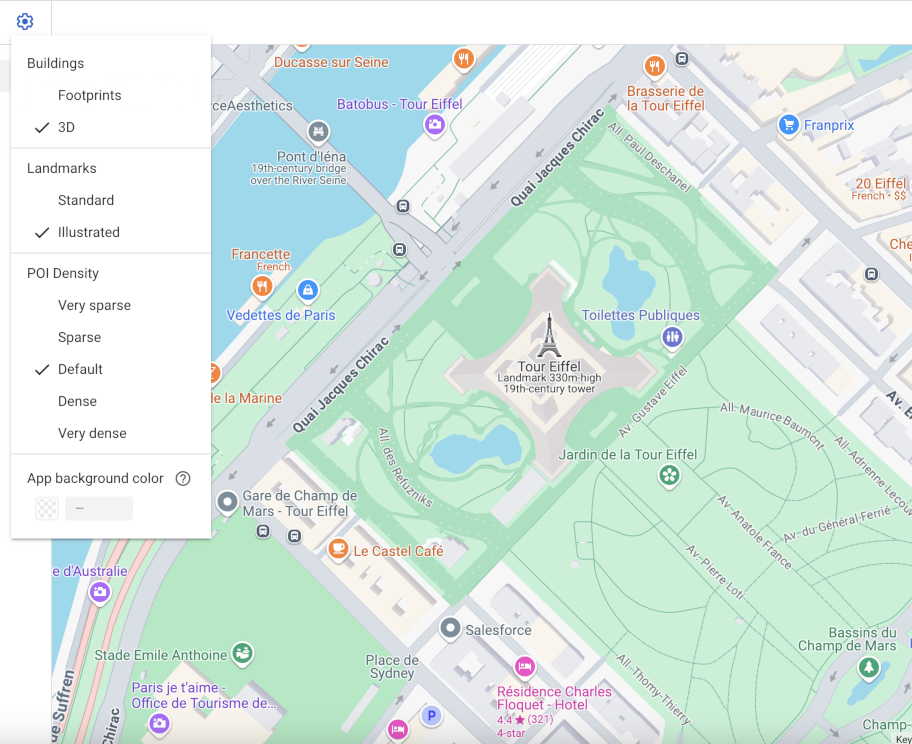
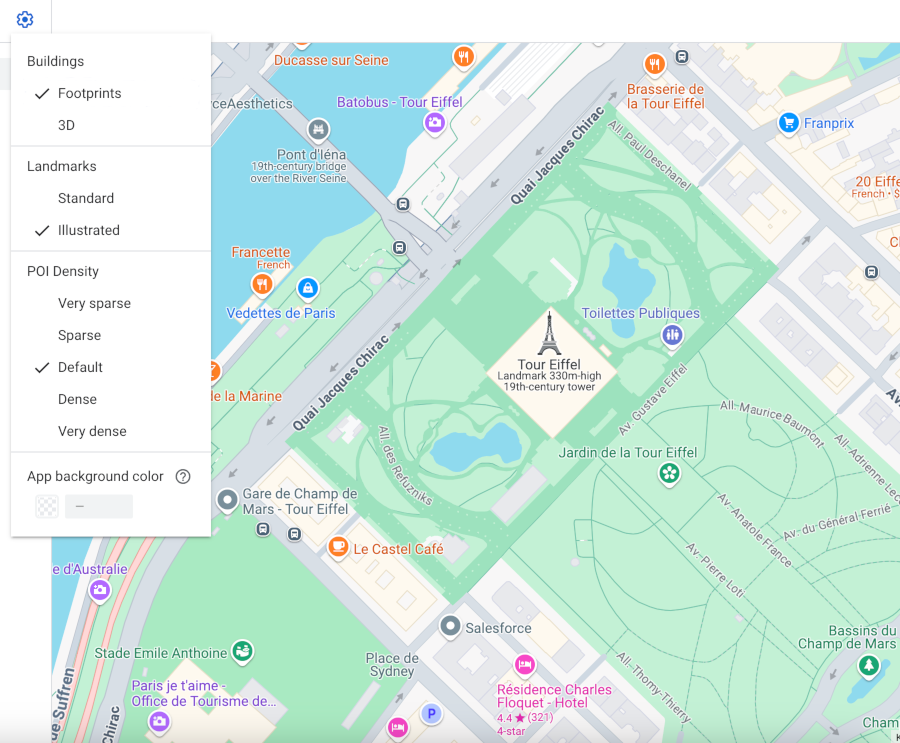
Android, iOS veya JavaScript'te vektör harita kullandığınızda binalar, varsayılan olarak 17 ve daha yüksek yakınlaştırma seviyesinden itibaren 3D stilini kullanır. Daha net bir görünüm için binaların yalnızca 2D ana hatlarını görüntülemek istiyorsanız Ayak izleri stilini seçin.
Bina stilini ayarlama
Haritayı, binaları görebileceğiniz kadar yakınlaştırın.
Harita özellikleri panelinde settingsdişli simgesini seçerek Harita Ayarları menüsünü açın.
Binaları 3D ana hatla görüntülemek için3D'yi seçin:
[[["Anlaması kolay","easyToUnderstand","thumb-up"],["Sorunumu çözdü","solvedMyProblem","thumb-up"],["Diğer","otherUp","thumb-up"]],[["İhtiyacım olan bilgiler yok","missingTheInformationINeed","thumb-down"],["Çok karmaşık / çok fazla adım var","tooComplicatedTooManySteps","thumb-down"],["Güncel değil","outOfDate","thumb-down"],["Çeviri sorunu","translationIssue","thumb-down"],["Örnek veya kod sorunu","samplesCodeIssue","thumb-down"],["Diğer","otherDown","thumb-down"]],["Son güncelleme tarihi: 2026-10-16 UTC."],[],["Vector maps on Android, iOS, and JavaScript offer two building styles: 3D and Footprints. 3D style, enabled by default at zoom level 17 and higher, displays buildings with a 3D outline; stroke customization is unavailable. Footprints style shows 2D building outlines. To change the style, access the Style Editor, select the \"Buildings\" feature under \"Landscape, Human-made,\" and choose either 3D or Footprints. Color customizations for fill and stroke are available for both types, excluding stroke for the 3D style.\n"]]