
RCS for Business एजेंट, मैसेज भेजकर और पाकर लोगों से बातचीत करते हैं. उपयोगकर्ताओं को मैसेज भेजने के लिए, आपका एजेंट आरसीएस बिज़नेस मैसेजिंग API को मैसेज भेजने के अनुरोध भेजता है. एक अनुरोध में टेक्स्ट, रिच कार्ड, मीडिया और PDF फ़ाइलें, सुझाए गए जवाब, और सुझाए गए ऐक्शन शामिल किए जा सकते हैं.
RCS for Business प्लैटफ़ॉर्म, मैसेज की डिलीवरी को मैनेज करने में आपकी मदद करने के लिए, कुछ स्थितियों में गड़बड़ियां दिखाता है:
- अगर आपने किसी ऐसे व्यक्ति को मैसेज भेजा है जिसके डिवाइस पर आरसीएस की सुविधा काम नहीं करती या चालू नहीं है, तो RCS for Business प्लैटफ़ॉर्म,
404 NOT_FOUNDगड़बड़ी का मैसेज दिखाता है. इस मामले में, अपने इन्फ़्रास्ट्रक्चर में तय किए गए फ़ॉलबैक तरीकों का इस्तेमाल करके, उपयोगकर्ता से संपर्क किया जा सकता है. - अगर आपने किसी ऐसे नेटवर्क पर आरसीएस की सुविधा इस्तेमाल करने वाले व्यक्ति को मैसेज भेजा है जहां आपके एजेंट को अब तक लॉन्च नहीं किया गया है या जहां आरसीएस ट्रैफ़िक की सुविधा चालू नहीं है, तो RCS for Business प्लैटफ़ॉर्म,
404 NOT_FOUNDगड़बड़ी दिखाता है. - अगर आपने किसी ऐसे डिवाइस पर मैसेज भेजा है जिस पर वे सुविधाएं काम नहीं करती हैं, तो RCS for Business प्लैटफ़ॉर्म
400 INVALID_ARGUMENTगड़बड़ी दिखाता है और आपका मैसेज डिलीवर नहीं करता.
मल्टी-चैनल मैसेजिंग की रणनीति के तहत, यह सबसे अच्छा है कि आप उन मैसेज को वापस ले लें जो तय समय के बाद भी डिलीवर नहीं हुए हैं. इसके बाद, उन्हें किसी दूसरे चैनल से भेजें. मैसेज को तय समय पर अपने-आप वापस लेने के लिए, मैसेज के खत्म होने की अवधि सेट करें.
पाने वाला ऑफ़लाइन है
अगर मैसेज पाने वाला व्यक्ति ऑफ़लाइन है, तो भी RCS for Business प्लैटफ़ॉर्म, मैसेज को डिलीवर करने के लिए स्वीकार करता है. आपको 200 OK जवाब मिलता है. साथ ही, RCS for Business प्लैटफ़ॉर्म, मैसेज को सेव कर लेता है और 30 दिनों तक उसे फिर से डिलीवर करने की कोशिश करता है. आपको RCS for Business से मैसेज को फिर से भेजने के लिए कहने की ज़रूरत नहीं है.
RCS for Business, डिलीवर नहीं हुए मैसेज को सबमिट किए जाने के 30 दिनों के बाद मिटा देता है.
आपके एजेंट के इस्तेमाल के उदाहरण के आधार पर, हो सकता है कि आपको 30 दिनों का टाइम आउट होने से पहले, डिलीवर नहीं किए गए मैसेज को वापस लेना हो. सदस्यता रद्द करने से, ऑफ़लाइन उपयोगकर्ताओं को पुराना मैसेज मिलने से रोका जा सकता है. ऐसा तब होता है, जब वे फिर से ऑनलाइन होते हैं. किसी मैसेज को वापस लेने के कई तरीके हैं:
- निलंबन हटाने का अनुरोध ट्रिगर करने के लिए, निलंबन हटाने का अनुरोध भेजें.
- मैसेज के लिए, अपने-आप मिटने की सुविधा सेट करें, ताकि मैसेज सही समय पर अपने-आप मिट जाए.
मैसेज के लिए समयसीमा खत्म होने की तारीख सेट करना
क्या आपके एजेंट का मैसेज समय के हिसाब से ज़रूरी है? उदाहरण के लिए, ओटीपी सिर्फ़ कुछ समय के लिए मान्य होते हैं. कुछ समय के लिए उपलब्ध ऑफ़र खत्म हो जाते हैं. अपॉइंटमेंट की तारीख के बाद, अपॉइंटमेंट के रिमाइंडर काम के नहीं होते. मैसेज को समय पर और काम का बनाए रखने के लिए, मैसेज की समयसीमा खत्म होने की सेटिंग सेट करें. इससे ऑफ़लाइन उपयोगकर्ताओं को ऑनलाइन आने पर, पुराना कॉन्टेंट मिलने से रोका जा सकता है. सहमति की समयसीमा खत्म होने पर, फ़ॉलबैक मैसेजिंग की रणनीति लागू करना भी एक अच्छा तरीका है. इससे उपयोगकर्ताओं को समय पर ज़रूरी जानकारी मिल जाती है.
मैसेज की समयसीमा खत्म होने की तारीख सेट करने के लिए, एजेंट के मैसेज में इनमें से कोई एक फ़ील्ड तय करें:
expireTime: यूटीसी में वह सटीक समय जब मैसेज की समयसीमा खत्म हो जाती है.ttl(टाइम टू लिव): यह वह समय होता है जिसके बाद मैसेज की समयसीमा खत्म हो जाती है.
फ़ॉर्मैटिंग और वैल्यू के विकल्पों के लिए, AgentMessage देखें.
ttl और expireTime के लिए, ज़्यादा से ज़्यादा वैल्यू मैसेज सबमिट करने के 15 दिन बाद तक हो सकती है.
ttl और expireTime की कोई कम से कम वैल्यू नहीं है. हालांकि, मैसेज सबमिट करने के बाद कम से कम 10 सेकंड तक इंतज़ार करने का सुझाव दिया जाता है. इससे, रद्द करने और डिलीवरी, दोनों की सूचना मिलने की संभावना काफ़ी कम हो जाती है.
मैसेज के लिए टाइम टू लिव (टीटीएल)
RCS for Business मैसेज के लिए टीटीएल सेट करने का मतलब है कि आपको यह तय करना होता है कि मैसेज को कितने समय तक मान्य माना जाए और डिलीवर किया जा सके. अगर यह मैसेज, टीटीएल की अवधि में उपयोगकर्ता के डिवाइस पर डिलीवर नहीं होता है, तो RCS for Business प्लैटफ़ॉर्म इसे अपने-आप रद्द करने की कोशिश करता है.
मैसेज वापस लेने की सुविधा शुरू करने पर, RCS for Business प्लैटफ़ॉर्म से यह अनुरोध किया जाता है कि वह उस मैसेज को डिलीवर करने की कोशिश न करे. हालांकि, इस कार्रवाई से सिर्फ़ आने वाले समय में डिलीवरी के लिए किए जाने वाले अनुरोधों पर असर पड़ता है. अगर किसी उपयोगकर्ता के डिवाइस पर मैसेज पहले ही मिल चुका है, तो मैसेज को प्रोसेस किया जा रहा है. ऐसे में, RCS for Business प्लैटफ़ॉर्म, उपयोगकर्ता के डिवाइस से मैसेज को वापस नहीं ले सकता.
सूचनाओं के बारे में यहां बताया गया है:
टीटीएल के अंदर मैसेज डिलीवर होने पर: अगर उपयोगकर्ता का डिवाइस ऑनलाइन हो जाता है और टीटीएल की समयसीमा खत्म होने से पहले उसे मैसेज मिल जाता है, तो आपको
DELIVEREDसूचना मिलती है. मैसेज डिलीवर हो जाने के बाद, सदस्यता रद्द करने की सूचना नहीं भेजी जाएगी. यह सबसे सामान्य और संभावित स्थिति है.टीटीएल खत्म होने से पहले मैसेज डिलीवर नहीं हुआ: अगर टीटीएल खत्म होने से पहले मैसेज, उपयोगकर्ता के डिवाइस तक नहीं पहुंचता है (उदाहरण के लिए, डिवाइस ऑफ़लाइन है), तो RCS for Business प्लैटफ़ॉर्म, मैसेज को वापस लेने की कोशिश करता है. आपको
TTL_EXPIRATION_REVOKEDसूचना मिलती है, जिसमें बताया जाता है कि मैसेज को डिलीवरी की सूची से हटा दिया गया है. इस मामले में, उपयोगकर्ता को मैसेज नहीं मिलेगा.
खास मामलों को मैनेज करने के लिए सुझाव
हमारा सिस्टम, RCS for Business मैसेज डिलीवरी और TTL की समयसीमा खत्म होने की प्रोसेस को एक साथ करता है. इस वजह से, बहुत कम मामलों में आपको ऐसे उदाहरण दिख सकते हैं जहां सूचनाएं मिलने का समय आपकी उम्मीद के मुताबिक नहीं होता. उदाहरण के लिए, आपको डिलीवरी और टीटीएल, दोनों की सूचनाएं मिल सकती हैं या हो सकता है कि आपको कोई भी सूचना न मिले.
RCS for Business की मैसेज सूचनाओं को मैनेज करने के लिए, यहां हमारे सुझाव दिए गए हैं:
DELIVEREDसूचना: अगर आपको किसी मैसेज के लिएDELIVEREDसूचना मिलती है, तो इसका मतलब है कि मैसेज उपयोगकर्ता तक पहुंच गया है. उस मैसेज के लिए, बाद में मिलने वाली टीटीएल से जुड़ी सूचनाओं को अनदेखा किया जा सकता है.TTL_EXPIRATION_REVOKEDसूचना: अगर आपकोTTL_EXPIRATION_REVOKEDस्टेटस वाली टीटीएल सूचना मिलती है, तो इसका मतलब है कि RCS for Business सिस्टम, उस मैसेज को डिलीवर करने की कोशिश करना बंद कर देता है. आपको इस मैसेज को डिलीवर नहीं किया गया मानना चाहिए. अगर ज़रूरत हो, तो फ़ॉलबैक रणनीति का इस्तेमाल करें.किसी अन्य स्टेटस के साथ टीटीएल सूचना: अगर आपको किसी अन्य स्टेटस के साथ टीटीएल सूचना मिलती है, तो इसका मतलब है कि सदस्यता रद्द करने का अनुरोध पूरा नहीं किया जा सका.
- एक बार इस्तेमाल होने वाले पासवर्ड (ओटीपी) जैसे ज़रूरी मैसेज के लिए, फ़ॉलबैक तरीका शुरू करें.
- ग़ैर-ज़रूरी मैसेज के लिए, तय करें कि फ़ॉलबैक शुरू करना है या नहीं.
- कोई सूचना नहीं: कुछ मामलों में, सिस्टम टीटीएल सूचना नहीं भेज पाता. साथ ही, क्लाइंट भी डिलीवरी की सूचना जनरेट नहीं कर पाता. ऐसा बहुत कम होता है.
मैसेज के ट्रैफ़िक का टाइप सेट करना
RBM API में, मैसेज को कैटगरी में बांटने के लिए messageTrafficType फ़ील्ड शामिल होता है.
एजेंट के इस्तेमाल के उदाहरण से अब भी एजेंट के व्यवहार और कारोबार के किन नियमों को लागू किया जाए, यह तय होता है. हालांकि, messageTrafficType की मदद से मैसेज के कॉन्टेंट को ज़्यादा बारीकी से कैटगरी में बांटा जा सकता है. इससे एक ही एजेंट को कई तरह के काम करने में मदद मिलती है. फ़िलहाल, एजेंट के इस्तेमाल के मौजूदा तरीकों या कारोबार के नियमों पर इसका कोई असर नहीं पड़ेगा.
इस फ़ील्ड को भरना ज़रूरी नहीं है. हालांकि, हमारा सुझाव है कि आप इसे अभी सेट करें, ताकि जब इस फ़ील्ड को भरना ज़रूरी हो जाए, तब आपको कोई गड़बड़ी न मिले.
मैसेज के ट्रैफ़िक टाइप को सेट करने के लिए, मैसेज के कॉन्टेंट के आधार पर हर मैसेज के लिए सही messageTrafficType असाइन करें. RCS for Business में, यहां दिए गए ट्रैफ़िक टाइप इस्तेमाल किए जा सकते हैं.
| ट्रैफ़िक का प्रकार | मैसेज का कॉन्टेंट | एजेंट के इस्तेमाल का उदाहरण |
|---|---|---|
AUTHENTICATION |
पुष्टि करने वाले ईमेल के लिए. | ओटीपी |
TRANSACTION |
किसी व्यक्ति की मौजूदा सेवाओं या प्रॉडक्ट के बारे में मैसेज पाने के लिए. उदाहरण के लिए: पुष्टि करने वाले ईमेल, पेमेंट की रसीदें या बुकिंग की जानकारी. | लेन-देन वाला या मल्टी-यूज़ |
PROMOTION |
प्रमोशनल मैसेज के लिए. जैसे, ऑफ़र, छूट, एलान या अन्य प्रमोशनल कॉन्टेंट. | प्रमोशन या मल्टी-यूज़ |
SERVICEREQUEST |
उन सेवाओं के बारे में मैसेज भेजने के लिए जिनके लिए उपयोगकर्ता ने साफ़ तौर पर अनुरोध किया है. | ओटीपी, लेन-देन संबंधी, प्रमोशनल या कई बार इस्तेमाल किया जा सकने वाला |
ACKNOWLEDGEMENT |
इन ईमेल का इस्तेमाल, उपयोगकर्ता की कार्रवाई की पुष्टि करने के लिए किया जाता है. खास तौर पर, सदस्यता छोड़ने के अनुरोध की पुष्टि करने के लिए. इससे इस बात की पुष्टि होती है कि उपयोगकर्ता का अनुरोध मिल गया है और उस पर कार्रवाई की जा रही है. | ओटीपी, लेन-देन संबंधी, प्रमोशनल या कई बार इस्तेमाल किया जा सकने वाला |
अगर कोई ट्रैफ़िक टाइप सेट नहीं किया जाता है, तो सिस्टम एजेंट के इस्तेमाल के उदाहरण के लिए डिफ़ॉल्ट टाइप असाइन करता है.
| एजेंट के इस्तेमाल का उदाहरण | ट्रैफ़िक का डिफ़ॉल्ट टाइप |
|---|---|
| OTP | AUTHENTICATION |
| ट्रांज़ैक्शनल | TRANSACTION |
| प्रमोशन से जुड़ा | PROMOTION |
| एक से ज़्यादा बार इस्तेमाल किया जा सकता है | MESSAGE_TRAFFIC_TYPE_UNSPECIFIED |
एक से ज़्यादा कामों के लिए इस्तेमाल किए जाने वाले एजेंट के लिए, कोई डिफ़ॉल्ट ट्रैफ़िक टाइप नहीं होता. आपको हर मैसेज के लिए, ट्रैफ़िक टाइप साफ़ तौर पर सेट करना होगा. यह मैसेज के कॉन्टेंट के आधार पर तय किया जाता है. अगर MESSAGE_TRAFFIC_TYPE_UNSPECIFIED वैल्यू को नहीं बदला जाता है, तो गड़बड़ी होती है.
ईमेल के साइज़ की सीमाएं
स्ट्रिंग के तौर पर सेव किए गए पूरे AgentMessage का साइज़ 250 केबी से ज़्यादा नहीं होना चाहिए. मैसेज के टेक्स्ट वाले हिस्से में ज़्यादा से ज़्यादा 3,072 वर्ण हो सकते हैं.
उपयोगकर्ताओं के लिए डेटा की खपत को कम करने के लिए, RCS for Business के ज़रिए भेजी जा सकने वाली फ़ाइल का ज़्यादा से ज़्यादा साइज़ 100 MiB है. साथ ही, RCS for Business के किसी मैसेज में मौजूद सभी मीडिया और PDF अटैचमेंट का कुल साइज़ 100 MiB से ज़्यादा नहीं होना चाहिए. (1 MiB = 1,048,576 बाइट). ज़्यादा जानकारी के लिए, मीडिया और PDF फ़ाइलें देखें.
टेक्स्ट
सबसे आसान मैसेज, टेक्स्ट से बने होते हैं. टेक्स्ट मैसेज, ऐसी जानकारी देने के लिए सबसे सही होते हैं जिनमें विज़ुअल, जटिल इंटरैक्शन या जवाब की ज़रूरत नहीं होती.
उदाहरण
नीचे दिया गया कोड, सामान्य टेक्स्ट वाला मैसेज भेजता है. फ़ॉर्मैटिंग और वैल्यू के विकल्पों के लिए, phones.agentMessages.create देखें.
cURL
curl -X POST "https://REGION-rcsbusinessmessaging.googleapis.com/v1/phones/PHONE_NUMBER/agentMessages?messageId=MESSAGE_ID&agentId=AGENT_ID" \
-H "Content-Type: application/json" \
-H "User-Agent: curl/rcs-business-messaging" \
-H "`oauth2l header --json PATH_TO_SERVICE_ACCOUNT_KEY rcsbusinessmessaging`" \
-d '{
  "contentMessage": {
    "text": "Hello, world!"
  },
  "messageTrafficType": "PROMOTION"
}'
Node.js
// Reference to RBM API helper
const rbmApiHelper = require('@google/rcsbusinessmessaging');

let params = {
   messageText: 'Hello, world!',
   msisdn: '+12223334444',
};

// Send a simple message to the device
rbmApiHelper.sendMessage(params, function(response) {
   console.log(response);
});
Java
import com.google.rbm.RbmApiHelper;
…

try {
   // Create an instance of the RBM API helper
   RbmApiHelper rbmApiHelper = new RbmApiHelper();

   // Send simple text message to user
   rbmApiHelper.sendTextMessage(
      "Hello, world!",
      "+12223334444"
   );
} catch(Exception e) {
   e.printStackTrace();
}
Python
# Reference to RBM Python client helper and messaging object structure
from rcs_business_messaging import rbm_service
from rcs_business_messaging import messages

# Create a simple RBM text message
message_text = messages.TextMessage('Hello, world!')

# Send text message to the device
messages.MessageCluster().append_message(message_text).send_to_msisdn('+12223334444')
C#
using RCSBusinessMessaging;
…

// Create an instance of the RBM API helper
RbmApiHelper rbmApiHelper = new RbmApiHelper(credentialsFileLocation,
                                             projectId);

rbmApiHelper.SendTextMessage(
    "Hello, world!",
    "+12223334444",
);
बेसिक मैसेज का कॉन्टेंट - एसएमएस का कन्वर्ज़न
मोबाइल और इंटरनेट सेवा देने वाली कंपनियों ने, एसएमएस मैसेज को RCS for Business पर माइग्रेट करने के लिए, बिलिंग मॉडल लॉन्च किए हैं. RCS for Business मैसेज में ज़्यादा से ज़्यादा 160 UTF-8 वर्ण हो सकते हैं. इसे बेसिक मैसेज कहा जाता है.
बेसिक मैसेज भेजने का अनुरोध करते समय, ध्यान रखें कि वर्णों को 1 बाइट (UTF-8) के तौर पर गिना जाता है. अगर आपने इमोजी या मल्टी-बाइट कैरेक्टर सेट जैसे खास वर्णों वाला मैसेज भेजा है, तो हर वर्ण को दो से चार या इससे ज़्यादा UTF-8 वर्णों के तौर पर गिना जाता है.
इस बॉक्स में कुछ टेक्स्ट डालें और देखें कि उसकी लंबाई कितनी है:
मैसेज का कॉन्टेंट और लिंक की झलक
आरसीएस क्लाइंट, लिंक की झलक दिखाने की सुविधा लागू कर सकते हैं. अगर सिर्फ़ टेक्स्ट वाले RCS for Business मैसेज में, openGraph टैग वाली वेबसाइट का यूआरएल शामिल है, तो क्लाइंट एक झलक (इमेज, टाइटल वगैरह) जनरेट कर सकता है. इससे उपयोगकर्ताओं को बेहतर अनुभव मिलता है. उदाहरण के लिए, यूआरएल की झलक दिखाने वाला सामान्य मैसेज देखें.
ध्यान रखें कि आरसीएस क्लाइंट, उपयोगकर्ता को लिंक की झलक दिखाने की सुविधा बंद करने की अनुमति दे सकता है.
उपयोगकर्ता की पुष्टि करने के लिए, एक बार इस्तेमाल होने वाले पासवर्ड
SMS Retriever API की मदद से, उपयोगकर्ता की अपने-आप होने वाली पुष्टि के लिए, आरसीएस फ़ॉर बिज़नेस का इस्तेमाल करके वन-टाइम पासवर्ड (ओटीपी) भेजे जा सकते हैं. RCS for Business के ज़रिए मिले ओटीपी को पढ़ने के लिए, कोई खास एपीआई नहीं है.
Android के लिए यह सुविधा कैसे काम करती है
Android ऐप्लिकेशन, SMS Retriever API के साथ रजिस्टर किए जाते हैं. यह एपीआई, सही फ़ॉर्मैट वाले RCS for Business मैसेज को सुनता है. इस मैसेज में, ओटीपी और एक यूनीक हैश होना चाहिए. इस हैश से आपके ऐप्लिकेशन की पहचान होती है.
जब RCS for Business मैसेज सही फ़ॉर्मैट में मिलता है, तो SMS Retriever API उसे ठीक उसी तरह प्रोसेस करता है जैसे वह एसएमएस ओटीपी को प्रोसेस करता है. जब हैश आपके ऐप्लिकेशन से मैच हो जाता है, तब ओटीपी निकाल लिया जाता है. इसके बाद, इसे आपके ऐप्लिकेशन पर भेज दिया जाता है, ताकि उपयोगकर्ता की पुष्टि अपने-आप हो सके.
- उपयोगकर्ता की पुष्टि करने के लिए, RCS for Business का इस्तेमाल करके भेजा गया टेक्स्ट मैसेज का सैंपल:
Your code is <OTP><app hash>. - उदाहरण:
Your code is 123456 M8tue43FGT.
एसएमएस रीट्रीवर और इससे जुड़े एपीआई के बारे में ज़्यादा जानने के लिए, एसएमएस रीट्रीवर से जुड़ा दस्तावेज़ देखें. SMS Retriever API के साथ रजिस्टर किए गए ऐप्लिकेशन में, उपयोगकर्ता की पुष्टि अपने-आप होने की सुविधा के बारे में जानने के लिए, यह फ़्लो डायग्राम देखें.
iOS के लिए यह सुविधा कैसे काम करती है
iOS के लिए, सिस्टम में पहले से मौजूद ओटीपी हैंडलिंग की सुविधा, अपने-आप RCS for Business के ओटीपी का पता लगाती है और उन्हें अपने-आप भरने का सुझाव देती है. यह सुविधा, एसएमएस ओटीपी के लिए भी काम करती है. iOS ऐप्लिकेशन को ओटीपी पढ़ने के लिए, किसी खास एपीआई इंटिग्रेशन की ज़रूरत नहीं होती.
मीडिया और PDF फ़ाइलें
इमेज, वीडियो, ऑडियो या PDF फ़ाइल के साथ मैसेज भेजने पर, आपके एजेंट को कॉन्टेंट के लिए सार्वजनिक तौर पर ऐक्सेस किया जा सकने वाला यूआरएल देना होगा या फ़ाइल को सीधे तौर पर अपलोड करना होगा.
भेजी जा सकने वाली फ़ाइल का ज़्यादा से ज़्यादा साइज़ 100 MiB होता है. साथ ही, एक मैसेज में मौजूद सभी मीडिया और PDF अटैचमेंट का कुल साइज़ 100 MiB से ज़्यादा नहीं होना चाहिए.
मीडिया को कंप्रेस और ट्रांसकोड करना
RCS for Business प्लैटफ़ॉर्म, मीडिया फ़ाइलों (जैसे कि इमेज और वीडियो) को भेजने से पहले, उन्हें अपने-आप ट्रांसकोड और कंप्रेस कर देता है. इससे यह पक्का किया जाता है कि वे जल्दी लोड हों और अलग-अलग नेटवर्क और डिवाइसों पर ठीक से काम करें.
कंप्रेशन, फ़ाइल के साइज़ की सीमाओं के बजाय, इनपुट मीडिया की क्वालिटी पर आधारित होता है. इसका मतलब है कि अगर किसी फ़ाइल का साइज़, ज़्यादा से ज़्यादा 100 एमबी की तय सीमा से काफ़ी कम है, तो भी उसे कंप्रेस किया जा सकता है. ट्रांसकोडिंग के स्टैंडर्ड लगातार बदलते रहते हैं. इसलिए, फ़ाइल के साइज़ की कोई तय सीमा नहीं होती. इससे यह तय किया जा सके कि ट्रांसकोडिंग कब नहीं की जाएगी. अलग-अलग मीडिया फ़ॉर्मैट, डाइमेंशन, और कंप्रेस करने की दरों के साथ एक्सपेरिमेंट करें, ताकि आपको अपने पेलोड के लिए सबसे सही बैलेंस मिल सके.
थंबनेल की खास जानकारी
मीडिया फ़ाइलों के लिए, थंबनेल इमेज भी तय की जा सकती है. इससे लोग, कॉन्टेंट पर क्लिक करने से पहले उसकी झलक देख पाते हैं. ऑडियो फ़ाइलों के लिए, डिफ़ॉल्ट ऑडियो विजेट का इस्तेमाल प्लेसहोल्डर के तौर पर किया जाता है.
- थंबनेल का साइज़ 100 केबी से ज़्यादा नहीं होना चाहिए. हमारा सुझाव है कि इसका साइज़ 50 केबी या इससे कम होना चाहिए, ताकि उपयोगकर्ताओं को बेहतर अनुभव मिल सके.
- थंबनेल का आसपेक्ट रेशियो (लंबाई-चौड़ाई का अनुपात), ओरिजनल फ़ाइल के रेशियो से मेल खाना चाहिए.
कैश मेमोरी में सेव करना और यूआरएल मैनेजमेंट
RCS for Business प्लैटफ़ॉर्म, फ़ाइलों को 60 दिनों के लिए कैश मेमोरी में सेव करता है. साथ ही, एपीआई एक फ़ाइल आईडी दिखाता है. आपका एजेंट, इस फ़ाइल आईडी को लोगों को भेजे जाने वाले मैसेज में शामिल कर सकता है. 60 दिनों के बाद, RCS for Business फ़ाइलों को कैश मेमोरी से हटा देता है.
यूआरएल के हिसाब से फ़ाइलें तय करते समय, contentMessage.forceRefresh को false पर सेट करना सबसे सही तरीका है. contentMessage.forceRefresh को true पर सेट करने से, RCS for Business को दिए गए यूआरएल से नया कॉन्टेंट फ़ेच करना पड़ता है. भले ही, यूआरएल का कॉन्टेंट कैश मेमोरी में सेव हो. इससे लोगों को मैसेज मिलने में ज़्यादा समय लगता है.
फ़ाइल के यूआरएल का उदाहरण
नीचे दिया गया कोड, एक इमेज भेजता है. फ़ॉर्मैटिंग और वैल्यू के विकल्पों के लिए, AgentContentMessage देखें.
cURL
curl -X POST "https://REGION-rcsbusinessmessaging.googleapis.com/v1/phones/PHONE_NUMBER/agentMessages?messageId=MESSAGE_ID&agentId=AGENT_ID" \
-H "Content-Type: application/json" \
-H "User-Agent: curl/rcs-business-messaging" \
-H "`oauth2l header --json PATH_TO_SERVICE_ACCOUNT_KEY rcsbusinessmessaging`" \
-d '{
  "contentMessage": {
    "contentInfo": {
      "fileUrl": "http://www.google.com/logos/doodles/2015/googles-new-logo-5078286822539264.3-hp2x.gif",
      "forceRefresh": false
    }
  }
}'
Node.js
// Reference to RBM API helper
const rbmApiHelper = require('@google/rcsbusinessmessaging');

let params = {
   fileUrl: 'http://www.google.com/logos/doodles/2015/googles-new-logo-5078286822539264.3-hp2x.gif',
   msisdn: '+12223334444',
};

// Send an image/video to a device
rbmApiHelper.sendMessage(params, function(response) {
   console.log(response);
});
Java
import com.google.api.services.rcsbusinessmessaging.v1.model.AgentContentMessage;
import com.google.api.services.rcsbusinessmessaging.v1.model.AgentMessage;
import com.google.rbm.RbmApiHelper;
…

try {
   // Create an instance of the RBM API helper
   RbmApiHelper rbmApiHelper = new RbmApiHelper();

   String fileUrl = "http://www.google.com/logos/doodles/2015/googles-new-logo-5078286822539264.3-hp2x.gif";

   // create media only message
   AgentContentMessage agentContentMessage = new AgentContentMessage();
   agentContentMessage.setContentInfo(new ContentInfo().setFileUrl(fileUrl));

   // attach content to message
   AgentMessage agentMessage = new AgentMessage();
   agentMessage.setContentMessage(agentContentMessage);

   rbmApiHelper.sendAgentMessage(agentMessage, "+12223334444");
} catch(Exception e) {
   e.printStackTrace();
}
Python
# Reference to RBM Python client helper and messaging object structure
from rcs_business_messaging import rbm_service
from rcs_business_messaging import messages

# Create media file attachment
file_message = messages.FileMessage('http://www.google.com/logos/doodles/2015/googles-new-logo-5078286822539264.3-hp2x.gif')

messages.MessageCluster().append_message(file_message).send_to_msisdn('+12223334444')
C#
using Google.Apis.RCSBusinessMessaging.v1.Data;
using RCSBusinessMessaging;
…

// Create an instance of the RBM API helper
RbmApiHelper rbmApiHelper = new RbmApiHelper(credentialsFileLocation,
                                                 projectId);

string fileUrl = "http://www.google.com/logos/doodles/2015/googles-new-logo-5078286822539264.3-hp2x.gif";

// Create content info with the file url
ContentInfo contentInfo = new ContentInfo
{
    FileUrl = fileUrl
};

// Attach content info to a message
AgentContentMessage agentContentMessage = new AgentContentMessage
{
    ContentInfo = contentInfo,
};

// Attach content to message
AgentMessage agentMessage = new AgentMessage
{
    ContentMessage = agentContentMessage
};

rbmApiHelper.SendAgentMessage(agentMessage, "+12223334444");
इसके अलावा, files.create का इस्तेमाल करके, मैसेज में मीडिया भेजने से पहले उसे अपलोड किया जा सकता है.
फ़ाइल अपलोड करने का उदाहरण
नीचे दिया गया कोड, वीडियो फ़ाइल और थंबनेल फ़ाइल अपलोड करता है. इसके बाद, दोनों फ़ाइलों को एक मैसेज में भेजता है. फ़ॉर्मैटिंग और वैल्यू के विकल्पों के लिए, files.create
और AgentContentMessage देखें.
cURL
curl -X POST "https://REGION-rcsbusinessmessaging.googleapis.com/upload/v1/files?agentId=AGENT_ID" \ -H "Content-Type: video/mp4" \ -H "User-Agent: curl/rcs-business-messaging" \ -H "`oauth2l header --json PATH_TO_SERVICE_ACCOUNT_KEY rcsbusinessmessaging`" \ --upload-file "FULL_PATH_TO_VIDEO_MEDIA_FILE"# Capture server-specified video file name from response body JSONcurl -X POST "https://REGION-rcsbusinessmessaging.googleapis.com/upload/v1/files?agentId=AGENT_ID" \ -H "Content-Type: image/jpeg" \ -H "User-Agent: curl/rcs-business-messaging" \ -H "`oauth2l header --json PATH_TO_SERVICE_ACCOUNT_KEY rcsbusinessmessaging`" \ --upload-file "FULL_PATH_TO_THUMBNAIL_MEDIA_FILE"# Capture server-specified image file name from response body JSONcurl -X POST "https://REGION-rcsbusinessmessaging.googleapis.com/v1/phones/PHONE_NUMBER/agentMessages?messageId=MESSAGE_ID&agentId=AGENT_ID" \ -H "Content-Type: application/json" \ -H "User-Agent: curl/rcs-business-messaging" \ -H "`oauth2l header --json PATH_TO_SERVICE_ACCOUNT_KEY rcsbusinessmessaging`" \ -d '{ "contentMessage": { "uploadedRbmFile": { "fileName": "SERVER-SPECIFIED_VIDEO_FILE_NAME", "thumbnailName": "SERVER-SPECIFIED_THUMBNAIL_FILE_NAME" } } }'
इस्तेमाल किए जा सकने वाले मीडिया टाइप
RCS for Business में, यहां दिए गए मीडिया टाइप इस्तेमाल किए जा सकते हैं. थंबनेल के लिए, सिर्फ़ image/jpeg, image/jpg, image/gif, और image/png फ़ॉर्मैट इस्तेमाल किए जा सकते हैं.
| मीडिया टाइप | दस्तावेज़ का टाइप | Extension | रिच कार्ड के साथ काम करता है |
|---|---|---|---|
| application/ogg | OGG ऑडियो | .ogx | नहीं |
| application/pdf | हां (सिर्फ़ भारत में Google Messages के लिए) | ||
| audio/aac | AAC ऑडियो | .aac | नहीं |
| audio/mp3 | MP3 ऑडियो | .mp3 | नहीं |
| audio/mpeg | MPEG ऑडियो | .mpeg | नहीं |
| audio/mpg | MPG ऑडियो | .mp3 | नहीं |
| audio/mp4 | MP4 ऑडियो | .mp4 | नहीं |
| audio/mp4-latm | MP4-latm ऑडियो | .mp4 | नहीं |
| audio/3gpp | 3GPP ऑडियो | .3gp | नहीं |
| image/jpeg | JPEG | .jpeg, .jpg | हां |
| image/gif | GIF | .gif | हां |
| image/png | PNG | .png | हां |
| video/h263 | H263 वीडियो | .h263 | हां |
| video/m4v | M4V वीडियो | .m4v | हां |
| video/mp4 | MP4 वीडियो | .mp4 | हां |
| video/mpeg4 | MPEG-4 वीडियो | .mp4, .m4p | हां |
| video/mpeg | MPEG वीडियो | .mpeg | हां |
| video/webm | WEBM वीडियो | .webm | हां |
सुझाव
आपका एजेंट, सुझाव वाले चिप की सूचियों या रिच कार्ड में सुझाव (जवाब और कार्रवाइयों के सुझाव) भेजता है.
सुझाए गए जवाब
सुझाए गए जवाबों की मदद से, उपयोगकर्ता बातचीत को आगे बढ़ा सकते हैं. इसके लिए, उन्हें ऐसे जवाब मिलते हैं जिन पर आपका एजेंट प्रतिक्रिया दे सकता है.
जब कोई उपयोगकर्ता सुझाए गए जवाब पर टैप करता है, तो आपके एजेंट को एक इवेंट मिलता है. इसमें जवाब का टेक्स्ट और पोस्टबैक डेटा शामिल होता है. पे लोड में ज़्यादा से ज़्यादा 2,048 वर्ण हो सकते हैं.
उदाहरण
नीचे दिए गए कोड में, दो सुझाए गए जवाबों के साथ टेक्स्ट भेजा गया है. फ़ॉर्मैटिंग और वैल्यू के विकल्पों के लिए, SuggestedReply देखें.
cURL
curl -X POST "https://REGION-rcsbusinessmessaging.googleapis.com/v1/phones/PHONE_NUMBER/agentMessages?messageId=MESSAGE_ID&agentId=AGENT_ID" \
-H "Content-Type: application/json" \
-H "User-Agent: curl/rcs-business-messaging" \
-H "`oauth2l header --json PATH_TO_SERVICE_ACCOUNT_KEY rcsbusinessmessaging`" \
-d '{
  "contentMessage": {
    "text": "Hello, world!",
    "suggestions": [
      {
        "reply": {
          "text": "Suggestion #1",
          "postbackData": "suggestion_1"
        }
      },
      {
        "reply": {
          "text": "Suggestion #2",
          "postbackData": "suggestion_2"
        }
      }
    ]
  }
}'
Node.js
// Reference to RBM API helper
const rbmApiHelper = require('@google/rcsbusinessmessaging');

let suggestions = [
   {
      reply: {
         'text': 'Suggestion #1',
         'postbackData': 'suggestion_1',
      },
   },
   {
      reply: {
         'text': 'Suggestion #2',
         'postbackData': 'suggestion_2',
      },
   },
];

let params = {
   messageText: 'Hello, world!',
   msisdn: '+12223334444',
   suggestions: suggestions,
};

// Send a simple message with suggestion chips to the device
rbmApiHelper.sendMessage(params, function(response) {
   console.log(response);
});
Java
import com.google.api.services.rcsbusinessmessaging.v1.model.Suggestion;
import com.google.rbm.RbmApiHelper;
import com.google.rbm.SuggestionHelper;
…

try {
   // Create an instance of the RBM API helper
   RbmApiHelper rbmApiHelper = new RbmApiHelper();

   // Create suggestions for chip list
   List<Suggestion> suggestions = new ArrayList<Suggestion>();
   suggestions.add(
      new SuggestionHelper("Suggestion #1", "suggestion_1").getSuggestedReply());

   suggestions.add(
      new SuggestionHelper("Suggestion #2", "suggestion_2").getSuggestedReply());

   // Send simple text message to user
   rbmApiHelper.sendTextMessage(
      "Hello, world!",
      "+12223334444",
      suggestions
   );
} catch(Exception e) {
   e.printStackTrace();
}
Python
# Reference to RBM Python client helper and messaging object structure
from rcs_business_messaging import rbm_service
from rcs_business_messaging import messages

# Create text message to send to user
text_msg = messages.TextMessage('Hello, world!')
cluster = messages.MessageCluster().append_message(text_msg)

# Append suggested replies for the message to send to the user
cluster.append_suggestion_chip(messages.SuggestedReply('Suggestion #1', 'reply:suggestion_1'))
cluster.append_suggestion_chip(messages.SuggestedReply('Suggestion #2', 'reply:suggestion_2'))

# Send a simple message with suggestion chips to the device
cluster.send_to_msisdn('+12223334444')
C#
using Google.Apis.RCSBusinessMessaging.v1.Data;
using RCSBusinessMessaging;
…

// Create an instance of the RBM API helper
RbmApiHelper rbmApiHelper = new RbmApiHelper(credentialsFileLocation,
                                             projectId);

List<Suggestion> suggestions = new List<Suggestion>
{
   // Create suggestion chips
   new SuggestionHelper("Suggestion #1", "suggestion_1").SuggestedReply(),
   new SuggestionHelper("Suggestion #2", "suggestion_2").SuggestedReply()
};

// Send simple text message with suggestions to user
rbmApiHelper.SendTextMessage(
    "Hello, world!",
    "+12223334444",
   suggestions
);
सुझाई गई कार्रवाइयाँ
सुझाई गई कार्रवाइयों की मदद से, उपयोगकर्ता अपने डिवाइसों में मौजूद सुविधाओं का इस्तेमाल करके बातचीत कर सकते हैं. आपका एजेंट, उपयोगकर्ताओं को कोई नंबर डायल करने, मैप पर कोई जगह खोलने, जगह की जानकारी शेयर करने, कोई यूआरएल खोलने या कैलेंडर इवेंट बनाने का सुझाव दे सकता है.
सुझाई गई हर कार्रवाई के लिए, फ़ॉलबैक यूआरएल (ज़्यादा से ज़्यादा 2048 वर्ण) दिया जा सकता है. हालांकि, ऐसा करना ज़रूरी नहीं है. अगर उपयोगकर्ता के डिवाइस पर सुझाई गई कार्रवाई काम नहीं करती है, तो यह यूआरएल नए ब्राउज़र विंडो में खुलता है.
जब कोई उपयोगकर्ता सुझाई गई कार्रवाई पर टैप करता है, तो आपके एजेंट को एक ऐसा इवेंट मिलता है जिसमें कार्रवाई का पोस्टबैक डेटा शामिल होता है.
फ़ॉर्मैटिंग और वैल्यू के विकल्पों के लिए, SuggestedAction देखें.
सुझाव दिखाने की सुविधा
सुझाव दिखाने के दो तरीके हैं:
- Persistent: सुझाए गए जवाब या कार्रवाइयां, मैसेज बबल में दिखती हैं. ये पूरी बातचीत के दौरान एक ही जगह पर दिखती हैं.
- कुछ समय के लिए दिखने वाले सुझाव: ये सुझाव, मैसेज बबल के बाहर दिखते हैं. बातचीत जारी रहने पर, ये सुझाव गायब हो जाते हैं.
मैसेज के ऐसे फ़ॉर्मैट जिनका इस्तेमाल किया जा सकता है
- लगातार मिलने वाले सुझाव: ये सुझाव, स्टैंडअलोन टेक्स्ट मैसेज और रिच कार्ड के साथ काम करते हैं.
- कुछ समय के लिए दिखने वाले सुझाव: ये सुझाव, स्टैंडअलोन टेक्स्ट मैसेज, मीडिया मैसेज, और रिच कार्ड के साथ काम करते हैं.
सुझावों को एक साथ इस्तेमाल करना
एक ही मैसेज या रिच कार्ड में, कुछ समय तक दिखने वाले और कुछ समय बाद गायब हो जाने वाले सुझावों को एक साथ दिखाया जा सकता है.
- टेक्स्ट मैसेज: डिफ़ॉल्ट रूप से, सुझाव कुछ समय के लिए दिखते हैं. उन्हें बबल में बनाए रखने के लिए, आपको उन्हें परसिस्टेंट के तौर पर कॉन्फ़िगर करना होगा.
- रिच कार्ड: इनमें डिफ़ॉल्ट रूप से, चार सुझाव हमेशा दिखते हैं. इसके बाद, कार्ड के नीचे "चिप लिस्ट" के तौर पर कुछ समय के लिए दिखने वाले सुझाव जोड़े जा सकते हैं.
सुझावों की सीमाएं
एक टेक्स्ट मैसेज में ज़्यादा से ज़्यादा 11 सुझाव शामिल किए जा सकते हैं. आपके शामिल किए गए सभी स्थायी सुझावों को इस कुल सीमा में गिना जाता है. उदाहरण के लिए, अगर आपने चार परसिस्टेंट सुझाव शामिल किए हैं, तो ज़्यादा से ज़्यादा सात ट्रांज़िएंट सुझाव जोड़े जा सकते हैं.
| सुझाव का टाइप | सीमा | ये कहां दिखती हैं |
|---|---|---|
| निरंतर | ज़्यादा से ज़्यादा 4 | मैसेज बबल में |
| अस्थायी | ज़्यादा से ज़्यादा 11 | बबल के बाहर (चिप के तौर पर) |
वर्णों की सीमा
हर सुझाव में ज़्यादा से ज़्यादा 25 वर्ण हो सकते हैं.
सुझाई गई कार्रवाइयों में यूआरएल की पारदर्शिता
उपयोगकर्ताओं का भरोसा जीतने के लिए, "यूआरएल खोलें" के बारे में सुझाई गई कार्रवाइयों के लिए, सुझाव बटन में यूआरएल को टेक्स्ट की दूसरी लाइन के तौर पर दिखाया जाता है. यह एक जैसा व्यवहार, स्टैंडअलोन टेक्स्ट मैसेज, रिच कार्ड, और कैरसेल पर लागू होता है.
लगातार सुझाव पाने के लिए, इस्तेमाल किए जा सकने वाले क्लाइंट
- इन पर काम करती है: Google Messages (वर्शन
20260225.00या इसके बाद का वर्शन). - इन पर काम नहीं करता: Google Messages के
20260225.00से पहले के वर्शन, iOS, और Samsung Messages.
नंबर डायल करें
डायल ऐक्शन की मदद से, उपयोगकर्ता को आपके एजेंट की ओर से दिए गए फ़ोन नंबर को डायल करने का तरीका बताया जाता है.
फ़ोन नंबर में सिर्फ़ अंक (0-9), प्लस का निशान (+), तारा चिह्न (*), और नंबर का निशान (#) शामिल हो सकते हैं. E.164 अंतरराष्ट्रीय फ़ॉर्मैट (उदाहरण के लिए, +14155555555) इस्तेमाल किया जा सकता है, लेकिन यह ज़रूरी नहीं है. इसका मतलब है कि +14155555555 और 1011, दोनों मान्य एंट्री हैं.
उदाहरण
नीचे दिया गया कोड, डायल करने की कार्रवाई शुरू करता है. फ़ॉर्मैटिंग और वैल्यू के विकल्पों के लिए, DialAction देखें.
cURL
curl -X POST "https://REGION-rcsbusinessmessaging.googleapis.com/v1/phones/PHONE_NUMBER/agentMessages?messageId=MESSAGE_ID&agentId=AGENT_ID" \
-H "Content-Type: application/json" \
-H "User-Agent: curl/rcs-business-messaging" \
-H "`oauth2l header --json PATH_TO_SERVICE_ACCOUNT_KEY rcsbusinessmessaging`" \
-d '{
  "contentMessage": {
    "text": "Hello, world!",
    "suggestions": [
      {
        "action": {
          "text": "Call",
          "postbackData": "postback_data_1234",
          "fallbackUrl": "https://www.google.com/contact/",
          "dialAction": {
            "phoneNumber": "+15556667777"
          }
        }
      }
    ]
  }
}'
Node.js
// Reference to RBM API helper
const rbmApiHelper = require('@google/rcsbusinessmessaging');

// Define a dial suggested action
let suggestions = [
   {
      action: {
         text: 'Call',
         postbackData: 'postback_data_1234',
         dialAction: {
            phoneNumber: '+15556667777'
         }
      }
   },
];

let params = {
   messageText: 'Hello, world!',
   msisdn: '+12223334444',
   suggestions: suggestions,
};

// Send a simple message with a dial suggested action
rbmApiHelper.sendMessage(params, function(response) {
   console.log(response);
});
Java
import com.google.api.services.rcsbusinessmessaging.v1.model.DialAction;
import com.google.api.services.rcsbusinessmessaging.v1.model.SuggestedAction;
import com.google.api.services.rcsbusinessmessaging.v1.model.Suggestion;
import com.google.rbm.RbmApiHelper;
…

try {
   // Create an instance of the RBM API helper
   RbmApiHelper rbmApiHelper = new RbmApiHelper();

   // Create suggestions for chip list
   List<Suggestion> suggestions = new ArrayList<Suggestion>();

   // creating a dial suggested action
   DialAction dialAction = new DialAction();
   dialAction.setPhoneNumber("+15556667777");

   // creating a suggested action based on a dial action
   SuggestedAction suggestedAction = new SuggestedAction();
   suggestedAction.setText("Call");
   suggestedAction.setPostbackData("postback_data_1234");
   suggestedAction.setDialAction(dialAction);

   // attaching action to a suggestion
   Suggestion suggestion = new Suggestion();
   suggestion.setAction(suggestedAction);

   suggestions.add(suggestion);

   // Send simple text message with the suggestion action
   rbmApiHelper.sendTextMessage(
      "Hello, world!",
      "+12223334444",
      suggestions
   );
} catch(Exception e) {
   e.printStackTrace();
}
Python
# Reference to RBM Python client helper and messaging object structure
from rcs_business_messaging import rbm_service
from rcs_business_messaging import messages

# Create a dial suggested action
suggestions = [
      messages.DialAction('Call', 'reply:postback_data_1234', '+15556667777')
]

# Create text message to send to user
text_msg = messages.TextMessage('Hello, world!')
cluster = messages.MessageCluster().append_message(text_msg)

# Append suggestions for the message to send to the user
for suggestion in suggestions:
    cluster.append_suggestion_chip(suggestion)

# Send a simple message with suggested action to the device
cluster.send_to_msisdn('+12223334444')
C#
using Google.Apis.RCSBusinessMessaging.v1.Data;
using RCSBusinessMessaging;
…

// Create an instance of the RBM API helper
RbmApiHelper rbmApiHelper = new RbmApiHelper(credentialsFileLocation,
                                                 projectId);

// Create a dial an agent suggested action
DialAction dialAction = new DialAction
{
    PhoneNumber = "+15556667777"
};

// Creating a suggested action based on a dial action
SuggestedAction suggestedAction = new SuggestedAction
{
    Text = "Call",
    PostbackData = "postback_data_1234",
    DialAction = dialAction
};

// Attach action to a suggestion
Suggestion suggestion = new Suggestion
{
    Action = suggestedAction
};

List<Suggestion> suggestions = new List<Suggestion>
{
    suggestion
};

rbmApiHelper.SendTextMessage(
    "Hello, world!",
    "+12223334444",
    suggestions
);
किसी जगह की जानकारी देखना
'जगह की जानकारी देखें' कार्रवाई से, उपयोगकर्ता के डिफ़ॉल्ट मैप ऐप्लिकेशन में जगह की जानकारी दिखती है. जगह की जानकारी को अक्षांश और देशांतर के हिसाब से या उपयोगकर्ता की मौजूदा जगह के हिसाब से क्वेरी के आधार पर तय किया जा सकता है. मैप ऐप्लिकेशन में दिखने वाले पिन के लिए, कस्टम लेबल भी सेट किया जा सकता है.
उदाहरण
यहां दिया गया कोड, जगह की जानकारी देखने की कार्रवाई को भेजता है. फ़ॉर्मैटिंग और वैल्यू के विकल्पों के लिए, ViewLocationAction देखें.
cURL
curl -X POST "https://REGION-rcsbusinessmessaging.googleapis.com/v1/phones/PHONE_NUMBER/agentMessages?messageId=MESSAGE_ID&agentId=AGENT_ID" \
-H "Content-Type: application/json" \
-H "User-Agent: curl/rcs-business-messaging" \
-H "`oauth2l header --json PATH_TO_SERVICE_ACCOUNT_KEY rcsbusinessmessaging`" \
-d '{
  "contentMessage": {
    "text": "Hello, world!",
    "suggestions": [
      {
        "action": {
          "text": "View map",
          "postbackData": "postback_data_1234",
          "fallbackUrl": "https://www.google.com/maps/@37.4220188,-122.0844786,15z",
          "viewLocationAction": {
            "latLong": {
              "latitude": "37.4220188",
              "longitude": "-122.0844786"
            },
            "label": "Googleplex"
          }
        }
      }
    ]
  }
}'
Node.js
// Reference to RBM API helper
const rbmApiHelper = require('@google/rcsbusinessmessaging');

// Define a view location suggested action
let suggestions = [
   {
      action: {
         text: 'View map',
         postbackData: 'postback_data_1234',
         viewLocationAction: {
            latLong: {
               latitude: 37.4220188,
               longitude: -122.0844786
            },
            label: 'Googleplex'
         }
      }
   },
];

let params = {
   messageText: 'Hello, world!',
   msisdn: '+12223334444',
   suggestions: suggestions,
};

// Send a simple message with a view location suggested action
rbmApiHelper.sendMessage(params, function(response) {
   console.log(response);
});
Java
import com.google.api.services.rcsbusinessmessaging.v1.model.ViewLocationAction;
import com.google.api.services.rcsbusinessmessaging.v1.model.SuggestedAction;
import com.google.api.services.rcsbusinessmessaging.v1.model.Suggestion;
import com.google.rbm.RbmApiHelper;
…

try {
   // Create an instance of the RBM API helper
   RbmApiHelper rbmApiHelper = new RbmApiHelper();

   // Create suggestions for chip list
   List<Suggestion> suggestions = new ArrayList<Suggestion>();

   // creating a view location suggested action
   ViewLocationAction viewLocationAction = new ViewLocationAction();
   viewLocationAction.setQuery("Googleplex, Mountain View, CA");

   // creating a suggested action based on a view location action
   SuggestedAction suggestedAction = new SuggestedAction();
   suggestedAction.setText("View map");
   suggestedAction.setPostbackData("postback_data_1234");
   suggestedAction.setViewLocationAction(viewLocationAction);

   // attaching action to a suggestion
   Suggestion suggestion = new Suggestion();
   suggestion.setAction(suggestedAction);

   suggestions.add(suggestion);

   // Send simple text message with the suggestion action
   rbmApiHelper.sendTextMessage(
      "Hello, world!",
      "+12223334444",
      suggestions
   );
} catch(Exception e) {
   e.printStackTrace();
}
Python
# Reference to RBM Python client helper and messaging object structure
from rcs_business_messaging import rbm_service
from rcs_business_messaging import messages

# Create a view location suggested action
suggestions = [
      messages.ViewLocationAction('View map',
            'reply:postback_data_1234',
            query='Googleplex, Mountain View, CA')
]

# Create text message to send to user
text_msg = messages.TextMessage('Hello, world!')
cluster = messages.MessageCluster().append_message(text_msg)

# Append suggestions for the message to send to the user
for suggestion in suggestions:
    cluster.append_suggestion_chip(suggestion)

# Send a simple message with suggested action to the device
cluster.send_to_msisdn('+12223334444')
C#
using Google.Apis.RCSBusinessMessaging.v1.Data;
using RCSBusinessMessaging;
…

// Create an instance of the RBM API helper
RbmApiHelper rbmApiHelper = new RbmApiHelper(credentialsFileLocation,
                                                 projectId);

// create an view location action
ViewLocationAction viewLocationAction = new ViewLocationAction
{
    Query = "Googleplex Mountain View, CA"
};

// Attach the view location action to a suggested action
SuggestedAction suggestedAction = new SuggestedAction
{
    ViewLocationAction = viewLocationAction,
    Text = "View map",
    PostbackData = "postback_data_1234"
};

// Attach the action to a suggestion object
Suggestion suggestion = new Suggestion
{
    Action = suggestedAction
};

List<Suggestion> suggestions = new List<Suggestion>
{
    suggestion
};

rbmApiHelper.SendTextMessage(
    "Hello, world!",
    "+12223334444",
    suggestions
);
कोई स्थान शेयर करें
'जगह की जानकारी शेयर करें' कार्रवाई की मदद से, उपयोगकर्ता आपके एजेंट के साथ जगह की जानकारी शेयर कर सकता है. उपयोगकर्ता, Maps ऐप्लिकेशन से अपनी मौजूदा जगह की जानकारी या मैन्युअल तरीके से चुनी गई जगह की जानकारी शेयर कर सकता है.
उदाहरण
यहां दिया गया कोड, जगह की जानकारी शेयर करने की कार्रवाई करता है. फ़ॉर्मैटिंग और वैल्यू के विकल्पों के लिए, ShareLocationAction देखें.
cURL
curl -X POST "https://REGION-rcsbusinessmessaging.googleapis.com/v1/phones/PHONE_NUMBER/agentMessages?messageId=MESSAGE_ID&agentId=AGENT_ID" \
-H "Content-Type: application/json" \
-H "User-Agent: curl/rcs-business-messaging" \
-H "`oauth2l header --json PATH_TO_SERVICE_ACCOUNT_KEY rcsbusinessmessaging`" \
-d '{
  "contentMessage": {
    "text": "Hello, world!",
    "suggestions": [
      {
        "action": {
          "text": "Share your location",
          "postbackData": "postback_data_1234",
          "shareLocationAction": {}
        }
      }
    ]
  }
}'
Node.js
// Reference to RBM API helper
const rbmApiHelper = require('@google/rcsbusinessmessaging');

// Define a share location suggested action
let suggestions = [
   {
      action: {
         text: 'Share your location',
         postbackData: 'postback_data_1234',
         shareLocationAction: {
         }
      }
   },
];

let params = {
   messageText: 'Hello, world!',
   msisdn: '+12223334444',
   suggestions: suggestions,
};

// Send a simple message with a share location suggested action
rbmApiHelper.sendMessage(params, function(response) {
   console.log(response);
});
Java
import com.google.api.services.rcsbusinessmessaging.v1.model.ShareLocationAction;
import com.google.api.services.rcsbusinessmessaging.v1.model.SuggestedAction;
import com.google.api.services.rcsbusinessmessaging.v1.model.Suggestion;
import com.google.rbm.RbmApiHelper;
…

try {
   // Create an instance of the RBM API helper
   RbmApiHelper rbmApiHelper = new RbmApiHelper();

   // Create suggestions for chip list
   List<Suggestion> suggestions = new ArrayList<Suggestion>();

   // creating a share location suggested action
   ShareLocationAction shareLocationAction = new ShareLocationAction();

   // creating a suggested action based on a share location action
   SuggestedAction suggestedAction = new SuggestedAction();
   suggestedAction.setText("Share location");
   suggestedAction.setPostbackData("postback_data_1234");
   suggestedAction.setShareLocationAction(shareLocationAction);

   // attaching action to a suggestion
   Suggestion suggestion = new Suggestion();
   suggestion.setAction(suggestedAction);

   suggestions.add(suggestion);

   // Send simple text message with the suggestion action
   rbmApiHelper.sendTextMessage(
      "Hello, world!",
      "+12223334444",
      suggestions
   );
} catch(Exception e) {
   e.printStackTrace();
}
Python
# Reference to RBM Python client helper and messaging object structure
from rcs_business_messaging import rbm_service
from rcs_business_messaging import messages

# Create a share location suggested action
suggestions = [
      messages.ShareLocationAction('Share location',
            'reply:postback_data_1234')
]

# Create text message to send to user
text_msg = messages.TextMessage('Hello, world!')
cluster = messages.MessageCluster().append_message(text_msg)

# Append suggestions for the message to send to the user
for suggestion in suggestions:
    cluster.append_suggestion_chip(suggestion)

# Send a simple message with suggested action to the device
cluster.send_to_msisdn('+12223334444')
C#
using Google.Apis.RCSBusinessMessaging.v1.Data;
using RCSBusinessMessaging;
…

// Create an instance of the RBM API helper
RbmApiHelper rbmApiHelper = new RbmApiHelper(credentialsFileLocation,
                                                 projectId);

// Create a share location action
ShareLocationAction shareLocationAction = new ShareLocationAction();

// Attach the share location action to a suggested action
SuggestedAction suggestedAction = new SuggestedAction
{
    ShareLocationAction = shareLocationAction,
    Text = "Share location",
    PostbackData = "postback_data_1234"
};

// Attach the action to a suggestion object
Suggestion suggestion = new Suggestion
{
    Action = suggestedAction
};

List<Suggestion> suggestions = new List<Suggestion>
{
    suggestion
};

rbmApiHelper.SendTextMessage(
    "Hello, world!",
    "+12223334444",
    suggestions
);
कोई यूआरएल खोलना
यूआरएल खोलने की कार्रवाई की मदद से, उपयोगकर्ताओं को आपके एजेंट की ओर से तय किए गए वेब पेज पर ले जाया जा सकता है. डिफ़ॉल्ट रूप से, वेब पेज उपयोगकर्ता के ब्राउज़र में खुलता है. वेब पेज को वेबव्यू में खोलने के लिए भी सेट किया जा सकता है. ज़्यादा जानकारी के लिए, वेबव्यू की मदद से यूआरएल खोलना लेख पढ़ें.
सिर्फ़ Google Messages में उपलब्ध है
बुनियादी यूआरएल दिखाना: A2P मैसेजिंग में पारदर्शिता बढ़ाने के लिए, Google Messages, 'यूआरएल खोलें' के बारे में सुझाई गई कार्रवाइयों में बुनियादी यूआरएल का पता दिखाता है. इस बदलाव का असर, स्टैंडर्ड रिच कार्ड और रिच कार्ड कैरसेल में सुझाए गए ऐक्शन पर पड़ता है.
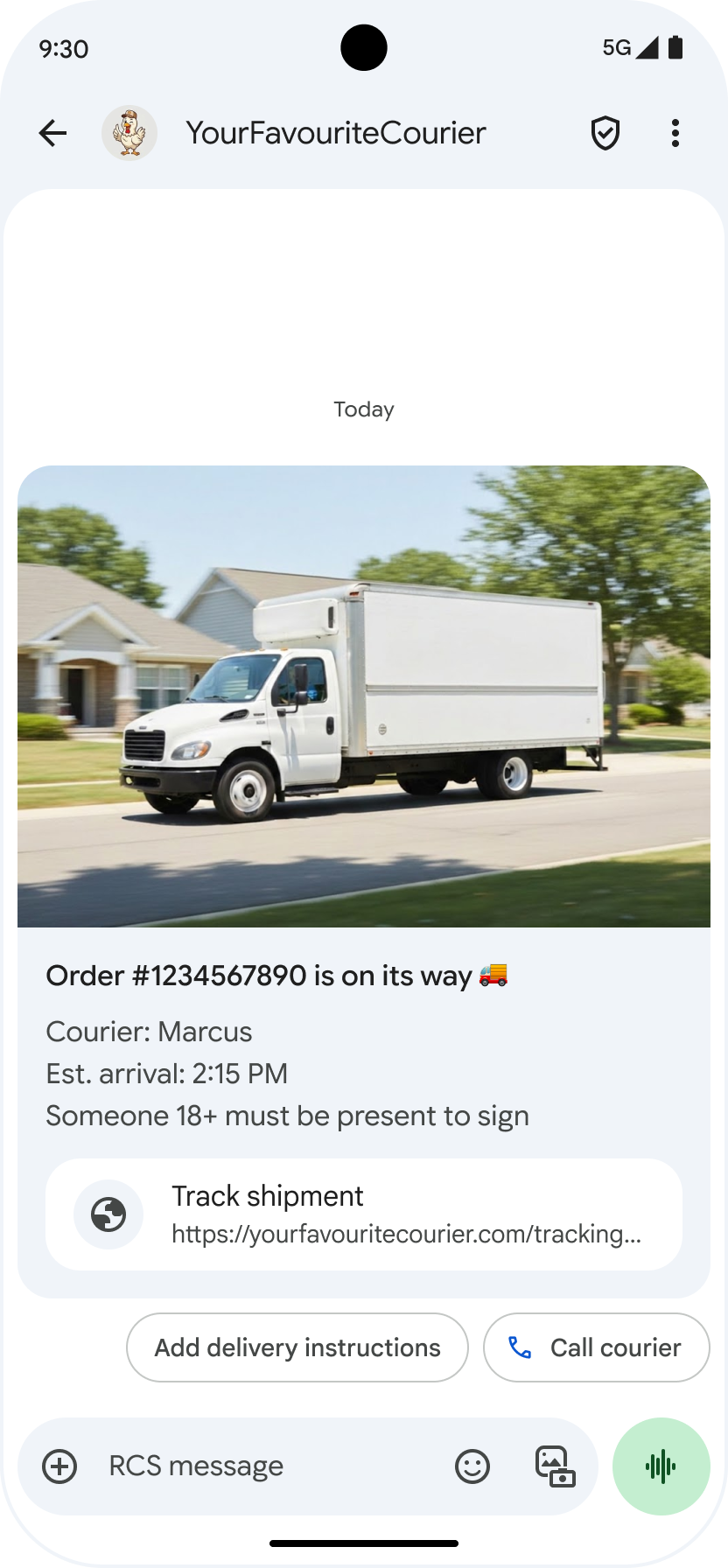
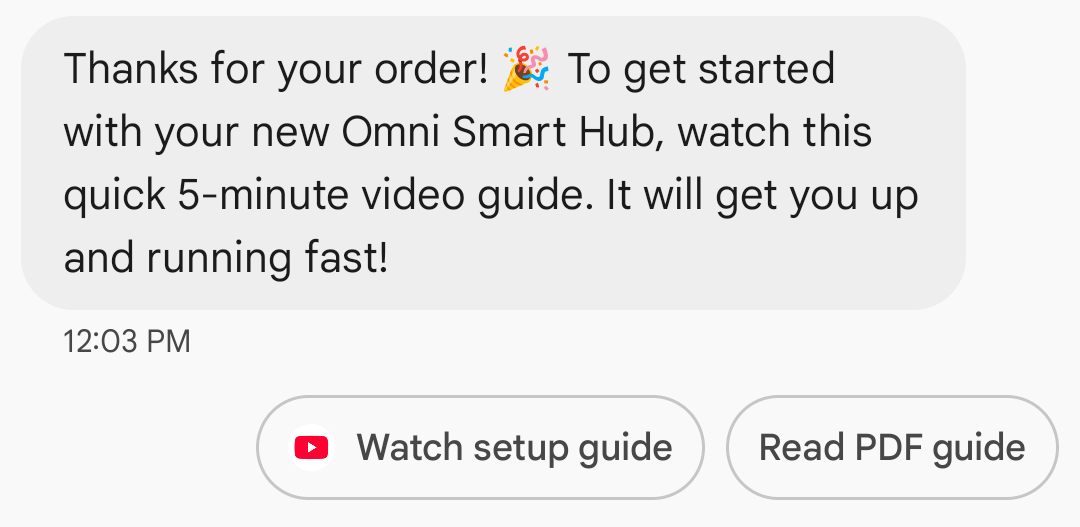
वेब लिंक के लिए ऐप्लिकेशन का आइकॉन दिखाना: अगर किसी उपयोगकर्ता ने वेब पेज के लिए डिफ़ॉल्ट ऐप्लिकेशन कॉन्फ़िगर किया है, तो ब्राउज़र या वेबव्यू के बजाय वह ऐप्लिकेशन खुलता है. साथ ही, सुझाव बटन पर ऐप्लिकेशन का आइकॉन दिखता है. Google Messages में ऐप्लिकेशन का आइकॉन दिखाने के लिए, आपको पूरा और डायरेक्ट यूआरएल देना होगा. अगर छोटे किए गए यूआरएल का इस्तेमाल किया जाता है, तो 'यूआरएल खोलें' आइकॉन डिफ़ॉल्ट रूप से दिखता है.
उदाहरण
नीचे दिया गया कोड, 'यूआरएल खोलें' कार्रवाई को भेजता है. फ़ॉर्मैटिंग और वैल्यू के विकल्पों के लिए, OpenUrlAction देखें.
cURL
curl -X POST "https://REGION-rcsbusinessmessaging.googleapis.com/v1/phones/PHONE_NUMBER/agentMessages?messageId=MESSAGE_ID&agentId=AGENT_ID" \
-H "Content-Type: application/json" \
-H "User-Agent: curl/rcs-business-messaging" \
-H "`oauth2l header --json PATH_TO_SERVICE_ACCOUNT_KEY rcsbusinessmessaging`" \
-d '{
  "contentMessage": {
    "text": "Hello, world!",
    "suggestions": [
      {
        "action": {
          "text": "Open Google",
          "postbackData": "postback_data_1234",
          "openUrlAction": {
            "url": "https://www.google.com"
          }
        }
      }
    ]
  }
}'
Node.js
// Reference to RBM API helper
const rbmApiHelper = require('@google/rcsbusinessmessaging');

// Define an open URL suggested action
let suggestions = [
   {
      action: {
         text: 'Open Google',
         postbackData: 'postback_data_1234',
         openUrlAction: {
            url: 'https://www.google.com'
         }
      }
   },
];

let params = {
   messageText: 'Hello, world!',
   msisdn: '+12223334444',
   suggestions: suggestions,
};

// Send a simple message with an open URL suggested action
rbmApiHelper.sendMessage(params, function(response) {
   console.log(response);
});
Java
import com.google.api.services.rcsbusinessmessaging.v1.model.OpenUrlAction;
import com.google.api.services.rcsbusinessmessaging.v1.model.SuggestedAction;
import com.google.api.services.rcsbusinessmessaging.v1.model.Suggestion;
import com.google.rbm.RbmApiHelper;
…

try {
   // Create an instance of the RBM API helper
   RbmApiHelper rbmApiHelper = new RbmApiHelper();

   // Create suggestions for chip list
   List<Suggestion> suggestions = new ArrayList<Suggestion>();

   // creating an open url suggested action
   OpenUrlAction openUrlAction = new OpenUrlAction();
   openUrlAction.setUrl("https://www.google.com");

   // creating a suggested action based on an open url action
   SuggestedAction suggestedAction = new SuggestedAction();
   suggestedAction.setText("Open Google");
   suggestedAction.setPostbackData("postback_data_1234");
   suggestedAction.setOpenUrlAction(openUrlAction);

   // attaching action to a suggestion
   Suggestion suggestion = new Suggestion();
   suggestion.setAction(suggestedAction);

   suggestions.add(suggestion);

   // Send simple text message with the suggestion action
   rbmApiHelper.sendTextMessage(
      "Hello, world!",
      "+12223334444",
      suggestions
   );
} catch(Exception e) {
   e.printStackTrace();
}
Python
# Reference to RBM Python client helper and messaging object structure
from rcs_business_messaging import rbm_service
from rcs_business_messaging import messages

# Create an open url suggested action
suggestions = [
      messages.OpenUrlAction('Open Google',
            'reply:postback_data_1234',
            'https://www.google.com')
]

# Create text message to send to user
text_msg = messages.TextMessage('Hello, world!')
cluster = messages.MessageCluster().append_message(text_msg)

# Append suggestions for the message to send to the user
for suggestion in suggestions:
    cluster.append_suggestion_chip(suggestion)

# Send a simple message with suggested action to the device
cluster.send_to_msisdn('+12223334444')
C#
using Google.Apis.RCSBusinessMessaging.v1.Data;
using RCSBusinessMessaging;
…

// Create an instance of the RBM API helper
RbmApiHelper rbmApiHelper = new RbmApiHelper(credentialsFileLocation,
                                                 projectId);

// Create an open url action
OpenUrlAction openUrlAction = new OpenUrlAction
{
    Url = "https://www.google.com"
};

// Attach the open url action to a suggested action
SuggestedAction suggestedAction = new SuggestedAction
{
    OpenUrlAction = openUrlAction,
    Text = "Open Google",
    PostbackData = "postback_data_1234"
};

// Attach the action to a suggestion object
Suggestion suggestion = new Suggestion
{
    Action = suggestedAction
};

List<Suggestion> suggestions = new List<Suggestion>
{
    suggestion
};

rbmApiHelper.SendTextMessage(
    "Hello, world!",
    "+12223334444",
    suggestions
);
वेबव्यू की मदद से यूआरएल खोलना
वेबव्यू के साथ यूआरएल खोलने की सुविधा, आपके डिफ़ॉल्ट ब्राउज़र के रेंडरिंग इंजन के साथ मैसेजिंग ऐप्लिकेशन में बताए गए वेब पेज को लोड करती है. इससे उपयोगकर्ता, आरसीएस फ़ॉर बिज़नेस बातचीत को छोड़े बिना वेब पेज से इंटरैक्ट कर सकता है. अगर उपयोगकर्ता के डिवाइस पर वेबव्यू काम नहीं करता है, तो वेब पेज, उपयोगकर्ता के ब्राउज़र में खुलता है. वेबव्यू चालू करने के लिए, OpenURLApplication देखें.
वेबव्यू को तीन डिसप्ले मोड में दिखाया जा सकता है. फ़ॉर्मैटिंग और वैल्यू के विकल्पों के लिए, WebviewViewMode देखें.
- फ़ुल: वेब पेज पूरी स्क्रीन पर दिखता है
- आधा: वेब पेज, स्क्रीन के आधे हिस्से पर दिखता है
- लंबा: वेब पेज, स्क्रीन के तीन-चौथाई हिस्से पर दिखता है
उदाहरण
यहां दिया गया कोड, वेबव्यू ऐक्शन के साथ Open URL भेजता है. फ़ॉर्मैटिंग और वैल्यू के विकल्पों के लिए, OpenURLAction देखें.
cURL
curl -X POST "https://REGION-rcsbusinessmessaging.googleapis.com/v1/phones/PHONE_NUMBER/agentMessages?messageId=MESSAGE_ID&agentId=AGENT_ID" \
-H "Content-Type: application/json" \
-H "User-Agent: curl/rcs-business-messaging" \
-H "`oauth2l header --json PATH_TO_SERVICE_ACCOUNT_KEY rcsbusinessmessaging`" \
-d '{
 "contentMessage": {
   "text": "Hello, world!",
   "suggestions": [
     {
       "action": {
         "text": "Open Google",
         "postbackData": "postback_data_1234",
         "openUrlAction": {
           "url": "https://www.google.com",
           "application": "WEBVIEW",
           "webviewViewMode": "FULL",
           "description": "Accessibility description"
         }
       }
     }
   ]
 }
}'
Java
import com.google.api.services.rcsbusinessmessaging.v1.model.OpenUrlAction;
import com.google.api.services.rcsbusinessmessaging.v1.model.SuggestedAction;
import com.google.api.services.rcsbusinessmessaging.v1.model.Suggestion;
import com.google.rbm.RbmApiHelper;
…

try {

   String URL = "https://www.google.com";

   // Create an instance of the RBM API helper
   RbmApiHelper rbmApiHelper = new RbmApiHelper();

   // Create suggestions for chip list
   List<Suggestion> suggestions = new ArrayList<Suggestion>();

   // Create suggestion to view webpage in full mode
   Suggestion viewInFullMode =  getUrlActionInWebview(URL, "FULL")
   suggestions.add(viewInFullMode);

   // create suggestion to view webpage in half mode
   Suggestion viewInHalfMode =  getUrlActionInWebview(URL, "HALF")
   suggestions.add(viewInHalfMode);

   // create suggestion to view webpage in tall mode
   Suggestion viewInTallMode =  getUrlActionInWebview(URL, "TALL")
   suggestions.add(viewInTallMode);

   // Send simple text message with the suggested action
   rbmApiHelper.sendTextMessage(
      "Hello, world!",
      "+12223334444",
      suggestions
   );
} catch(Exception e) {
   e.printStackTrace();
}

  /**
    * Creates a suggested action to open URL in webview.
    *
    * @return a suggestion object for an open URL in webview action .
    */
    private Suggestion getUrlActionInWebview(String url,
                                             String viewMode) {
      // create an open url action
      OpenUrlAction openUrlAction = new OpenUrlAction();
      openUrlAction.setUrl(url);
      openUrlAction.setApplication("WEBVIEW");
      openUrlAction.setWebviewViewMode(viewMode);
      openUrlAction.setDescription("Accessibility description");

      // attach the open url action to a suggested action
      SuggestedAction suggestedAction = new SuggestedAction();
      suggestedAction.setOpenUrlAction(openUrlAction);
      suggestedAction.setText('display_text');
      suggestedAction.setPostbackData('postback_data_123');

      // attach the action to a suggestion object
      Suggestion suggestion = new Suggestion();
      suggestion.setAction(suggestedAction);

      return suggestion;
    }
कैलेंडर इवेंट बनाना
'कैलेंडर इवेंट बनाएं' ऐक्शन से, उपयोगकर्ता का कैलेंडर ऐप्लिकेशन खुल जाता है. साथ ही, दी गई जानकारी के साथ एक नया इवेंट बनना शुरू हो जाता है.
कैलेंडर इवेंट का टाइटल डालना ज़रूरी है. इसमें ज़्यादा से ज़्यादा 100 वर्ण हो सकते हैं. कैलेंडर इवेंट का ब्यौरा देना ज़रूरी नहीं है. इसमें ज़्यादा से ज़्यादा 500 वर्ण इस्तेमाल किए जा सकते हैं.
उदाहरण
नीचे दिया गया कोड, कैलेंडर इवेंट बनाने का ऐक्शन भेजता है. फ़ॉर्मैटिंग और वैल्यू के विकल्पों के लिए, CreateCalendarEventAction देखें.
cURL
curl -X POST "https://REGION-rcsbusinessmessaging.googleapis.com/v1/phones/PHONE_NUMBER/agentMessages?messageId=MESSAGE_ID&agentId=AGENT_ID" \
-H "Content-Type: application/json" \
-H "User-Agent: curl/rcs-business-messaging" \
-H "`oauth2l header --json PATH_TO_SERVICE_ACCOUNT_KEY rcsbusinessmessaging`" \
-d '{
  "contentMessage": {
    "text": "Hello, world!",
    "suggestions": [
      {
        "action": {
          "text": "Save to calendar",
          "postbackData": "postback_data_1234",
          "fallbackUrl": "https://www.google.com/calendar",
          "createCalendarEventAction": {
            "startTime": "2020-06-30T19:00:00Z",
            "endTime": "2020-06-30T20:00:00Z",
            "title": "My calendar event",
            "description": "Description of the calendar event"
          }
        }
      }
    ]
  }
}'
Node.js
// Reference to RBM API helper
const rbmApiHelper = require('@google/rcsbusinessmessaging');

// Define a create calendar event suggested action
let suggestions = [
   {
      action: {
         text: 'Save to calendar',
         postbackData: 'postback_data_1234',
         createCalendarEventAction: {
            startTime: '2020-06-30T19:00:00Z',
            endTime: '2020-06-30T20:00:00Z',
            title: 'My calendar event',
            description: 'Description of the calendar event',
         },
      }
   },
];

let params = {
   messageText: 'Hello, world!',
   msisdn: '+12223334444',
   suggestions: suggestions,
};

// Send a simple message with a create calendar event suggested action
rbmApiHelper.sendMessage(params, function(response) {
   console.log(response);
});
Java
import com.google.api.services.rcsbusinessmessaging.v1.model.CreateCalendarEventAction;
import com.google.api.services.rcsbusinessmessaging.v1.model.SuggestedAction;
import com.google.api.services.rcsbusinessmessaging.v1.model.Suggestion;
import com.google.rbm.RbmApiHelper;
…

try {
   // Create an instance of the RBM API helper
   RbmApiHelper rbmApiHelper = new RbmApiHelper();

   // Create suggestions for chip list
   List<Suggestion> suggestions = new ArrayList<Suggestion>();

   // creating a create calendar event suggested action
   CreateCalendarEventAction createCalendarEventAction = new CreateCalendarEventAction();
   calendarEventAction.setTitle("My calendar event");
   calendarEventAction.setDescription("Description of the calendar event");
   calendarEventAction.setStartTime("2020-06-30T19:00:00Z");
   calendarEventAction.setEndTime("2020-06-30T20:00:00Z");

   // creating a suggested action based on a create calendar event action
   SuggestedAction suggestedAction = new SuggestedAction();
   suggestedAction.setText("Save to calendar");
   suggestedAction.setPostbackData("postback_data_1234");
   suggestedAction.setCreateCalendarEventAction(createCalendarEventAction);

   // attaching action to a suggestion
   Suggestion suggestion = new Suggestion();
   suggestion.setAction(suggestedAction);

   suggestions.add(suggestion);

   // Send simple text message with the suggestion action
   rbmApiHelper.sendTextMessage(
      "Hello, world!",
      "+12223334444",
      suggestions
   );
} catch(Exception e) {
   e.printStackTrace();
}
Python
# Reference to RBM Python client helper and messaging object structure
from rcs_business_messaging import rbm_service
from rcs_business_messaging import messages

# Create a calendar event suggested action
suggestions = [
      messages.CreateCalendarEventAction('Save to Calendar',
                             'reply:postback_data_1234',
                             '2020-06-30T19:00:00Z',
                             '2020-06-30T20:00:00Z',
                             'My calendar event',
                             'Description of the calendar event')

]

# Create text message to send to user
text_msg = messages.TextMessage('Hello, world!')
cluster = messages.MessageCluster().append_message(text_msg)

# Append suggestions for the message to send to the user
for suggestion in suggestions:
    cluster.append_suggestion_chip(suggestion)

# Send a simple message with suggested action to the device
cluster.send_to_msisdn('+12223334444')
C#
using Google.Apis.RCSBusinessMessaging.v1.Data;
using RCSBusinessMessaging;
…

// Create an instance of the RBM API helper
RbmApiHelper rbmApiHelper = new RbmApiHelper(credentialsFileLocation,
                                                 projectId);

// Create a calendar event action
CreateCalendarEventAction calendarEventAction = new CreateCalendarEventAction
{
    Title = "My calendar event",
    Description = "Description of the calendar event",
    StartTime = "2020-06-30T19:00:00Z",
    EndTime = "2020-06-30T20:00:00Z"
};

// Attach the calendar event action to a suggested action
SuggestedAction suggestedAction = new SuggestedAction
{
    CreateCalendarEventAction = calendarEventAction,
    Text = "Save to calendar",
    PostbackData = "postback_data_1234"
};

// Attach the action to a suggestion object
Suggestion suggestion = new Suggestion
{
    Action = suggestedAction
};

List<Suggestion> suggestions = new List<Suggestion>
{
    suggestion
};

rbmApiHelper.SendTextMessage(
    "Hello, world!",
    "+12223334444",
    suggestions
);
सुझाव वाले चिप की सूची
आपका एजेंट, लोगों को आगे की कार्रवाइयों के बारे में बताने के लिए, मैसेज के साथ सुझाव वाले चिप की सूचियां भेजता है. चिप की सूची सिर्फ़ तब दिखती है, जब उससे जुड़ा मैसेज बातचीत में सबसे नीचे हो. बातचीत में इसके बाद आने वाले मैसेज (चाहे वे किसी उपयोगकर्ता के हों या आपके एजेंट के), चिप की सूची को बदल देते हैं.
सूची में मौजूद चिप, सुझाए गए जवाब और सुझाई गई कार्रवाइयां हैं.
चिप की सूचियों में ज़्यादा से ज़्यादा 11 सुझाव वाले चिप होते हैं. हर चिप के लेबल में ज़्यादा से ज़्यादा 25 वर्ण हो सकते हैं.
फ़ॉर्मैटिंग और वैल्यू के विकल्पों के लिए, AgentContentMessage देखें.
रिच कार्ड
रिच कार्ड में मीडिया, टेक्स्ट, और इंटरैक्टिव सुझावों को एक ही मैसेज में शामिल किया जाता है. ये कार्ड, मिलती-जुलती जानकारी दिखाने के लिए सबसे सही होते हैं. उदाहरण के लिए, किसी प्रॉडक्ट की इमेज, नाम, और कीमत. साथ ही, ये उपयोगकर्ताओं को अगला चरण साफ़ तौर पर बताने में मदद करते हैं. जैसे, "ज़्यादा जानकारी देखें" सुझाव.
रिच कार्ड में यह जानकारी शामिल हो सकती है:
- मीडिया (इमेज, GIF या वीडियो)
- टाइटल का टेक्स्ट
- विवरण टेक्स्ट
- सुझाए गए जवाब और सुझाई गई कार्रवाइयां (ज़्यादा से ज़्यादा चार)
इनमें से हर फ़ील्ड को भरना ज़रूरी नहीं है. हालांकि, पहले से तीसरे फ़ील्ड में से कम से कम एक फ़ील्ड को रिच कार्ड में शामिल करना ज़रूरी है.
एक साथ कई कार्ड भेजे जा सकते हैं. इन्हें हॉरिज़ॉन्टल तरीके से स्क्रोल किए जा सकने वाले कैरसेल में दिखाया जाता है.
ध्यान दें कि रिच कार्ड के लिए कुल पेलोड 250 केबी होता है.
तकनीकी जानकारी के लिए, रिच कार्ड का दस्तावेज़ देखें.
कार्ड की ऊंचाई
रिच कार्ड, कॉन्टेंट के हिसाब से वर्टिकल तौर पर बड़े हो जाते हैं. इनकी कम से कम ऊंचाई 112 डीपी और ज़्यादा से ज़्यादा ऊंचाई 344 डीपी होती है. अगर कार्ड का कॉन्टेंट, कार्ड की कम से कम ऊंचाई को पूरा नहीं करता है, तो कार्ड बड़ा हो जाता है. साथ ही, कार्ड की अतिरिक्त ऊंचाई में खाली जगह भर जाती है.
रिच कार्ड में मौजूद मीडिया की ऊंचाई इनमें से किसी एक के हिसाब से होनी चाहिए:
- छोटा: 112 डीपी
- मीडियम: 168 डीपी
- लंबा: 264 डीपी
अगर चुनी गई ऊंचाई के हिसाब से कार्ड में मीडिया का डाइमेंशन सही नहीं है, तो मीडिया को ज़ूम और क्रॉप करके उसकी झलक दिखाई जाती है.
उदाहरण
नीचे दिया गया कोड, इमेज और सुझाए गए जवाबों वाला रिच कार्ड भेजता है. फ़ॉर्मैटिंग और वैल्यू के विकल्पों के लिए, RichCard देखें.
cURL
curl -X POST "https://REGION-rcsbusinessmessaging.googleapis.com/v1/phones/PHONE_NUMBER/agentMessages?messageId=MESSAGE_ID&agentId=AGENT_ID" \
-H "Content-Type: application/json" \
-H "User-Agent: curl/rcs-business-messaging" \
-H "`oauth2l header --json PATH_TO_SERVICE_ACCOUNT_KEY rcsbusinessmessaging`" \
-d '{
  "contentMessage": {
    "richCard": {
      "standaloneCard": {
        "thumbnailImageAlignment": "RIGHT",
        "cardOrientation": "VERTICAL",
        "cardContent": {
          "title": "Hello, world!",
          "description": "RBM is awesome!",
          "media": {
            "height": "TALL",
            "contentInfo":{
              "fileUrl": "http://www.google.com/logos/doodles/2015/googles-new-logo-5078286822539264.3-hp2x.gif",
              "forceRefresh": false
            }
          },
          "suggestions": [
            {
              "reply": {
                "text": "Suggestion #1",
                "postbackData": "suggestion_1"
              }
            },
            {
              "reply": {
                "text": "Suggestion #2",
                "postbackData": "suggestion_2"
              }
            }
          ]
        }
      }
    }
  }
}'
Node.js
// Reference to RBM API helper
const rbmApiHelper = require('@google/rcsbusinessmessaging');

// Suggested replies to be used in the card
let suggestions = [
   {
      reply: {
         'text': 'Suggestion #1',
         'postbackData': 'suggestion_1',
      },
   },
   {
      reply: {
         'text': 'Suggestion #2',
         'postbackData': 'suggestion_2',
      },
   },
];

// Image to be displayed by the card
let imageUrl = 'http://www.google.com/logos/doodles/2015/googles-new-logo-5078286822539264.3-hp2x.gif';

// Definition of the card parameters
let params = {
   messageText: 'Hello, world!',
   messageDescription: 'RBM is awesome!',
   msisdn: '+12223334444',
   suggestions: suggestions,
   imageUrl: imageUrl,
   height: 'TALL',
};

// Send rich card to device
rbmApiHelper.sendRichCard(params, function(response) {
   console.log(response);
});
Java
import com.google.api.services.rcsbusinessmessaging.v1.model.StandaloneCard;
import com.google.api.services.rcsbusinessmessaging.v1.model.Suggestion;
import com.google.rbm.cards.CardOrientation;
import com.google.rbm.cards.MediaHeight;
import com.google.rbm.RbmApiHelper;
import com.google.rbm.SuggestionHelper;
…

try {
   // Create an instance of the RBM API helper
   RbmApiHelper rbmApiHelper = new RbmApiHelper();

   // Create suggestions for chip list
   List<Suggestion> suggestions = new ArrayList<Suggestion>();
   suggestions.add(
      new SuggestionHelper("Suggestion #1", "suggestion_1").getSuggestedReply());

   suggestions.add(
      new SuggestionHelper("Suggestion #2", "suggestion_2").getSuggestedReply());

   String imageUrl = "http://www.google.com/logos/doodles/2015/googles-new-logo-5078286822539264.3-hp2x.gif";

   // Create a standalone rich card to send to the user
   StandaloneCard standaloneCard = rbmApiHelper.createStandaloneCard(
       "Hello, world!",
       "RBM is awesome!",
       imageUrl,
       MediaHeight.MEDIUM,
       CardOrientation.VERTICAL,
       suggestions
   );

   rbmApiHelper.sendStandaloneCard(standaloneCard, "+12223334444");
} catch(Exception e) {
   e.printStackTrace();
}
Python
# Reference to RBM Python client helper and messaging object structure
from rcs_business_messaging import rbm_service
from rcs_business_messaging import messages

# Suggested replies to be used in the card
suggestions = [
      messages.SuggestedReply('Suggestion #1', 'reply:suggestion_1'),
      messages.SuggestedReply('Suggestion #2', 'reply:suggestion_2')
]

# Image to be displayed by the card
image_url = 'http://www.google.com/logos/doodles/2015/googles-new-logo-5078286822539264.3-hp2x.gif';

# Define rich card structure
rich_card = messages.StandaloneCard('VERTICAL',
                                    'Hello, world!',
                                    'RBM is awesome!',
                                    suggestions,
                                    image_url,
                                    None,
                                    None,
                                    'MEDIUM')

# Append rich card and send to the user
cluster = messages.MessageCluster().append_message(rich_card)
cluster.send_to_msisdn('+12223334444')
C#
using Google.Apis.RCSBusinessMessaging.v1.Data;
using RCSBusinessMessaging;
using RCSBusinessMessaging.Cards;
…

// Create an instance of the RBM API helper
RbmApiHelper rbmApiHelper = new RbmApiHelper(credentialsFileLocation,
                                             projectId);

List<Suggestion> suggestions = new List<Suggestion>
{
   // Create suggestion chips
   new SuggestionHelper("Suggestion #1", "suggestion_1").SuggestedReply(),
   new SuggestionHelper("Suggestion #2", "suggestion_2").SuggestedReply()
};

string imageUrl = "http://www.google.com/logos/doodles/2015/googles-new-logo-5078286822539264.3-hp2x.gif";

// Create rich card with suggestions
StandaloneCard standaloneCard = rbmApiHelper.CreateStandaloneCard(
   "Hello, world!",
   "RBM is awesome",
   imageUrl,
   MediaHeight.TALL,
   CardOrientation.VERTICAL,
   suggestions
);

// Send rich card to user
rbmApiHelper.SendStandaloneCard(standaloneCard, "+12223334444");
रिच कार्ड कैरसेल
कैरसेल में कई रिच कार्ड एक साथ दिखते हैं. इससे लोग, आइटम की तुलना कर पाते हैं और हर आइटम पर अलग-अलग प्रतिक्रिया दे पाते हैं.
कैरसेल में कम से कम दो और ज़्यादा से ज़्यादा दस रिच कार्ड हो सकते हैं. कैरसेल में मौजूद रिच कार्ड, कॉन्टेंट और ऊंचाई के लिए रिच कार्ड की सामान्य ज़रूरी शर्तों के मुताबिक होने चाहिए. इनके बारे में रिच कार्ड के दस्तावेज़ में बताया गया है. कैरसेल लेआउट और स्पेसिफ़िकेशन के बारे में ज़्यादा जानकारी के लिए, कैरसेल का दस्तावेज़ देखें.
उदाहरण
नीचे दिया गया कोड, रिच कार्ड कैरसेल भेजता है. फ़ॉर्मैटिंग और वैल्यू के विकल्पों के लिए, RichCard देखें.
cURL
curl -X POST "https://REGION-rcsbusinessmessaging.googleapis.com/v1/phones/PHONE_NUMBER/agentMessages?messageId=MESSAGE_ID&agentId=AGENT_ID" \
-H "Content-Type: application/json" \
-H "User-Agent: curl/rcs-business-messaging" \
-H "`oauth2l header --json PATH_TO_SERVICE_ACCOUNT_KEY rcsbusinessmessaging`" \
-d '{
  "contentMessage": {
    "richCard": {
      "carouselCard": {
        "cardWidth": "MEDIUM",
        "cardContents": [
          {
            "title": "Card #1",
            "description": "The description for card #1",
            "suggestions": [
              {
                "reply": {
                  "text": "Card #1",
                  "postbackData": "card_1"
                }
              }
            ],
            "media": {
              "height": "MEDIUM",
              "contentInfo": {
                "fileUrl": "https://storage.googleapis.com/welcome-bot-sample-images/200.jpg",
                "forceRefresh": false
              }
            }
          },
          {
            "title": "Card #2",
            "description": "The description for card #2",
            "suggestions": [
              {
                "reply": {
                  "text": "Card #2",
                  "postbackData": "card_2"
                }
              }
            ],
            "media": {
              "height": "MEDIUM",
              "contentInfo": {
                "fileUrl": "https://storage.googleapis.com/welcome-bot-sample-images/201.jpg",
                "forceRefresh": false
              }
            }
          }
        ]
      }
    }
  }
}'
Node.js
// Reference to RBM API helper
const rbmApiHelper = require('@google/rcsbusinessmessaging');

// Images for the carousel cards
let card1Image = 'https://storage.googleapis.com/welcome-bot-sample-images/200.jpg';
let card2Image = 'https://storage.googleapis.com/welcome-bot-sample-images/201.jpg';

// Define the card contents for a carousel with two cards, each with one suggested reply
let cardContents = [
   {
      title: 'Card #1',
      description: 'The description for card #1',
      suggestions: [
         {
            reply: {
               text: 'Card #1',
               postbackData: 'card_1',
            }
         }
      ],
      media: {
         height: 'MEDIUM',
         contentInfo: {
            fileUrl: card1Image,
            forceRefresh: false,
         },
      },
   },
   {
      title: 'Card #2',
      description: 'The description for card #2',
      suggestions: [
         {
            reply: {
               text: 'Card #2',
               postbackData: 'card_2',
            }
         }
      ],
      media: {
         height: 'MEDIUM',
         contentInfo: {
            fileUrl: card2Image,
            forceRefresh: false,
         },
      },
   },
];

// Definition of carousel card
let params = {
   msisdn: '+12223334444',
   cardContents: cardContents,
};

// Send the device the carousel card defined above
rbmApiHelper.sendCarouselCard(params, function(response) {
   console.log(response);
});
Java
import com.google.api.services.rcsbusinessmessaging.v1.model.CardContent;
import com.google.api.services.rcsbusinessmessaging.v1.model.Suggestion;
import com.google.rbm.cards.CardOrientation;
import com.google.rbm.cards.CardWidth;
import com.google.rbm.cards.MediaHeight;
import com.google.rbm.RbmApiHelper;
import com.google.rbm.SuggestionHelper;
…

try {
            // Create an instance of the RBM API helper
            RbmApiHelper rbmApiHelper = new RbmApiHelper();

            List cardContents = new ArrayList();

            // Images for the carousel cards
            String card1Image = "https://storage.googleapis.com/welcome-bot-sample-images/200.jpg";

            // Create suggestions for first carousel card
            List card1Suggestions = new ArrayList();
            card1Suggestions.add(
                new SuggestionHelper("Card #1", "card_1"));

            cardContents.add(
                new StandaloneCardHelper(
                    "Card #1",
                    "The description for card #1",
                    card1Image,
                    card1Suggestions)
                    .getCardContent(MediaHeight.SHORT)
            );

            // Images for the carousel cards
            String card2Image = "https://storage.googleapis.com/welcome-bot-sample-images/201.jpg";

            // Create suggestions for second carousel card
            List card2Suggestions = new ArrayList();
            card2Suggestions.add(
                new SuggestionHelper("Card #2", "card_2"));

            cardContents.add(
                new StandaloneCardHelper(
                    "Card #2",
                    "The description for card #2",
                    card2Image,
                    card2Suggestions)
                    .getCardContent(MediaHeight.SHORT)
            );

            // Send the carousel to the user
            rbmApiHelper.sendCarouselCards(cardContents, CardWidth.MEDIUM, "+12223334444");
        } catch(Exception e) {
            e.printStackTrace();
        }
Python
# Reference to RBM Python client helper and messaging object structure
from rcs_business_messaging import rbm_service
from rcs_business_messaging import messages

# Images for the carousel cards
card_image_1 = 'https://storage.googleapis.com/welcome-bot-sample-images/200.jpg';
card_image_2 = 'https://storage.googleapis.com/welcome-bot-sample-images/201.jpg';

# Suggested replies to be used in the cards
suggestions1 = [
      messages.SuggestedReply('Card #1', 'reply:card_1')
]

suggestions2 = [
      messages.SuggestedReply('Card #2', 'reply:card_2')
]

# Define the card contents for a carousel with two cards,
# each with one suggested reply
card_contents = []
card_contents.append(messages.CardContent('Card #1',
                                          'The description for card #1',
                                          card_image_1,
                                          'MEDIUM',
                                          suggestions1))

card_contents.append(messages.CardContent('Card #2',
                                          'The description for card #2',
                                          card_image_2,
                                          'MEDIUM',
                                          suggestions2))

# Send the device the carousel card defined above
carousel_card = messages.CarouselCard('MEDIUM', card_contents)
cluster = messages.MessageCluster().append_message(carousel_card)
cluster.send_to_msisdn('+12223334444')
C#
using Google.Apis.RCSBusinessMessaging.v1.Data;
using RCSBusinessMessaging;
using RCSBusinessMessaging.Cards;
…

// Create an instance of the RBM API helper
RbmApiHelper rbmApiHelper = new RbmApiHelper(credentialsFileLocation,
                                             projectId);

// Image references to be used in the carousel cards
string card1Image = "https://storage.googleapis.com/welcome-bot-sample-images/200.jpg";
string card2Image = "https://storage.googleapis.com/welcome-bot-sample-images/201.jpg";

// Suggestion chip lists to be used in carousel cards
List<Suggestion> suggestions1 = new List<Suggestion>
{
   new SuggestionHelper("Card #1", "card_1").SuggestedReply()
};

List<Suggestion> suggestions2 = new List<Suggestion>
{
   new SuggestionHelper("Card #2", "card_2").SuggestedReply()
};

// Create the card content for the carousel
List<CardContent> cardContents = new List<CardContent>
{
   // Add items as card content
   new StandaloneCardHelper(
                    "Card #1",
                    "The description for card #1",
                    card1Image,
                    suggestions1).GetCardContent(),
   new StandaloneCardHelper(
                    "Card #2",
                    "The description for card #2",
                    card2Image,
                    suggestions2).GetCardContent()
};

// Send the carousel to the user
rbmApiHelper.SendCarouselCards(cardContents, CardWidth.MEDIUM, msisdn);