

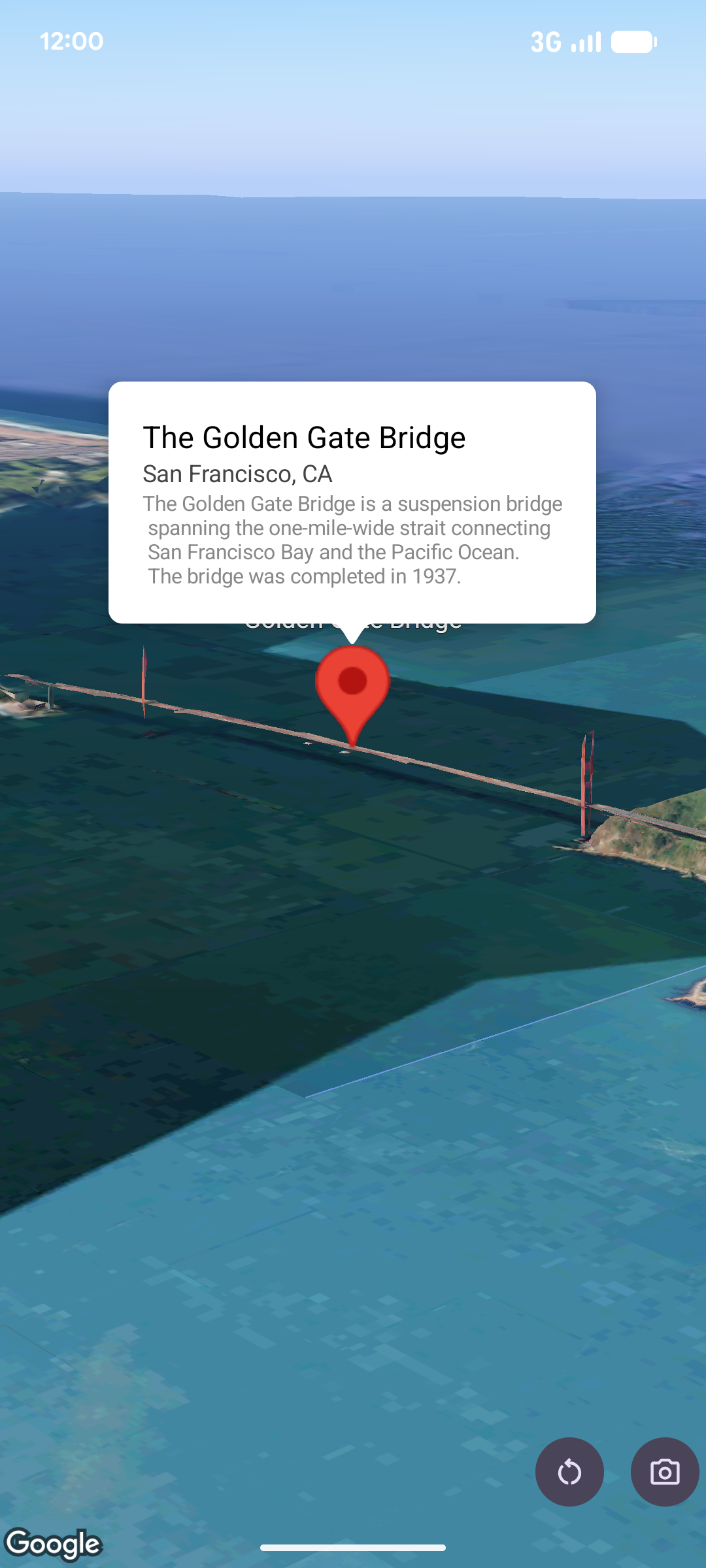
חלון קופץ שמציג תוכן (בדרך כלל טקסט או תמונות) בבועת מידע מעל המפה, במיקום נתון. החלון הקופץ כולל אזור תוכן וגבעול מחודד. קצה הגבעול מחובר למיקום ספציפי במפה.
בדרך כלל מצמידים חלון קופץ לסמן, אבל אפשר גם להצמיד חלון קופץ לLatLng קואורדינטות ספציפיות.
הוספת חלון קופץ
כדי להוסיף חלון קופץ, יוצרים אובייקט Popover ומגדירים את האפשרויות שלו, כולל המיקום ומצב הגובה.
המיקום הוא אובייקט LatLng שכולל קו רוחב, קו אורך וגובה, שקובעים איפה יוצג ה-popover. אם מצמידים לסמן, המיקום של הסמן משמש במקום זאת. אפשר גם לשלוט באופן שבו הגובה מפורש על ידי הגדרת מצב הגובה.
התוכן של חלון קופץ צריך להיות כלול ב-AndroidView. כברירת מחדל, אפשר לגלול בחלוניות קופצות, והגובה המקסימלי שלהן מוגדר מראש.
הצמדת חלון קופץ לסמן
אפשר לעגן את החלונות הקופצים לסמנים. כשמוסיפים חלון קופץ שמעוגן לסמן, צריך לשייך את החלון הקופץ לאובייקט Marker.
class MapManager(private val map: MapView) {

    /**
     * Adds a popover anchored to a marker.
     * @param context The Context required to instantiate UI views.
     */
    fun addPopoverToMarker(context: Context) {
        // 1. Create a marker
        val markerOptions = markerOptions {
            position = latLngAltitude {
                latitude = 37.422
                longitude = -122.084
                altitude = 0.0
            }
        }

        val marker = map.addMarker(markerOptions) ?: return

        // 2. Create the custom view using the passed-in context
        val textView = TextView(context).apply {
            text = context.getString(R.string.popover_hello)
            setPadding(16, 16, 16, 16)
            setBackgroundColor(Color.WHITE)
            setTextColor(Color.BLACK)
        }

        // 3. Configure and display the popover
        val options = popoverOptions {
            content = textView
            positionAnchor = marker
            altitudeMode = AltitudeMode.RELATIVE_TO_GROUND
        }

        val popover = map.addPopover(options)
        popover.show()
    }
}
הוספת חלון קופץ מוגדר
בדוגמה הבאה מוצג חלון קופץ שנסגר אוטומטית כשמשתמש מקיש מחוץ לחלון הקופץ, ולא מתבצעת אוטומטית תנועת פנורמה לחלונות קופצים שנפתחים:
/**
 * Adds a configured popover (auto-close enabled, auto-pan disabled).
 * @param context The Context used to inflate the UI and retrieve string resources.
 */
fun addConfiguredPopover(context: Context) {
    // 1. Initialize the view with the explicit context
    val textView = TextView(context).apply {
        text = context.getString(com.example.snippets.common.R.string.popover_info)
        setPadding(12, 12, 12, 12)
        setBackgroundColor(Color.WHITE)
        setTextColor(Color.BLACK)
    }

    // 2. Configure popover behavior
    val options = popoverOptions {
        content = textView
        // Setting a fixed coordinate anchor
        positionAnchor = latLngAltitude {
            latitude = 0.0
            longitude = 0.0
            altitude = 0.0
        }
        autoCloseEnabled = true // Closes automatically when the map is tapped elsewhere
        autoPanEnabled = false  // Map camera remains stationary when popover appears
    }

    // 3. Add to the map instance
    map.addPopover(options)
}