
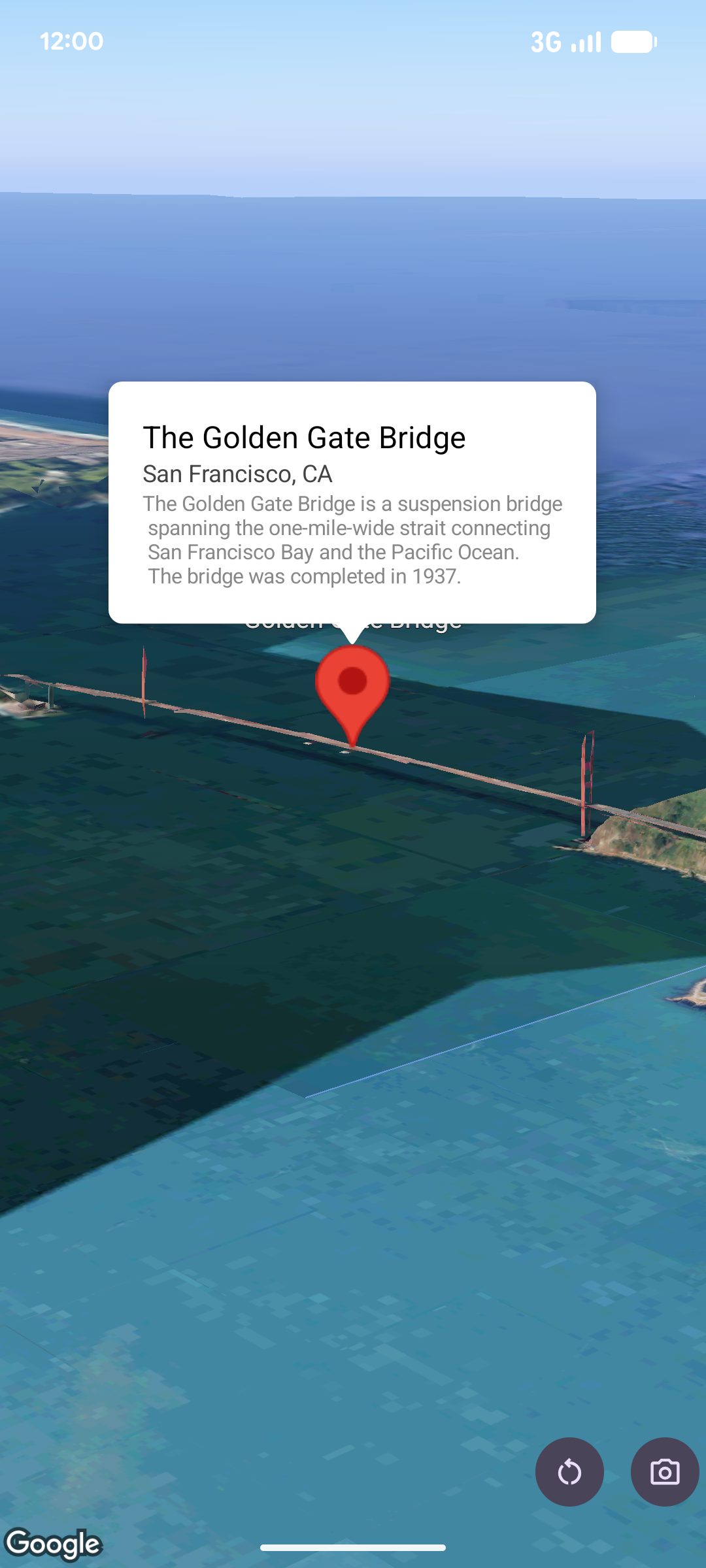
A popover displays content (usually text or images) in an info bubble window above the map, at a given location. The popover has a content area and a tapered stem. The tip of the stem is attached to a specified location on the map.
Typically you will attach a popover to a
marker, but you can also
attach a popover to a specific LatLng coordinate.
Add a popover
To add a popover, create a Popover object and set its options, including
position and
altitude mode
. The position is a
LatLng object which includes latitude, longitude, and altitude which
determines where the popover is displayed. If anchoring to a marker, the
marker's position is used instead. You can also control how altitude is
interpreted by setting the altitude mode.
The content of a popover must be contained within an AndroidView. Popovers are scrollable by default, and have a predefined maximum height.
Anchor a popover to a marker
You can anchor popovers to markers. When adding a popover anchored to a marker,
you need to associate the popover with a Marker object.
class MapManager(private val map: MapView) {

    /**
     * Adds a popover anchored to a marker.
     * @param context The Context required to instantiate UI views.
     */
    fun addPopoverToMarker(context: Context) {
        // 1. Create a marker
        val markerOptions = markerOptions {
            position = latLngAltitude {
                latitude = 37.422
                longitude = -122.084
                altitude = 0.0
            }
        }

        val marker = map.addMarker(markerOptions) ?: return

        // 2. Create the custom view using the passed-in context
        val textView = TextView(context).apply {
            text = context.getString(R.string.popover_hello)
            setPadding(16, 16, 16, 16)
            setBackgroundColor(Color.WHITE)
            setTextColor(Color.BLACK)
        }

        // 3. Configure and display the popover
        val options = popoverOptions {
            content = textView
            positionAnchor = marker
            altitudeMode = AltitudeMode.RELATIVE_TO_GROUND
        }

        val popover = map.addPopover(options)
        popover.show()
    }
}
Add a configured popover
The following sample adds a popover that automatically closes when the user taps outside of the popover, and doesn't automatically pan to newly opened popovers:
/**
 * Adds a configured popover (auto-close enabled, auto-pan disabled).
 * @param context The Context used to inflate the UI and retrieve string resources.
 */
fun addConfiguredPopover(context: Context) {
    // 1. Initialize the view with the explicit context
    val textView = TextView(context).apply {
        text = context.getString(com.example.snippets.common.R.string.popover_info)
        setPadding(12, 12, 12, 12)
        setBackgroundColor(Color.WHITE)
        setTextColor(Color.BLACK)
    }

    // 2. Configure popover behavior
    val options = popoverOptions {
        content = textView
        // Setting a fixed coordinate anchor
        positionAnchor = latLngAltitude {
            latitude = 0.0
            longitude = 0.0
            altitude = 0.0
        }
        autoCloseEnabled = true // Closes automatically when the map is tapped elsewhere
        autoPanEnabled = false  // Map camera remains stationary when popover appears
    }

    // 3. Add to the map instance
    map.addPopover(options)
}