
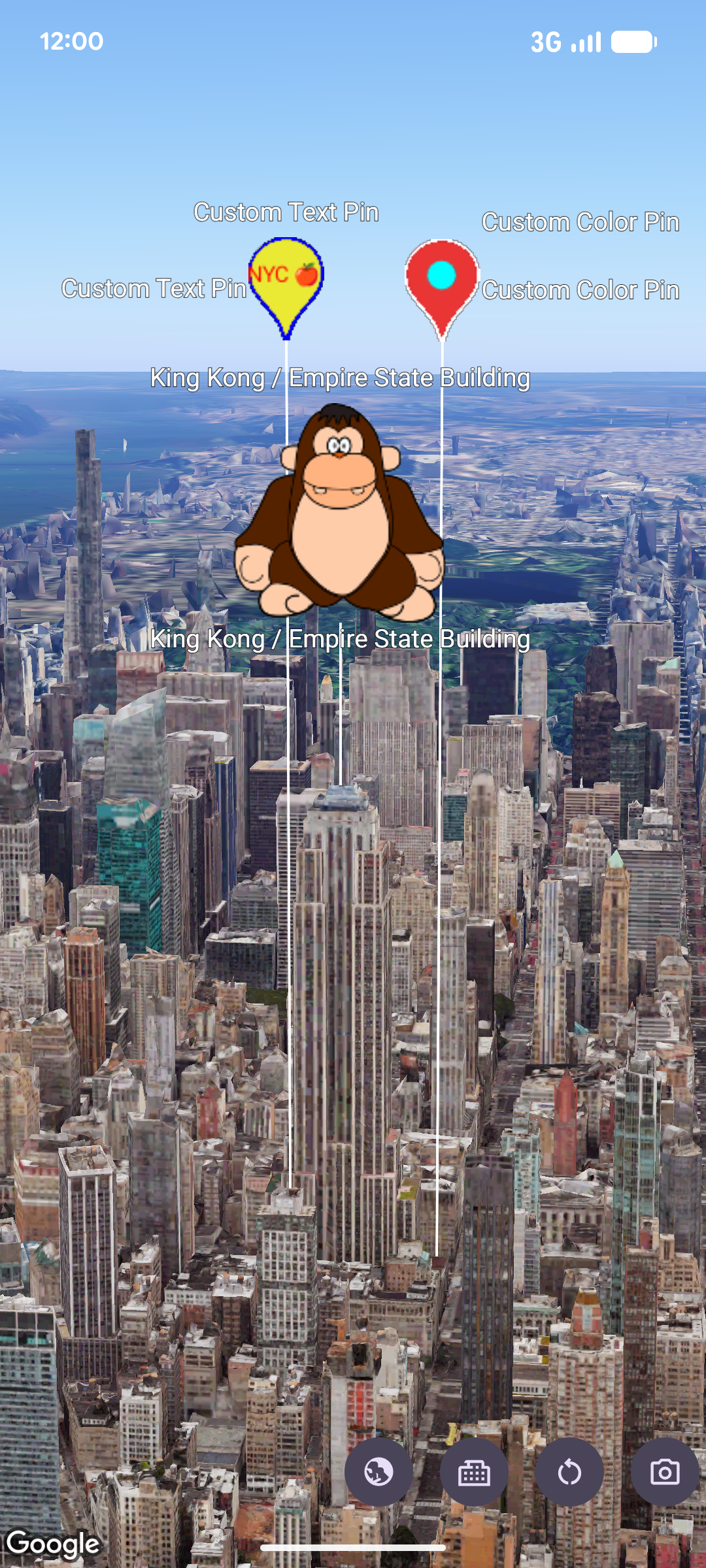
You can customize the appearance of markers using the pinConfiguration
constructor. The pinConfiguration constructor provides methods for changing
the background and border colors, glyph text and color,
altitude
, image to be used, and more options
for additional customization.
The following code sample shows how to create a new marker and style it using some of the available customization options:
map.addMarker(
 markerOptions {
   position = sanFrancisco
   style = pinConfiguration {
     backgroundColor = Color.GREEN
     borderColor = Color.GREEN
     glyph = Glyph.fromColor(Color.RED)
   }
 }
)
This page shows you how to customize markers in the following ways:
- Scale the marker
- Change the background color
- Change the border color
- Add text to a glyph
- Use an image as a marker
- Remove markers
Scale the marker
To scale a marker, use the scale option:
map.addMarker(
 markerOptions {
   position = sanFrancisco
   style = pinConfiguration {
     scale = 3.14
   }
 }
)
Change the background color
Use the PinElement.background option to change the background color of a
marker during construction:
map.addMarker(
 markerOptions {
   position = sanFrancisco
   style = pinConfiguration {
     backgroundColor = Color.GREEN
   }
 }
)
Change the border color
Use the markerOptions.borderColor option to change the border color of a
marker during contstruction:
map.addMarker(
 markerOptions {
   position = sanFrancisco
   style = pinConfiguration {
     borderColor = Color.GREEN
   }
 }
)
Add text to a glyph
Use the markerOptions.glyph method to replace the default glyph with a text
character. The text glyph of the marker scales with the marker:
map.addMarker(
 markerOptions {
   position = sanFrancisco
   style = pinConfiguration {
     glyph = Glyph.fromText("G")
   }
 }
)
Use an image as a marker
Map.addMarker(markerOptions {
  position = latLngAltitude {
      latitude = 40.7484
      longitude = -73.9857
      altitude = 100.0
  }
  zIndex = 1
  label = "Empire State Building"
  isExtruded = true
  isDrawnWhenOccluded = true
  altitudeMode = AltitudeMode.RELATIVE_TO_MESH
  setStyle(ImageView(R.drawable.ook))
})
Remove markers
Use Marker.remove() to remove markers from the map:
marker.remove();