
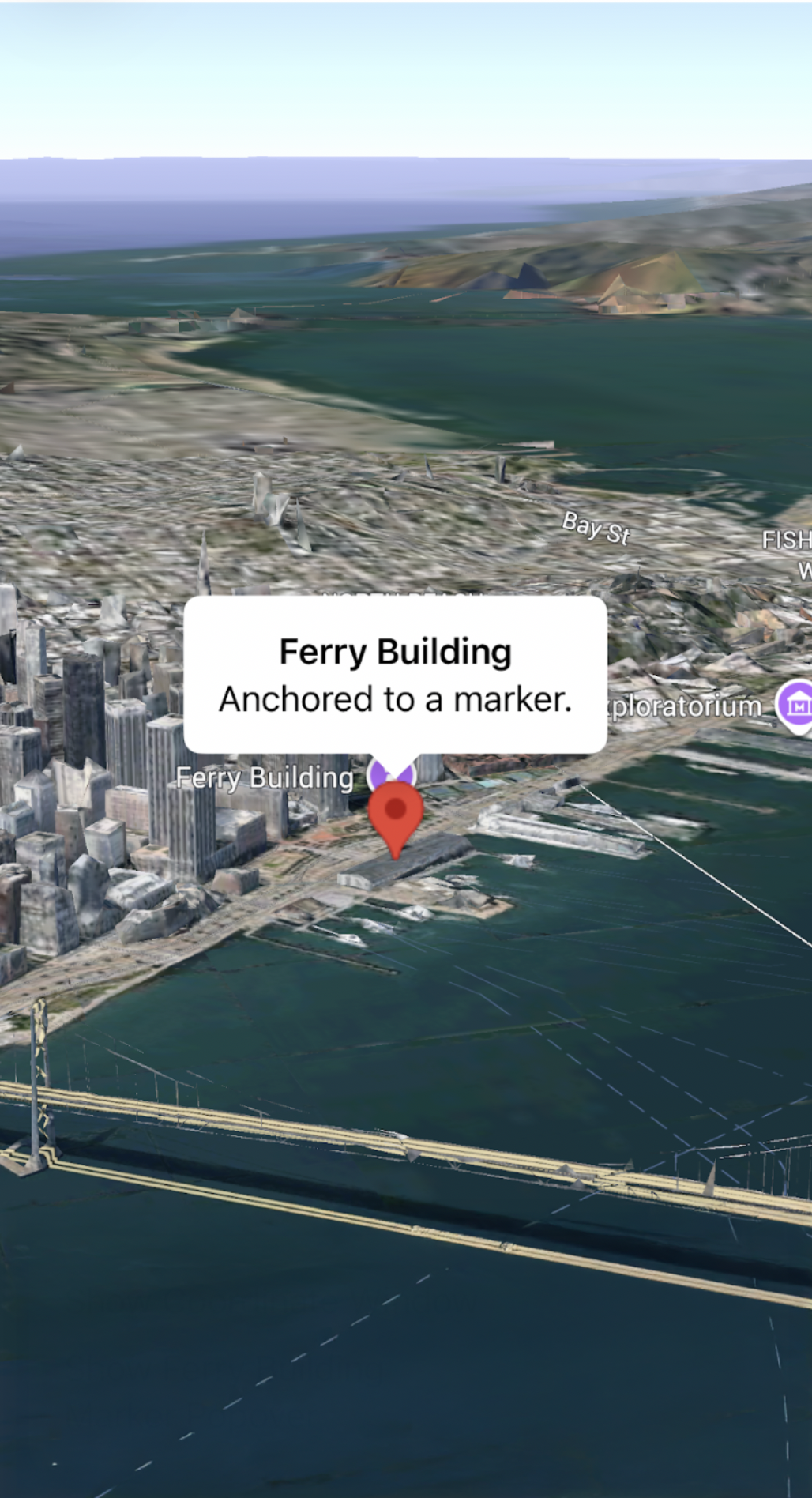
A popover displays content (usually text or images) in an info bubble window above the map, at a given location. The popover has a content area and a tapered stem. The tip of the stem is attached to a specified location on the map.
Typically you will attach a popover to a
marker using the .popover
modifier, but you can also attach a popover to a specific LatLng coordinate
with
altitude mode
, or offset it from
a marker.
Add a popover
To add a popover, create a Popover entity and set its options, including
position and altitude mode. The position is a LatLngAltitude object,
determining where the popover is displayed. You can control how altitude is
interpreted when anchoring by LatLngAltitude by setting the altitude mode. If
anchoring to a marker, the marker's position is used instead.
The content of a popover can be customized using SwiftUI Views. You can provide
custom layouts by passing a View builder closure to the Popover entity or the
.popover modifier.
Add a popover to a LatLngAltitude object
The following code sample adds a popover to a LatLngAltitude object:
import GoogleMaps3D
import SwiftUI

struct SimpleCoordinatePopover: View {
  @State private var isOpen = true
  // Alcatraz Island coordinates
  private let alcatraz = LatLngAltitude(latitude: 37.8270, longitude: -122.4230)

  var body: some View {
    Map(initialCamera: .init(latitude: 37.8270, longitude: -122.4230), mode: .hybrid) {
      Popover(
        positionAnchor: alcatraz,
        isOpen: $isOpen
      ) {
        Text("Alcatraz Island")
      }
    }
  }
}
Add a popover to a marker
The following code sample adds a popover to a marker:
import GoogleMaps3D
import SwiftUI

struct SimpleMarkerPopover: View {
  @State private var isOpen = false
  // Ferry Building coordinates
  private let ferryBuilding = LatLngAltitude(latitude: 37.7955, longitude: -122.3937)

  var body: some View {
    Map(initialCamera: .init(latitude: 37.7955, longitude: -122.3937), mode: .hybrid) {
      Marker(position: ferryBuilding)
        .popover(isOpen: $isOpen) {
          Text("Ferry Building")
        }
        .onTap {
          isOpen.toggle()
        }
    }
  }
}