
Carousel (ItemList) structured data
A carousel is a list-like rich result that people can swipe through on mobile devices. It
displays multiple cards from the same site (also known as a host carousel). To be eligible for a
host carousel rich result for your site, add ItemList structured data in
combination with one of the following supported structured data features:
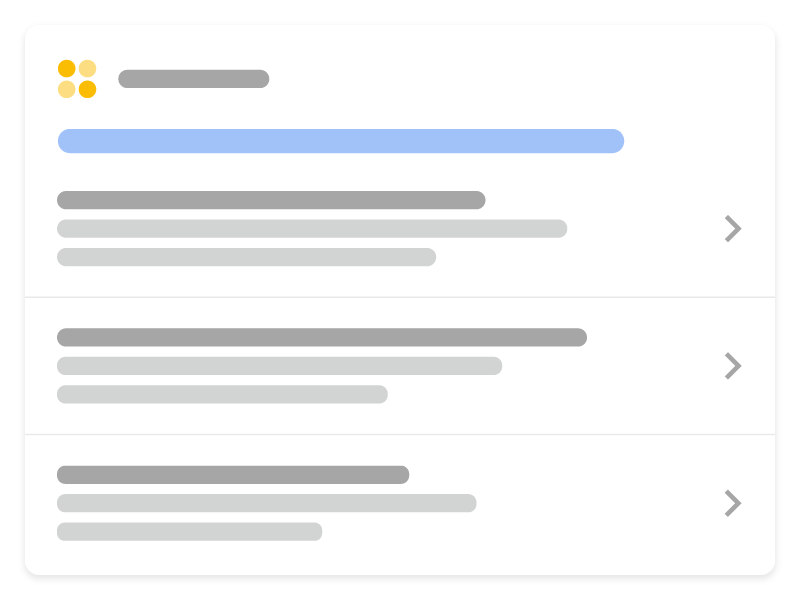
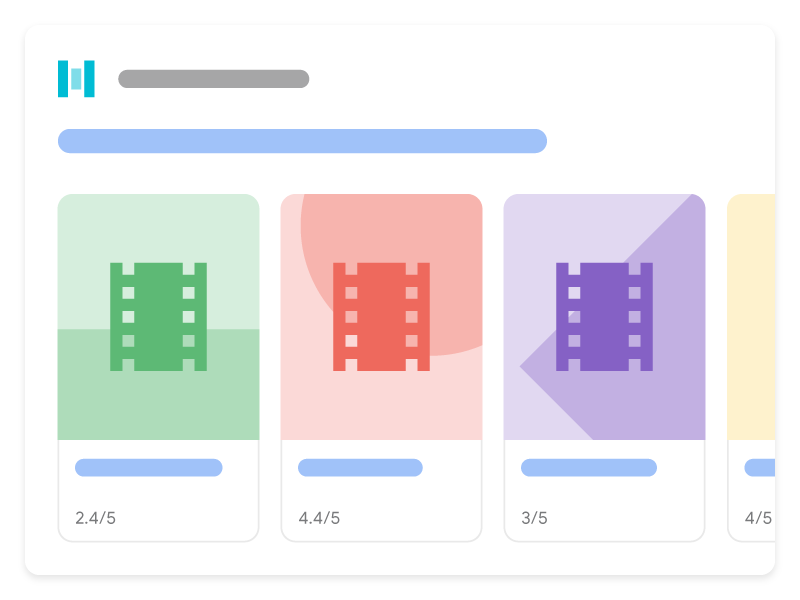
Here's how carousels can look in Google Search when you add ItemList markup in combination
with a supported content type:
Add structured data
Structured data is a standardized format for providing information about a page and classifying the page content. If you're new to structured data, you can learn more about how structured data works.
Here's an overview of how to add structured data to your site.
- Decide which page will contain the carousel structured data. There are two options:
- Summary page and multiple detail pages: The summary page has a short description of each item in the list, and each description points to a separate detail page that is focused entirely on one item. For example, a summary page that lists the best cookie recipes, and each description links out to the full recipe for each cookie.
- A single, all-in-one-page list: A single page that contains all list information, including full text of each item. For example, a list of the top movies in 2020, all contained on one page.
- Add the required properties. Based on the format you're using, learn where to insert structured data on the page.
- Add the required and recommended properties for the specific content type that the carousel is about:
- Follow the guidelines.
- Validate your code using the Rich Results Test.
- Deploy a few pages that include your structured data and use the URL Inspection tool to test how Google sees the page. Be sure that your page is
accessible to Google and not blocked by a robots.txt file, the
noindextag, or login requirements. If the page looks okay, you can ask Google to recrawl your URLs. - To keep Google informed of future changes, we recommend that you submit a sitemap. You can automate this with the Search Console Sitemap API.
Summary page and multiple detail pages
The summary page has a short description of each item in the list. Each description points to a separate details page that is focused entirely on one item.
Summary page
The summary page defines an ItemList, where each ListItem has
only three properties: @type (set to ListItem),
position (the position in the list), and url (the URL of a page with
full details about that item).
Here's an example of what the summary page looks like:
<html>
  <head>
    <title>Best cookie recipes</title>
    <script type="application/ld+json">
    {
      "@context":"https://schema.org",
      "@type":"ItemList",
      "itemListElement":[
        {
          "@type":"ListItem",
          "position":1,
          "url":"https://example.com/peanut-butter-cookies.html"
        },
        {
          "@type":"ListItem",
          "position":2,
          "url":"https://example.com/triple-chocolate-chunk.html"
        },
        {
          "@type":"ListItem",
          "position":3,
          "url":"https://example.com/snickerdoodles.html"
        }
      ]
    }
    </script>
  </head>
  <body>
    <p>
      Here are the best cookie recipes of all time.
    </p>
    <h2>
      Peanut Butter Cookies
    </h2>
    <p>
      This <a href="https://example.com/peanut-butter-cookies.html">Peanut Butter Cookie recipe</a> is the tastiest one you'll find.
    </p>
    <h2>
      Triple Chocolate Chunk Cookies
    </h2>
    <p>
      This <a href="https://example.com/triple-chocolate-chunk.html">Triple Chocolate Chunk Cookies recipe</a> is the tastiest one you'll find.
    </p>
    <h2>
      Snickerdoodles
    </h2>
    <p>
      This <a href="https://example.com/snickerdoodles.html">Snickerdoodles recipe</a> is the tastiest one you'll find.
    </p>
  </body>
</html>
Details page
The details page defines the specific structured data type that the carousel is about. For example,
if the summary page is about the best cookie recipes, each detail page would contain
Recipe structured data for a specific recipe.
Here's an example of what the detail pages look like:
Peanut butter cookies
<html>
  <head>
    <title>Peanut Butter Cookies</title>
    <script type="application/ld+json">
    {
      "@context": "https://schema.org/",
      "@type": "Recipe",
      "name": "Peanut Butter Cookies",
      "image": [
        "https://example.com/photos/1x1/photo.jpg",
        "https://example.com/photos/4x3/photo.jpg",
        "https://example.com/photos/16x9/photo.jpg"
      ],
      "author": {
        "@type": "Person",
        "name": "Wendy Darling"
      },
      "datePublished": "2024-03-10",
      "description": "This Peanut Butter Cookie recipe is everyone's favorite",
      "prepTime": "PT10M",
      "cookTime": "PT25M",
      "totalTime": "PT35M",
      "recipeCuisine": "French",
      "recipeCategory": "Cookies",
      "keywords": "peanut butter, cookies",
      "recipeYield": 24,
      "nutrition": {
        "@type": "NutritionInformation",
        "calories": "120 calories"
      },
      "aggregateRating": {
        "@type": "AggregateRating",
        "ratingValue": 5,
        "ratingCount": 18
      },
      "recipeIngredient": [
        "2 cups of peanut butter",
        "1/3 cup of sugar"
      ],
      "recipeInstructions": [
        {
          "@type": "HowToStep",
          "text": "Mix together the peanut butter and sugar."
        },
        {
          "@type": "HowToStep",
          "text": "Roll cookie dough into small balls and place on a cookie sheet."
        },
        {
          "@type": "HowToStep",
          "text": "Bake for 25 minutes."
        }
      ],
      "video": {
        "@type": "VideoObject",
        "name": "How to Peanut Butter Cookies",
        "description": "This is how you make peanut butter cookies.",
        "thumbnailUrl": [
          "https://example.com/photos/1x1/photo.jpg",
          "https://example.com/photos/4x3/photo.jpg",
          "https://example.com/photos/16x9/photo.jpg"
         ],
        "contentUrl": "https://www.example.com/video123.mp4",
        "embedUrl": "https://www.example.com/videoplayer?video=123",
        "uploadDate": "2024-02-05T08:00:00+08:00",
        "duration": "PT1M33S",
        "interactionStatistic": {
          "@type": "InteractionCounter",
          "interactionType": { "@type": "WatchAction" },
          "userInteractionCount": 2347
        },
        "expires": "2025-02-05T08:00:00+08:00"
       }
    }
    </script>
  </head>
  <body>
    <p>
      Here's how to make peanut butter cookies.
    </p>
    <ol>
      <li>Mix together the peanut butter and sugar.</li>
      <li>Roll cookie dough into small balls and place on a cookie sheet.</li>
      <li>Bake for 25 minutes.</li>
    </ol>
  </body>
</html>
Triple Chocolate Chunk Cookies
<html>
  <head>
    <title>Triple Chocolate Chunk Cookies</title>
    <script type="application/ld+json">
    {
      "@context": "https://schema.org/",
      "@type": "Recipe",
      "name": "Triple Chocolate Chunk Cookies",
      "image": [
        "https://example.com/photos/1x1/photo.jpg",
        "https://example.com/photos/4x3/photo.jpg",
        "https://example.com/photos/16x9/photo.jpg"
      ],
      "author": {
        "@type": "Person",
        "name": "Wendy Darling"
      },
      "datePublished": "2024-03-10",
      "description": "This Triple Chocolate Chunk Cookie recipe is everyone's favorite",
      "prepTime": "PT10M",
      "cookTime": "PT25M",
      "totalTime": "PT35M",
      "recipeCuisine": "French",
      "recipeCategory": "Cookies",
      "keywords": "chocolate, cookies",
      "recipeYield": 24,
      "nutrition": {
        "@type": "NutritionInformation",
        "calories": "120 calories"
      },
      "aggregateRating": {
        "@type": "AggregateRating",
        "ratingValue": 5,
        "ratingCount": 18
      },
      "recipeIngredient": [
        "2 cups of melted chocolate",
        "1/3 cup of sugar"
      ],
      "recipeInstructions": [
        {
          "@type": "HowToStep",
          "text": "Mix together the chocolate and sugar."
        },
        {
          "@type": "HowToStep",
          "text": "Roll cookie dough into small balls and place on a cookie sheet."
        },
        {
          "@type": "HowToStep",
          "text": "Bake for 25 minutes."
        }
      ],
      "video": {
        "@type": "VideoObject",
        "name": "How to Triple Chocolate Chunk Cookies",
        "description": "This is how you make peanut butter cookies.",
        "thumbnailUrl": [
          "https://example.com/photos/1x1/photo.jpg",
          "https://example.com/photos/4x3/photo.jpg",
          "https://example.com/photos/16x9/photo.jpg"
         ],
        "contentUrl": "https://www.example.com/video123.mp4",
        "embedUrl": "https://www.example.com/videoplayer?video=123",
        "uploadDate": "2024-02-05T08:00:00+08:00",
        "duration": "PT1M33S",
        "interactionStatistic": {
          "@type": "InteractionCounter",
          "interactionType": { "@type": "WatchAction" },
          "userInteractionCount": 2347
        },
        "expires": "2025-02-05T08:00:00+08:00"
       }
    }
    </script>
  </head>
  <body>
    <p>
      Here's how to make Triple Chocolate Chunk Cookies.
    </p>
    <ol>
      <li>Mix together the chocolate and sugar.</li>
      <li>Roll cookie dough into small balls and place on a cookie sheet.</li>
      <li>Bake for 25 minutes.</li>
    </ol>
  </body>
</html>
Snickerdoodles
<html>
  <head>
    <title>Snickerdoodles</title>
    <script type="application/ld+json">
    {
      "@context": "https://schema.org/",
      "@type": "Recipe",
      "name": "Snickerdoodles",
      "image": [
        "https://example.com/photos/1x1/photo.jpg",
        "https://example.com/photos/4x3/photo.jpg",
        "https://example.com/photos/16x9/photo.jpg"
      ],
      "author": {
        "@type": "Person",
        "name": "Wendy Darling"
      },
      "datePublished": "2024-03-10",
      "description": "This Snickerdoodles recipe is everyone's favorite",
      "prepTime": "PT10M",
      "cookTime": "PT25M",
      "totalTime": "PT35M",
      "recipeCuisine": "French",
      "recipeCategory": "Cookies",
      "keywords": "cinnamon sugar, cookies",
      "recipeYield": 24,
      "nutrition": {
        "@type": "NutritionInformation",
        "calories": "120 calories"
      },
      "aggregateRating": {
        "@type": "AggregateRating",
        "ratingValue": 5,
        "ratingCount": 18
      },
      "recipeIngredient": [
        "2 cups of cinnamon",
        "1/3 cup of sugar"
      ],
      "recipeInstructions": [
        {
          "@type": "HowToStep",
          "text": "Mix together the cinnamon and sugar."
        },
        {
          "@type": "HowToStep",
          "text": "Roll cookie dough into small balls and place on a cookie sheet."
        },
        {
          "@type": "HowToStep",
          "text": "Bake for 25 minutes."
        }
      ],
      "video": {
        "@type": "VideoObject",
        "name": "How to Snickerdoodles",
        "description": "This is how you make snickerdoodles.",
        "thumbnailUrl": [
          "https://example.com/photos/1x1/photo.jpg",
          "https://example.com/photos/4x3/photo.jpg",
          "https://example.com/photos/16x9/photo.jpg"
         ],
        "contentUrl": "https://www.example.com/video123.mp4",
        "embedUrl": "https://www.example.com/videoplayer?video=123",
        "uploadDate": "2024-02-05T08:00:00+08:00",
        "duration": "PT1M33S",
        "interactionStatistic": {
          "@type": "InteractionCounter",
          "interactionType": { "@type": "WatchAction" },
          "userInteractionCount": 2347
        },
        "expires": "2025-02-05T08:00:00+08:00"
       }
    }
    </script>
  </head>
  <body>
    <p>
      Here's how to make snickerdoodles.
    </p>
    <ol>
      <li>Mix together the cinnamon and sugar.</li>
      <li>Roll cookie dough into small balls and place on a cookie sheet.</li>
      <li>Bake for 25 minutes.</li>
    </ol>
  </body>
</html>
Single, all-in-one-page list
A single, all-in-one-page list contains all carousel information, including full text of each item. For example, a list of the top movies in 2020, all contained on one page. This page doesn't link out to other detail pages.
Here's an example of a single, all-in-one-page:
<html>
  <head>
    <title>The Best Movies from the Oscars - 2024</title>
    <script type="application/ld+json">
    {
      "@context": "https://schema.org",
      "@type": "ItemList",
      "itemListElement": [
        {
          "@type": "ListItem",
          "position": 1,
          "item": {
            "@type": "Movie",
            "url": "https://example.com/2024-best-picture-noms#a-star-is-born",
            "name": "A Star Is Born",
            "image": "https://example.com/photos/6x9/photo.jpg",
            "dateCreated": "2024-10-05",
            "director": {
                "@type": "Person",
                "name": "Bradley Cooper"
              },
            "review": {
              "@type": "Review",
              "reviewRating": {
                "@type": "Rating",
                "ratingValue": 5
              },
              "author": {
                "@type": "Person",
                "name": "John D."
              }
            },
              "aggregateRating": {
                "@type": "AggregateRating",
                "ratingValue": 90,
                "bestRating": 100,
                "ratingCount": 19141
              }
            }
          },
        {
          "@type": "ListItem",
          "position": 2,
          "item": {
            "@type": "Movie",
            "name": "Bohemian Rhapsody",
            "url": "https://example.com/2024-best-picture-noms#bohemian-rhapsody",
            "image": "https://example.com/photos/6x9/photo.jpg",
            "dateCreated": "2024-11-02",
            "director": {
                "@type": "Person",
                "name": "Bryan Singer"
              },
            "review": {
              "@type": "Review",
              "reviewRating": {
                "@type": "Rating",
                "ratingValue": 3
              },
              "author": {
                "@type": "Person",
                "name": "Vin S."
              }
            },
              "aggregateRating": {
                "@type": "AggregateRating",
                "ratingValue": 61,
                "bestRating": 100,
                "ratingCount": 21985
              }
            }
          },
        {
          "@type": "ListItem",
          "position": 3,
          "item": {
            "@type": "Movie",
            "name": "Black Panther",
            "url": "https://example.com/2024-best-picture-noms#black-panther",
            "image": "https://example.com/photos/6x9/photo.jpg",
            "dateCreated": "2024-02-16",
            "director": {
                "@type": "Person",
                "name": "Ryan Coogler"
              },
            "review": {
              "@type": "Review",
              "reviewRating": {
                "@type": "Rating",
                "ratingValue": 2
              },
              "author": {
                "@type": "Person",
                "name": "Trevor R."
              }
            },
              "aggregateRating": {
                "@type": "AggregateRating",
                "ratingValue": 96,
                "bestRating": 100,
                "ratingCount": 88211
              }
            }
          }
      ]
    }
    </script>
  </head>
  <body>
  </body>
</html>
Guidelines
For your page to be eligible for a carousel rich result, you must follow the Search Essentials and general structured data guidelines. In addition, the following guidelines apply to carousel structured data:
- All items in the list must be of the same type. For example, if a list is about recipes,
only include
Recipeitems. Don't mix different types. - Make sure that the carousel structured data is complete and contains all the items that are listed on the page.
- The text visible to the user must be similar to the information contained in the structured data on the page.
- Items shown in list format will be shown in the order specified by the
positionproperty.
Validate and deploy structured data
- Validate your code using the
Rich Results Test.
For a summary page, there are some things you need to verify yourself:
- Check that
itemListElementcontains two or moreListItemelements. - Make sure that all of the
ListItemelements are the same type (for example, they are all about recipes). - Validate each URL that's mentioned in the list using the Rich Results Test. Each page in the list must contain valid structured data, per the documentation for the supported content type that the list is about: Recipe, Course, Restaurant, Movie.
- Check that
- Deploy a few pages that include your structured data and use the
URL Inspection tool to test how Google sees the page. Be sure that your page is
accessible to Google and not blocked by a robots.txt file, the
noindextag, or login requirements. If the page looks okay, you can ask Google to recrawl your URLs. - To keep Google informed of future changes, we recommend that you submit a sitemap. You can automate this with the Search Console Sitemap API.
Structured data type definitions
You must include the required properties for your content to be eligible for display as a rich result.
ItemList
ItemList is the container item that holds all elements in the list. If used on a
summary page, all URLs in the list must point to different pages on the same domain. If used on
an all-in-one-page list, all URLs must point to an anchor on the page that's hosting the list
structured data.
The full definition of ItemList is
available at schema.org/ItemList.
The Google-supported properties are the following:
| Required properties | |
|---|---|
itemListElement |
List of items. To specify a list, define an |
ListItem
ListItem contains details about an individual item in the list.
- If this is a summary page, include only
the
type,position, andurlproperties in theListItem. - If this is an all-in-one-page list, include all the additional schema.org properties for the data type that it describes. The supported data types are:
The full definition of ListItem is available at
schema.org/ListItem.
Summary pages
The following properties apply to summary pages:
| Required properties | |
|---|---|
position
|
The item's position in the carousel. This is a 1-based number. |
url
|
The canonical URL of the item detail page. All URLs in the list must be unique, but live on the same domain (the same domain or sub/super domain as the current page). |
All-in-one pages
The following properties apply to all-in-one pages:
| Required properties | |
|---|---|
item
|
An individual thing in a list. Populate this object with the following values, plus all the properties of the specific structured data type being described: |
item.name
|
The string name of the item. The |
item.url
|
The fully-qualified URL and page anchor to this item on the page. The URL must be
the current page, and you must include an HTML anchor ( |
position
|
The item's position in the carousel. This is a 1-based number. |
Troubleshooting
If you're having trouble implementing or debugging structured data, here are some resources that may help you.
- If you're using a content management system (CMS) or someone else is taking care of your site, ask them to help you. Make sure to forward any Search Console message that details the issue to them.
- Google does not guarantee that features that consume structured data will show up in search results. For a list of common reasons why Google may not show your content in a rich result, see the General Structured Data Guidelines.
- You might have an error in your structured data. Check the list of structured data errors and the Unparsable structured data report.
- If you received a structured data manual action against your page, the structured data on the page will be ignored (although the page can still appear in Google Search results). To fix structured data issues, use the Manual Actions report.
- Review the guidelines again to identify if your content isn't compliant with the guidelines. The problem can be caused by either spammy content or spammy markup usage. However, the issue may not be a syntax issue, and so the Rich Results Test won't be able to identify these issues.
- Structured data issues can affect how your site's content appears in search results. Use this Troubleshoot missing rich results / drop in total rich results guide to review a step-by-step approach to identify, fix, and validate these issues in Search Console.
- Allow time for re-crawling and re-indexing. Remember that it may take several days after publishing a page for Google to find and crawl it. For general questions about crawling and indexing, check the Google Search crawling and indexing FAQ.
- Post a question in the Google Search Central forum.