
RCS for Business 에이전트는 메시지를 주고받음으로써 사용자와 통신합니다. 사용자에게 메시지를 보내려면 에이전트가 RCS Business 메시징 API에 메시지 요청을 보냅니다. 단일 요청에는 텍스트 , 서식 있는 카드 , 미디어 및 PDF 파일 , 추천 답장 , 추천 작업 등 이 포함될 수 있습니다.
RCS for Business 플랫폼은 메시지 전달 관리를 돕기 위해 특정 상황에서 오류를 반환합니다.
- RCS를 지원하지 않거나 RCS가 활성화되지 않은 기기를 사용하는 사용자에게 메시지를 보내면 RCS for Business 플랫폼에서 404 NOT_FOUND 오류가 반환됩니다. 이 경우, 인프라에 정의된 대체 방법을 통해 사용자에게 연락을 시도할 수 있습니다.
- 에이전트가 아직 실행되지 않은 네트워크 또는 RCS 트래픽이 활성화되지 않은 네트워크의 RCS 사용자에게 메시지를 보내면 RCS for Business 플랫폼에서 404 NOT_FOUND 오류가 반환됩니다.
- 사용자의 기기에서 지원하지 않는 기능을 포함하는 메시지를 보내면 RCS for Business 플랫폼은 400 INVALID_ARGUMENT 오류를 반환하고 메시지를 전달하지 않습니다.
다채널 메시징 전략의 일환으로, 적절한 시간이 지나도 전달되지 않은 메시지는 자동으로 취소 하고 다른 채널을 통해 전송하는 것이 좋습니다. 미리 정해진 시간에 메시지를 자동으로 취소하려면 메시지 만료 시간을 설정하세요.
수신자가 오프라인 상태입니다
RCS for Business 플랫폼은 수신자가 오프라인 상태이더라도 메시지 전송을 계속 허용합니다. 수신자는 200 OK 응답을 받게 되며, RCS for Business 플랫폼은 해당 메시지를 보관하고 30일 동안 재전송을 시도합니다. 따라서 RCS for Business에 메시지 재전송을 요청할 필요가 없습니다.
RCS for Business는 전송되지 않은 메시지를 제출 후 30일이 지나면 삭제합니다.
상담원의 사용 사례에 따라 30일의 시간 제한이 만료되기 전에 배달되지 않은 메시지를 취소 해야 할 수도 있습니다. 취소를 통해 오프라인 사용자가 다시 온라인 상태가 되었을 때 오래된 메시지를 수신하는 것을 방지할 수 있습니다. 메시지를 취소하는 방법은 여러 가지가 있습니다.
- 취소 요청을 보내 취소 절차를 시작하세요.
- 메시지 만료 시간을 설정하여 적절한 시점에 메시지가 자동으로 삭제되도록 하세요.
메시지 만료 시간을 설정하세요
상담원의 메시지는 시간 제약이 있나요? 예를 들어, OTP는 짧은 시간 동안만 유효합니다. 기간 한정 혜택도 만료됩니다. 예약 알림은 예약 날짜가 지나면 더 이상 의미가 없습니다. 메시지를 시의적절하고 관련성 있게 유지하려면 메시지 만료 시간을 설정하세요. 이렇게 하면 오프라인 사용자가 다시 온라인 상태가 되었을 때 오래된 콘텐츠를 받는 것을 방지할 수 있습니다. 또한 만료 시간은 대체 메시지 전략을 실행하여 사용자가 필요한 정보를 제때 받을 수 있도록 하는 좋은 신호가 될 수 있습니다.
메시지 만료 시간을 설정하려면 에이전트 메시지에서 다음 필드 중 하나를 지정하십시오.
-
expireTime: 메시지가 만료되는 정확한 UTC 시간입니다. -
ttl(Time to Live): 메시지가 만료되기까지의 시간.
서식 및 값 옵션에 대해서는 AgentMessage 참조하세요.
ttl 및 expireTime 의 최대값은 메시지 제출 후 15일 입니다.
최소 ttl 및 expireTime 값은 정해져 있지 않지만, 메시지 전송 후 최소 10초를 두는 것이 취소 및 전달 알림을 수신할 가능성을 크게 줄이는 데 도움이 됩니다.
메시지의 생존 시간(TTL)
RCS for Business 메시지에 TTL(Time To Live)을 설정하면 메시지가 유효하고 전달 가능한 상태로 유지되는 기간을 지정합니다. 메시지가 이 TTL 기간 내에 사용자 기기로 성공적으로 전달되지 않으면 RCS for Business 플랫폼은 자동으로 메시지 취소를 시도합니다.
메시지 수신 거부를 요청하면 RCS for Business 플랫폼에 해당 메시지의 전송 시도를 중지하도록 요청하는 것입니다. 하지만 이 조치는 향후 전송 시도에만 영향을 미칩니다. 사용자의 기기가 이미 메시지를 성공적으로 수신한 경우, 메시지는 처리 중이므로 RCS for Business 플랫폼은 사용자의 기기에서 해당 메시지를 수신 거부할 수 없습니다.
알림과 관련하여 예상되는 사항은 다음과 같습니다.
TTL 내 메시지 전달: 사용자의 기기가 온라인 상태가 되어 TTL이 만료되기 전에 메시지를 수신하면
DELIVERED알림이 전송됩니다. 메시지가 성공적으로 전달되었으므로 취소 알림은 전송되지 않습니다. 이는 가장 일반적이고 예상되는 시나리오입니다.TTL 만료 전에 메시지가 전달되지 않음: 메시지가 사용자 장치에 도달하기 전에 TTL이 만료되는 경우(예: 장치가 오프라인 상태인 경우), RCS for Business 플랫폼은 메시지 취소를 시도합니다. 메시지가 전달 대기열에서 성공적으로 제거되었음을 나타내는
TTL_EXPIRATION_REVOKED알림을 받게 됩니다. 이 경우 사용자는 메시지를 수신하지 못합니다.
예외적인 상황 처리를 위한 권장 사항
저희 시스템은 RCS 비즈니스 메시지 전달 및 TTL 만료를 병렬로 처리합니다. 따라서 아주 드물게 알림 시점이 예상치 못한 경우가 발생할 수 있습니다. 예를 들어, 전달 알림과 TTL 알림을 모두 받거나, 둘 다 받지 못할 수도 있습니다.
다음은 RCS for Business 메시지 알림 처리와 관련하여 저희가 권장하는 사항입니다.
메시지
DELIVERED알림: 메시지에 대한DELIVERED알림을 받으면 메시지가 사용자에게 도달했음을 확인하는 것입니다. 이후에는 해당 메시지에 대한 TTL(Time To Live) 알림을 무시하셔도 됩니다.TTL_EXPIRATION_REVOKED알림:TTL_EXPIRATION_REVOKED상태의 TTL 알림을 수신하면 RCS for Business 시스템에서 해당 메시지의 전달 시도를 중단한다는 의미입니다. 이 메시지는 전달되지 않은 것으로 간주하고 필요한 경우 대체 전략을 진행하십시오.TTL 알림 상태가 다른 경우: TTL 알림을 다른 상태로 수신하면 해지 시도가 실패했음을 나타냅니다.
- 일회용 비밀번호(OTP)와 같은 중요한 메시지의 경우, 백업 방법을 실행하십시오.
- 중요하지 않은 메시지의 경우, 대체 기능을 시작할지 여부를 결정하십시오.
- 알림 없음: 매우 드문 예외적인 경우로, 시스템이 TTL 알림을 보내지 못하거나 클라이언트가 배달 알림을 생성하지 못할 수 있습니다. 이는 극히 드문 경우입니다.
메시지 트래픽 유형을 설정하세요
RBM API에는 메시지를 분류하기 위한 messageTrafficType 필드가 포함되어 있습니다. 에이전트 사용 사례는 여전히 에이전트 동작 및 적용되는 비즈니스 규칙을 정의하지만, messageTrafficType 사용하면 메시지 콘텐츠를 더욱 세분화하여 분류할 수 있습니다. 궁극적으로 이를 통해 단일 에이전트가 여러 사용 사례를 처리할 수 있게 됩니다. 현재로서는 기존 에이전트 사용 사례나 비즈니스 규칙에 영향을 미치는 사항은 없습니다.
이 필드는 선택 사항이지만, 나중에 필수 필드가 되었을 때 오류가 발생하지 않도록 지금 설정하는 것이 좋습니다.
메시지 트래픽 유형을 설정하려면 메시지 내용에 따라 각 메시지에 적절한 messageTrafficType 할당하십시오. RCS for Business는 다음과 같은 트래픽 유형을 지원합니다.
| 교통 유형 | 메시지 내용 | 에이전트 사용 사례 |
|---|---|---|
AUTHENTICATION | 인증 메시지용입니다. | OTP |
TRANSACTION | 사용자의 기존 서비스 또는 제품에 관한 메시지입니다. 예를 들어, 확인 메시지, 결제 영수증 또는 예약 세부 정보 등이 있습니다. | 거래용 또는 다용도 |
PROMOTION | 할인, 프로모션, 공지 또는 기타 홍보 콘텐츠와 같은 홍보 메시지에 사용합니다. | 판촉용 또는 다용도 |
SERVICEREQUEST | 사용자가 명시적으로 요청한 서비스에 관한 메시지입니다. | OTP, 거래용, 프로모션용 또는 다용도 |
ACKNOWLEDGEMENT | 사용자의 행동, 특히 구독 취소 요청을 확인하는 데 사용되는 메시지입니다. 이는 사용자의 요청이 수신되어 처리 중임을 확인시켜 줍니다. | OTP, 거래용, 프로모션용 또는 다용도 |
트래픽 유형이 설정되지 않은 경우 시스템은 에이전트의 사용 사례 에 대한 기본 유형을 할당합니다.
| 에이전트 사용 사례 | 기본 트래픽 유형 |
|---|---|
| OTP | AUTHENTICATION |
| 거래 | TRANSACTION |
| 홍보 | PROMOTION |
| 다용도 | MESSAGE_TRAFFIC_TYPE_UNSPECIFIED |
다목적 에이전트에는 기본 트래픽 유형이 없습니다. 메시지 내용에 따라 각 메시지에 대한 트래픽 유형을 명시적으로 설정해야 합니다. MESSAGE_TRAFFIC_TYPE_UNSPECIFIED 값을 변경하지 않으면 오류가 발생합니다.
메시지 크기 제한
문자열로 변환된 AgentMessage 전체의 최대 크기는 250KB입니다. 메시지의 텍스트 부분 자체에는 3072자라는 자체 제한이 있습니다.
사용자의 예상치 못한 데이터 사용량 증가를 방지하기 위해 RCS for Business를 통해 전송할 수 있는 파일의 최대 크기는 100MiB이며, 단일 RCS for Business 메시지에 포함된 모든 미디어 및 PDF 첨부 파일의 총 크기는 100MiB를 초과해서는 안 됩니다. (1MiB = 1,048,576바이트). 자세한 내용은 미디어 및 PDF 파일 항목을 참조하십시오.
텍스트
가장 간단한 메시지는 텍스트로 구성됩니다. 텍스트 메시지는 시각적 요소, 복잡한 상호 작용 또는 응답 없이 정보를 전달하는 데 가장 적합합니다.
예
다음 코드는 일반 텍스트 메시지를 전송합니다. 서식 및 값 옵션에 대한 자세한 내용은 phones.agentMessages.create 참조하십시오.
컬
curl -X POST "https://REGION-rcsbusinessmessaging.googleapis.com/v1/phones/PHONE_NUMBER/agentMessages?messageId=MESSAGE_ID&agentId=AGENT_ID" \
-H "Content-Type: application/json" \
-H "User-Agent: curl/rcs-business-messaging" \
-H "`oauth2l header --json PATH_TO_SERVICE_ACCOUNT_KEY rcsbusinessmessaging`" \
-d '{
  "contentMessage": {
    "text": "Hello, world!"
  },
  "messageTrafficType": "PROMOTION"
}'
노드.js
// Reference to RBM API helper
const rbmApiHelper = require('@google/rcsbusinessmessaging');

let params = {
   messageText: 'Hello, world!',
   msisdn: '+12223334444',
};

// Send a simple message to the device
rbmApiHelper.sendMessage(params, function(response) {
   console.log(response);
});
자바
import com.google.rbm.RbmApiHelper;
…

try {
   // Create an instance of the RBM API helper
   RbmApiHelper rbmApiHelper = new RbmApiHelper();

   // Send simple text message to user
   rbmApiHelper.sendTextMessage(
      "Hello, world!",
      "+12223334444"
   );
} catch(Exception e) {
   e.printStackTrace();
}
파이썬
# Reference to RBM Python client helper and messaging object structure
from rcs_business_messaging import rbm_service
from rcs_business_messaging import messages

# Create a simple RBM text message
message_text = messages.TextMessage('Hello, world!')

# Send text message to the device
messages.MessageCluster().append_message(message_text).send_to_msisdn('+12223334444')
기음#
using RCSBusinessMessaging;
…

// Create an instance of the RBM API helper
RbmApiHelper rbmApiHelper = new RbmApiHelper(credentialsFileLocation,
                                             projectId);

rbmApiHelper.SendTextMessage(
    "Hello, world!",
    "+12223334444",
);
기본 메시지 내용 - SMS 변환
이동통신사들은 SMS 메시지를 RCS for Business로 전환하는 것을 지원하기 위해 새로운 요금 모델을 도입했습니다. 최대 160자의 UTF-8 문자를 포함하는 RCS for Business 메시지를 기본 메시지라고 합니다.
기본 메시지 전송 요청을 구성할 때 문자는 1바이트(UTF-8)로 계산된다는 점을 기억하세요. 이모지나 멀티바이트 문자 세트와 같은 특수 문자가 포함된 메시지를 전송하는 경우, 각 문자는 2~4바이트 이상의 UTF-8 문자로 계산됩니다.
텍스트 길이를 확인하려면 상자에 텍스트를 입력하세요.
문자 메시지 내용 및 링크 미리보기
RCS 클라이언트는 링크 미리보기를 구현할 수 있습니다. 텍스트 전용 RCS for Business 메시지에 openGraph 태그가 포함된 웹사이트 URL이 포함된 경우, 클라이언트는 미리보기(이미지, 제목 등)를 생성하여 더욱 풍부한 사용자 경험을 제공할 수 있습니다. 예를 들어, URL 미리보기가 포함된 기본 메시지를 참조하세요.
RCS 클라이언트에서 사용자가 링크 미리보기를 비활성화할 수 있다는 점에 유의하십시오.
사용자 인증을 위한 일회용 비밀번호
RCS for Business를 사용하면 SMS Retriever API를 통해 자동 사용자 인증을 위한 일회용 비밀번호(OTP)를 전송할 수 있습니다. RCS for Business를 통해 수신된 OTP를 읽기 위한 전용 API는 없습니다.
안드로이드에서 작동하는 방식
SMS Retriever API 에 등록된 Android 앱의 경우, API는 올바른 형식의 RCS for Business 메시지를 수신 대기합니다. 이 메시지에는 OTP와 앱을 식별하는 고유 해시값이 모두 포함되어야 합니다.
올바른 형식의 RCS for Business 메시지가 수신되면 SMS Retriever API는 해당 메시지를 SMS OTP처럼 처리합니다. 해시값이 앱의 형식과 일치하면 OTP가 추출되어 앱으로 전달되어 사용자가 자동으로 인증됩니다.
- 사용자 인증을 위한 RCS for Business 샘플 문자 메시지:
Your code is <OTP><app hash>. - 예시:
Your code is 123456 M8tue43FGT.
SMS 리트리버 및 관련 API에 대한 자세한 내용은 SMS 리트리버 문서를 참조하세요. SMS 리트리버 API에 등록된 앱의 자동 사용자 인증에 대한 자세한 내용은 이 흐름도를 참조하세요.
iOS에서 작동하는 방식
iOS의 경우, 시스템에 내장된 OTP 처리 기능이 SMS OTP처럼 RCS for Business OTP를 자동으로 감지하고 자동 완성 기능을 통해 제안합니다. iOS 앱에서 OTP를 읽기 위해 별도의 API 통합은 필요하지 않습니다.
미디어 및 PDF 파일
이미지, 동영상, 오디오 또는 PDF 파일을 첨부하여 메시지를 보낼 경우, 담당자는 해당 콘텐츠에 대한 공개적으로 접근 가능한 URL을 제공하거나 파일을 직접 업로드해야 합니다.
전송할 수 있는 파일의 최대 크기는 100MiB이며, 단일 메시지에 포함된 모든 미디어 및 PDF 첨부 파일의 총 크기는 100MiB를 초과해서는 안 됩니다.
미디어 압축 및 트랜스코딩
RCS for Business 플랫폼은 미디어 파일(이미지 및 비디오 등)을 전송하기 전에 자동으로 트랜스코딩 및 압축하여 다양한 네트워크 및 장치에서 빠르게 로드되고 원활하게 작동하도록 합니다.
압축은 파일 크기 제한보다는 입력 미디어의 품질을 기준으로 이루어집니다. 즉, 파일 크기가 최대 100MiB 제한보다 훨씬 작더라도 압축이 가능합니다. 트랜스코딩 표준은 끊임없이 변화하므로 트랜스코딩을 건너뛰는 시점을 결정하는 고정된 파일 크기 제한은 없습니다. 다양한 미디어 형식, 크기, 압축률을 실험하여 페이로드에 가장 적합한 균형점을 찾아보세요.
썸네일 사양
미디어 파일의 경우, 사용자가 클릭하기 전에 콘텐츠를 미리 볼 수 있도록 썸네일 이미지를 지정할 수도 있습니다. 오디오 파일의 경우, 기본 오디오 위젯이 자리 표시자로 사용됩니다.
- 썸네일 파일의 최대 크기는 100kB입니다. 최적의 사용자 경험을 위해서는 50kB 이하로 설정하는 것을 권장합니다.
- 썸네일 이미지의 가로세로 비율은 원본 파일의 비율과 일치해야 합니다.
캐싱 및 URL 관리
RCS for Business 플랫폼은 파일을 60일 동안 캐시하며, API는 상담원이 사용자에게 보내는 메시지에 포함할 수 있는 파일 ID를 반환합니다. 60일 후 RCS for Business는 캐시에서 파일을 삭제합니다.
URL로 파일을 지정할 때는 contentMessage.forceRefresh false 로 설정하는 것이 좋습니다. contentMessage.forceRefresh true 로 설정하면 RCS for Business가 지정된 URL의 콘텐츠가 캐시되어 있더라도 해당 URL에서 새 콘텐츠를 가져오게 되어 사용자에게 메시지 전달 시간이 늘어납니다.
파일 URL 예시
다음 코드는 이미지를 전송합니다. 형식 및 값 옵션에 대한 자세한 내용은 AgentContentMessage 참조하십시오.
컬
curl -X POST "https://REGION-rcsbusinessmessaging.googleapis.com/v1/phones/PHONE_NUMBER/agentMessages?messageId=MESSAGE_ID&agentId=AGENT_ID" \
-H "Content-Type: application/json" \
-H "User-Agent: curl/rcs-business-messaging" \
-H "`oauth2l header --json PATH_TO_SERVICE_ACCOUNT_KEY rcsbusinessmessaging`" \
-d '{
  "contentMessage": {
    "contentInfo": {
      "fileUrl": "http://www.google.com/logos/doodles/2015/googles-new-logo-5078286822539264.3-hp2x.gif",
      "forceRefresh": false
    }
  }
}'
노드.js
// Reference to RBM API helper
const rbmApiHelper = require('@google/rcsbusinessmessaging');

let params = {
   fileUrl: 'http://www.google.com/logos/doodles/2015/googles-new-logo-5078286822539264.3-hp2x.gif',
   msisdn: '+12223334444',
};

// Send an image/video to a device
rbmApiHelper.sendMessage(params, function(response) {
   console.log(response);
});
자바
import com.google.api.services.rcsbusinessmessaging.v1.model.AgentContentMessage;
import com.google.api.services.rcsbusinessmessaging.v1.model.AgentMessage;
import com.google.rbm.RbmApiHelper;
…

try {
   // Create an instance of the RBM API helper
   RbmApiHelper rbmApiHelper = new RbmApiHelper();

   String fileUrl = "http://www.google.com/logos/doodles/2015/googles-new-logo-5078286822539264.3-hp2x.gif";

   // create media only message
   AgentContentMessage agentContentMessage = new AgentContentMessage();
   agentContentMessage.setContentInfo(new ContentInfo().setFileUrl(fileUrl));

   // attach content to message
   AgentMessage agentMessage = new AgentMessage();
   agentMessage.setContentMessage(agentContentMessage);

   rbmApiHelper.sendAgentMessage(agentMessage, "+12223334444");
} catch(Exception e) {
   e.printStackTrace();
}
파이썬
# Reference to RBM Python client helper and messaging object structure
from rcs_business_messaging import rbm_service
from rcs_business_messaging import messages

# Create media file attachment
file_message = messages.FileMessage('http://www.google.com/logos/doodles/2015/googles-new-logo-5078286822539264.3-hp2x.gif')

messages.MessageCluster().append_message(file_message).send_to_msisdn('+12223334444')
기음#
using Google.Apis.RCSBusinessMessaging.v1.Data;
using RCSBusinessMessaging;
…

// Create an instance of the RBM API helper
RbmApiHelper rbmApiHelper = new RbmApiHelper(credentialsFileLocation,
                                                 projectId);

string fileUrl = "http://www.google.com/logos/doodles/2015/googles-new-logo-5078286822539264.3-hp2x.gif";

// Create content info with the file url
ContentInfo contentInfo = new ContentInfo
{
    FileUrl = fileUrl
};

// Attach content info to a message
AgentContentMessage agentContentMessage = new AgentContentMessage
{
    ContentInfo = contentInfo,
};

// Attach content to message
AgentMessage agentMessage = new AgentMessage
{
    ContentMessage = agentContentMessage
};

rbmApiHelper.SendAgentMessage(agentMessage, "+12223334444");
또는 files.create 사용하여 메시지를 보내기 전에 미디어를 업로드할 수도 있습니다.
파일 업로드 예시
다음 코드는 비디오 파일과 썸네일 파일을 업로드한 다음 두 파일을 메시지로 전송합니다. 형식 지정 및 값 옵션에 대한 자세한 내용은 files.create 및 AgentContentMessage 참조하십시오.
컬
curl -X POST "https://REGION-rcsbusinessmessaging.googleapis.com/upload/v1/files?agentId=AGENT_ID" \ -H "Content-Type: video/mp4" \ -H "User-Agent: curl/rcs-business-messaging" \ -H "`oauth2l header --json PATH_TO_SERVICE_ACCOUNT_KEY rcsbusinessmessaging`" \ --upload-file "FULL_PATH_TO_VIDEO_MEDIA_FILE"# Capture server-specified video file name from response body JSONcurl -X POST "https://REGION-rcsbusinessmessaging.googleapis.com/upload/v1/files?agentId=AGENT_ID" \ -H "Content-Type: image/jpeg" \ -H "User-Agent: curl/rcs-business-messaging" \ -H "`oauth2l header --json PATH_TO_SERVICE_ACCOUNT_KEY rcsbusinessmessaging`" \ --upload-file "FULL_PATH_TO_THUMBNAIL_MEDIA_FILE"# Capture server-specified image file name from response body JSONcurl -X POST "https://REGION-rcsbusinessmessaging.googleapis.com/v1/phones/PHONE_NUMBER/agentMessages?messageId=MESSAGE_ID&agentId=AGENT_ID" \ -H "Content-Type: application/json" \ -H "User-Agent: curl/rcs-business-messaging" \ -H "`oauth2l header --json PATH_TO_SERVICE_ACCOUNT_KEY rcsbusinessmessaging`" \ -d '{ "contentMessage": { "uploadedRbmFile": { "fileName": "SERVER-SPECIFIED_VIDEO_FILE_NAME", "thumbnailName": "SERVER-SPECIFIED_THUMBNAIL_FILE_NAME" } } }'
지원되는 미디어 유형
RCS for Business는 다음과 같은 미디어 형식을 지원합니다. 썸네일의 경우 image/jpeg, image/jpg, image/gif 및 image/png 형식만 지원됩니다.
| 미디어 유형 | 문서 유형 | 확대 | 리치 카드와 호환됩니다. |
|---|---|---|---|
| 애플리케이션/오그 | OGG 오디오 | .ogx | 아니요 |
| 애플리케이션/pdf | 예 (인도 내 Google 메시지에만 해당) | ||
| 오디오/aac | AAC 오디오 | .aac | 아니요 |
| 오디오/mp3 | MP3 오디오 | .mp3 | 아니요 |
| 오디오/mpeg | MPEG 오디오 | .mpeg | 아니요 |
| 오디오/mpg | MPG 오디오 | .mp3 | 아니요 |
| 오디오/mp4 | MP4 오디오 | .mp4 | 아니요 |
| 오디오/mp4-latm | MP4-latm 오디오 | .mp4 | 아니요 |
| 오디오/3gpp | 3GPP 오디오 | .3gp | 아니요 |
| 이미지/jpeg | JPEG | .jpeg, .jpg | 예 |
| 이미지/gif | GIF | .gif | 예 |
| 이미지/png | PNG | .png | 예 |
| 비디오/h263 | H263 비디오 | .h263 | 예 |
| 비디오/m4v | M4V 비디오 | .m4v | 예 |
| 비디오/mp4 | MP4 비디오 | .mp4 | 예 |
| 비디오/mpeg4 | MPEG-4 비디오 | .mp4, .m4p | 예 |
| 비디오/mpeg | MPEG 비디오 | .mpeg | 예 |
| 비디오/웹엠 | WEBM 비디오 | .webm | 예 |
제안
상담원은 제안 칩 목록 이나 리치 카드 형태로 제안(제안된 답변 및 제안된 조치)을 보냅니다.
추천 답변
추천 답변은 상담원이 어떻게 반응해야 할지 알고 있는 답변을 제공하여 사용자가 대화를 원활하게 진행할 수 있도록 도와줍니다.
사용자가 제안된 답변을 선택하면 상담원은 답변 텍스트와 포스트백 데이터가 포함된 이벤트를 수신합니다. 페이로드의 최대 크기는 2048자입니다.
예
다음 코드는 두 개의 추천 답장을 포함한 텍스트를 전송합니다. 서식 및 값 옵션에 대한 자세한 SuggestedReply 참조하세요.
컬
curl -X POST "https://REGION-rcsbusinessmessaging.googleapis.com/v1/phones/PHONE_NUMBER/agentMessages?messageId=MESSAGE_ID&agentId=AGENT_ID" \
-H "Content-Type: application/json" \
-H "User-Agent: curl/rcs-business-messaging" \
-H "`oauth2l header --json PATH_TO_SERVICE_ACCOUNT_KEY rcsbusinessmessaging`" \
-d '{
  "contentMessage": {
    "text": "Hello, world!",
    "suggestions": [
      {
        "reply": {
          "text": "Suggestion #1",
          "postbackData": "suggestion_1"
        }
      },
      {
        "reply": {
          "text": "Suggestion #2",
          "postbackData": "suggestion_2"
        }
      }
    ]
  }
}'
노드.js
// Reference to RBM API helper
const rbmApiHelper = require('@google/rcsbusinessmessaging');

let suggestions = [
   {
      reply: {
         'text': 'Suggestion #1',
         'postbackData': 'suggestion_1',
      },
   },
   {
      reply: {
         'text': 'Suggestion #2',
         'postbackData': 'suggestion_2',
      },
   },
];

let params = {
   messageText: 'Hello, world!',
   msisdn: '+12223334444',
   suggestions: suggestions,
};

// Send a simple message with suggestion chips to the device
rbmApiHelper.sendMessage(params, function(response) {
   console.log(response);
});
자바
import com.google.api.services.rcsbusinessmessaging.v1.model.Suggestion;
import com.google.rbm.RbmApiHelper;
import com.google.rbm.SuggestionHelper;
…

try {
   // Create an instance of the RBM API helper
   RbmApiHelper rbmApiHelper = new RbmApiHelper();

   // Create suggestions for chip list
   List<Suggestion> suggestions = new ArrayList<Suggestion>();
   suggestions.add(
      new SuggestionHelper("Suggestion #1", "suggestion_1").getSuggestedReply());

   suggestions.add(
      new SuggestionHelper("Suggestion #2", "suggestion_2").getSuggestedReply());

   // Send simple text message to user
   rbmApiHelper.sendTextMessage(
      "Hello, world!",
      "+12223334444",
      suggestions
   );
} catch(Exception e) {
   e.printStackTrace();
}
파이썬
# Reference to RBM Python client helper and messaging object structure
from rcs_business_messaging import rbm_service
from rcs_business_messaging import messages

# Create text message to send to user
text_msg = messages.TextMessage('Hello, world!')
cluster = messages.MessageCluster().append_message(text_msg)

# Append suggested replies for the message to send to the user
cluster.append_suggestion_chip(messages.SuggestedReply('Suggestion #1', 'reply:suggestion_1'))
cluster.append_suggestion_chip(messages.SuggestedReply('Suggestion #2', 'reply:suggestion_2'))

# Send a simple message with suggestion chips to the device
cluster.send_to_msisdn('+12223334444')
기음#
using Google.Apis.RCSBusinessMessaging.v1.Data;
using RCSBusinessMessaging;
…

// Create an instance of the RBM API helper
RbmApiHelper rbmApiHelper = new RbmApiHelper(credentialsFileLocation,
                                             projectId);

List<Suggestion> suggestions = new List<Suggestion>
{
   // Create suggestion chips
   new SuggestionHelper("Suggestion #1", "suggestion_1").SuggestedReply(),
   new SuggestionHelper("Suggestion #2", "suggestion_2").SuggestedReply()
};

// Send simple text message with suggestions to user
rbmApiHelper.SendTextMessage(
    "Hello, world!",
    "+12223334444",
   suggestions
);
제안된 조치
제안된 작업은 사용자의 기기에 내장된 기능을 활용하여 대화를 진행하는 데 도움을 줍니다. 상담원은 사용자에게 전화번호를 걸거나, 지도에서 위치를 열거나, 위치를 공유하거나, URL을 열거나, 캘린더 이벤트를 생성하도록 제안할 수 있습니다.
제안된 각 작업에 대해 선택적으로 대체 URL(최대 2048자)을 제공할 수 있습니다. 이 URL은 사용자의 기기가 제안된 작업을 지원하지 않는 경우 새 브라우저 창에서 열립니다.
사용자가 제안된 작업을 탭하면 에이전트는 해당 작업의 포스트백 데이터가 포함된 이벤트를 수신합니다.
서식 및 값 옵션에 대해서는 SuggestedAction 참조하세요.
제안 표시
제안을 표시하는 방법에는 두 가지가 있습니다.
- 지속형 : 메시지 말풍선 안에 표시되고 대화가 진행되는 동안 고정되는 제안된 작업 또는 답변입니다.
- 일시적 제안 : 메시지 말풍선 바깥쪽에 표시되었다가 대화가 계속되면 사라지는 제안입니다.
지원되는 메시지 형식
- 지속적인 제안: 독립형 텍스트 메시지와 서식 있는 카드를 활용하세요.
- 임시 제안: 독립형 텍스트 메시지, 미디어 메시지 및 서식 있는 카드를 활용하세요.
제안들을 조합하세요
메시지 또는 리치 카드 내에서 지속적인 제안과 일시적인 제안을 혼합하여 사용할 수 있습니다.
- 문자 메시지: 제안은 기본적으로 일시적입니다. 제안이 메시지 말풍선 안에 계속 표시되도록 하려면 영구적으로 표시되도록 설정해야 합니다.
- 리치 카드: 기본적으로 최대 4개의 영구 추천 항목을 지원합니다. 카드 아래에 "칩 목록" 형태로 임시 추천 항목을 추가할 수 있습니다.
제안 제한
하나의 문자 메시지에는 최대 11개의 제안을 포함할 수 있습니다. 고정 제안도 이 총 제한에 포함됩니다. 예를 들어, 고정 제안을 4개 포함하는 경우 임시 제안을 최대 7개까지 추가할 수 있습니다.
| 제안 유형 | 한계 | 그들이 나타나는 곳 |
|---|---|---|
| 지속성 있는 | 최대 4개 | 메시지 말풍선 안쪽 |
| 과도 현상 | 최대 11개 | 거품 바깥 (칩처럼) |
문자 수 제한
각 제안은 최대 25자까지 입력할 수 있습니다.
제안된 작업에서 URL 투명성 확보
사용자 신뢰를 구축하기 위해 "URL 열기" 제안 버튼 내부에 기본 URL이 두 번째 줄 텍스트로 표시됩니다. 이러한 일관된 동작은 독립형 텍스트 메시지, 리치 카드 및 캐러셀 모두에 적용됩니다.
지속적인 제안을 보내주신 고객분들을 지원했습니다.
- 지원되는 앱: Google 메시지(버전
20260225.00이상). - 지원되지 않는 앱: Google 메시지
20260225.00이전 버전, iOS 및 Samsung 메시지.
번호를 누르세요
다이얼 작업은 사용자가 상담원이 지정한 전화번호로 전화를 걸도록 안내합니다. 전화번호는 숫자( 0-9 ), 더하기 기호( + ), 별표( * ), 그리고 샵( # )만 포함할 수 있습니다. E.164 국제 형식(예: +14155555555 )도 지원되지만 필수 사항은 아닙니다. 즉, +14155555555 와 1011 모두 유효한 입력값입니다.
예
다음 코드는 다이얼 액션을 전송합니다. 형식 및 값 옵션에 대해서는 DialAction 참조하십시오.
컬
curl -X POST "https://REGION-rcsbusinessmessaging.googleapis.com/v1/phones/PHONE_NUMBER/agentMessages?messageId=MESSAGE_ID&agentId=AGENT_ID" \
-H "Content-Type: application/json" \
-H "User-Agent: curl/rcs-business-messaging" \
-H "`oauth2l header --json PATH_TO_SERVICE_ACCOUNT_KEY rcsbusinessmessaging`" \
-d '{
  "contentMessage": {
    "text": "Hello, world!",
    "suggestions": [
      {
        "action": {
          "text": "Call",
          "postbackData": "postback_data_1234",
          "fallbackUrl": "https://www.google.com/contact/",
          "dialAction": {
            "phoneNumber": "+15556667777"
          }
        }
      }
    ]
  }
}'
노드.js
// Reference to RBM API helper
const rbmApiHelper = require('@google/rcsbusinessmessaging');

// Define a dial suggested action
let suggestions = [
   {
      action: {
         text: 'Call',
         postbackData: 'postback_data_1234',
         dialAction: {
            phoneNumber: '+15556667777'
         }
      }
   },
];

let params = {
   messageText: 'Hello, world!',
   msisdn: '+12223334444',
   suggestions: suggestions,
};

// Send a simple message with a dial suggested action
rbmApiHelper.sendMessage(params, function(response) {
   console.log(response);
});
자바
import com.google.api.services.rcsbusinessmessaging.v1.model.DialAction;
import com.google.api.services.rcsbusinessmessaging.v1.model.SuggestedAction;
import com.google.api.services.rcsbusinessmessaging.v1.model.Suggestion;
import com.google.rbm.RbmApiHelper;
…

try {
   // Create an instance of the RBM API helper
   RbmApiHelper rbmApiHelper = new RbmApiHelper();

   // Create suggestions for chip list
   List<Suggestion> suggestions = new ArrayList<Suggestion>();

   // creating a dial suggested action
   DialAction dialAction = new DialAction();
   dialAction.setPhoneNumber("+15556667777");

   // creating a suggested action based on a dial action
   SuggestedAction suggestedAction = new SuggestedAction();
   suggestedAction.setText("Call");
   suggestedAction.setPostbackData("postback_data_1234");
   suggestedAction.setDialAction(dialAction);

   // attaching action to a suggestion
   Suggestion suggestion = new Suggestion();
   suggestion.setAction(suggestedAction);

   suggestions.add(suggestion);

   // Send simple text message with the suggestion action
   rbmApiHelper.sendTextMessage(
      "Hello, world!",
      "+12223334444",
      suggestions
   );
} catch(Exception e) {
   e.printStackTrace();
}
파이썬
# Reference to RBM Python client helper and messaging object structure
from rcs_business_messaging import rbm_service
from rcs_business_messaging import messages

# Create a dial suggested action
suggestions = [
      messages.DialAction('Call', 'reply:postback_data_1234', '+15556667777')
]

# Create text message to send to user
text_msg = messages.TextMessage('Hello, world!')
cluster = messages.MessageCluster().append_message(text_msg)

# Append suggestions for the message to send to the user
for suggestion in suggestions:
    cluster.append_suggestion_chip(suggestion)

# Send a simple message with suggested action to the device
cluster.send_to_msisdn('+12223334444')
기음#
using Google.Apis.RCSBusinessMessaging.v1.Data;
using RCSBusinessMessaging;
…

// Create an instance of the RBM API helper
RbmApiHelper rbmApiHelper = new RbmApiHelper(credentialsFileLocation,
                                                 projectId);

// Create a dial an agent suggested action
DialAction dialAction = new DialAction
{
    PhoneNumber = "+15556667777"
};

// Creating a suggested action based on a dial action
SuggestedAction suggestedAction = new SuggestedAction
{
    Text = "Call",
    PostbackData = "postback_data_1234",
    DialAction = dialAction
};

// Attach action to a suggestion
Suggestion suggestion = new Suggestion
{
    Action = suggestedAction
};

List<Suggestion> suggestions = new List<Suggestion>
{
    suggestion
};

rbmApiHelper.SendTextMessage(
    "Hello, world!",
    "+12223334444",
    suggestions
);
위치 보기
'위치 보기' 작업을 수행하면 사용자의 기본 지도 앱에 현재 위치가 표시됩니다. 위도와 경도를 지정하거나 사용자의 현재 위치를 기반으로 쿼리하여 위치를 지정할 수 있습니다. 또한 지도 앱에 표시되는 핀에 사용자 지정 레이블을 설정할 수 있습니다.
예
다음 코드는 뷰 위치 액션을 전송합니다. 서식 및 값 옵션에 대한 자세한 내용은 ViewLocationAction 참조하세요.
컬
curl -X POST "https://REGION-rcsbusinessmessaging.googleapis.com/v1/phones/PHONE_NUMBER/agentMessages?messageId=MESSAGE_ID&agentId=AGENT_ID" \
-H "Content-Type: application/json" \
-H "User-Agent: curl/rcs-business-messaging" \
-H "`oauth2l header --json PATH_TO_SERVICE_ACCOUNT_KEY rcsbusinessmessaging`" \
-d '{
  "contentMessage": {
    "text": "Hello, world!",
    "suggestions": [
      {
        "action": {
          "text": "View map",
          "postbackData": "postback_data_1234",
          "fallbackUrl": "https://www.google.com/maps/@37.4220188,-122.0844786,15z",
          "viewLocationAction": {
            "latLong": {
              "latitude": "37.4220188",
              "longitude": "-122.0844786"
            },
            "label": "Googleplex"
          }
        }
      }
    ]
  }
}'
노드.js
// Reference to RBM API helper
const rbmApiHelper = require('@google/rcsbusinessmessaging');

// Define a view location suggested action
let suggestions = [
   {
      action: {
         text: 'View map',
         postbackData: 'postback_data_1234',
         viewLocationAction: {
            latLong: {
               latitude: 37.4220188,
               longitude: -122.0844786
            },
            label: 'Googleplex'
         }
      }
   },
];

let params = {
   messageText: 'Hello, world!',
   msisdn: '+12223334444',
   suggestions: suggestions,
};

// Send a simple message with a view location suggested action
rbmApiHelper.sendMessage(params, function(response) {
   console.log(response);
});
자바
import com.google.api.services.rcsbusinessmessaging.v1.model.ViewLocationAction;
import com.google.api.services.rcsbusinessmessaging.v1.model.SuggestedAction;
import com.google.api.services.rcsbusinessmessaging.v1.model.Suggestion;
import com.google.rbm.RbmApiHelper;
…

try {
   // Create an instance of the RBM API helper
   RbmApiHelper rbmApiHelper = new RbmApiHelper();

   // Create suggestions for chip list
   List<Suggestion> suggestions = new ArrayList<Suggestion>();

   // creating a view location suggested action
   ViewLocationAction viewLocationAction = new ViewLocationAction();
   viewLocationAction.setQuery("Googleplex, Mountain View, CA");

   // creating a suggested action based on a view location action
   SuggestedAction suggestedAction = new SuggestedAction();
   suggestedAction.setText("View map");
   suggestedAction.setPostbackData("postback_data_1234");
   suggestedAction.setViewLocationAction(viewLocationAction);

   // attaching action to a suggestion
   Suggestion suggestion = new Suggestion();
   suggestion.setAction(suggestedAction);

   suggestions.add(suggestion);

   // Send simple text message with the suggestion action
   rbmApiHelper.sendTextMessage(
      "Hello, world!",
      "+12223334444",
      suggestions
   );
} catch(Exception e) {
   e.printStackTrace();
}
파이썬
# Reference to RBM Python client helper and messaging object structure
from rcs_business_messaging import rbm_service
from rcs_business_messaging import messages

# Create a view location suggested action
suggestions = [
      messages.ViewLocationAction('View map',
            'reply:postback_data_1234',
            query='Googleplex, Mountain View, CA')
]

# Create text message to send to user
text_msg = messages.TextMessage('Hello, world!')
cluster = messages.MessageCluster().append_message(text_msg)

# Append suggestions for the message to send to the user
for suggestion in suggestions:
    cluster.append_suggestion_chip(suggestion)

# Send a simple message with suggested action to the device
cluster.send_to_msisdn('+12223334444')
기음#
using Google.Apis.RCSBusinessMessaging.v1.Data;
using RCSBusinessMessaging;
…

// Create an instance of the RBM API helper
RbmApiHelper rbmApiHelper = new RbmApiHelper(credentialsFileLocation,
                                                 projectId);

// create an view location action
ViewLocationAction viewLocationAction = new ViewLocationAction
{
    Query = "Googleplex Mountain View, CA"
};

// Attach the view location action to a suggested action
SuggestedAction suggestedAction = new SuggestedAction
{
    ViewLocationAction = viewLocationAction,
    Text = "View map",
    PostbackData = "postback_data_1234"
};

// Attach the action to a suggestion object
Suggestion suggestion = new Suggestion
{
    Action = suggestedAction
};

List<Suggestion> suggestions = new List<Suggestion>
{
    suggestion
};

rbmApiHelper.SendTextMessage(
    "Hello, world!",
    "+12223334444",
    suggestions
);
위치 공유
'위치 공유' 기능을 사용하면 사용자가 상담원과 위치를 공유할 수 있습니다. 사용자는 현재 위치를 공유하거나 지도 앱에서 직접 선택한 위치를 공유할 수 있습니다.
예
다음 코드는 공유 위치 작업을 전송합니다. 서식 및 값 옵션에 대한 자세한 내용은 ShareLocationAction 참조하세요.
컬
curl -X POST "https://REGION-rcsbusinessmessaging.googleapis.com/v1/phones/PHONE_NUMBER/agentMessages?messageId=MESSAGE_ID&agentId=AGENT_ID" \
-H "Content-Type: application/json" \
-H "User-Agent: curl/rcs-business-messaging" \
-H "`oauth2l header --json PATH_TO_SERVICE_ACCOUNT_KEY rcsbusinessmessaging`" \
-d '{
  "contentMessage": {
    "text": "Hello, world!",
    "suggestions": [
      {
        "action": {
          "text": "Share your location",
          "postbackData": "postback_data_1234",
          "shareLocationAction": {}
        }
      }
    ]
  }
}'
노드.js
// Reference to RBM API helper
const rbmApiHelper = require('@google/rcsbusinessmessaging');

// Define a share location suggested action
let suggestions = [
   {
      action: {
         text: 'Share your location',
         postbackData: 'postback_data_1234',
         shareLocationAction: {
         }
      }
   },
];

let params = {
   messageText: 'Hello, world!',
   msisdn: '+12223334444',
   suggestions: suggestions,
};

// Send a simple message with a share location suggested action
rbmApiHelper.sendMessage(params, function(response) {
   console.log(response);
});
자바
import com.google.api.services.rcsbusinessmessaging.v1.model.ShareLocationAction;
import com.google.api.services.rcsbusinessmessaging.v1.model.SuggestedAction;
import com.google.api.services.rcsbusinessmessaging.v1.model.Suggestion;
import com.google.rbm.RbmApiHelper;
…

try {
   // Create an instance of the RBM API helper
   RbmApiHelper rbmApiHelper = new RbmApiHelper();

   // Create suggestions for chip list
   List<Suggestion> suggestions = new ArrayList<Suggestion>();

   // creating a share location suggested action
   ShareLocationAction shareLocationAction = new ShareLocationAction();

   // creating a suggested action based on a share location action
   SuggestedAction suggestedAction = new SuggestedAction();
   suggestedAction.setText("Share location");
   suggestedAction.setPostbackData("postback_data_1234");
   suggestedAction.setShareLocationAction(shareLocationAction);

   // attaching action to a suggestion
   Suggestion suggestion = new Suggestion();
   suggestion.setAction(suggestedAction);

   suggestions.add(suggestion);

   // Send simple text message with the suggestion action
   rbmApiHelper.sendTextMessage(
      "Hello, world!",
      "+12223334444",
      suggestions
   );
} catch(Exception e) {
   e.printStackTrace();
}
파이썬
# Reference to RBM Python client helper and messaging object structure
from rcs_business_messaging import rbm_service
from rcs_business_messaging import messages

# Create a share location suggested action
suggestions = [
      messages.ShareLocationAction('Share location',
            'reply:postback_data_1234')
]

# Create text message to send to user
text_msg = messages.TextMessage('Hello, world!')
cluster = messages.MessageCluster().append_message(text_msg)

# Append suggestions for the message to send to the user
for suggestion in suggestions:
    cluster.append_suggestion_chip(suggestion)

# Send a simple message with suggested action to the device
cluster.send_to_msisdn('+12223334444')
기음#
using Google.Apis.RCSBusinessMessaging.v1.Data;
using RCSBusinessMessaging;
…

// Create an instance of the RBM API helper
RbmApiHelper rbmApiHelper = new RbmApiHelper(credentialsFileLocation,
                                                 projectId);

// Create a share location action
ShareLocationAction shareLocationAction = new ShareLocationAction();

// Attach the share location action to a suggested action
SuggestedAction suggestedAction = new SuggestedAction
{
    ShareLocationAction = shareLocationAction,
    Text = "Share location",
    PostbackData = "postback_data_1234"
};

// Attach the action to a suggestion object
Suggestion suggestion = new Suggestion
{
    Action = suggestedAction
};

List<Suggestion> suggestions = new List<Suggestion>
{
    suggestion
};

rbmApiHelper.SendTextMessage(
    "Hello, world!",
    "+12223334444",
    suggestions
);
URL을 엽니다
URL 열기 작업을 사용하면 에이전트가 지정한 웹 페이지로 사용자를 안내할 수 있습니다. 기본적으로 웹 페이지는 사용자의 브라우저에서 열립니다. 웹 페이지를 웹뷰에서 열도록 설정할 수도 있습니다. 자세한 내용은 웹뷰로 URL 열기를 참조하세요.
Google 메시지에서만 사용 가능
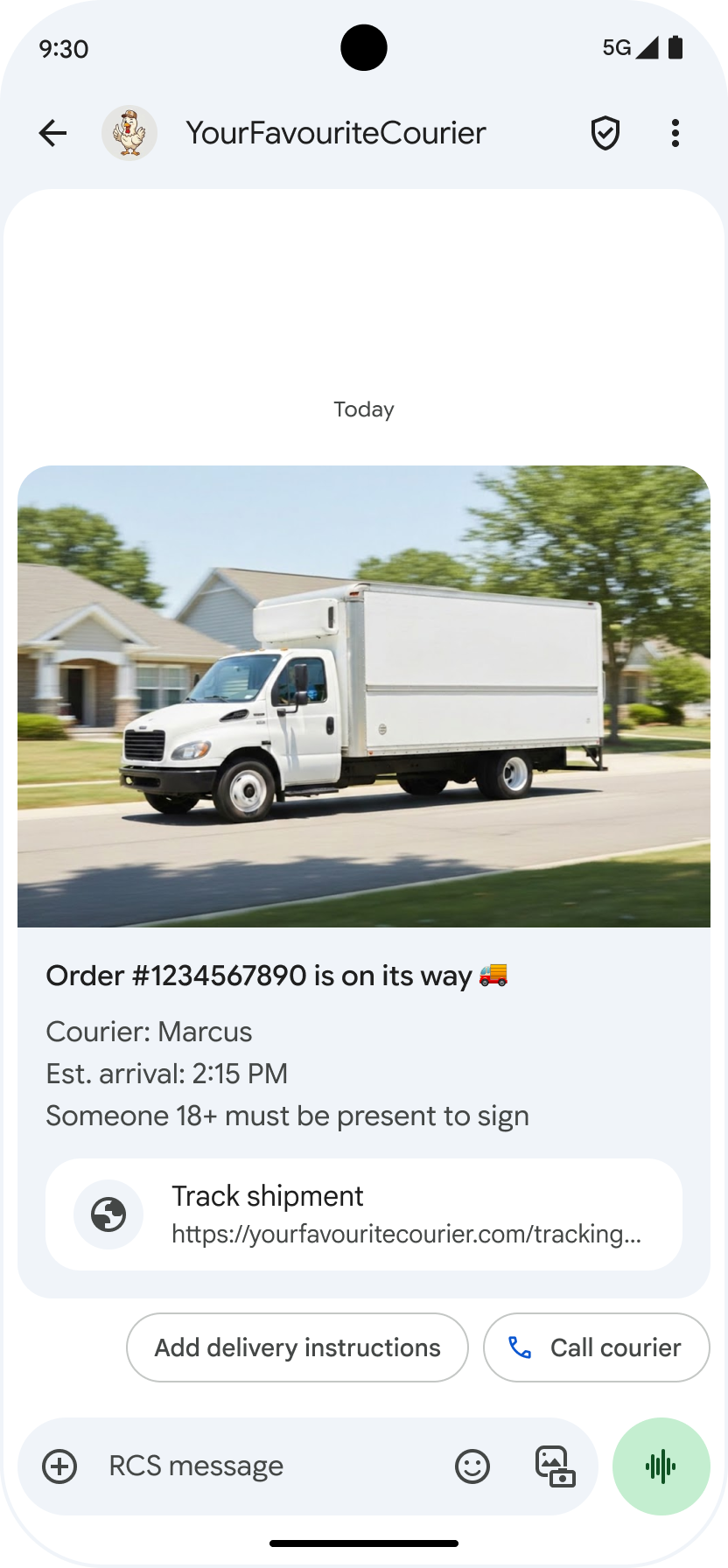
기본 URL 표시 : A2P 메시징의 투명성을 높이기 위해 Google 메시지는 'URL 열기' 추천 작업에 기본 URL 주소를 표시합니다. 이 변경 사항은 일반 리치 카드 와 리치 카드 캐러셀 의 추천 작업에 적용됩니다.
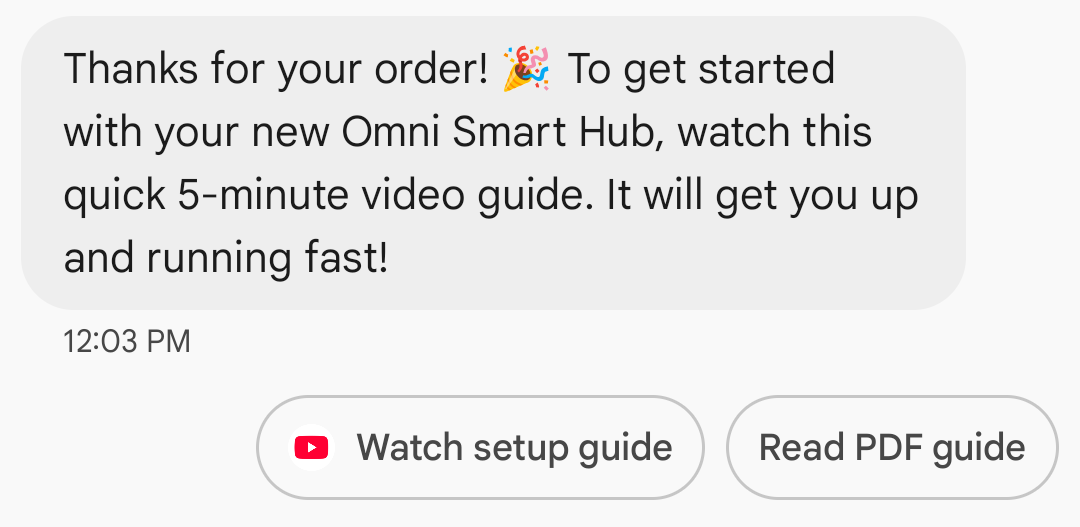
웹 링크에 대한 앱 아이콘 표시 : 사용자가 웹 페이지에 대한 기본 앱을 설정한 경우, 브라우저나 웹뷰 대신 해당 앱이 열리고 추천 버튼에 앱 아이콘이 표시됩니다. Google 메시지에 앱 아이콘이 표시되려면 전체 URL을 직접 입력해야 합니다. 단축 URL을 사용하는 경우 기본 'URL 열기' 아이콘이 대신 표시됩니다.
예
다음 코드는 URL 열기 작업을 전송합니다. 형식 및 값 옵션에 대한 자세한 내용은 OpenUrlAction 참조하십시오.
컬
curl -X POST "https://REGION-rcsbusinessmessaging.googleapis.com/v1/phones/PHONE_NUMBER/agentMessages?messageId=MESSAGE_ID&agentId=AGENT_ID" \
-H "Content-Type: application/json" \
-H "User-Agent: curl/rcs-business-messaging" \
-H "`oauth2l header --json PATH_TO_SERVICE_ACCOUNT_KEY rcsbusinessmessaging`" \
-d '{
  "contentMessage": {
    "text": "Hello, world!",
    "suggestions": [
      {
        "action": {
          "text": "Open Google",
          "postbackData": "postback_data_1234",
          "openUrlAction": {
            "url": "https://www.google.com"
          }
        }
      }
    ]
  }
}'
노드.js
// Reference to RBM API helper
const rbmApiHelper = require('@google/rcsbusinessmessaging');

// Define an open URL suggested action
let suggestions = [
   {
      action: {
         text: 'Open Google',
         postbackData: 'postback_data_1234',
         openUrlAction: {
            url: 'https://www.google.com'
         }
      }
   },
];

let params = {
   messageText: 'Hello, world!',
   msisdn: '+12223334444',
   suggestions: suggestions,
};

// Send a simple message with an open URL suggested action
rbmApiHelper.sendMessage(params, function(response) {
   console.log(response);
});
자바
import com.google.api.services.rcsbusinessmessaging.v1.model.OpenUrlAction;
import com.google.api.services.rcsbusinessmessaging.v1.model.SuggestedAction;
import com.google.api.services.rcsbusinessmessaging.v1.model.Suggestion;
import com.google.rbm.RbmApiHelper;
…

try {
   // Create an instance of the RBM API helper
   RbmApiHelper rbmApiHelper = new RbmApiHelper();

   // Create suggestions for chip list
   List<Suggestion> suggestions = new ArrayList<Suggestion>();

   // creating an open url suggested action
   OpenUrlAction openUrlAction = new OpenUrlAction();
   openUrlAction.setUrl("https://www.google.com");

   // creating a suggested action based on an open url action
   SuggestedAction suggestedAction = new SuggestedAction();
   suggestedAction.setText("Open Google");
   suggestedAction.setPostbackData("postback_data_1234");
   suggestedAction.setOpenUrlAction(openUrlAction);

   // attaching action to a suggestion
   Suggestion suggestion = new Suggestion();
   suggestion.setAction(suggestedAction);

   suggestions.add(suggestion);

   // Send simple text message with the suggestion action
   rbmApiHelper.sendTextMessage(
      "Hello, world!",
      "+12223334444",
      suggestions
   );
} catch(Exception e) {
   e.printStackTrace();
}
파이썬
# Reference to RBM Python client helper and messaging object structure
from rcs_business_messaging import rbm_service
from rcs_business_messaging import messages

# Create an open url suggested action
suggestions = [
      messages.OpenUrlAction('Open Google',
            'reply:postback_data_1234',
            'https://www.google.com')
]

# Create text message to send to user
text_msg = messages.TextMessage('Hello, world!')
cluster = messages.MessageCluster().append_message(text_msg)

# Append suggestions for the message to send to the user
for suggestion in suggestions:
    cluster.append_suggestion_chip(suggestion)

# Send a simple message with suggested action to the device
cluster.send_to_msisdn('+12223334444')
기음#
using Google.Apis.RCSBusinessMessaging.v1.Data;
using RCSBusinessMessaging;
…

// Create an instance of the RBM API helper
RbmApiHelper rbmApiHelper = new RbmApiHelper(credentialsFileLocation,
                                                 projectId);

// Create an open url action
OpenUrlAction openUrlAction = new OpenUrlAction
{
    Url = "https://www.google.com"
};

// Attach the open url action to a suggested action
SuggestedAction suggestedAction = new SuggestedAction
{
    OpenUrlAction = openUrlAction,
    Text = "Open Google",
    PostbackData = "postback_data_1234"
};

// Attach the action to a suggestion object
Suggestion suggestion = new Suggestion
{
    Action = suggestedAction
};

List<Suggestion> suggestions = new List<Suggestion>
{
    suggestion
};

rbmApiHelper.SendTextMessage(
    "Hello, world!",
    "+12223334444",
    suggestions
);
웹뷰로 URL 열기
웹뷰로 URL 열기 작업은 지정된 웹 페이지를 기본 브라우저의 렌더링 엔진을 사용하여 메시징 앱 내에 로드합니다. 이를 통해 사용자는 RCS for Business 대화를 종료하지 않고 웹 페이지와 상호 작용할 수 있습니다. 사용자의 기기에서 웹뷰를 지원하지 않는 경우 웹 페이지는 사용자의 브라우저에서 열립니다. 웹뷰를 활성화하려면 OpenURLApplication 참조하세요.
웹뷰에는 세 가지 표시 모드가 있습니다. 서식 및 값 옵션에 대한 자세한 내용 WebviewViewMode 참조하세요.
- 전체 화면: 웹 페이지가 전체 화면을 차지합니다.
- 절반: 웹 페이지가 화면의 절반을 차지합니다.
- 세로형: 웹페이지가 화면의 4분의 3을 차지합니다.
예
다음 코드는 웹뷰 액션을 사용하여 URL 열기를 전송합니다. 형식 및 값 옵션에 대한 자세한 내용은 OpenURLAction 참조하십시오.
컬
curl -X POST "https://REGION-rcsbusinessmessaging.googleapis.com/v1/phones/PHONE_NUMBER/agentMessages?messageId=MESSAGE_ID&agentId=AGENT_ID" \
-H "Content-Type: application/json" \
-H "User-Agent: curl/rcs-business-messaging" \
-H "`oauth2l header --json PATH_TO_SERVICE_ACCOUNT_KEY rcsbusinessmessaging`" \
-d '{
 "contentMessage": {
   "text": "Hello, world!",
   "suggestions": [
     {
       "action": {
         "text": "Open Google",
         "postbackData": "postback_data_1234",
         "openUrlAction": {
           "url": "https://www.google.com",
           "application": "WEBVIEW",
           "webviewViewMode": "FULL",
           "description": "Accessibility description"
         }
       }
     }
   ]
 }
}'
자바
import com.google.api.services.rcsbusinessmessaging.v1.model.OpenUrlAction;
import com.google.api.services.rcsbusinessmessaging.v1.model.SuggestedAction;
import com.google.api.services.rcsbusinessmessaging.v1.model.Suggestion;
import com.google.rbm.RbmApiHelper;
…

try {

   String URL = "https://www.google.com";

   // Create an instance of the RBM API helper
   RbmApiHelper rbmApiHelper = new RbmApiHelper();

   // Create suggestions for chip list
   List<Suggestion> suggestions = new ArrayList<Suggestion>();

   // Create suggestion to view webpage in full mode
   Suggestion viewInFullMode =  getUrlActionInWebview(URL, "FULL")
   suggestions.add(viewInFullMode);

   // create suggestion to view webpage in half mode
   Suggestion viewInHalfMode =  getUrlActionInWebview(URL, "HALF")
   suggestions.add(viewInHalfMode);

   // create suggestion to view webpage in tall mode
   Suggestion viewInTallMode =  getUrlActionInWebview(URL, "TALL")
   suggestions.add(viewInTallMode);

   // Send simple text message with the suggested action
   rbmApiHelper.sendTextMessage(
      "Hello, world!",
      "+12223334444",
      suggestions
   );
} catch(Exception e) {
   e.printStackTrace();
}

  /**
    * Creates a suggested action to open URL in webview.
    *
    * @return a suggestion object for an open URL in webview action .
    */
    private Suggestion getUrlActionInWebview(String url,
                                             String viewMode) {
      // create an open url action
      OpenUrlAction openUrlAction = new OpenUrlAction();
      openUrlAction.setUrl(url);
      openUrlAction.setApplication("WEBVIEW");
      openUrlAction.setWebviewViewMode(viewMode);
      openUrlAction.setDescription("Accessibility description");

      // attach the open url action to a suggested action
      SuggestedAction suggestedAction = new SuggestedAction();
      suggestedAction.setOpenUrlAction(openUrlAction);
      suggestedAction.setText('display_text');
      suggestedAction.setPostbackData('postback_data_123');

      // attach the action to a suggestion object
      Suggestion suggestion = new Suggestion();
      suggestion.setAction(suggestedAction);

      return suggestion;
    }
캘린더 이벤트 만들기
'캘린더 이벤트 생성' 작업은 사용자의 캘린더 앱을 열고 지정된 정보로 새 이벤트를 생성하기 시작합니다.
캘린더 이벤트 제목은 필수 입력 사항이며 최대 100자까지 입력할 수 있습니다. 캘린더 이벤트 설명은 선택 사항이며 최대 500자까지 입력할 수 있습니다.
예
다음 코드는 캘린더 이벤트 생성 작업을 전송합니다. 서식 및 값 옵션에 대한 자세한 내용은 CreateCalendarEventAction 참조하세요.
컬
curl -X POST "https://REGION-rcsbusinessmessaging.googleapis.com/v1/phones/PHONE_NUMBER/agentMessages?messageId=MESSAGE_ID&agentId=AGENT_ID" \
-H "Content-Type: application/json" \
-H "User-Agent: curl/rcs-business-messaging" \
-H "`oauth2l header --json PATH_TO_SERVICE_ACCOUNT_KEY rcsbusinessmessaging`" \
-d '{
  "contentMessage": {
    "text": "Hello, world!",
    "suggestions": [
      {
        "action": {
          "text": "Save to calendar",
          "postbackData": "postback_data_1234",
          "fallbackUrl": "https://www.google.com/calendar",
          "createCalendarEventAction": {
            "startTime": "2020-06-30T19:00:00Z",
            "endTime": "2020-06-30T20:00:00Z",
            "title": "My calendar event",
            "description": "Description of the calendar event"
          }
        }
      }
    ]
  }
}'
노드.js
// Reference to RBM API helper
const rbmApiHelper = require('@google/rcsbusinessmessaging');

// Define a create calendar event suggested action
let suggestions = [
   {
      action: {
         text: 'Save to calendar',
         postbackData: 'postback_data_1234',
         createCalendarEventAction: {
            startTime: '2020-06-30T19:00:00Z',
            endTime: '2020-06-30T20:00:00Z',
            title: 'My calendar event',
            description: 'Description of the calendar event',
         },
      }
   },
];

let params = {
   messageText: 'Hello, world!',
   msisdn: '+12223334444',
   suggestions: suggestions,
};

// Send a simple message with a create calendar event suggested action
rbmApiHelper.sendMessage(params, function(response) {
   console.log(response);
});
자바
import com.google.api.services.rcsbusinessmessaging.v1.model.CreateCalendarEventAction;
import com.google.api.services.rcsbusinessmessaging.v1.model.SuggestedAction;
import com.google.api.services.rcsbusinessmessaging.v1.model.Suggestion;
import com.google.rbm.RbmApiHelper;
…

try {
   // Create an instance of the RBM API helper
   RbmApiHelper rbmApiHelper = new RbmApiHelper();

   // Create suggestions for chip list
   List<Suggestion> suggestions = new ArrayList<Suggestion>();

   // creating a create calendar event suggested action
   CreateCalendarEventAction createCalendarEventAction = new CreateCalendarEventAction();
   calendarEventAction.setTitle("My calendar event");
   calendarEventAction.setDescription("Description of the calendar event");
   calendarEventAction.setStartTime("2020-06-30T19:00:00Z");
   calendarEventAction.setEndTime("2020-06-30T20:00:00Z");

   // creating a suggested action based on a create calendar event action
   SuggestedAction suggestedAction = new SuggestedAction();
   suggestedAction.setText("Save to calendar");
   suggestedAction.setPostbackData("postback_data_1234");
   suggestedAction.setCreateCalendarEventAction(createCalendarEventAction);

   // attaching action to a suggestion
   Suggestion suggestion = new Suggestion();
   suggestion.setAction(suggestedAction);

   suggestions.add(suggestion);

   // Send simple text message with the suggestion action
   rbmApiHelper.sendTextMessage(
      "Hello, world!",
      "+12223334444",
      suggestions
   );
} catch(Exception e) {
   e.printStackTrace();
}
파이썬
# Reference to RBM Python client helper and messaging object structure
from rcs_business_messaging import rbm_service
from rcs_business_messaging import messages

# Create a calendar event suggested action
suggestions = [
      messages.CreateCalendarEventAction('Save to Calendar',
                             'reply:postback_data_1234',
                             '2020-06-30T19:00:00Z',
                             '2020-06-30T20:00:00Z',
                             'My calendar event',
                             'Description of the calendar event')

]

# Create text message to send to user
text_msg = messages.TextMessage('Hello, world!')
cluster = messages.MessageCluster().append_message(text_msg)

# Append suggestions for the message to send to the user
for suggestion in suggestions:
    cluster.append_suggestion_chip(suggestion)

# Send a simple message with suggested action to the device
cluster.send_to_msisdn('+12223334444')
기음#
using Google.Apis.RCSBusinessMessaging.v1.Data;
using RCSBusinessMessaging;
…

// Create an instance of the RBM API helper
RbmApiHelper rbmApiHelper = new RbmApiHelper(credentialsFileLocation,
                                                 projectId);

// Create a calendar event action
CreateCalendarEventAction calendarEventAction = new CreateCalendarEventAction
{
    Title = "My calendar event",
    Description = "Description of the calendar event",
    StartTime = "2020-06-30T19:00:00Z",
    EndTime = "2020-06-30T20:00:00Z"
};

// Attach the calendar event action to a suggested action
SuggestedAction suggestedAction = new SuggestedAction
{
    CreateCalendarEventAction = calendarEventAction,
    Text = "Save to calendar",
    PostbackData = "postback_data_1234"
};

// Attach the action to a suggestion object
Suggestion suggestion = new Suggestion
{
    Action = suggestedAction
};

List<Suggestion> suggestions = new List<Suggestion>
{
    suggestion
};

rbmApiHelper.SendTextMessage(
    "Hello, world!",
    "+12223334444",
    suggestions
);
추천 칩 목록
상담원은 사용자의 후속 행동을 안내하기 위해 메시지와 함께 제안 칩 목록을 보냅니다. 칩 목록은 관련 메시지가 대화 하단에 있을 때만 표시됩니다. 대화에서 이후에 전송되는 메시지(사용자 또는 상담원 발신)는 칩 목록을 덮어씁니다.
칩 목록에는 최대 11개의 추천 칩을 포함할 수 있으며, 각 칩 레이블은 최대 25자까지 입력할 수 있습니다.
서식 및 값 옵션에 대해서는 AgentContentMessage 참조하세요.
리치 카드
리치 카드는 미디어, 텍스트 및 인터랙티브 제안을 하나의 메시지로 결합합니다. 관련 정보(예: 이미지, 이름, 가격이 포함된 제품)를 제시하고 "상세 정보 보기"와 같은 명확한 다음 단계 제안을 통해 사용자를 안내하는 데 이상적입니다.
리치 카드에는 다음 내용이 포함될 수 있습니다.
각 필드는 선택 사항이지만, 필드 1~3 중 적어도 하나는 리치 카드에 포함되어야 합니다.
여러 장의 카드를 가로로 스크롤되는 캐러셀 형식 으로 함께 보낼 수 있습니다.
참고로, 리치 카드의 총 페이로드 용량은 250KB입니다.
자세한 기술 정보는 리치 카드 설명서를 참조하십시오.
카드 높이
리치 카드는 내용에 맞춰 세로로 확장됩니다. 최소 높이는 112 DP이고 최대 높이는 344 DP입니다. 카드 내용이 최소 높이를 채우지 못하면 카드가 확장되어 초과되는 높이를 공백으로 채웁니다.
리치 카드에 포함된 미디어는 다음 세 가지 높이 중 하나에 맞춰야 합니다.
- 요약: 112 DP
- 중간 크기: 168 DP
- 키 큰 사람: 264 DP
선택한 높이에 맞춰 미디어가 카드 크기에 맞지 않으면 미디어를 확대/축소하고 잘라내어 미리보기 이미지를 표시합니다.
예
다음 코드는 이미지와 추천 답장이 포함된 리치카드를 전송합니다. 서식 및 값 옵션에 대한 자세한 내용 RichCard 참조하세요.
컬
curl -X POST "https://REGION-rcsbusinessmessaging.googleapis.com/v1/phones/PHONE_NUMBER/agentMessages?messageId=MESSAGE_ID&agentId=AGENT_ID" \
-H "Content-Type: application/json" \
-H "User-Agent: curl/rcs-business-messaging" \
-H "`oauth2l header --json PATH_TO_SERVICE_ACCOUNT_KEY rcsbusinessmessaging`" \
-d '{
  "contentMessage": {
    "richCard": {
      "standaloneCard": {
        "thumbnailImageAlignment": "RIGHT",
        "cardOrientation": "VERTICAL",
        "cardContent": {
          "title": "Hello, world!",
          "description": "RBM is awesome!",
          "media": {
            "height": "TALL",
            "contentInfo":{
              "fileUrl": "http://www.google.com/logos/doodles/2015/googles-new-logo-5078286822539264.3-hp2x.gif",
              "forceRefresh": false
            }
          },
          "suggestions": [
            {
              "reply": {
                "text": "Suggestion #1",
                "postbackData": "suggestion_1"
              }
            },
            {
              "reply": {
                "text": "Suggestion #2",
                "postbackData": "suggestion_2"
              }
            }
          ]
        }
      }
    }
  }
}'
노드.js
// Reference to RBM API helper
const rbmApiHelper = require('@google/rcsbusinessmessaging');

// Suggested replies to be used in the card
let suggestions = [
   {
      reply: {
         'text': 'Suggestion #1',
         'postbackData': 'suggestion_1',
      },
   },
   {
      reply: {
         'text': 'Suggestion #2',
         'postbackData': 'suggestion_2',
      },
   },
];

// Image to be displayed by the card
let imageUrl = 'http://www.google.com/logos/doodles/2015/googles-new-logo-5078286822539264.3-hp2x.gif';

// Definition of the card parameters
let params = {
   messageText: 'Hello, world!',
   messageDescription: 'RBM is awesome!',
   msisdn: '+12223334444',
   suggestions: suggestions,
   imageUrl: imageUrl,
   height: 'TALL',
};

// Send rich card to device
rbmApiHelper.sendRichCard(params, function(response) {
   console.log(response);
});
자바
import com.google.api.services.rcsbusinessmessaging.v1.model.StandaloneCard;
import com.google.api.services.rcsbusinessmessaging.v1.model.Suggestion;
import com.google.rbm.cards.CardOrientation;
import com.google.rbm.cards.MediaHeight;
import com.google.rbm.RbmApiHelper;
import com.google.rbm.SuggestionHelper;
…

try {
   // Create an instance of the RBM API helper
   RbmApiHelper rbmApiHelper = new RbmApiHelper();

   // Create suggestions for chip list
   List<Suggestion> suggestions = new ArrayList<Suggestion>();
   suggestions.add(
      new SuggestionHelper("Suggestion #1", "suggestion_1").getSuggestedReply());

   suggestions.add(
      new SuggestionHelper("Suggestion #2", "suggestion_2").getSuggestedReply());

   String imageUrl = "http://www.google.com/logos/doodles/2015/googles-new-logo-5078286822539264.3-hp2x.gif";

   // Create a standalone rich card to send to the user
   StandaloneCard standaloneCard = rbmApiHelper.createStandaloneCard(
       "Hello, world!",
       "RBM is awesome!",
       imageUrl,
       MediaHeight.MEDIUM,
       CardOrientation.VERTICAL,
       suggestions
   );

   rbmApiHelper.sendStandaloneCard(standaloneCard, "+12223334444");
} catch(Exception e) {
   e.printStackTrace();
}
파이썬
# Reference to RBM Python client helper and messaging object structure
from rcs_business_messaging import rbm_service
from rcs_business_messaging import messages

# Suggested replies to be used in the card
suggestions = [
      messages.SuggestedReply('Suggestion #1', 'reply:suggestion_1'),
      messages.SuggestedReply('Suggestion #2', 'reply:suggestion_2')
]

# Image to be displayed by the card
image_url = 'http://www.google.com/logos/doodles/2015/googles-new-logo-5078286822539264.3-hp2x.gif';

# Define rich card structure
rich_card = messages.StandaloneCard('VERTICAL',
                                    'Hello, world!',
                                    'RBM is awesome!',
                                    suggestions,
                                    image_url,
                                    None,
                                    None,
                                    'MEDIUM')

# Append rich card and send to the user
cluster = messages.MessageCluster().append_message(rich_card)
cluster.send_to_msisdn('+12223334444')
기음#
using Google.Apis.RCSBusinessMessaging.v1.Data;
using RCSBusinessMessaging;
using RCSBusinessMessaging.Cards;
…

// Create an instance of the RBM API helper
RbmApiHelper rbmApiHelper = new RbmApiHelper(credentialsFileLocation,
                                             projectId);

List<Suggestion> suggestions = new List<Suggestion>
{
   // Create suggestion chips
   new SuggestionHelper("Suggestion #1", "suggestion_1").SuggestedReply(),
   new SuggestionHelper("Suggestion #2", "suggestion_2").SuggestedReply()
};

string imageUrl = "http://www.google.com/logos/doodles/2015/googles-new-logo-5078286822539264.3-hp2x.gif";

// Create rich card with suggestions
StandaloneCard standaloneCard = rbmApiHelper.CreateStandaloneCard(
   "Hello, world!",
   "RBM is awesome",
   imageUrl,
   MediaHeight.TALL,
   CardOrientation.VERTICAL,
   suggestions
);

// Send rich card to user
rbmApiHelper.SendStandaloneCard(standaloneCard, "+12223334444");
리치 카드 캐러셀
캐러셀은 여러 개의 풍부한 카드를 연결하여 사용자가 항목을 비교하고 각 항목에 개별적으로 반응할 수 있도록 합니다.
캐러셀에는 최소 2개, 최대 10개의 리치 카드를 포함할 수 있습니다. 캐러셀 내의 리치 카드는 리치 카드 문서 에 설명된 내용 및 높이에 대한 일반적인 리치 카드 요구 사항을 준수해야 합니다. 캐러셀 레이아웃 및 사양에 대한 자세한 내용은 캐러셀 문서를 참조하십시오.
예
다음 코드는 리치 카드 캐러셀을 전송합니다. 서식 및 값 옵션에 대한 자세한 내용은 RichCard 참조하세요.
컬
curl -X POST "https://REGION-rcsbusinessmessaging.googleapis.com/v1/phones/PHONE_NUMBER/agentMessages?messageId=MESSAGE_ID&agentId=AGENT_ID" \
-H "Content-Type: application/json" \
-H "User-Agent: curl/rcs-business-messaging" \
-H "`oauth2l header --json PATH_TO_SERVICE_ACCOUNT_KEY rcsbusinessmessaging`" \
-d '{
  "contentMessage": {
    "richCard": {
      "carouselCard": {
        "cardWidth": "MEDIUM",
        "cardContents": [
          {
            "title": "Card #1",
            "description": "The description for card #1",
            "suggestions": [
              {
                "reply": {
                  "text": "Card #1",
                  "postbackData": "card_1"
                }
              }
            ],
            "media": {
              "height": "MEDIUM",
              "contentInfo": {
                "fileUrl": "https://storage.googleapis.com/welcome-bot-sample-images/200.jpg",
                "forceRefresh": false
              }
            }
          },
          {
            "title": "Card #2",
            "description": "The description for card #2",
            "suggestions": [
              {
                "reply": {
                  "text": "Card #2",
                  "postbackData": "card_2"
                }
              }
            ],
            "media": {
              "height": "MEDIUM",
              "contentInfo": {
                "fileUrl": "https://storage.googleapis.com/welcome-bot-sample-images/201.jpg",
                "forceRefresh": false
              }
            }
          }
        ]
      }
    }
  }
}'
노드.js
// Reference to RBM API helper
const rbmApiHelper = require('@google/rcsbusinessmessaging');

// Images for the carousel cards
let card1Image = 'https://storage.googleapis.com/welcome-bot-sample-images/200.jpg';
let card2Image = 'https://storage.googleapis.com/welcome-bot-sample-images/201.jpg';

// Define the card contents for a carousel with two cards, each with one suggested reply
let cardContents = [
   {
      title: 'Card #1',
      description: 'The description for card #1',
      suggestions: [
         {
            reply: {
               text: 'Card #1',
               postbackData: 'card_1',
            }
         }
      ],
      media: {
         height: 'MEDIUM',
         contentInfo: {
            fileUrl: card1Image,
            forceRefresh: false,
         },
      },
   },
   {
      title: 'Card #2',
      description: 'The description for card #2',
      suggestions: [
         {
            reply: {
               text: 'Card #2',
               postbackData: 'card_2',
            }
         }
      ],
      media: {
         height: 'MEDIUM',
         contentInfo: {
            fileUrl: card2Image,
            forceRefresh: false,
         },
      },
   },
];

// Definition of carousel card
let params = {
   msisdn: '+12223334444',
   cardContents: cardContents,
};

// Send the device the carousel card defined above
rbmApiHelper.sendCarouselCard(params, function(response) {
   console.log(response);
});
자바
import com.google.api.services.rcsbusinessmessaging.v1.model.CardContent;
import com.google.api.services.rcsbusinessmessaging.v1.model.Suggestion;
import com.google.rbm.cards.CardOrientation;
import com.google.rbm.cards.CardWidth;
import com.google.rbm.cards.MediaHeight;
import com.google.rbm.RbmApiHelper;
import com.google.rbm.SuggestionHelper;
…

try {
            // Create an instance of the RBM API helper
            RbmApiHelper rbmApiHelper = new RbmApiHelper();

            List cardContents = new ArrayList();

            // Images for the carousel cards
            String card1Image = "https://storage.googleapis.com/welcome-bot-sample-images/200.jpg";

            // Create suggestions for first carousel card
            List card1Suggestions = new ArrayList();
            card1Suggestions.add(
                new SuggestionHelper("Card #1", "card_1"));

            cardContents.add(
                new StandaloneCardHelper(
                    "Card #1",
                    "The description for card #1",
                    card1Image,
                    card1Suggestions)
                    .getCardContent(MediaHeight.SHORT)
            );

            // Images for the carousel cards
            String card2Image = "https://storage.googleapis.com/welcome-bot-sample-images/201.jpg";

            // Create suggestions for second carousel card
            List card2Suggestions = new ArrayList();
            card2Suggestions.add(
                new SuggestionHelper("Card #2", "card_2"));

            cardContents.add(
                new StandaloneCardHelper(
                    "Card #2",
                    "The description for card #2",
                    card2Image,
                    card2Suggestions)
                    .getCardContent(MediaHeight.SHORT)
            );

            // Send the carousel to the user
            rbmApiHelper.sendCarouselCards(cardContents, CardWidth.MEDIUM, "+12223334444");
        } catch(Exception e) {
            e.printStackTrace();
        }
파이썬
# Reference to RBM Python client helper and messaging object structure
from rcs_business_messaging import rbm_service
from rcs_business_messaging import messages

# Images for the carousel cards
card_image_1 = 'https://storage.googleapis.com/welcome-bot-sample-images/200.jpg';
card_image_2 = 'https://storage.googleapis.com/welcome-bot-sample-images/201.jpg';

# Suggested replies to be used in the cards
suggestions1 = [
      messages.SuggestedReply('Card #1', 'reply:card_1')
]

suggestions2 = [
      messages.SuggestedReply('Card #2', 'reply:card_2')
]

# Define the card contents for a carousel with two cards,
# each with one suggested reply
card_contents = []
card_contents.append(messages.CardContent('Card #1',
                                          'The description for card #1',
                                          card_image_1,
                                          'MEDIUM',
                                          suggestions1))

card_contents.append(messages.CardContent('Card #2',
                                          'The description for card #2',
                                          card_image_2,
                                          'MEDIUM',
                                          suggestions2))

# Send the device the carousel card defined above
carousel_card = messages.CarouselCard('MEDIUM', card_contents)
cluster = messages.MessageCluster().append_message(carousel_card)
cluster.send_to_msisdn('+12223334444')
기음#
using Google.Apis.RCSBusinessMessaging.v1.Data;
using RCSBusinessMessaging;
using RCSBusinessMessaging.Cards;
…

// Create an instance of the RBM API helper
RbmApiHelper rbmApiHelper = new RbmApiHelper(credentialsFileLocation,
                                             projectId);

// Image references to be used in the carousel cards
string card1Image = "https://storage.googleapis.com/welcome-bot-sample-images/200.jpg";
string card2Image = "https://storage.googleapis.com/welcome-bot-sample-images/201.jpg";

// Suggestion chip lists to be used in carousel cards
List<Suggestion> suggestions1 = new List<Suggestion>
{
   new SuggestionHelper("Card #1", "card_1").SuggestedReply()
};

List<Suggestion> suggestions2 = new List<Suggestion>
{
   new SuggestionHelper("Card #2", "card_2").SuggestedReply()
};

// Create the card content for the carousel
List<CardContent> cardContents = new List<CardContent>
{
   // Add items as card content
   new StandaloneCardHelper(
                    "Card #1",
                    "The description for card #1",
                    card1Image,
                    suggestions1).GetCardContent(),
   new StandaloneCardHelper(
                    "Card #2",
                    "The description for card #2",
                    card2Image,
                    suggestions2).GetCardContent()
};

// Send the carousel to the user
rbmApiHelper.SendCarouselCards(cardContents, CardWidth.MEDIUM, msisdn);