
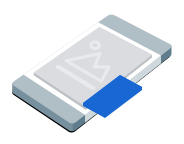
画中画 (PiP) 广告以悬浮窗口的形式展示,该窗口会始终悬浮在文章、信息流或游戏内容等屏幕内容之上。借助此格式,用户可以在广告保持可见状态的同时与您的应用互动。如需展示不占满整个屏幕的展示广告,请选择此格式。详细了解画中画 广告。
本指南介绍了如何使用 Google Mobile Ads Unity Plugin 在应用中请求和展示画中画广告 。
准备工作
在继续之前,请执行以下操作:
安装 Google Mobile Ads Unity Plugin 版本
11.6.0或更高版本。
- 对于 Android 应用,安装 GMA Next-Gen SDK。
启用测试广告并使用以下测试广告单元 ID:
Android
ca-app-pub-3940256099942544/9657123429iOS
ca-app-pub-3940256099942544/8810945611
加载广告
如需加载
PictureInPictureAd
对象,请创建一个广告请求并调用加载方法:
将 _adUnitId 替换为您的广告单元 ID。
展示广告
如需在屏幕上展示画中画广告,请调用展示方法。以下示例展示了默认位置的广告:
public void ShowPictureInPictureAd()
{
    // Use the ad reference saved from the Load callback.
    if (_pictureInPictureAd != null)
    {
        _pictureInPictureAd.Show();
    }
    else
    {
        Debug.Log("No ad to show.");
    }
}
设置位置
默认情况下,Google Mobile Ads Unity Plugin在首次展示时会将画中画广告置于屏幕右下角 ;若此前已展示过,则会显示在最后一次记录的位置。如需自定义广告的显示位置,请在展示广告时指定位置。以下示例将广告位置设置为屏幕左上角,并使其悬浮在内容之上:
public void ShowPictureInPictureAdTopLeft()
{
    // Use the ad reference saved from the Load callback.
    if (_pictureInPictureAd != null)
    {
        _pictureInPictureAd.Show(PictureInPictureAdPosition.TopLeft);
    }
    else
    {
        Debug.Log("No ad to show.");
    }
}
如需查看所有可用位置,请参阅
PictureInPictureAdPosition.
监听广告事件
如需处理画中画广告生命周期事件,请在展示广告之前注册广告事件。这些事件会报告广告互动,例如点击和展示。这些事件还会报告画中画广告特有的事件,例如广告何时显示或隐藏:
private void RegisterEventHandlers(PictureInPictureAd ad)
{
    // Raised when the ad is estimated to have earned money.
    ad.OnAdPaid += (AdValue adValue) =>
    {
        Debug.Log($"Picture-in-picture ad paid: {adValue.Value} {adValue.CurrencyCode}");
    };
    // Raised when an impression is recorded for an ad.
    ad.OnAdImpressionRecorded += () =>
    {
        Debug.Log("Picture-in-picture ad recorded an impression.");
    };
    // Raised when a click is recorded for an ad.
    ad.OnAdClicked += () =>
    {
        Debug.Log("Picture-in-picture ad recorded a click.");
    };
    // Raised when the picture-in-picture ad is displayed on the screen.
    ad.OnAdShown += () =>
    {
        Debug.Log("Picture-in-picture ad shown.");
    };
    // Raised when the picture-in-picture ad is hidden from the screen.
    ad.OnAdHidden += () =>
    {
        Debug.Log("Picture-in-picture ad hidden.");
    };
    // Raised when an ad opened full screen content.
    ad.OnAdFullScreenContentOpened += () =>
    {
        Debug.Log("Picture-in-picture ad opened full screen content.");
    };
    // Raised when the ad closed full screen content.
    ad.OnAdFullScreenContentClosed += () =>
    {
        Debug.Log("Picture-in-picture ad closed full screen content.");
    };
    // Raised when the ad failed to open full screen content.
    ad.OnAdFullScreenContentFailed += (AdError error) =>
    {
        Debug.LogWarning(
            "Picture-in-picture ad failed to open full screen " +
            "content: " + error);
    };
}
隐藏广告
如需从屏幕中移除浮动广告,请调用 hide 方法。此方法会调用广告隐藏事件:
public void HidePictureInPictureAd()
{
    // Use the ad reference saved from the Load callback.
    if (_pictureInPictureAd != null)
    {
        _pictureInPictureAd.Hide();
    }
    else
    {
        Debug.Log("No ad to hide.");
    }
}
清理广告资源
为避免内存泄漏,请在应用使用完广告后,及时释放对广告对象的引用。例如,当您的应用不再显示广告或不再与广告互动时:
public void DestroyPictureInPictureAd()
{
    // Use the ad reference saved from the Load callback.
    if (_pictureInPictureAd != null)
    {
        _pictureInPictureAd.Destroy();
        _pictureInPictureAd = null;
    }
}