
問與答 (QAPage) 結構化資料
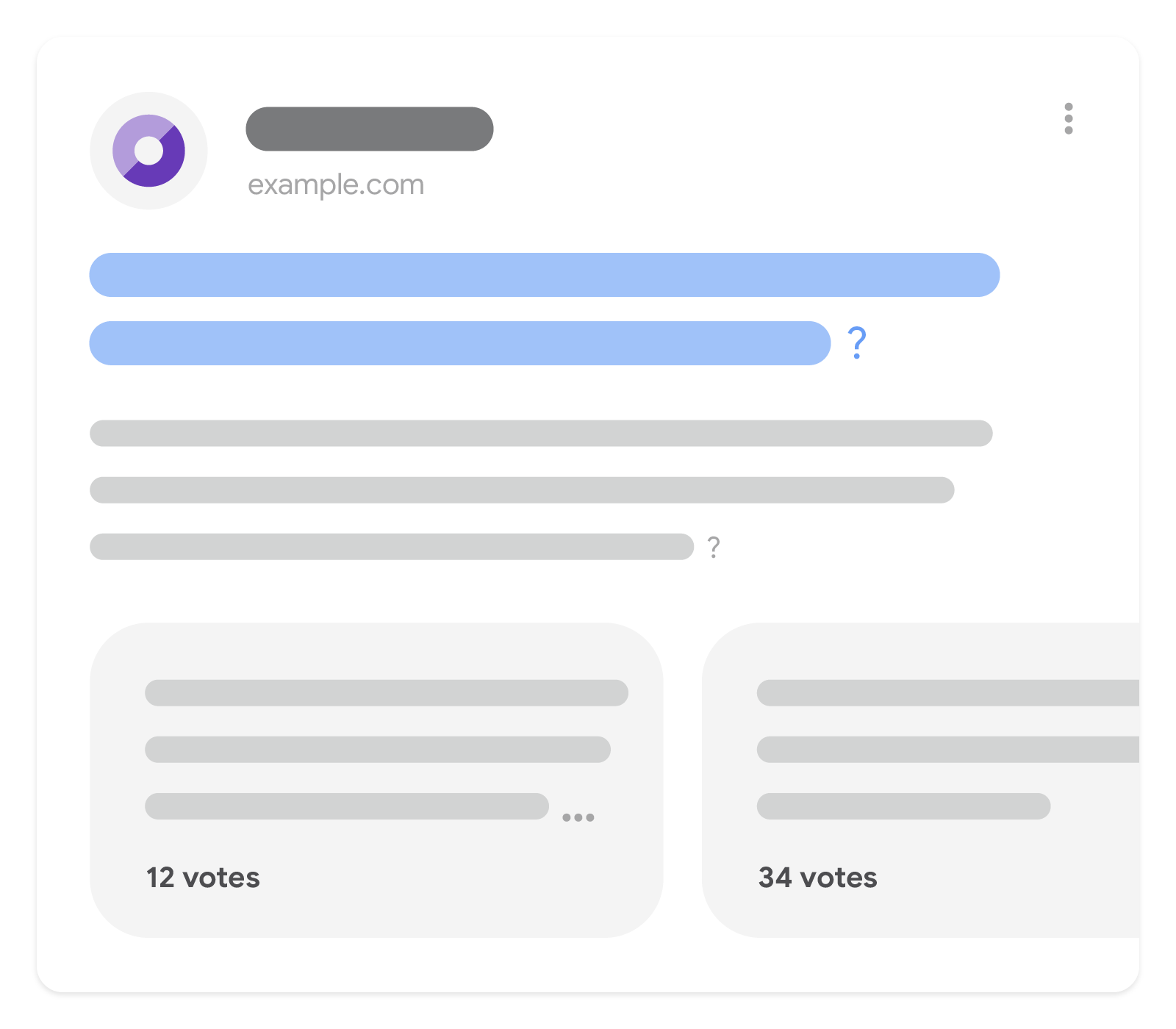
問與答網頁中的資料採用問答格式,也就是先提出一個問題,緊接著提供問題的答案。如果內容是用於呈現問題和答案,則您可以使用
schema.org QAPage、Question 和 Answer 類型標記資料。
加入適當標記的網頁可以在搜尋結果網頁上顯示複合式搜尋結果。這種複合式的處理方式有助於您的網站在 Google 搜尋中觸及目標客群。 舉例來說,當使用者查詢:「如何移拔出卡在 USB 連接埠中的傳輸線?」時,如果針對這個問題提供解答的網頁已加上標記,就可能顯示複合式搜尋結果。
除了讓您的內容以複合式搜尋結果的形式顯示,標記問與答網頁還可以協助 Google 為您的網頁產生更優質的摘要。在沒有顯示複合式搜尋結果的情況下,答案內容可能會以基本搜尋結果的形式出現。
如何新增結構化資料
結構化資料是一種標準化格式,能夠提供網頁相關資訊並分類網頁內容。如果您是第一次使用結構化資料,請參閱這篇文章,進一步瞭解結構化資料的運作方式。
以下簡要說明如何建立、測試及發布結構化資料。
- 新增必要屬性。根據您使用的格式,瞭解要在網頁中的什麼位置插入結構化資料。
- 遵循指南規範。
- 使用複合式搜尋結果測試驗證程式碼,並修正所有重大錯誤。此外,我們也建議您修正工具中可能標記的任何非重大問題,因為這有助於改善結構化資料的品質 (但並非符合複合式搜尋結果的顯示條件)。
- 部署幾個包含結構化資料的網頁,並使用網址檢查工具測試 Google 轉譯網頁的情形。請確認 Google 可以存取您的網頁,且網頁並未遭到 robots.txt 檔案或
noindex標記封鎖,也未設有登入規定。如果網頁看起來沒問題,您可以要求 Google 重新檢索您的網址。 - 為了讓 Google 掌握日後的異動內容,建議您提交 Sitemap。您可以使用 Search Console Sitemap API 自動執行這項操作。
範例
下列標記範例包括採用 JSON-LD 格式的 QAPage、Question 和 Answer 類型定義:
<html>
  <head>
    <title>How many ounces are there in a pound?</title>
    <script type="application/ld+json">
    {
      "@context": "https://schema.org",
      "@type": "QAPage",
      "mainEntity": {
        "@type": "Question",
        "name": "How many ounces are there in a pound?",
        "text": "I have taken up a new interest in baking and keep running across directions in ounces and pounds. I have to translate between them and was wondering how many ounces are in a pound?",
        "answerCount": 3,
        "upvoteCount": 26,
        "datePublished": "2024-02-14T15:34-05:00",
        "author": {
          "@type": "Person",
          "name": "Mary Stone",
          "url": "https://example.com/profiles/mary-stone"
        },
        "acceptedAnswer": {
          "@type": "Answer",
          "text": "1 pound (lb) is equal to 16 ounces (oz).",
          "image": "https://example.com/images/conversion-chart.jpg",
          "upvoteCount": 1337,
          "url": "https://example.com/question1#acceptedAnswer",
          "datePublished": "2024-02-14T16:34-05:00",
          "author": {
            "@type": "Person",
            "name": "Julius Fernandez",
            "url": "https://example.com/profiles/julius-fernandez"
          }
        },
        "suggestedAnswer": [
          {
            "@type": "Answer",
            "text": "Are you looking for ounces or fluid ounces? If you are looking for fluid ounces there are 15.34 fluid ounces in a pound of water.",
            "upvoteCount": 42,
            "url": "https://example.com/question1#suggestedAnswer1",
            "datePublished": "2024-02-14T15:39-05:00",
            "author": {
              "@type": "Person",
              "name": "Kara Weber",
              "url": "https://example.com/profiles/kara-weber"
            },
            "comment": {
              "@type": "Comment",
              "text": "I'm looking for ounces, not fluid ounces.",
              "datePublished": "2024-02-14T15:40-05:00",
              "author": {
                "@type": "Person",
                "name": "Mary Stone",
                "url": "https://example.com/profiles/mary-stone"
              }
            }
          }, {
            "@type": "Answer",
            "text": " I can't remember exactly, but I think 18 ounces in a lb. You might want to double check that.",
            "upvoteCount": 0,
            "url": "https://example.com/question1#suggestedAnswer2",
            "datePublished": "2024-02-14T16:02-05:00",
            "author": {
              "@type": "Person",
              "name": "Joe Cobb",
              "url": "https://example.com/profiles/joe-cobb"
            }
          }
        ]
      }
    }
    </script>
  </head>
  <body>
  </body>
</html><html>
<body itemscope itemtype="https://schema.org/QAPage">
<div itemprop="mainEntity" itemscope itemtype="https://schema.org/Question">
<h2 itemprop="name">How many ounces are there in a pound?</h2>
<div itemprop="upvoteCount">52</div>
<div itemprop="text">I have taken up a new interest in baking and keep running across directions in ounces and pounds. I have to translate between them and was wondering how many ounces are in a pound?</div>
<meta itemprop="datePublished" content="2024-02-14T15:34-05:00"/>
<div itemprop="author" itemscope itemtype="https://schema.org/Person">
<span itemprop="name">Mary Stone</span>
</div>
<div>
<div><span itemprop="answerCount">3</span> answers</div>
<div><span itemprop="upvoteCount">26</span> votes</div>
<div id="acceptedAnswer" itemprop="acceptedAnswer" itemscope itemtype="https://schema.org/Answer">
<div itemprop="upvoteCount">1337</div>
<div itemprop="text">
1 pound (lb) is equal to 16 ounces (oz).
</div>
<a itemprop="url" href="https://example.com/question1#acceptedAnswer">Answer Link</a>
<meta itemprop="datePublished" content="2024-02-14T16:34-05:00"/>
<div itemprop="author" itemscope itemtype="https://schema.org/Person">
<span itemprop="name">Julius Fernandez</span>
</div>
</div>
<div id="suggestedAnswer1" itemprop="suggestedAnswer" itemscope itemtype="https://schema.org/Answer">
<div itemprop="upvoteCount">42</div>
<div itemprop="text">
Are you looking for ounces or fluid ounces? If you are looking for fluid ounces there are 15.34 fluid ounces in a pound of water.
</div>
<a itemprop="url" href="https://example.com/question1#suggestedAnswer1">Answer Link</a>
<meta itemprop="datePublished" content="2024-02-14T15:39-05:00"/>
<div itemprop="author" itemscope itemtype="https://schema.org/Person">
<span itemprop="name">Kara Weber</span>
</div>
<div itemprop="comment" itemscope itemtype="https://schema.org/Comment">
<div itemprop="text">I'm looking for ounces, not fluid ounces.</div>
<div itemprop="author" itemscope itemtype="https://schema.org/Person">
<span itemprop="name">Mary Stone</span>
</div>
<meta itemprop="datePublished" content="2024-02-14T15:40-05:00"/>
</div>
</div>
<div id="suggestedAnswer2" itemprop="suggestedAnswer" itemscope itemtype="https://schema.org/Answer">
<div itemprop="upvoteCount">0</div>
<div itemprop="text">
I can't remember exactly, but I think 18 ounces in a lb. You might want to double check that.
</div>
<a itemprop="url" href="https://example.com/question1#suggestedAnswer2">Answer Link</a>
<meta itemprop="datePublished" content="2024-02-14T16:02-05:00"/>
<div itemprop="author" itemscope itemtype="https://schema.org/Person">
<span itemprop="name">Joe Cobb</span>
</div>
</div>
</div>
</div>
</body>
</html>指南規範
您必須遵守以下指南規範,才能讓問與答網頁採用這種複合式顯示方式:
內容指南
- 如果網頁包含的資料是採用問答格式,也就是先提出一個問題,緊接著提供答案,才能使用
QAPage標記。 - 使用者必須能夠提交問題的答案。如果特定問題僅有一個答案,而且使用者無法新增其他答案,那麼請勿針對內容使用
QAPage標記。以下舉例說明:適用的情況:
- 可供使用者針對單一問題提交答案的論壇頁面
- 可供使用者針對單一問題提交答案的產品支援頁面
不適用的情況:
- 由網站本身撰寫、使用者無法新增其他答案的 FAQ 頁面
- 可讓使用者在單一頁面上提交多個問題與答案的產品網頁
- 回答問題的使用指南
- 回答問題的網誌文章
- 回答問題的短文
- 如果網站或論壇中的內容並未全部符合
QAPage標記的使用條件,請勿為所有網頁套用此標記。 舉例來說,某個論壇可能張貼了許多問題,而且每個問題本身都符合標記使用條件。但是,如果該論壇有些網頁的內容並非問題,那麼這些網頁就不符合標記使用條件。 - 請勿在 FAQ 網頁或包含多個問題的網頁上使用
QAPage標記。只有在網頁通篇只聚焦一個問題並隨附答案時,才適合使用QAPage標記。 - 請勿將
QAPage標記用於廣告用途。 - 每個
Question必須包含完整的題目內文,而每個Answer必須包含完整的答案內文。 Answer標記適用於問題解答,但不適用於評論其他答案或問題本身。針對這類內容,請改用comment屬性和Comment類型。- 如果問題與答案包含下列類型的內容,則可能無法以複合式搜尋結果的形式呈現:猥褻、不雅用語、煽情露骨內容、逼真呈現血腥暴力場景、鼓吹危險或不法活動,或是使用仇恨或騷擾言詞。
- 與教育相關的問與答網頁,這類網頁的主要目的是為使用者提交的家庭作業問題提供正確答案,可能符合問與答輪轉介面功能的使用資格。
這類網頁可能只有單一解答,而且是由網站內部專家提供或精選出來的答案,並非來自使用者。
範例:使用者提交單一問題且由專家選取最佳解答的教育類網頁。
結構化資料類型定義
本節將說明與 QAPage 相關的結構化資料類型。
您的內容必須包含必要的屬性,才能以複合式搜尋結果的形式呈現。您也可以加入建議屬性,以便為您的結構化資料添加更多資訊,打造出更優質的使用者體驗。
您可以使用 Google 的複合式搜尋結果測試來驗證及預覽您的結構化資料。
QAPage
QAPage 類型表示網頁內容聚焦於單一特定問題及其答案。我們只會使用帶有 QAPage 標記網頁的 Question 結構化資料。且每個網頁只能有一個 QAPage 類型定義。
您可以在 https://schema.org/QAPage 找到 QAPage 的完整定義。
下表說明 Google 搜尋使用的 QAPage 類型屬性。
| 必要屬性 | |
|---|---|
|
Question
網頁的 |
Question
Question 類型用於定義網頁所回答的問題,包括該問題的答案 (如果有的話)。網頁中只能有一個 Question 類型,必須以巢狀形式嵌入 schema.org/QAPage 的 mainEntity 屬性底下。且每個網頁只能有一個 Question 類型定義。
您可以在 https://schema.org/Question 找到 Question 的完整定義。Google 支援的屬性如下:
| 必要屬性 | |||||
|---|---|---|---|---|---|
|
Integer
問題的答案總數。舉例來說,如果有 15 個答案,但是由於分頁只有前 10 個被標記,則此值為 15。如果問題沒有答案,則此值也可能為 0。 |
||||
acceptedAnswer 或 suggestedAnswer |
Answer
問題至少要有一個答案 (
|
||||
|
Text
簡短問題的全文。例如:「一杯是幾茶匙?」 |
||||
| 建議屬性 | |
|---|---|
|
Person 或 Organization
提問作者的相關資訊。為了讓 Google 更瞭解不同內容的作者,建議您遵循作者標記最佳做法。 |
|
明確識別問題作者的網頁連結,通常是問答網站的個人資料頁面。建議您使用個人資料頁面結構化資料標記該網頁。 |
comment |
與該問題相關的留言 (如有)。理想情況下,這些內容並非答案,這通常是關於問題的說明或討論。 |
commentCount |
與這個問題相關的留言數 (如適用)。 |
dateModified |
答案的編輯日期和時間 (如適用),採 ISO 8601 格式。 |
datePublished |
問題的張貼日期和時間,採 ISO 8601 格式。 |
digitalSourceType |
如未指定這項屬性,Google 會假設內容是由人類生成。 |
image |
問題中的任何內嵌圖片 (如適用)。如果沒有圖片,請勿在這個欄位加入預設圖片、圖示、預留位置圖片或作者圖片。 |
|
Text
詳細問題的全文。例如:「我正在備料,因此必須知道一杯是幾茶匙。一杯是幾茶匙?」 |
|
Integer
此問題收到的總票數。如果網頁支援投支持票和反對票,則應將 |
video |
問題中的任何內嵌影片 (如適用)。 |
Answer
Answer 類型用於定義網頁中 Question 的建議答案和受到認同的答案。您可以將 Question 中的 Answers 定義為 suggestedAnswer 和 acceptedAnswer 屬性的值。
下表說明在 Question 中使用的 Answer 類型屬性。
https://schema.org/Answer 內提供 Answer 的完整定義。
| 必要屬性 | |
|---|---|
|
Text
答案的全文。如果只標記部分文字,Google 可能無法呈現您的內容,且無法判定最適合顯示的文字。 |
| 建議屬性 | |
|---|---|
|
Person 或 Organization
答案作者的相關資訊。為了讓 Google 更瞭解不同內容的作者,建議您遵循作者標記最佳做法。 |
|
可明確識別答案作者的網頁連結,通常是問答網站的個人資料頁面。建議您使用個人資料頁面結構化資料標記該網頁。 |
comment |
與答案相關的留言,這通常是關於答案的說明或討論 (如適用)。 |
commentCount |
與這個答案相關的留言數 (如適用)。如果留言並未全數顯示在留言標記中,這項功能就特別實用。 |
dateModified |
答案的編輯日期和時間 (如適用),採 ISO 8601 格式。 |
datePublished |
問題的回答日期和時間,採 ISO 8601 格式。 |
digitalSourceType |
如未指定這項屬性,Google 會假設內容是由人類生成。 |
image |
答案中的任何內嵌圖片 (如適用)。如果沒有圖片,請勿在這個欄位加入預設圖片、圖示、預留位置圖片或作者圖片。 |
|
Integer
此答案獲得的總票數 (如適用)。如果網頁支援投支持票和反對票,則應將 |
|
URL
直接連結至此答案的網址。例如: |
video |
答案中的任何內嵌影片 (如適用)。 |
Comment
Comment 類型可以視需要用於描述與問題/答案相關的說明或討論,但這些不是問題或答案本身。請在 Question 或 Answer 中,將 Comments 定義為 comment 屬性的值。
您可以在 https://schema.org/Comment 找到 Comment 的完整定義。
| 必要屬性 | |
|---|---|
|
Text
留言全文。如果只標記部分文字,Google 可能無法判定最適合顯示的文字。 |
| 建議屬性 | |
|---|---|
|
Person 或 Organization
留言作者的相關資訊。為了讓 Google 更瞭解不同內容的作者,建議您遵循作者標記最佳做法。 |
|
可明確識別留言作者的網頁連結,通常是問答網站的個人資料頁面。建議您使用個人資料頁面結構化資料標記該網頁。 |
comment |
具有巢狀結構包含個別留言回覆的留言串 (如適用)。 |
commentCount |
與這則留言相關的留言數 (如適用)。如果留言並未全數顯示在留言標記中,這項功能就特別實用。 |
dateModified |
留言的編輯日期和時間 (如適用),採 ISO 8601 格式。 |
datePublished |
留言的撰寫日期和時間,採 ISO 8601 格式。 |
digitalSourceType |
如未指定這項屬性,Google 會假設內容是由人類生成。 |
image |
註解中的內嵌圖片 (如適用)。如果沒有圖片,請勿在這個欄位加入預設圖片、圖示、預留位置圖片或作者圖片。 |
video |
留言中的任何內嵌圖片 (如適用)。 |
透過 Search Console 監控複合式搜尋結果
Search Console 這項工具能協助您監控網頁在 Google 搜尋中的成效。 Google 會主動將您的網頁納入搜尋結果,您無需為此申請使用 Search Console,但是您可以藉由這項服務瞭解並改善 Google 檢索您網站的方式。建議在下列情況查看 Search Console:
首次部署結構化資料後
在 Google 為網頁建立索引後,請透過相關的複合式搜尋結果狀態報告查看是否存在任何問題。理想情況下,有效項目會增加,但無效項目不會變多。如果您在結構化資料中發現問題,請依下列步驟操作:
發布新範本或更新程式碼後
當您對網站進行大幅變更時,請留意結構化資料中無效項目是否增加。- 如果無效項目增加,代表您推出的新範本可能無法正常運作,或者您的網站採用新方式與現有範本互動,但效果不佳。
- 如果有效項目減少,但錯誤並未隨之增加,代表您的網頁可能已不再內嵌結構化資料。請使用網址檢查工具找出問題的成因。
定期分析流量
透過成效報表分析您的 Google 搜尋流量。 這些資料會顯示您的網頁在 Google 搜尋中呈現為複合式搜尋結果的頻率、使用者點擊的頻率,以及您的搜尋結果平均排名。您也可以使用 Search Console API 自動提取這些結果。疑難排解
如果無法順利導入結構化資料,或是偵錯時遇到困難,請參考下列資源。
- 如果您使用內容管理系統 (CMS) 或者有他人代您處理網站事務,請向對方尋求協助。請務必將所有與問題相關的 Search Console 訊息都轉寄給對方,這些訊息會針對問題提供詳細說明。
- Google 不保證採用結構化資料的功能一定會顯示在搜尋結果中。如要瞭解為何 Google 無法將您的內容顯示為複合式搜尋結果,請參閱結構化資料通用指南裡的常見原因清單。
- 結構化資料可能含有錯誤。請查看結構化資料錯誤清單和無法剖析的結構化資料報告。
- 如果您的網頁遭到結構化資料人工判決處罰,系統會忽略網頁上的結構化資料,但該網頁仍然會出現在 Google 搜尋結果中。請使用人工判決處罰報告來修正結構化資料問題。
- 再次查看指南規範,確認您的內容是否符合規定。問題可能是因為垃圾內容或不當使用的標記所引起。不過,因為問題可能與語法無關,所以複合式搜尋結果測試無法找出問題所在。
- 結構化資料問題可能會影響網站內容在搜尋結果中的顯示方式。請參閱「疑難排解:未出現複合式搜尋結果/複合式搜尋結果總數減少」指南,瞭解如何在 Search Console 中逐步找出、修正及驗證這些問題。
- 請等待一段時間,讓系統執行重新檢索和重新建立索引作業。在發布網頁後,Google 可能需要幾天時間才會找到網頁並進行檢索。如有關於檢索和索引建立作業的一般問題,請參閱 Google 搜尋檢索和索引常見問題。
- 前往 Google 搜尋中心論壇發文提問。