This section explains how users initially obtain access to the V2 platform and how they can configure and manage workspace connections, accounts, and user access.
Platform Access & Eligibility
- For Advertisers (Data Owners): All active Google Ads LCS (Large Customer Sales) and GCS (Google Customer Solutions) advertisers are eligible. During the pilot phase, work with your Google Account team to request your V2 account. After the pilot, the MMM Data Platform plans to offer a self-service account setup workflow.
- For Vendors & Agencies (Third-Party Modelers): Direct platform access to initiate workspaces is restricted to official Google MMM and Meridian Partners. Longtail agency partners must be onboarded by their internal Google POC, who submits an internal longtail account request form.
[For Advertisers] First-Time Onboarding & Data Connections (Google Ads & DV360)
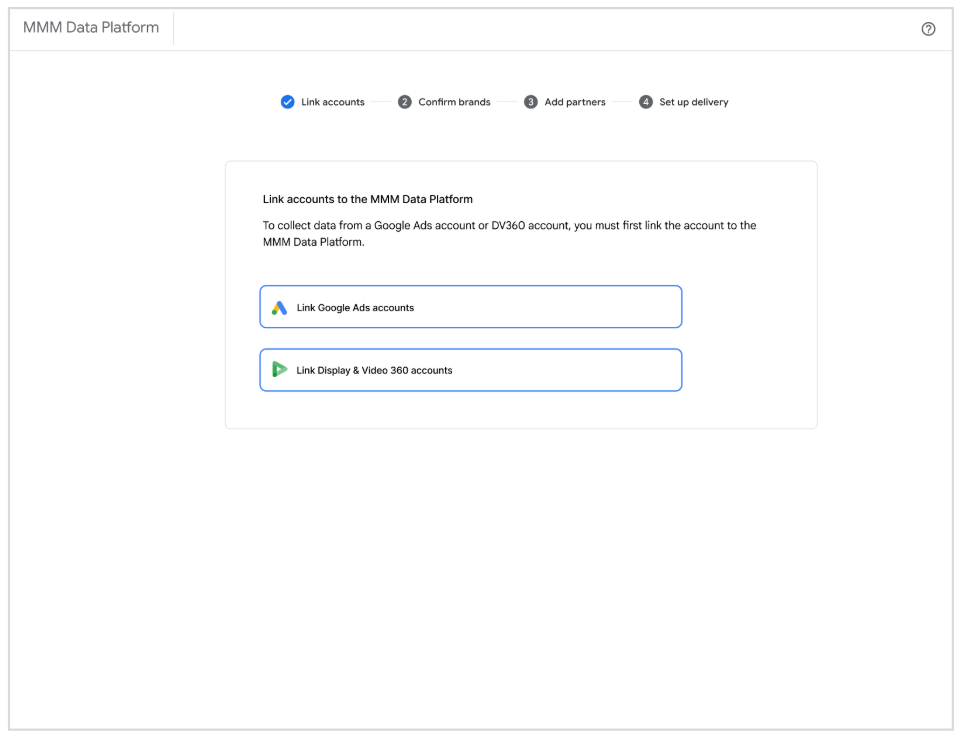
When opening the MMM Data Platform V2 for the first time, users are guided through an interactive onboarding flow to establish secure data connections:
Connect Primary Accounts: Users select whether they want to connect their Google Ads or DV360 accounts.
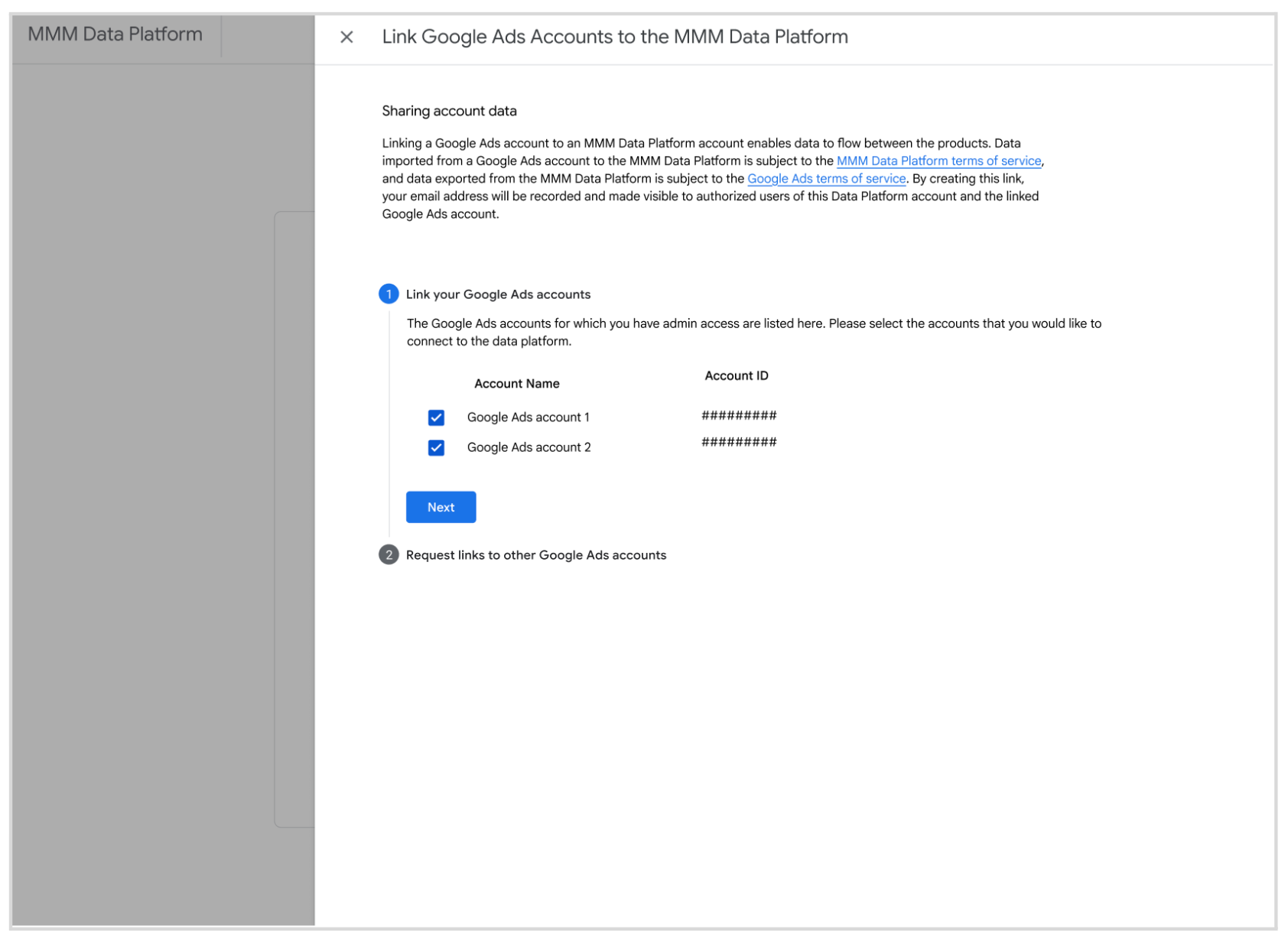
Opt-In Account Selection: Once connected, the UI displays a structured list of all linked accounts and their corresponding Account IDs. Users explicitly opt-in which of these accounts they want to view and gather data for in the platform.
Continuous Automated Data Flow: Once a connection is active, the platform receives a continuous daily data feed directly from Google Ads containing the full list of Ad Groups, Campaigns, and Customer IDs (CIDs), along with their active date ranges and regions.
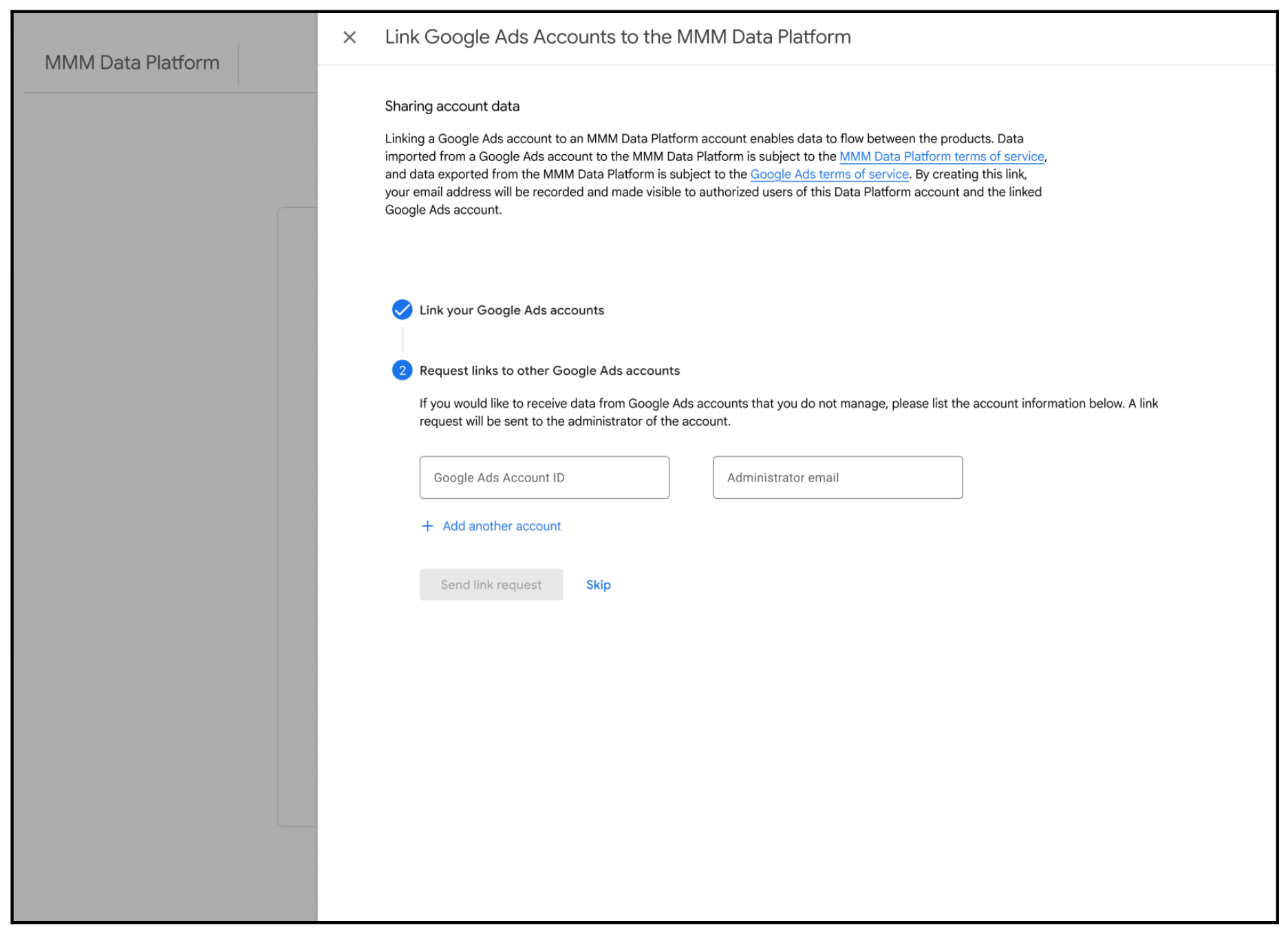
Linking Accounts Not Managed by Your Domain: If a user needs data from accounts they do not directly manage:
- The user enters the target Account IDs and the corresponding Administrator's email address in the platform UI.
- The platform automatically emails a secure linking request containing a direct access link to the administrator.
Upon following the link, the external administrator is presented with a consent screen to authorize sharing. Once accepted, those campaigns instantly appear in the requestor's workspace UI.
Workspace Access Levels & Permissions
V2 enforces three distinct access levels to govern security and administrative capabilities:
- Admin: Empowered to make major operational and configuration decisions.
Admins can:
- Edit direct delivery endpoints (GCP, S3, SFTP credentials).
- Edit API service account configurations.
- Add or remove connected vendors and agencies.
- Perform all standard Writer and Reader capabilities.
- Writer: Empowered to fetch and define modeling datasets. Writers can:
- Connect Google Ads and DV360 accounts to workspaces.
- Fetch data and submit project requests in-UI.
- Perform all standard Reader capabilities.
- Reader: A read-only role designed for broad internal alignment. Readers
can:
- Review data summaries and project history in-UI.
- View the list of all historical data fetches and download previously delivered datasets.