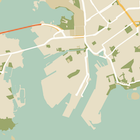
Trang này là hướng dẫn nhanh về cách tạo kiểu cho bản đồ, lấy chế độ ban đêm làm ví dụ.
Tổng quan
Với các lựa chọn về kiểu, bạn có thể tuỳ chỉnh cách trình bày các kiểu bản đồ chuẩn của Google, thay đổi cách hiển thị trực quan của các đối tượng như đường, công viên, doanh nghiệp và các địa điểm yêu thích khác. Điều này có nghĩa là bạn có thể nhấn mạnh các thành phần cụ thể của bản đồ hoặc làm cho bản đồ bổ sung cho kiểu ứng dụng của bạn.
Tính năng tạo kiểu chỉ hoạt động trên loại bản đồ kGMSTypeNormal.
Áp dụng kiểu cho bản đồ
Để áp dụng kiểu bản đồ tuỳ chỉnh cho một bản đồ, hãy gọi GMSMapStyle(...) để tạo một thực thể GMSMapStyle, truyền vào một URL cho tệp JSON cục bộ hoặc một chuỗi JSON chứa các định nghĩa về kiểu. Chỉ định thực thể GMSMapStyle cho thuộc tính mapStyle của bản đồ.
Sử dụng tệp JSON
Các ví dụ sau đây cho thấy cách gọi GMSMapStyle(...) và truyền một URL cho tệp cục bộ:
Swift
importGoogleMapsclassMapStyling:UIViewController{// Set the status bar style to complement night-mode.overridevarpreferredStatusBarStyle:UIStatusBarStyle{return.lightContent}overridefuncloadView(){letcamera=GMSCameraPosition.camera(withLatitude:-33.86,longitude:151.20,zoom:14.0)letmapView=GMSMapView.map(withFrame:CGRect.zero,camera:camera)do{// Set the map style by passing the URL of the local file.ifletstyleURL=Bundle.main.url(forResource:"style",withExtension:"json"){mapView.mapStyle=tryGMSMapStyle(contentsOfFileURL:styleURL)}else{NSLog("Unable to find style.json")}}catch{NSLog("One or more of the map styles failed to load. \(error)")}self.view=mapView}}
Objective-C
#import "MapStyling.h"@importGoogleMaps;@interfaceMapStyling()@end@implementationMapStyling// Set the status bar style to complement night-mode.-(UIStatusBarStyle)preferredStatusBarStyle{returnUIStatusBarStyleLightContent;}-(void)loadView{GMSCameraPosition*camera=[GMSCameraPositioncameraWithLatitude:-33.86longitude:151.20zoom:12];GMSMapView*mapView=[GMSMapViewmapWithFrame:CGRectZerocamera:camera];mapView.myLocationEnabled=YES;NSBundle*mainBundle=[NSBundlemainBundle];NSURL*styleUrl=[mainBundleURLForResource:@"style"withExtension:@"json"];NSError*error;// Set the map style by passing the URL for style.json.GMSMapStyle*style=[GMSMapStylestyleWithContentsOfFileURL:styleUrlerror:&error];if(!style){NSLog(@"The style definition could not be loaded: %@",error);}mapView.mapStyle=style;self.view=mapView;}@end
Để xác định các lựa chọn về kiểu, hãy thêm một tệp mới vào dự án của bạn có tên là style.json, rồi dán khai báo kiểu JSON sau đây để tạo kiểu cho chế độ ban đêm:
Các ví dụ sau đây minh hoạ cách gọi GMSMapStyle(...) và truyền một tài nguyên chuỗi:
Swift
classMapStylingStringResource:UIViewController{letMapStyle="JSON_STYLE_GOES_HERE"// Set the status bar style to complement night-mode.overridevarpreferredStatusBarStyle:UIStatusBarStyle{return.lightContent}overridefuncloadView(){letcamera=GMSCameraPosition.camera(withLatitude:-33.86,longitude:151.20,zoom:14.0)letmapView=GMSMapView.map(withFrame:CGRect.zero,camera:camera)do{// Set the map style by passing a valid JSON string.mapView.mapStyle=tryGMSMapStyle(jsonString:MapStyle)}catch{NSLog("One or more of the map styles failed to load. \(error)")}self.view=mapView}}
Objective-C
@implementationMapStylingStringResource// Paste the JSON string to use.staticNSString*constkMapStyle=@"JSON_STYLE_GOES_HERE";// Set the status bar style to complement night-mode.-(UIStatusBarStyle)preferredStatusBarStyle{returnUIStatusBarStyleLightContent;}-(void)loadView{GMSCameraPosition*camera=[GMSCameraPositioncameraWithLatitude:-33.86longitude:151.20zoom:12];GMSMapView*mapView=[GMSMapViewmapWithFrame:CGRectZerocamera:camera];mapView.myLocationEnabled=YES;NSError*error;// Set the map style by passing a valid JSON string.GMSMapStyle*style=[GMSMapStylestyleWithJSONString:kMapStyleerror:&error];if(!style){NSLog(@"The style definition could not be loaded: %@",error);}mapView.mapStyle=style;self.view=mapView;}@end
Để xác định các lựa chọn về kiểu, hãy dán chuỗi kiểu sau đây làm giá trị của biến kMapStyle:
Bản đồ phong cách riêng sử dụng hai khái niệm để áp dụng màu sắc và các thay đổi khác về kiểu cho bản đồ:
Bộ chọn chỉ định các thành phần địa lý mà bạn có thể tạo kiểu trên bản đồ. Những đối tượng này bao gồm đường, công viên, vùng nước và nhiều đối tượng khác, cũng như nhãn của các đối tượng đó. Bộ chọn bao gồm các đối tượng và các phần tử, được chỉ định dưới dạng các thuộc tính featureType và elementType.
Stylers là các thuộc tính về màu sắc và khả năng hiển thị mà bạn có thể áp dụng cho các phần tử trên bản đồ. Chúng xác định màu hiển thị thông qua sự kết hợp giữa giá trị sắc độ, màu sắc, độ sáng và gamma.
Sử dụng Trình hướng dẫn tạo kiểu cho Nền tảng Maps để nhanh chóng tạo một đối tượng tạo kiểu JSON. SDK bản đồ dành cho iOS hỗ trợ các khai báo kiểu tương tự như Maps JavaScript API.
[[["Dễ hiểu","easyToUnderstand","thumb-up"],["Giúp tôi giải quyết được vấn đề","solvedMyProblem","thumb-up"],["Khác","otherUp","thumb-up"]],[["Thiếu thông tin tôi cần","missingTheInformationINeed","thumb-down"],["Quá phức tạp/quá nhiều bước","tooComplicatedTooManySteps","thumb-down"],["Đã lỗi thời","outOfDate","thumb-down"],["Vấn đề về bản dịch","translationIssue","thumb-down"],["Vấn đề về mẫu/mã","samplesCodeIssue","thumb-down"],["Khác","otherDown","thumb-down"]],["Cập nhật lần gần đây nhất: 2026-07-12 UTC."],[],["To customize map appearance, apply styles to the `kGMSTypeNormal` map type. Utilize `GMSMapStyle` by passing a URL for a local JSON file or a JSON string to the `mapStyle` property. Define styles with selectors (features and elements) and stylers (color, visibility). Create a `style.json` file for night-mode styling with the provided JSON or use a JSON string directly. Consider cloud customization for uniform styling across multiple apps. The Maps Platform Styling Wizard can help generate JSON style objects. Avoid mixing cloud and hardcoded styles.\n"]]