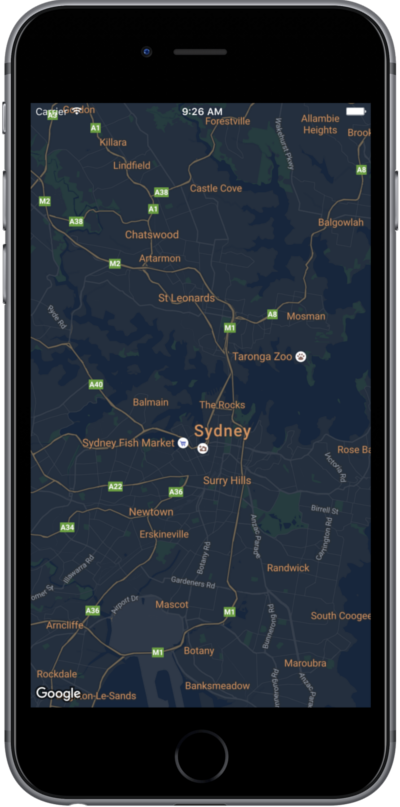
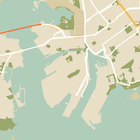
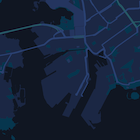
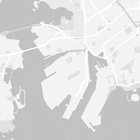
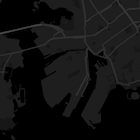
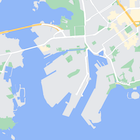
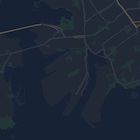
এই পৃষ্ঠাটি আপনার ম্যাপকে স্টাইল করার একটি সংক্ষিপ্ত নির্দেশিকা, যেখানে উদাহরণ হিসেবে নাইট মোড ব্যবহার করা হয়েছে।
সংক্ষিপ্ত বিবরণ
স্টাইল অপশন ব্যবহার করে আপনি স্ট্যান্ডার্ড গুগল ম্যাপের স্টাইলগুলো নিজের মতো করে সাজিয়ে নিতে পারেন এবং রাস্তা, পার্ক, ব্যবসা প্রতিষ্ঠান ও অন্যান্য গুরুত্বপূর্ণ স্থানের মতো ফিচারগুলোর ভিজ্যুয়াল ডিসপ্লে পরিবর্তন করতে পারেন। এর মানে হলো, আপনি ম্যাপের নির্দিষ্ট উপাদানগুলোকে হাইলাইট করতে পারেন অথবা ম্যাপটিকে আপনার অ্যাপের স্টাইলের পরিপূরক করে তুলতে পারেন।
স্টাইলিং শুধুমাত্র kGMSTypeNormal ম্যাপ টাইপের ক্ষেত্রেই কাজ করে।
আপনার মানচিত্রে শৈলী প্রয়োগ করুন
একটি ম্যাপে কাস্টম ম্যাপ স্টাইল প্রয়োগ করতে, একটি স্থানীয় JSON ফাইলের URL অথবা স্টাইল ডেফিনিশন সম্বলিত একটি JSON স্ট্রিং পাস করে GMSMapStyle(...) কল করে একটি GMSMapStyle ইনস্ট্যান্স তৈরি করুন। GMSMapStyle ইনস্ট্যান্সটিকে ম্যাপের mapStyle প্রপার্টিতে অ্যাসাইন করুন।
একটি JSON ফাইল ব্যবহার করুন
নিম্নলিখিত উদাহরণগুলিতে GMSMapStyle(...) কল করা এবং একটি স্থানীয় ফাইলের জন্য URL পাস করা দেখানো হয়েছে:
সুইফট
importGoogleMapsclassMapStyling:UIViewController{// Set the status bar style to complement night-mode.overridevarpreferredStatusBarStyle:UIStatusBarStyle{return.lightContent}overridefuncloadView(){letcamera=GMSCameraPosition.camera(withLatitude:-33.86,longitude:151.20,zoom:14.0)letmapView=GMSMapView.map(withFrame:CGRect.zero,camera:camera)do{// Set the map style by passing the URL of the local file.ifletstyleURL=Bundle.main.url(forResource:"style",withExtension:"json"){mapView.mapStyle=tryGMSMapStyle(contentsOfFileURL:styleURL)}else{NSLog("Unable to find style.json")}}catch{NSLog("One or more of the map styles failed to load. \(error)")}self.view=mapView}}
উদ্দেশ্য-সি
#import "MapStyling.h"@importGoogleMaps;@interfaceMapStyling()@end@implementationMapStyling// Set the status bar style to complement night-mode.-(UIStatusBarStyle)preferredStatusBarStyle{returnUIStatusBarStyleLightContent;}-(void)loadView{GMSCameraPosition*camera=[GMSCameraPositioncameraWithLatitude:-33.86longitude:151.20zoom:12];GMSMapView*mapView=[GMSMapViewmapWithFrame:CGRectZerocamera:camera];mapView.myLocationEnabled=YES;NSBundle*mainBundle=[NSBundlemainBundle];NSURL*styleUrl=[mainBundleURLForResource:@"style"withExtension:@"json"];NSError*error;// Set the map style by passing the URL for style.json.GMSMapStyle*style=[GMSMapStylestyleWithContentsOfFileURL:styleUrlerror:&error];if(!style){NSLog(@"The style definition could not be loaded: %@",error);}mapView.mapStyle=style;self.view=mapView;}@end
স্টাইল অপশনগুলো নির্ধারণ করতে, আপনার প্রজেক্টে style.json নামে একটি নতুন ফাইল যোগ করুন এবং নাইট-মোড স্টাইলিংয়ের জন্য নিম্নলিখিত JSON স্টাইল ডিক্লারেশনটি পেস্ট করুন:
নিম্নলিখিত উদাহরণগুলিতে GMSMapStyle(...) কল করা এবং একটি স্ট্রিং রিসোর্স পাস করা দেখানো হয়েছে:
সুইফট
classMapStylingStringResource:UIViewController{letMapStyle="JSON_STYLE_GOES_HERE"// Set the status bar style to complement night-mode.overridevarpreferredStatusBarStyle:UIStatusBarStyle{return.lightContent}overridefuncloadView(){letcamera=GMSCameraPosition.camera(withLatitude:-33.86,longitude:151.20,zoom:14.0)letmapView=GMSMapView.map(withFrame:CGRect.zero,camera:camera)do{// Set the map style by passing a valid JSON string.mapView.mapStyle=tryGMSMapStyle(jsonString:MapStyle)}catch{NSLog("One or more of the map styles failed to load. \(error)")}self.view=mapView}}
উদ্দেশ্য-সি
@implementationMapStylingStringResource// Paste the JSON string to use.staticNSString*constkMapStyle=@"JSON_STYLE_GOES_HERE";// Set the status bar style to complement night-mode.-(UIStatusBarStyle)preferredStatusBarStyle{returnUIStatusBarStyleLightContent;}-(void)loadView{GMSCameraPosition*camera=[GMSCameraPositioncameraWithLatitude:-33.86longitude:151.20zoom:12];GMSMapView*mapView=[GMSMapViewmapWithFrame:CGRectZerocamera:camera];mapView.myLocationEnabled=YES;NSError*error;// Set the map style by passing a valid JSON string.GMSMapStyle*style=[GMSMapStylestyleWithJSONString:kMapStyleerror:&error];if(!style){NSLog(@"The style definition could not be loaded: %@",error);}mapView.mapStyle=style;self.view=mapView;}@end
স্টাইল অপশনগুলো নির্ধারণ করতে, নিম্নলিখিত স্টাইল স্ট্রিংটি kMapStyle ভেরিয়েবলের মান হিসেবে পেস্ট করুন:
একটি ম্যাপে রঙ এবং অন্যান্য স্টাইল পরিবর্তন প্রয়োগ করতে স্টাইলড ম্যাপ দুটি ধারণা ব্যবহার করে:
সিলেক্টরগুলো মানচিত্রে স্টাইল করা যায় এমন ভৌগোলিক উপাদানগুলোকে নির্দিষ্ট করে। এর মধ্যে রয়েছে রাস্তা, পার্ক, জলাশয় এবং আরও অনেক কিছু, সেইসাথে সেগুলোর লেবেলও। সিলেক্টরগুলোর মধ্যে ফিচার এবং এলিমেন্ট অন্তর্ভুক্ত থাকে, যেগুলোকে featureType এবং elementType প্রপার্টি হিসেবে নির্দিষ্ট করা হয়।
স্টাইলার হলো রঙ এবং দৃশ্যমানতার বৈশিষ্ট্য যা আপনি ম্যাপের উপাদানগুলিতে প্রয়োগ করতে পারেন। এগুলি হিউ, কালার, লাইটনেস এবং গামা মানের সমন্বয়ের মাধ্যমে প্রদর্শিত রঙ নির্ধারণ করে।
JSON স্টাইলিং অপশনগুলোর বিস্তারিত বিবরণের জন্য স্টাইল রেফারেন্স দেখুন।
একটি JSON স্টাইলিং অবজেক্ট দ্রুত তৈরি করার জন্য ম্যাপস প্ল্যাটফর্ম স্টাইলিং উইজার্ড ব্যবহার করুন। iOS-এর জন্য ম্যাপস SDK, ম্যাপস জাভাস্ক্রিপ্ট API-এর মতোই একই স্টাইল ডিক্লারেশন সমর্থন করে।
[[["সহজে বোঝা যায়","easyToUnderstand","thumb-up"],["আমার সমস্যার সমাধান হয়েছে","solvedMyProblem","thumb-up"],["অন্যান্য","otherUp","thumb-up"]],[["এতে আমার প্রয়োজনীয় তথ্য নেই","missingTheInformationINeed","thumb-down"],["খুব জটিল / অনেক ধাপ","tooComplicatedTooManySteps","thumb-down"],["পুরনো","outOfDate","thumb-down"],["অনুবাদ সংক্রান্ত সমস্যা","translationIssue","thumb-down"],["নমুনা / কোড সংক্রান্ত সমস্যা","samplesCodeIssue","thumb-down"],["অন্যান্য","otherDown","thumb-down"]],["2026-06-19 UTC-তে শেষবার আপডেট করা হয়েছে।"],[],["To customize map appearance, apply styles to the `kGMSTypeNormal` map type. Utilize `GMSMapStyle` by passing a URL for a local JSON file or a JSON string to the `mapStyle` property. Define styles with selectors (features and elements) and stylers (color, visibility). Create a `style.json` file for night-mode styling with the provided JSON or use a JSON string directly. Consider cloud customization for uniform styling across multiple apps. The Maps Platform Styling Wizard can help generate JSON style objects. Avoid mixing cloud and hardcoded styles.\n"]]