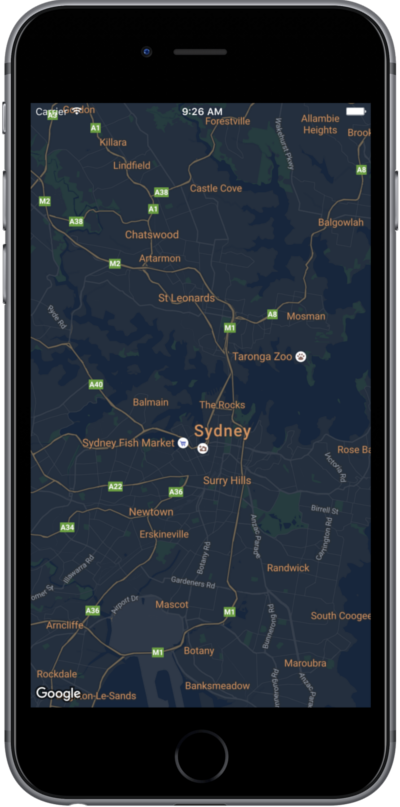
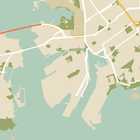
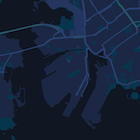
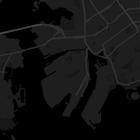
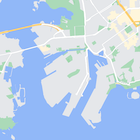
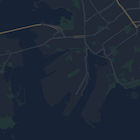
Bu sayfa, gece modunu örnek olarak kullanarak haritanızı nasıl stillendireceğinizi gösteren kısa bir kılavuzdur.
Genel Bakış
Stil seçenekleriyle standart Google harita stillerinin sunumunu özelleştirebilir, yollar, parklar, işletmeler ve diğer önemli yerler gibi özelliklerin görsel görünümünü değiştirebilirsiniz. Bu sayede, haritanın belirli bileşenlerini vurgulayabilir veya haritanın uygulamanızın stilini tamamlamasını sağlayabilirsiniz.
Stil oluşturma yalnızca kGMSTypeNormal harita türünde çalışır.
Haritanıza stil uygulama
Özel harita stillerini bir haritaya uygulamak için GMSMapStyle(...) yöntemini çağırarak bir GMSMapStyle örneği oluşturun ve yerel bir JSON dosyasının URL'sini veya stil tanımlarını içeren bir JSON dizesini iletin. GMSMapStyle örneğini haritanın mapStyle özelliğine atayın.
JSON dosyası kullanma
Aşağıdaki örneklerde, GMSMapStyle(...) işlevinin nasıl çağrılacağı ve yerel bir dosyanın URL'sinin nasıl iletileceği gösterilmektedir:
Swift
importGoogleMapsclassMapStyling:UIViewController{// Set the status bar style to complement night-mode.overridevarpreferredStatusBarStyle:UIStatusBarStyle{return.lightContent}overridefuncloadView(){letcamera=GMSCameraPosition.camera(withLatitude:-33.86,longitude:151.20,zoom:14.0)letoptions=GMSMapViewOptions()options.camera=cameraletmapView=GMSMapView(options:options)do{// Set the map style by passing the URL of the local file.ifletstyleURL=Bundle.main.url(forResource:"style",withExtension:"json"){mapView.mapStyle=tryGMSMapStyle(contentsOfFileURL:styleURL)}else{NSLog("Unable to find style.json")}}catch{NSLog("One or more of the map styles failed to load. \(error)")}self.view=mapView}}
Objective-C
#import "MapStyling.h"@importGoogleMaps;@interfaceMapStyling()@end@implementationMapStyling// Set the status bar style to complement night-mode.-(UIStatusBarStyle)preferredStatusBarStyle{returnUIStatusBarStyleLightContent;}-(void)loadView{GMSCameraPosition*camera=[GMSCameraPositioncameraWithLatitude:-33.86longitude:151.20zoom:12];GMSMapViewOptions*options=[[GMSMapViewOptionsalloc]init];options.camera=camera;GMSMapView*mapView=[[GMSMapViewalloc]initWithOptions:options];mapView.myLocationEnabled=YES;NSBundle*mainBundle=[NSBundlemainBundle];NSURL*styleUrl=[mainBundleURLForResource:@"style"withExtension:@"json"];NSError*error;// Set the map style by passing the URL for style.json.GMSMapStyle*style=[GMSMapStylestyleWithContentsOfFileURL:styleUrlerror:&error];if(!style){NSLog(@"The style definition could not be loaded: %@",error);}mapView.mapStyle=style;self.view=mapView;}@end
Stil seçeneklerini tanımlamak için projenize style.json adlı yeni bir dosya ekleyin ve gece modu stili için aşağıdaki JSON stil beyanını yapıştırın:
Aşağıdaki örneklerde GMSMapStyle(...) yönteminin çağrılması ve bir dize kaynağının iletilmesi gösterilmektedir:
Swift
classMapStylingStringResource:UIViewController{letMapStyle="JSON_STYLE_GOES_HERE"// Set the status bar style to complement night-mode.overridevarpreferredStatusBarStyle:UIStatusBarStyle{return.lightContent}overridefuncloadView(){letcamera=GMSCameraPosition.camera(withLatitude:-33.86,longitude:151.20,zoom:14.0)letoptions=GMSMapViewOptions()options.camera=cameraletmapView=GMSMapView(options:options)do{// Set the map style by passing a valid JSON string.mapView.mapStyle=tryGMSMapStyle(jsonString:MapStyle)}catch{NSLog("One or more of the map styles failed to load. \(error)")}self.view=mapView}}
Objective-C
@implementationMapStylingStringResource// Paste the JSON string to use.staticNSString*constkMapStyle=@"JSON_STYLE_GOES_HERE";// Set the status bar style to complement night-mode.-(UIStatusBarStyle)preferredStatusBarStyle{returnUIStatusBarStyleLightContent;}-(void)loadView{GMSCameraPosition*camera=[GMSCameraPositioncameraWithLatitude:-33.86longitude:151.20zoom:12];GMSMapViewOptions*options=[[GMSMapViewOptionsalloc]init];options.camera=camera;GMSMapView*mapView=[[GMSMapViewalloc]initWithOptions:options];mapView.myLocationEnabled=YES;NSError*error;// Set the map style by passing a valid JSON string.GMSMapStyle*style=[GMSMapStylestyleWithJSONString:kMapStyleerror:&error];if(!style){NSLog(@"The style definition could not be loaded: %@",error);}mapView.mapStyle=style;self.view=mapView;}@end
Stil seçeneklerini tanımlamak için aşağıdaki stil dizesini kMapStyle değişkeninin değeri olarak yapıştırın:
Stil özellikli haritalar, haritaya renk ve diğer stil değişikliklerini uygulamak için iki kavram kullanır:
Seçiciler, haritada stilini belirleyebileceğiniz coğrafi bileşenleri belirtir. Bunlar arasında yollar, parklar, su kütleleri ve daha fazlasının yanı sıra bunların etiketleri de yer alır. Seçiciler, featureType ve elementType özellikleri olarak belirtilen özellikleri ve öğeleri içerir.
Stil oluşturucular, harita öğelerine uygulayabileceğiniz renk ve görünürlük özellikleridir. Bu değerler; renk tonu, renk, parlaklık ve gama değerlerinin bir kombinasyonu aracılığıyla görüntülenen rengi tanımlar.
JSON stil seçeneklerinin ayrıntılı açıklaması için stil referansına bakın.
JSON stil nesnesi oluşturmanın hızlı bir yolu olarak Maps Platform Stil Kılavuzu'nu kullanın. iOS için Haritalar SDK'sı, Maps JavaScript API ile aynı stil bildirimlerini destekler.
Tam kod örnekleri
GitHub'daki ApiDemos deposu, stil kullanımını gösteren örnekler içerir.
[[["Anlaması kolay","easyToUnderstand","thumb-up"],["Sorunumu çözdü","solvedMyProblem","thumb-up"],["Diğer","otherUp","thumb-up"]],[["İhtiyacım olan bilgiler yok","missingTheInformationINeed","thumb-down"],["Çok karmaşık / çok fazla adım var","tooComplicatedTooManySteps","thumb-down"],["Güncel değil","outOfDate","thumb-down"],["Çeviri sorunu","translationIssue","thumb-down"],["Örnek veya kod sorunu","samplesCodeIssue","thumb-down"],["Diğer","otherDown","thumb-down"]],["Son güncelleme tarihi: 2026-10-16 UTC."],[],["To customize map appearance, apply styles to the `kGMSTypeNormal` map type. Utilize `GMSMapStyle` by passing a URL for a local JSON file or a JSON string to the `mapStyle` property. Define styles with selectors (features and elements) and stylers (color, visibility). Create a `style.json` file for night-mode styling with the provided JSON or use a JSON string directly. Consider cloud customization for uniform styling across multiple apps. The Maps Platform Styling Wizard can help generate JSON style objects. Avoid mixing cloud and hardcoded styles.\n"]]