

นอกจากจะเปลี่ยนรูปแบบขององค์ประกอบบนแผนที่ได้แล้ว คุณยังซ่อนองค์ประกอบทั้งหมดได้ด้วย ตัวอย่างนี้แสดงวิธีซ่อนจุดที่น่าสนใจ (POI) ของธุรกิจและไอคอนขนส่งสาธารณะในแผนที่
การจัดรูปแบบใช้ได้กับแผนที่ประเภท kGMSTypeNormal เท่านั้น
กำลังใช้รูปแบบกับแผนที่
หากต้องการใช้รูปแบบแผนที่แบบกำหนดเองกับแผนที่ ให้เรียกใช้ GMSMapStyle(...) เพื่อสร้างอินสแตนซ์ GMSMapStyle โดยส่ง URL สำหรับไฟล์ JSON ในเครื่อง หรือสตริง JSON ที่มีคำจำกัดความของรูปแบบ กำหนดอินสแตนซ์ GMSMapStyle ให้กับพร็อพเพอร์ตี้ mapStyle ของแผนที่
การใช้ไฟล์ JSON
ตัวอย่างต่อไปนี้แสดงการเรียก GMSMapStyle(...) และส่ง URL สำหรับไฟล์ในเครื่อง
ตัวอย่างโค้ดต่อไปนี้ถือว่าโปรเจ็กต์ของคุณมีไฟล์ชื่อ style.json
Swift
import GoogleMaps

class MapStyling: UIViewController {

  // Set the status bar style to complement night-mode.
  override var preferredStatusBarStyle: UIStatusBarStyle {
    return .lightContent
  }

  override func loadView() {
    let camera = GMSCameraPosition.camera(withLatitude: -33.86, longitude: 151.20, zoom: 14.0)
    let options = GMSMapViewOptions()
    options.camera = camera
    let mapView = GMSMapView(options: options)

    do {
      // Set the map style by passing the URL of the local file.
      if let styleURL = Bundle.main.url(forResource: "style", withExtension: "json") {
        mapView.mapStyle = try GMSMapStyle(contentsOfFileURL: styleURL)
      } else {
        NSLog("Unable to find style.json")
      }
    } catch {
      NSLog("One or more of the map styles failed to load. \(error)")
    }

    self.view = mapView
  }
}
Objective-C
#import "MapStyling.h"
@import GoogleMaps;

@interface MapStyling ()

@end

@implementation MapStyling

// Set the status bar style to complement night-mode.
- (UIStatusBarStyle)preferredStatusBarStyle {
  return UIStatusBarStyleLightContent;
}

- (void)loadView {
  GMSCameraPosition *camera = [GMSCameraPosition cameraWithLatitude:-33.86
                                                          longitude:151.20
                                                               zoom:12];
  GMSMapViewOptions *options = [[GMSMapViewOptions alloc] init];
  options.camera = camera;
  GMSMapView *mapView = [[GMSMapView alloc] initWithOptions:options];
  mapView.myLocationEnabled = YES;

  NSBundle *mainBundle = [NSBundle mainBundle];
  NSURL *styleUrl = [mainBundle URLForResource:@"style" withExtension:@"json"];
  NSError *error;

  // Set the map style by passing the URL for style.json.
  GMSMapStyle *style = [GMSMapStyle styleWithContentsOfFileURL:styleUrl error:&error];

  if (!style) {
    NSLog(@"The style definition could not be loaded: %@", error);
  }

  mapView.mapStyle = style;
  self.view = mapView;
}

@end
หากต้องการกำหนดตัวเลือกสไตล์ ให้เพิ่มไฟล์ใหม่ลงในโปรเจ็กต์ชื่อ style.json แล้ววางการประกาศสไตล์ JSON ต่อไปนี้เพื่อซ่อนจุดที่น่าสนใจ (POI) ของธุรกิจและไอคอนขนส่งสาธารณะ
การใช้ทรัพยากรสตริง
ตัวอย่างต่อไปนี้แสดงการเรียก GMSMapStyle() และการส่งทรัพยากรสตริง
Swift
class MapStylingStringResource: UIViewController {

  let MapStyle = "JSON_STYLE_GOES_HERE"

  // Set the status bar style to complement night-mode.
  override var preferredStatusBarStyle: UIStatusBarStyle {
    return .lightContent
  }

  override func loadView() {
    let camera = GMSCameraPosition.camera(withLatitude: -33.86, longitude: 151.20, zoom: 14.0)
    let options = GMSMapViewOptions()
    options.camera = camera
    let mapView = GMSMapView(options: options)

    do {
      // Set the map style by passing a valid JSON string.
      mapView.mapStyle = try GMSMapStyle(jsonString: MapStyle)
    } catch {
      NSLog("One or more of the map styles failed to load. \(error)")
    }

    self.view = mapView
  }
}
Objective-C
@implementation MapStylingStringResource

// Paste the JSON string to use.
static NSString *const kMapStyle = @"JSON_STYLE_GOES_HERE";

// Set the status bar style to complement night-mode.
- (UIStatusBarStyle)preferredStatusBarStyle {
  return UIStatusBarStyleLightContent;
}

- (void)loadView {
  GMSCameraPosition *camera = [GMSCameraPosition cameraWithLatitude:-33.86
                                                          longitude:151.20
                                                               zoom:12];
  GMSMapViewOptions *options = [[GMSMapViewOptions alloc] init];
  options.camera = camera;
  GMSMapView *mapView = [[GMSMapView alloc] initWithOptions:options];
  mapView.myLocationEnabled = YES;

  NSError *error;

  // Set the map style by passing a valid JSON string.
  GMSMapStyle *style = [GMSMapStyle styleWithJSONString:kMapStyle error:&error];

  if (!style) {
    NSLog(@"The style definition could not be loaded: %@", error);
  }

  mapView.mapStyle = style;
  self.view = mapView;
}

@end
การประกาศสไตล์ต่อไปนี้จะซ่อนจุดที่น่าสนใจ (POI) ของธุรกิจและไอคอนขนส่งสาธารณะ วางสตริงสไตล์ต่อไปนี้เป็นค่าของตัวแปร kMapStyle
การประกาศสไตล์ JSON
แผนที่สไตล์คุณใช้แนวคิด 2 อย่างในการใช้สีและการเปลี่ยนแปลงสไตล์อื่นๆ กับแผนที่ ได้แก่
- ตัวเลือกจะระบุองค์ประกอบทางภูมิศาสตร์ที่คุณสามารถจัดสไตล์บนแผนที่ได้ ซึ่งรวมถึงถนน สวนสาธารณะ แหล่งน้ำ และอื่นๆ ตลอดจนป้ายกำกับของสิ่งเหล่านี้ ตัวเลือกประกอบด้วยฟีเจอร์และองค์ประกอบ ซึ่งระบุเป็นพร็อพเพอร์ตี้
featureTypeและelementType - สไตเลอร์คือพร็อพเพอร์ตี้สีและการแสดงผลที่คุณใช้กับองค์ประกอบแผนที่ได้ โดยจะกำหนดสีที่แสดงผ่านการผสมผสานระหว่างค่าโทนสี สี และความสว่าง/แกมมา
ดูคำอธิบายโดยละเอียดเกี่ยวกับตัวเลือกการจัดรูปแบบ JSON ได้ที่ข้อมูลอ้างอิงเกี่ยวกับรูปแบบ
วิซาร์ดการจัดรูปแบบของ Maps Platform



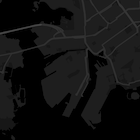


ใช้วิซาร์ดการจัดรูปแบบของ Maps Platform เป็นวิธีที่รวดเร็วในการสร้างออบเจ็กต์การจัดรูปแบบ JSON Maps SDK สำหรับ iOS รองรับการประกาศรูปแบบเดียวกันกับ Maps JavaScript API
ตัวอย่างโค้ดแบบเต็ม
ที่เก็บ ApiDemos ใน GitHub มีตัวอย่างที่สาธิตการใช้การจัดรูปแบบ