

如要設定界線多邊形的填滿和筆劃樣式,請使用樣式閉包,接受 GMSPlaceFeature 並傳回 GMSFeatureStyle,藉此定義樣式屬性。然後將樣式屬性設為樣式閉包,其中包含樣式邏輯。
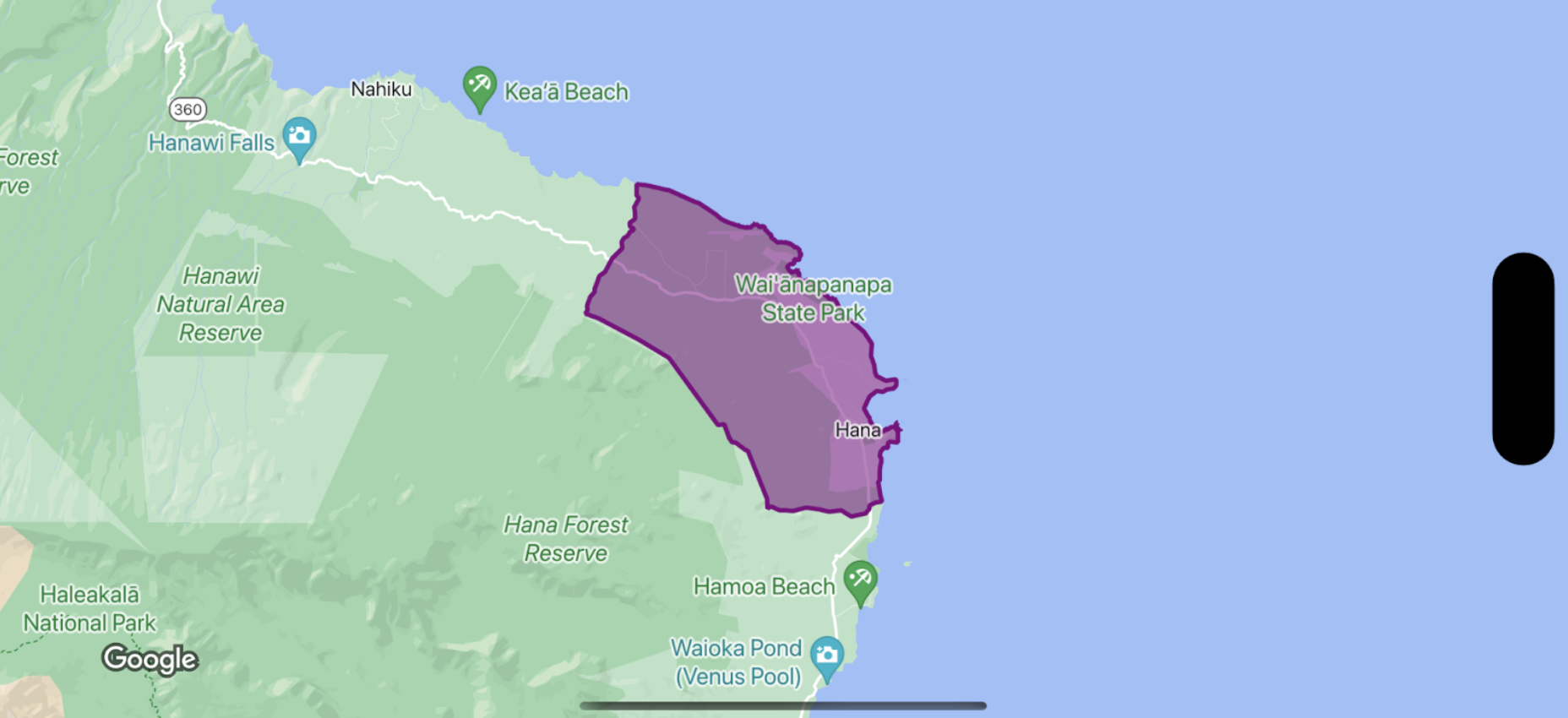
Swift
let options = GMSMapViewOptions()
options.mapID = GMSMapID(identifier: "YOUR_MAP_ID")
options.camera = GMSCameraPosition(latitude: 20.773, longitude: -156.01, zoom: 12)
let mapView = GMSMapView(options: options)

let layer = mapView.featureLayer(of: .locality)

// Define a style with purple
let style = FeatureStyle(fill: .purple.withAlphaComponent(0.5), stroke: .purple, strokeWidth: 3.0)

// Apply the style to a single boundary.
layer.style = { ($0.placeID == "ChIJ0zQtYiWsVHkRk8lRoB1RNPo"/* Hana, HI */) ? style : nil }
Objective-C
GMSMapViewOptions *options = [[GMSMapViewOptions alloc] init];
options.camera = [GMSCameraPosition cameraWithLatitude:20.773 longitude:-156.01 zoom:12];
options.mapID = [GMSMapID mapIDWithIdentifier:@"MAP_ID"];
GMSMapView *mapView = [[GMSMapView alloc] initWithOptions:options];

GMSFeatureLayer<GMSPlaceFeature *> *layer = [mapView featureLayerOfFeatureType:GMSFeatureTypeLocality];

// Define a style with purple fill and border.
GMSFeatureStyle *style = [GMSFeatureStyle styleWithFillColor:[[UIColor purpleColor] colorWithAlphaComponent:0.5] strokeColor:[UIColor purpleColor] strokeWidth:3.0];

// Apply the style to a single boundary.
layer.style = ^(GMSPlaceFeature *feature) {
  return [feature.placeID isEqual:@"ChIJ0zQtYiWsVHkRk8lRoB1RNPo"/* Hana, HI */] ? style : nil;
};