

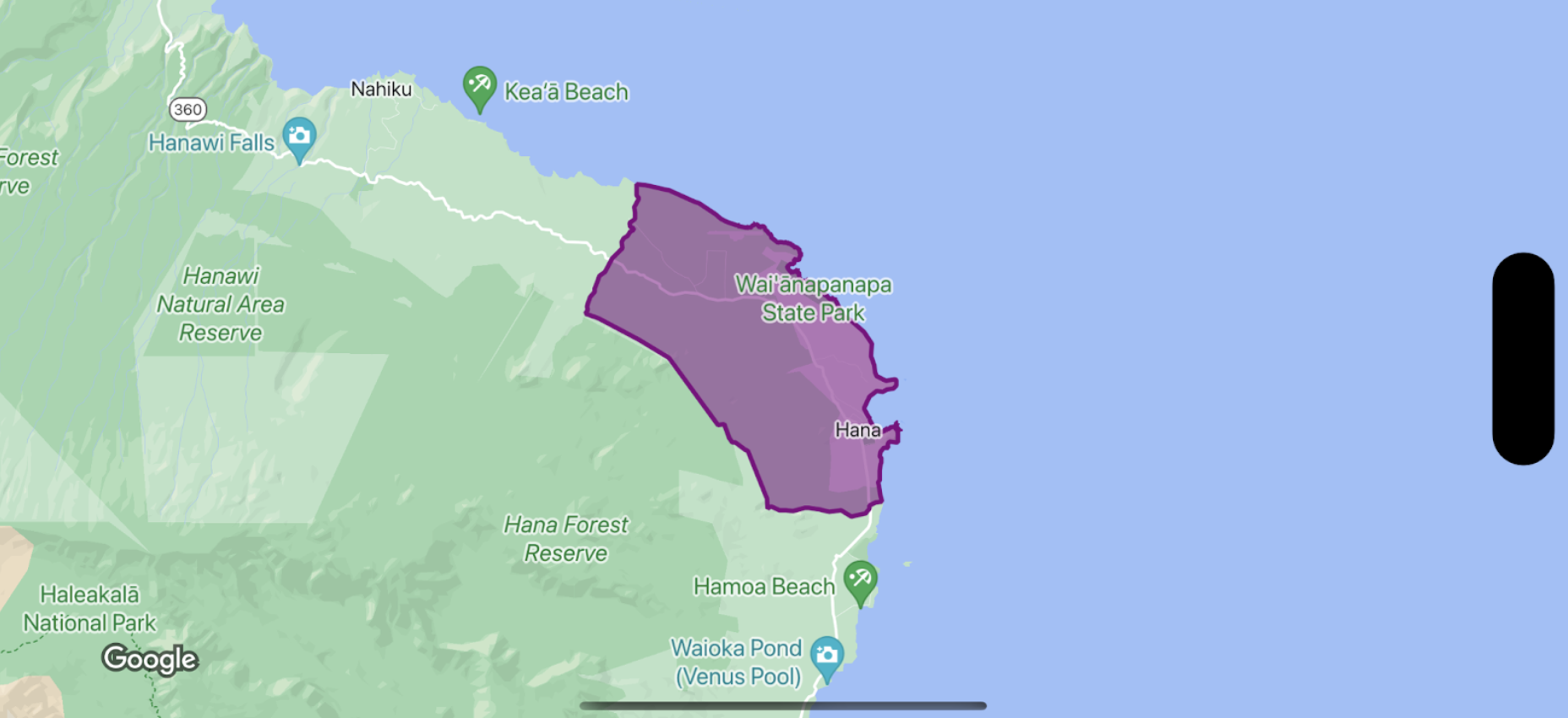
একটি সীমানা বহুভুজের জন্য ফিল এবং স্ট্রোকের স্টাইল করতে, একটি স্টাইলিং ক্লোজার ব্যবহার করুন যা একটি GMSPlaceFeature গ্রহণ করে এবং শৈলী বৈশিষ্ট্যগুলি সংজ্ঞায়িত করতে একটি GMSFeatureStyle প্রদান করে। তারপর শৈলী বৈশিষ্ট্য একটি স্টাইলিং ক্লোজার সেট করুন, যা স্টাইলিং যুক্তি ধারণ করে।
সুইফট
let mapView = GMSMapView(frame: .zero, mapID: GMSMapID(identifier: "YOUR_MAP_ID"), camera: GMSCameraPosition(latitude: 20.773, longitude: -156.01, zoom: 12))

let layer = mapView.featureLayer(of: .locality)

// Define a style with purple
let style = FeatureStyle(fill: .purple.withAlphaComponent(0.5), stroke: .purple, strokeWidth: 3.0)

// Apply the style to a single boundary.
layer.style = { ($0.placeID == "ChIJ0zQtYiWsVHkRk8lRoB1RNPo"/* Hana, HI */) ? style : nil }
উদ্দেশ্য-C
GMSMapView *mapView = [GMSMapView mapWithFrame:CGRectZero mapID:[GMSMapID mapIDWithIdentifier:@"MAP_ID"] camera:[GMSCameraPosition cameraWithLatitude: 20.773 longitude: -156.01 zoom:12]];

GMSFeatureLayer<GMSPlaceFeature *> *layer = [mapView featureLayerOfFeatureType:GMSFeatureTypeLocality];

// Define a style with purple fill and border.
GMSFeatureStyle *style = [GMSFeatureStyle styleWithFillColor:[[UIColor purpleColor] colorWithAlphaComponent:0.5] strokeColor:[UIColor purpleColor] strokeWidth:3.0];

// Apply the style to a single boundary.
layer.style = ^(GMSPlaceFeature *feature) {
  return [feature.placeID isEqual:@"ChIJ0zQtYiWsVHkRk8lRoB1RNPo"/* Hana, HI */] ? style : nil;
};