ב-Earth Engine הוספנו רמות מכסת שימוש לא מסחרי כדי להגן על משאבי מחשוב משותפים ולספק ביצועים מהימנים לכולם. בפרויקטים לא מסחריים נעשה שימוש במסלול Community כברירת מחדל, אבל אפשר לשנות את המסלול של הפרויקט בכל שלב.
Google משתמשת בטכנולוגיית AI כדי לתרגם תוכן לשפה המועדפת עליך. בתרגומים כאלו עשויות להיות שגיאות.
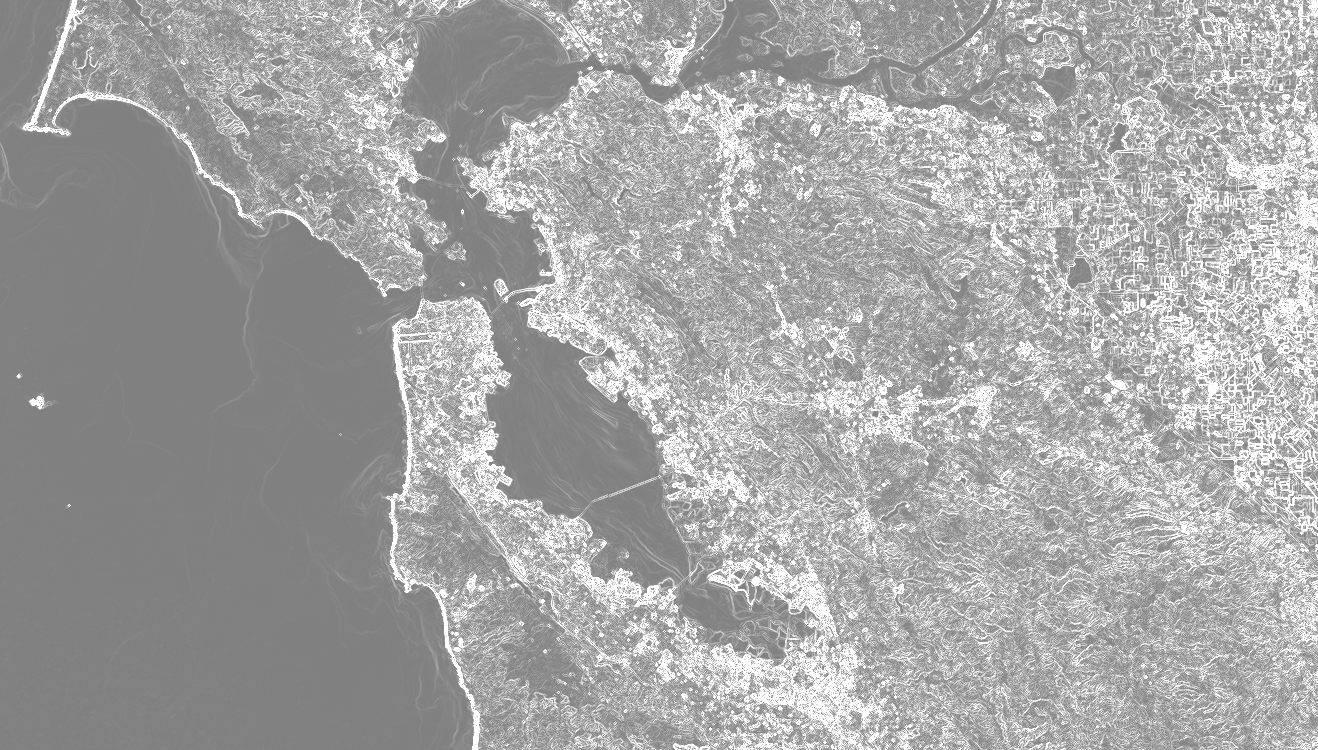
שימו לב ש-gradient() מניב שתי רצועות: שיפוע בכיוון X ושיפוע בכיוון Y. כפי שמוצג בדוגמה, אפשר לשלב את שני הכיוונים כדי לקבל את עוצמת השיפוע ואת הכיוון שלו. העוצמה אמורה להיראות בערך כמו באיור 1.
איור 1. עוצמת שיפוע פנוכרומטי של תמונות Landsat 8 מעל אזור מפרץ סן פרנסיסקו, קליפורניה, ארה"ב.
[[["התוכן קל להבנה","easyToUnderstand","thumb-up"],["התוכן עזר לי לפתור בעיה","solvedMyProblem","thumb-up"],["סיבה אחרת","otherUp","thumb-up"]],[["חסרים לי מידע או פרטים","missingTheInformationINeed","thumb-down"],["התוכן מורכב מדי או עם יותר מדי שלבים","tooComplicatedTooManySteps","thumb-down"],["התוכן לא עדכני","outOfDate","thumb-down"],["בעיה בתרגום","translationIssue","thumb-down"],["בעיה בדוגמאות/בקוד","samplesCodeIssue","thumb-down"],["סיבה אחרת","otherDown","thumb-down"]],["עדכון אחרון: 2025-07-25 (שעון UTC)."],[],["The `image.gradient()` function computes the gradient of each image band, outputting X and Y-direction gradients. The example loads a Landsat 8 panchromatic band image, calculates the X and Y gradients, then determines the gradient's magnitude by combining the squared X and Y values and the gradient's direction using `atan2` function. Finally, it displays the gradient and its direction, centered on San Francisco. The image gradient magnitude is then illustrated.\n"]]