
RCS for Business 代理程式透過傳送和接收訊息與使用者進行通訊。若要向使用者傳送訊息,您的代理程式會向 RCS Business Messaging API 發送訊息請求。單一請求可以包含文字、富媒體卡片、媒體和 PDF 文件、建議回覆以及建議操作。
RCS for Business 平台在某些情況下會傳回錯誤訊息,以協助您管理訊息傳遞:
- 如果您向裝置不支援 RCS 或未啟用 RCS 的使用者傳送訊息,RCS for Business 平台將傳回 404 NOT_FOUND 錯誤。在這種情況下,您可以嘗試透過基礎架構中定義的備用方法聯絡該使用者。
- 如果您向尚未啟動代理程式的網路上的 RCS 使用者傳送訊息,或向尚未啟用 RCS 流量的網路上的 RCS 使用者傳送訊息,則 RCS for Business 平台將傳回 404 NOT_FOUND 錯誤。
- 如果您傳送的訊息包含使用者裝置不支援的功能,RCS for Business 平台將傳回 400 INVALID_ARGUMENT 錯誤,並且不會傳送您的訊息。
作為多通路訊息傳遞策略的一部分,最好撤回在合理時間內未送達的訊息,並透過其他管道重新發送。若要設定訊息過期時間並自動撤回訊息,請設定訊息過期時間。
收件人已離線
即使收件者離線,RCS for Business 平台仍會接收訊息並進行投遞。您將收到 200 OK 回應,RCS for Business 平台會將該訊息保留 30 天並嘗試重新投遞。您無需請求 RCS for Business 再次傳送訊息。
RCS for Business 會在郵件提交 30 天後刪除所有未送達的郵件。
根據您代理的使用場景,您可能需要在 30 天超時期限之前撤回未送達的訊息。撤回訊息可防止離線使用者在重新上線時收到過期的訊息。撤回訊息有多種方法:
設定訊息過期時間
您的客服人員發送的訊息是否有時效性?例如,一次性密碼 (OTP) 的有效期限很短,限時優惠也會過期,預約提醒在預約日期過後就失去了意義。為了確保訊息的及時性和相關性,請設定訊息過期時間。這樣可以防止離線用戶在重新上線後收到過時的內容。此外,訊息過期也是觸發備用訊息策略的好時機,確保用戶能夠及時取得所需資訊。
若要設定訊息過期時間,請在代理訊息中指定下列欄位之一:
-
expireTime:訊息過期的確切 UTC 時間。 -
ttl(生存時間):郵件過期前的時間。
有關格式和值選項,請參閱AgentMessage 。
ttl和expireTime的最大值為訊息提交後15 天。
雖然ttl和expireTime沒有最小值,但建議在訊息提交後至少等待10 秒,以顯著降低收到撤銷和送達通知的幾率。
訊息的生存時間 (TTL)
設定 RCS for Business 訊息的 TTL(生存時間)時,您可以指定訊息的有效送達時長。如果訊息在 TTL 期限內未能成功送達使用者設備,RCS for Business 平台會自動嘗試撤銷該訊息。
發起訊息撤銷操作時,您要求 RCS for Business 平台停止嘗試傳送該特定訊息。但是,此操作僅影響未來的發送嘗試。如果使用者的裝置已成功接收該訊息,則該訊息正在處理中,RCS for Business 平台無法從使用者的裝置上撤銷該訊息。
以下是關於通知的預期內容:
訊息在 TTL 到期前送達:如果用戶裝置上線並在 TTL 到期前收到訊息,您將收到
DELIVERED通知。由於訊息已成功送達,因此不會發送撤銷通知。這是最常見且符合預期的情況。訊息未在 TTL 過期前送達:如果訊息在 TTL 過期前未能送達用戶裝置(例如,裝置離線),RCS for Business 平台會嘗試撤銷該訊息。您會收到
TTL_EXPIRATION_REVOKED通知,表示該訊息已成功從投遞佇列移除。在這種情況下,用戶將無法收到該訊息。
處理極端情況的建議
我們的系統並行處理 RCS for Business 訊息的送達和 TTL 過期通知。因此,在極少數情況下,您可能會遇到通知時間與預期不符的情況。例如,您可能同時收到送達通知和 TTL 過期通知,也可能兩者都沒有收到。
以下是我們處理 RCS for Business 訊息通知的建議:
DELIVERED通知:如果您收到郵件的DELIVERED通知,則表示該郵件已送達用戶。您可以忽略該郵件後續收到的任何 TTL(生存時間)通知。TTL_EXPIRATION_REVOKED通知:如果您收到狀態為TTL_EXPIRATION_REVOKEDTTL 通知,則表示 RCS for Business 系統已停止嘗試投遞該特定訊息。您應將此訊息視為未投遞,並在必要時執行備用策略。TTL 通知狀態為其他任何狀態:如果您收到 TTL 通知狀態為其他任何狀態,則表示撤銷嘗試未取得結果。
- 對於關鍵訊息,例如一次性密碼 (OTP),請啟動備用方法。
- 對於非關鍵訊息,決定是否啟動回退機制。
- 無通知:在極少數情況下,系統可能無法發送 TTL 通知,客戶端也可能無法產生送達通知。這種情況極為罕見。
設定訊息流量類型
RBM API 包含一個messageTrafficType字段,用於對訊息進行分類。雖然代理用例仍然定義了代理行為以及適用的業務規則,但messageTrafficType允許對訊息內容進行更詳細的分類。最終,這使得單一代理可以處理多個用例。目前,這不會對現有的代理用例或業務規則產生任何影響。
此欄位為選填項,但建議您現在就設定,以免該欄位變成必填項時出現錯誤。
若要設定訊息流量類型,請根據每個訊息的內容為其指派對應的messageTrafficType for Business 支援以下流量類型。
| 交通類型 | 訊息內容 | 代理用例 |
|---|---|---|
AUTHENTICATION | 用於身份驗證訊息。 | OTP |
TRANSACTION | 用於發送與用戶現有服務或產品相關的訊息。例如:確認資訊、付款收據或預訂詳情。 | 交易型或多用途 |
PROMOTION | 用於發布促銷訊息,例如優惠、折扣、公告或其他促銷內容。 | 促銷或多用途 |
SERVICEREQUEST | 用於發送用戶明確請求的服務相關的訊息。 | 一次性密碼、交易密碼、促銷密碼或多用途密碼 |
ACKNOWLEDGEMENT | 用於確認使用者操作(特別是取消訂閱請求)的訊息。這表示已收到用戶的請求並正在處理中。 | 一次性密碼、交易密碼、促銷密碼或多用途密碼 |
如果沒有設定流量類型,系統會為代理程式的用例指派預設類型。
| 代理用例 | 預設流量類型 |
|---|---|
| OTP | AUTHENTICATION |
| 交易型 | TRANSACTION |
| 促銷 | PROMOTION |
| 多用途 | MESSAGE_TRAFFIC_TYPE_UNSPECIFIED |
多用途代理程式沒有預設流量類型。您必須根據每個訊息的內容明確設定流量類型。如果您不取代MESSAGE_TRAFFIC_TYPE_UNSPECIFIED值,則會發生錯誤。
訊息大小限制
整個字串化的AgentMessage的最大大小為 250 KB。訊息的文字部分本身也有長度限制,為 3072 個字元。
為防止使用者資料流量意外消耗,透過 RCS for Business 傳送的檔案最大大小為 100 MiB,且單一 RCS for Business 訊息中所有媒體和 PDF 附件的總大小不得超過 100 MiB(1 MiB = 1,048,576 位元組)。更多信息,請參閱媒體和 PDF 文件相關說明。
文字
最簡單的訊息就是文字訊息。文字訊息最適合用來傳遞訊息,而無需視覺元素、複雜的互動或回應。
例子
以下程式碼發送純文字訊息。有關格式和值選項,請參閱phones.agentMessages.create 。
捲曲
curl -X POST "https://REGION-rcsbusinessmessaging.googleapis.com/v1/phones/PHONE_NUMBER/agentMessages?messageId=MESSAGE_ID&agentId=AGENT_ID" \
-H "Content-Type: application/json" \
-H "User-Agent: curl/rcs-business-messaging" \
-H "`oauth2l header --json PATH_TO_SERVICE_ACCOUNT_KEY rcsbusinessmessaging`" \
-d '{
  "contentMessage": {
    "text": "Hello, world!"
  },
  "messageTrafficType": "PROMOTION"
}'
Node.js
// Reference to RBM API helper
const rbmApiHelper = require('@google/rcsbusinessmessaging');

let params = {
   messageText: 'Hello, world!',
   msisdn: '+12223334444',
};

// Send a simple message to the device
rbmApiHelper.sendMessage(params, function(response) {
   console.log(response);
});
Java
import com.google.rbm.RbmApiHelper;
…

try {
   // Create an instance of the RBM API helper
   RbmApiHelper rbmApiHelper = new RbmApiHelper();

   // Send simple text message to user
   rbmApiHelper.sendTextMessage(
      "Hello, world!",
      "+12223334444"
   );
} catch(Exception e) {
   e.printStackTrace();
}
Python
# Reference to RBM Python client helper and messaging object structure
from rcs_business_messaging import rbm_service
from rcs_business_messaging import messages

# Create a simple RBM text message
message_text = messages.TextMessage('Hello, world!')

# Send text message to the device
messages.MessageCluster().append_message(message_text).send_to_msisdn('+12223334444')
C#
using RCSBusinessMessaging;
…

// Create an instance of the RBM API helper
RbmApiHelper rbmApiHelper = new RbmApiHelper(credentialsFileLocation,
                                             projectId);

rbmApiHelper.SendTextMessage(
    "Hello, world!",
    "+12223334444",
);
基本訊息內容 - 簡訊轉換
營運商已推出計費模式,以支援簡訊向 RCS for Business 的遷移。包含最多 160 個 UTF-8 字元的 RCS for Business 訊息稱為基本訊息。
建立發送基本訊息的請求時,請記住字元是按 1 個位元組(UTF-8)計算。如果您傳送的訊息包含特殊字元(例如表情符號或多位元組字元集),則每個字元將計為 2-4 個或更多 UTF-8 字元。
在框中輸入一些文字以檢查其長度:
簡訊內容和連結預覽
RCS 用戶端可以實現連結預覽。如果純文字 RCS 企業版訊息包含指向具有OpenGraph 標籤的網站的 URL,用戶端可以產生預覽(圖片、標題等),從而提供更豐富的使用者體驗。例如,請參閱帶有 URL 預覽的基本訊息。
請注意,RCS 用戶端可能允許使用者停用連結預覽。
用於用戶驗證的一次性密碼
您可以使用 RCS for Business 透過 SMS Retriever API 發送一次性密碼 (OTP) 以進行自動使用者驗證。但目前沒有專門用於讀取透過 RCS for Business 收到的 OTP 的 API。
它在安卓系統上的工作原理
對於已註冊簡訊檢索 API 的Android 應用,此 API 會監聽格式正確的 RCS for Business 訊息。此訊息必須包含一次性密碼 (OTP) 和用於識別您應用程式的唯一雜湊值。
當收到格式正確的 RCS for Business 訊息時,簡訊檢索 API 會像處理簡訊驗證碼一樣處理它。雜湊值與您的應用程式相符後,系統會提取驗證碼並將其轉發到您的應用程式以進行自動用戶驗證。
- RCS for Business 使用者驗證簡訊範例:
Your code is <OTP><app hash>. - 例如:
Your code is 123456 M8tue43FGT.
要了解有關短信檢索器及其相關 API 的更多信息,請參閱短信檢索器文件。有關已註冊短信檢索器 API 的應用的自動用戶驗證的詳細信息,請參閱此流程圖。
iOS 的工作原理
對於 iOS 系統,其內建的 OTP 處理功能會自動偵測並建議使用 RCS for Business OTP 進行自動填充,就像簡訊 OTP 一樣。 iOS 應用程式無需任何特定的 API 整合即可讀取 OTP。
媒體和PDF文件
當您傳送包含圖片、影片、音訊或 PDF 檔案的訊息時,您的代理人必須提供內容的公開 URL 或直接上傳檔案。
可傳送的檔案最大大小為 100 MiB,單一訊息中所有媒體和 PDF 附件的總大小不得超過 100 MiB。
媒體壓縮與轉碼
RCS for Business 平台會在傳送媒體檔案(例如圖像和影片)之前自動對其進行轉碼和壓縮,以確保它們能夠快速載入並在不同的網路和裝置上運作良好。
壓縮取決於輸入媒體的質量,而不是嚴格限製檔案大小。這意味著即使檔案大小遠低於 100 MiB 的最大限制,也可以進行壓縮。轉碼標準不斷變化,因此沒有固定的檔案大小限制來決定何時跳過轉碼。嘗試不同的媒體格式、尺寸和壓縮率,找到最適合您有效載荷的平衡點。
縮圖規格
對於媒體文件,您還可以指定縮圖,以便用戶在點擊之前預覽內容。對於音訊文件,預設音訊控制用作佔位符。
- 縮圖檔案的最大大小為 100 kB。為了獲得最佳使用者體驗,我們建議縮圖檔案大小不超過 50 kB。
- 縮圖的寬高比應與原始文件的寬高比一致。
快取和URL管理
RCS for Business 平台會將檔案快取 60 天,API 會傳回檔案 ID,您的代理可以將該 ID 新增至傳送給使用者的訊息。 60 天后,RCS for Business 會從快取中刪除檔案。
透過 URL 指定檔案時,最佳實踐是將contentMessage.forceRefresh設定為false 。如果將contentMessage.forceRefresh設為true ,即使 URL 內容已緩存,RCS for Business 也會強制從指定的 URL 取得新內容,這會增加使用者的訊息傳遞時間。
文件 URL 範例
以下程式碼發送圖像。有關格式和值選項,請參閱AgentContentMessage 。
捲曲
curl -X POST "https://REGION-rcsbusinessmessaging.googleapis.com/v1/phones/PHONE_NUMBER/agentMessages?messageId=MESSAGE_ID&agentId=AGENT_ID" \
-H "Content-Type: application/json" \
-H "User-Agent: curl/rcs-business-messaging" \
-H "`oauth2l header --json PATH_TO_SERVICE_ACCOUNT_KEY rcsbusinessmessaging`" \
-d '{
  "contentMessage": {
    "contentInfo": {
      "fileUrl": "http://www.google.com/logos/doodles/2015/googles-new-logo-5078286822539264.3-hp2x.gif",
      "forceRefresh": false
    }
  }
}'
Node.js
// Reference to RBM API helper
const rbmApiHelper = require('@google/rcsbusinessmessaging');

let params = {
   fileUrl: 'http://www.google.com/logos/doodles/2015/googles-new-logo-5078286822539264.3-hp2x.gif',
   msisdn: '+12223334444',
};

// Send an image/video to a device
rbmApiHelper.sendMessage(params, function(response) {
   console.log(response);
});
Java
import com.google.api.services.rcsbusinessmessaging.v1.model.AgentContentMessage;
import com.google.api.services.rcsbusinessmessaging.v1.model.AgentMessage;
import com.google.rbm.RbmApiHelper;
…

try {
   // Create an instance of the RBM API helper
   RbmApiHelper rbmApiHelper = new RbmApiHelper();

   String fileUrl = "http://www.google.com/logos/doodles/2015/googles-new-logo-5078286822539264.3-hp2x.gif";

   // create media only message
   AgentContentMessage agentContentMessage = new AgentContentMessage();
   agentContentMessage.setContentInfo(new ContentInfo().setFileUrl(fileUrl));

   // attach content to message
   AgentMessage agentMessage = new AgentMessage();
   agentMessage.setContentMessage(agentContentMessage);

   rbmApiHelper.sendAgentMessage(agentMessage, "+12223334444");
} catch(Exception e) {
   e.printStackTrace();
}
Python
# Reference to RBM Python client helper and messaging object structure
from rcs_business_messaging import rbm_service
from rcs_business_messaging import messages

# Create media file attachment
file_message = messages.FileMessage('http://www.google.com/logos/doodles/2015/googles-new-logo-5078286822539264.3-hp2x.gif')

messages.MessageCluster().append_message(file_message).send_to_msisdn('+12223334444')
C#
using Google.Apis.RCSBusinessMessaging.v1.Data;
using RCSBusinessMessaging;
…

// Create an instance of the RBM API helper
RbmApiHelper rbmApiHelper = new RbmApiHelper(credentialsFileLocation,
                                                 projectId);

string fileUrl = "http://www.google.com/logos/doodles/2015/googles-new-logo-5078286822539264.3-hp2x.gif";

// Create content info with the file url
ContentInfo contentInfo = new ContentInfo
{
    FileUrl = fileUrl
};

// Attach content info to a message
AgentContentMessage agentContentMessage = new AgentContentMessage
{
    ContentInfo = contentInfo,
};

// Attach content to message
AgentMessage agentMessage = new AgentMessage
{
    ContentMessage = agentContentMessage
};

rbmApiHelper.SendAgentMessage(agentMessage, "+12223334444");
或者,您可以使用files.create在訊息中發送媒體之前將其上傳。
文件上傳範例
以下程式碼上傳一個影片檔案和一個縮圖文件,然後將這兩個文件放在一條訊息中發送。有關格式和值選項,請參閱files.create和AgentContentMessage 。
捲曲
curl -X POST "https://REGION-rcsbusinessmessaging.googleapis.com/upload/v1/files?agentId=AGENT_ID" \ -H "Content-Type: video/mp4" \ -H "User-Agent: curl/rcs-business-messaging" \ -H "`oauth2l header --json PATH_TO_SERVICE_ACCOUNT_KEY rcsbusinessmessaging`" \ --upload-file "FULL_PATH_TO_VIDEO_MEDIA_FILE"# Capture server-specified video file name from response body JSONcurl -X POST "https://REGION-rcsbusinessmessaging.googleapis.com/upload/v1/files?agentId=AGENT_ID" \ -H "Content-Type: image/jpeg" \ -H "User-Agent: curl/rcs-business-messaging" \ -H "`oauth2l header --json PATH_TO_SERVICE_ACCOUNT_KEY rcsbusinessmessaging`" \ --upload-file "FULL_PATH_TO_THUMBNAIL_MEDIA_FILE"# Capture server-specified image file name from response body JSONcurl -X POST "https://REGION-rcsbusinessmessaging.googleapis.com/v1/phones/PHONE_NUMBER/agentMessages?messageId=MESSAGE_ID&agentId=AGENT_ID" \ -H "Content-Type: application/json" \ -H "User-Agent: curl/rcs-business-messaging" \ -H "`oauth2l header --json PATH_TO_SERVICE_ACCOUNT_KEY rcsbusinessmessaging`" \ -d '{ "contentMessage": { "uploadedRbmFile": { "fileName": "SERVER-SPECIFIED_VIDEO_FILE_NAME", "thumbnailName": "SERVER-SPECIFIED_THUMBNAIL_FILE_NAME" } } }'
支援的媒體類型
RCS for Business 支援以下媒體類型。對於縮圖,僅支援 image/jpeg、image/jpg、image/gif 和 image/png 格式。
| 媒體類型 | 文件類型 | 擴大 | 適用於富媒體卡片 |
|---|---|---|---|
| 應用程式/ogg | OGG音訊 | .ogx | 不 |
| 應用程式/pdf | 是的(僅限印度地區的 Google Messages) | ||
| 音訊/AAC | AAC音訊 | .aac | 不 |
| 音訊/mp3 | MP3音訊 | .mp3 | 不 |
| 音訊/mpeg | MPEG音訊 | .mpeg | 不 |
| 音訊/mpg | MPG音訊 | .mp3 | 不 |
| 音訊/mp4 | MP4音訊 | .mp4 | 不 |
| 音訊/mp4-latm | MP4-latm 音訊 | .mp4 | 不 |
| 音訊/3gpp | 3GPP音訊 | 0.3克 | 不 |
| 圖像/jpeg | JPEG | .jpeg,.jpg | 是的 |
| 圖片/gif | GIF | .gif | 是的 |
| image/png | PNG | .png | 是的 |
| 影片/h263 | H263視頻 | .h263 | 是的 |
| 視訊/m4v | M4V視頻 | .m4v | 是的 |
| 視訊/mp4 | MP4視頻 | .mp4 | 是的 |
| 視訊/mpeg4 | MPEG-4視頻 | .mp4、.m4p | 是的 |
| 視訊/mpeg | MPEG影片 | .mpeg | 是的 |
| 影片/webm | WEBM視頻 | .webm | 是的 |
建議
您的代理商會在建議卡片清單或富媒體卡片中發送建議(建議回覆和建議操作)。
建議回复
建議回復會提供您的代理人知道如何回應的回复,從而引導用戶完成對話。
當使用者點擊建議的回覆時,您的代理會收到一個包含回覆文字和回傳資料的事件。有效負載最多可包含 2048 個字元。
例子
以下程式碼發送包含兩個建議回應的文字。有關格式和值選項,請參閱SuggestedReply 。
捲曲
curl -X POST "https://REGION-rcsbusinessmessaging.googleapis.com/v1/phones/PHONE_NUMBER/agentMessages?messageId=MESSAGE_ID&agentId=AGENT_ID" \
-H "Content-Type: application/json" \
-H "User-Agent: curl/rcs-business-messaging" \
-H "`oauth2l header --json PATH_TO_SERVICE_ACCOUNT_KEY rcsbusinessmessaging`" \
-d '{
  "contentMessage": {
    "text": "Hello, world!",
    "suggestions": [
      {
        "reply": {
          "text": "Suggestion #1",
          "postbackData": "suggestion_1"
        }
      },
      {
        "reply": {
          "text": "Suggestion #2",
          "postbackData": "suggestion_2"
        }
      }
    ]
  }
}'
Node.js
// Reference to RBM API helper
const rbmApiHelper = require('@google/rcsbusinessmessaging');

let suggestions = [
   {
      reply: {
         'text': 'Suggestion #1',
         'postbackData': 'suggestion_1',
      },
   },
   {
      reply: {
         'text': 'Suggestion #2',
         'postbackData': 'suggestion_2',
      },
   },
];

let params = {
   messageText: 'Hello, world!',
   msisdn: '+12223334444',
   suggestions: suggestions,
};

// Send a simple message with suggestion chips to the device
rbmApiHelper.sendMessage(params, function(response) {
   console.log(response);
});
Java
import com.google.api.services.rcsbusinessmessaging.v1.model.Suggestion;
import com.google.rbm.RbmApiHelper;
import com.google.rbm.SuggestionHelper;
…

try {
   // Create an instance of the RBM API helper
   RbmApiHelper rbmApiHelper = new RbmApiHelper();

   // Create suggestions for chip list
   List<Suggestion> suggestions = new ArrayList<Suggestion>();
   suggestions.add(
      new SuggestionHelper("Suggestion #1", "suggestion_1").getSuggestedReply());

   suggestions.add(
      new SuggestionHelper("Suggestion #2", "suggestion_2").getSuggestedReply());

   // Send simple text message to user
   rbmApiHelper.sendTextMessage(
      "Hello, world!",
      "+12223334444",
      suggestions
   );
} catch(Exception e) {
   e.printStackTrace();
}
Python
# Reference to RBM Python client helper and messaging object structure
from rcs_business_messaging import rbm_service
from rcs_business_messaging import messages

# Create text message to send to user
text_msg = messages.TextMessage('Hello, world!')
cluster = messages.MessageCluster().append_message(text_msg)

# Append suggested replies for the message to send to the user
cluster.append_suggestion_chip(messages.SuggestedReply('Suggestion #1', 'reply:suggestion_1'))
cluster.append_suggestion_chip(messages.SuggestedReply('Suggestion #2', 'reply:suggestion_2'))

# Send a simple message with suggestion chips to the device
cluster.send_to_msisdn('+12223334444')
C#
using Google.Apis.RCSBusinessMessaging.v1.Data;
using RCSBusinessMessaging;
…

// Create an instance of the RBM API helper
RbmApiHelper rbmApiHelper = new RbmApiHelper(credentialsFileLocation,
                                             projectId);

List<Suggestion> suggestions = new List<Suggestion>
{
   // Create suggestion chips
   new SuggestionHelper("Suggestion #1", "suggestion_1").SuggestedReply(),
   new SuggestionHelper("Suggestion #2", "suggestion_2").SuggestedReply()
};

// Send simple text message with suggestions to user
rbmApiHelper.SendTextMessage(
    "Hello, world!",
    "+12223334444",
   suggestions
);
建議的行動
建議操作會利用使用者裝置的內建功能引導使用者完成對話。您的客服人員可以建議使用者撥打電話、在地圖上開啟位置、分享位置、開啟網址或建立日曆事件。
對於每個建議的操作,您可以選擇提供一個備用 URL(最多 2048 個字元)。如果使用者的裝置不支援建議的操作,此 URL 將在新的瀏覽器視窗中開啟。
當使用者點擊建議的操作時,您的代理程式會收到一個包含該操作回傳資料的事件。
有關格式和值選項,請參閱SuggestedAction 。
建議顯示
有兩種方式可以顯示建議:
- 持久性:顯示在訊息氣泡內並在整個對話過程中保持不變的建議操作或回應。
- 瞬時建議:顯示在訊息氣泡之外,並在對話繼續時消失的建議。
支援的訊息格式
- 持續建議:使用獨立文字訊息和富媒體卡。
- 臨時建議:支援獨立文字訊息、媒體訊息和富媒體卡片。
合併建議
您可以在同一則訊息或富媒體卡中混合使用持久性建議和臨時性建議。
- 文字訊息:預設情況下,建議是臨時的。要讓建議一直顯示在氣泡中,您必須將其設定為持久顯示。
- 富媒體卡:預設支援最多四個持久性建議。您也可以在卡片下方的「晶片清單」中加入臨時性建議。
建議限制
一則簡訊最多支持 11 則建議。任何永久建議都計入此總數限制。例如,如果您新增了 4 個永久建議,則最多可以新增 7 個臨時建議。
| 建議類型 | 限制 | 它們出現 |
|---|---|---|
| 執著的 | 最多 4 | 訊息氣泡內部 |
| 瞬態 | 最多 11 | 泡沫之外(如籌碼) |
字元數限制
每條建議最多可包含 25 個字元。
建議操作中的 URL 透明度
為了建立使用者信任,在「開啟網址」建議操作的按鈕內,底層網址會以第二行文字的形式顯示。這種統一的做法適用於獨立文字訊息、富媒體卡片和輪播圖。
支援客戶端持續建議
- 支援: Google Messages(版本
20260225.00或更高版本)。 - 不支援: Google Messages 版本早於
20260225.00、iOS 和 Samsung Messages。
撥打一個號碼
「撥號」操作引導使用者撥打您的代理商指定的電話號碼。電話號碼只能包含數字( 0-9 )、加號( + )、星號( * )和井號( # )。支援 E.164 國際格式(例如+14155555555 ),但並非必需。也就是說, +14155555555和1011都是有效輸入。
例子
以下代碼發送撥號操作。有關格式和值選項,請參閱DialAction 。
捲曲
curl -X POST "https://REGION-rcsbusinessmessaging.googleapis.com/v1/phones/PHONE_NUMBER/agentMessages?messageId=MESSAGE_ID&agentId=AGENT_ID" \
-H "Content-Type: application/json" \
-H "User-Agent: curl/rcs-business-messaging" \
-H "`oauth2l header --json PATH_TO_SERVICE_ACCOUNT_KEY rcsbusinessmessaging`" \
-d '{
  "contentMessage": {
    "text": "Hello, world!",
    "suggestions": [
      {
        "action": {
          "text": "Call",
          "postbackData": "postback_data_1234",
          "fallbackUrl": "https://www.google.com/contact/",
          "dialAction": {
            "phoneNumber": "+15556667777"
          }
        }
      }
    ]
  }
}'
Node.js
// Reference to RBM API helper
const rbmApiHelper = require('@google/rcsbusinessmessaging');

// Define a dial suggested action
let suggestions = [
   {
      action: {
         text: 'Call',
         postbackData: 'postback_data_1234',
         dialAction: {
            phoneNumber: '+15556667777'
         }
      }
   },
];

let params = {
   messageText: 'Hello, world!',
   msisdn: '+12223334444',
   suggestions: suggestions,
};

// Send a simple message with a dial suggested action
rbmApiHelper.sendMessage(params, function(response) {
   console.log(response);
});
Java
import com.google.api.services.rcsbusinessmessaging.v1.model.DialAction;
import com.google.api.services.rcsbusinessmessaging.v1.model.SuggestedAction;
import com.google.api.services.rcsbusinessmessaging.v1.model.Suggestion;
import com.google.rbm.RbmApiHelper;
…

try {
   // Create an instance of the RBM API helper
   RbmApiHelper rbmApiHelper = new RbmApiHelper();

   // Create suggestions for chip list
   List<Suggestion> suggestions = new ArrayList<Suggestion>();

   // creating a dial suggested action
   DialAction dialAction = new DialAction();
   dialAction.setPhoneNumber("+15556667777");

   // creating a suggested action based on a dial action
   SuggestedAction suggestedAction = new SuggestedAction();
   suggestedAction.setText("Call");
   suggestedAction.setPostbackData("postback_data_1234");
   suggestedAction.setDialAction(dialAction);

   // attaching action to a suggestion
   Suggestion suggestion = new Suggestion();
   suggestion.setAction(suggestedAction);

   suggestions.add(suggestion);

   // Send simple text message with the suggestion action
   rbmApiHelper.sendTextMessage(
      "Hello, world!",
      "+12223334444",
      suggestions
   );
} catch(Exception e) {
   e.printStackTrace();
}
Python
# Reference to RBM Python client helper and messaging object structure
from rcs_business_messaging import rbm_service
from rcs_business_messaging import messages

# Create a dial suggested action
suggestions = [
      messages.DialAction('Call', 'reply:postback_data_1234', '+15556667777')
]

# Create text message to send to user
text_msg = messages.TextMessage('Hello, world!')
cluster = messages.MessageCluster().append_message(text_msg)

# Append suggestions for the message to send to the user
for suggestion in suggestions:
    cluster.append_suggestion_chip(suggestion)

# Send a simple message with suggested action to the device
cluster.send_to_msisdn('+12223334444')
C#
using Google.Apis.RCSBusinessMessaging.v1.Data;
using RCSBusinessMessaging;
…

// Create an instance of the RBM API helper
RbmApiHelper rbmApiHelper = new RbmApiHelper(credentialsFileLocation,
                                                 projectId);

// Create a dial an agent suggested action
DialAction dialAction = new DialAction
{
    PhoneNumber = "+15556667777"
};

// Creating a suggested action based on a dial action
SuggestedAction suggestedAction = new SuggestedAction
{
    Text = "Call",
    PostbackData = "postback_data_1234",
    DialAction = dialAction
};

// Attach action to a suggestion
Suggestion suggestion = new Suggestion
{
    Action = suggestedAction
};

List<Suggestion> suggestions = new List<Suggestion>
{
    suggestion
};

rbmApiHelper.SendTextMessage(
    "Hello, world!",
    "+12223334444",
    suggestions
);
查看位置
「查看位置」操作會在使用者的預設地圖應用程式中顯示位置。您可以依經緯度指定位置,也可以依照使用者目前的位置進行查詢。您也可以為地圖應用程式中顯示的圖釘設定自訂標籤。
例子
以下程式碼發送視圖位置操作。有關格式和值選項,請參閱ViewLocationAction 。
捲曲
curl -X POST "https://REGION-rcsbusinessmessaging.googleapis.com/v1/phones/PHONE_NUMBER/agentMessages?messageId=MESSAGE_ID&agentId=AGENT_ID" \
-H "Content-Type: application/json" \
-H "User-Agent: curl/rcs-business-messaging" \
-H "`oauth2l header --json PATH_TO_SERVICE_ACCOUNT_KEY rcsbusinessmessaging`" \
-d '{
  "contentMessage": {
    "text": "Hello, world!",
    "suggestions": [
      {
        "action": {
          "text": "View map",
          "postbackData": "postback_data_1234",
          "fallbackUrl": "https://www.google.com/maps/@37.4220188,-122.0844786,15z",
          "viewLocationAction": {
            "latLong": {
              "latitude": "37.4220188",
              "longitude": "-122.0844786"
            },
            "label": "Googleplex"
          }
        }
      }
    ]
  }
}'
Node.js
// Reference to RBM API helper
const rbmApiHelper = require('@google/rcsbusinessmessaging');

// Define a view location suggested action
let suggestions = [
   {
      action: {
         text: 'View map',
         postbackData: 'postback_data_1234',
         viewLocationAction: {
            latLong: {
               latitude: 37.4220188,
               longitude: -122.0844786
            },
            label: 'Googleplex'
         }
      }
   },
];

let params = {
   messageText: 'Hello, world!',
   msisdn: '+12223334444',
   suggestions: suggestions,
};

// Send a simple message with a view location suggested action
rbmApiHelper.sendMessage(params, function(response) {
   console.log(response);
});
Java
import com.google.api.services.rcsbusinessmessaging.v1.model.ViewLocationAction;
import com.google.api.services.rcsbusinessmessaging.v1.model.SuggestedAction;
import com.google.api.services.rcsbusinessmessaging.v1.model.Suggestion;
import com.google.rbm.RbmApiHelper;
…

try {
   // Create an instance of the RBM API helper
   RbmApiHelper rbmApiHelper = new RbmApiHelper();

   // Create suggestions for chip list
   List<Suggestion> suggestions = new ArrayList<Suggestion>();

   // creating a view location suggested action
   ViewLocationAction viewLocationAction = new ViewLocationAction();
   viewLocationAction.setQuery("Googleplex, Mountain View, CA");

   // creating a suggested action based on a view location action
   SuggestedAction suggestedAction = new SuggestedAction();
   suggestedAction.setText("View map");
   suggestedAction.setPostbackData("postback_data_1234");
   suggestedAction.setViewLocationAction(viewLocationAction);

   // attaching action to a suggestion
   Suggestion suggestion = new Suggestion();
   suggestion.setAction(suggestedAction);

   suggestions.add(suggestion);

   // Send simple text message with the suggestion action
   rbmApiHelper.sendTextMessage(
      "Hello, world!",
      "+12223334444",
      suggestions
   );
} catch(Exception e) {
   e.printStackTrace();
}
Python
# Reference to RBM Python client helper and messaging object structure
from rcs_business_messaging import rbm_service
from rcs_business_messaging import messages

# Create a view location suggested action
suggestions = [
      messages.ViewLocationAction('View map',
            'reply:postback_data_1234',
            query='Googleplex, Mountain View, CA')
]

# Create text message to send to user
text_msg = messages.TextMessage('Hello, world!')
cluster = messages.MessageCluster().append_message(text_msg)

# Append suggestions for the message to send to the user
for suggestion in suggestions:
    cluster.append_suggestion_chip(suggestion)

# Send a simple message with suggested action to the device
cluster.send_to_msisdn('+12223334444')
C#
using Google.Apis.RCSBusinessMessaging.v1.Data;
using RCSBusinessMessaging;
…

// Create an instance of the RBM API helper
RbmApiHelper rbmApiHelper = new RbmApiHelper(credentialsFileLocation,
                                                 projectId);

// create an view location action
ViewLocationAction viewLocationAction = new ViewLocationAction
{
    Query = "Googleplex Mountain View, CA"
};

// Attach the view location action to a suggested action
SuggestedAction suggestedAction = new SuggestedAction
{
    ViewLocationAction = viewLocationAction,
    Text = "View map",
    PostbackData = "postback_data_1234"
};

// Attach the action to a suggestion object
Suggestion suggestion = new Suggestion
{
    Action = suggestedAction
};

List<Suggestion> suggestions = new List<Suggestion>
{
    suggestion
};

rbmApiHelper.SendTextMessage(
    "Hello, world!",
    "+12223334444",
    suggestions
);
分享位置
「共享位置」功能允許使用者與您的代理商共享位置。使用者可以共享當前位置,也可以共享從地圖應用程式中手動選擇的位置。
例子
以下程式碼發送共享位置操作。有關格式和值選項,請參閱ShareLocationAction 。
捲曲
curl -X POST "https://REGION-rcsbusinessmessaging.googleapis.com/v1/phones/PHONE_NUMBER/agentMessages?messageId=MESSAGE_ID&agentId=AGENT_ID" \
-H "Content-Type: application/json" \
-H "User-Agent: curl/rcs-business-messaging" \
-H "`oauth2l header --json PATH_TO_SERVICE_ACCOUNT_KEY rcsbusinessmessaging`" \
-d '{
  "contentMessage": {
    "text": "Hello, world!",
    "suggestions": [
      {
        "action": {
          "text": "Share your location",
          "postbackData": "postback_data_1234",
          "shareLocationAction": {}
        }
      }
    ]
  }
}'
Node.js
// Reference to RBM API helper
const rbmApiHelper = require('@google/rcsbusinessmessaging');

// Define a share location suggested action
let suggestions = [
   {
      action: {
         text: 'Share your location',
         postbackData: 'postback_data_1234',
         shareLocationAction: {
         }
      }
   },
];

let params = {
   messageText: 'Hello, world!',
   msisdn: '+12223334444',
   suggestions: suggestions,
};

// Send a simple message with a share location suggested action
rbmApiHelper.sendMessage(params, function(response) {
   console.log(response);
});
Java
import com.google.api.services.rcsbusinessmessaging.v1.model.ShareLocationAction;
import com.google.api.services.rcsbusinessmessaging.v1.model.SuggestedAction;
import com.google.api.services.rcsbusinessmessaging.v1.model.Suggestion;
import com.google.rbm.RbmApiHelper;
…

try {
   // Create an instance of the RBM API helper
   RbmApiHelper rbmApiHelper = new RbmApiHelper();

   // Create suggestions for chip list
   List<Suggestion> suggestions = new ArrayList<Suggestion>();

   // creating a share location suggested action
   ShareLocationAction shareLocationAction = new ShareLocationAction();

   // creating a suggested action based on a share location action
   SuggestedAction suggestedAction = new SuggestedAction();
   suggestedAction.setText("Share location");
   suggestedAction.setPostbackData("postback_data_1234");
   suggestedAction.setShareLocationAction(shareLocationAction);

   // attaching action to a suggestion
   Suggestion suggestion = new Suggestion();
   suggestion.setAction(suggestedAction);

   suggestions.add(suggestion);

   // Send simple text message with the suggestion action
   rbmApiHelper.sendTextMessage(
      "Hello, world!",
      "+12223334444",
      suggestions
   );
} catch(Exception e) {
   e.printStackTrace();
}
Python
# Reference to RBM Python client helper and messaging object structure
from rcs_business_messaging import rbm_service
from rcs_business_messaging import messages

# Create a share location suggested action
suggestions = [
      messages.ShareLocationAction('Share location',
            'reply:postback_data_1234')
]

# Create text message to send to user
text_msg = messages.TextMessage('Hello, world!')
cluster = messages.MessageCluster().append_message(text_msg)

# Append suggestions for the message to send to the user
for suggestion in suggestions:
    cluster.append_suggestion_chip(suggestion)

# Send a simple message with suggested action to the device
cluster.send_to_msisdn('+12223334444')
C#
using Google.Apis.RCSBusinessMessaging.v1.Data;
using RCSBusinessMessaging;
…

// Create an instance of the RBM API helper
RbmApiHelper rbmApiHelper = new RbmApiHelper(credentialsFileLocation,
                                                 projectId);

// Create a share location action
ShareLocationAction shareLocationAction = new ShareLocationAction();

// Attach the share location action to a suggested action
SuggestedAction suggestedAction = new SuggestedAction
{
    ShareLocationAction = shareLocationAction,
    Text = "Share location",
    PostbackData = "postback_data_1234"
};

// Attach the action to a suggestion object
Suggestion suggestion = new Suggestion
{
    Action = suggestedAction
};

List<Suggestion> suggestions = new List<Suggestion>
{
    suggestion
};

rbmApiHelper.SendTextMessage(
    "Hello, world!",
    "+12223334444",
    suggestions
);
開啟網址
「開啟 URL」操作可讓您引導使用者存取代理指定的網頁。預設情況下,網頁會在使用者的瀏覽器中開啟。您也可以設定網頁在 WebView 中開啟。有關詳細信息,請參閱“使用 WebView 開啟 URL” 。
僅在 Google Messages 中
顯示底層網址:為了提高 A2P 訊息傳遞的透明度,Google Messages 會在「開啟網址」建議作業中顯示底層網址。此變更會影響標準富媒體卡和富媒體卡輪播中的建議操作。
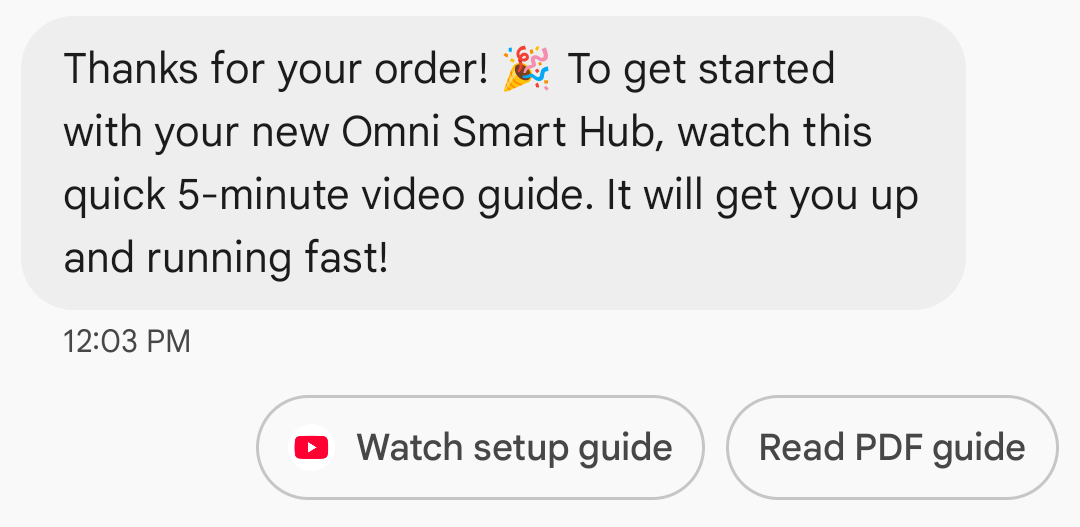
網頁連結的應用程式圖示顯示:如果使用者已為該網頁配置了預設應用程式,則會開啟該應用程式而不是瀏覽器或網頁視圖,並且建議按鈕會顯示該應用程式的圖示。要在 Google Messages 中顯示應用程式圖標,您需要提供完整的直接網址。如果您使用短鏈接,則會顯示預設的「開啟網址」圖示。
例子
以下程式碼發送一個開啟 URL 的操作。有關格式和值選項,請參閱OpenUrlAction 。
捲曲
curl -X POST "https://REGION-rcsbusinessmessaging.googleapis.com/v1/phones/PHONE_NUMBER/agentMessages?messageId=MESSAGE_ID&agentId=AGENT_ID" \
-H "Content-Type: application/json" \
-H "User-Agent: curl/rcs-business-messaging" \
-H "`oauth2l header --json PATH_TO_SERVICE_ACCOUNT_KEY rcsbusinessmessaging`" \
-d '{
  "contentMessage": {
    "text": "Hello, world!",
    "suggestions": [
      {
        "action": {
          "text": "Open Google",
          "postbackData": "postback_data_1234",
          "openUrlAction": {
            "url": "https://www.google.com"
          }
        }
      }
    ]
  }
}'
Node.js
// Reference to RBM API helper
const rbmApiHelper = require('@google/rcsbusinessmessaging');

// Define an open URL suggested action
let suggestions = [
   {
      action: {
         text: 'Open Google',
         postbackData: 'postback_data_1234',
         openUrlAction: {
            url: 'https://www.google.com'
         }
      }
   },
];

let params = {
   messageText: 'Hello, world!',
   msisdn: '+12223334444',
   suggestions: suggestions,
};

// Send a simple message with an open URL suggested action
rbmApiHelper.sendMessage(params, function(response) {
   console.log(response);
});
Java
import com.google.api.services.rcsbusinessmessaging.v1.model.OpenUrlAction;
import com.google.api.services.rcsbusinessmessaging.v1.model.SuggestedAction;
import com.google.api.services.rcsbusinessmessaging.v1.model.Suggestion;
import com.google.rbm.RbmApiHelper;
…

try {
   // Create an instance of the RBM API helper
   RbmApiHelper rbmApiHelper = new RbmApiHelper();

   // Create suggestions for chip list
   List<Suggestion> suggestions = new ArrayList<Suggestion>();

   // creating an open url suggested action
   OpenUrlAction openUrlAction = new OpenUrlAction();
   openUrlAction.setUrl("https://www.google.com");

   // creating a suggested action based on an open url action
   SuggestedAction suggestedAction = new SuggestedAction();
   suggestedAction.setText("Open Google");
   suggestedAction.setPostbackData("postback_data_1234");
   suggestedAction.setOpenUrlAction(openUrlAction);

   // attaching action to a suggestion
   Suggestion suggestion = new Suggestion();
   suggestion.setAction(suggestedAction);

   suggestions.add(suggestion);

   // Send simple text message with the suggestion action
   rbmApiHelper.sendTextMessage(
      "Hello, world!",
      "+12223334444",
      suggestions
   );
} catch(Exception e) {
   e.printStackTrace();
}
Python
# Reference to RBM Python client helper and messaging object structure
from rcs_business_messaging import rbm_service
from rcs_business_messaging import messages

# Create an open url suggested action
suggestions = [
      messages.OpenUrlAction('Open Google',
            'reply:postback_data_1234',
            'https://www.google.com')
]

# Create text message to send to user
text_msg = messages.TextMessage('Hello, world!')
cluster = messages.MessageCluster().append_message(text_msg)

# Append suggestions for the message to send to the user
for suggestion in suggestions:
    cluster.append_suggestion_chip(suggestion)

# Send a simple message with suggested action to the device
cluster.send_to_msisdn('+12223334444')
C#
using Google.Apis.RCSBusinessMessaging.v1.Data;
using RCSBusinessMessaging;
…

// Create an instance of the RBM API helper
RbmApiHelper rbmApiHelper = new RbmApiHelper(credentialsFileLocation,
                                                 projectId);

// Create an open url action
OpenUrlAction openUrlAction = new OpenUrlAction
{
    Url = "https://www.google.com"
};

// Attach the open url action to a suggested action
SuggestedAction suggestedAction = new SuggestedAction
{
    OpenUrlAction = openUrlAction,
    Text = "Open Google",
    PostbackData = "postback_data_1234"
};

// Attach the action to a suggestion object
Suggestion suggestion = new Suggestion
{
    Action = suggestedAction
};

List<Suggestion> suggestions = new List<Suggestion>
{
    suggestion
};

rbmApiHelper.SendTextMessage(
    "Hello, world!",
    "+12223334444",
    suggestions
);
使用 WebView 開啟 URL
「使用 WebView 開啟 URL」操作會將指定的網頁載入到訊息應用程式中,並使用預設瀏覽器的渲染引擎進行渲染。這樣,使用者無需離開 RCS for Business 對話即可與網頁互動。如果使用者的裝置不支援 WebView,網頁會在使用者的瀏覽器中開啟。若要啟用 WebView,請參閱OpenURLApplication 。
Webview 有三種顯示模式。有關格式和值選項,請參閱WebviewViewMode 。
- 全螢幕顯示:網頁佔據整個螢幕。
- 一半:網頁佔據螢幕的一半。
- 高大:網頁佔據了螢幕的四分之三。
例子
以下程式碼發送一個帶有 webview 操作的 Open URL。有關格式和值選項,請參閱OpenURLAction 。
捲曲
curl -X POST "https://REGION-rcsbusinessmessaging.googleapis.com/v1/phones/PHONE_NUMBER/agentMessages?messageId=MESSAGE_ID&agentId=AGENT_ID" \
-H "Content-Type: application/json" \
-H "User-Agent: curl/rcs-business-messaging" \
-H "`oauth2l header --json PATH_TO_SERVICE_ACCOUNT_KEY rcsbusinessmessaging`" \
-d '{
 "contentMessage": {
   "text": "Hello, world!",
   "suggestions": [
     {
       "action": {
         "text": "Open Google",
         "postbackData": "postback_data_1234",
         "openUrlAction": {
           "url": "https://www.google.com",
           "application": "WEBVIEW",
           "webviewViewMode": "FULL",
           "description": "Accessibility description"
         }
       }
     }
   ]
 }
}'
Java
import com.google.api.services.rcsbusinessmessaging.v1.model.OpenUrlAction;
import com.google.api.services.rcsbusinessmessaging.v1.model.SuggestedAction;
import com.google.api.services.rcsbusinessmessaging.v1.model.Suggestion;
import com.google.rbm.RbmApiHelper;
…

try {

   String URL = "https://www.google.com";

   // Create an instance of the RBM API helper
   RbmApiHelper rbmApiHelper = new RbmApiHelper();

   // Create suggestions for chip list
   List<Suggestion> suggestions = new ArrayList<Suggestion>();

   // Create suggestion to view webpage in full mode
   Suggestion viewInFullMode =  getUrlActionInWebview(URL, "FULL")
   suggestions.add(viewInFullMode);

   // create suggestion to view webpage in half mode
   Suggestion viewInHalfMode =  getUrlActionInWebview(URL, "HALF")
   suggestions.add(viewInHalfMode);

   // create suggestion to view webpage in tall mode
   Suggestion viewInTallMode =  getUrlActionInWebview(URL, "TALL")
   suggestions.add(viewInTallMode);

   // Send simple text message with the suggested action
   rbmApiHelper.sendTextMessage(
      "Hello, world!",
      "+12223334444",
      suggestions
   );
} catch(Exception e) {
   e.printStackTrace();
}

  /**
    * Creates a suggested action to open URL in webview.
    *
    * @return a suggestion object for an open URL in webview action .
    */
    private Suggestion getUrlActionInWebview(String url,
                                             String viewMode) {
      // create an open url action
      OpenUrlAction openUrlAction = new OpenUrlAction();
      openUrlAction.setUrl(url);
      openUrlAction.setApplication("WEBVIEW");
      openUrlAction.setWebviewViewMode(viewMode);
      openUrlAction.setDescription("Accessibility description");

      // attach the open url action to a suggested action
      SuggestedAction suggestedAction = new SuggestedAction();
      suggestedAction.setOpenUrlAction(openUrlAction);
      suggestedAction.setText('display_text');
      suggestedAction.setPostbackData('postback_data_123');

      // attach the action to a suggestion object
      Suggestion suggestion = new Suggestion();
      suggestion.setAction(suggestedAction);

      return suggestion;
    }
建立日曆事件
「建立日曆事件」操作會開啟使用者的日曆應用程式,並開始使用指定資訊建立新事件。
日曆事件標題為必填項,最多 100 個字元。日曆事件描述為選填項,最多 500 個字元。
例子
以下程式碼傳送一個建立日曆事件的操作。有關格式和值選項,請參閱CreateCalendarEventAction 。
捲曲
curl -X POST "https://REGION-rcsbusinessmessaging.googleapis.com/v1/phones/PHONE_NUMBER/agentMessages?messageId=MESSAGE_ID&agentId=AGENT_ID" \
-H "Content-Type: application/json" \
-H "User-Agent: curl/rcs-business-messaging" \
-H "`oauth2l header --json PATH_TO_SERVICE_ACCOUNT_KEY rcsbusinessmessaging`" \
-d '{
  "contentMessage": {
    "text": "Hello, world!",
    "suggestions": [
      {
        "action": {
          "text": "Save to calendar",
          "postbackData": "postback_data_1234",
          "fallbackUrl": "https://www.google.com/calendar",
          "createCalendarEventAction": {
            "startTime": "2020-06-30T19:00:00Z",
            "endTime": "2020-06-30T20:00:00Z",
            "title": "My calendar event",
            "description": "Description of the calendar event"
          }
        }
      }
    ]
  }
}'
Node.js
// Reference to RBM API helper
const rbmApiHelper = require('@google/rcsbusinessmessaging');

// Define a create calendar event suggested action
let suggestions = [
   {
      action: {
         text: 'Save to calendar',
         postbackData: 'postback_data_1234',
         createCalendarEventAction: {
            startTime: '2020-06-30T19:00:00Z',
            endTime: '2020-06-30T20:00:00Z',
            title: 'My calendar event',
            description: 'Description of the calendar event',
         },
      }
   },
];

let params = {
   messageText: 'Hello, world!',
   msisdn: '+12223334444',
   suggestions: suggestions,
};

// Send a simple message with a create calendar event suggested action
rbmApiHelper.sendMessage(params, function(response) {
   console.log(response);
});
Java
import com.google.api.services.rcsbusinessmessaging.v1.model.CreateCalendarEventAction;
import com.google.api.services.rcsbusinessmessaging.v1.model.SuggestedAction;
import com.google.api.services.rcsbusinessmessaging.v1.model.Suggestion;
import com.google.rbm.RbmApiHelper;
…

try {
   // Create an instance of the RBM API helper
   RbmApiHelper rbmApiHelper = new RbmApiHelper();

   // Create suggestions for chip list
   List<Suggestion> suggestions = new ArrayList<Suggestion>();

   // creating a create calendar event suggested action
   CreateCalendarEventAction createCalendarEventAction = new CreateCalendarEventAction();
   calendarEventAction.setTitle("My calendar event");
   calendarEventAction.setDescription("Description of the calendar event");
   calendarEventAction.setStartTime("2020-06-30T19:00:00Z");
   calendarEventAction.setEndTime("2020-06-30T20:00:00Z");

   // creating a suggested action based on a create calendar event action
   SuggestedAction suggestedAction = new SuggestedAction();
   suggestedAction.setText("Save to calendar");
   suggestedAction.setPostbackData("postback_data_1234");
   suggestedAction.setCreateCalendarEventAction(createCalendarEventAction);

   // attaching action to a suggestion
   Suggestion suggestion = new Suggestion();
   suggestion.setAction(suggestedAction);

   suggestions.add(suggestion);

   // Send simple text message with the suggestion action
   rbmApiHelper.sendTextMessage(
      "Hello, world!",
      "+12223334444",
      suggestions
   );
} catch(Exception e) {
   e.printStackTrace();
}
Python
# Reference to RBM Python client helper and messaging object structure
from rcs_business_messaging import rbm_service
from rcs_business_messaging import messages

# Create a calendar event suggested action
suggestions = [
      messages.CreateCalendarEventAction('Save to Calendar',
                             'reply:postback_data_1234',
                             '2020-06-30T19:00:00Z',
                             '2020-06-30T20:00:00Z',
                             'My calendar event',
                             'Description of the calendar event')

]

# Create text message to send to user
text_msg = messages.TextMessage('Hello, world!')
cluster = messages.MessageCluster().append_message(text_msg)

# Append suggestions for the message to send to the user
for suggestion in suggestions:
    cluster.append_suggestion_chip(suggestion)

# Send a simple message with suggested action to the device
cluster.send_to_msisdn('+12223334444')
C#
using Google.Apis.RCSBusinessMessaging.v1.Data;
using RCSBusinessMessaging;
…

// Create an instance of the RBM API helper
RbmApiHelper rbmApiHelper = new RbmApiHelper(credentialsFileLocation,
                                                 projectId);

// Create a calendar event action
CreateCalendarEventAction calendarEventAction = new CreateCalendarEventAction
{
    Title = "My calendar event",
    Description = "Description of the calendar event",
    StartTime = "2020-06-30T19:00:00Z",
    EndTime = "2020-06-30T20:00:00Z"
};

// Attach the calendar event action to a suggested action
SuggestedAction suggestedAction = new SuggestedAction
{
    CreateCalendarEventAction = calendarEventAction,
    Text = "Save to calendar",
    PostbackData = "postback_data_1234"
};

// Attach the action to a suggestion object
Suggestion suggestion = new Suggestion
{
    Action = suggestedAction
};

List<Suggestion> suggestions = new List<Suggestion>
{
    suggestion
};

rbmApiHelper.SendTextMessage(
    "Hello, world!",
    "+12223334444",
    suggestions
);
建議晶片列表
您的客服人員會發送建議提示列表,並附帶訊息,以指導用戶後續操作。提示清單僅在相關訊息位於對話底部時顯示。對話中任何後續訊息(無論是用戶發送的還是客服人員發送的)都會覆蓋提示清單。
晶片清單最多包含 11 個建議晶片,每個晶片標籤最多可包含 25 個字元。
有關格式和值選項,請參閱AgentContentMessage 。
富卡
富媒體卡片將媒體、文字和互動式建議整合到一個訊息中。它們非常適合展示相關資訊(例如,產品及其圖片、名稱和價格),並透過清晰的下一步操作(例如「查看詳情」建議)引導使用者。
一張資訊豐富的卡片可以包含以下內容:
這些欄位都是可選的,但富媒體卡片中必須包含欄位 1-3 中的至少一個。
可以以水平滾動輪播的方式同時發送多張卡片。
請注意,一張富卡的總有效載荷為 250 KB。
有關完整的技術細節,請參閱Rich 卡片文件。
卡片高度
富媒體卡片會根據內容垂直擴展。它們的最小高度為 112 DP,最大高度為 344 DP。如果卡片內容不足以填滿最小高度,卡片會自動擴展,並將多餘的高度填滿為空白區域。
富媒體卡中的媒體必須符合以下三種高度之一:
- 短:112 DP
- 中:168 DP
- 身高:264 DP
如果媒體檔案不適合卡片在選定高度下的尺寸,則會透過縮放和裁剪媒體檔案來選擇媒體預覽。
例子
以下程式碼會發送一張包含圖片和建議回覆的富媒體卡片。有關格式和值選項,請參閱RichCard 。
捲曲
curl -X POST "https://REGION-rcsbusinessmessaging.googleapis.com/v1/phones/PHONE_NUMBER/agentMessages?messageId=MESSAGE_ID&agentId=AGENT_ID" \
-H "Content-Type: application/json" \
-H "User-Agent: curl/rcs-business-messaging" \
-H "`oauth2l header --json PATH_TO_SERVICE_ACCOUNT_KEY rcsbusinessmessaging`" \
-d '{
  "contentMessage": {
    "richCard": {
      "standaloneCard": {
        "thumbnailImageAlignment": "RIGHT",
        "cardOrientation": "VERTICAL",
        "cardContent": {
          "title": "Hello, world!",
          "description": "RBM is awesome!",
          "media": {
            "height": "TALL",
            "contentInfo":{
              "fileUrl": "http://www.google.com/logos/doodles/2015/googles-new-logo-5078286822539264.3-hp2x.gif",
              "forceRefresh": false
            }
          },
          "suggestions": [
            {
              "reply": {
                "text": "Suggestion #1",
                "postbackData": "suggestion_1"
              }
            },
            {
              "reply": {
                "text": "Suggestion #2",
                "postbackData": "suggestion_2"
              }
            }
          ]
        }
      }
    }
  }
}'
Node.js
// Reference to RBM API helper
const rbmApiHelper = require('@google/rcsbusinessmessaging');

// Suggested replies to be used in the card
let suggestions = [
   {
      reply: {
         'text': 'Suggestion #1',
         'postbackData': 'suggestion_1',
      },
   },
   {
      reply: {
         'text': 'Suggestion #2',
         'postbackData': 'suggestion_2',
      },
   },
];

// Image to be displayed by the card
let imageUrl = 'http://www.google.com/logos/doodles/2015/googles-new-logo-5078286822539264.3-hp2x.gif';

// Definition of the card parameters
let params = {
   messageText: 'Hello, world!',
   messageDescription: 'RBM is awesome!',
   msisdn: '+12223334444',
   suggestions: suggestions,
   imageUrl: imageUrl,
   height: 'TALL',
};

// Send rich card to device
rbmApiHelper.sendRichCard(params, function(response) {
   console.log(response);
});
Java
import com.google.api.services.rcsbusinessmessaging.v1.model.StandaloneCard;
import com.google.api.services.rcsbusinessmessaging.v1.model.Suggestion;
import com.google.rbm.cards.CardOrientation;
import com.google.rbm.cards.MediaHeight;
import com.google.rbm.RbmApiHelper;
import com.google.rbm.SuggestionHelper;
…

try {
   // Create an instance of the RBM API helper
   RbmApiHelper rbmApiHelper = new RbmApiHelper();

   // Create suggestions for chip list
   List<Suggestion> suggestions = new ArrayList<Suggestion>();
   suggestions.add(
      new SuggestionHelper("Suggestion #1", "suggestion_1").getSuggestedReply());

   suggestions.add(
      new SuggestionHelper("Suggestion #2", "suggestion_2").getSuggestedReply());

   String imageUrl = "http://www.google.com/logos/doodles/2015/googles-new-logo-5078286822539264.3-hp2x.gif";

   // Create a standalone rich card to send to the user
   StandaloneCard standaloneCard = rbmApiHelper.createStandaloneCard(
       "Hello, world!",
       "RBM is awesome!",
       imageUrl,
       MediaHeight.MEDIUM,
       CardOrientation.VERTICAL,
       suggestions
   );

   rbmApiHelper.sendStandaloneCard(standaloneCard, "+12223334444");
} catch(Exception e) {
   e.printStackTrace();
}
Python
# Reference to RBM Python client helper and messaging object structure
from rcs_business_messaging import rbm_service
from rcs_business_messaging import messages

# Suggested replies to be used in the card
suggestions = [
      messages.SuggestedReply('Suggestion #1', 'reply:suggestion_1'),
      messages.SuggestedReply('Suggestion #2', 'reply:suggestion_2')
]

# Image to be displayed by the card
image_url = 'http://www.google.com/logos/doodles/2015/googles-new-logo-5078286822539264.3-hp2x.gif';

# Define rich card structure
rich_card = messages.StandaloneCard('VERTICAL',
                                    'Hello, world!',
                                    'RBM is awesome!',
                                    suggestions,
                                    image_url,
                                    None,
                                    None,
                                    'MEDIUM')

# Append rich card and send to the user
cluster = messages.MessageCluster().append_message(rich_card)
cluster.send_to_msisdn('+12223334444')
C#
using Google.Apis.RCSBusinessMessaging.v1.Data;
using RCSBusinessMessaging;
using RCSBusinessMessaging.Cards;
…

// Create an instance of the RBM API helper
RbmApiHelper rbmApiHelper = new RbmApiHelper(credentialsFileLocation,
                                             projectId);

List<Suggestion> suggestions = new List<Suggestion>
{
   // Create suggestion chips
   new SuggestionHelper("Suggestion #1", "suggestion_1").SuggestedReply(),
   new SuggestionHelper("Suggestion #2", "suggestion_2").SuggestedReply()
};

string imageUrl = "http://www.google.com/logos/doodles/2015/googles-new-logo-5078286822539264.3-hp2x.gif";

// Create rich card with suggestions
StandaloneCard standaloneCard = rbmApiHelper.CreateStandaloneCard(
   "Hello, world!",
   "RBM is awesome",
   imageUrl,
   MediaHeight.TALL,
   CardOrientation.VERTICAL,
   suggestions
);

// Send rich card to user
rbmApiHelper.SendStandaloneCard(standaloneCard, "+12223334444");
富卡輪播
輪播圖將多個富媒體卡片串聯起來,使用戶能夠比較項目並對每個項目單獨做出反應。
輪播圖最少可以包含兩張富媒體卡片,最多可以包含十張。輪播圖中的富媒體卡片必須符合富媒體卡片的通用內容和高度要求,具體要求請參閱富媒體卡片文件。有關輪播圖佈局和規範的更多信息,請參閱輪播圖文件。
例子
以下程式碼會傳送一個富媒體卡片輪播圖。有關格式和值選項,請參閱RichCard 。
捲曲
curl -X POST "https://REGION-rcsbusinessmessaging.googleapis.com/v1/phones/PHONE_NUMBER/agentMessages?messageId=MESSAGE_ID&agentId=AGENT_ID" \
-H "Content-Type: application/json" \
-H "User-Agent: curl/rcs-business-messaging" \
-H "`oauth2l header --json PATH_TO_SERVICE_ACCOUNT_KEY rcsbusinessmessaging`" \
-d '{
  "contentMessage": {
    "richCard": {
      "carouselCard": {
        "cardWidth": "MEDIUM",
        "cardContents": [
          {
            "title": "Card #1",
            "description": "The description for card #1",
            "suggestions": [
              {
                "reply": {
                  "text": "Card #1",
                  "postbackData": "card_1"
                }
              }
            ],
            "media": {
              "height": "MEDIUM",
              "contentInfo": {
                "fileUrl": "https://storage.googleapis.com/welcome-bot-sample-images/200.jpg",
                "forceRefresh": false
              }
            }
          },
          {
            "title": "Card #2",
            "description": "The description for card #2",
            "suggestions": [
              {
                "reply": {
                  "text": "Card #2",
                  "postbackData": "card_2"
                }
              }
            ],
            "media": {
              "height": "MEDIUM",
              "contentInfo": {
                "fileUrl": "https://storage.googleapis.com/welcome-bot-sample-images/201.jpg",
                "forceRefresh": false
              }
            }
          }
        ]
      }
    }
  }
}'
Node.js
// Reference to RBM API helper
const rbmApiHelper = require('@google/rcsbusinessmessaging');

// Images for the carousel cards
let card1Image = 'https://storage.googleapis.com/welcome-bot-sample-images/200.jpg';
let card2Image = 'https://storage.googleapis.com/welcome-bot-sample-images/201.jpg';

// Define the card contents for a carousel with two cards, each with one suggested reply
let cardContents = [
   {
      title: 'Card #1',
      description: 'The description for card #1',
      suggestions: [
         {
            reply: {
               text: 'Card #1',
               postbackData: 'card_1',
            }
         }
      ],
      media: {
         height: 'MEDIUM',
         contentInfo: {
            fileUrl: card1Image,
            forceRefresh: false,
         },
      },
   },
   {
      title: 'Card #2',
      description: 'The description for card #2',
      suggestions: [
         {
            reply: {
               text: 'Card #2',
               postbackData: 'card_2',
            }
         }
      ],
      media: {
         height: 'MEDIUM',
         contentInfo: {
            fileUrl: card2Image,
            forceRefresh: false,
         },
      },
   },
];

// Definition of carousel card
let params = {
   msisdn: '+12223334444',
   cardContents: cardContents,
};

// Send the device the carousel card defined above
rbmApiHelper.sendCarouselCard(params, function(response) {
   console.log(response);
});
Java
import com.google.api.services.rcsbusinessmessaging.v1.model.CardContent;
import com.google.api.services.rcsbusinessmessaging.v1.model.Suggestion;
import com.google.rbm.cards.CardOrientation;
import com.google.rbm.cards.CardWidth;
import com.google.rbm.cards.MediaHeight;
import com.google.rbm.RbmApiHelper;
import com.google.rbm.SuggestionHelper;
…

try {
            // Create an instance of the RBM API helper
            RbmApiHelper rbmApiHelper = new RbmApiHelper();

            List cardContents = new ArrayList();

            // Images for the carousel cards
            String card1Image = "https://storage.googleapis.com/welcome-bot-sample-images/200.jpg";

            // Create suggestions for first carousel card
            List card1Suggestions = new ArrayList();
            card1Suggestions.add(
                new SuggestionHelper("Card #1", "card_1"));

            cardContents.add(
                new StandaloneCardHelper(
                    "Card #1",
                    "The description for card #1",
                    card1Image,
                    card1Suggestions)
                    .getCardContent(MediaHeight.SHORT)
            );

            // Images for the carousel cards
            String card2Image = "https://storage.googleapis.com/welcome-bot-sample-images/201.jpg";

            // Create suggestions for second carousel card
            List card2Suggestions = new ArrayList();
            card2Suggestions.add(
                new SuggestionHelper("Card #2", "card_2"));

            cardContents.add(
                new StandaloneCardHelper(
                    "Card #2",
                    "The description for card #2",
                    card2Image,
                    card2Suggestions)
                    .getCardContent(MediaHeight.SHORT)
            );

            // Send the carousel to the user
            rbmApiHelper.sendCarouselCards(cardContents, CardWidth.MEDIUM, "+12223334444");
        } catch(Exception e) {
            e.printStackTrace();
        }
Python
# Reference to RBM Python client helper and messaging object structure
from rcs_business_messaging import rbm_service
from rcs_business_messaging import messages

# Images for the carousel cards
card_image_1 = 'https://storage.googleapis.com/welcome-bot-sample-images/200.jpg';
card_image_2 = 'https://storage.googleapis.com/welcome-bot-sample-images/201.jpg';

# Suggested replies to be used in the cards
suggestions1 = [
      messages.SuggestedReply('Card #1', 'reply:card_1')
]

suggestions2 = [
      messages.SuggestedReply('Card #2', 'reply:card_2')
]

# Define the card contents for a carousel with two cards,
# each with one suggested reply
card_contents = []
card_contents.append(messages.CardContent('Card #1',
                                          'The description for card #1',
                                          card_image_1,
                                          'MEDIUM',
                                          suggestions1))

card_contents.append(messages.CardContent('Card #2',
                                          'The description for card #2',
                                          card_image_2,
                                          'MEDIUM',
                                          suggestions2))

# Send the device the carousel card defined above
carousel_card = messages.CarouselCard('MEDIUM', card_contents)
cluster = messages.MessageCluster().append_message(carousel_card)
cluster.send_to_msisdn('+12223334444')
C#
using Google.Apis.RCSBusinessMessaging.v1.Data;
using RCSBusinessMessaging;
using RCSBusinessMessaging.Cards;
…

// Create an instance of the RBM API helper
RbmApiHelper rbmApiHelper = new RbmApiHelper(credentialsFileLocation,
                                             projectId);

// Image references to be used in the carousel cards
string card1Image = "https://storage.googleapis.com/welcome-bot-sample-images/200.jpg";
string card2Image = "https://storage.googleapis.com/welcome-bot-sample-images/201.jpg";

// Suggestion chip lists to be used in carousel cards
List<Suggestion> suggestions1 = new List<Suggestion>
{
   new SuggestionHelper("Card #1", "card_1").SuggestedReply()
};

List<Suggestion> suggestions2 = new List<Suggestion>
{
   new SuggestionHelper("Card #2", "card_2").SuggestedReply()
};

// Create the card content for the carousel
List<CardContent> cardContents = new List<CardContent>
{
   // Add items as card content
   new StandaloneCardHelper(
                    "Card #1",
                    "The description for card #1",
                    card1Image,
                    suggestions1).GetCardContent(),
   new StandaloneCardHelper(
                    "Card #2",
                    "The description for card #2",
                    card2Image,
                    suggestions2).GetCardContent()
};

// Send the carousel to the user
rbmApiHelper.SendCarouselCards(cardContents, CardWidth.MEDIUM, msisdn);