تتواصل وكالات RCS for Business مع المستخدمين من خلال إرسال الرسائل واستلامها. لإرسال رسائل إلى المستخدمين، يرسل موظّف الدعم طلبات رسائل إلى واجهة برمجة التطبيقات RCS Business Messaging API. يمكن أن يتضمّن الطلب الواحد نصًا وبطاقات تفاعلية وملفات وسائط وملفات PDF وردودًا مقترَحة وإجراءات مقترَحة.
تعرض منصة "خدمات الاتصالات التفاعلية (RCS) للمؤسسات" أخطاءً في حالات معيّنة لمساعدتك في إدارة عملية تسليم الرسائل:
- إذا أرسلت رسالة إلى مستخدم لا يتوافق جهازه مع خدمات الاتصالات التفاعلية (RCS) أو لم يفعّلها، سيردّ النظام الأساسي لخدمات الاتصالات التفاعلية (RCS) للأنشطة التجارية برسالة الخطأ 404 NOT_FOUND. في هذه الحالة، يمكنك محاولة التواصل مع المستخدم من خلال الطرق الاحتياطية المحدّدة في بنيتك الأساسية.
- إذا أرسلت رسالة إلى مستخدم خدمات الاتصالات التفاعلية (RCS) على شبكة لم يتم إطلاق وكيلك عليها بعد، أو على شبكة لم يتم تفعيل حركة بيانات خدمات الاتصالات التفاعلية (RCS) عليها، سيعرض لك نظام RCS for Business الأساسي الخطأ 404 NOT_FOUND.
- إذا أرسلت رسالة تتضمّن ميزات لا يتوافق معها جهاز المستخدم، ستعرض منصة RCS for Business الخطأ 400 INVALID_ARGUMENT ولن تسلّم رسالتك.
كجزء من استراتيجية المراسلة المتعددة القنوات، من الأفضل إبطال الرسائل التي لم يتم تسليمها بعد فترة زمنية معقولة وإرسالها عبر قناة مختلفة. لإبطال الرسائل تلقائيًا في وقت محدّد مسبقًا، اضبط تاريخ انتهاء صلاحية الرسالة.
المتلقّي غير متّصل بالإنترنت
تظل منصة RCS for Business تقبل الرسائل لإرسالها حتى إذا كان المستلِم غير متصل بالإنترنت. ستتلقّى الرمز 200 OK، وستحتفظ منصة "RCS للمؤسسات" بالرسالة وتحاول إعادة إرسالها لمدة 30 يومًا. لست بحاجة إلى الطلب من RCS for Business إرسال الرسالة مرة أخرى.
تحذف خدمة RCS for Business أي رسائل لم يتم تسليمها بعد 30 يومًا من إرسالها.
استنادًا إلى حالة استخدام وكيلك، قد تحتاج إلى إبطال رسالة لم يتم تسليمها قبل انتهاء مهلة الـ 30 يومًا. يمكن أن يمنع الإبطال المستخدمين غير المتصلين بالإنترنت من تلقّي رسالة قديمة عند إعادة الاتصال بالإنترنت. هناك عدة طرق لإبطال رسالة:
- إرسال طلب إلغاء لبدء عملية الإلغاء
- ضبط تاريخ انتهاء صلاحية الرسالة لإبطالها تلقائيًا في الوقت المناسب
ضبط تاريخ انتهاء صلاحية الرسالة
هل رسالة الوكيل حساسة للوقت؟ على سبيل المثال، تكون كلمات المرور الصالحة لمرة واحدة صالحة لفترة قصيرة فقط. تنتهي صلاحية العروض الترويجية لفترة محدودة. كما أنّ تذكيرات المواعيد تصبح غير ذات صلة بعد تاريخ الموعد. للحفاظ على الرسائل في الوقت المناسب وذات الصلة، اضبط تاريخ انتهاء صلاحية الرسالة. ويمكن أن يمنع ذلك المستخدمين غير المتصلين بالإنترنت من تلقّي محتوى قديم عندما يعودون إلى الاتصال بالإنترنت. يُعدّ تاريخ انتهاء الصلاحية أيضًا إشارة جيدة لتفعيل استراتيجية الرسائل الاحتياطية كي يحصل المستخدمون على المعلومات التي يحتاجون إليها في الوقت المناسب.
لضبط مدة انتهاء صلاحية الرسالة، حدِّد أحد الحقول التالية في رسالة العميل:
-
expireTime: الوقت الدقيق الذي تنتهي فيه صلاحية الرسالة بالتوقيت العالمي المنسّق -
ttl(مدة البقاء): هي المدة الزمنية التي تنتهي فيها صلاحية الرسالة.
للاطّلاع على خيارات التنسيق والقيمة، يُرجى الرجوع إلى AgentMessage.
الحدّ الأقصى لقيمة ttl وexpireTime هو 15 يومًا بعد إرسال الرسالة.
على الرغم من عدم وجود حدّ أدنى للقيمة ttl وexpireTime، ننصح بضبطها على 10 ثوانٍ على الأقل بعد إرسال الرسالة للحدّ بشكل كبير من احتمال تلقّي إشعارين بالإبطال والتسليم.
مدة البقاء (TTL) للرسالة
عند ضبط مدة البقاء على قيد الحياة لرسالة RCS for Business، فإنك تحدّد المدة التي يجب أن تُعتبر فيها الرسالة صالحة وقابلة للتسليم. إذا لم يتم تسليم الرسالة بنجاح إلى جهاز المستخدم خلال فترة TTL هذه، ستحاول منصة RCS للأعمال إبطالها تلقائيًا.
عند بدء عملية إبطال رسالة، تطلب من منصة RCS for Business التوقّف عن محاولة تسليم تلك الرسالة المحدّدة. ومع ذلك، لا يؤثر هذا الإجراء إلا في محاولات التسليم المستقبلية. إذا كان جهاز المستخدم قد استردّ الرسالة بنجاح، تتم معالجة الرسالة، ولا يمكن لمنصة RCS for Business إبطال الرسالة على جهاز المستخدم.
في ما يلي ما يمكن توقّعه بشأن الإشعارات:
تم تسليم الرسالة خلال مدة البقاء (TTL): إذا اتصل جهاز المستخدم بالإنترنت وتلقّى الرسالة قبل انتهاء مدة البقاء، ستتلقّى
DELIVEREDإشعارًا. لن يتم إرسال إشعار بالإبطال، لأنّه تم تسليم الرسالة بنجاح. هذا هو السيناريو الأكثر شيوعًا والمتوقّع.عدم تسليم الرسالة قبل انتهاء مدة البقاء (TTL): إذا انتهت مدة البقاء قبل وصول الرسالة إلى جهاز المستخدم (على سبيل المثال، إذا كان الجهاز غير متصل بالإنترنت)، تحاول منصة RCS for Business إبطال الرسالة. ستتلقّى إشعارًا
TTL_EXPIRATION_REVOKEDيشير إلى أنّه تمت إزالة الرسالة بنجاح من قائمة انتظار التسليم. في هذه الحالة، لن يتلقّى المستخدم الرسالة.
اقتراحات للتعامل مع الحالات الحدّية
يعالج نظامنا عمليات تسليم رسائل RCS for Business وانتهاء صلاحية TTL بشكل متوازٍ. نتيجةً لذلك، قد تظهر لك في حالات نادرة جدًا حالات قصوى يكون فيها توقيت الإشعارات غير متوقّع. على سبيل المثال، قد تتلقّى إشعارًا بشأن التسليم وإشعارًا بشأن انتهاء مدة البقاء على قيد الحياة، أو قد لا تتلقّى أيًا منهما.
في ما يلي اقتراحاتنا بشأن كيفية التعامل مع إشعارات الرسائل الواردة من ميزة "RCS for Business":
إشعار
DELIVERED: إذا تلقّيت إشعارًاDELIVEREDبشأن رسالة، يعني ذلك أنّ الرسالة قد وصلت إلى المستخدم. يمكنك تجاهل أي إشعارات لاحقة بشأن انتهاء صلاحية الرسالة المحدّدة.الإشعار
TTL_EXPIRATION_REVOKED: إذا تلقّيت إشعارًا بشأن انتهاء مدة البقاء (TTL) مع الحالةTTL_EXPIRATION_REVOKED، يعني ذلك أنّ نظام "خدمات الاتصالات التفاعلية (RCS) للأنشطة التجارية" سيتوقف عن محاولة تسليم تلك الرسالة المحدّدة. عليك التعامل مع هذه الرسالة على أنّها لم يتم تسليمها واتّباع استراتيجية احتياطية إذا لزم الأمر.إشعار بشأن انتهاء صلاحية رمز TTL مع أي حالة أخرى: إذا تلقّيت إشعارًا بشأن انتهاء صلاحية رمز TTL مع أي حالة أخرى، يشير ذلك إلى محاولة إبطال غير حاسمة.
- بالنسبة إلى الرسائل المهمة، مثل كلمات المرور الصالحة لمرة واحدة (OTP)، ابدأ طريقة الاحتياط.
- بالنسبة إلى الرسائل غير المهمة، حدِّد ما إذا كنت تريد بدء عملية الرجوع إلى الإصدار السابق أم لا.
- عدم تلقّي إشعارات: في حالات نادرة، قد يتعذّر على النظام إرسال إشعار بشأن انتهاء صلاحية رمز TTL، وقد يتعذّر على العميل أيضًا إنشاء إشعار بشأن التسليم. هذه حالة نادرة للغاية.
تحديد نوع عدد زيارات الرسائل
يتضمّن RBM API الحقل messageTrafficType لتصنيف الرسائل.
في حين أنّ حالات استخدام الوكيل لا تزال تحدّد سلوك الوكيل وقواعد النشاط التي تنطبق، يتيح messageTrafficType تصنيفًا أكثر تفصيلاً لمحتوى الرسالة. ويتيح ذلك في النهاية لوكيل واحد التعامل مع حالات استخدام متعددة. في الوقت الحالي، لن يكون هناك أي تأثير في حالات استخدام الوكيل الحالية أو قواعد العمل.
هذا الحقل اختياري، ولكن ننصحك بضبطه الآن حتى لا تتلقّى رسالة خطأ عندما يصبح الحقل مطلوبًا.
لضبط نوع زيارات الرسائل، عليك تعيين messageTrafficType المناسب لكل رسالة استنادًا إلى محتواها. تتيح خدمة "خدمات الاتصالات التفاعلية (RCS) للمؤسسات" أنواع الزيارات التالية.
| نوع الزيارات | محتوى الرسالة | حالة استخدام الوكيل |
|---|---|---|
AUTHENTICATION |
لرسائل المصادقة | كلمة مرور لمرة واحدة (OTP) |
TRANSACTION |
لإرسال رسائل حول الخدمات أو المنتجات الحالية للمستخدم على سبيل المثال: التأكيدات أو إيصالات الدفع أو تفاصيل الحجز | معاملة أو استخدامات متعددة |
PROMOTION |
لإرسال رسائل ترويجية، مثل العروض أو الخصومات أو الإشعارات أو غير ذلك من المحتوى الترويجي | ترويجي أو متعدّد الاستخدام |
SERVICEREQUEST |
الرسائل المتعلقة بالخدمات التي طلبها المستخدم صراحةً | كلمة المرور صالحة لمرة واحدة (OTP) أو رقم تعريف شخصي خاص بالمعاملات أو رقم تعريف شخصي ترويجي أو رقم تعريف شخصي متعدد الاستخدامات |
ACKNOWLEDGEMENT |
بالنسبة إلى الرسائل المستخدَمة لتأكيد إجراء اتّخذه المستخدم، وتحديدًا طلب إلغاء الاشتراك تؤكّد هذه الرسالة أنّه تم استلام طلب المستخدم وجارٍ معالجته. | كلمة المرور صالحة لمرة واحدة (OTP) أو رقم تعريف شخصي خاص بالمعاملات أو رقم تعريف شخصي ترويجي أو رقم تعريف شخصي متعدد الاستخدامات |
في حال عدم ضبط نوع الزيارات، يحدّد النظام النوع التلقائي لحالة استخدام الوكيل.
| حالة استخدام الوكيل | نوع الزيارات التلقائي |
|---|---|
| OTP | AUTHENTICATION |
| المعاملات | TRANSACTION |
| العروض الترويجية | PROMOTION |
| متعدد الاستخدامات | MESSAGE_TRAFFIC_TYPE_UNSPECIFIED |
لا تتضمّن برامج الزحف المتعدّدة الاستخدامات نوع زيارات تلقائيًا. يجب تحديد نوع الزيارات بشكل صريح لكل رسالة استنادًا إلى محتواها. إذا لم تستبدل القيمة MESSAGE_TRAFFIC_TYPE_UNSPECIFIED، سيحدث خطأ.
الحدود القصوى لحجم الرسائل
يبلغ الحد الأقصى لحجم AgentMessage الكامل الذي تم تحويله إلى سلسلة 250 كيلوبايت. يبلغ الحد الأقصى لعدد الأحرف في الجزء النصي من الرسالة 3,072 حرفًا.
لمنع المستخدمين من استهلاك بيانات بشكل غير متوقّع، يبلغ الحد الأقصى لحجم الملف الذي يمكن إرساله من خلال RCS for Business 100 ميغابايت، ويجب ألا يتجاوز إجمالي الحجم المجمّع لجميع مرفقات الوسائط وملفات PDF ضمن رسالة واحدة من RCS for Business 100 ميغابايت. (1 ميغابايت = 1,048,576 بايت). لمزيد من المعلومات، يُرجى الاطّلاع على ملفات الوسائط وملفات PDF.
نص
تتألف أبسط الرسائل من نص. تُعد الرسائل النصية الخيار الأفضل لنقل المعلومات بدون الحاجة إلى عناصر مرئية أو تفاعل معقّد أو رد.
مثال
يرسل الرمز التالي رسالة نصية عادية. للاطّلاع على خيارات التنسيق والقيمة، يُرجى الرجوع إلى phones.agentMessages.create.
cURL
curl -X POST "https://REGION-rcsbusinessmessaging.googleapis.com/v1/phones/PHONE_NUMBER/agentMessages?messageId=MESSAGE_ID&agentId=AGENT_ID" \
-H "Content-Type: application/json" \
-H "User-Agent: curl/rcs-business-messaging" \
-H "`oauth2l header --json PATH_TO_SERVICE_ACCOUNT_KEY rcsbusinessmessaging`" \
-d '{
  "contentMessage": {
    "text": "Hello, world!"
  },
  "messageTrafficType": "PROMOTION"
}'
Node.js
// Reference to RBM API helper
const rbmApiHelper = require('@google/rcsbusinessmessaging');

let params = {
   messageText: 'Hello, world!',
   msisdn: '+12223334444',
};

// Send a simple message to the device
rbmApiHelper.sendMessage(params, function(response) {
   console.log(response);
});
جافا
import com.google.rbm.RbmApiHelper;
…

try {
   // Create an instance of the RBM API helper
   RbmApiHelper rbmApiHelper = new RbmApiHelper();

   // Send simple text message to user
   rbmApiHelper.sendTextMessage(
      "Hello, world!",
      "+12223334444"
   );
} catch(Exception e) {
   e.printStackTrace();
}
Python
# Reference to RBM Python client helper and messaging object structure
from rcs_business_messaging import rbm_service
from rcs_business_messaging import messages

# Create a simple RBM text message
message_text = messages.TextMessage('Hello, world!')

# Send text message to the device
messages.MessageCluster().append_message(message_text).send_to_msisdn('+12223334444')
#C
using RCSBusinessMessaging;
…

// Create an instance of the RBM API helper
RbmApiHelper rbmApiHelper = new RbmApiHelper(credentialsFileLocation,
                                             projectId);

rbmApiHelper.SendTextMessage(
    "Hello, world!",
    "+12223334444",
);
محتوى الرسالة الأساسية - تحويل الرسائل القصيرة
قدّم مشغّلو شبكات الجوّال نماذج فواتير لتسهيل نقل رسائل SMS إلى ميزة "الرسائل من الشركات من RCS". تُعرف رسالة RCS for Business التي تحتوي على ما يصل إلى 160 حرفًا من ترميز UTF-8 باسم "الرسالة الأساسية".
عند إنشاء طلب لإرسال رسالة أساسية، تذكَّر أنّ الأحرف تُحتسب على أنّها بايت واحد (UTF-8). إذا أرسلت رسالة تحتوي على رموز خاصة، مثل رموز الإيموجي أو مجموعة الأحرف المتعددة البايتات، سيتم احتساب كل رمز كحرفَين إلى 4 أحرف UTF-8 أو أكثر.
أدخِل بعض النص في المربّع للتحقّق من طوله:
محتوى الرسائل النصية ومعاينات الروابط
قد تنفّذ برامج RCS معاينات الروابط. إذا كانت رسالة RCS for Business نصية فقط وتتضمّن عنوان URL لموقع إلكتروني يتضمّن علامات openGraph، يمكن للعميل إنشاء معاينة (صورة وعنوان وما إلى ذلك)، ما يوفّر تجربة أفضل. على سبيل المثال، يمكنك الاطّلاع على رسالة أساسية تتضمّن معاينة لعنوان URL.
يُرجى العِلم أنّ عميل RCS قد يسمح للمستخدم بإيقاف معاينات الروابط.
كلمات المرور الصالحة لمرة واحدة لإثبات هوية المستخدم
يمكنك استخدام ميزة RCS for Business لإرسال كلمات مرور صالحة لمرة واحدة (OTP) من أجل إثبات هوية المستخدم تلقائيًا باستخدام واجهة برمجة التطبيقات SMS Retriever API. لا تتوفّر واجهة برمجة تطبيقات مخصّصة لقراءة كلمات المرور لمرة واحدة التي تصل من خلال ميزة "RCS للمؤسسات".
طريقة عملها على Android
بالنسبة إلى تطبيقات Android التي تم تسجيلها باستخدام SMS Retriever API، تستمع واجهة برمجة التطبيقات إلى رسالة "مراسلة الأنشطة التجارية من خلال خدمات الاتصالات التفاعلية" (RCS) منسَّقة بشكل صحيح. يجب أن تحتوي هذه الرسالة على كلمة المرور الصالحة لمرة واحدة وتجزئة فريدة تحدّد تطبيقك.
عند تلقّي رسالة RCS for Business بالتنسيق الصحيح، تعالجها واجهة برمجة التطبيقات SMS Retriever API كما تعالج كلمة المرور لمرة واحدة عبر الرسائل القصيرة SMS. بعد مطابقة التجزئة مع تطبيقك، يتم استخراج كلمة المرور لمرة واحدة وإعادة توجيهها إلى تطبيقك لإجراء عملية التحقّق التلقائي من المستخدم.
- نموذج رسالة نصية من خلال RCS for Business لإثبات هوية المستخدم:
Your code is <OTP><app hash>. - مثلاً:
Your code is 123456 M8tue43FGT.
لمزيد من المعلومات حول خدمة SMS Retriever وواجهات برمجة التطبيقات ذات الصلة، يُرجى الاطّلاع على مستندات خدمة SMS Retriever. لمعرفة تفاصيل حول التأكّد التلقائي من هوية المستخدم في التطبيقات المسجّلة باستخدام واجهة برمجة التطبيقات SMS Retriever API، يمكنك الاطّلاع على مخطّط سير العمل هذا.
طريقة عملها على أجهزة iOS
في أجهزة iOS، ترصد ميزة معالجة كلمات المرور لمرة واحدة المضمّنة في النظام كلمات المرور لمرة واحدة في "خدمات RCS للأنشطة التجارية" وتقترحها تلقائيًا لملء البيانات، تمامًا مثل كلمات المرور لمرة واحدة عبر الرسائل القصيرة. لا يلزم دمج أي واجهة برمجة تطبيقات محددة لكي يتمكّن تطبيق iOS من قراءة كلمة المرور الصالحة لمرة واحدة.
ملفات الوسائط وملفات PDF
عند إرسال رسالة تتضمّن صورة أو فيديو أو ملفًا صوتيًا أو ملف PDF، يجب أن يقدّم وكيلك عنوان URL متاحًا للجميع للمحتوى أو أن يحمّل الملف مباشرةً.
يبلغ الحد الأقصى لحجم الملف الذي يمكن إرساله 100 ميغابايت، ويجب ألا يتجاوز إجمالي حجم جميع الوسائط ومرفقات PDF في رسالة واحدة 100 ميغابايت.
مواصفات الصور المصغّرة
بالنسبة إلى ملفات الوسائط، يمكنك أيضًا تحديد صورة مصغّرة تتيح للمستخدمين معاينة المحتوى قبل النقر عليه. بالنسبة إلى الملفات الصوتية، يتم استخدام أداة الصوت التلقائية كعنصر نائب.
- يبلغ الحد الأقصى لحجم ملف الصورة المصغّرة 100 كيلوبايت. للحصول على أفضل تجربة للمستخدم، ننصح بأن يكون حجمها 50 كيلوبايت أو أقل.
- يجب أن تتطابق نسبة العرض إلى الارتفاع للصورة المصغّرة مع نسبة العرض إلى الارتفاع للملف الأصلي.
التخزين المؤقت وإدارة عناوين URL
تخزّن منصة RCS for Business الملفات مؤقتًا لمدة 60 يومًا، وتعرض واجهة برمجة التطبيقات معرّف ملف يمكن أن يدرجه الوكيل في الرسائل الموجهة إلى المستخدمين. بعد 60 يومًا، تزيل ميزة "خدمات الاتصالات التفاعلية (RCS) للأنشطة التجارية" الملفات من ذاكرة التخزين المؤقت.
عند تحديد الملفات من خلال عنوان URL، من أفضل الممارسات ضبط contentMessage.forceRefresh على false. يؤدي ضبط contentMessage.forceRefresh على true إلى فرض استرداد "محادثات RCS للأنشطة التجارية" لمحتوى جديد من عنوان URL المحدّد، حتى إذا تم تخزين محتوى عنوان URL مؤقتًا، ما يؤدي إلى زيادة أوقات تسليم الرسائل للمستخدمين.
مثال على عنوان URL الخاص بالملف
ترسل التعليمة البرمجية التالية صورة. للاطّلاع على خيارات التنسيق والقيمة، يُرجى الرجوع إلى AgentContentMessage.
cURL
curl -X POST "https://REGION-rcsbusinessmessaging.googleapis.com/v1/phones/PHONE_NUMBER/agentMessages?messageId=MESSAGE_ID&agentId=AGENT_ID" \
-H "Content-Type: application/json" \
-H "User-Agent: curl/rcs-business-messaging" \
-H "`oauth2l header --json PATH_TO_SERVICE_ACCOUNT_KEY rcsbusinessmessaging`" \
-d '{
  "contentMessage": {
    "contentInfo": {
      "fileUrl": "http://www.google.com/logos/doodles/2015/googles-new-logo-5078286822539264.3-hp2x.gif",
      "forceRefresh": false
    }
  }
}'
Node.js
// Reference to RBM API helper
const rbmApiHelper = require('@google/rcsbusinessmessaging');

let params = {
   fileUrl: 'http://www.google.com/logos/doodles/2015/googles-new-logo-5078286822539264.3-hp2x.gif',
   msisdn: '+12223334444',
};

// Send an image/video to a device
rbmApiHelper.sendMessage(params, function(response) {
   console.log(response);
});
جافا
import com.google.api.services.rcsbusinessmessaging.v1.model.AgentContentMessage;
import com.google.api.services.rcsbusinessmessaging.v1.model.AgentMessage;
import com.google.rbm.RbmApiHelper;
…

try {
   // Create an instance of the RBM API helper
   RbmApiHelper rbmApiHelper = new RbmApiHelper();

   String fileUrl = "http://www.google.com/logos/doodles/2015/googles-new-logo-5078286822539264.3-hp2x.gif";

   // create media only message
   AgentContentMessage agentContentMessage = new AgentContentMessage();
   agentContentMessage.setContentInfo(new ContentInfo().setFileUrl(fileUrl));

   // attach content to message
   AgentMessage agentMessage = new AgentMessage();
   agentMessage.setContentMessage(agentContentMessage);

   rbmApiHelper.sendAgentMessage(agentMessage, "+12223334444");
} catch(Exception e) {
   e.printStackTrace();
}
Python
# Reference to RBM Python client helper and messaging object structure
from rcs_business_messaging import rbm_service
from rcs_business_messaging import messages

# Create media file attachment
file_message = messages.FileMessage('http://www.google.com/logos/doodles/2015/googles-new-logo-5078286822539264.3-hp2x.gif')

messages.MessageCluster().append_message(file_message).send_to_msisdn('+12223334444')
#C
using Google.Apis.RCSBusinessMessaging.v1.Data;
using RCSBusinessMessaging;
…

// Create an instance of the RBM API helper
RbmApiHelper rbmApiHelper = new RbmApiHelper(credentialsFileLocation,
                                                 projectId);

string fileUrl = "http://www.google.com/logos/doodles/2015/googles-new-logo-5078286822539264.3-hp2x.gif";

// Create content info with the file url
ContentInfo contentInfo = new ContentInfo
{
    FileUrl = fileUrl
};

// Attach content info to a message
AgentContentMessage agentContentMessage = new AgentContentMessage
{
    ContentInfo = contentInfo,
};

// Attach content to message
AgentMessage agentMessage = new AgentMessage
{
    ContentMessage = agentContentMessage
};

rbmApiHelper.SendAgentMessage(agentMessage, "+12223334444");
يمكنك بدلاً من ذلك تحميل الوسائط قبل إرسالها في رسالة باستخدام
files.create.
مثال على تحميل ملف
يحمّل الرمز التالي ملف فيديو وملف صورة مصغّرة، ثم يرسل الملفين في رسالة. للاطّلاع على خيارات التنسيق والقيمة، يُرجى الرجوع إلى files.create
وAgentContentMessage.
cURL
curl -X POST "https://REGION-rcsbusinessmessaging.googleapis.com/upload/v1/files?agentId=AGENT_ID" \ -H "Content-Type: video/mp4" \ -H "User-Agent: curl/rcs-business-messaging" \ -H "`oauth2l header --json PATH_TO_SERVICE_ACCOUNT_KEY rcsbusinessmessaging`" \ --upload-file "FULL_PATH_TO_VIDEO_MEDIA_FILE"# Capture server-specified video file name from response body JSONcurl -X POST "https://REGION-rcsbusinessmessaging.googleapis.com/upload/v1/files?agentId=AGENT_ID" \ -H "Content-Type: image/jpeg" \ -H "User-Agent: curl/rcs-business-messaging" \ -H "`oauth2l header --json PATH_TO_SERVICE_ACCOUNT_KEY rcsbusinessmessaging`" \ --upload-file "FULL_PATH_TO_THUMBNAIL_MEDIA_FILE"# Capture server-specified image file name from response body JSONcurl -X POST "https://REGION-rcsbusinessmessaging.googleapis.com/v1/phones/PHONE_NUMBER/agentMessages?messageId=MESSAGE_ID&agentId=AGENT_ID" \ -H "Content-Type: application/json" \ -H "User-Agent: curl/rcs-business-messaging" \ -H "`oauth2l header --json PATH_TO_SERVICE_ACCOUNT_KEY rcsbusinessmessaging`" \ -d '{ "contentMessage": { "uploadedRbmFile": { "fileName": "SERVER-SPECIFIED_VIDEO_FILE_NAME", "thumbnailName": "SERVER-SPECIFIED_THUMBNAIL_FILE_NAME" } } }'
أنواع الوسائط المتوافقة
تتوافق "خدمات الاتصالات التفاعلية (RCS) للمؤسسات" مع أنواع الوسائط التالية. بالنسبة إلى الصور المصغّرة، لا يمكن استخدام سوى image/jpeg وimage/jpg وimage/gif وimage/png.
| نوع الوسائط | نوع المستند | الإضافة | التوافق مع البطاقات التفاعلية |
|---|---|---|---|
| application/ogg | صوت OGG | .ogx | لا |
| application/pdf | نعم (لتطبيق "رسائل Google" في الهند فقط) | ||
| audio/aac | صوت AAC | .aac | لا |
| audio/mp3 | MP3 | .mp3 | لا |
| audio/mpeg | MPEG audio | .mpeg | لا |
| audio/mpg | MPG | .mp3 | لا |
| audio/mp4 | صوت MP4 | .mp4 | لا |
| audio/mp4-latm | صوت MP4-latm | .mp4 | لا |
| audio/3gpp | صوت 3GPP | .3gp | لا |
| image/jpeg | JPEG | .jpeg و.jpg | نعم |
| الصورة/gif | GIF | .gif | نعم |
| الصورة/png | PNG | .png | نعم |
| video/h263 | فيديو H263 | .h263 | نعم |
| video/m4v | فيديو M4V | .m4v | نعم |
| الفيديو/mp4 | فيديو MP4 | .mp4 | نعم |
| video/mpeg4 | فيديو MPEG-4 | .mp4 و.m4p | نعم |
| video/mpeg | فيديو MPEG | .mpeg | نعم |
| video/webm | فيديو WEBM | .webm | نعم |
اقتراحات
يرسل الوكيل اقتراحات (ردود مقترَحة وإجراءات مقترَحة) في قوائم شرائح الاقتراحات (11 اقتراحًا كحد أقصى) أو في البطاقات التفاعلية (أربعة اقتراحات كحد أقصى).
يبلغ الحد الأقصى لعدد الأحرف في كل اقتراح 25 حرفًا.
الردود المقترَحة
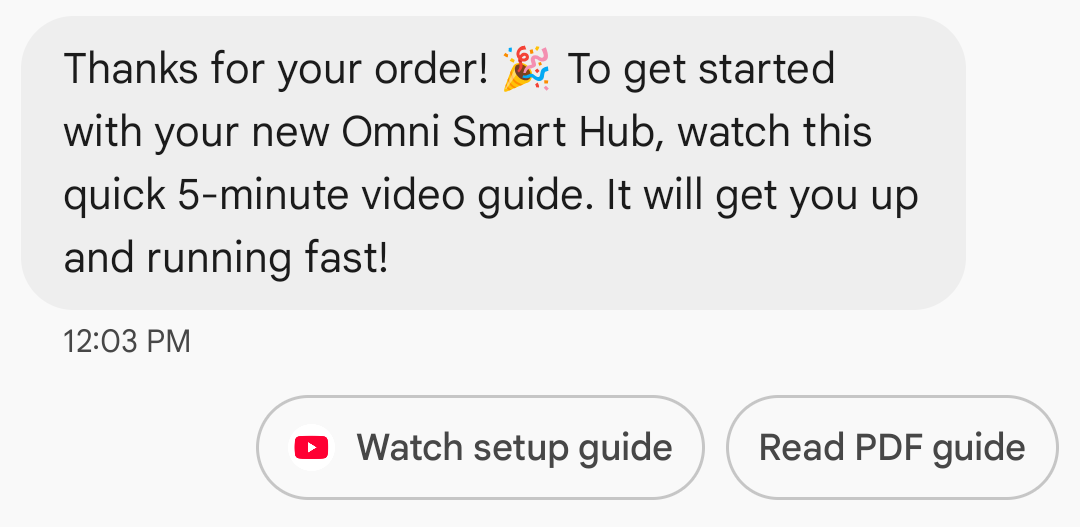
توجّه الردود المقترَحة المستخدمين خلال المحادثات من خلال تقديم ردود يعرف وكيلك كيفية التفاعل معها.
عندما ينقر المستخدم على ردّ مقترَح، يتلقّى الوكيل حدثًا يتضمّن نص الردّ وبيانات الإرجاع. يجب ألا يتجاوز حجم الحمولة 2048 حرفًا.
مثال
ترسل التعليمات البرمجية التالية نصًا يتضمّن ردّين مقترَحيْن. للاطّلاع على خيارات التنسيق والقيمة، يُرجى الرجوع إلى SuggestedReply.
cURL
curl -X POST "https://REGION-rcsbusinessmessaging.googleapis.com/v1/phones/PHONE_NUMBER/agentMessages?messageId=MESSAGE_ID&agentId=AGENT_ID" \
-H "Content-Type: application/json" \
-H "User-Agent: curl/rcs-business-messaging" \
-H "`oauth2l header --json PATH_TO_SERVICE_ACCOUNT_KEY rcsbusinessmessaging`" \
-d '{
  "contentMessage": {
    "text": "Hello, world!",
    "suggestions": [
      {
        "reply": {
          "text": "Suggestion #1",
          "postbackData": "suggestion_1"
        }
      },
      {
        "reply": {
          "text": "Suggestion #2",
          "postbackData": "suggestion_2"
        }
      }
    ]
  }
}'
Node.js
// Reference to RBM API helper
const rbmApiHelper = require('@google/rcsbusinessmessaging');

let suggestions = [
   {
      reply: {
         'text': 'Suggestion #1',
         'postbackData': 'suggestion_1',
      },
   },
   {
      reply: {
         'text': 'Suggestion #2',
         'postbackData': 'suggestion_2',
      },
   },
];

let params = {
   messageText: 'Hello, world!',
   msisdn: '+12223334444',
   suggestions: suggestions,
};

// Send a simple message with suggestion chips to the device
rbmApiHelper.sendMessage(params, function(response) {
   console.log(response);
});
جافا
import com.google.api.services.rcsbusinessmessaging.v1.model.Suggestion;
import com.google.rbm.RbmApiHelper;
import com.google.rbm.SuggestionHelper;
…

try {
   // Create an instance of the RBM API helper
   RbmApiHelper rbmApiHelper = new RbmApiHelper();

   // Create suggestions for chip list
   List<Suggestion> suggestions = new ArrayList<Suggestion>();
   suggestions.add(
      new SuggestionHelper("Suggestion #1", "suggestion_1").getSuggestedReply());

   suggestions.add(
      new SuggestionHelper("Suggestion #2", "suggestion_2").getSuggestedReply());

   // Send simple text message to user
   rbmApiHelper.sendTextMessage(
      "Hello, world!",
      "+12223334444",
      suggestions
   );
} catch(Exception e) {
   e.printStackTrace();
}
Python
# Reference to RBM Python client helper and messaging object structure
from rcs_business_messaging import rbm_service
from rcs_business_messaging import messages

# Create text message to send to user
text_msg = messages.TextMessage('Hello, world!')
cluster = messages.MessageCluster().append_message(text_msg)

# Append suggested replies for the message to send to the user
cluster.append_suggestion_chip(messages.SuggestedReply('Suggestion #1', 'reply:suggestion_1'))
cluster.append_suggestion_chip(messages.SuggestedReply('Suggestion #2', 'reply:suggestion_2'))

# Send a simple message with suggestion chips to the device
cluster.send_to_msisdn('+12223334444')
#C
using Google.Apis.RCSBusinessMessaging.v1.Data;
using RCSBusinessMessaging;
…

// Create an instance of the RBM API helper
RbmApiHelper rbmApiHelper = new RbmApiHelper(credentialsFileLocation,
                                             projectId);

List<Suggestion> suggestions = new List<Suggestion>
{
   // Create suggestion chips
   new SuggestionHelper("Suggestion #1", "suggestion_1").SuggestedReply(),
   new SuggestionHelper("Suggestion #2", "suggestion_2").SuggestedReply()
};

// Send simple text message with suggestions to user
rbmApiHelper.SendTextMessage(
    "Hello, world!",
    "+12223334444",
   suggestions
);
الإجراءات المقترَحة
توجّه الإجراءات المقترَحة المستخدمين خلال المحادثات من خلال الاستفادة من الوظائف المضمّنة في أجهزتهم. يمكن أن يقترح الوكيل على المستخدمين الاتصال برقم أو فتح موقع جغرافي على خريطة أو مشاركة موقع جغرافي أو فتح عنوان URL أو إنشاء حدث تقويم.
يمكنك بشكل اختياري تقديم عنوان URL احتياطي لكل إجراء مقترَح (2048 حرفًا كحد أقصى). يتم فتح عنوان URL هذا في نافذة متصفّح جديدة إذا كان جهاز المستخدم لا يتيح تنفيذ الإجراء المقترَح.
عندما ينقر المستخدم على إجراء مقترَح، يتلقّى وكيلك حدثًا يحتوي على بيانات الردّ التلقائي للإجراء.
للاطّلاع على خيارات التنسيق والقيمة، يُرجى الرجوع إلى SuggestedAction.
طلب رقم
يرشد إجراء "الاتصال" المستخدم إلى طلب رقم هاتف يحدّده وكيلك.
يمكن أن تتضمّن أرقام الهواتف أرقامًا (0-9) وعلامة الجمع (+) وعلامة النجمة (*) وعلامة الرقم (#) فقط. يتوفّر التنسيق الدولي E.164 (على سبيل المثال، +14155555555) ولكنّه ليس إلزاميًا. أي أنّ كلاً من +14155555555 و1011 هما إدخالان صالحان.
مثال
ترسل التعليمة البرمجية التالية إجراء اتصال. للاطّلاع على خيارات التنسيق والقيمة، يُرجى الرجوع إلى DialAction.
cURL
curl -X POST "https://REGION-rcsbusinessmessaging.googleapis.com/v1/phones/PHONE_NUMBER/agentMessages?messageId=MESSAGE_ID&agentId=AGENT_ID" \
-H "Content-Type: application/json" \
-H "User-Agent: curl/rcs-business-messaging" \
-H "`oauth2l header --json PATH_TO_SERVICE_ACCOUNT_KEY rcsbusinessmessaging`" \
-d '{
  "contentMessage": {
    "text": "Hello, world!",
    "suggestions": [
      {
        "action": {
          "text": "Call",
          "postbackData": "postback_data_1234",
          "fallbackUrl": "https://www.google.com/contact/",
          "dialAction": {
            "phoneNumber": "+15556667777"
          }
        }
      }
    ]
  }
}'
Node.js
// Reference to RBM API helper
const rbmApiHelper = require('@google/rcsbusinessmessaging');

// Define a dial suggested action
let suggestions = [
   {
      action: {
         text: 'Call',
         postbackData: 'postback_data_1234',
         dialAction: {
            phoneNumber: '+15556667777'
         }
      }
   },
];

let params = {
   messageText: 'Hello, world!',
   msisdn: '+12223334444',
   suggestions: suggestions,
};

// Send a simple message with a dial suggested action
rbmApiHelper.sendMessage(params, function(response) {
   console.log(response);
});
جافا
import com.google.api.services.rcsbusinessmessaging.v1.model.DialAction;
import com.google.api.services.rcsbusinessmessaging.v1.model.SuggestedAction;
import com.google.api.services.rcsbusinessmessaging.v1.model.Suggestion;
import com.google.rbm.RbmApiHelper;
…

try {
   // Create an instance of the RBM API helper
   RbmApiHelper rbmApiHelper = new RbmApiHelper();

   // Create suggestions for chip list
   List<Suggestion> suggestions = new ArrayList<Suggestion>();

   // creating a dial suggested action
   DialAction dialAction = new DialAction();
   dialAction.setPhoneNumber("+15556667777");

   // creating a suggested action based on a dial action
   SuggestedAction suggestedAction = new SuggestedAction();
   suggestedAction.setText("Call");
   suggestedAction.setPostbackData("postback_data_1234");
   suggestedAction.setDialAction(dialAction);

   // attaching action to a suggestion
   Suggestion suggestion = new Suggestion();
   suggestion.setAction(suggestedAction);

   suggestions.add(suggestion);

   // Send simple text message with the suggestion action
   rbmApiHelper.sendTextMessage(
      "Hello, world!",
      "+12223334444",
      suggestions
   );
} catch(Exception e) {
   e.printStackTrace();
}
Python
# Reference to RBM Python client helper and messaging object structure
from rcs_business_messaging import rbm_service
from rcs_business_messaging import messages

# Create a dial suggested action
suggestions = [
      messages.DialAction('Call', 'reply:postback_data_1234', '+15556667777')
]

# Create text message to send to user
text_msg = messages.TextMessage('Hello, world!')
cluster = messages.MessageCluster().append_message(text_msg)

# Append suggestions for the message to send to the user
for suggestion in suggestions:
    cluster.append_suggestion_chip(suggestion)

# Send a simple message with suggested action to the device
cluster.send_to_msisdn('+12223334444')
#C
using Google.Apis.RCSBusinessMessaging.v1.Data;
using RCSBusinessMessaging;
…

// Create an instance of the RBM API helper
RbmApiHelper rbmApiHelper = new RbmApiHelper(credentialsFileLocation,
                                                 projectId);

// Create a dial an agent suggested action
DialAction dialAction = new DialAction
{
    PhoneNumber = "+15556667777"
};

// Creating a suggested action based on a dial action
SuggestedAction suggestedAction = new SuggestedAction
{
    Text = "Call",
    PostbackData = "postback_data_1234",
    DialAction = dialAction
};

// Attach action to a suggestion
Suggestion suggestion = new Suggestion
{
    Action = suggestedAction
};

List<Suggestion> suggestions = new List<Suggestion>
{
    suggestion
};

rbmApiHelper.SendTextMessage(
    "Hello, world!",
    "+12223334444",
    suggestions
);
عرض موقع جغرافي
يعرض الإجراء "عرض الموقع الجغرافي" موقعًا جغرافيًا في تطبيق الخرائط التلقائي للمستخدم. ويمكنك تحديد الموقع الجغرافي إما باستخدام خطوط الطول والعرض أو باستخدام طلب بحث يستند إلى الموقع الجغرافي الحالي للمستخدم. يمكنك أيضًا ضبط تصنيف مخصّص للدبوس الذي يظهر في تطبيق الخرائط.
مثال
يرسل الرمز التالي إجراء عرض الموقع الجغرافي. للاطّلاع على خيارات التنسيق والقيمة، يُرجى الرجوع إلى ViewLocationAction.
cURL
curl -X POST "https://REGION-rcsbusinessmessaging.googleapis.com/v1/phones/PHONE_NUMBER/agentMessages?messageId=MESSAGE_ID&agentId=AGENT_ID" \
-H "Content-Type: application/json" \
-H "User-Agent: curl/rcs-business-messaging" \
-H "`oauth2l header --json PATH_TO_SERVICE_ACCOUNT_KEY rcsbusinessmessaging`" \
-d '{
  "contentMessage": {
    "text": "Hello, world!",
    "suggestions": [
      {
        "action": {
          "text": "View map",
          "postbackData": "postback_data_1234",
          "fallbackUrl": "https://www.google.com/maps/@37.4220188,-122.0844786,15z",
          "viewLocationAction": {
            "latLong": {
              "latitude": "37.4220188",
              "longitude": "-122.0844786"
            },
            "label": "Googleplex"
          }
        }
      }
    ]
  }
}'
Node.js
// Reference to RBM API helper
const rbmApiHelper = require('@google/rcsbusinessmessaging');

// Define a view location suggested action
let suggestions = [
   {
      action: {
         text: 'View map',
         postbackData: 'postback_data_1234',
         viewLocationAction: {
            latLong: {
               latitude: 37.4220188,
               longitude: -122.0844786
            },
            label: 'Googleplex'
         }
      }
   },
];

let params = {
   messageText: 'Hello, world!',
   msisdn: '+12223334444',
   suggestions: suggestions,
};

// Send a simple message with a view location suggested action
rbmApiHelper.sendMessage(params, function(response) {
   console.log(response);
});
جافا
import com.google.api.services.rcsbusinessmessaging.v1.model.ViewLocationAction;
import com.google.api.services.rcsbusinessmessaging.v1.model.SuggestedAction;
import com.google.api.services.rcsbusinessmessaging.v1.model.Suggestion;
import com.google.rbm.RbmApiHelper;
…

try {
   // Create an instance of the RBM API helper
   RbmApiHelper rbmApiHelper = new RbmApiHelper();

   // Create suggestions for chip list
   List<Suggestion> suggestions = new ArrayList<Suggestion>();

   // creating a view location suggested action
   ViewLocationAction viewLocationAction = new ViewLocationAction();
   viewLocationAction.setQuery("Googleplex, Mountain View, CA");

   // creating a suggested action based on a view location action
   SuggestedAction suggestedAction = new SuggestedAction();
   suggestedAction.setText("View map");
   suggestedAction.setPostbackData("postback_data_1234");
   suggestedAction.setViewLocationAction(viewLocationAction);

   // attaching action to a suggestion
   Suggestion suggestion = new Suggestion();
   suggestion.setAction(suggestedAction);

   suggestions.add(suggestion);

   // Send simple text message with the suggestion action
   rbmApiHelper.sendTextMessage(
      "Hello, world!",
      "+12223334444",
      suggestions
   );
} catch(Exception e) {
   e.printStackTrace();
}
Python
# Reference to RBM Python client helper and messaging object structure
from rcs_business_messaging import rbm_service
from rcs_business_messaging import messages

# Create a view location suggested action
suggestions = [
      messages.ViewLocationAction('View map',
            'reply:postback_data_1234',
            query='Googleplex, Mountain View, CA')
]

# Create text message to send to user
text_msg = messages.TextMessage('Hello, world!')
cluster = messages.MessageCluster().append_message(text_msg)

# Append suggestions for the message to send to the user
for suggestion in suggestions:
    cluster.append_suggestion_chip(suggestion)

# Send a simple message with suggested action to the device
cluster.send_to_msisdn('+12223334444')
#C
using Google.Apis.RCSBusinessMessaging.v1.Data;
using RCSBusinessMessaging;
…

// Create an instance of the RBM API helper
RbmApiHelper rbmApiHelper = new RbmApiHelper(credentialsFileLocation,
                                                 projectId);

// create an view location action
ViewLocationAction viewLocationAction = new ViewLocationAction
{
    Query = "Googleplex Mountain View, CA"
};

// Attach the view location action to a suggested action
SuggestedAction suggestedAction = new SuggestedAction
{
    ViewLocationAction = viewLocationAction,
    Text = "View map",
    PostbackData = "postback_data_1234"
};

// Attach the action to a suggestion object
Suggestion suggestion = new Suggestion
{
    Action = suggestedAction
};

List<Suggestion> suggestions = new List<Suggestion>
{
    suggestion
};

rbmApiHelper.SendTextMessage(
    "Hello, world!",
    "+12223334444",
    suggestions
);
مشاركة موقع
يسمح إجراء "مشاركة الموقع الجغرافي" للمستخدم بمشاركة موقع جغرافي مع وكيلك. يمكن للمستخدم مشاركة موقعه الجغرافي الحالي أو موقع جغرافي محدّد يدويًا من تطبيق "خرائط Google".
مثال
يرسل الرمز التالي إجراء مشاركة الموقع الجغرافي. للاطّلاع على خيارات التنسيق والقيمة، يُرجى الرجوع إلى ShareLocationAction.
cURL
curl -X POST "https://REGION-rcsbusinessmessaging.googleapis.com/v1/phones/PHONE_NUMBER/agentMessages?messageId=MESSAGE_ID&agentId=AGENT_ID" \
-H "Content-Type: application/json" \
-H "User-Agent: curl/rcs-business-messaging" \
-H "`oauth2l header --json PATH_TO_SERVICE_ACCOUNT_KEY rcsbusinessmessaging`" \
-d '{
  "contentMessage": {
    "text": "Hello, world!",
    "suggestions": [
      {
        "action": {
          "text": "Share your location",
          "postbackData": "postback_data_1234",
          "shareLocationAction": {}
        }
      }
    ]
  }
}'
Node.js
// Reference to RBM API helper
const rbmApiHelper = require('@google/rcsbusinessmessaging');

// Define a share location suggested action
let suggestions = [
   {
      action: {
         text: 'Share your location',
         postbackData: 'postback_data_1234',
         shareLocationAction: {
         }
      }
   },
];

let params = {
   messageText: 'Hello, world!',
   msisdn: '+12223334444',
   suggestions: suggestions,
};

// Send a simple message with a share location suggested action
rbmApiHelper.sendMessage(params, function(response) {
   console.log(response);
});
جافا
import com.google.api.services.rcsbusinessmessaging.v1.model.ShareLocationAction;
import com.google.api.services.rcsbusinessmessaging.v1.model.SuggestedAction;
import com.google.api.services.rcsbusinessmessaging.v1.model.Suggestion;
import com.google.rbm.RbmApiHelper;
…

try {
   // Create an instance of the RBM API helper
   RbmApiHelper rbmApiHelper = new RbmApiHelper();

   // Create suggestions for chip list
   List<Suggestion> suggestions = new ArrayList<Suggestion>();

   // creating a share location suggested action
   ShareLocationAction shareLocationAction = new ShareLocationAction();

   // creating a suggested action based on a share location action
   SuggestedAction suggestedAction = new SuggestedAction();
   suggestedAction.setText("Share location");
   suggestedAction.setPostbackData("postback_data_1234");
   suggestedAction.setShareLocationAction(shareLocationAction);

   // attaching action to a suggestion
   Suggestion suggestion = new Suggestion();
   suggestion.setAction(suggestedAction);

   suggestions.add(suggestion);

   // Send simple text message with the suggestion action
   rbmApiHelper.sendTextMessage(
      "Hello, world!",
      "+12223334444",
      suggestions
   );
} catch(Exception e) {
   e.printStackTrace();
}
Python
# Reference to RBM Python client helper and messaging object structure
from rcs_business_messaging import rbm_service
from rcs_business_messaging import messages

# Create a share location suggested action
suggestions = [
      messages.ShareLocationAction('Share location',
            'reply:postback_data_1234')
]

# Create text message to send to user
text_msg = messages.TextMessage('Hello, world!')
cluster = messages.MessageCluster().append_message(text_msg)

# Append suggestions for the message to send to the user
for suggestion in suggestions:
    cluster.append_suggestion_chip(suggestion)

# Send a simple message with suggested action to the device
cluster.send_to_msisdn('+12223334444')
#C
using Google.Apis.RCSBusinessMessaging.v1.Data;
using RCSBusinessMessaging;
…

// Create an instance of the RBM API helper
RbmApiHelper rbmApiHelper = new RbmApiHelper(credentialsFileLocation,
                                                 projectId);

// Create a share location action
ShareLocationAction shareLocationAction = new ShareLocationAction();

// Attach the share location action to a suggested action
SuggestedAction suggestedAction = new SuggestedAction
{
    ShareLocationAction = shareLocationAction,
    Text = "Share location",
    PostbackData = "postback_data_1234"
};

// Attach the action to a suggestion object
Suggestion suggestion = new Suggestion
{
    Action = suggestedAction
};

List<Suggestion> suggestions = new List<Suggestion>
{
    suggestion
};

rbmApiHelper.SendTextMessage(
    "Hello, world!",
    "+12223334444",
    suggestions
);
فتح عنوان URL
يتيح لك إجراء OpenURL توجيه المستخدمين إلى صفحة ويب يحدّدها وكيلك. يتم تلقائيًا فتح صفحة الويب في متصفّح المستخدم. يمكنك أيضًا ضبط صفحة الويب ليتم فتحها في عرض ويب. راجِع فتح عنوان URL باستخدام Webview للحصول على التفاصيل.
في تطبيق "رسائل Google" فقط
عرض عنوان URL الأساسي: لتحسين الشفافية في المراسلة من التطبيقات إلى الأشخاص (A2P)، يعرض تطبيق "رسائل Google" عنوان URL الأساسي ضمن الإجراءات المقترَحة "فتح عنوان URL". يؤثّر هذا التغيير في الإجراءات المقترَحة في البطاقات التفاعلية العادية ولوحات العرض الدوّارة للبطاقات التفاعلية.
عرض رمز التطبيق للروابط على الويب: إذا كان المستخدم قد ضبط تطبيقًا تلقائيًا لصفحة الويب، سيتم فتح هذا التطبيق بدلاً من المتصفّح أو webview، وسيعرض زر الاقتراح رمز التطبيق. لكي يظهر رمز التطبيق في تطبيق "رسائل Google"، عليك تقديم عنوان URL الكامل والمباشر. في حال استخدام عنوان URL مختصر، سيظهر رمز "فتح عنوان URL" التلقائي بدلاً من ذلك.
مثال
يرسل الرمز التالي إجراء فتح عنوان URL. للاطّلاع على خيارات التنسيق والقيمة، راجِع OpenUrlAction.
cURL
curl -X POST "https://REGION-rcsbusinessmessaging.googleapis.com/v1/phones/PHONE_NUMBER/agentMessages?messageId=MESSAGE_ID&agentId=AGENT_ID" \
-H "Content-Type: application/json" \
-H "User-Agent: curl/rcs-business-messaging" \
-H "`oauth2l header --json PATH_TO_SERVICE_ACCOUNT_KEY rcsbusinessmessaging`" \
-d '{
  "contentMessage": {
    "text": "Hello, world!",
    "suggestions": [
      {
        "action": {
          "text": "Open Google",
          "postbackData": "postback_data_1234",
          "openUrlAction": {
            "url": "https://www.google.com"
          }
        }
      }
    ]
  }
}'
Node.js
// Reference to RBM API helper
const rbmApiHelper = require('@google/rcsbusinessmessaging');

// Define an open URL suggested action
let suggestions = [
   {
      action: {
         text: 'Open Google',
         postbackData: 'postback_data_1234',
         openUrlAction: {
            url: 'https://www.google.com'
         }
      }
   },
];

let params = {
   messageText: 'Hello, world!',
   msisdn: '+12223334444',
   suggestions: suggestions,
};

// Send a simple message with an open URL suggested action
rbmApiHelper.sendMessage(params, function(response) {
   console.log(response);
});
جافا
import com.google.api.services.rcsbusinessmessaging.v1.model.OpenUrlAction;
import com.google.api.services.rcsbusinessmessaging.v1.model.SuggestedAction;
import com.google.api.services.rcsbusinessmessaging.v1.model.Suggestion;
import com.google.rbm.RbmApiHelper;
…

try {
   // Create an instance of the RBM API helper
   RbmApiHelper rbmApiHelper = new RbmApiHelper();

   // Create suggestions for chip list
   List<Suggestion> suggestions = new ArrayList<Suggestion>();

   // creating an open url suggested action
   OpenUrlAction openUrlAction = new OpenUrlAction();
   openUrlAction.setUrl("https://www.google.com");

   // creating a suggested action based on an open url action
   SuggestedAction suggestedAction = new SuggestedAction();
   suggestedAction.setText("Open Google");
   suggestedAction.setPostbackData("postback_data_1234");
   suggestedAction.setOpenUrlAction(openUrlAction);

   // attaching action to a suggestion
   Suggestion suggestion = new Suggestion();
   suggestion.setAction(suggestedAction);

   suggestions.add(suggestion);

   // Send simple text message with the suggestion action
   rbmApiHelper.sendTextMessage(
      "Hello, world!",
      "+12223334444",
      suggestions
   );
} catch(Exception e) {
   e.printStackTrace();
}
Python
# Reference to RBM Python client helper and messaging object structure
from rcs_business_messaging import rbm_service
from rcs_business_messaging import messages

# Create an open url suggested action
suggestions = [
      messages.OpenUrlAction('Open Google',
            'reply:postback_data_1234',
            'https://www.google.com')
]

# Create text message to send to user
text_msg = messages.TextMessage('Hello, world!')
cluster = messages.MessageCluster().append_message(text_msg)

# Append suggestions for the message to send to the user
for suggestion in suggestions:
    cluster.append_suggestion_chip(suggestion)

# Send a simple message with suggested action to the device
cluster.send_to_msisdn('+12223334444')
#C
using Google.Apis.RCSBusinessMessaging.v1.Data;
using RCSBusinessMessaging;
…

// Create an instance of the RBM API helper
RbmApiHelper rbmApiHelper = new RbmApiHelper(credentialsFileLocation,
                                                 projectId);

// Create an open url action
OpenUrlAction openUrlAction = new OpenUrlAction
{
    Url = "https://www.google.com"
};

// Attach the open url action to a suggested action
SuggestedAction suggestedAction = new SuggestedAction
{
    OpenUrlAction = openUrlAction,
    Text = "Open Google",
    PostbackData = "postback_data_1234"
};

// Attach the action to a suggestion object
Suggestion suggestion = new Suggestion
{
    Action = suggestedAction
};

List<Suggestion> suggestions = new List<Suggestion>
{
    suggestion
};

rbmApiHelper.SendTextMessage(
    "Hello, world!",
    "+12223334444",
    suggestions
);
فتح عنوان URL باستخدام WebView
يؤدي إجراء "فتح عنوان URL باستخدام عرض الويب" إلى تحميل صفحة الويب المحدّدة داخل تطبيق المراسلة باستخدام محرّك العرض التابع للمتصفّح التلقائي. يتيح ذلك للمستخدم التفاعل مع صفحة الويب بدون مغادرة محادثة RCS
for Business. إذا كان جهاز المستخدم لا يتوافق مع عروض الويب، سيتم فتح صفحة الويب في متصفّح المستخدم بدلاً من ذلك. لتفعيل عروض الويب، يُرجى الاطّلاع على
OpenURLApplication.
تتضمّن عروض الويب ثلاثة أوضاع عرض. للاطّلاع على خيارات التنسيق والقيمة، يُرجى الرجوع إلى WebviewViewMode.
- ملء الشاشة: تشغل صفحة الويب الشاشة بأكملها
- نصف الشاشة: تشغل صفحة الويب نصف الشاشة
- طويل: تشغل صفحة الويب ثلاثة أرباع الشاشة
مثال
يرسل الرمز التالي إجراء "فتح عنوان URL باستخدام WebView". للاطّلاع على خيارات التنسيق والقيمة، يُرجى الرجوع إلى OpenURLAction.
cURL
curl -X POST "https://REGION-rcsbusinessmessaging.googleapis.com/v1/phones/PHONE_NUMBER/agentMessages?messageId=MESSAGE_ID&agentId=AGENT_ID" \
-H "Content-Type: application/json" \
-H "User-Agent: curl/rcs-business-messaging" \
-H "`oauth2l header --json PATH_TO_SERVICE_ACCOUNT_KEY rcsbusinessmessaging`" \
-d '{
 "contentMessage": {
   "text": "Hello, world!",
   "suggestions": [
     {
       "action": {
         "text": "Open Google",
         "postbackData": "postback_data_1234",
         "openUrlAction": {
           "url": "https://www.google.com",
           "application": "WEBVIEW",
           "webviewViewMode": "FULL",
           "description": "Accessibility description"
         }
       }
     }
   ]
 }
}'
جافا
import com.google.api.services.rcsbusinessmessaging.v1.model.OpenUrlAction;
import com.google.api.services.rcsbusinessmessaging.v1.model.SuggestedAction;
import com.google.api.services.rcsbusinessmessaging.v1.model.Suggestion;
import com.google.rbm.RbmApiHelper;
…

try {

   String URL = "https://www.google.com";

   // Create an instance of the RBM API helper
   RbmApiHelper rbmApiHelper = new RbmApiHelper();

   // Create suggestions for chip list
   List<Suggestion> suggestions = new ArrayList<Suggestion>();

   // Create suggestion to view webpage in full mode
   Suggestion viewInFullMode =  getUrlActionInWebview(URL, "FULL")
   suggestions.add(viewInFullMode);

   // create suggestion to view webpage in half mode
   Suggestion viewInHalfMode =  getUrlActionInWebview(URL, "HALF")
   suggestions.add(viewInHalfMode);

   // create suggestion to view webpage in tall mode
   Suggestion viewInTallMode =  getUrlActionInWebview(URL, "TALL")
   suggestions.add(viewInTallMode);

   // Send simple text message with the suggested action
   rbmApiHelper.sendTextMessage(
      "Hello, world!",
      "+12223334444",
      suggestions
   );
} catch(Exception e) {
   e.printStackTrace();
}

  /**
    * Creates a suggested action to open URL in webview.
    *
    * @return a suggestion object for an open URL in webview action .
    */
    private Suggestion getUrlActionInWebview(String url,
                                             String viewMode) {
      // create an open url action
      OpenUrlAction openUrlAction = new OpenUrlAction();
      openUrlAction.setUrl(url);
      openUrlAction.setApplication("WEBVIEW");
      openUrlAction.setWebviewViewMode(viewMode);
      openUrlAction.setDescription("Accessibility description");

      // attach the open url action to a suggested action
      SuggestedAction suggestedAction = new SuggestedAction();
      suggestedAction.setOpenUrlAction(openUrlAction);
      suggestedAction.setText('display_text');
      suggestedAction.setPostbackData('postback_data_123');

      // attach the action to a suggestion object
      Suggestion suggestion = new Suggestion();
      suggestion.setAction(suggestedAction);

      return suggestion;
    }
إنشاء حدث في التقويم
يفتح الإجراء "إنشاء حدث في التقويم" تطبيق التقويم الخاص بالمستخدم ويبدأ في إنشاء حدث جديد بالمعلومات المحدّدة.
يجب إدخال عنوان لحدث التقويم. يبلغ الحد الأقصى لعدد الأحرف المسموح به 100 حرف. وصف حدث التقويم اختياري ويجب ألّا يتجاوز 500 حرف.
مثال
يرسل الرمز التالي إجراء إنشاء حدث في التقويم. للاطّلاع على خيارات التنسيق والقيمة، يُرجى الرجوع إلى CreateCalendarEventAction.
cURL
curl -X POST "https://REGION-rcsbusinessmessaging.googleapis.com/v1/phones/PHONE_NUMBER/agentMessages?messageId=MESSAGE_ID&agentId=AGENT_ID" \
-H "Content-Type: application/json" \
-H "User-Agent: curl/rcs-business-messaging" \
-H "`oauth2l header --json PATH_TO_SERVICE_ACCOUNT_KEY rcsbusinessmessaging`" \
-d '{
  "contentMessage": {
    "text": "Hello, world!",
    "suggestions": [
      {
        "action": {
          "text": "Save to calendar",
          "postbackData": "postback_data_1234",
          "fallbackUrl": "https://www.google.com/calendar",
          "createCalendarEventAction": {
            "startTime": "2020-06-30T19:00:00Z",
            "endTime": "2020-06-30T20:00:00Z",
            "title": "My calendar event",
            "description": "Description of the calendar event"
          }
        }
      }
    ]
  }
}'
Node.js
// Reference to RBM API helper
const rbmApiHelper = require('@google/rcsbusinessmessaging');

// Define a create calendar event suggested action
let suggestions = [
   {
      action: {
         text: 'Save to calendar',
         postbackData: 'postback_data_1234',
         createCalendarEventAction: {
            startTime: '2020-06-30T19:00:00Z',
            endTime: '2020-06-30T20:00:00Z',
            title: 'My calendar event',
            description: 'Description of the calendar event',
         },
      }
   },
];

let params = {
   messageText: 'Hello, world!',
   msisdn: '+12223334444',
   suggestions: suggestions,
};

// Send a simple message with a create calendar event suggested action
rbmApiHelper.sendMessage(params, function(response) {
   console.log(response);
});
جافا
import com.google.api.services.rcsbusinessmessaging.v1.model.CreateCalendarEventAction;
import com.google.api.services.rcsbusinessmessaging.v1.model.SuggestedAction;
import com.google.api.services.rcsbusinessmessaging.v1.model.Suggestion;
import com.google.rbm.RbmApiHelper;
…

try {
   // Create an instance of the RBM API helper
   RbmApiHelper rbmApiHelper = new RbmApiHelper();

   // Create suggestions for chip list
   List<Suggestion> suggestions = new ArrayList<Suggestion>();

   // creating a create calendar event suggested action
   CreateCalendarEventAction createCalendarEventAction = new CreateCalendarEventAction();
   calendarEventAction.setTitle("My calendar event");
   calendarEventAction.setDescription("Description of the calendar event");
   calendarEventAction.setStartTime("2020-06-30T19:00:00Z");
   calendarEventAction.setEndTime("2020-06-30T20:00:00Z");

   // creating a suggested action based on a create calendar event action
   SuggestedAction suggestedAction = new SuggestedAction();
   suggestedAction.setText("Save to calendar");
   suggestedAction.setPostbackData("postback_data_1234");
   suggestedAction.setCreateCalendarEventAction(createCalendarEventAction);

   // attaching action to a suggestion
   Suggestion suggestion = new Suggestion();
   suggestion.setAction(suggestedAction);

   suggestions.add(suggestion);

   // Send simple text message with the suggestion action
   rbmApiHelper.sendTextMessage(
      "Hello, world!",
      "+12223334444",
      suggestions
   );
} catch(Exception e) {
   e.printStackTrace();
}
Python
# Reference to RBM Python client helper and messaging object structure
from rcs_business_messaging import rbm_service
from rcs_business_messaging import messages

# Create a calendar event suggested action
suggestions = [
      messages.CreateCalendarEventAction('Save to Calendar',
                             'reply:postback_data_1234',
                             '2020-06-30T19:00:00Z',
                             '2020-06-30T20:00:00Z',
                             'My calendar event',
                             'Description of the calendar event')

]

# Create text message to send to user
text_msg = messages.TextMessage('Hello, world!')
cluster = messages.MessageCluster().append_message(text_msg)

# Append suggestions for the message to send to the user
for suggestion in suggestions:
    cluster.append_suggestion_chip(suggestion)

# Send a simple message with suggested action to the device
cluster.send_to_msisdn('+12223334444')
#C
using Google.Apis.RCSBusinessMessaging.v1.Data;
using RCSBusinessMessaging;
…

// Create an instance of the RBM API helper
RbmApiHelper rbmApiHelper = new RbmApiHelper(credentialsFileLocation,
                                                 projectId);

// Create a calendar event action
CreateCalendarEventAction calendarEventAction = new CreateCalendarEventAction
{
    Title = "My calendar event",
    Description = "Description of the calendar event",
    StartTime = "2020-06-30T19:00:00Z",
    EndTime = "2020-06-30T20:00:00Z"
};

// Attach the calendar event action to a suggested action
SuggestedAction suggestedAction = new SuggestedAction
{
    CreateCalendarEventAction = calendarEventAction,
    Text = "Save to calendar",
    PostbackData = "postback_data_1234"
};

// Attach the action to a suggestion object
Suggestion suggestion = new Suggestion
{
    Action = suggestedAction
};

List<Suggestion> suggestions = new List<Suggestion>
{
    suggestion
};

rbmApiHelper.SendTextMessage(
    "Hello, world!",
    "+12223334444",
    suggestions
);
قائمة شرائح الاقتراحات
يرسل الوكيل قوائم شرائح الاقتراحات مع الرسائل لتوجيه المستخدمين بشأن الإجراءات اللاحقة. لا تظهر قائمة الشرائح إلا عندما تكون الرسالة المرتبطة بها في أسفل المحادثة. ستؤدي أي رسائل لاحقة في المحادثة (من مستخدم أو وكيل) إلى استبدال قائمة الشرائح.
تتضمّن الشرائح في القائمة ردودًا مقترَحة وإجراءات مقترَحة.
تحتوي قوائم الشرائح على 11 شريحة اقتراحات كحدّ أقصى، ويمكن أن يحتوي تصنيف كل شريحة على 25 حرفًا كحدّ أقصى.
للاطّلاع على خيارات التنسيق والقيمة، يُرجى الرجوع إلى AgentContentMessage.
البطاقات التفاعلية
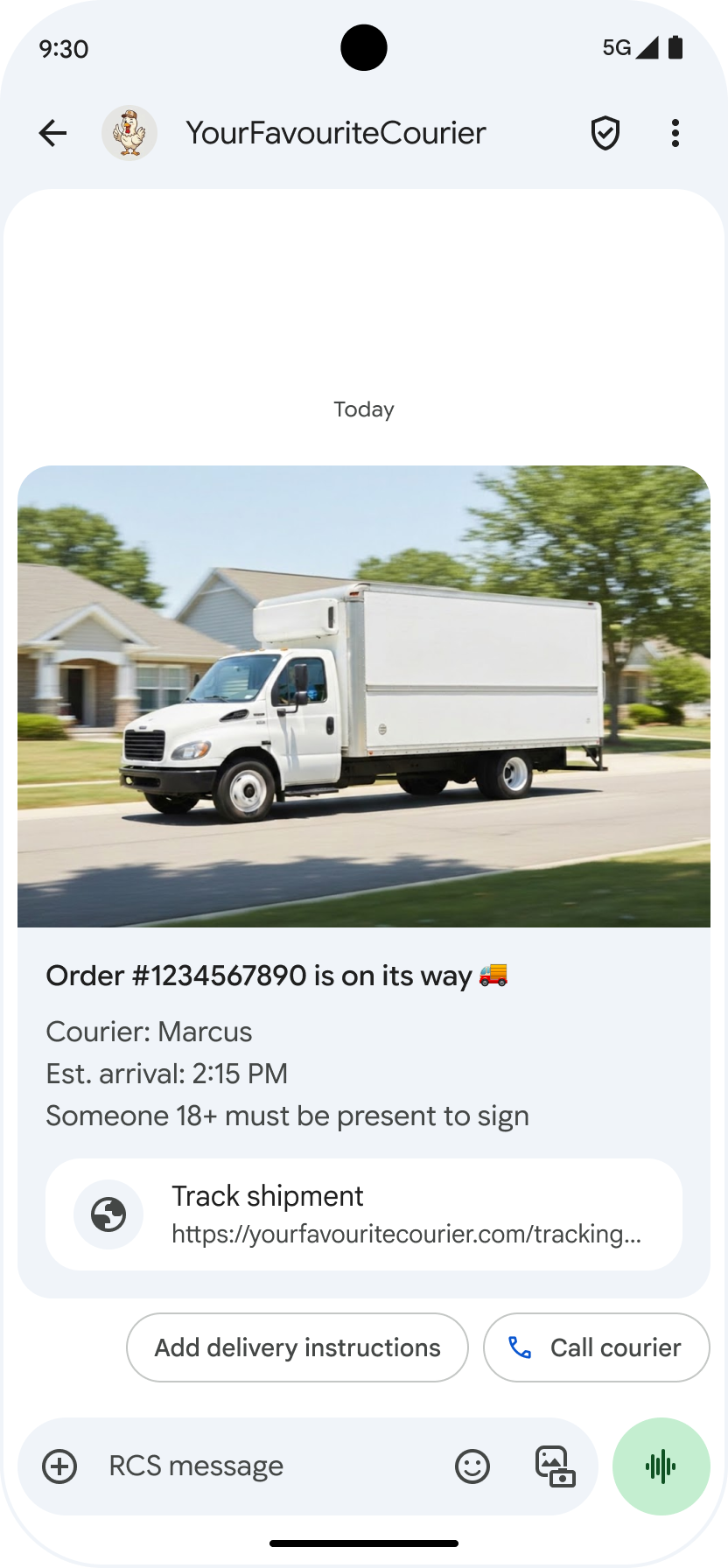
تجمع البطاقات التفاعلية بين الوسائط والنصوص والاقتراحات التفاعلية في رسالة واحدة. وهي مثالية لعرض معلومات ذات صلة (على سبيل المثال، منتج مع صورته واسمه وسعره) وتوجيه المستخدمين إلى الخطوة التالية بوضوح، مثل اقتراح "عرض التفاصيل".
يمكن أن تحتوي البطاقة التفاعلية على ما يلي:
- الوسائط (صورة أو ملف GIF أو فيديو)
- نص العنوان
- نص الوصف
- الردود المقترَحة والإجراءات المقترَحة (الحدّ الأقصى هو 4)
كل حقل من هذه الحقول اختياري، ولكن يجب تضمين حقل واحد على الأقل من الحقول 1 إلى 3 في البطاقة التفاعلية.
يمكن إرسال بطاقات متعدّدة معًا في لوحة عرض دوّارة قابلة للتمرير أفقيًا.
يُرجى العِلم أنّ إجمالي حجم الحمولة لبطاقة تفاعلية هو 250 كيلوبايت.
للاطّلاع على التفاصيل الفنية الكاملة، يُرجى الرجوع إلى مستندات البطاقات التفاعلية.
ارتفاع البطاقة
تتوسّع البطاقات التفاعلية عموديًا لتلائم محتواها. ويبلغ الحد الأدنى لارتفاعها 112 وحدة بكسل مستقلة الكثافة والحد الأقصى 344 وحدة بكسل مستقلة الكثافة. إذا لم يكن محتوى البطاقة كبيرًا بما يكفي لملء الحد الأدنى لطول البطاقة، يتم توسيع البطاقة وملء المساحة الإضافية بمسافات بيضاء.
يجب أن يتناسب ارتفاع الوسائط في البطاقات التفاعلية مع أحد الارتفاعات الثلاثة التالية:
- قصيرة: 112 وحدة بكسل مستقلة الكثافة
- متوسطة: 168 وحدة بكسل مستقلة الكثافة
- طويلة: 264 وحدة بكسل مستقلة الكثافة
إذا لم تتناسب الوسائط مع الأبعاد داخل البطاقة بالنظر إلى الارتفاع المحدّد، يتم اختيار معاينة الوسائط من خلال تكبير الوسائط واقتصاصها.
مثال
يرسل الرمز التالي بطاقة تفاعلية تحتوي على صورة وردود مقترَحة. للاطّلاع على خيارات التنسيق والقيمة، يُرجى الرجوع إلى RichCard.
cURL
curl -X POST "https://REGION-rcsbusinessmessaging.googleapis.com/v1/phones/PHONE_NUMBER/agentMessages?messageId=MESSAGE_ID&agentId=AGENT_ID" \
-H "Content-Type: application/json" \
-H "User-Agent: curl/rcs-business-messaging" \
-H "`oauth2l header --json PATH_TO_SERVICE_ACCOUNT_KEY rcsbusinessmessaging`" \
-d '{
  "contentMessage": {
    "richCard": {
      "standaloneCard": {
        "thumbnailImageAlignment": "RIGHT",
        "cardOrientation": "VERTICAL",
        "cardContent": {
          "title": "Hello, world!",
          "description": "RBM is awesome!",
          "media": {
            "height": "TALL",
            "contentInfo":{
              "fileUrl": "http://www.google.com/logos/doodles/2015/googles-new-logo-5078286822539264.3-hp2x.gif",
              "forceRefresh": false
            }
          },
          "suggestions": [
            {
              "reply": {
                "text": "Suggestion #1",
                "postbackData": "suggestion_1"
              }
            },
            {
              "reply": {
                "text": "Suggestion #2",
                "postbackData": "suggestion_2"
              }
            }
          ]
        }
      }
    }
  }
}'
Node.js
// Reference to RBM API helper
const rbmApiHelper = require('@google/rcsbusinessmessaging');

// Suggested replies to be used in the card
let suggestions = [
   {
      reply: {
         'text': 'Suggestion #1',
         'postbackData': 'suggestion_1',
      },
   },
   {
      reply: {
         'text': 'Suggestion #2',
         'postbackData': 'suggestion_2',
      },
   },
];

// Image to be displayed by the card
let imageUrl = 'http://www.google.com/logos/doodles/2015/googles-new-logo-5078286822539264.3-hp2x.gif';

// Definition of the card parameters
let params = {
   messageText: 'Hello, world!',
   messageDescription: 'RBM is awesome!',
   msisdn: '+12223334444',
   suggestions: suggestions,
   imageUrl: imageUrl,
   height: 'TALL',
};

// Send rich card to device
rbmApiHelper.sendRichCard(params, function(response) {
   console.log(response);
});
جافا
import com.google.api.services.rcsbusinessmessaging.v1.model.StandaloneCard;
import com.google.api.services.rcsbusinessmessaging.v1.model.Suggestion;
import com.google.rbm.cards.CardOrientation;
import com.google.rbm.cards.MediaHeight;
import com.google.rbm.RbmApiHelper;
import com.google.rbm.SuggestionHelper;
…

try {
   // Create an instance of the RBM API helper
   RbmApiHelper rbmApiHelper = new RbmApiHelper();

   // Create suggestions for chip list
   List<Suggestion> suggestions = new ArrayList<Suggestion>();
   suggestions.add(
      new SuggestionHelper("Suggestion #1", "suggestion_1").getSuggestedReply());

   suggestions.add(
      new SuggestionHelper("Suggestion #2", "suggestion_2").getSuggestedReply());

   String imageUrl = "http://www.google.com/logos/doodles/2015/googles-new-logo-5078286822539264.3-hp2x.gif";

   // Create a standalone rich card to send to the user
   StandaloneCard standaloneCard = rbmApiHelper.createStandaloneCard(
       "Hello, world!",
       "RBM is awesome!",
       imageUrl,
       MediaHeight.MEDIUM,
       CardOrientation.VERTICAL,
       suggestions
   );

   rbmApiHelper.sendStandaloneCard(standaloneCard, "+12223334444");
} catch(Exception e) {
   e.printStackTrace();
}
Python
# Reference to RBM Python client helper and messaging object structure
from rcs_business_messaging import rbm_service
from rcs_business_messaging import messages

# Suggested replies to be used in the card
suggestions = [
      messages.SuggestedReply('Suggestion #1', 'reply:suggestion_1'),
      messages.SuggestedReply('Suggestion #2', 'reply:suggestion_2')
]

# Image to be displayed by the card
image_url = 'http://www.google.com/logos/doodles/2015/googles-new-logo-5078286822539264.3-hp2x.gif';

# Define rich card structure
rich_card = messages.StandaloneCard('VERTICAL',
                                    'Hello, world!',
                                    'RBM is awesome!',
                                    suggestions,
                                    image_url,
                                    None,
                                    None,
                                    'MEDIUM')

# Append rich card and send to the user
cluster = messages.MessageCluster().append_message(rich_card)
cluster.send_to_msisdn('+12223334444')
#C
using Google.Apis.RCSBusinessMessaging.v1.Data;
using RCSBusinessMessaging;
using RCSBusinessMessaging.Cards;
…

// Create an instance of the RBM API helper
RbmApiHelper rbmApiHelper = new RbmApiHelper(credentialsFileLocation,
                                             projectId);

List<Suggestion> suggestions = new List<Suggestion>
{
   // Create suggestion chips
   new SuggestionHelper("Suggestion #1", "suggestion_1").SuggestedReply(),
   new SuggestionHelper("Suggestion #2", "suggestion_2").SuggestedReply()
};

string imageUrl = "http://www.google.com/logos/doodles/2015/googles-new-logo-5078286822539264.3-hp2x.gif";

// Create rich card with suggestions
StandaloneCard standaloneCard = rbmApiHelper.CreateStandaloneCard(
   "Hello, world!",
   "RBM is awesome",
   imageUrl,
   MediaHeight.TALL,
   CardOrientation.VERTICAL,
   suggestions
);

// Send rich card to user
rbmApiHelper.SendStandaloneCard(standaloneCard, "+12223334444");
لوحات العرض الدوّارة للبطاقات التفاعلية
تجمع منصّات العرض الدوّارة بين عدة بطاقات تفاعلية، ما يتيح للمستخدمين مقارنة العناصر والتفاعل مع كل عنصر على حدة.
يمكن أن تحتوي لوحات العرض الدوّارة على بطاقتَين من البطاقات التفاعلية كحدّ أدنى و10 بطاقات كحدّ أقصى. يجب أن تتوافق البطاقات التفاعلية ضمن لوحات العرض الدوّارة مع المتطلبات العامة للبطاقات التفاعلية من حيث المحتوى والارتفاع، كما هو موضّح في مستندات البطاقات التفاعلية. لمزيد من المعلومات حول تصميم ومواصفات لوحة العرض الدوّارة، يمكنك الاطّلاع على مستندات لوحة العرض الدوّارة.
مثال
يرسل الرمز التالي لوحة عرض دوّارة للبطاقات التفاعلية. للاطّلاع على خيارات التنسيق والقيمة، راجِع RichCard.
cURL
curl -X POST "https://REGION-rcsbusinessmessaging.googleapis.com/v1/phones/PHONE_NUMBER/agentMessages?messageId=MESSAGE_ID&agentId=AGENT_ID" \
-H "Content-Type: application/json" \
-H "User-Agent: curl/rcs-business-messaging" \
-H "`oauth2l header --json PATH_TO_SERVICE_ACCOUNT_KEY rcsbusinessmessaging`" \
-d '{
  "contentMessage": {
    "richCard": {
      "carouselCard": {
        "cardWidth": "MEDIUM",
        "cardContents": [
          {
            "title": "Card #1",
            "description": "The description for card #1",
            "suggestions": [
              {
                "reply": {
                  "text": "Card #1",
                  "postbackData": "card_1"
                }
              }
            ],
            "media": {
              "height": "MEDIUM",
              "contentInfo": {
                "fileUrl": "https://storage.googleapis.com/welcome-bot-sample-images/200.jpg",
                "forceRefresh": false
              }
            }
          },
          {
            "title": "Card #2",
            "description": "The description for card #2",
            "suggestions": [
              {
                "reply": {
                  "text": "Card #2",
                  "postbackData": "card_2"
                }
              }
            ],
            "media": {
              "height": "MEDIUM",
              "contentInfo": {
                "fileUrl": "https://storage.googleapis.com/welcome-bot-sample-images/201.jpg",
                "forceRefresh": false
              }
            }
          }
        ]
      }
    }
  }
}'
Node.js
// Reference to RBM API helper
const rbmApiHelper = require('@google/rcsbusinessmessaging');

// Images for the carousel cards
let card1Image = 'https://storage.googleapis.com/welcome-bot-sample-images/200.jpg';
let card2Image = 'https://storage.googleapis.com/welcome-bot-sample-images/201.jpg';

// Define the card contents for a carousel with two cards, each with one suggested reply
let cardContents = [
   {
      title: 'Card #1',
      description: 'The description for card #1',
      suggestions: [
         {
            reply: {
               text: 'Card #1',
               postbackData: 'card_1',
            }
         }
      ],
      media: {
         height: 'MEDIUM',
         contentInfo: {
            fileUrl: card1Image,
            forceRefresh: false,
         },
      },
   },
   {
      title: 'Card #2',
      description: 'The description for card #2',
      suggestions: [
         {
            reply: {
               text: 'Card #2',
               postbackData: 'card_2',
            }
         }
      ],
      media: {
         height: 'MEDIUM',
         contentInfo: {
            fileUrl: card2Image,
            forceRefresh: false,
         },
      },
   },
];

// Definition of carousel card
let params = {
   msisdn: '+12223334444',
   cardContents: cardContents,
};

// Send the device the carousel card defined above
rbmApiHelper.sendCarouselCard(params, function(response) {
   console.log(response);
});
جافا
import com.google.api.services.rcsbusinessmessaging.v1.model.CardContent;
import com.google.api.services.rcsbusinessmessaging.v1.model.Suggestion;
import com.google.rbm.cards.CardOrientation;
import com.google.rbm.cards.CardWidth;
import com.google.rbm.cards.MediaHeight;
import com.google.rbm.RbmApiHelper;
import com.google.rbm.SuggestionHelper;
…

try {
            // Create an instance of the RBM API helper
            RbmApiHelper rbmApiHelper = new RbmApiHelper();

            List cardContents = new ArrayList();

            // Images for the carousel cards
            String card1Image = "https://storage.googleapis.com/welcome-bot-sample-images/200.jpg";

            // Create suggestions for first carousel card
            List card1Suggestions = new ArrayList();
            card1Suggestions.add(
                new SuggestionHelper("Card #1", "card_1"));

            cardContents.add(
                new StandaloneCardHelper(
                    "Card #1",
                    "The description for card #1",
                    card1Image,
                    card1Suggestions)
                    .getCardContent(MediaHeight.SHORT)
            );

            // Images for the carousel cards
            String card2Image = "https://storage.googleapis.com/welcome-bot-sample-images/201.jpg";

            // Create suggestions for second carousel card
            List card2Suggestions = new ArrayList();
            card2Suggestions.add(
                new SuggestionHelper("Card #2", "card_2"));

            cardContents.add(
                new StandaloneCardHelper(
                    "Card #2",
                    "The description for card #2",
                    card2Image,
                    card2Suggestions)
                    .getCardContent(MediaHeight.SHORT)
            );

            // Send the carousel to the user
            rbmApiHelper.sendCarouselCards(cardContents, CardWidth.MEDIUM, "+12223334444");
        } catch(Exception e) {
            e.printStackTrace();
        }
Python
# Reference to RBM Python client helper and messaging object structure
from rcs_business_messaging import rbm_service
from rcs_business_messaging import messages

# Images for the carousel cards
card_image_1 = 'https://storage.googleapis.com/welcome-bot-sample-images/200.jpg';
card_image_2 = 'https://storage.googleapis.com/welcome-bot-sample-images/201.jpg';

# Suggested replies to be used in the cards
suggestions1 = [
      messages.SuggestedReply('Card #1', 'reply:card_1')
]

suggestions2 = [
      messages.SuggestedReply('Card #2', 'reply:card_2')
]

# Define the card contents for a carousel with two cards,
# each with one suggested reply
card_contents = []
card_contents.append(messages.CardContent('Card #1',
                                          'The description for card #1',
                                          card_image_1,
                                          'MEDIUM',
                                          suggestions1))

card_contents.append(messages.CardContent('Card #2',
                                          'The description for card #2',
                                          card_image_2,
                                          'MEDIUM',
                                          suggestions2))

# Send the device the carousel card defined above
carousel_card = messages.CarouselCard('MEDIUM', card_contents)
cluster = messages.MessageCluster().append_message(carousel_card)
cluster.send_to_msisdn('+12223334444')
#C
using Google.Apis.RCSBusinessMessaging.v1.Data;
using RCSBusinessMessaging;
using RCSBusinessMessaging.Cards;
…

// Create an instance of the RBM API helper
RbmApiHelper rbmApiHelper = new RbmApiHelper(credentialsFileLocation,
                                             projectId);

// Image references to be used in the carousel cards
string card1Image = "https://storage.googleapis.com/welcome-bot-sample-images/200.jpg";
string card2Image = "https://storage.googleapis.com/welcome-bot-sample-images/201.jpg";

// Suggestion chip lists to be used in carousel cards
List<Suggestion> suggestions1 = new List<Suggestion>
{
   new SuggestionHelper("Card #1", "card_1").SuggestedReply()
};

List<Suggestion> suggestions2 = new List<Suggestion>
{
   new SuggestionHelper("Card #2", "card_2").SuggestedReply()
};

// Create the card content for the carousel
List<CardContent> cardContents = new List<CardContent>
{
   // Add items as card content
   new StandaloneCardHelper(
                    "Card #1",
                    "The description for card #1",
                    card1Image,
                    suggestions1).GetCardContent(),
   new StandaloneCardHelper(
                    "Card #2",
                    "The description for card #2",
                    card2Image,
                    suggestions2).GetCardContent()
};

// Send the carousel to the user
rbmApiHelper.SendCarouselCards(cardContents, CardWidth.MEDIUM, msisdn);