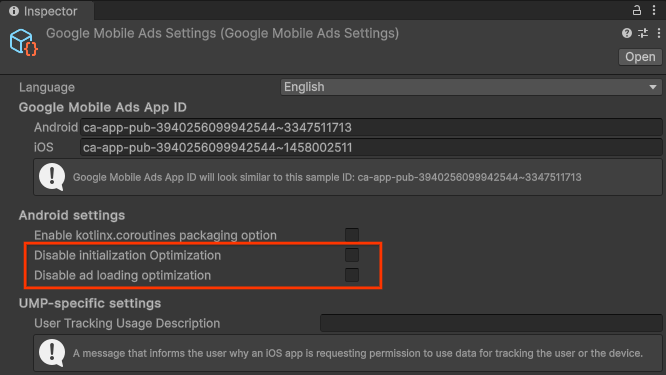
Google 모바일 광고(GMA) SDK 버전 21.0.0부터 최적화된 SDK 초기화 및 광고 로드를 사용 설정하여 광고의 전반적인 응답성을 개선하고 앱의 '애플리케이션 응답 없음(ANR)' 오류를 방지할 수 있습니다. 이 가이드에서는 최적화를 사용 설정하기 위해 변경해야 할 사항을 설명합니다.
[[["이해하기 쉬움","easyToUnderstand","thumb-up"],["문제가 해결됨","solvedMyProblem","thumb-up"],["기타","otherUp","thumb-up"]],[["필요한 정보가 없음","missingTheInformationINeed","thumb-down"],["너무 복잡함/단계 수가 너무 많음","tooComplicatedTooManySteps","thumb-down"],["오래됨","outOfDate","thumb-down"],["번역 문제","translationIssue","thumb-down"],["샘플/코드 문제","samplesCodeIssue","thumb-down"],["기타","otherDown","thumb-down"]],["최종 업데이트: 2026-07-14(UTC)"],[],["Optimized SDK initialization and ad loading can be enabled in Google Mobile Ads (GMA) SDK version 21.0.0 and higher, preventing \"Application Not Responding\" (ANR) errors. To activate, update to Google Mobile Ads Unity plugin version 7.2.0 or higher. In Unity's **Assets \u003e Google Mobile Ads \u003e Settings**, enable **Optimize Initialization** and/or **Optimize AdLoading**. These settings offload initialization and ad loading to background threads. Both flags are `false` by default.\n"]]