
कैरसेल (ItemList) का स्ट्रक्चर्ड डेटा
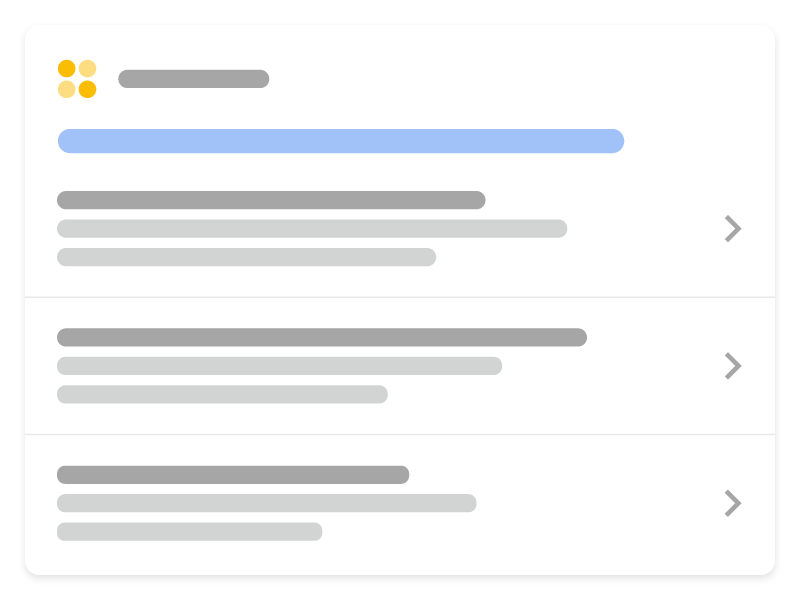
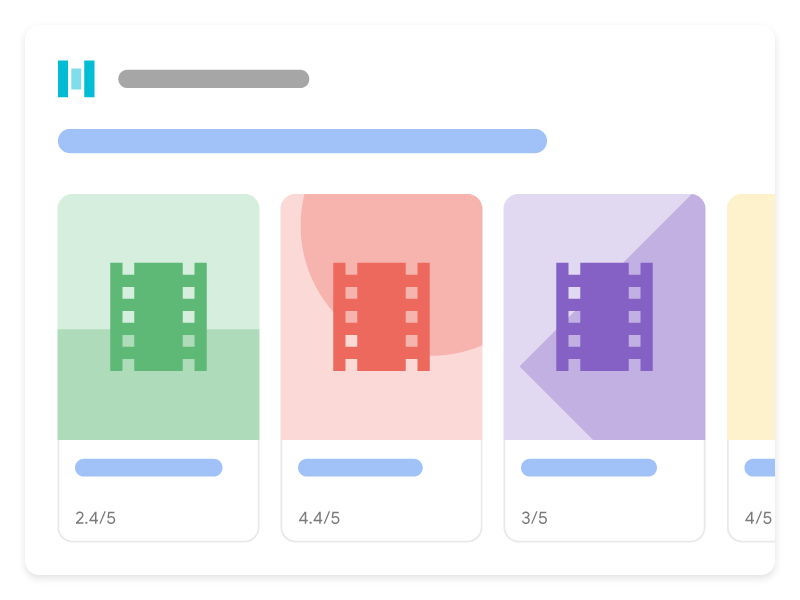
कैरसेल, एक सूची की तरह दिखने वाला ज़्यादा बेहतर नतीजा (रिच रिज़ल्ट) होता है. इसे लोग मोबाइल डिवाइसों पर स्वाइप करते हुए देख सकते हैं. इसमें
साइट के एक से ज़्यादा कार्ड दिखाए गए हैं. इसे होस्ट कैरसेल भी कहा जाता है. अपनी साइट के लिए
होस्ट कैरसेल का ज़्यादा बेहतर नतीजा (रिच रिज़ल्ट) पाने के लिए, ItemList स्ट्रक्चर्ड डेटा को नीचे दी गई काम करने वाली
स्ट्रक्चर्ड डेटा सुविधाओं में से किसी एक के साथ जोड़ें:
यहां बताया गया है कि जब कैरसेल के लिए इस्तेमाल हो सकने वाले कॉन्टेंट के साथ ItemList मार्कअप जोड़ा जाता है, तो Google Search में
कैरसेल किस तरह से दिख सकते हैं:
स्ट्रक्चर्ड डेटा जोड़ना
स्ट्रक्चर्ड डेटा, किसी पेज के बारे में जानकारी देने और पेज के कॉन्टेंट को कैटगरी में बांटने का एक स्टैंडर्ड फ़ॉर्मैट है. अगर आपको स्ट्रक्चर्ड डेटा के बारे में पता नहीं है, तो स्ट्रक्चर्ड डेटा के काम करने के तरीके के बारे में ज़्यादा जानें.
यहां अपनी साइट में स्ट्रक्चर्ड डेटा को जोड़ने के तरीके के बारे में खास जानकारी दी गई है.
- तय करें कि किस पेज पर कैरसेल वाला स्ट्रक्चर्ड डेटा जोड़ा जाएगा. इसके दो विकल्प होते हैं:
- खास जानकारी वाला पेज और पूरी जानकारी वाले एक से ज़्यादा पेज: खास जानकारी वाले पेज पर, सूची में मौजूद हर आइटम के बारे में थोड़ी जानकारी होती है. हर जानकारी, आपको पूरी जानकारी वाले एक ऐसे अलग पेज पर ले जाती है जिसमें किसी आइटम का पूरा ब्यौरा होता है. उदाहरण के लिए, खास जानकारी वाला ऐसा पेज जिसमें अलग-अलग तरह की कुकी बनाने की बेहतरीन रेसिपी के बारे में जानकारी दी जाती है और हर जानकारी आपको कुकी बनाने की पूरी रेसिपी बताने वाले पेज पर ले जाती है.
- एक ही पेज पर पूरी जानकारी वाली सूची: एक ही पेज पर पूरी जानकारी वाली सूची में हर आइटम का पूरा टेक्स्ट और सूची की पूरी जानकारी होती है. उदाहरण के लिए, साल 2020 की मुख्य फ़िल्मों की सूची जिनकी जानकारी एक ही पेज पर दी गई है.
- ज़रूरी प्रॉपर्टी जोड़ें. इस्तेमाल किए जा रहे फ़ॉर्मैट के आधार पर, जानें कि पेज पर स्ट्रक्चर्ड डेटा कहां डालना है.
- कैरसेल में जिस कॉन्टेंट के बारे में जानकारी शामिल है उसके लिए, ज़रूरी और सुझाई गई प्रॉपर्टी जोड़ें:
- दिशा-निर्देशों का पालन करें.
- ज़्यादा बेहतर नतीजों (रिच रिज़ल्ट) के टेस्ट का इस्तेमाल करके, अपने कोड की पुष्टि करें.
- स्ट्रक्चर्ड डेटा वाले कुछ पेजों को डिप्लॉय करें. इसके बाद, यूआरएल जांचने वाला टूल इस्तेमाल करके देखें कि Google को पेज कैसा दिखेगा. पक्का करें कि Google आपका पेज
ऐक्सेस कर सकता हो. साथ ही, देखें कि उस पेज को robots.txt फ़ाइल और
noindexटैग से ब्लॉक न किया गया हो या लॉग इन करना ज़रूरी न हो. अगर पेज ठीक लगता है, तो Google को अपने यूआरएल फिर से क्रॉल करने के लिए कहा जा सकता है. - Google को आगे होने वाले बदलावों की जानकारी देने के लिए, हमारा सुझाव है कि आप साइटमैप सबमिट करें. Search Console साइटमैप एपीआई की मदद से, इसे ऑटोमेट भी किया जा सकता है.
खास जानकारी वाला पेज और ज़्यादा जानकारी वाले कई पेज
खास जानकारी वाले पेज पर, सूची में दिए गए हर आइटम के बारे में थोड़ी जानकारी होती है. हर जानकारी, आपको पूरी जानकारी वाले पेज पर ले जाती है, जिसमें किसी आइटम का पूरा ब्यौरा होता है.
खास जानकारी वाला पेज
खास जानकारी वाले पेज से ItemList के बारे में पता चलता है, जहां हर ListItem में
सिर्फ़ तीन प्रॉपर्टी होती हैं: @type (ListItem पर सेट),
position (सूची में स्थिति), और url (उस आइटम के बारे में
पूरी जानकारी देने वाले पेज का यूआरएल).
यहां एक उदाहरण दिया गया है, जिससे पता चलता है कि खास जानकारी वाला पेज कैसा दिखता है:
<html>
  <head>
    <title>Best cookie recipes</title>
    <script type="application/ld+json">
    {
      "@context":"https://schema.org",
      "@type":"ItemList",
      "itemListElement":[
        {
          "@type":"ListItem",
          "position":1,
          "url":"https://example.com/peanut-butter-cookies.html"
        },
        {
          "@type":"ListItem",
          "position":2,
          "url":"https://example.com/triple-chocolate-chunk.html"
        },
        {
          "@type":"ListItem",
          "position":3,
          "url":"https://example.com/snickerdoodles.html"
        }
      ]
    }
    </script>
  </head>
  <body>
    <p>
      Here are the best cookie recipes of all time.
    </p>
    <h2>
      Peanut Butter Cookies
    </h2>
    <p>
      This <a href="https://example.com/peanut-butter-cookies.html">Peanut Butter Cookie recipe</a> is the tastiest one you'll find.
    </p>
    <h2>
      Triple Chocolate Chunk Cookies
    </h2>
    <p>
      This <a href="https://example.com/triple-chocolate-chunk.html">Triple Chocolate Chunk Cookies recipe</a> is the tastiest one you'll find.
    </p>
    <h2>
      Snickerdoodles
    </h2>
    <p>
      This <a href="https://example.com/snickerdoodles.html">Snickerdoodles recipe</a> is the tastiest one you'll find.
    </p>
  </body>
</html>
पूरी जानकारी वाला पेज
पूरी जानकारी वाला पेज, उस खास तरह के स्ट्रक्चर्ड डेटा के बारे में जानकारी देता है जिसके लिए कैरसेल बनाया गया है. उदाहरण के लिए,
खास जानकारी वाले पेज में अलग-अलग तरह की कुकी बनाने की बेहतरीन रेसिपी की जानकारी दी गई है, उसमें पूरी जानकारी वाले हर पेज पर खास रेसिपी का
Recipe स्ट्रक्चर्ड डेटा मौजूद होगा.
पूरी जानकारी वाला पेज कैसा दिखता है, इसका उदाहरण देखें:
पीनट बटर कुकीज़
<html>
  <head>
    <title>Peanut Butter Cookies</title>
    <script type="application/ld+json">
    {
      "@context": "https://schema.org/",
      "@type": "Recipe",
      "name": "Peanut Butter Cookies",
      "image": [
        "https://example.com/photos/1x1/photo.jpg",
        "https://example.com/photos/4x3/photo.jpg",
        "https://example.com/photos/16x9/photo.jpg"
      ],
      "author": {
        "@type": "Person",
        "name": "Wendy Darling"
      },
      "datePublished": "2024-03-10",
      "description": "This Peanut Butter Cookie recipe is everyone's favorite",
      "prepTime": "PT10M",
      "cookTime": "PT25M",
      "totalTime": "PT35M",
      "recipeCuisine": "French",
      "recipeCategory": "Cookies",
      "keywords": "peanut butter, cookies",
      "recipeYield": 24,
      "nutrition": {
        "@type": "NutritionInformation",
        "calories": "120 calories"
      },
      "aggregateRating": {
        "@type": "AggregateRating",
        "ratingValue": 5,
        "ratingCount": 18
      },
      "recipeIngredient": [
        "2 cups of peanut butter",
        "1/3 cup of sugar"
      ],
      "recipeInstructions": [
        {
          "@type": "HowToStep",
          "text": "Mix together the peanut butter and sugar."
        },
        {
          "@type": "HowToStep",
          "text": "Roll cookie dough into small balls and place on a cookie sheet."
        },
        {
          "@type": "HowToStep",
          "text": "Bake for 25 minutes."
        }
      ],
      "video": {
        "@type": "VideoObject",
        "name": "How to Peanut Butter Cookies",
        "description": "This is how you make peanut butter cookies.",
        "thumbnailUrl": [
          "https://example.com/photos/1x1/photo.jpg",
          "https://example.com/photos/4x3/photo.jpg",
          "https://example.com/photos/16x9/photo.jpg"
         ],
        "contentUrl": "https://www.example.com/video123.mp4",
        "embedUrl": "https://www.example.com/videoplayer?video=123",
        "uploadDate": "2024-02-05T08:00:00+08:00",
        "duration": "PT1M33S",
        "interactionStatistic": {
          "@type": "InteractionCounter",
          "interactionType": { "@type": "WatchAction" },
          "userInteractionCount": 2347
        },
        "expires": "2025-02-05T08:00:00+08:00"
       }
    }
    </script>
  </head>
  <body>
    <p>
      Here's how to make peanut butter cookies.
    </p>
    <ol>
      <li>Mix together the peanut butter and sugar.</li>
      <li>Roll cookie dough into small balls and place on a cookie sheet.</li>
      <li>Bake for 25 minutes.</li>
    </ol>
  </body>
</html>
ट्रिपल चॉकलेट चंक कुकीज़
<html>
  <head>
    <title>Triple Chocolate Chunk Cookies</title>
    <script type="application/ld+json">
    {
      "@context": "https://schema.org/",
      "@type": "Recipe",
      "name": "Triple Chocolate Chunk Cookies",
      "image": [
        "https://example.com/photos/1x1/photo.jpg",
        "https://example.com/photos/4x3/photo.jpg",
        "https://example.com/photos/16x9/photo.jpg"
      ],
      "author": {
        "@type": "Person",
        "name": "Wendy Darling"
      },
      "datePublished": "2024-03-10",
      "description": "This Triple Chocolate Chunk Cookie recipe is everyone's favorite",
      "prepTime": "PT10M",
      "cookTime": "PT25M",
      "totalTime": "PT35M",
      "recipeCuisine": "French",
      "recipeCategory": "Cookies",
      "keywords": "chocolate, cookies",
      "recipeYield": 24,
      "nutrition": {
        "@type": "NutritionInformation",
        "calories": "120 calories"
      },
      "aggregateRating": {
        "@type": "AggregateRating",
        "ratingValue": 5,
        "ratingCount": 18
      },
      "recipeIngredient": [
        "2 cups of melted chocolate",
        "1/3 cup of sugar"
      ],
      "recipeInstructions": [
        {
          "@type": "HowToStep",
          "text": "Mix together the chocolate and sugar."
        },
        {
          "@type": "HowToStep",
          "text": "Roll cookie dough into small balls and place on a cookie sheet."
        },
        {
          "@type": "HowToStep",
          "text": "Bake for 25 minutes."
        }
      ],
      "video": {
        "@type": "VideoObject",
        "name": "How to Triple Chocolate Chunk Cookies",
        "description": "This is how you make peanut butter cookies.",
        "thumbnailUrl": [
          "https://example.com/photos/1x1/photo.jpg",
          "https://example.com/photos/4x3/photo.jpg",
          "https://example.com/photos/16x9/photo.jpg"
         ],
        "contentUrl": "https://www.example.com/video123.mp4",
        "embedUrl": "https://www.example.com/videoplayer?video=123",
        "uploadDate": "2024-02-05T08:00:00+08:00",
        "duration": "PT1M33S",
        "interactionStatistic": {
          "@type": "InteractionCounter",
          "interactionType": { "@type": "WatchAction" },
          "userInteractionCount": 2347
        },
        "expires": "2025-02-05T08:00:00+08:00"
       }
    }
    </script>
  </head>
  <body>
    <p>
      Here's how to make Triple Chocolate Chunk Cookies.
    </p>
    <ol>
      <li>Mix together the chocolate and sugar.</li>
      <li>Roll cookie dough into small balls and place on a cookie sheet.</li>
      <li>Bake for 25 minutes.</li>
    </ol>
  </body>
</html>
स्निकरडूडल
<html>
  <head>
    <title>Snickerdoodles</title>
    <script type="application/ld+json">
    {
      "@context": "https://schema.org/",
      "@type": "Recipe",
      "name": "Snickerdoodles",
      "image": [
        "https://example.com/photos/1x1/photo.jpg",
        "https://example.com/photos/4x3/photo.jpg",
        "https://example.com/photos/16x9/photo.jpg"
      ],
      "author": {
        "@type": "Person",
        "name": "Wendy Darling"
      },
      "datePublished": "2024-03-10",
      "description": "This Snickerdoodles recipe is everyone's favorite",
      "prepTime": "PT10M",
      "cookTime": "PT25M",
      "totalTime": "PT35M",
      "recipeCuisine": "French",
      "recipeCategory": "Cookies",
      "keywords": "cinnamon sugar, cookies",
      "recipeYield": 24,
      "nutrition": {
        "@type": "NutritionInformation",
        "calories": "120 calories"
      },
      "aggregateRating": {
        "@type": "AggregateRating",
        "ratingValue": 5,
        "ratingCount": 18
      },
      "recipeIngredient": [
        "2 cups of cinnamon",
        "1/3 cup of sugar"
      ],
      "recipeInstructions": [
        {
          "@type": "HowToStep",
          "text": "Mix together the cinnamon and sugar."
        },
        {
          "@type": "HowToStep",
          "text": "Roll cookie dough into small balls and place on a cookie sheet."
        },
        {
          "@type": "HowToStep",
          "text": "Bake for 25 minutes."
        }
      ],
      "video": {
        "@type": "VideoObject",
        "name": "How to Snickerdoodles",
        "description": "This is how you make snickerdoodles.",
        "thumbnailUrl": [
          "https://example.com/photos/1x1/photo.jpg",
          "https://example.com/photos/4x3/photo.jpg",
          "https://example.com/photos/16x9/photo.jpg"
         ],
        "contentUrl": "https://www.example.com/video123.mp4",
        "embedUrl": "https://www.example.com/videoplayer?video=123",
        "uploadDate": "2024-02-05T08:00:00+08:00",
        "duration": "PT1M33S",
        "interactionStatistic": {
          "@type": "InteractionCounter",
          "interactionType": { "@type": "WatchAction" },
          "userInteractionCount": 2347
        },
        "expires": "2025-02-05T08:00:00+08:00"
       }
    }
    </script>
  </head>
  <body>
    <p>
      Here's how to make snickerdoodles.
    </p>
    <ol>
      <li>Mix together the cinnamon and sugar.</li>
      <li>Roll cookie dough into small balls and place on a cookie sheet.</li>
      <li>Bake for 25 minutes.</li>
    </ol>
  </body>
</html>
पूरी जानकारी देने वाले पेज की सूची
एक ही पेज पर पूरी जानकारी वाली सूची में, हर आइटम का पूरा टेक्स्ट और कैरसेल की पूरी जानकारी होती है. उदाहरण के लिए, साल 2020 की मुख्य फ़िल्मों की सूची जिनकी जानकारी एक ही पेज पर दी गई है. यह पेज लोगों को पूरी जानकारी वाले किसी दूसरे पेज पर नहीं ले जाता.
एक ही पेज पर पूरी जानकारी वाली सूची कैसी दिखती है, इसका उदाहरण देखें:
<html>
  <head>
    <title>The Best Movies from the Oscars - 2024</title>
    <script type="application/ld+json">
    {
      "@context": "https://schema.org",
      "@type": "ItemList",
      "itemListElement": [
        {
          "@type": "ListItem",
          "position": 1,
          "item": {
            "@type": "Movie",
            "url": "https://example.com/2024-best-picture-noms#a-star-is-born",
            "name": "A Star Is Born",
            "image": "https://example.com/photos/6x9/photo.jpg",
            "dateCreated": "2024-10-05",
            "director": {
                "@type": "Person",
                "name": "Bradley Cooper"
              },
            "review": {
              "@type": "Review",
              "reviewRating": {
                "@type": "Rating",
                "ratingValue": 5
              },
              "author": {
                "@type": "Person",
                "name": "John D."
              }
            },
              "aggregateRating": {
                "@type": "AggregateRating",
                "ratingValue": 90,
                "bestRating": 100,
                "ratingCount": 19141
              }
            }
          },
        {
          "@type": "ListItem",
          "position": 2,
          "item": {
            "@type": "Movie",
            "name": "Bohemian Rhapsody",
            "url": "https://example.com/2024-best-picture-noms#bohemian-rhapsody",
            "image": "https://example.com/photos/6x9/photo.jpg",
            "dateCreated": "2024-11-02",
            "director": {
                "@type": "Person",
                "name": "Bryan Singer"
              },
            "review": {
              "@type": "Review",
              "reviewRating": {
                "@type": "Rating",
                "ratingValue": 3
              },
              "author": {
                "@type": "Person",
                "name": "Vin S."
              }
            },
              "aggregateRating": {
                "@type": "AggregateRating",
                "ratingValue": 61,
                "bestRating": 100,
                "ratingCount": 21985
              }
            }
          },
        {
          "@type": "ListItem",
          "position": 3,
          "item": {
            "@type": "Movie",
            "name": "Black Panther",
            "url": "https://example.com/2024-best-picture-noms#black-panther",
            "image": "https://example.com/photos/6x9/photo.jpg",
            "dateCreated": "2024-02-16",
            "director": {
                "@type": "Person",
                "name": "Ryan Coogler"
              },
            "review": {
              "@type": "Review",
              "reviewRating": {
                "@type": "Rating",
                "ratingValue": 2
              },
              "author": {
                "@type": "Person",
                "name": "Trevor R."
              }
            },
              "aggregateRating": {
                "@type": "AggregateRating",
                "ratingValue": 96,
                "bestRating": 100,
                "ratingCount": 88211
              }
            }
          }
      ]
    }
    </script>
  </head>
  <body>
  </body>
</html>
दिशा-निर्देश
पेज को कैरसेल के ज़्यादा बेहतर नतीजे (रिच रिज़ल्ट) में शामिल करने के लिए, आपको Search पर कॉन्टेंट दिखाने के बुनियादी दिशा-निर्देशों और स्ट्रक्चर्ड डेटा के लिए सामान्य दिशा-निर्देशों का पालन करना होगा. इसके अलावा, कैरसेल के स्ट्रक्चर्ड डेटा पर यहां दिए गए दिशा-निर्देश लागू होते हैं:
- सूची में सभी आइटम एक ही तरह के होने चाहिए. उदाहरण के लिए, अगर सूची रेसिपी के बारे में है, तो सिर्फ़
Recipeआइटम शामिल करें. अलग-अलग तरह के आइटम शामिल न करें. - पक्का करें कि कैरसेल का स्ट्रक्चर्ड डेटा पूरा हो चुका हो और उसमें, सूची में शामिल सभी आइटम की जानकारी दी गई हो.
- लोगों को दिखने वाला टेक्स्ट और पेज पर मौजूद स्ट्रक्चर्ड डेटा में दी गई जानकारी मिलती-जुलती होनी चाहिए.
- सूची वाले फ़ॉर्मैट में दिखाए गए आइटम
positionप्रॉपर्टी के हिसाब से एक क्रम में दिखाए जाएंगे.
स्ट्रक्चर्ड डेटा की पुष्टि करना और उसे डिप्लॉय करना
- ज़्यादा बेहतर नतीजों (रिच रिज़ल्ट) की जांच का इस्तेमाल करके,
अपने कोड की पुष्टि करें.
खास जानकारी वाले पेज के लिए, आपको कुछ चीज़ों की पुष्टि अपने-आप करनी होगी:
- पक्का करें कि
itemListElementमें दो या दो से ज़्यादाListItemएलिमेंट हों. - पक्का करें कि सभी
ListItemएलिमेंट एक ही तरह के हों (जैसे कि वे सभी रेसिपी के बारे में हों). - ज़्यादा बेहतर नतीजों (रिच रिज़ल्ट) के टेस्ट का इस्तेमाल करके, सूची में दिए गए हर यूआरएल की पुष्टि करें. सूची में शामिल हर पेज में, मान्य स्ट्रक्चर्ड डेटा होना चाहिए. यह स्ट्रक्चर्ड डेटा, सूची में मौजूद कॉन्टेंट के टाइप से जुड़े दस्तावेज़ के हिसाब से होना चाहिए: रेसिपी, कोर्स, रेस्टोरेंट, फ़िल्म.
- पक्का करें कि
- स्ट्रक्चर्ड डेटा वाले कुछ पेजों को डिप्लॉय करें. इसके बाद,
यूआरएल जांचने वाला टूल इस्तेमाल करके देखें कि Google को पेज कैसा दिखेगा. पक्का करें कि Google आपका पेज
ऐक्सेस कर सकता हो. साथ ही, देखें कि उस पेज को robots.txt फ़ाइल और
noindexटैग से ब्लॉक न किया गया हो या लॉग इन करना ज़रूरी न हो. अगर पेज ठीक लगता है, तो Google को अपने यूआरएल फिर से क्रॉल करने के लिए कहा जा सकता है. - Google को आगे होने वाले बदलावों की जानकारी देने के लिए, हमारा सुझाव है कि आप साइटमैप सबमिट करें. Search Console साइटमैप एपीआई की मदद से, इसे ऑटोमेट भी किया जा सकता है.
अलग-अलग तरह के स्ट्रक्चर्ड डेटा की जानकारी
आपका कॉन्टेंट रिच रिज़ल्ट में दिखे, इसके लिए आपको ज़रूरी प्रॉपर्टी जोड़नी होंगी.
ItemList
ItemList एक कंटेनर आइटम है, जिसमें सूची के सभी एलिमेंट होते हैं. अगर इसे
खास जानकारी वाले पेज पर इस्तेमाल किया जाता है, तो सूची में मौजूद सभी यूआरएल, एक ही डोमेन के अलग-अलग पेजों पर ले जाएंगे. अगर इसे
एक ही पेज पर पूरी जानकारी वाली सूची के लिए इस्तेमाल किया जाता है, तो सभी यूआरएल उस पेज के ऐंकर पर जाएंगे जहां सूची
का स्ट्रक्चर्ड डेटा मौजूद है.
ItemList की पूरी जानकारी
schema.org/ItemList पर दी गई है.
Google के साथ काम करने वाली प्रॉपर्टी ये हैं:
| ज़रूरी प्रॉपर्टी | |
|---|---|
itemListElement |
आइटम की सूची. लिस्ट बनाने के लिए, ऐसा |
ListItem
ListItem में सूची के किसी खास आइटम की जानकारी होती है.
- अगर यह खास जानकारी वाला पेज है, तो
ListItemमें सिर्फ़type,position, औरurlप्रॉपर्टी शामिल करें. - अगर यह एक ही पेज पर पूरी जानकारी वाली सूची है, तो उस तरह के डेटा के लिए schema.org की ऐसी सभी प्रॉपर्टी शामिल करें जिनके बारे में इसमें जानकारी दी गई है. इस तरह के डेटा का इस्तेमाल किया जा सकता है:
ListItem की पूरी जानकारी,
schema.org/ListItem पर मौजूद है.
खास जानकारी वाले पेज
खास जानकारी वाले पेजों पर यहां दी गई प्रॉपर्टी लागू होती हैं:
| ज़रूरी प्रॉपर्टी | |
|---|---|
position
|
कैरसेल में आइटम की जगह. यह अंको में होती है. |
url
|
आइटम की जानकारी वाले पेज का कैननिकल यूआरएल. लिस्ट में मौजूद सभी यूआरएल यूनीक होने चाहिए. हालांकि, ये सभी एक ही डोमेन (वही डोमेन या सब/सुपर डोमेन, जिस पर मौजूदा पेज है) पर लाइव होने चाहिए. |
पूरी जानकारी देने वाले पेज
पूरी जानकारी देने वाले पेज पर ये प्रॉपर्टी लागू होती हैं:
| ज़रूरी प्रॉपर्टी | |
|---|---|
item
|
सूची में मौजूद कोई आइटम. इस ऑब्जेक्ट के लिए यहां दी गई वैल्यू शामिल करें. साथ ही, इस तरह के स्ट्रक्चर्ड डेटा की सभी प्रॉपर्टी के बारे में जानकारी दें: |
item.name
|
आइटम का स्ट्रिंग नाम. |
item.url
|
पेज पर मौजूद इस आइटम के लिए सभी ज़रूरतें पूरी करने वाला पेज ऐंकर और यूआरएल. यूआरएल मौजूदा पेज का होना चाहिए. साथ ही, आपको पेज में, लोगों को दिखने वाले टेक्स्ट के पास एचटीएमएल ऐंकर ( |
position
|
कैरसेल में आइटम की जगह. यह अंको में होती है. |
समस्याएं हल करना
अगर आपको स्ट्रक्चर्ड डेटा लागू करने या डीबग करने में कोई समस्या आ रही है, तो यहां कुछ ऐसे रिसॉर्स दिए गए हैं जिनसे आपको मदद मिल सकती है.
- अगर आपने कॉन्टेंट मैनेजमेंट सिस्टम (सीएमएस) का इस्तेमाल किया है या कोई दूसरा व्यक्ति आपकी साइट को मैनेज कर रहा है, तो उससे मदद मांगें. उन्हें Search Console का वह मैसेज ज़रूर फ़ॉरवर्ड करें जिसमें समस्या के बारे में बताया गया है.
- Google यह गारंटी नहीं देता है कि जिन पेजों में स्ट्रक्चर्ड डेटा का इस्तेमाल हुआ है वे खोज के नतीजों में दिखेंगे. Google आपके कॉन्टेंट को ज़्यादा बेहतर नतीजों (रिच रिज़ल्ट) में क्यों नहीं दिखा सकता, इसकी आम वजहें जानने के लिए, स्ट्रक्चर्ड डेटा से जुड़े सामान्य दिशा-निर्देश देखें.
- आपके स्ट्रक्चर्ड डेटा में कोई गड़बड़ी हो सकती है. स्ट्रक्चर्ड डेटा से जुड़ी गड़बड़ियों की सूची और पार्स न किए जा सकने वाले स्ट्रक्चर्ड डेटा की रिपोर्ट देखें.
- अगर आपके किसी पेज पर मौजूद स्ट्रक्चर्ड डेटा के ख़िलाफ़ कोई मैन्युअल ऐक्शन लिया गया है, तो उसे अनदेखा कर दिया जाएगा. हालांकि, वह पेज अब भी Google Search के नतीजों में दिख सकता है. स्ट्रक्चर्ड डेटा से जुड़ी समस्याएं ठीक करने के लिए, मैन्युअल ऐक्शन की रिपोर्ट का इस्तेमाल करें.
- आपका कॉन्टेंट, तय किए गए दिशा-निर्देशों का पालन करता है या नहीं, यह जानने के लिए दिशा-निर्देशों को फिर से देखें. स्पैम वाला कॉन्टेंट या मार्कअप इस्तेमाल करने की वजह से, समस्या हो सकती है. हालांकि, यह हो सकता है कि इसकी वजह, सिंटैक्स की समस्या न हो. इस वजह से, 'ज़्यादा बेहतर नतीजों (रिच रिज़ल्ट) का टेस्ट' में इन समस्याओं की पहचान न हो पा रही हो.
- शामिल नहीं किए गए रिच रिज़ल्ट या रिच रिज़ल्ट की कुल संख्या में गिरावट आने की समस्या हल करें.
- पेज को फिर से क्रॉल करने और इंडेक्स करने में कुछ समय लग सकता है. याद रखें कि पेज को पब्लिश करने के बाद, Google को उसे ढूंढने और क्रॉल करने में कुछ दिन लग सकते हैं. क्रॉल और इंडेक्स करने के बारे में सामान्य सवालों के जवाब पाने के लिए, Google Search पर क्रॉल करने और इंडेक्स करने से जुड़े अक्सर पूछे जाने वाले सवाल देखें.
- Google Search Central फ़ोरम में सवाल पोस्ट करें.