

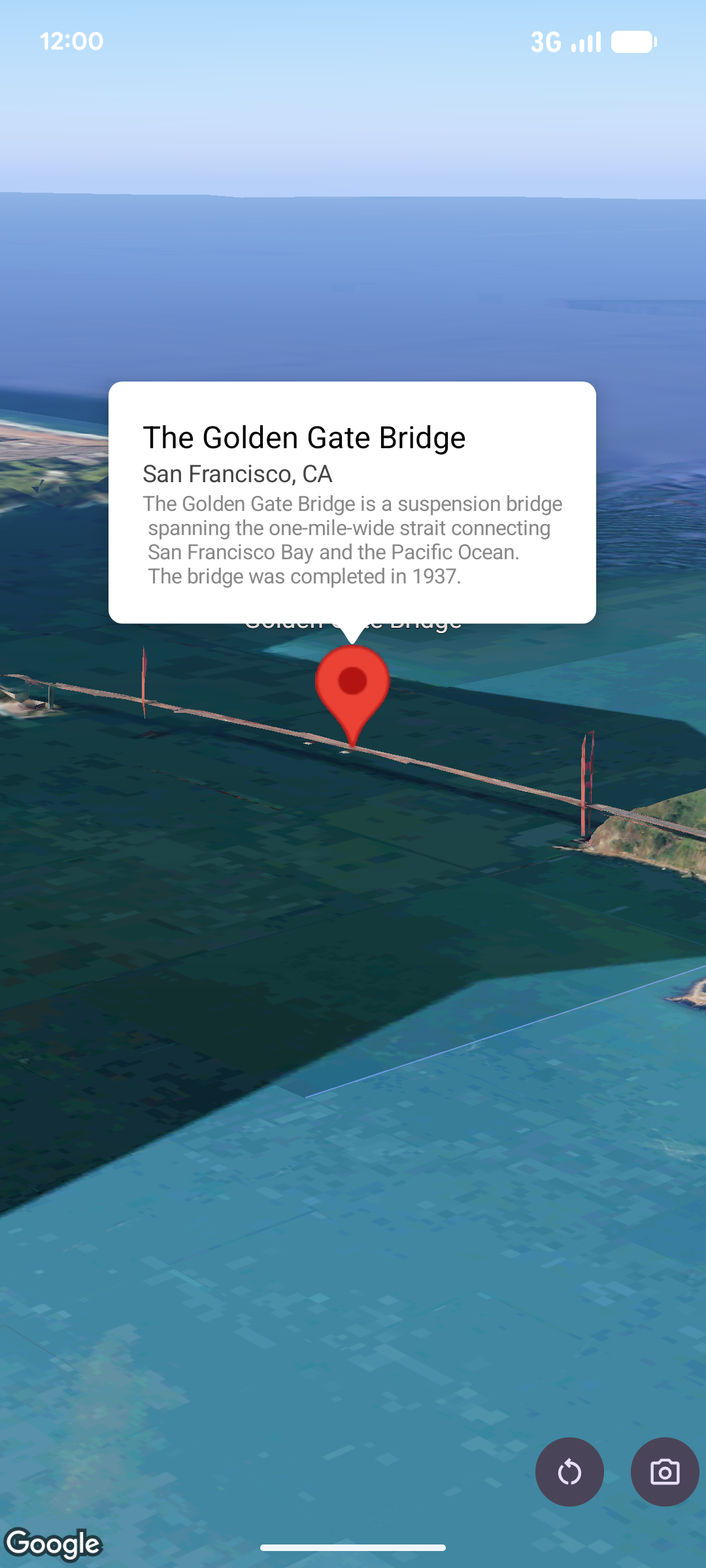
Popover, haritanın üzerinde belirli bir konumda bulunan bilgi balonu penceresinde içerik (genellikle metin veya resim) gösterir. Popover'da bir içerik alanı ve konik bir gövde bulunur. Sapın ucu, haritada belirtilen bir konuma eklenir.
Genellikle bir popover'ı işaretçiye eklersiniz ancak popover'ı belirli bir LatLng koordinatına da ekleyebilirsiniz.
Pop-up ekleme
Pop-over eklemek için bir Popover nesnesi oluşturun ve konum ile rakım modu dahil olmak üzere seçeneklerini ayarlayın. Konum, popover'ın nerede gösterileceğini belirleyen enlem, boylam ve rakımı içeren bir LatLng nesnesidir. Bir işaretçiye sabitleniyorsa bunun yerine işaretçinin konumu kullanılır. Yükseklik modunu ayarlayarak yüksekliğin nasıl yorumlanacağını da kontrol edebilirsiniz.
Pop-over içeriği bir AndroidView içinde yer almalıdır. Pop-up'lar varsayılan olarak kaydırılabilir ve önceden tanımlanmış bir maksimum yüksekliğe sahiptir.
Pop-up'ı bir işaretçiye sabitleme
Pop-over'ları işaretçilere sabitleyebilirsiniz. Bir işaretçiye sabitlenmiş popover eklerken popover'ı bir Marker nesnesiyle ilişkilendirmeniz gerekir.
class MapManager(private val map: MapView) {

    /**
     * Adds a popover anchored to a marker.
     * @param context The Context required to instantiate UI views.
     */
    fun addPopoverToMarker(context: Context) {
        // 1. Create a marker
        val markerOptions = markerOptions {
            position = latLngAltitude {
                latitude = 37.422
                longitude = -122.084
                altitude = 0.0
            }
        }

        val marker = map.addMarker(markerOptions) ?: return

        // 2. Create the custom view using the passed-in context
        val textView = TextView(context).apply {
            text = context.getString(R.string.popover_hello)
            setPadding(16, 16, 16, 16)
            setBackgroundColor(Color.WHITE)
            setTextColor(Color.BLACK)
        }

        // 3. Configure and display the popover
        val options = popoverOptions {
            content = textView
            positionAnchor = marker
            altitudeMode = AltitudeMode.RELATIVE_TO_GROUND
        }

        val popover = map.addPopover(options)
        popover.show()
    }
}
Yapılandırılmış bir popover ekleme
Aşağıdaki örnekte, kullanıcı popover'ın dışına dokunduğunda otomatik olarak kapanan ve yeni açılan popover'lara otomatik olarak kaydırılmayan bir popover eklenmektedir:
/**
 * Adds a configured popover (auto-close enabled, auto-pan disabled).
 * @param context The Context used to inflate the UI and retrieve string resources.
 */
fun addConfiguredPopover(context: Context) {
    // 1. Initialize the view with the explicit context
    val textView = TextView(context).apply {
        text = context.getString(com.example.snippets.common.R.string.popover_info)
        setPadding(12, 12, 12, 12)
        setBackgroundColor(Color.WHITE)
        setTextColor(Color.BLACK)
    }

    // 2. Configure popover behavior
    val options = popoverOptions {
        content = textView
        // Setting a fixed coordinate anchor
        positionAnchor = latLngAltitude {
            latitude = 0.0
            longitude = 0.0
            altitude = 0.0
        }
        autoCloseEnabled = true // Closes automatically when the map is tapped elsewhere
        autoPanEnabled = false  // Map camera remains stationary when popover appears
    }

    // 3. Add to the map instance
    map.addPopover(options)
}