

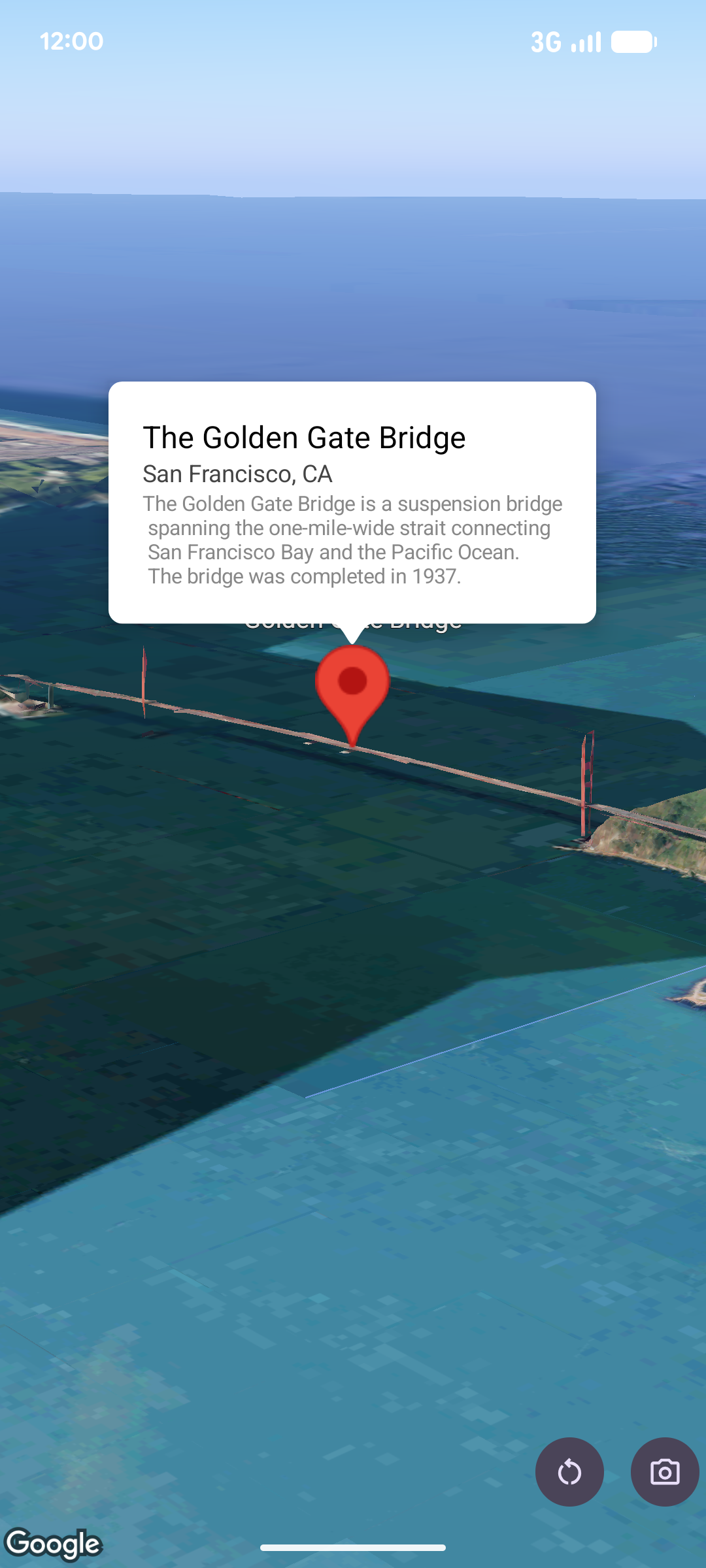
ポップオーバーは、指定された位置で情報バブル ウィンドウを地図の上に開き、コンテンツ(通常はテキストや画像)を表示します。ポップオーバーには、コンテンツ領域と先細の突起部分があります。突起部分の先端が、地図上の指定された場所に付着しています。
通常は、マーカーにポップオーバーを追加しますが、特定の LatLng 座標にポップオーバーを追加することもできます。
ポップオーバーを追加する
ポップオーバーを追加するには、Popover オブジェクトを作成し、位置や高度モードなどのオプションを設定します。位置は LatLng オブジェクトで、緯度、経度、高度が含まれています。これらは、ポップオーバーが表示される場所を決定します。マーカーにアンカーを設定する場合は、代わりにマーカーの位置が使用されます。高度モードを設定して、高度の解釈方法を制御することもできます。
ポップオーバーのコンテンツは AndroidView 内に含める必要があります。ポップオーバーはデフォルトでスクロール可能で、最大高さが事前に定義されています。
ポップオーバーをマーカーに固定する
ポップオーバーをマーカーに固定できます。マーカーにアンカー設定されたポップオーバーを追加する場合は、ポップオーバーを Marker オブジェクトに関連付ける必要があります。
class MapManager(private val map: MapView) {

    /**
     * Adds a popover anchored to a marker.
     * @param context The Context required to instantiate UI views.
     */
    fun addPopoverToMarker(context: Context) {
        // 1. Create a marker
        val markerOptions = markerOptions {
            position = latLngAltitude {
                latitude = 37.422
                longitude = -122.084
                altitude = 0.0
            }
        }

        val marker = map.addMarker(markerOptions) ?: return

        // 2. Create the custom view using the passed-in context
        val textView = TextView(context).apply {
            text = context.getString(R.string.popover_hello)
            setPadding(16, 16, 16, 16)
            setBackgroundColor(Color.WHITE)
            setTextColor(Color.BLACK)
        }

        // 3. Configure and display the popover
        val options = popoverOptions {
            content = textView
            positionAnchor = marker
            altitudeMode = AltitudeMode.RELATIVE_TO_GROUND
        }

        val popover = map.addPopover(options)
        popover.show()
    }
}
構成済みのポップオーバーを追加する
次のサンプルでは、ユーザーがポップオーバーの外側をタップすると自動的に閉じるポップオーバーを追加し、新しく開いたポップオーバーに自動的にパンしないようにしています。
/**
 * Adds a configured popover (auto-close enabled, auto-pan disabled).
 * @param context The Context used to inflate the UI and retrieve string resources.
 */
fun addConfiguredPopover(context: Context) {
    // 1. Initialize the view with the explicit context
    val textView = TextView(context).apply {
        text = context.getString(com.example.snippets.common.R.string.popover_info)
        setPadding(12, 12, 12, 12)
        setBackgroundColor(Color.WHITE)
        setTextColor(Color.BLACK)
    }

    // 2. Configure popover behavior
    val options = popoverOptions {
        content = textView
        // Setting a fixed coordinate anchor
        positionAnchor = latLngAltitude {
            latitude = 0.0
            longitude = 0.0
            altitude = 0.0
        }
        autoCloseEnabled = true // Closes automatically when the map is tapped elsewhere
        autoPanEnabled = false  // Map camera remains stationary when popover appears
    }

    // 3. Add to the map instance
    map.addPopover(options)
}