

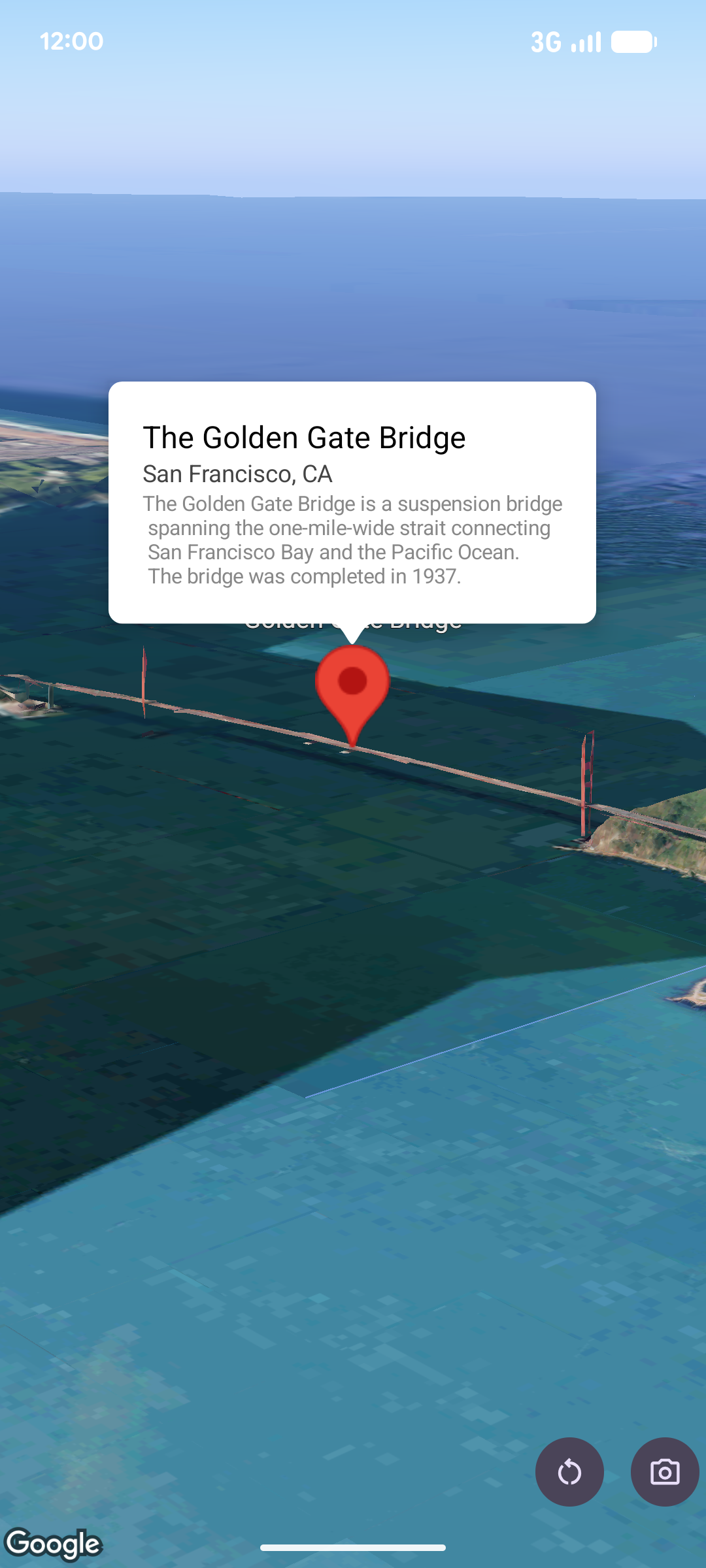
Un objeto popover muestra contenido (por lo general, texto o imágenes) en una ventana de burbuja de información que aparece sobre el mapa, en una ubicación determinada. El objeto popover tiene un área de contenido y un tallo cónico. La punta del tallo se conecta a una ubicación específica en el mapa.
Por lo general, adjuntarás un objeto popover a un
marcador, pero también puedes
adjuntarlo a una coordenada LatLng específica.
Cómo agregar un objeto popover
Para agregar un objeto popover, crea un objeto Popover y establece sus opciones, incluido
el modo de posición y
altitud
. La posición es un objeto LatLng que incluye latitud, longitud y altitud, lo que determina dónde se muestra el objeto popover. Si se ancla a un marcador, se usa la posición del marcador. También puedes controlar cómo se interpreta la altitud configurando el modo de altitud.
El contenido de un objeto popover debe estar dentro de un AndroidView. Los objetos popover se pueden desplazar de forma predeterminada y tienen una altura máxima predefinida.
Cómo anclar un objeto popover a un marcador
Puedes anclar objetos popover a marcadores. Cuando agregues un objeto popover anclado a un marcador, debes asociarlo con un objeto Marker.
class MapManager(private val map: MapView) {

    /**
     * Adds a popover anchored to a marker.
     * @param context The Context required to instantiate UI views.
     */
    fun addPopoverToMarker(context: Context) {
        // 1. Create a marker
        val markerOptions = markerOptions {
            position = latLngAltitude {
                latitude = 37.422
                longitude = -122.084
                altitude = 0.0
            }
        }

        val marker = map.addMarker(markerOptions) ?: return

        // 2. Create the custom view using the passed-in context
        val textView = TextView(context).apply {
            text = context.getString(R.string.popover_hello)
            setPadding(16, 16, 16, 16)
            setBackgroundColor(Color.WHITE)
            setTextColor(Color.BLACK)
        }

        // 3. Configure and display the popover
        val options = popoverOptions {
            content = textView
            positionAnchor = marker
            altitudeMode = AltitudeMode.RELATIVE_TO_GROUND
        }

        val popover = map.addPopover(options)
        popover.show()
    }
}
Cómo agregar un objeto popover configurado
En el siguiente ejemplo, se agrega un objeto popover que se cierra automáticamente cuando el usuario presiona fuera de él y no se desplaza automáticamente a los objetos popover recién abiertos:
/**
 * Adds a configured popover (auto-close enabled, auto-pan disabled).
 * @param context The Context used to inflate the UI and retrieve string resources.
 */
fun addConfiguredPopover(context: Context) {
    // 1. Initialize the view with the explicit context
    val textView = TextView(context).apply {
        text = context.getString(com.example.snippets.common.R.string.popover_info)
        setPadding(12, 12, 12, 12)
        setBackgroundColor(Color.WHITE)
        setTextColor(Color.BLACK)
    }

    // 2. Configure popover behavior
    val options = popoverOptions {
        content = textView
        // Setting a fixed coordinate anchor
        positionAnchor = latLngAltitude {
            latitude = 0.0
            longitude = 0.0
            altitude = 0.0
        }
        autoCloseEnabled = true // Closes automatically when the map is tapped elsewhere
        autoPanEnabled = false  // Map camera remains stationary when popover appears
    }

    // 3. Add to the map instance
    map.addPopover(options)
}