

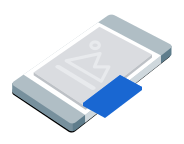
ছবির-মধ্যে-ছবি (PiP) বিজ্ঞাপন একটি ফ্লোটিং উইন্ডোতে দেখানো হয় যা স্ক্রিনের কন্টেন্টের উপরে থাকে, যেমন নিবন্ধ, ফিড বা গেমপ্লে। এই ফর্ম্যাট ব্যবহারকারীদের বিজ্ঞাপন দেখার সময় আপনার অ্যাপের সাথে ইন্টার্যাক্ট করতে দেয়। পুরো স্ক্রিন জুড়ে বিজ্ঞাপন দেখাতে না চাইলে, এই ফর্ম্যাট বেছে নিন।
এই গাইডে Google Mobile Ads Unity Plugin ব্যবহার করে আপনার অ্যাপে ছবির-মধ্যে-ছবি বিজ্ঞাপন দেখানোর অনুরোধ করা এবং তা দেখানোর ব্যাপারে আলোচনা করা হয়েছে।
শুরু করার আগে
চালিয়ে যাওয়ার আগে, নিম্নলিখিত কাজগুলি করুন:
Google Mobile Ads Unity Plugin ভার্সন
11.6.0বা তার পরের ভার্সন ইনস্টল করুন।
- Android অ্যাপের জন্য, ইনস্টল করুন GMA Next-Gen SDK।
টেস্ট বিজ্ঞাপন চালু করুন এবং নিম্নলিখিত টেস্ট বিজ্ঞাপন ইউনিট আইডি ব্যবহার করুন:
/21775744923/example/picture-in-picture
বিজ্ঞাপন লোড করা
PictureInPictureAd
অবজেক্ট লোড করতে, বিজ্ঞাপনের অনুরোধ তৈরি করুন এবং লোড মেথড কল করুন:
আপনার বিজ্ঞাপন ইউনিট আইডির সাথে _adUnitId পরিবর্তন করুন।
বিজ্ঞাপনটি দেখাও
স্ক্রিনে ছবির-মধ্যে-ছবি বিজ্ঞাপন দেখাতে, শো মেথড কল করুন। নিচের উদাহরণে বিজ্ঞাপনটি ডিফল্ট পজিশনে দেখানো হয়েছে:
public void ShowPictureInPictureAd()
{
    // Use the ad reference saved from the Load callback.
    if (_pictureInPictureAd != null)
    {
        _pictureInPictureAd.Show();
    }
    else
    {
        Debug.Log("No ad to show.");
    }
}
পজিশন সেট করা
ডিফল্ট হিসেবে, Google Mobile Ads Unity Plugin প্রথমবার দেখানোর সময় স্ক্রিনের নিচে ডানদিকের কোণে অথবা আগে দেখানো হয়ে থাকলে শেষবার যেখানে দেখানো হয়েছিল সেখানে ছবির-মধ্যে-ছবি বিজ্ঞাপন দেখায়। বিজ্ঞাপন কোথায় দেখানো হবে তা কাস্টমাইজ করতে, বিজ্ঞাপন দেখানোর সময় একটি পজিশন নির্দিষ্ট করুন। নিচের উদাহরণে স্ক্রিনের উপরে বাঁদিকের কোণে কন্টেন্টের উপরে পজিশন সেট করা হয়েছে:
public void ShowPictureInPictureAdTopLeft()
{
    // Use the ad reference saved from the Load callback.
    if (_pictureInPictureAd != null)
    {
        _pictureInPictureAd.Show(PictureInPictureAdPosition.TopLeft);
    }
    else
    {
        Debug.Log("No ad to show.");
    }
}
উপলভ্য সব পদের জন্য, PictureInPictureAdPosition দেখুন।
বিজ্ঞাপন ইভেন্ট শুনুন
ছবির-মধ্যে-ছবি বিজ্ঞাপনের লাইফসাইকেল ইভেন্ট ম্যানেজ করতে, আপনার বিজ্ঞাপন দেখানোর আগে বিজ্ঞাপন ইভেন্টের জন্য রেজিস্টার করুন। এইসব ইভেন্ট বিজ্ঞাপন সংক্রান্ত ইন্টার্যাকশন রিপোর্ট করে, যেমন ক্লিক ও ইম্প্রেশন। এই ইভেন্টগুলি ছবির-মধ্যে-ছবি-নির্দিষ্ট ইভেন্টগুলিও রিপোর্ট করে, যেমন বিজ্ঞাপনটি কখন দেখায় বা লুকায়:
private void RegisterEventHandlers(PictureInPictureAd ad)
{
    // Raised when the ad is estimated to have earned money.
    ad.OnAdPaid += (AdValue adValue) =>
    {
        Debug.Log($"Picture-in-picture ad paid: {adValue.Value} {adValue.CurrencyCode}");
    };
    // Raised when an impression is recorded for an ad.
    ad.OnAdImpressionRecorded += () =>
    {
        Debug.Log("Picture-in-picture ad recorded an impression.");
    };
    // Raised when a click is recorded for an ad.
    ad.OnAdClicked += () =>
    {
        Debug.Log("Picture-in-picture ad recorded a click.");
    };
    // Raised when the picture-in-picture ad is displayed on the screen.
    ad.OnAdShown += () =>
    {
        Debug.Log("Picture-in-picture ad shown.");
    };
    // Raised when the picture-in-picture ad is hidden from the screen.
    ad.OnAdHidden += () =>
    {
        Debug.Log("Picture-in-picture ad hidden.");
    };
    // Raised when an ad opened full screen content.
    ad.OnAdFullScreenContentOpened += () =>
    {
        Debug.Log("Picture-in-picture ad opened full screen content.");
    };
    // Raised when the ad closed full screen content.
    ad.OnAdFullScreenContentClosed += () =>
    {
        Debug.Log("Picture-in-picture ad closed full screen content.");
    };
    // Raised when the ad failed to open full screen content.
    ad.OnAdFullScreenContentFailed += (AdError error) =>
    {
        Debug.LogWarning(
            "Picture-in-picture ad failed to open full screen " +
            "content: " + error);
    };
}
বিজ্ঞাপন লুকানো
স্ক্রিন থেকে ফ্লোটিং বিজ্ঞাপন সরাতে, হাইড মেথড কল করুন। এই পদ্ধতি বিজ্ঞাপন লুকানো ইভেন্টকে কল করে:
public void HidePictureInPictureAd()
{
    // Use the ad reference saved from the Load callback.
    if (_pictureInPictureAd != null)
    {
        _pictureInPictureAd.Hide();
    }
    else
    {
        Debug.Log("No ad to hide.");
    }
}
বিজ্ঞাপন রিসোর্স ক্লিন-আপ করা
মেমরি লিক এড়াতে, আপনার অ্যাপ বিজ্ঞাপনের ব্যবহার শেষ করলে, বিজ্ঞাপন অবজেক্টের রেফারেন্স ড্রপ করুন। যেমন, আপনার অ্যাপ আর বিজ্ঞাপন না দেখালে বা বিজ্ঞাপনের সাথে ইন্টার্যাক্ট না করলে:
public void DestroyPictureInPictureAd()
{
    // Use the ad reference saved from the Load callback.
    if (_pictureInPictureAd != null)
    {
        _pictureInPictureAd.Destroy();
        _pictureInPictureAd = null;
    }
}