
A new, multimodal (vision-language) model is now available to Professional and Professional Advanced users in the US to search across satellite and aerial basemap imagery in Google Earth on web. Unlike manual visual inspection, where users must painstakingly scan the map to find specific features, this tool automates discovery by identifying visual characteristics and patterns and identifying them on the map instantly.
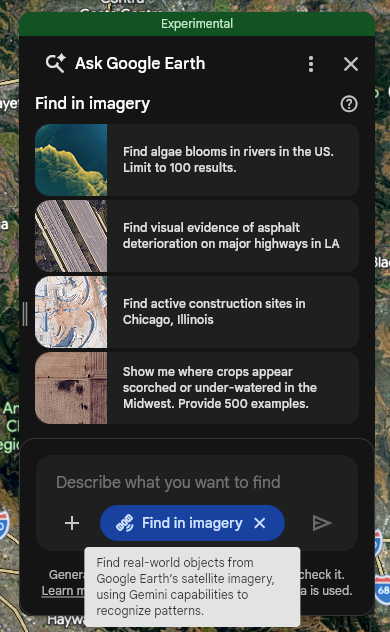
Activate the chat interface in Google Earth
Find real-world objects from Google Earth satellite imagery
You can search for visual features and patterns (in the US only) within or inside a user-defined area of interest — such as a polygon, placemark, region (county, zip code), or your current camera view — by selecting the Tools Find in imagery toggle or by asking the system to invoke it.
Example prompts include the following:
- [Toggle selected] "Find empty lots in East LA" (or "within my selected polygon")
- [Toggle selected] "Find algae blooms in rivers in Texas"
- [Toggle selected] "Find large commercial parking lots with solar canopies in Boise, Idaho"
Resulting behavior and additional limitations
Find in imagery is designed to speed up searches for uncommon scenes or objects, not a tool for definitive inventory.
- Relevance limit: The system returns a maximum of 30 results, selected based on the highest relevance to your query.
- Best match logic: The model attempts to find the best visual matches for your query within the specified area. For example, if you search for an object in an area where it does not exist, the system may still return the closest visual approximations found in that region.
- Recall and accuracy: As an experimental feature, find in imagery is continuously evolving. You can expect accuracy and recall to improve over time, but results are not guaranteed to be authoritative. Users should visually verify all results.