

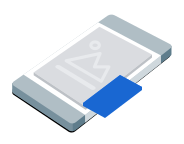
子母畫面 (PiP) 廣告會顯示在浮動視窗中,並固定在螢幕內容 (例如文章、動態消息或遊戲畫面) 的上方。這種格式可讓使用者與應用程式互動,同時持續顯示廣告。如要顯示不會占滿整個畫面的廣告,請選擇這個格式。
本指南說明如何使用 Google Mobile Ads Unity Plugin,在應用程式中請求及顯示子母畫面廣告。
事前準備
繼續操作前,請先完成下列事項:
安裝 Google Mobile Ads Unity Plugin
11.6.0以上版本。
- 如果是 Android 應用程式,請安裝 GMA Next-Gen SDK。
啟用測試廣告,並使用下列測試廣告單元 ID:
/21775744923/example/picture-in-picture
載入廣告
如要載入 PictureInPictureAd 物件,請建立廣告請求並呼叫載入方法:
將 _adUnitId 替換為廣告單元 ID。
顯示廣告
如要在畫面上顯示子母畫面廣告,請呼叫 show 方法。以下範例會在預設位置顯示廣告:
public void ShowPictureInPictureAd()
{
    // Use the ad reference saved from the Load callback.
    if (_pictureInPictureAd != null)
    {
        _pictureInPictureAd.Show();
    }
    else
    {
        Debug.Log("No ad to show.");
    }
}
設定位置
根據預設,Google Mobile Ads Unity Plugin 首次顯示時,會在畫面右下角顯示子母畫面廣告;如果先前已顯示過,則會在最後已知的位置顯示。如要自訂廣告顯示位置,請在顯示廣告時指定位置。以下範例將位置設在畫面左上角的內容上方:
public void ShowPictureInPictureAdTopLeft()
{
    // Use the ad reference saved from the Load callback.
    if (_pictureInPictureAd != null)
    {
        _pictureInPictureAd.Show(PictureInPictureAdPosition.TopLeft);
    }
    else
    {
        Debug.Log("No ad to show.");
    }
}
如要查看所有可用位置,請參閱 PictureInPictureAdPosition。
監聽廣告事件
如要處理子母畫面廣告生命週期事件,請在顯示廣告前註冊廣告事件。這些事件會回報廣告互動,例如點擊和曝光。此外也會回報子母畫面專屬事件,例如廣告顯示或隱藏時:
private void RegisterEventHandlers(PictureInPictureAd ad)
{
    // Raised when the ad is estimated to have earned money.
    ad.OnAdPaid += (AdValue adValue) =>
    {
        Debug.Log($"Picture-in-picture ad paid: {adValue.Value} {adValue.CurrencyCode}");
    };
    // Raised when an impression is recorded for an ad.
    ad.OnAdImpressionRecorded += () =>
    {
        Debug.Log("Picture-in-picture ad recorded an impression.");
    };
    // Raised when a click is recorded for an ad.
    ad.OnAdClicked += () =>
    {
        Debug.Log("Picture-in-picture ad recorded a click.");
    };
    // Raised when the picture-in-picture ad is displayed on the screen.
    ad.OnAdShown += () =>
    {
        Debug.Log("Picture-in-picture ad shown.");
    };
    // Raised when the picture-in-picture ad is hidden from the screen.
    ad.OnAdHidden += () =>
    {
        Debug.Log("Picture-in-picture ad hidden.");
    };
    // Raised when an ad opened full screen content.
    ad.OnAdFullScreenContentOpened += () =>
    {
        Debug.Log("Picture-in-picture ad opened full screen content.");
    };
    // Raised when the ad closed full screen content.
    ad.OnAdFullScreenContentClosed += () =>
    {
        Debug.Log("Picture-in-picture ad closed full screen content.");
    };
    // Raised when the ad failed to open full screen content.
    ad.OnAdFullScreenContentFailed += (AdError error) =>
    {
        Debug.LogWarning(
            "Picture-in-picture ad failed to open full screen " +
            "content: " + error);
    };
}
隱藏廣告
如要從畫面中移除浮動廣告,請呼叫 hide 方法。這個方法會叫用廣告隱藏事件:
public void HidePictureInPictureAd()
{
    // Use the ad reference saved from the Load callback.
    if (_pictureInPictureAd != null)
    {
        _pictureInPictureAd.Hide();
    }
    else
    {
        Debug.Log("No ad to hide.");
    }
}
清理廣告資源
為避免記憶體流失,請在應用程式不再使用廣告後,解除對廣告物件的參照,例如應用程式不再顯示廣告或與廣告互動時:
public void DestroyPictureInPictureAd()
{
    // Use the ad reference saved from the Load callback.
    if (_pictureInPictureAd != null)
    {
        _pictureInPictureAd.Destroy();
        _pictureInPictureAd = null;
    }
}