
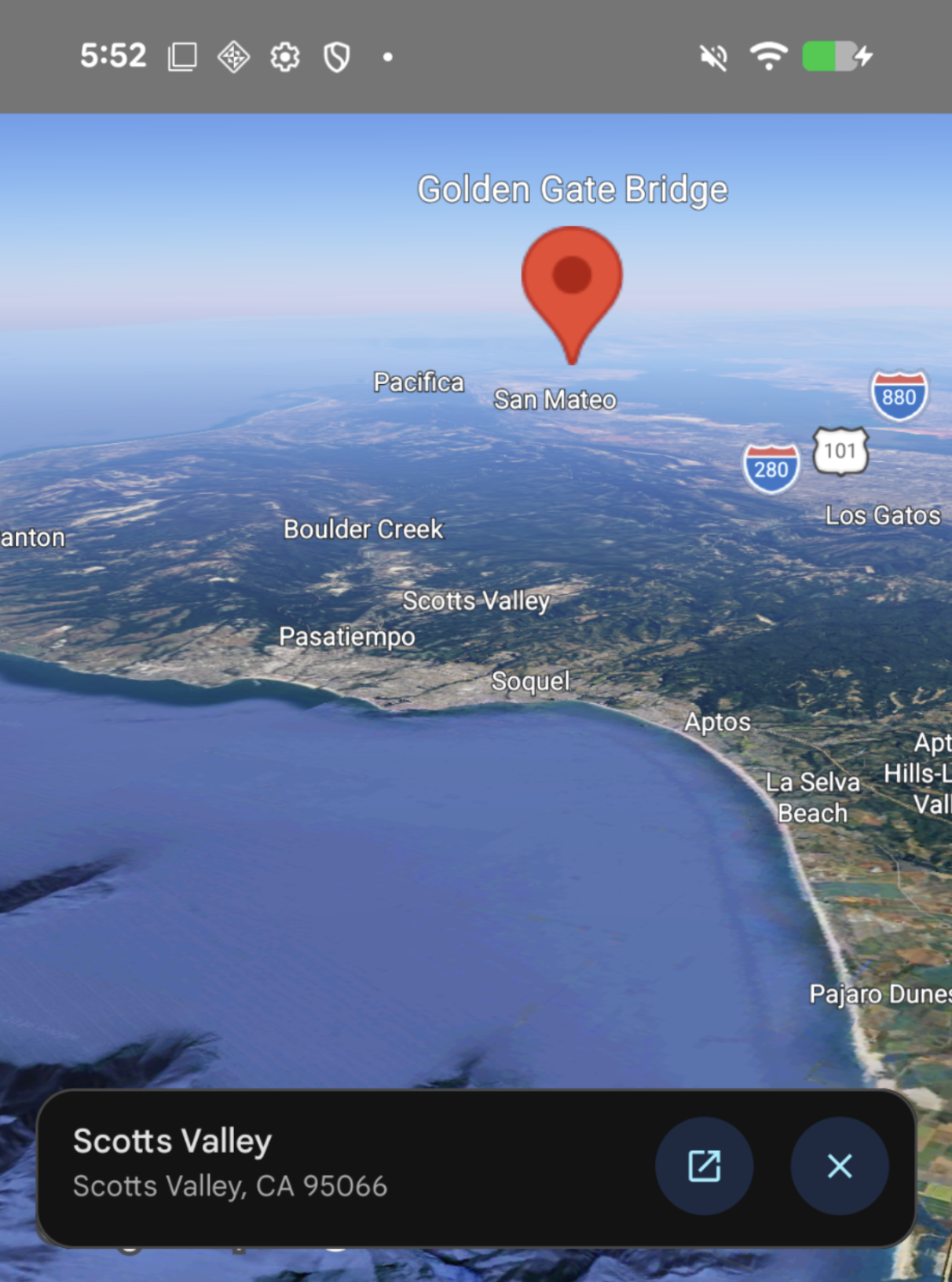
When a user clicks on a point of interest (POI), the Maps 3D SDK for Android displays
a Places widget
for that POI. You can listen for click events and suppress this widget using
OnMap3DClickListener.
The Places widget requires you to add the Places
SDK as a dependency.
Listen for click events
To listen for click events on the map, call
setMap3DClickListener
on your
GoogleMap3D
instance.
When a user clicks on the map, the
onMap3DClick
callback receives a
Map3DClickEvent
object containing the following properties:
location: TheLatLngAltituderepresenting the geographic coordinates and altitude of the click.placeId: The unique identifier (String?) for the place at the click location, ornullif none.
The
onMap3DClick
method returns a Boolean:
- Return
false: Shows the default Places UI widget (ifplaceIdisn'tnull). - Return
true: Suppresses the default Places UI widget.
The following example shows how to set a click listener and suppress the default Places UI widget to perform a custom action:
googleMap3D.setMap3DClickListener { clickEvent ->
    val location = clickEvent.location
    val placeId = clickEvent.placeId

    // Perform custom action, for example logging or showing a custom tooltip
    showCustomTooltip(location, placeId)

    // Suppress the default Places UI widget by returning true
    true
}