Karten- und Kameraeinschränkungen konfigurieren
Mit Sammlungen den Überblick behalten
Sie können Inhalte basierend auf Ihren Einstellungen speichern und kategorisieren.
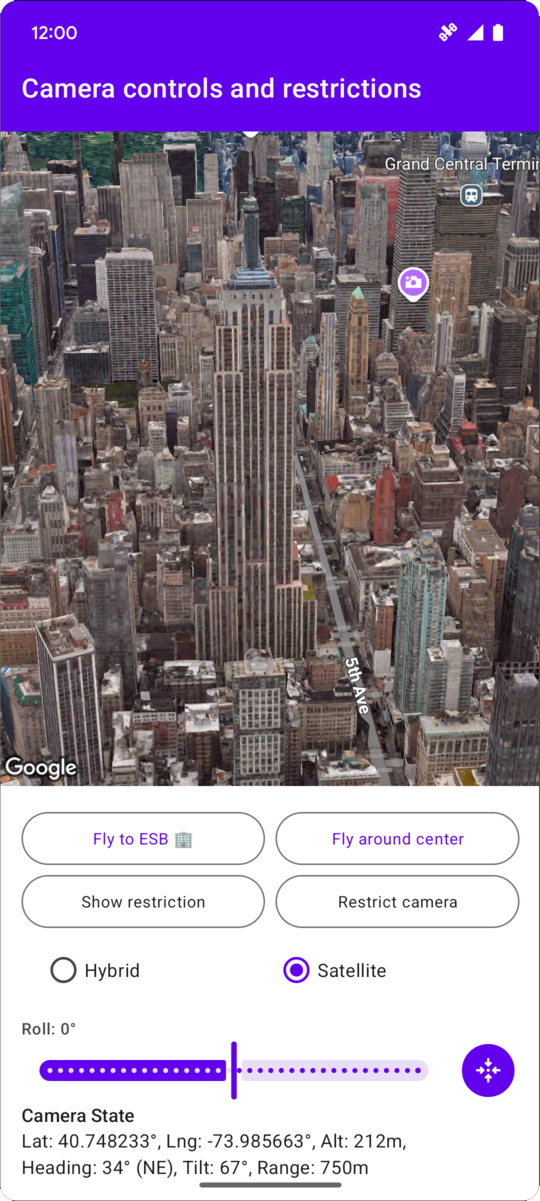
Das folgende Codebeispiel zeigt, wie Sie mit CameraRestriction sowohl die geografischen Grenzen der Kamera als auch die Werte für Höhe, Ausrichtung und Neigung der Kamera einschränken.
// Add imports and define constantsimportcom.google.android.gms.maps3d.model.AltitudeModeimportcom.google.android.gms.maps3d.model.LatLngAltitudeimportcom.google.android.gms.maps3d.model.cameraRestrictionimportcom.google.android.gms.maps3d.model.latLngAltitudeimportcom.google.android.gms.maps3d.model.latLngBoundsimportcom.google.android.gms.maps3d.model.polygonOptionsconstvalEMPIRE_STATE_BUILDING_LATITUDE=40.748233constvalEMPIRE_STATE_BUILDING_LONGITUDE=-73.985663privateconstvalNYC_SOUTH_WEST_LAT=40.68563088976172privateconstvalNYC_SOUTH_WEST_LNG=-74.05030430240065privateconstvalNYC_NORTH_EAST_LAT=40.85649214337128privateconstvalNYC_NORTH_EAST_LNG=-73.80240973771173privateconstvalMAX_ALTITUDE_NYC_METERS=10000.0privateconstvalMIN_ALTITUDE_NYC_METERS=500.0privatevalnycBounds=latLngBounds{northEastLat=NYC_NORTH_EAST_LATnorthEastLng=NYC_NORTH_EAST_LNGsouthWestLat=NYC_SOUTH_WEST_LATsouthWestLng=NYC_SOUTH_WEST_LNG}// Define the restrictionsvalnycCameraRestriction=cameraRestriction{minAltitude=MIN_ALTITUDE_NYC_METERSmaxAltitude=MAX_ALTITUDE_NYC_METERSminHeading=0.0maxHeading=360.0minTilt=0.0maxTilt=90.0bounds=nycBounds}
[[["Leicht verständlich","easyToUnderstand","thumb-up"],["Mein Problem wurde gelöst","solvedMyProblem","thumb-up"],["Sonstiges","otherUp","thumb-up"]],[["Benötigte Informationen nicht gefunden","missingTheInformationINeed","thumb-down"],["Zu umständlich/zu viele Schritte","tooComplicatedTooManySteps","thumb-down"],["Nicht mehr aktuell","outOfDate","thumb-down"],["Problem mit der Übersetzung","translationIssue","thumb-down"],["Problem mit Beispielen/Code","samplesCodeIssue","thumb-down"],["Sonstiges","otherDown","thumb-down"]],["Zuletzt aktualisiert: 2026-06-19 (UTC)."],[],[]]