
1. 准备工作
此 Codelab 会教您如何使用 PageSpeed Insights API 和 Chrome User Experience Report API 衡量网页的核心网页指标。
前提条件
- 有关如何使用命令行的基础知识
实践内容
- 使用 PageSpeed Insights API 衡量网页的核心网页指标
- 使用 CrUX API 衡量网页的核心网页指标
所需条件
- 命令行访问权限
- 您选择的网址
- 您选择的网络浏览器
- Google 帐号
2. 使用 PageSpeed Insights API 衡量核心网页指标
首先,使用 PageSpeed Insights API 衡量网页的核心网页指标。
- 打开命令行。
- 运行以下命令,该命令会使用 curl 向 PageSpeed Insights API 发出请求:
curl -o response.txt "https://www.googleapis.com/pagespeedonline/v5/runPagespeed?url=https://developers.google.com"
该命令会返回桌面版 https://developers.google.com 的性能数据,并将其保存到名为 response.txt 的文件中。
- 在文本编辑器中打开
response.txt文件。 - 找到
loadingExperience属性,该属性会报告 API 请求中所指明网址和设备类型对应的核心网页指标。该属性的内容类似于以下代码段:
   "loadingExperience": {
    "id": "https://developers.google.com/",
    "metrics": {
      "FIRST_CONTENTFUL_PAINT_MS": {
        "percentile": 1714,
        "distributions": [
          {
            "min": 0,
            "max": 1000,
            "proportion": 0.49701860391159164
          },
          {
            "min": 1000,
            "max": 3000,
            "proportion": 0.40071951025600261
          },
          {
            "min": 3000,
            "proportion": 0.10226188583240581
          }
        ],
        "category": "AVERAGE"
      },
  },
其中为每个核心网页指标提供了以下信息:
percentile属性指示每个指标的第 90 个百分位观察结果。distributions属性指示对于每个指标,获得慢速、中等或快速体验的用户所占的百分比。category属性将每个指标的性能归类为慢、中或快。
- 找到
originLoadingExperience属性,该属性会报告整个来源(而不仅仅是网址)的汇总核心网页指标。该属性的内容类似于以下代码段:
  "originLoadingExperience": {
    "id": "https://developers.google.com",
    "metrics": {
      "FIRST_CONTENTFUL_PAINT_MS": {
        "percentile": 1649,
        "distributions": [
          {
            "min": 0,
            "max": 1000,
            "proportion": 0.488838781075378
          },
          {
            "min": 1000,
            "max": 3000,
            "proportion": 0.42709617576692827
          },
          {
            "min": 3000,
            "proportion": 0.084065043157693739
          }
        ],
        "category": "AVERAGE"
      },
  },
其中为每个核心网页指标提供了上一步中所述的相同信息。
您已使用 PageSpeed Insights API 衡量了网页的核心网页指标。
3. 使用 CrUX API 衡量核心网页指标
现在,使用 CrUX API 衡量网页的核心网页指标。
获取 API 密钥
首先,获取 CrUX API 所需的 API 密钥。
- 转到 Google Cloud Console。
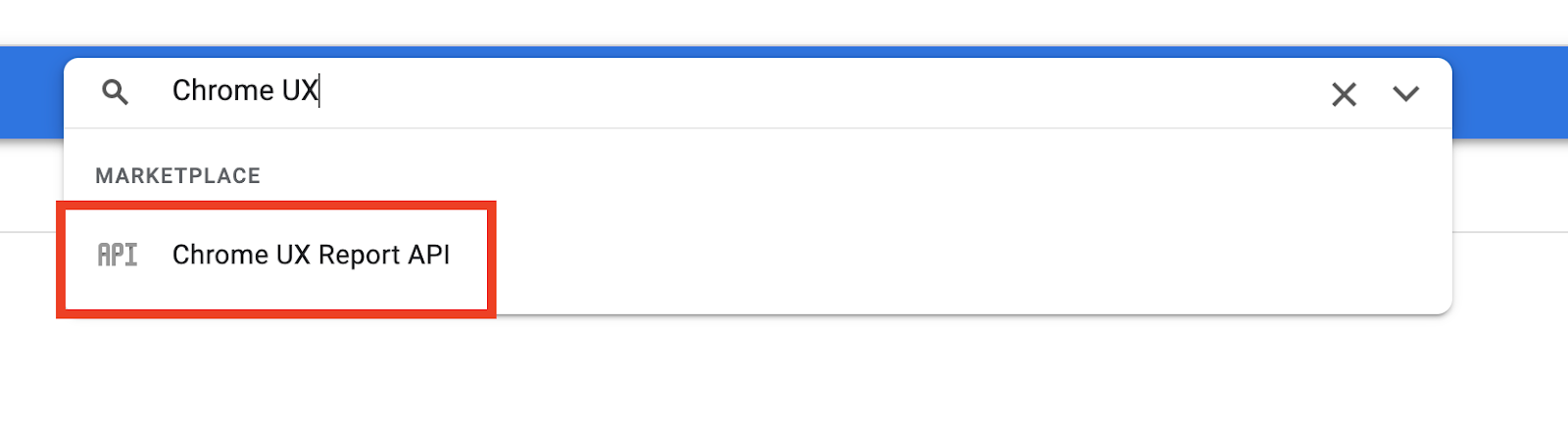
- 在搜索栏中输入
Chrome UX。 - 从随即显示的下拉菜单中选择 Chrome UX Report API。
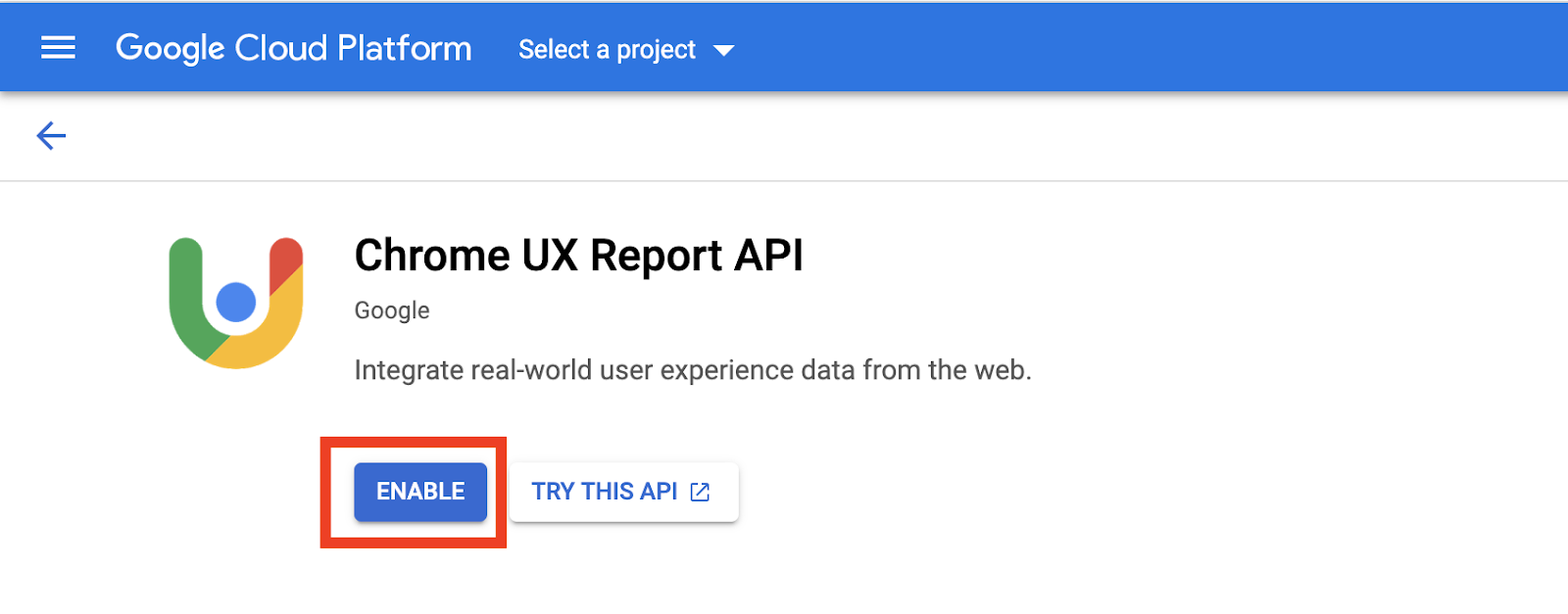
- 点击启用。
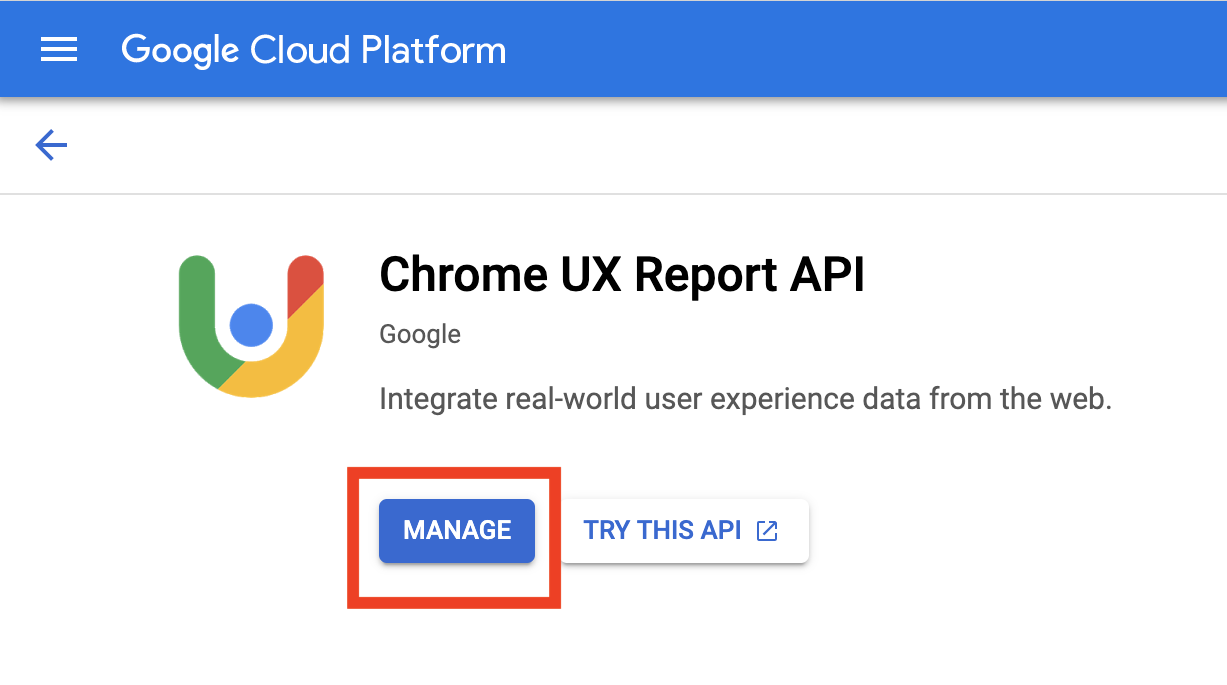
- 点击管理。
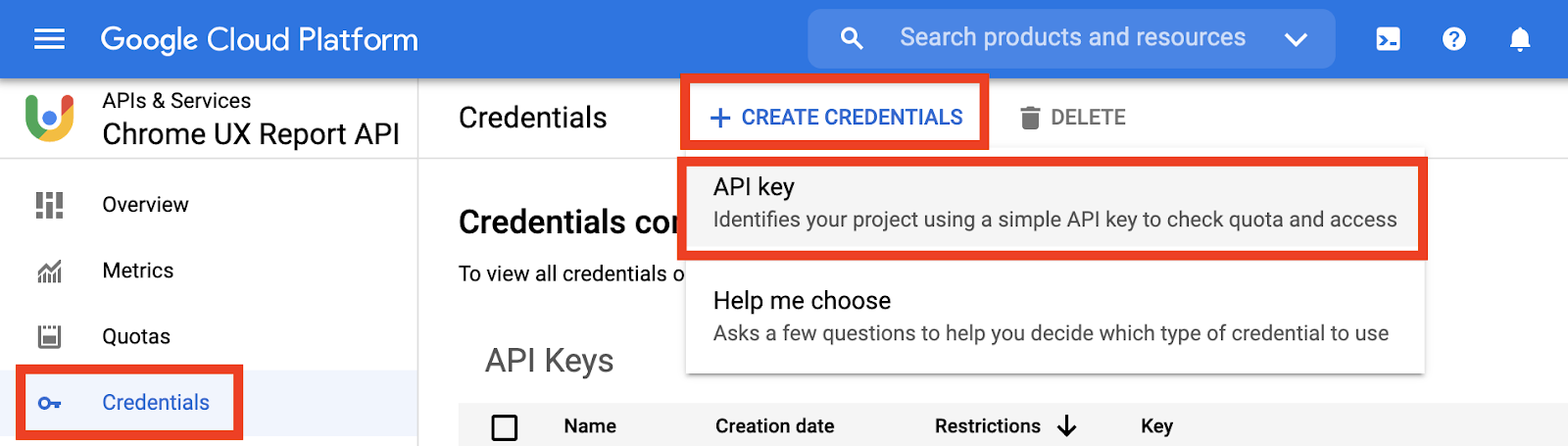
- 依次点击凭据 > 创建凭据 > API 密钥。
- 复制 API 密钥。
发出请求
接下来,向 CrUX API 发出请求。
- 打开命令行。
- 运行以下命令,该命令会使用 curl 向 CrUX API 发出请求,但将
YOUR_API_KEY替换为您在上一部分中创建的 API 密钥。
curl -X POST -o response.txt 'https://chromeuxreport.googleapis.com/v1/records:queryRecord?key=YOUR_API_KEY' --header 'Accept: application/json' --header 'Content-Type: application/json' --data '{"url":"https://developers.google.com"}'
该命令会返回 https://developers.google.com 的性能数据,并将其保存到名为 response.txt 的文件中。
- 在文本编辑器中打开
response.txt文件。
CrUX API 响应如以下代码段所示:
{
  "record": {
    "key": {
      "url": "https://developers.google.com/"
    },
    "metrics": {
      "cumulative_layout_shift": {
        "histogram": [
          {
            "start": "0.00",
            "end": "0.10",
            "density": 0.47784335300590036
          },
          {
            "start": "0.10",
            "end": "0.25",
            "density": 0.32379713914174157
          },
          {
            "start": "0.25",
            "density": 0.19835950785235579
          }
        ],
        "percentiles": {
          "p75": "0.23"
        }
      },
    }
  },
}
CrUX API 响应会为每个核心网页指标提供以下信息:
histogram属性指示对于给定指标,获得慢速、中等或快速体验的用户所占的百分比。percentiles属性指示给定指标的第 75 个百分位观察结果。
您已使用 CrUX API 衡量了相应网址的核心网页指标。
4. 恭喜
恭喜!您已使用 PageSpeed Insights API 和 CrUX API 衡量了网页的核心网页指标。