

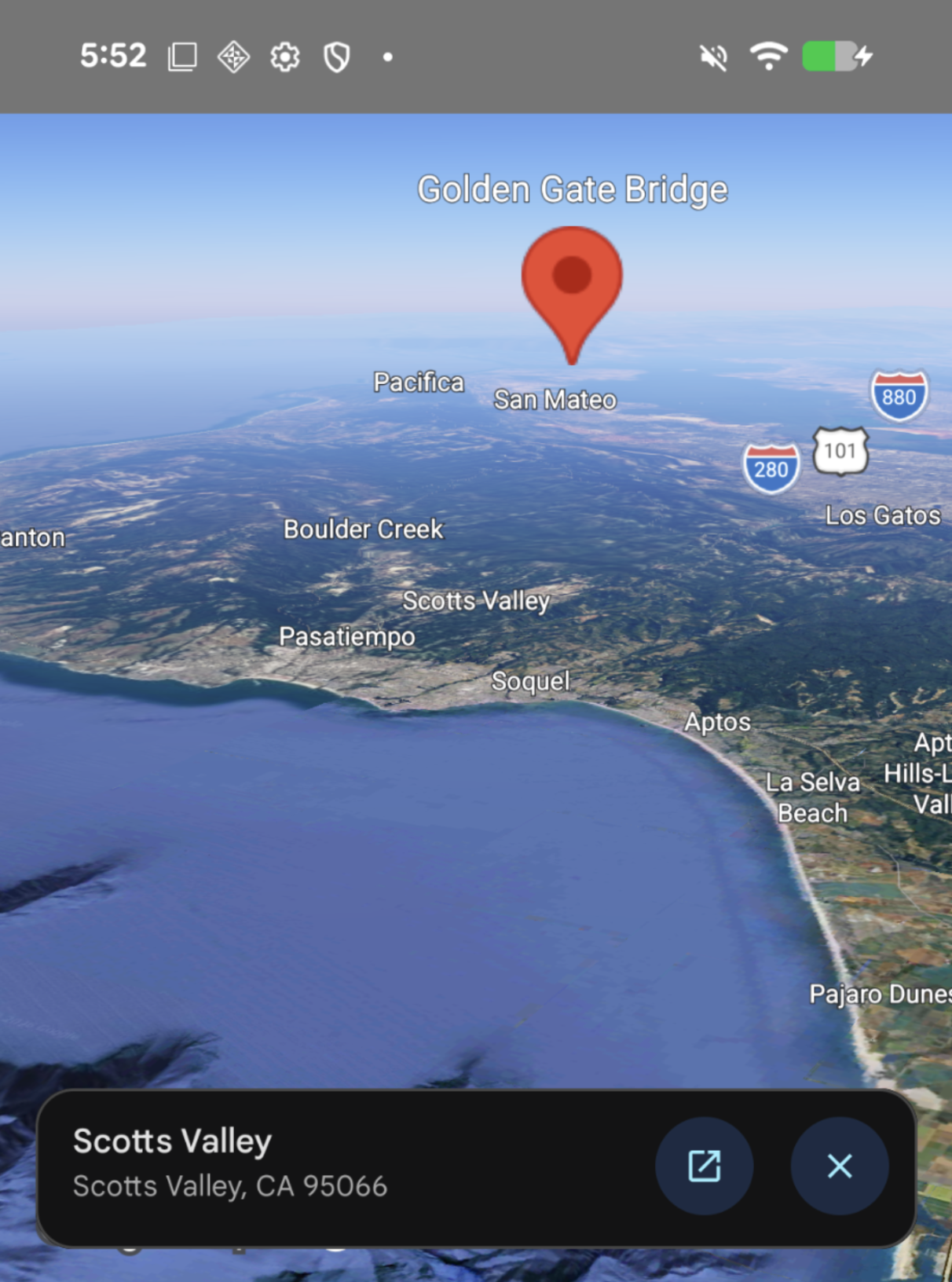
当用户点按
Map上的地图注点 (POI) 时,
Maps 3D SDK for iOS (GoogleMaps3DKit) 会显示
该地图注点的地点微件。您可以使用onTap(_:)、onPlaceTap(_:)和placeInformationEnabled(_:)监听点按事件,并控制是否
显示此 widget。
监听点按事件
如需监听
Map上的点按事件,请应用
onTap(_:)
修饰符。
当用户点按地图时,闭包会收到一个
MapTapInfo
对象,其中包含以下属性:
location: 表示点按的地理坐标和海拔高度的LatLngAltitude。content: 指示点按内容的MapTapInfo.Content值:MapTapInfo.Content.map:点按命中了基本地图。MapTapInfo.Content.place(id:):点按命中了地点,并提供了该地点的唯一地点 ID (String)。
控制 Places UI widget
如需控制在点按地点时是否显示内置 Places UI widget,请将 onPlaceTap(_:) 应用于
Map。闭包会收到点按的 placeId (String) 并返回 PlaceTapAction:
- 返回
.default:显示内置 Places UI widget。 - Return
.none:禁止显示内置地点 UI 微件。
以下示例监听了点按事件并禁止显示默认 Places UI widget:
import GoogleMaps3DKit
import SwiftUI

struct ContentView: View {
  @State private var camera = Camera(center: .init(latitude: 37.7749, longitude: -122.4194))

  var body: some View {
    Map(camera: $camera, mode: .hybrid)
      .onPlaceTap { placeId in
        // Suppress the built-in Places UI widget
        .none
      }
      .onTap { tapInfo in
        switch tapInfo.content {
        case .map:
          print("Tapped map at \(tapInfo.location)")
        case .place(let placeId):
          print("Tapped place \(placeId) at \(tapInfo.location)")
        }
      }
  }
}
如需针对
Map上的所有地图注点点按操作停用内置地点信息卡片,请将
false传递给placeInformationEnabled(_:):
import GoogleMaps3DKit
import SwiftUI

struct ContentView: View {
  var body: some View {
    Map(mode: .hybrid)
      .placeInformationEnabled(false)
  }
}