
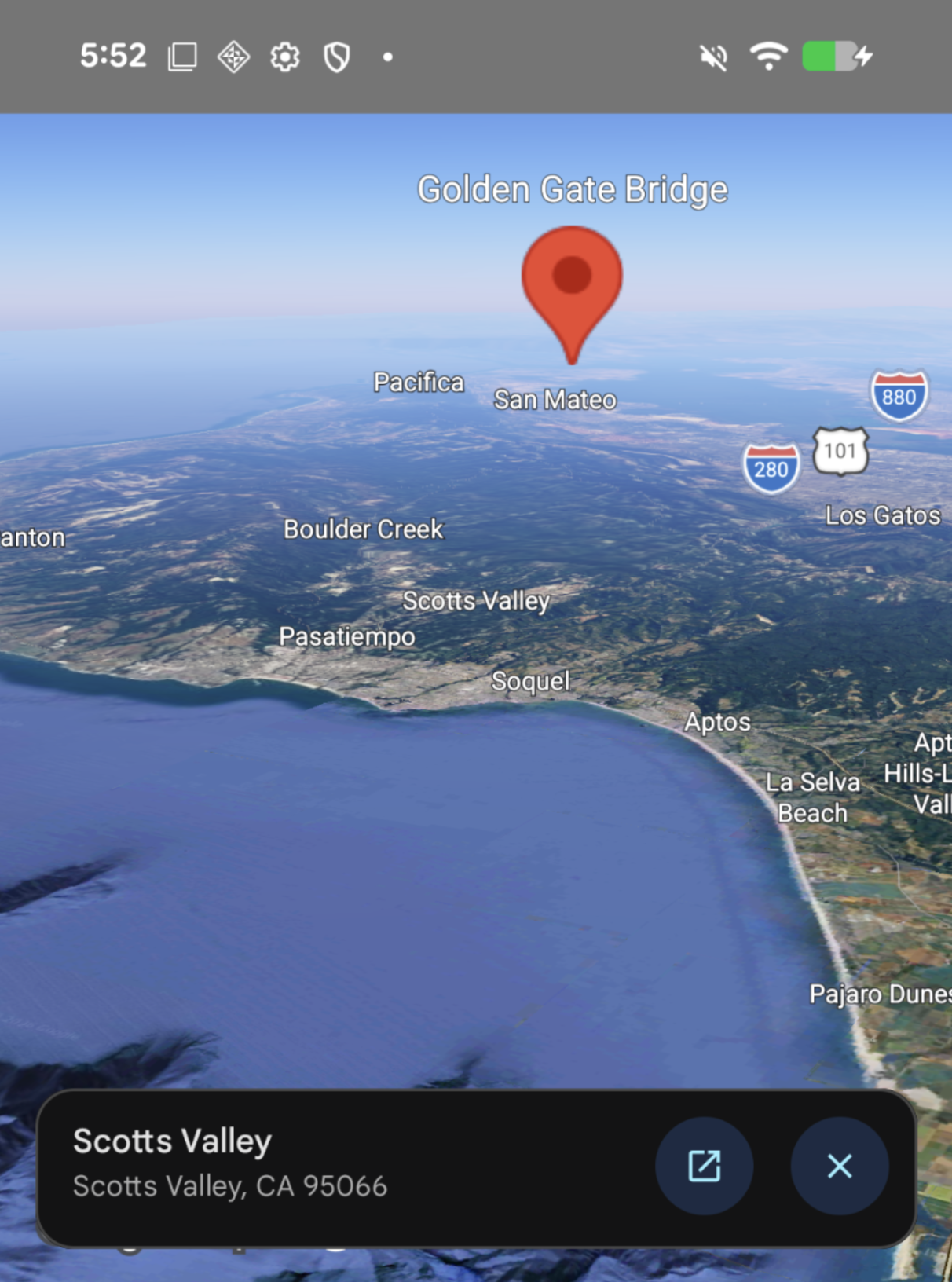
When a user taps a point of interest (POI) on a
Map, the
Maps 3D SDK for iOS (GoogleMaps3DKit) displays a
Places widget for
that POI. You can listen for tap events and control whether this widget is
displayed using
onTap(_:),
onPlaceTap(_:), and placeInformationEnabled(_:).
Listen for tap events
To listen for tap events on a
Map, apply
the
onTap(_:)
modifier.
When a user taps the map, the closure receives a
MapTapInfo
object containing the following properties:
location: TheLatLngAltituderepresenting the geographic coordinates and altitude of the tap.content: TheMapTapInfo.Contentvalue indicating what was tapped:MapTapInfo.Content.map: The tap hit the base map.MapTapInfo.Content.place(id:): The tap hit a place, providing its unique place ID (String).
Control the Places UI widget
To control whether the built-in Places UI widget is displayed when a place is
tapped, apply onPlaceTap(_:) to
Map. The
closure receives the tapped placeId (String) and returns a PlaceTapAction:
- Return
.default: Shows the built-in Places UI widget. - Return
.none: Suppresses the built-in Places UI widget.
The following example listens for tap events and suppresses the default Places UI widget:
import GoogleMaps3DKit
import SwiftUI

struct ContentView: View {
  @State private var camera = Camera(center: .init(latitude: 37.7749, longitude: -122.4194))

  var body: some View {
    Map(camera: $camera, mode: .hybrid)
      .onPlaceTap { placeId in
        // Suppress the built-in Places UI widget
        .none
      }
      .onTap { tapInfo in
        switch tapInfo.content {
        case .map:
          print("Tapped map at \(tapInfo.location)")
        case .place(let placeId):
          print("Tapped place \(placeId) at \(tapInfo.location)")
        }
      }
  }
}
To disable the built-in place information card for all POI taps on a
Map, pass
false to placeInformationEnabled(_:):
import GoogleMaps3DKit
import SwiftUI

struct ContentView: View {
  var body: some View {
    Map(mode: .hybrid)
      .placeInformationEnabled(false)
  }
}