

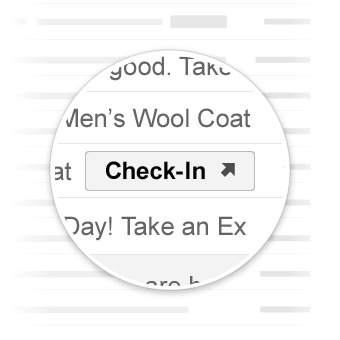
Über „Go-to“-Aktionen werden Nutzer auf Ihre Website weitergeleitet, wo sie die Aktion ausführen können. Im Gegensatz zu Aktionen, die mit einem Klick ausgeführt werden können, können „Go-to“-Aktionen mehrmals verwendet werden.
Anwendungsfälle
Die folgenden „Go-to“-Aktionen werden von Gmail unterstützt:
Möglicherweise werden in Zukunft weitere Aktionen unterstützt.
Aktion ansehen
Sie können E‑Mails, in denen Nutzer auf Ihre Website weitergeleitet werden müssen, um die Aktion auszuführen, eine Schaltfläche ViewAction hinzufügen.
Mit der folgenden Deklaration wird einer E‑Mail eine Schaltfläche ViewAction hinzugefügt:
JSON-LD
<script type="application/ld+json">
{
  "@context": "http://schema.org",
  "@type": "EmailMessage",
  "potentialAction": {
    "@type": "ViewAction",
    "url": "https://watch-movies.com/watch?movieId=abc123",
    "name": "Watch movie"
  },
  "description": "Watch the 'Avengers' movie online"
}
</script>
Mikrodaten
<div itemscope itemtype="http://schema.org/EmailMessage">
  <div itemprop="potentialAction" itemscope itemtype="http://schema.org/ViewAction">
    <link itemprop="target" href="https://watch-movies.com/watch?movieId=abc123"/>
    <meta itemprop="name" content="Watch movie"/>
  </div>
  <meta itemprop="description" content="Watch the 'Avengers' movie online"/>
</div>
Publisher-Daten
Sie können Details zur Organisation hinzufügen, die die E‑Mail-Nachricht sendet, indem Sie das Feld publisher festlegen:
JSON-LD
<script type="application/ld+json">
{
  "@context": "http://schema.org",
  "@type": "EmailMessage",
  "description": "Watch the 'Avengers' movie online",
  "potentialAction": {
    "@type": "ViewAction",
    "url": "https://watch-movies.com/watch?movieId=abc123",
    "name": "Watch movie"
  },
  "publisher": {
    "@type": "Organization",
    "name": "Google Play",
    "url": "https://play.google.com",
    "url/googlePlus": "https://plus.google.com/106886664866983861036"
  }
}
</script>
Mikrodaten
<div itemscope itemtype="http://schema.org/EmailMessage">
  <meta itemprop="description" content="Watch the 'Avengers' movie online"/>
  <div itemprop="potentialAction" itemscope itemtype="http://schema.org/ViewAction">
    <link itemprop="target" href="https://watch-movies.com/watch?movieId=abc123"/>
    <meta itemprop="name" content="Watch movie"/>
  </div>
  <div itemprop="publisher" itemscope itemtype="http://schema.org/Organization">
    <meta itemprop="name" content="Google Play"/>
    <link itemprop="url" href="https://play.google.com"/>
    <link itemprop="url/googlePlus" href="https://plus.google.com/106886664866983861036"/>
  </div>
</div>
Aktion verfolgen
Sie können E‑Mails, in denen Nutzer auf Ihre Website weitergeleitet werden müssen, um die Zustellung von Paketen zu verfolgen, eine Schaltfläche TrackAction hinzufügen.
Wenn Sie die Eigenschaft trackingUrl angeben, wird automatisch eine Aktion generiert. Wenn Sie direkt zu einer mobilen App verlinken möchten, fügen Sie auch eine TrackAction hinzu, wie im folgenden Beispiel gezeigt:
JSON-LD
<script type="application/ld+json">
{
  "@context": "http://schema.org",
  "@type": "ParcelDelivery",
  "deliveryAddress": {
    "@type": "PostalAddress",
    "streetAddress": "24 Willie Mays Plaza",
    "addressLocality": "San Francisco",
    "addressRegion": "CA",
    "addressCountry": "US",
    "postalCode": "94107"
  },
  "expectedArrivalUntil": "2013-03-12T12:00:00-08:00",
  "carrier": {
    "@type": "Organization",
    "name": "FedEx"
  },
  "itemShipped": {
    "@type": "Product",
    "name": "iPod Mini"
  },
  "partOfOrder": {
    "@type": "Order",
    "orderNumber": "176057",
    "merchant": {
      "@type": "Organization",
      "name": "Bob Dole"
    }
  },
  "trackingUrl": "http://fedex.com/track/1234567890"
  "potentialAction": {
    "@type": "TrackAction",
    "target": "http://fedex.com/track/1234567890"
  },
}
</script>
Mikrodaten
<div itemscope itemtype="http://schema.org/ParcelDelivery">
  <div itemprop="deliveryAddress" itemscope itemtype="http://schema.org/PostalAddress">
    <meta itemprop="streetAddress" content="24 Willie Mays Plaza"/>
    <meta itemprop="addressLocality" content="San Francisco"/>
    <meta itemprop="addressRegion" content="CA"/>
    <meta itemprop="addressCountry" content="US"/>
    <meta itemprop="postalCode" content="94107"/>
  </div>
  <meta itemprop="expectedArrivalUntil" content="2013-03-12T12:00:00-08:00"/>
  <div itemprop="carrier" itemscope itemtype="http://schema.org/Organization">
    <meta itemprop="name" content="FedEx"/>
  </div>
  <div itemprop="itemShipped" itemscope itemtype="http://schema.org/Product">
    <meta itemprop="name" content="iPod Mini"/>
  </div>
  <div itemprop="partOfOrder" itemscope itemtype="http://schema.org/Order">
    <meta itemprop="orderNumber" content="176057"/>
    <div itemprop="merchant" itemscope itemtype="http://schema.org/Organization">
      <meta itemprop="name" content="Bob Dole"/>
    </div>
  </div>
  <link itemprop="trackingUrl" href="http://fedex.com/track/1234567890"/>
  <div itemprop="potentialAction" itemscope itemtype="http://schema.org/TrackAction">
    <link itemprop="target" href="http://fedex.com/track/1234567890"/>
  </div>
</div>
Markup testen
Sie können Ihr Markup mit dem E‑Mail-Markup-Tester-Tool validieren. Fügen Sie Ihren Markup-Code ein und klicken Sie auf die Schaltfläche Validate (Validieren), um den Inhalt zu scannen und einen Bericht zu allen Fehlern zu erhalten.
Spezifikation
Eine Spezifikation der verschiedenen „Go-to“-Aktionstypen finden Sie in der Dokumentation für den jeweiligen Typ ViewAction oder TrackAction.