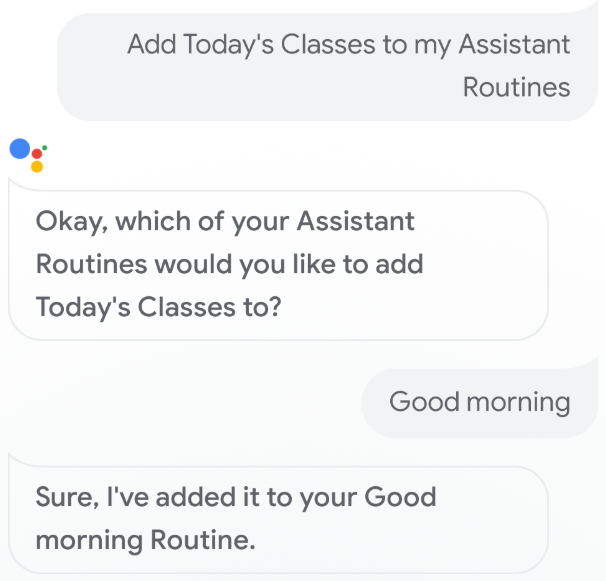
Google アシスタントのルーティンは、複数のアクションを 1 つのコマンドで実行できるため、ユーザーが朝起きるとき、家から出かけるとき、寝る準備をときなど、一日を通じて実行する多くのタスクに最適です。ユーザーがアクションに関与したら、そのアクションをユーザーのルーティンに追加するようユーザーに促すルーティンの提案を提供します。
[[["わかりやすい","easyToUnderstand","thumb-up"],["問題の解決に役立った","solvedMyProblem","thumb-up"],["その他","otherUp","thumb-up"]],[["必要な情報がない","missingTheInformationINeed","thumb-down"],["複雑すぎる / 手順が多すぎる","tooComplicatedTooManySteps","thumb-down"],["最新ではない","outOfDate","thumb-down"],["翻訳に関する問題","translationIssue","thumb-down"],["サンプル / コードに問題がある","samplesCodeIssue","thumb-down"],["その他","otherDown","thumb-down"]],["最終更新日 2025-07-25 UTC。"],[],["Google Assistant Routines enable users to execute multiple actions with a single command. To suggest your Action for inclusion in users' Routines, configure a \"triggering intent\" in Dialogflow or the Actions SDK. In Dialogflow's Google Assistant integration, add the intent under \"Implicit invocation\" and enable auto-preview. In the Actions console, turn on \"routine suggestions\" for the intent and add a title. Test suggestions by invoking and interacting with the Action, then add it to a Routine.\n"]]