

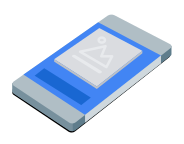
Quảng cáo Squeezeback chèn nội dung ứng dụng của bạn vào một chế độ xem nhỏ hơn và hiển thị quảng cáo gốc trong không gian xung quanh. Định dạng này cho phép người dùng tương tác với ứng dụng của bạn trong khi quảng cáo vẫn hiển thị. Để hiển thị quảng cáo hiển thị không che nội dung ứng dụng, hãy chọn định dạng này.
Hướng dẫn này trình bày cách yêu cầu và hiển thị quảng cáo squeezeback trong ứng dụng của bạn bằng GMA Next-Gen SDK.
Trước khi bắt đầu
Trước khi tiếp tục, hãy làm như sau:
Cài đặt GMA Next-Gen SDK phiên bản
1.7.0trở lên.Bật quảng cáo thử nghiệm và sử dụng mã đơn vị quảng cáo gốc thử nghiệm sau:
/21775744923/example/squeezeback
Tải một quảng cáo
Để tải một đối tượng
SqueezebackAd
, hãy tạo một yêu cầu quảng cáo và gọi phương thức load. Ví dụ sau đây lưu quảng cáo squeezeback đã tải, đăng ký các sự kiện quảng cáo và ghi lại lỗi khi không thành công:
Kotlin
Java
Thay thế AD_UNIT_ID bằng mã đơn vị quảng cáo của bạn.
Hiển thị quảng cáo
Để hiển thị quảng cáo squeezeback trên màn hình, hãy gọi phương thức show:
Kotlin
private fun showSqueezebackAd(activity: Activity) {
  // Capture the ad reference saved from the onAdLoaded callback.
  val ad = squeezebackAd
  if (ad != null) {
    ad.show(activity)
  } else {
    Log.d(TAG, "No ad to show.")
  }
}
Java
private void showSqueezebackAd(@NonNull Activity activity) {
  // Use the ad reference saved from the onAdLoaded callback.
  if (squeezebackAd != null) {
    squeezebackAd.show(activity);
  } else {
    Log.d(TAG, "No ad to show.");
  }
}
Đặt màu nền dự phòng
Theo mặc định, GMA Next-Gen SDK sẽ hiển thị nền màu xám đậm phía sau nội dung ứng dụng và quảng cáo đã thu nhỏ. Để tuỳ chỉnh màu này, hãy chỉ định màu nền dự phòng trong các lựa chọn quảng cáo khi hiển thị quảng cáo. Ví dụ sau đây đặt màu nền dự phòng thành màu xám đậm và hiển thị quảng cáo:
Kotlin
private fun showSqueezebackAdWithFallbackBackgroundColor(activity: Activity) {
  // Capture the ad reference saved from the onAdLoaded callback.
  val ad = squeezebackAd
  if (ad != null) {
    val options =
      SqueezebackAdOptions.Builder()
        // Sets the fallback background color for the space behind the shrunken content and ad.
        .setFallbackBackgroundColor(Color.DKGRAY)
        .build()
    ad.show(activity, options)
  } else {
    Log.d(TAG, "No ad to show.")
  }
}
Java
private void showSqueezebackAdWithFallbackBackgroundColor(@NonNull Activity activity) {
  // Use the ad reference saved from the onAdLoaded callback.
  if (squeezebackAd != null) {
    SqueezebackAdOptions options =
        new SqueezebackAdOptions.Builder()
            // Sets the fallback background color for the space behind the shrunken content and
            // ad.
            .setFallbackBackgroundColor(Color.DKGRAY)
            .build();
    squeezebackAd.show(activity, options);
  } else {
    Log.d(TAG, "No ad to show.");
  }
}
Theo dõi các sự kiện quảng cáo
Để xử lý các sự kiện trong vòng đời quảng cáo squeezeback, hãy đăng ký các sự kiện quảng cáo trước khi hiển thị quảng cáo. Các sự kiện này báo cáo lượt tương tác với quảng cáo, chẳng hạn như lượt nhấp và lượt hiển thị. Các sự kiện này cũng báo cáo các sự kiện dành riêng cho squeezeback, chẳng hạn như khi quảng cáo hiển thị, không hiển thị hoặc ẩn.
Kotlin
private fun setAdEventCallback(squeezebackAd: SqueezebackAd) {
  squeezebackAd.adEventCallback =
    object : SqueezebackAdEventCallback {
      override fun onAdShown() {
        Log.d(TAG, "Squeezeback ad shown.")
      }

      override fun onAdHidden() {
        // Called when hide() is invoked or the user taps the close button.
        // The ad cannot be shown again after it is hidden.
        Log.d(TAG, "Squeezeback ad hidden.")
      }

      override fun onAdFailedToShow(error: FullScreenContentError) {
        Log.w(TAG, "Squeezeback ad failed to show: $error")
      }

      override fun onAdImpression() {
        Log.d(TAG, "Squeezeback ad recorded an impression.")
      }

      override fun onAdClicked() {
        Log.d(TAG, "Squeezeback ad recorded a click.")
      }

      override fun onAdShowedFullScreenContent() {
        Log.d(TAG, "Squeezeback ad showed full screen content.")
      }

      override fun onAdDismissedFullScreenContent() {
        Log.d(TAG, "Squeezeback ad dismissed full screen content.")
      }

      override fun onAdFailedToShowFullScreenContent(
        fullScreenContentError: FullScreenContentError
      ) {
        Log.w(TAG, "Squeezeback ad failed to show full screen content: $fullScreenContentError")
      }

      override fun onAdPaid(value: AdValue) {
        Log.d(TAG, "Squeezeback ad paid: ${value.valueMicros} ${value.currencyCode}")
      }
    }
}
Java
private void setAdEventCallback(@NonNull SqueezebackAd squeezebackAd) {
  squeezebackAd.setAdEventCallback(
      new SqueezebackAdEventCallback() {
        @Override
        public void onAdShown() {
          Log.d(TAG, "Squeezeback ad shown.");
        }

        @Override
        public void onAdHidden() {
          // Called when hide() is invoked or the user taps the close button.
          // The ad cannot be shown again after it is hidden.
          Log.d(TAG, "Squeezeback ad hidden.");
        }

        @Override
        public void onAdFailedToShow(@NonNull FullScreenContentError error) {
          Log.w(TAG, "Squeezeback ad failed to show: " + error);
        }

        @Override
        public void onAdImpression() {
          Log.d(TAG, "Squeezeback ad recorded an impression.");
        }

        @Override
        public void onAdClicked() {
          Log.d(TAG, "Squeezeback ad recorded a click.");
        }

        @Override
        public void onAdShowedFullScreenContent() {
          Log.d(TAG, "Squeezeback ad showed full screen content.");
        }

        @Override
        public void onAdDismissedFullScreenContent() {
          Log.d(TAG, "Squeezeback ad dismissed full screen content.");
        }

        @Override
        public void onAdFailedToShowFullScreenContent(
            @NonNull FullScreenContentError fullScreenContentError) {
          Log.w(
              TAG,
              "Squeezeback ad failed to show full screen content: " + fullScreenContentError);
        }

        @Override
        public void onAdPaid(@NonNull AdValue value) {
          Log.d(
              TAG,
              "Squeezeback ad paid: " + value.getValueMicros() + " " + value.getCurrencyCode());
        }
      });
}
Sau khi người dùng đóng quảng cáo, GMA Next-Gen SDK sẽ gọi sự kiện ẩn quảng cáo và bạn không thể hiển thị lại quảng cáo đó nữa.
Ẩn quảng cáo
Để xoá quảng cáo và khôi phục nội dung ứng dụng về kích thước đầy đủ, hãy gọi phương thức hide. Phương thức này gọi sự kiện ẩn quảng cáo. Ví dụ sau đây kiểm tra
tham chiếu quảng cáo squeezeback đã lưu và ẩn quảng cáo nếu có:
Kotlin
private fun hideSqueezebackAd() {
  // Capture the ad reference saved from the onAdLoaded callback.
  val ad = squeezebackAd
  if (ad != null) {
    ad.hide()
  } else {
    Log.d(TAG, "No ad to hide.")
  }
}
Java
private void hideSqueezebackAd() {
  // Use the ad reference saved from the onAdLoaded callback.
  if (squeezebackAd != null) {
    squeezebackAd.hide();
  } else {
    Log.d(TAG, "No ad to hide.");
  }
}
Xoá tài nguyên quảng cáo
Để tránh rò rỉ bộ nhớ, hãy bỏ tham chiếu đến đối tượng quảng cáo khi ứng dụng của bạn hoàn tất việc sử dụng quảng cáo. Ví dụ sau đây sẽ dọn dẹp quảng cáo:
Kotlin
private fun cleanUpSqueezebackAd() {
  squeezebackAd?.destroy()
  squeezebackAd = null
}
Java
private void cleanUpSqueezebackAd() {
  // Use the ad reference saved from the onAdLoaded callback.
  if (squeezebackAd != null) {
    squeezebackAd.destroy();
    squeezebackAd = null;
  }
}