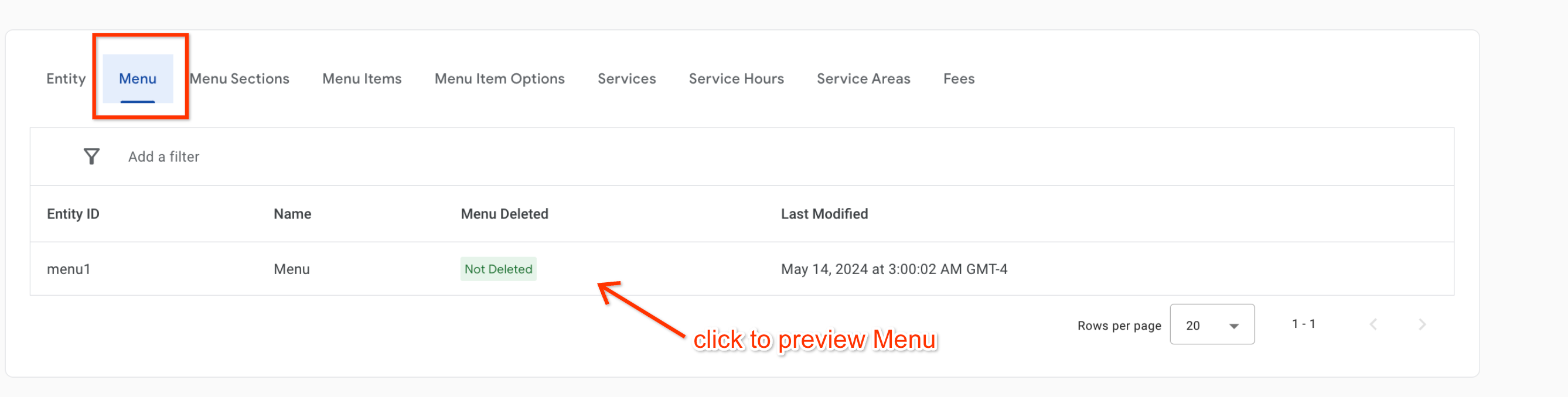
[[["易于理解","easyToUnderstand","thumb-up"],["解决了我的问题","solvedMyProblem","thumb-up"],["其他","otherUp","thumb-up"]],[["没有我需要的信息","missingTheInformationINeed","thumb-down"],["太复杂/步骤太多","tooComplicatedTooManySteps","thumb-down"],["内容需要更新","outOfDate","thumb-down"],["翻译问题","translationIssue","thumb-down"],["示例/代码问题","samplesCodeIssue","thumb-down"],["其他","otherDown","thumb-down"]],["最后更新时间 (UTC):2025-07-26。"],[],["The Menu Visualizer tool in the Actions Center allows partners to view their menu feeds in sandbox or production environments. It is used to test structured menu data, including prices, images, and layout, but does not represent consumer-facing displays. Menus appear in the visualizer within two hours of successful ingestion, which can be confirmed in the Inventory View. Access the Menu Visualizer by navigating to Inventory \u003e Food Ordering Entities and then selecting the Menu tab.\n"]]