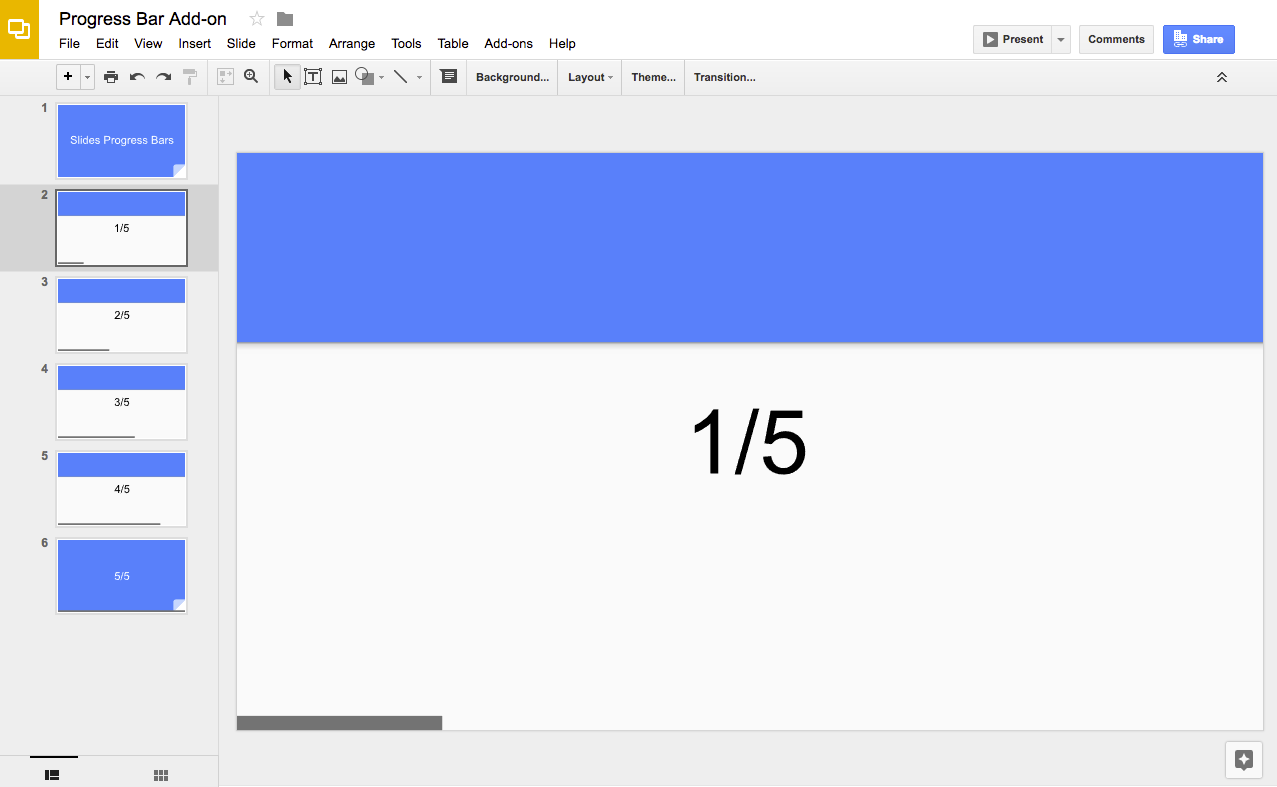
/** * @OnlyCurrentDoc Adds progress bars to a presentation. */constBAR_ID="PROGRESS_BAR_ID";constBAR_HEIGHT=10;// px/** * Runs when the add-on is installed. * @param {object} e The event parameter for a simple onInstall trigger. To * determine which authorization mode (ScriptApp.AuthMode) the trigger is * running in, inspect e.authMode. (In practice, onInstall triggers always * run in AuthMode.FULL, but onOpen triggers may be AuthMode.LIMITED or * AuthMode.NONE.) */functiononInstall(e){onOpen();}/** * Trigger for opening a presentation. * @param {object} e The onOpen event. */functiononOpen(e){SlidesApp.getUi().createAddonMenu().addItem("Show progress bar","createBars").addItem("Hide progress bar","deleteBars").addToUi();}/** * Create a rectangle on every slide with different bar widths. */functioncreateBars(){deleteBars();// Delete any existing progress barsconstpresentation=SlidesApp.getActivePresentation();constslides=presentation.getSlides();for(leti=0;i < slides.length;++i){constratioComplete=i/(slides.length-1);constx=0;consty=presentation.getPageHeight()-BAR_HEIGHT;constbarWidth=presentation.getPageWidth()*ratioComplete;if(barWidth > 0){constbar=slides[i].insertShape(SlidesApp.ShapeType.RECTANGLE,x,y,barWidth,BAR_HEIGHT,);bar.getBorder().setTransparent();bar.setLinkUrl(BAR_ID);}}}/** * Deletes all progress bar rectangles. */functiondeleteBars(){constpresentation=SlidesApp.getActivePresentation();constslides=presentation.getSlides();for(leti=0;i < slides.length;++i){constelements=slides[i].getPageElements();for(constelofelements){if(el.getPageElementType()===SlidesApp.PageElementType.SHAPE&&
el.asShape().getLink()&&
el.asShape().getLink().getUrl()===BAR_ID){el.remove();}}}}
ผู้ร่วมให้ข้อมูล
ตัวอย่างนี้ได้รับการดูแลโดย Google โดยได้รับความช่วยเหลือจาก Google Developer Experts
[[["เข้าใจง่าย","easyToUnderstand","thumb-up"],["แก้ปัญหาของฉันได้","solvedMyProblem","thumb-up"],["อื่นๆ","otherUp","thumb-up"]],[["ไม่มีข้อมูลที่ฉันต้องการ","missingTheInformationINeed","thumb-down"],["ซับซ้อนเกินไป/มีหลายขั้นตอนมากเกินไป","tooComplicatedTooManySteps","thumb-down"],["ล้าสมัย","outOfDate","thumb-down"],["ปัญหาเกี่ยวกับการแปล","translationIssue","thumb-down"],["ตัวอย่าง/ปัญหาเกี่ยวกับโค้ด","samplesCodeIssue","thumb-down"],["อื่นๆ","otherDown","thumb-down"]],["อัปเดตล่าสุด 2026-04-01 UTC"],[],["This solution adds a progress bar to Google Slides presentations using Apps Script. The script calculates the total slides and adds a rectangle to the bottom of each slide, increasing the rectangle's width to visually represent progress. Users copy a sample presentation, authorize the script, and then run it to create or remove the progress bars via the \"Extensions\" menu. It utilizes the Slides service to manipulate slides and shapes, adding and deleting these elements.\n"]]