
This document lists requirements for applications developed with the Navigation SDK for Android.
Acceptable customer use
The Navigation SDK for Android is designed to provide drivers with real-time turn-by-turn navigation in a mobile application. You can also use the data generated by the API in other applications to share information related to driver status and to track driver locations.
Disallowed use
The Navigation SDK for Android is allowed only for commercial applications. The Navigation SDK for Android isn't allowed for the following categories of use cases without express prior written consent from Google:
- Heavy or large vehicle routing or navigation, such as for buses, trucks, or vehicles with road restrictions, unless you use large vehicle routing with a Google-provisioned project, or unless the services explicitly specify support for heavy or large vehicle navigation.
Content scraping
The road name and speed limit can be returned to you based on user interactions with your app. If you capture or persist the road name or speed limit for use in any other context outside the user session, this action constitutes scraping, which isn't allowed by Google's terms.
Acceptable modifications to the navigation UI
The Navigation SDK for Android lets you customize the UI. For example, you can modify the navigation map, add custom markers, change the size and content of the header and footer around the navigation viewport, or change the size of the navigation viewport itself. In some situations, you might also want to overlay content on top of the active navigation screen.
When doing so, ensure that you don't introduce modifications that inhibit safe use by drivers. For example, avoid the following changes that can negatively affect driver safety:
- Showing distracting animations during active navigation.
- Showing overlays on the navigation screen without explicit driver action.
- Positioning overlays on the active navigation screen that hide the driver's current location or permanently block important navigation information. This information includes upcoming turns, lane guidance, compass orientation, and all standard UI elements in the navigation experience.
- Removing the road network from the navigation map or significantly reducing color contrast of map features on the navigation map.
Other implementation requirements
- You can't modify the Navigation SDK in-product terms without prior written consent from Google.
- Your app must display the following information to users on their first
use of the app:
- The Navigation SDK terms of use
- End users should always exercise independent judgment when using navigation, because information from the Navigation SDK service might differ from actual real-time conditions.
- End users are solely responsible for costs incurred when following the directions provided by the Navigation SDK service, such as for toll fees or high-occupancy vehicle lanes.
Google Maps attribution requirements
This section provides attribution requirements and guidelines for displaying Google Maps and content through your applications.
Display Google Maps attribution
When displaying content from Google Maps Platform APIs in your app or website, you must follow Google Maps attribution requirements. If the content is shown on a Google Map where the attribution is already visible, you don't need to add extra attribution.
Included Google Maps attribution
Follow these rules for Google Maps attribution that's already provided by Google Maps Platform in the user interface:
- Don't remove included attribution regardless of where it's displayed. Don't alter, hide, or obscure the attribution, and make sure it's clearly visible against the background.
- Always visually distinguish Google Maps Platform content from other content by using UI cues such as a border, background color, shadow, or sufficient whitespace.
- When making visual modifications, you must follow all Google Maps attribution requirements.
Google Maps logo and text attribution
Whenever possible, use the Google Maps logo for attribution. If space is limited, the text Google Maps is acceptable. It must always be clear to users which content Google Maps provides.
Logo attribution
Follow these requirements for using the Google Maps logo in your app.

Download Google Maps logos
Use the official Google Maps logo files. Download the following logos, and follow the guidelines in this section.
Download the Google Maps attribution assets
When using the Google Maps logo, follow these guidelines:
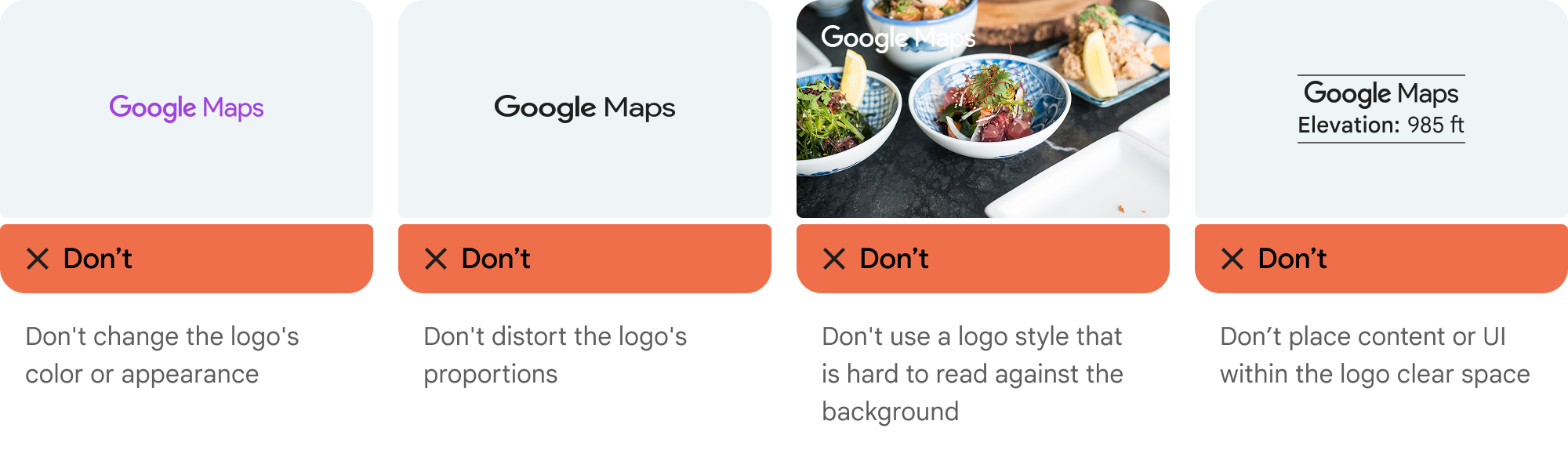
- Don't modify the logo in any way.
- Maintain the aspect ratio of the logo to prevent distortion.
- Use the outlined logo on a busy background, like a map or image.
- Use the non-outlined logo on a plain background, like a solid color or subtle gradient.
Logo size specification
Follow these size specifications for the Google Maps logo:
- Minimum logo height: 16dp
- Maximum logo height: 19dp
- Minimum logo clear space: 10dp on left, right, and top, 5dp on the bottom
For more information about pixel density, see Pixel density on the Material Design website.

Logo accessibility
Follow these accessibility requirements for the Google Maps logo:
- Maintain an accessible contrast between the logo and the background.
- Include an accessibility label with the text Google Maps.
Text attribution
If the size of your interface doesn't support using the Google Maps logo, you can spell out Google Maps in text. Follow these guidelines:

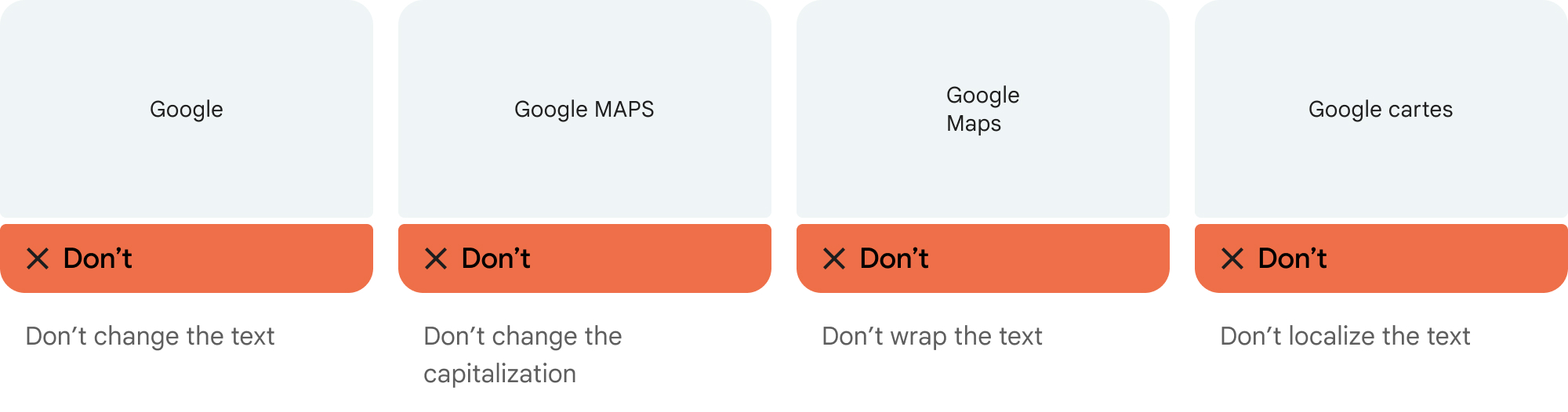
- Don't modify the text Google Maps in any way:
- Don't change the capitalization of Google Maps.
- Don't wrap Google Maps onto multiple lines.
- Don't localize Google Maps into another language.
- Don't let browsers translate Google Maps. Use the HTML attribute
translate="no".
Style Google Maps text as described in the following table:
Google Maps text-styling requirements Property Style Font family Roboto. Loading the font is optional. Fallback font family Any sans-serif body font already used in your product or "Sans-Serif" to invoke the default system font Font style Normal Font weight 400 Font color White, black (#1F1F1F), or gray (#5E5E5E). Maintain accessible (4.5:1) contrast against the background. Font size Minimum font size: 12sp
Maximum font size: 16sp
For more information about sp, see Font size units on the Material Design website.Letter spacing Normal
Example CSS
The following CSS renders Google Maps with the appropriate typographic style and color on a white or light background.
@import url('https://fonts.googleapis.com/css2?family=Roboto&display=swap');

.GMP-attribution {
font-family: Roboto, Sans-Serif;
font-style: normal;
font-weight: 400;
font-size: 1rem;
letter-spacing: normal;
white-space: nowrap;
color: #5e5e5e;
}
Visual requirements
Follow these requirements for the visual treatment of Google Maps attribution:
Position attribution near the top or bottom of the content, and within the same visual container. For a single line of content, you can position attribution to the right or left.
Visually distinguish Google Maps Platform content from other content by using UI cues such as a border, background color, shadow, or sufficient whitespace.
- Don't misrepresent Google Maps by attributing it with non-Google Maps Platform content.
- Verify that the attribution is always visible and legible. Don't remove, hide, obscure, or modify it.