

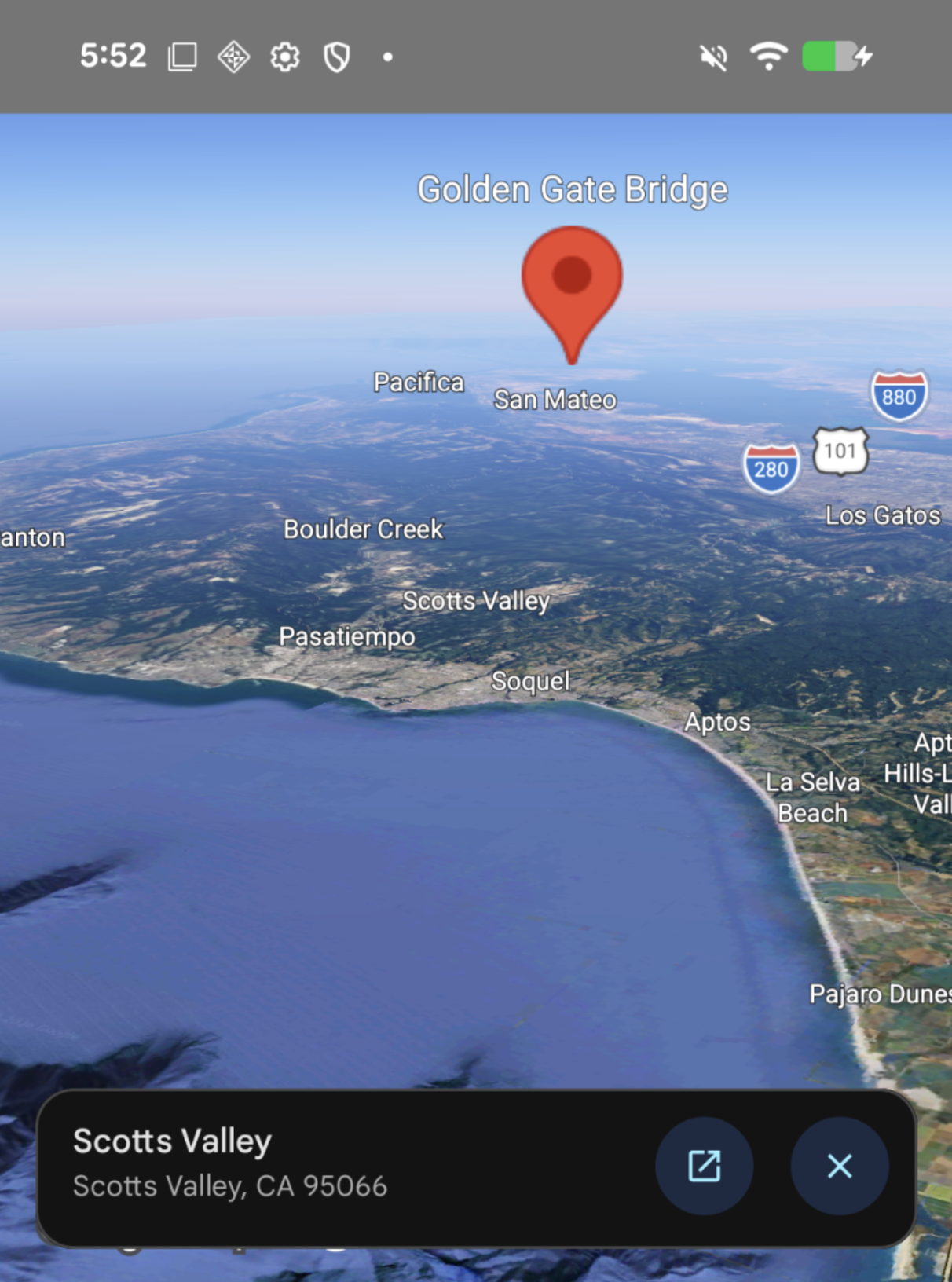
使用者輕觸 Map 上的搜尋點 (POI) 時,Maps 3D SDK for iOS (GoogleMaps3DKit) 會顯示該搜尋點的Place Widgets。您可以監聽輕觸事件,並使用 onTap(_:)、onPlaceTap(_:) 和 placeInformationEnabled(_:) 控制是否顯示這個小工具。
監聽輕觸事件
如要監聽 Map 上的輕觸事件,請套用 onTap(_:) 修飾符。
使用者輕觸地圖時,閉包會收到 MapTapInfo 物件,其中包含下列屬性:
location:代表輕觸位置地理座標和海拔高度的LatLngAltitude。content:MapTapInfo.Content值,表示輕觸的項目:MapTapInfo.Content.map:輕觸基本地圖。MapTapInfo.Content.place(id:):輕觸地點,提供專屬地點 ID (String)。
控制 Places UI 小工具
如要控管輕觸地點時是否顯示內建的 Places UI 小工具,請將 onPlaceTap(_:) 套用至 Map。閉包會接收輕觸的 placeId (String),並傳回 PlaceTapAction:
- Return
.default:顯示內建的 Places UI 小工具。 - Return
.none:隱藏內建的 Places UI 小工具。
以下範例會監聽輕觸事件,並隱藏預設的 Places UI 小工具:
import GoogleMaps3DKit
import SwiftUI

struct ContentView: View {
  @State private var camera = Camera(center: .init(latitude: 37.7749, longitude: -122.4194))

  var body: some View {
    Map(camera: $camera, mode: .hybrid)
      .onPlaceTap { placeId in
        // Suppress the built-in Places UI widget
        .none
      }
      .onTap { tapInfo in
        switch tapInfo.content {
        case .map:
          print("Tapped map at \(tapInfo.location)")
        case .place(let placeId):
          print("Tapped place \(placeId) at \(tapInfo.location)")
        }
      }
  }
}
如要停用 Map 上所有搜尋點輕觸動作的內建地點資訊卡,請將 false 傳遞至 placeInformationEnabled(_:):
import GoogleMaps3DKit
import SwiftUI

struct ContentView: View {
  var body: some View {
    Map(mode: .hybrid)
      .placeInformationEnabled(false)
  }
}