
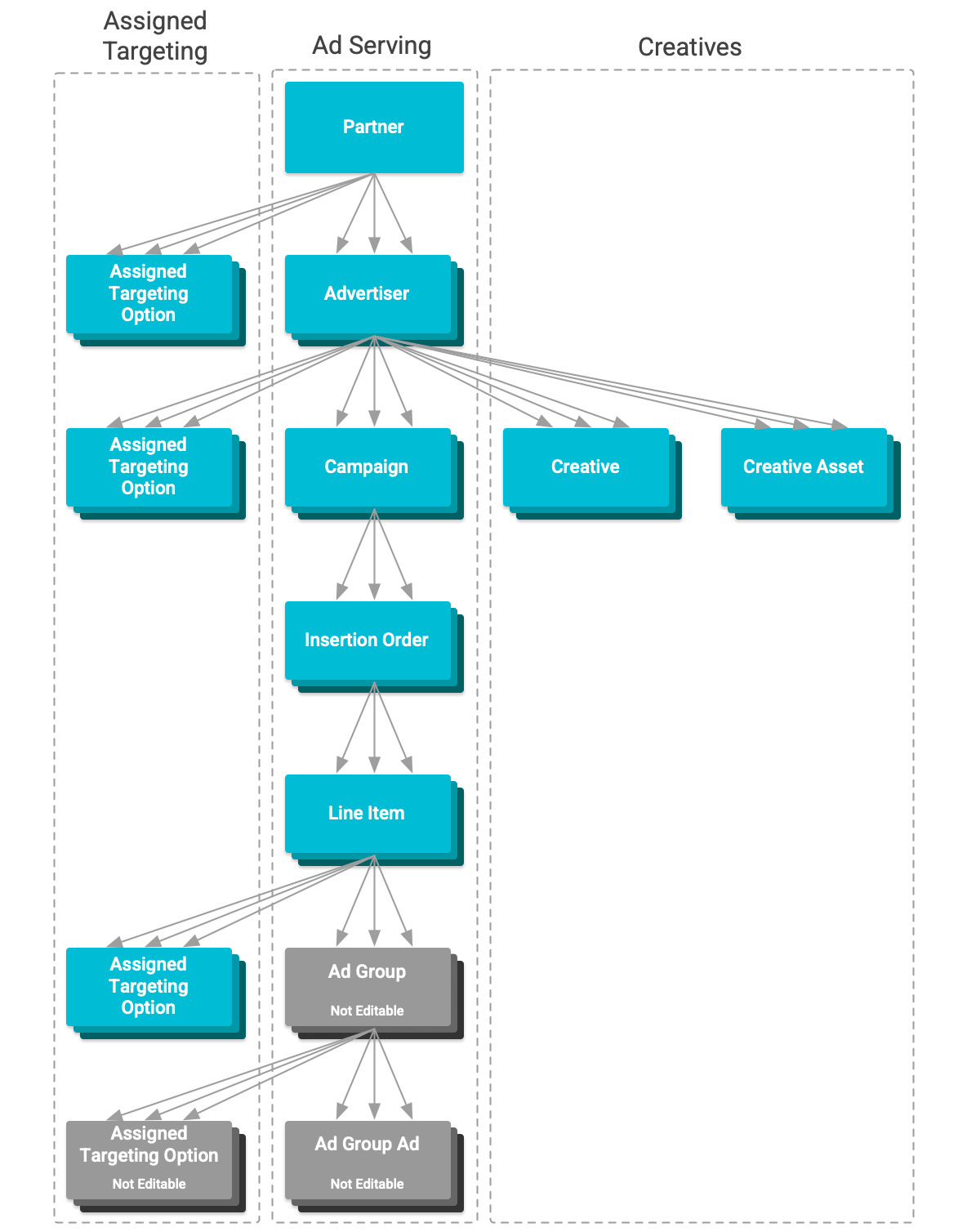
Display & Video 360 has a resource hierarchy. Each resource type has a purpose and settings that factor into ad serving.
This table lists each resource type in the hierarchy from highest to lowest.
| Resource types | |
|---|---|
| Partners | PartnerPartners own multiple advertisers. They enforce further brand safety targeting and other settings on those advertisers. They also provide access to resources used in targeting and floodlight activities used in conversion tracking. Partners and their targeting can't be edited via the API. |
| Advertisers | AdvertiserAdvertisers own multiple advertising campaigns. They enforce brand safety targeting and other general settings on ads served under them. They also own the creative objects used in ads served under it and provide access to resources used in targeting. |
| Campaigns | CampaignCampaigns contain multiple insertion orders. They don't enforce settings on their insertion orders. Their settings serve as a framing by which to measure the progress and success of the ads served under them. |
| Insertion Orders | InsertionOrderInsertion orders contain multiple line items. They provide default values for absent line item settings. |
| Line Items | LineItemLine Items are resources that control which ads are served, when they are served, and to whom they are served. YouTube & Partners line items and their targeting can't be edited using the API. |
| Ad Groups | AdGroupAd groups are resources that group YouTube & Partners ads under a line item by ad format. Ad Groups and their targeting can't be edited via the API. |
| Ads | AdGroupAdAds are resources that define a served YouTube & Partners Ad. Ads can't be edited using the API. |