This guide shows you how to use Google Mobile Ads SDK for React Native to load and display ads from i-mobile using mediation, covering waterfall integrations. It covers how to add i-mobile to an ad unit's mediation configuration, and how to integrate the i-mobile SDK and adapter into a React Native app.
The dashboard interface for i-mobile uses Japanese text for its labels, buttons, and descriptions. The screenshots in this guide have not been translated. In this guide's descriptions and instructions however, labels and buttons are translated with their English language equivalents in parentheses.
Supported integrations and ad formats
The AdMob mediation adapter for i-mobile has the following capabilities:
| Integration | |
|---|---|
| Bidding | |
| Waterfall | |
| Formats | |
| App Open | |
| Banner | |
| Interstitial | |
| Rewarded | |
| Rewarded Interstitial | |
| Native | |
Prerequisites
Before you continue, verify the following:
- Latest Google Mobile Ads SDK for React Native version.
- React Native framework version 0.85.0 or later.
- To deploy on Android
- Android API level 24 or later.
- To deploy on iOS
- iOS deployment target of 13.0 or later.
- A working React Native project configured with Google Mobile Ads SDK for React Native. See
Set up Google Mobile Ads SDK for React Native for details.
- Make sure you have downloaded and extracted the
adaptersfolder from thegma-sdk-react-nativefolder. If you don't have theadaptersfolder, follow steps one, two, and three in Install Google Mobile Ads SDK for React Native.
- Make sure you have downloaded and extracted the
- Set up AdMob Mediation.
Step 1: Set up configurations in i-mobile UI
Sign up or log in to your i-mobile account.
Add your app to the i-mobile dashboard by clicking the サイト/アプリ管理 (Site/Application Management) tab and the button for your app's platform.
Android

iOS

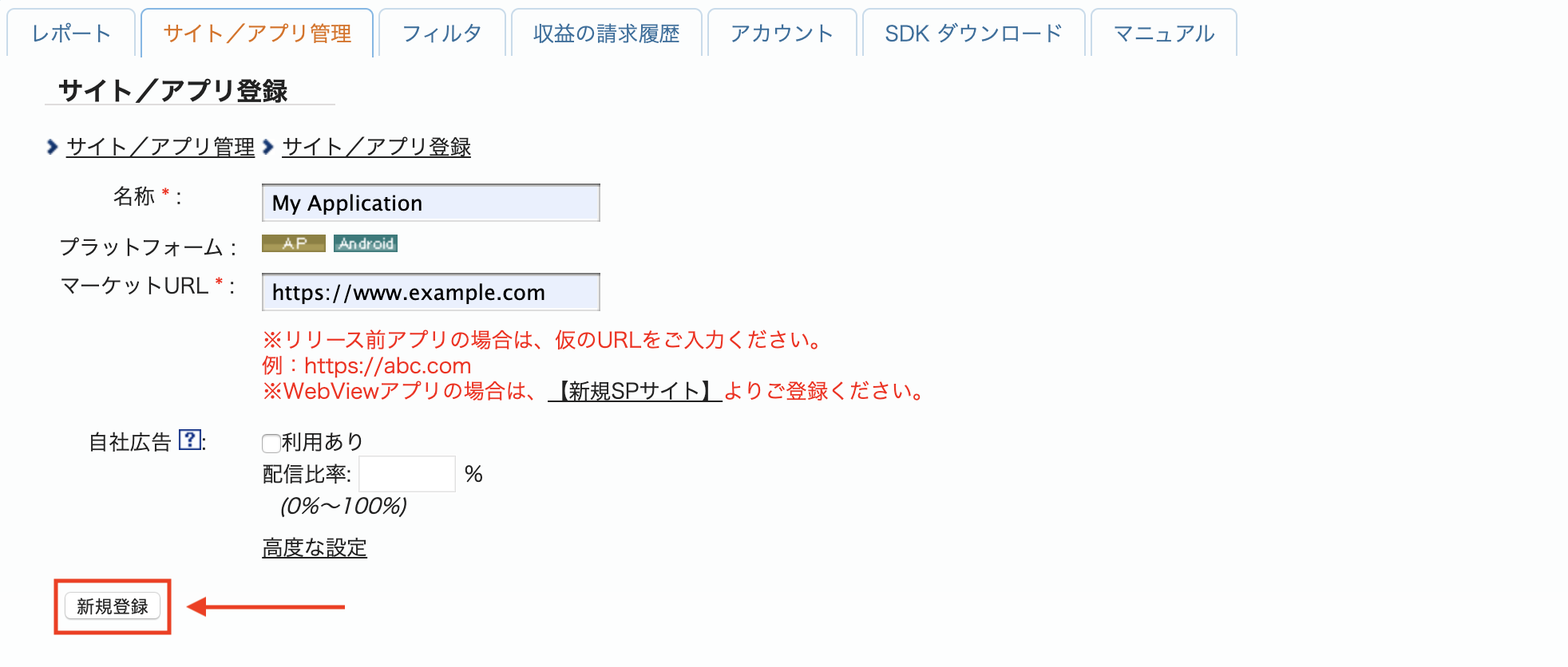
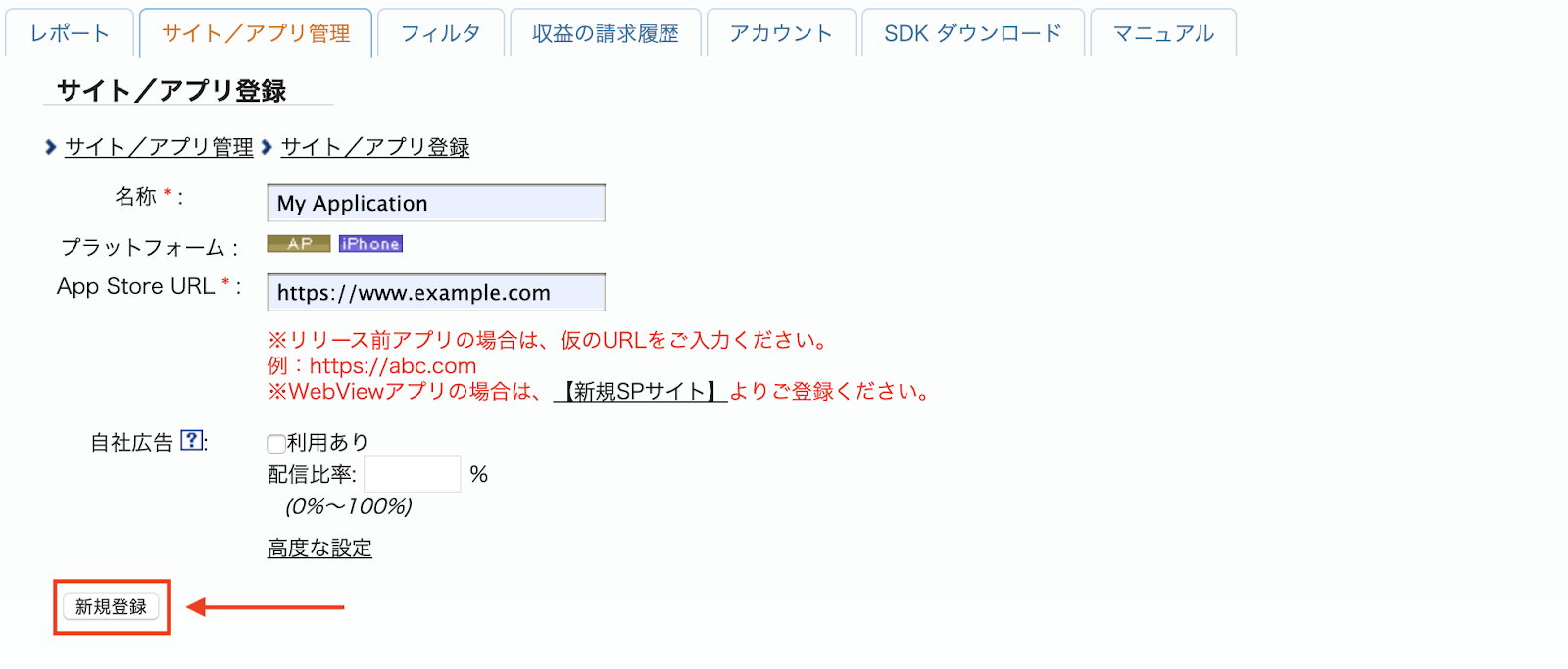
Fill out the form and click the 新規登録 (Sign up) button.
Android
iOS
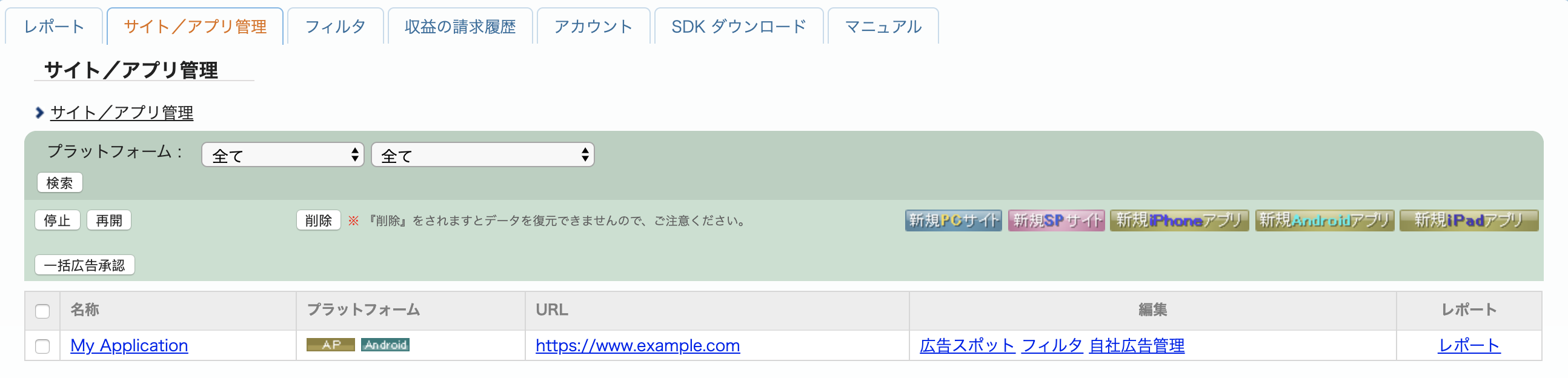
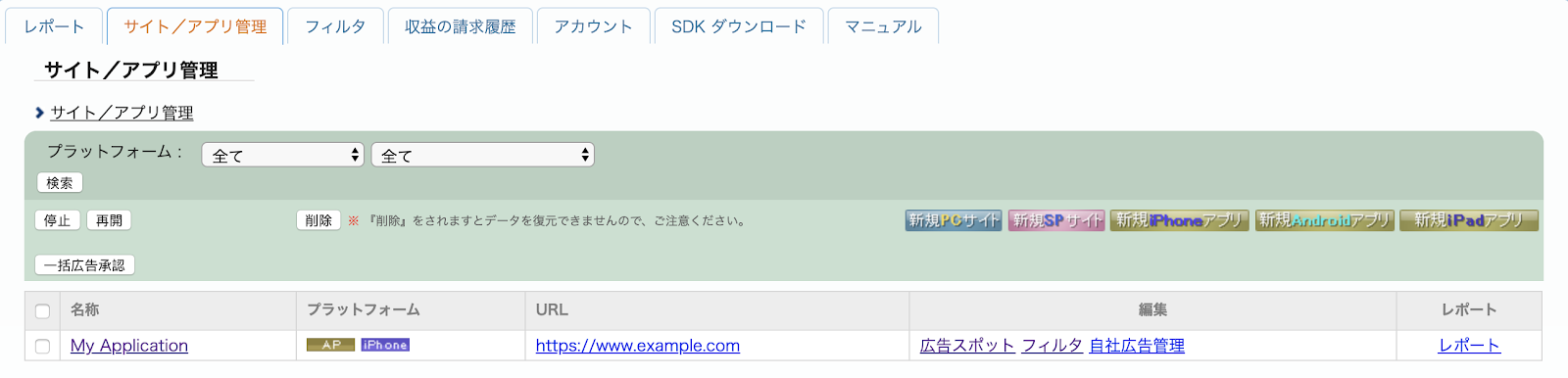
To create a new Advertising Spot, select your app under the サイト/アプリ管理 (Site/Application Management) tab.
Android
iOS
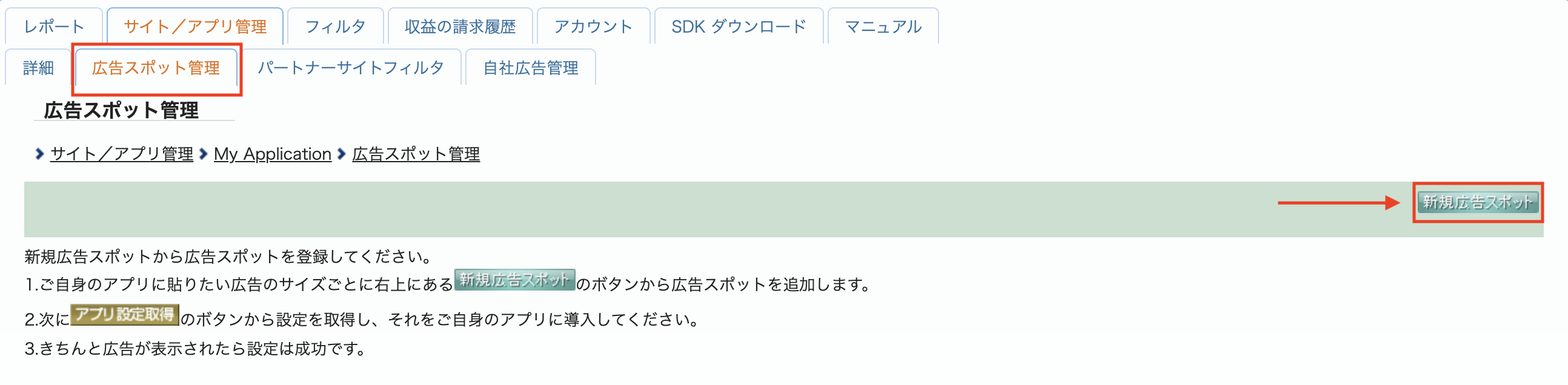
Navigate to the 広告スポット管理 (Ad Spot Management) tab and click the 新規広告スポット (New Ad Spot) button.
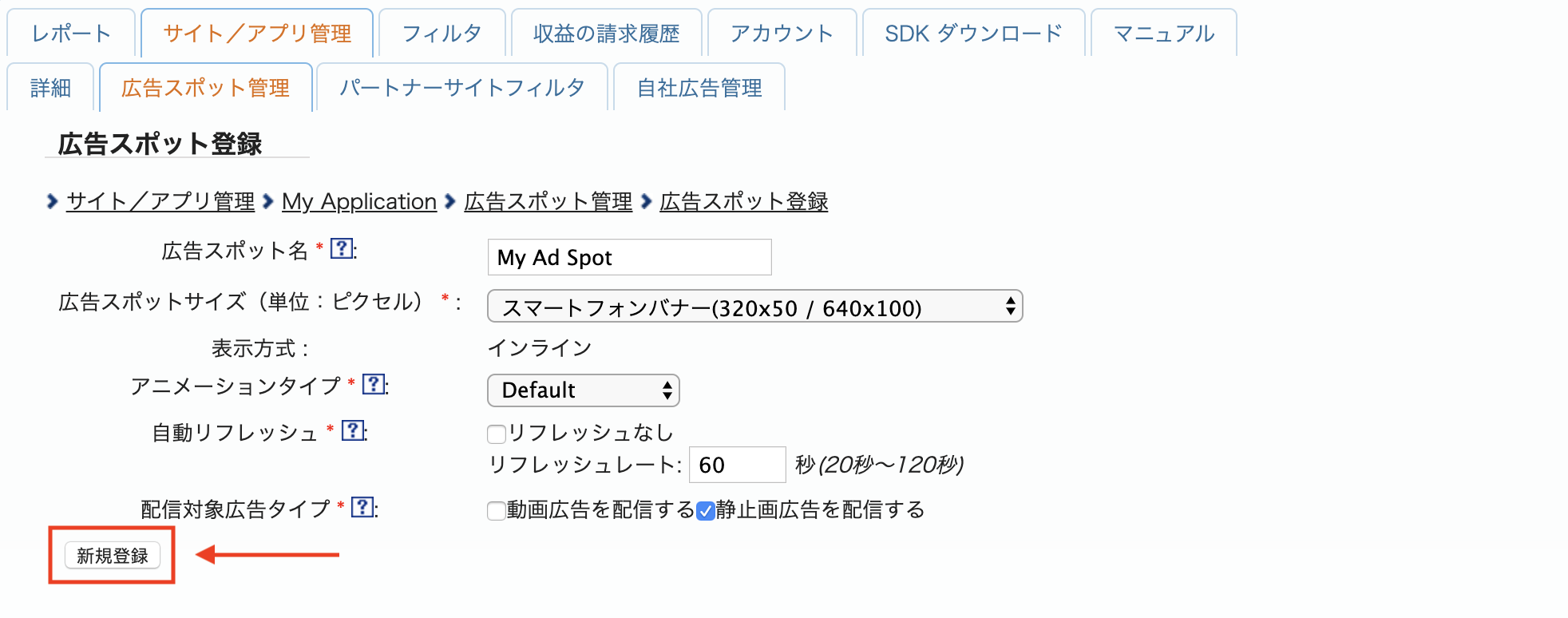
Next, fill out the form by providing the 広告スポット名 (Ad Spot name), 広告スポットサイズ (Ad Spot size) and other details. Then, click the 新規登録 (Sign up) button.
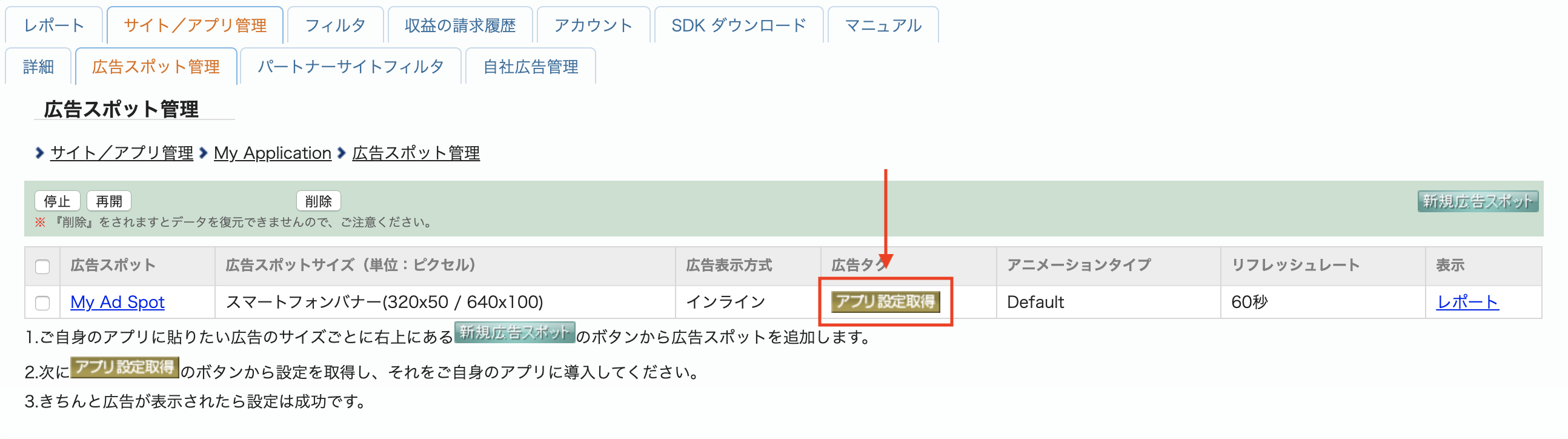
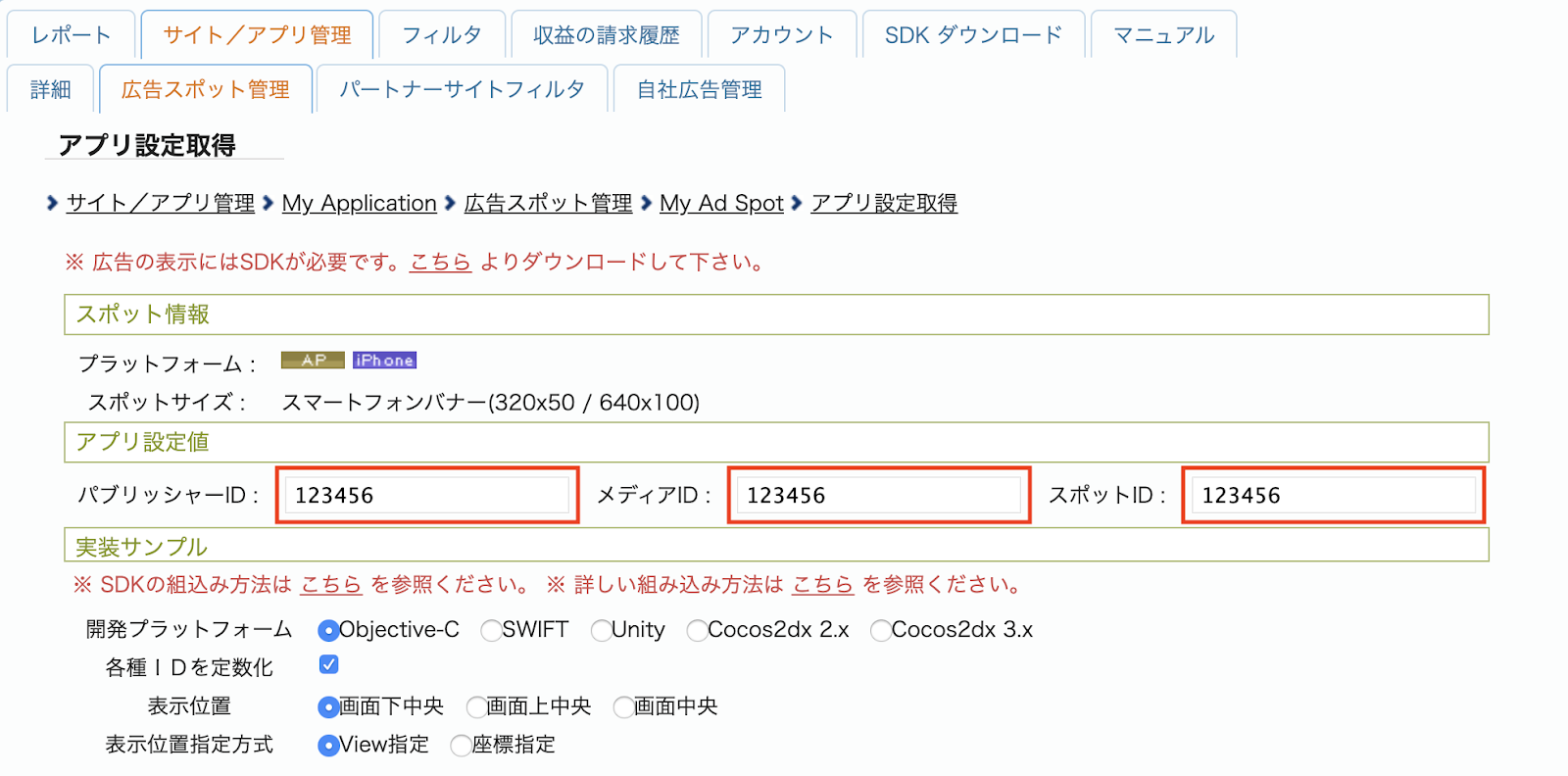
Your new Ad spot is ready. To view its integration details, click the アプリ設定取得 (Get App settings) button.
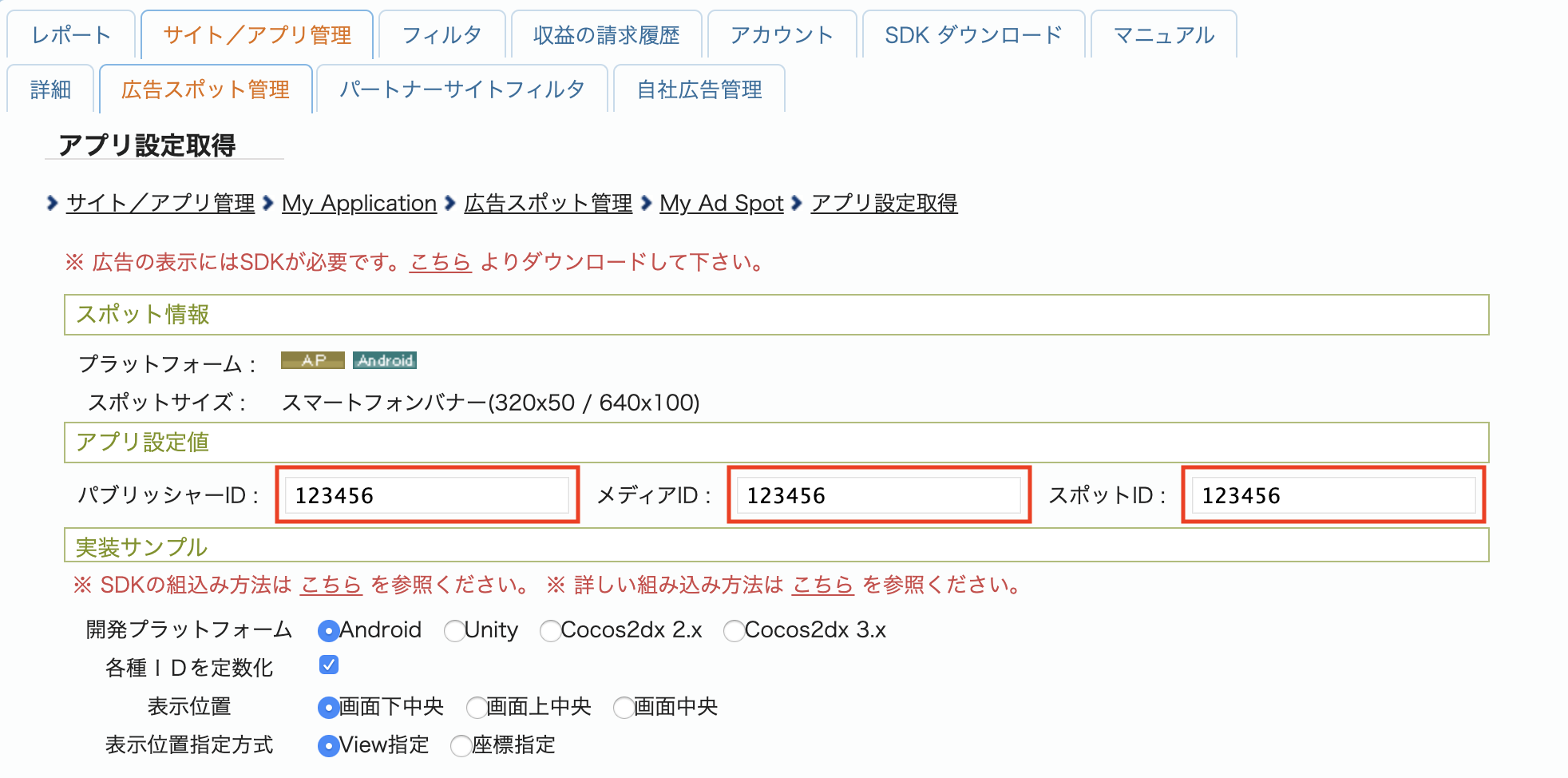
Take note of the パブリッシャーID (Publisher ID), メディアID (Media ID), and スポットID (Spot ID). You'll need these parameters later when configuring i-mobile for mediation in the AdMob UI.
Android
iOS
Update your app-ads.txt
Authorized Sellers for Apps app-ads.txt is an IAB Tech Lab initiative that helps ensure your
app ad inventory is only sold through channels you've identified as authorized. To prevent a
significant loss in ad revenue, you'll need to implement an app-ads.txt file.
If you haven't done so already,
set up an app-ads.txt file for your app.
To implement app-ads.txt for i-mobile, see their
Frequently Asked Questions.
Step 2: Set up i-mobile demand in AdMob UI
Configure mediation settings for your ad unit
Android
For instructions, see step 2 in the guide for Android.
iOS
For instructions, see step 2 in the guide for iOS.
Step 3: Import the i-mobile SDK and adapter
In your project's root directory, install the Google Mobile Ads SDK for React Native mediation adapter for i-mobile. Complete the following:
Copy the Google Mobile Ads SDK for React Native adapter tar file from the
gma-sdk-react-native/adapters/imobile/directory into your project'slocal_packages/directory. If you don't have theadaptersfolder, see Prerequisites.mkdir -p local_packages cp EXTRACT_DIR/gma-sdk-react-native/adapters/imobile/gma-mediation-imobile-0.1.0.tgz local_packages/Replace EXTRACT_DIR with the path to the directory where you extracted the archive.
Install the adapter package using your preferred package manager:
npm
npm install ./local_packages/gma-mediation-imobile-0.1.0.tgzyarn
yarn add ./local_packages/gma-mediation-imobile-0.1.0.tgzIf you're building for Android, add the following repository to the
build.gradlefile in your project'sandroiddirectory:repositories { google() mavenCentral() maven { url = uri("https://imobile.github.io/adnw-sdk-android") } }
Step 4: Additional code required
Android
No additional code is required i-mobile integration.
iOS
SKAdNetwork integration
Follow i-mobile's documentation
to add the SKAdNetwork identifiers to your project's Info.plist file.
Step 5: Test your implementation
Enable test ads
Make sure you register your test device for AdMob. i-mobile provides test Spot ID, Media ID, and Publisher ID for testing, you can find them here.
Verify test ads
To verify that you are receiving test ads from i-mobile, enable single ad source testing in ad inspector using the i-mobile (Waterfall) ad source(s).
Error codes
If the adapter fails to receive an ad from i-mobile, publishers can check the
underlying error from the ad response using ResponseInfo
under the following classes:
Android
| Format | Class name |
|---|---|
| Banner | com.google.ads.mediation.imobile.IMobileAdapter |
| Interstitial | com.google.ads.mediation.imobile.IMobileAdapter |
| Native | com.google.ads.mediation.imobile.IMobileMediationAdapter |
iOS
| Format | Class name |
|---|---|
| Banner | IMobileAdapter |
| Interstitial | IMobileAdapter |
| Native | GADMediationAdapterIMobile |
Here are the codes and accompanying messages thrown by the i-mobile adapter when an ad fails to load:
Android
| Error code | Reason |
|---|---|
| 0-99 | i-mobile SDK returned an error. See code for more details. |
| 101 | i-mobile requires an Activity context to load ads. |
| 102 | i-mobile server parameters configured in the AdMob UI are missing or invalid. |
| 103 | The requested ad size does not match an i-mobile supported banner size. |
| 104 | i-mobile's native ad load success callback returned an empty native ads list. |
iOS
| Error code | Reason |
|---|---|
| 0-10 | i-mobile SDK returned an error. See code for more details. |
| 101 | i-mobile server parameters configured in the AdMob UI are missing or invalid. |
| 102 | The requested ad size does not match an i-mobile supported banner size. |
| 103 | i-mobile failed to present an ad. |
| 104 | i-mobile returned an empty native ad array. |
| 105 | i-mobile failed to download native ad assets. |
| 106 | i-mobile does not support requesting for multiple interstitial ads using the same Spot ID. |
Version 0.1.0
- Initial release.
- Supports i-mobile Android adapter version 2.3.2.5.
- Supports i-mobile iOS adapter version 2.3.4.8.