

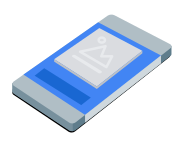
Squeezeback廣告會將應用程式內容縮小,並在周圍空間顯示原生廣告。這種格式可讓使用者與應用程式互動,同時持續顯示廣告。如要顯示不會遮蓋應用程式內容的多媒體廣告,請選擇這個格式。
本指南說明如何使用 GMA Next-Gen SDK,在應用程式中請求及顯示squeezeback廣告。
事前準備
請先完成下列事項,再繼續操作:
安裝 GMA Next-Gen SDK
1.7.0以上版本。啟用測試廣告,並使用下列測試原生廣告單元 ID:
/21775744923/example/squeezeback
載入廣告
如要載入 SqueezebackAd 物件,請建立廣告請求並呼叫 load 方法。以下範例會儲存載入的squeezeback廣告、註冊廣告事件,並在失敗時記錄錯誤:
Kotlin
Java
將 AD_UNIT_ID 替換為廣告單元 ID。
顯示廣告
如要在畫面上顯示squeezeback廣告,請呼叫 show 方法:
Kotlin
private fun showSqueezebackAd(activity: Activity) {
  // Capture the ad reference saved from the onAdLoaded callback.
  val ad = squeezebackAd
  if (ad != null) {
    ad.show(activity)
  } else {
    Log.d(TAG, "No ad to show.")
  }
}
Java
private void showSqueezebackAd(@NonNull Activity activity) {
  // Use the ad reference saved from the onAdLoaded callback.
  if (squeezebackAd != null) {
    squeezebackAd.show(activity);
  } else {
    Log.d(TAG, "No ad to show.");
  }
}
設定備用背景顏色
根據預設,GMA Next-Gen SDK 會在縮小的應用程式內容和廣告後方顯示深灰色背景。如要自訂這個顏色,請在顯示廣告時,於廣告選項中指定備用背景顏色。以下範例會將備用背景顏色設為深灰色,並顯示廣告:
Kotlin
private fun showSqueezebackAdWithFallbackBackgroundColor(activity: Activity) {
  // Capture the ad reference saved from the onAdLoaded callback.
  val ad = squeezebackAd
  if (ad != null) {
    val options =
      SqueezebackAdOptions.Builder()
        // Sets the fallback background color for the space behind the shrunken content and ad.
        .setFallbackBackgroundColor(Color.DKGRAY)
        .build()
    ad.show(activity, options)
  } else {
    Log.d(TAG, "No ad to show.")
  }
}
Java
private void showSqueezebackAdWithFallbackBackgroundColor(@NonNull Activity activity) {
  // Use the ad reference saved from the onAdLoaded callback.
  if (squeezebackAd != null) {
    SqueezebackAdOptions options =
        new SqueezebackAdOptions.Builder()
            // Sets the fallback background color for the space behind the shrunken content and
            // ad.
            .setFallbackBackgroundColor(Color.DKGRAY)
            .build();
    squeezebackAd.show(activity, options);
  } else {
    Log.d(TAG, "No ad to show.");
  }
}
監聽廣告事件
如要處理squeezeback廣告生命週期事件,請在顯示廣告前註冊廣告事件。這些事件會記錄廣告互動情形,例如點擊和曝光。此外,也會回報squeezeback專屬事件,例如廣告顯示、無法顯示或隱藏時。
Kotlin
private fun setAdEventCallback(squeezebackAd: SqueezebackAd) {
  squeezebackAd.adEventCallback =
    object : SqueezebackAdEventCallback {
      override fun onAdShown() {
        Log.d(TAG, "Squeezeback ad shown.")
      }

      override fun onAdHidden() {
        // Called when hide() is invoked or the user taps the close button.
        // The ad cannot be shown again after it is hidden.
        Log.d(TAG, "Squeezeback ad hidden.")
      }

      override fun onAdFailedToShow(error: FullScreenContentError) {
        Log.w(TAG, "Squeezeback ad failed to show: $error")
      }

      override fun onAdImpression() {
        Log.d(TAG, "Squeezeback ad recorded an impression.")
      }

      override fun onAdClicked() {
        Log.d(TAG, "Squeezeback ad recorded a click.")
      }

      override fun onAdShowedFullScreenContent() {
        Log.d(TAG, "Squeezeback ad showed full screen content.")
      }

      override fun onAdDismissedFullScreenContent() {
        Log.d(TAG, "Squeezeback ad dismissed full screen content.")
      }

      override fun onAdFailedToShowFullScreenContent(
        fullScreenContentError: FullScreenContentError
      ) {
        Log.w(TAG, "Squeezeback ad failed to show full screen content: $fullScreenContentError")
      }

      override fun onAdPaid(value: AdValue) {
        Log.d(TAG, "Squeezeback ad paid: ${value.valueMicros} ${value.currencyCode}")
      }
    }
}
Java
private void setAdEventCallback(@NonNull SqueezebackAd squeezebackAd) {
  squeezebackAd.setAdEventCallback(
      new SqueezebackAdEventCallback() {
        @Override
        public void onAdShown() {
          Log.d(TAG, "Squeezeback ad shown.");
        }

        @Override
        public void onAdHidden() {
          // Called when hide() is invoked or the user taps the close button.
          // The ad cannot be shown again after it is hidden.
          Log.d(TAG, "Squeezeback ad hidden.");
        }

        @Override
        public void onAdFailedToShow(@NonNull FullScreenContentError error) {
          Log.w(TAG, "Squeezeback ad failed to show: " + error);
        }

        @Override
        public void onAdImpression() {
          Log.d(TAG, "Squeezeback ad recorded an impression.");
        }

        @Override
        public void onAdClicked() {
          Log.d(TAG, "Squeezeback ad recorded a click.");
        }

        @Override
        public void onAdShowedFullScreenContent() {
          Log.d(TAG, "Squeezeback ad showed full screen content.");
        }

        @Override
        public void onAdDismissedFullScreenContent() {
          Log.d(TAG, "Squeezeback ad dismissed full screen content.");
        }

        @Override
        public void onAdFailedToShowFullScreenContent(
            @NonNull FullScreenContentError fullScreenContentError) {
          Log.w(
              TAG,
              "Squeezeback ad failed to show full screen content: " + fullScreenContentError);
        }

        @Override
        public void onAdPaid(@NonNull AdValue value) {
          Log.d(
              TAG,
              "Squeezeback ad paid: " + value.getValueMicros() + " " + value.getCurrencyCode());
        }
      });
}
使用者關閉廣告後,GMA Next-Gen SDK 會叫用廣告隱藏事件,您就無法再次顯示廣告。
隱藏廣告
如要移除廣告並將應用程式內容還原為完整大小,請呼叫 hide 方法。這個方法會叫用廣告隱藏事件。以下範例會檢查是否有已儲存的 squeezeback 廣告參照,並在有的情況下隱藏廣告:
Kotlin
private fun hideSqueezebackAd() {
  // Capture the ad reference saved from the onAdLoaded callback.
  val ad = squeezebackAd
  if (ad != null) {
    ad.hide()
  } else {
    Log.d(TAG, "No ad to hide.")
  }
}
Java
private void hideSqueezebackAd() {
  // Use the ad reference saved from the onAdLoaded callback.
  if (squeezebackAd != null) {
    squeezebackAd.hide();
  } else {
    Log.d(TAG, "No ad to hide.");
  }
}
清理廣告資源
為避免記憶體流失,請在應用程式不再使用廣告後,解除對廣告物件的參照,以下範例會清除廣告:
Kotlin
private fun cleanUpSqueezebackAd() {
  squeezebackAd?.destroy()
  squeezebackAd = null
}
Java
private void cleanUpSqueezebackAd() {
  // Use the ad reference saved from the onAdLoaded callback.
  if (squeezebackAd != null) {
    squeezebackAd.destroy();
    squeezebackAd = null;
  }
}