

Page Summary
-
Extend the Google Workspace UI to integrate your apps, enhance user productivity, or add new functionalities.
-
Leverage Google Workspace add-ons to embed your app within core Workspace apps like Gmail, Drive, Calendar, Docs, Sheets, and Slides, primarily using card-based or iframe UI.
-
Explore options like Editor add-ons to create custom menus, dialogs, and sidebars in Docs, Sheets, Slides, and Forms using Apps Script with HTML or iframe UI.
-
Utilize Chat apps to interact with users through slash commands, dialogs, and link previews within Google Chat, built with AppSheet, Apps Script, or your own tech stack.
-
Consider specialized extensions such as custom functions and macros for Sheets, Drive apps for Drive integration, and Classroom add-ons for educational enhancements.
This page describes your options for extending the Google Workspace user interface (UI). You can extend the Google Workspace UI for many reasons, including:
- Integrate your app or service into Google Workspace, so that users can use the app directly from one or more Google Workspace apps. For example, build a Google Workspace add-on that creates smart chips and link previews for your service inside Google Docs.
- Help Google Workspace users be more productive or improve their workflow. For example, build a Google Chat app that lets users report weekly timesheets directly from Google Chat.
- Add capabilities that aren't natively available in Google Workspace. For example, add a custom menu in Docs, Google Sheets, or Google Slides.
You can publish most of the options for extending the Google Workspace UI to the Google Workspace Marketplace, an online store where users can find and install third-party apps that integrate with Google Workspace.
Overview of options for extending the Google Workspace UI
The following table lists the options for extending the Google Workspace UI and compares them by these characteristics:
- Apps extended: Lists the Google Workspace apps that you can extend with the given option.
- Coding options: Lists the ways that you can build, including:
- AppSheet: A no-code development platform.
- Apps Script: A cloud-based, low-code development platform based in JavaScript.
- Full dev: Your own tech stack that supports your preferred coding language.
- UI frameworks: Indicates the types of UI frameworks that you
can use to build each option, including:
- Card-based: Card interfaces are predefined widgets and cards built with either the Card Service using Apps Script or by returning properly formatted JSON to render cards with your preferred tech stack (full dev). Card-based interfaces don't require knowledge of HTML or CSS, and work well on both desktop and mobile clients.
- HTML: Apps Script offers an HTML service for developing web pages that can interact with server-side Apps Script functions. Interfaces developed with the HTML service are highly customizable, but require more manual work to create a great user experience.
- iframe: iframes embed external content into Google Workspace and offer the most customizability for user interfaces.
Following the table are descriptions for each option.
| What you can build | Preview | Apps extended | Coding options | Card-based UI | HTML UI | iframe UI |
|---|---|---|---|---|---|---|
| Google Workspace add-ons |

|
 Gmail
Gmail  Drive Drive
 Calendar
 Chat
Chat
 Docs
Docs
 Meet Meet
 Sheets
 Slides
 |
 Apps Script
 Full dev
|
|||
| Link previews and smart chips | Google Workspace add-ons |
|
Docs
Sheets
Slides
|
 AppSheet
Apps Script
Full dev
AppSheet
Apps Script
Full dev
|
|||
| Email drafts | Google Workspace add-ons |
|
Gmail |
Apps Script
Full dev
|
|||
| Meeting main stage and side panel | Google Workspace add-ons |
|
Meet
|
Full dev
|
|||
| Google Chat apps | Google Workspace add-ons |
|
Chat
|
AppSheet
Apps Script
Full dev
|
|||
| Calendar conferencing | Google Workspace add-ons |
|
Calendar
|
Apps Script
|
Uses existing UI |
||
| Editor add-ons |
|
Docs
Sheets
Slides Forms
Forms |
Apps Script
|
|||
| Custom functions | Editor add-ons |
|
Sheets
|
Apps Script
|
Uses existing UI |
||
| Macros | Editor add-ons |
|
Sheets
|
Apps Script
|
Uses existing UI |
||
| Custom menus, dialogs, and sidebars | Editor add-ons |
|
Docs
Sheets
Slides
Forms |
Apps Script
|
|||
| Google Drive apps |
|
Drive
|
Full dev
|
Uses existing UI |
||
| Google Classroom add-ons |
|
 Classroom Classroom
|
Full dev
|
|||
Types of app integrations
The following section explains the types of app integrations that you can build to extend the Google Workspace UI.
To share your feature with other Google Workspace users, you can publish a listing on the Google Workspace Marketplace. To learn which types of app integrations can be listed together, see List app integrations together in the Marketplace documentation.
Google Workspace add-ons
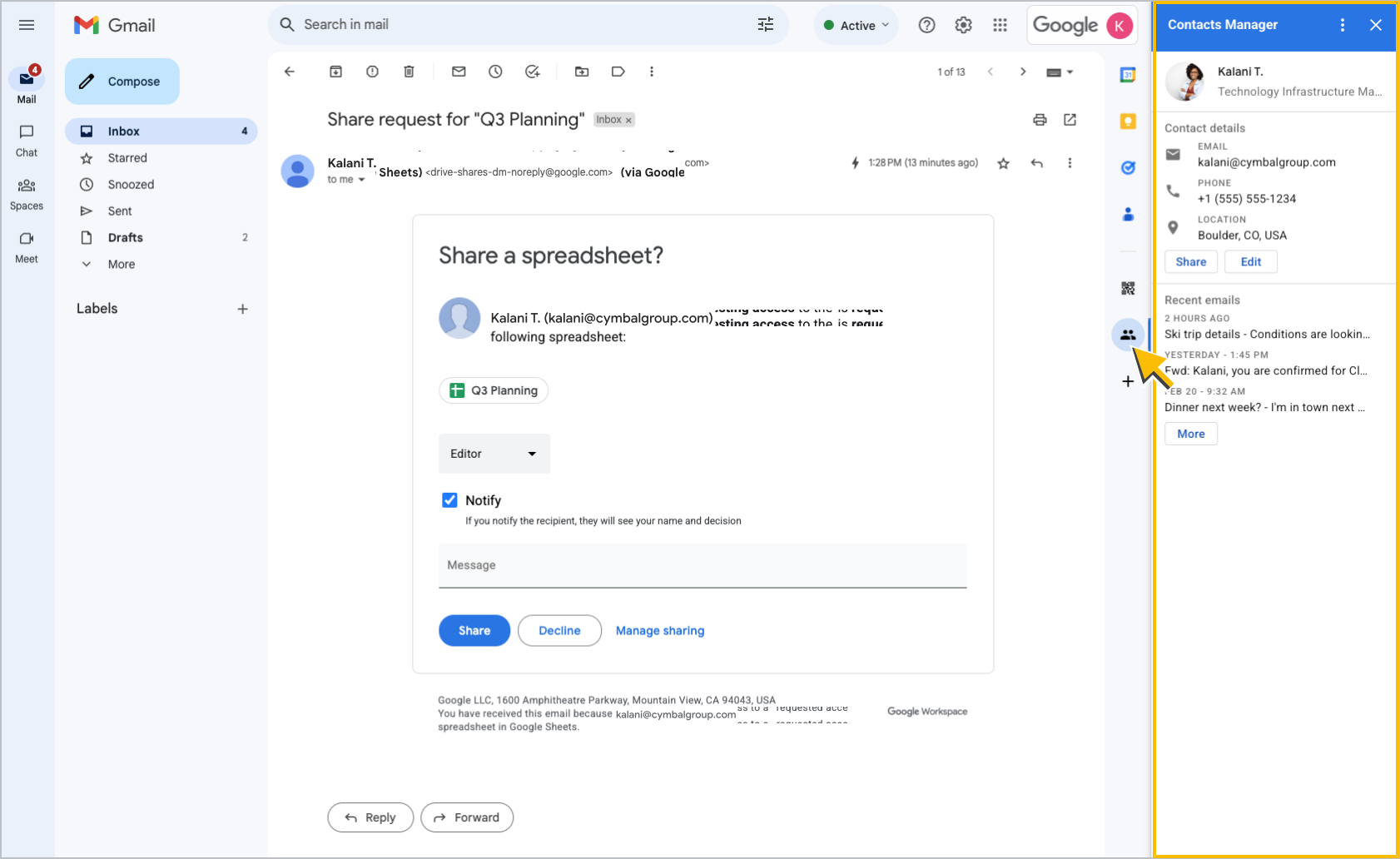
Google Workspace add-ons are applications that integrate with Google Workspace apps. A add-on can extend multiple Google Workspace apps. Most often, the app opens in a sidebar from within the Google Workspace app that it extends.
In addition to building sidebars, you can build the following features for a add-on:
- Smart chips that preview links from a third-party service.
- Interfaces for composing emails in Gmail.
- A web conferencing option from events in Calendar.
View Google Workspace add-ons documentation
 Publishable
Coding options:
Apps Script
Full dev
Extends the following apps:
Gmail
Drive
Calendar
Chat
Docs
Meet
Sheets
Slides
Available UI frameworks:
 Card framework
Link previews and smart chips
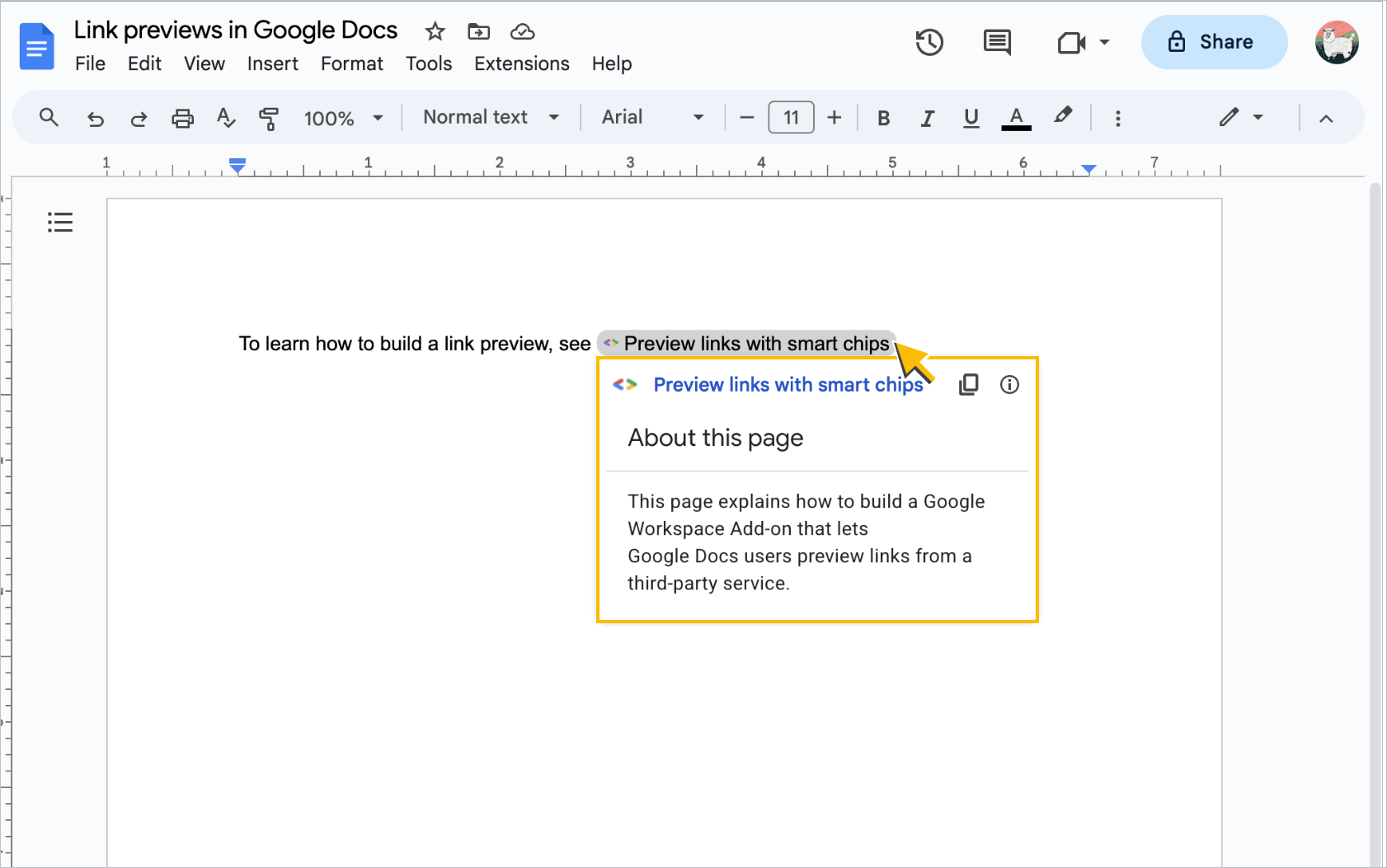
Google Workspace add-ons that extend Docs can create custom link previews from a third-party service. Similar to smart chips that Docs generates for mentions of a person, file, calendar event, or other entity within a Google Workspace application, an add-on can generate a smart chip for a third-party link and show a preview card when someone hovers over the chip.
You can add link previews to existing Google Workspace add-ons or create a separate add-on specifically for link previews.
View link previews and smart chips documentation
Publishable
Coding options:
AppSheet
Apps Script
Full dev
Extends the following apps:
Docs
Sheets
Slides
Available UI frameworks:
Card framework
Email drafts
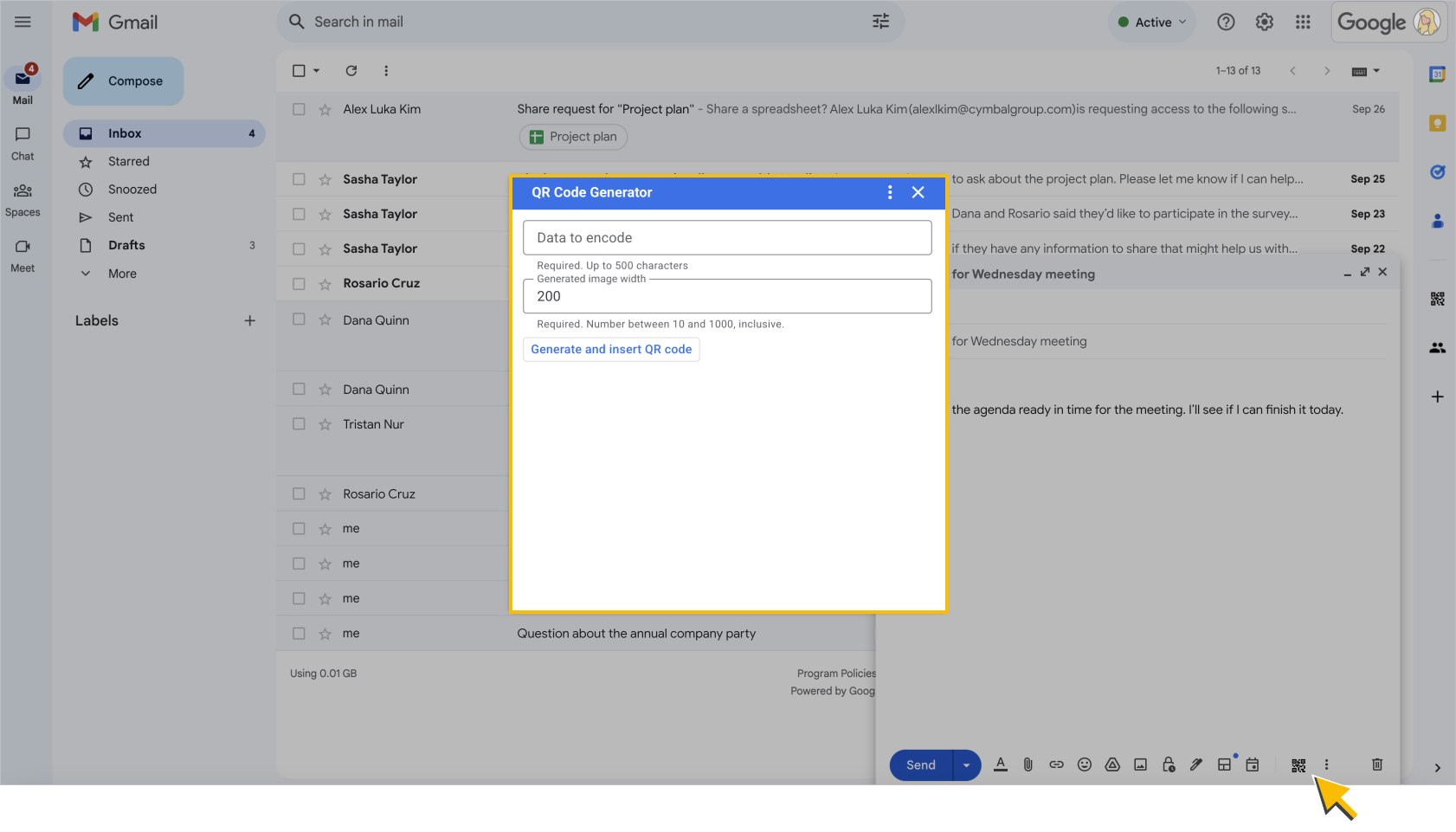
Google Workspace add-ons that extend Gmail can provide a custom interface when the user composes new messages or replies to existing messages. To use this interface, users open the add-on from within the email draft, either at the bottom of the draft or in the More options menu.
View email drafts documentation
Publishable
Coding options:
Apps Script
Full dev
Extends the following apps:
Gmail
Available UI frameworks:
Card framework
Meeting main stage and side panel
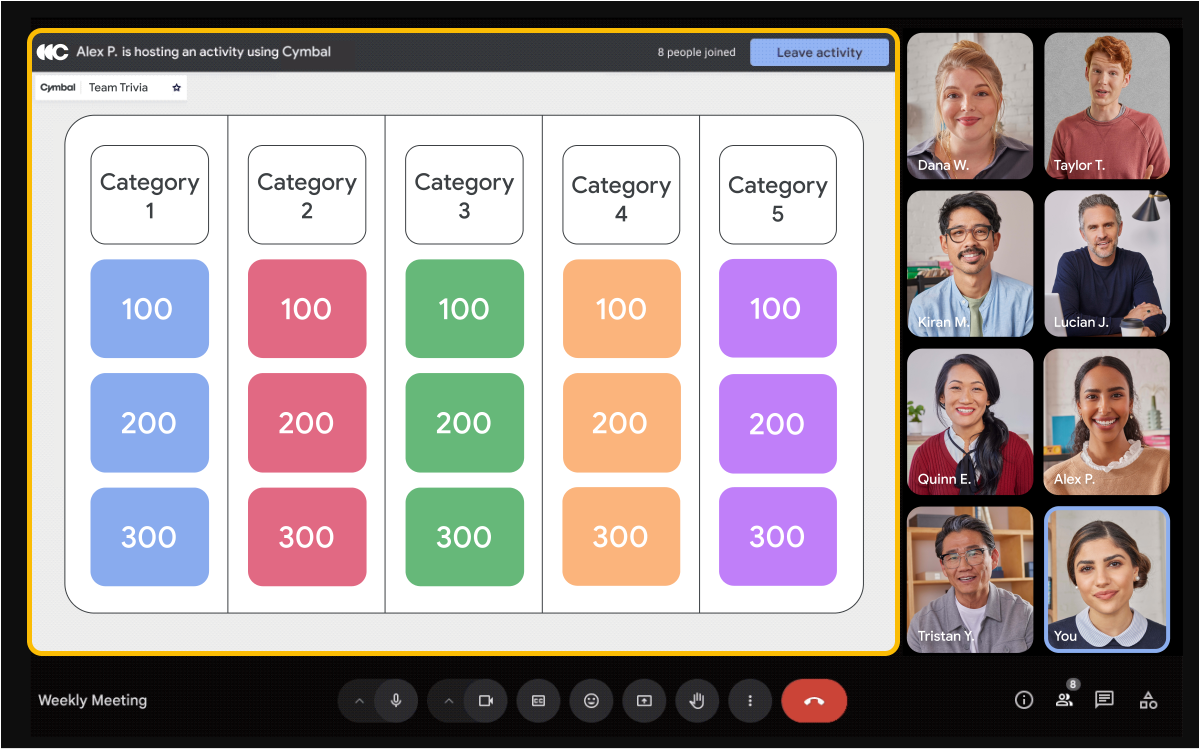
Google Workspace add-ons that extend Meet let you embed your app into a meeting's main stage or side panel interface where users can discover, share, and collaborate in your app without leaving Meet.
Unlike other Google Workspace add-ons, Meet add-ons don't use the card framework UI. Instead, you embed your app using an iframe.
View Meet add-ons SDK documentation
Publishable
Coding options:
Full dev
Extends the following apps:
Meet
Available UI frameworks:
 iframe
Google Chat apps
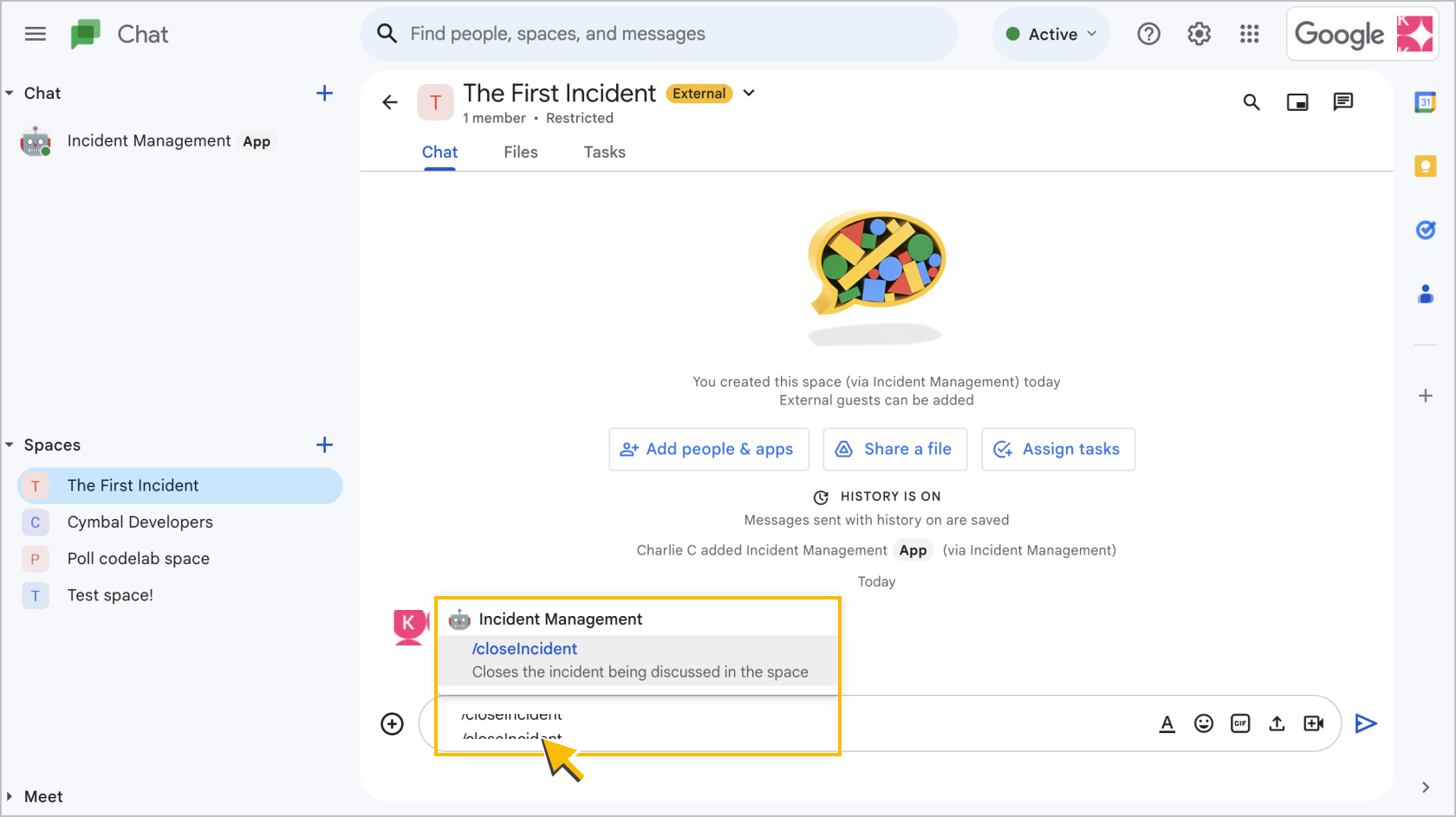
Chat apps bring resources and services into Chat. You can design Chat apps to interact with users in many ways, including:
- Respond to commands with a text message or card message.
- Open a dialog to help users complete multi-step processes, like filling in form data.
- Preview links by attaching cards with helpful information that let users take action directly from the conversation.
Publishable
Coding options:
AppSheet
Apps Script
Full dev
Extends the following apps:
Chat
Available UI frameworks:
Card framework
Calendar conferencing
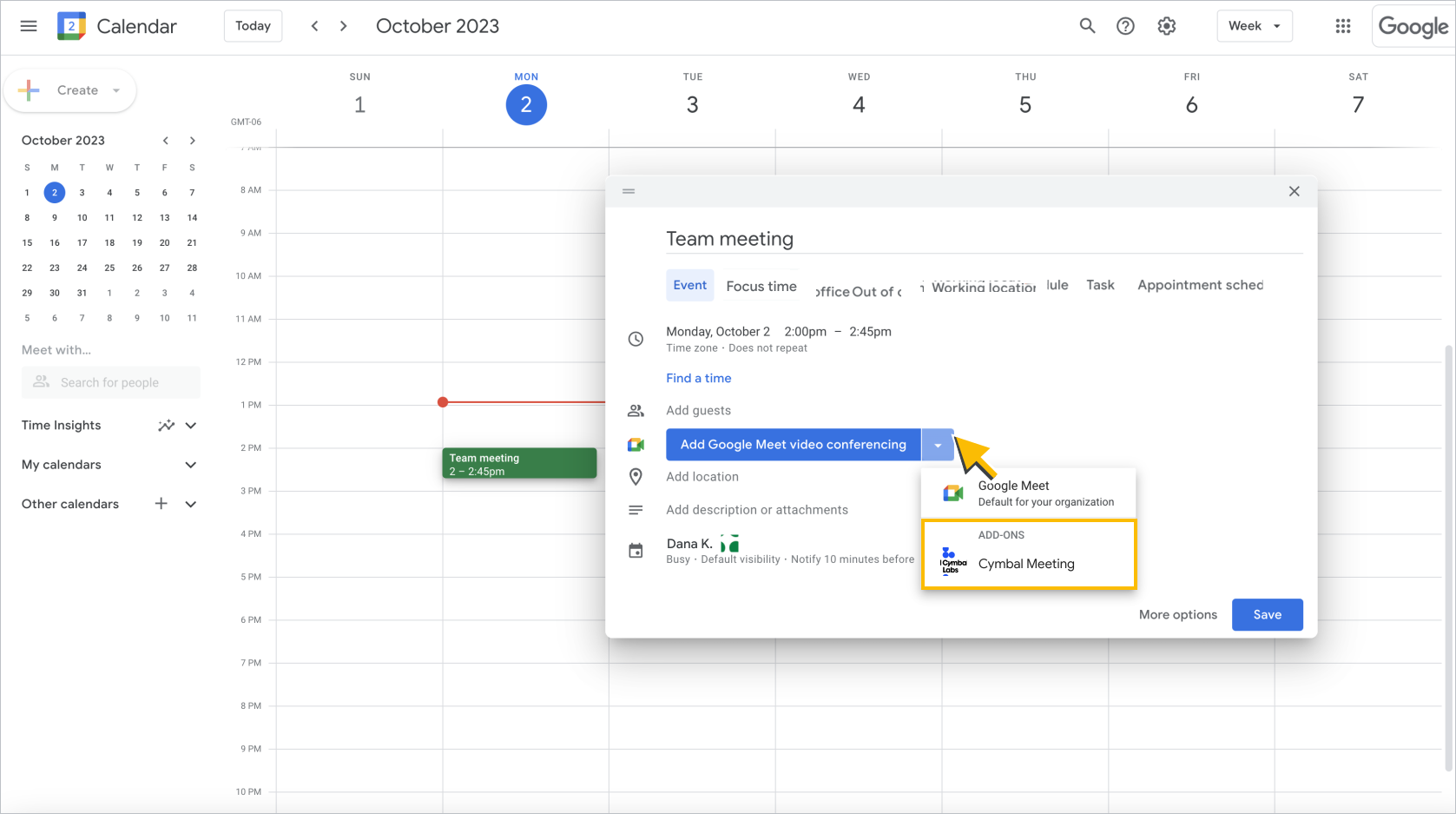
If you're a web conferencing provider, you can build a Google Workspace add-on that extends Google Calendar with your conference solution. The add-on adds a conferencing option for Calendar events, letting users create and join those conferences directly from Calendar.
View Calendar conferencing documentation
Publishable
Coding options:
Apps Script
Extends the following apps:
Calendar
Available UI frameworks:
Uses existing UI
Editor add-ons
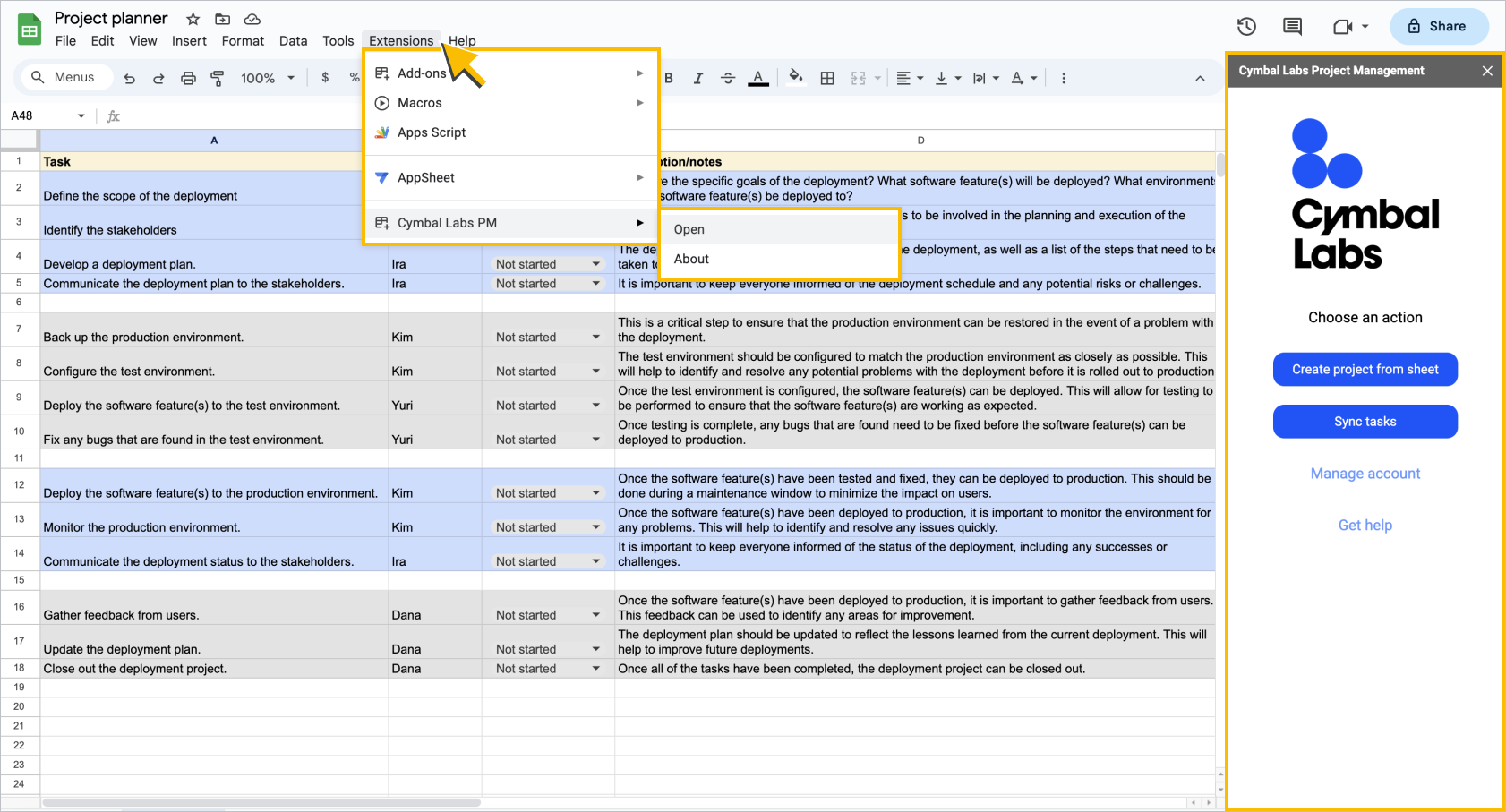
Editor add-ons are apps that extend Docs, Sheets, Slides, or Forms. Editor add-ons can only extend one app per add-on, but you can publish multiple Editor add-ons in the same Marketplace listing. Users open Editor add-ons from the Extensions menu in the app that they extend.
You can build the following features for an Editor add-on:
- A custom function or macro in a Google Sheets spreadsheet.
- A dialog or sidebar within the app that it extends.
- A menu item that runs a script.
View Editor add-ons documentation
Publishable
Coding options:
Apps Script
Extends the following apps:
Docs
Sheets
Slides
Forms
Available UI frameworks:
 HTML
iframe
HTML
iframe
Custom functions
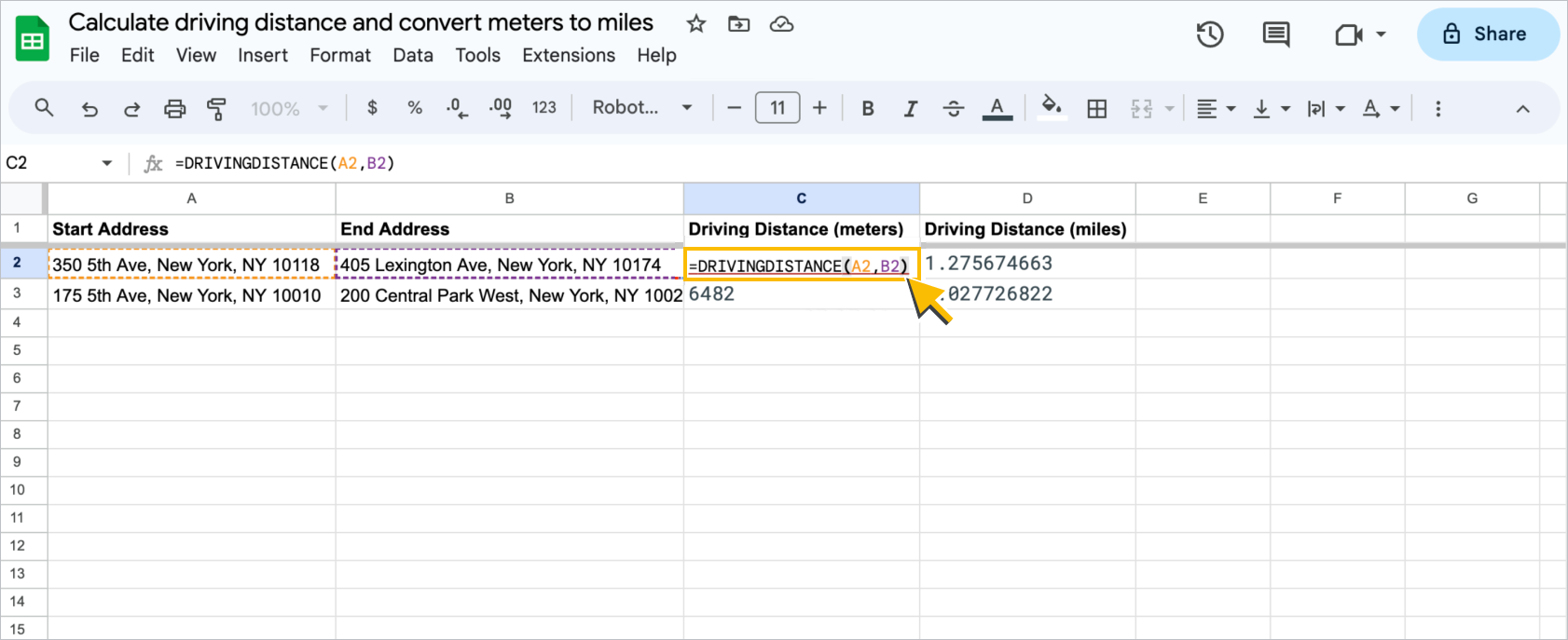
Custom functions let you add more functions in Sheets. Users can find and use them just like any of the hundreds of built-in functions available in Sheets. You can publish a custom function as an Editor add-on.
View custom functions documentation
Publishable
Coding options:
Apps Script
Extends the following apps:
Sheets
Available UI frameworks:
Uses existing UI
Macros
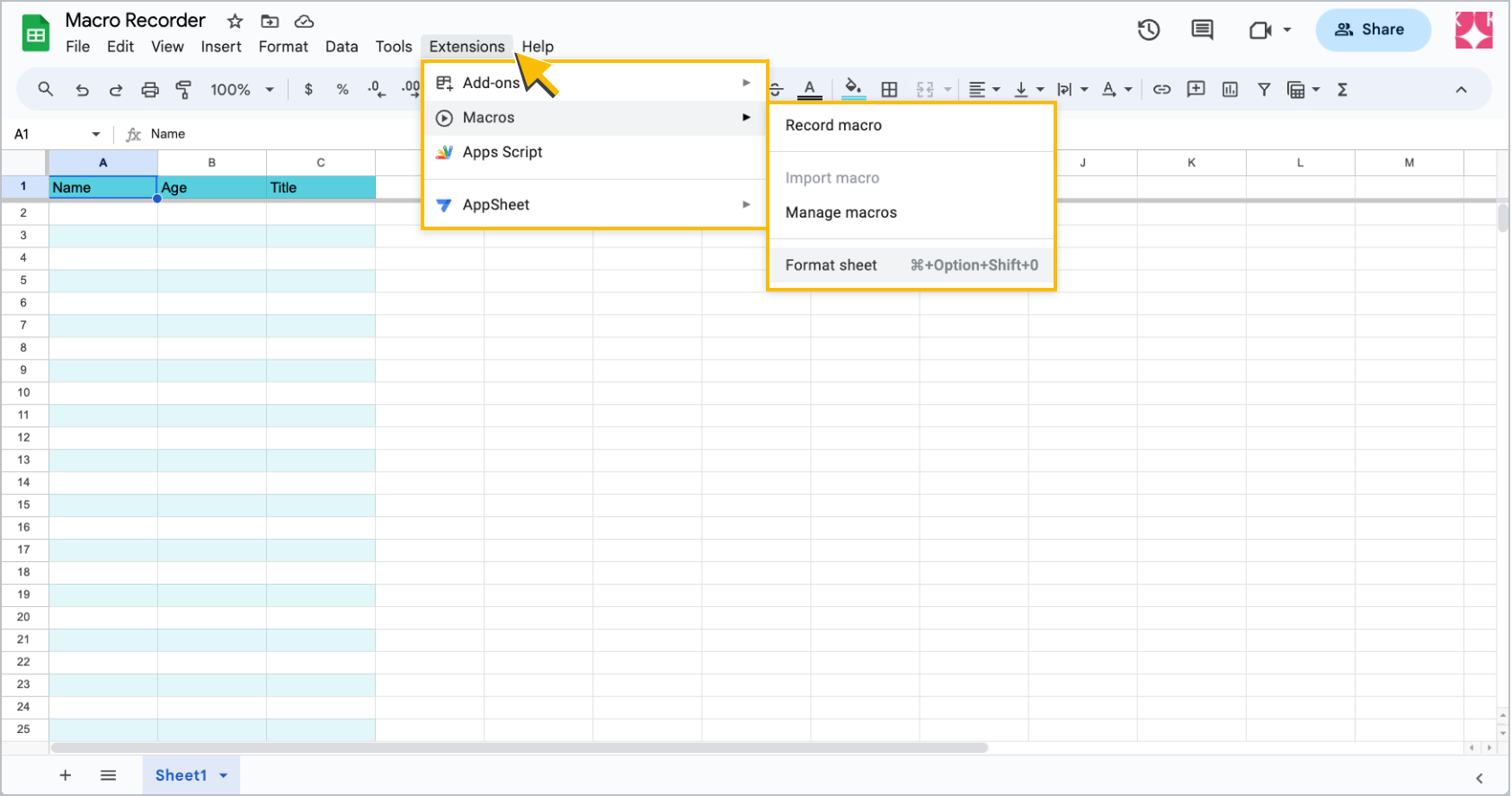
Macros are recordings in Sheets that duplicate a specific series of UI interactions that you define. You can link a macro to a keyboard shortcut or run it from the Extensions > Macros menu.
When you record a macro, Sheets automatically creates an Apps Script function that replicates the UI interactions. You can edit macros directly within the Apps Script editor. You can write macros from scratch in Apps Script, or take functions you've already written and turn them into macros. A macro definition can be included in an Editor add-on but cannot be published.
Coding options:
Apps Script
Extends the following apps:
Sheets
Available UI frameworks:
Uses existing UI
Custom menus, dialogs, and sidebars
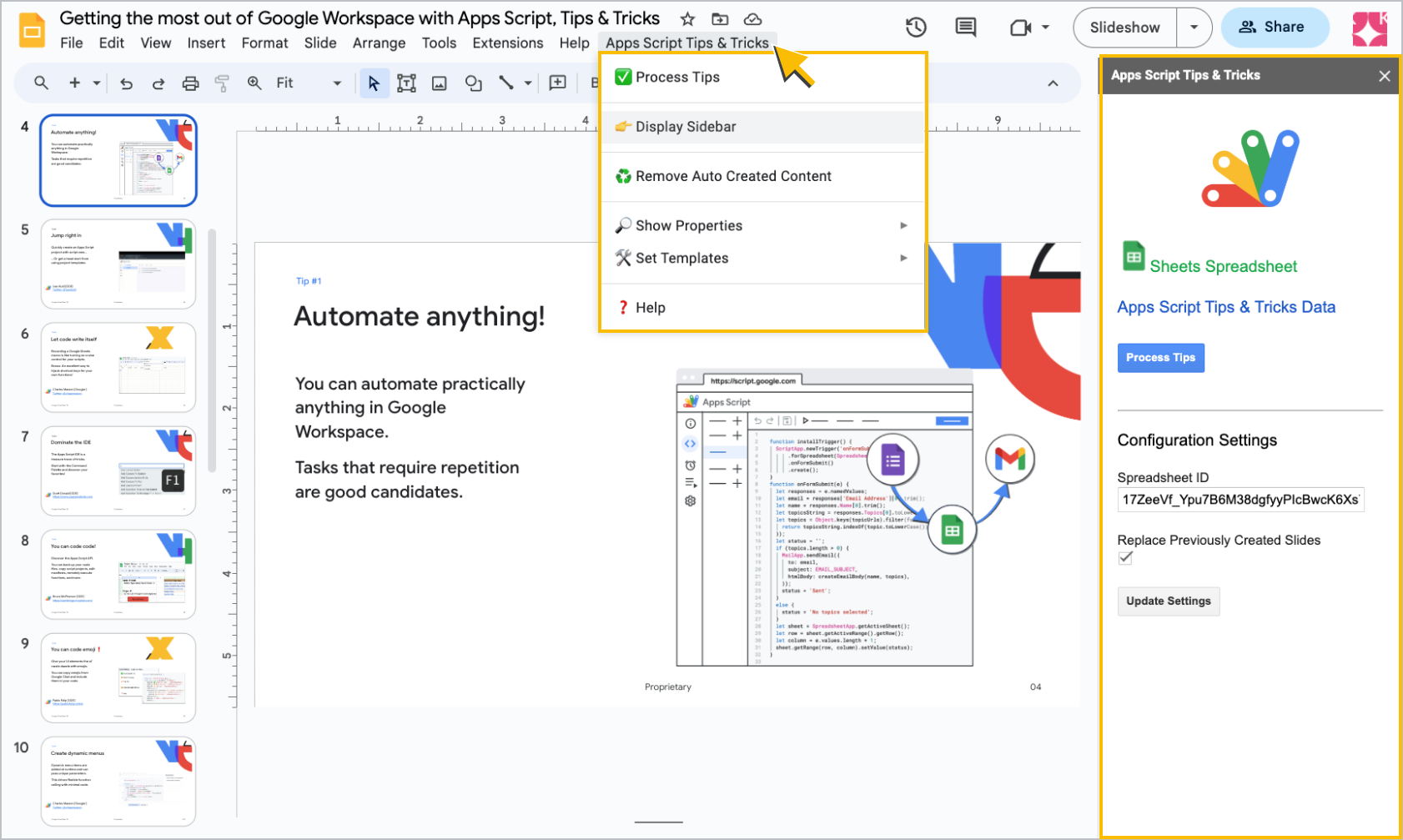
You can add custom menus, prompts, alerts, and HTML-based dialogs and sidebars to files in Docs, Sheets, Slides, and Forms as part of an Editor add-on. Custom menus appear next to the default menus of the app they extend. Dialogs, sidebars, prompts, and alerts are typically activated by user actions like menu item clicks, or by triggers like event-driven triggers.
View custom menus, dialogs, and sidebars documentation
Coding options:
Apps Script
Extends the following apps:
Docs
Sheets
Slides
Forms
Available UI frameworks:
HTML
iframe
Google Drive apps
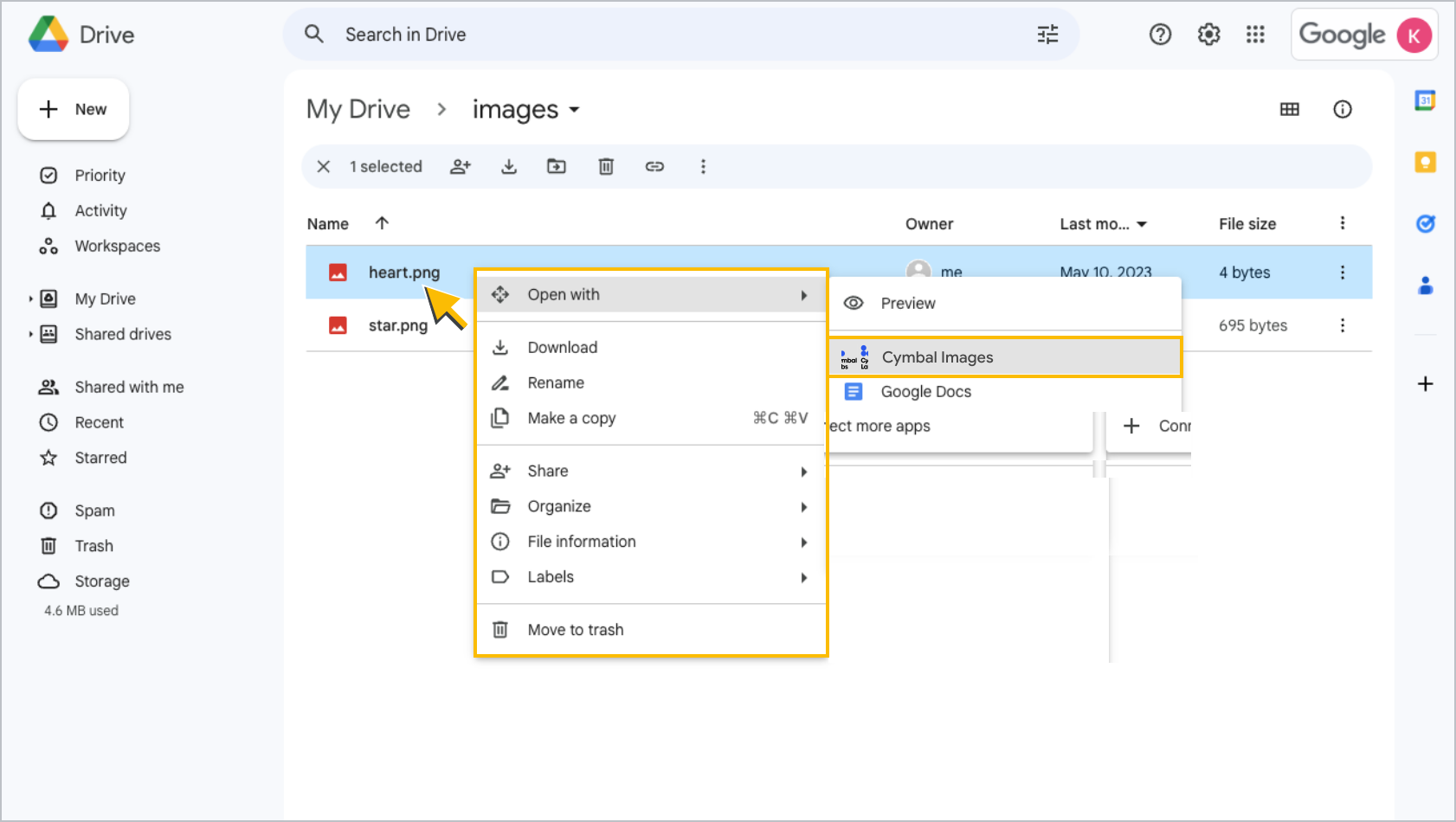
If your app supports Drive files, you can integrate with the Drive user interface to present your app as an option to create or open files. Your app can appear in the New > More menu and the Open with menu when a user right-clicks a file in Drive. When a user selects your app from either menu, your app opens in a new window.
Publishable
Coding options:
Full dev
Extends the following apps:
Drive
Available UI frameworks:
Uses existing UI
Google Classroom add-ons
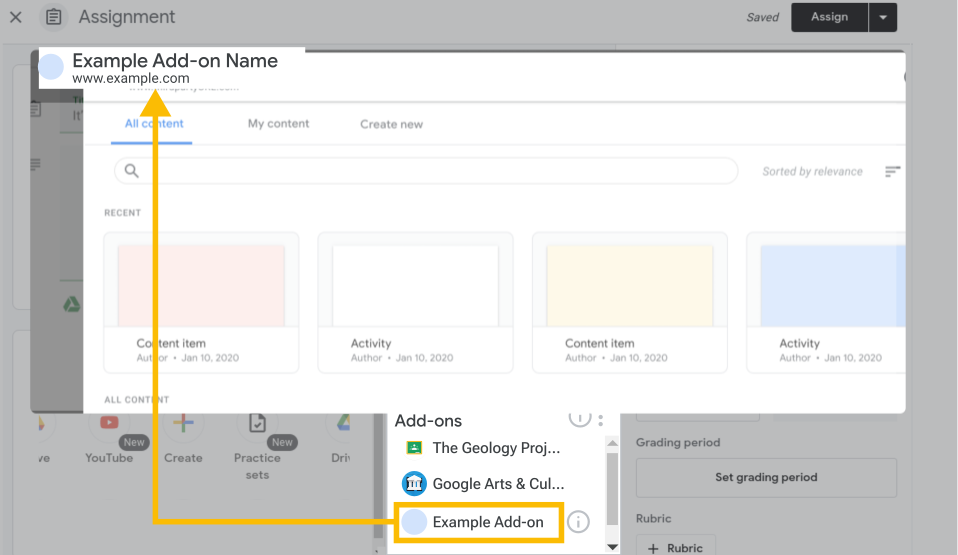
Google Classroom add-ons let educators create attachments on coursework, announcements, or coursework materials. These attachments open third-party content in iframes in Classroom. The iframes open separate URLs depending on the user type and Classroom context.
View Classroom add-ons documentation
Publishable
Coding options:
Full dev
Extends the following apps:
Classroom
Available UI frameworks:
iframe
Related topics
- Develop on Google Workspace: Get started with building for Google Workspace.
- Google Workspace Marketplace: Publish your app integrations to share your solutions with Google Workspace users.