

이 페이지에서는 Google Chat 앱이 사용자 상호작용에 답장하기 위해 메시지를 보내는 방법을 설명합니다.
-
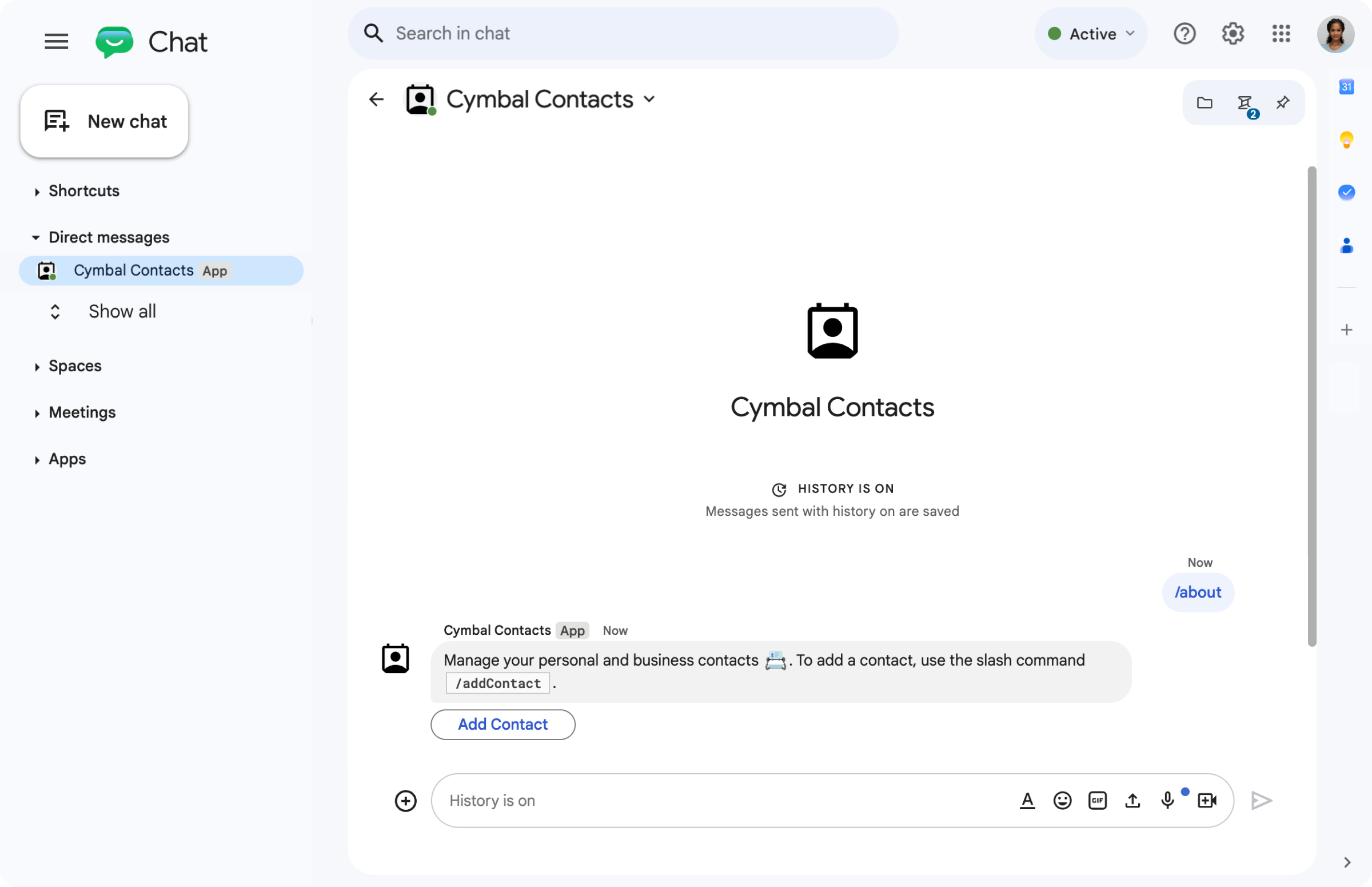
Chat 앱은 텍스트 메시지와 버튼으로 슬래시 명령어에 응답합니다.
-
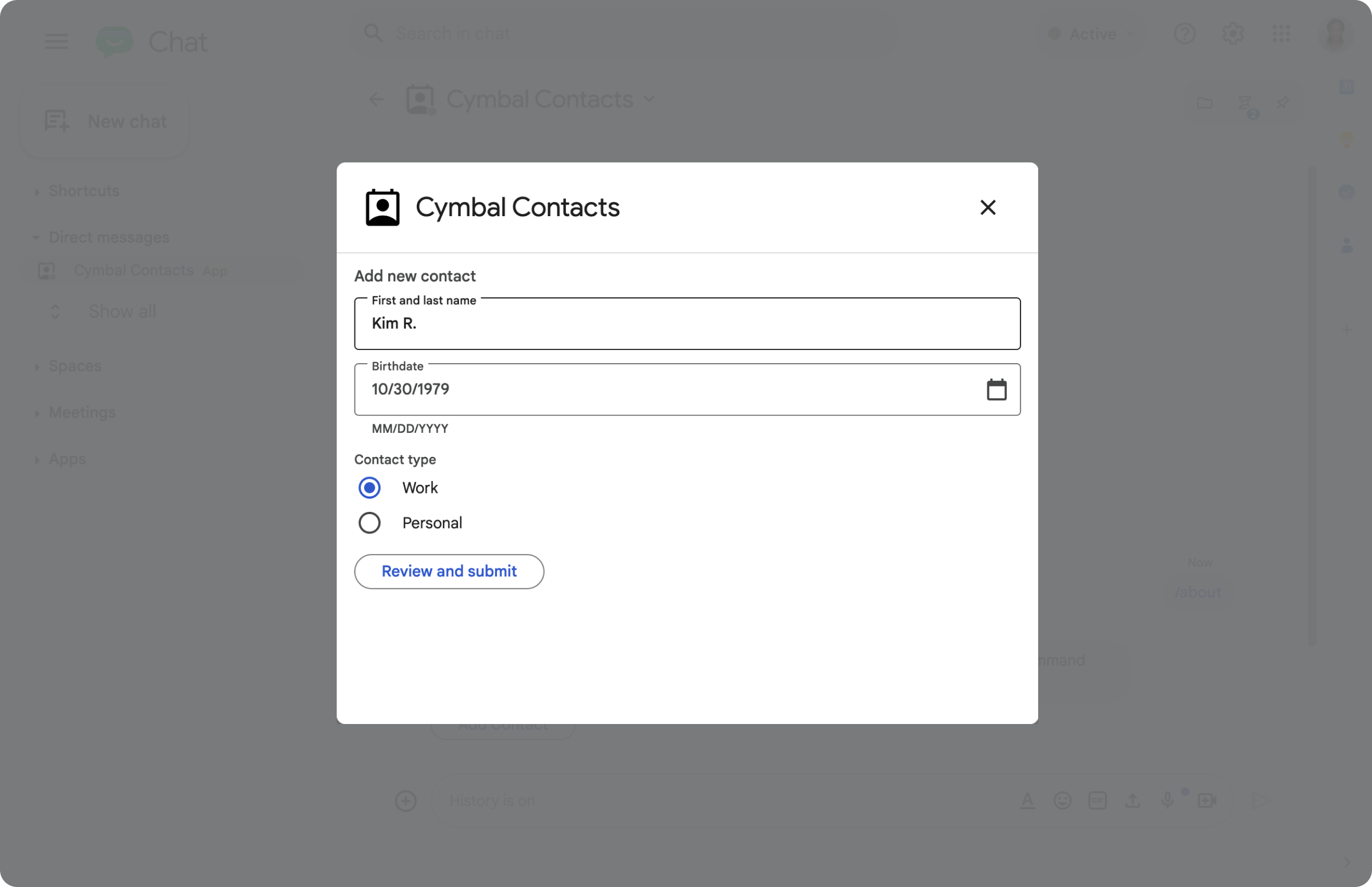
A Chat 앱은 사용자가 정보를 입력할 수 있는 대화상자를 엽니다.
-
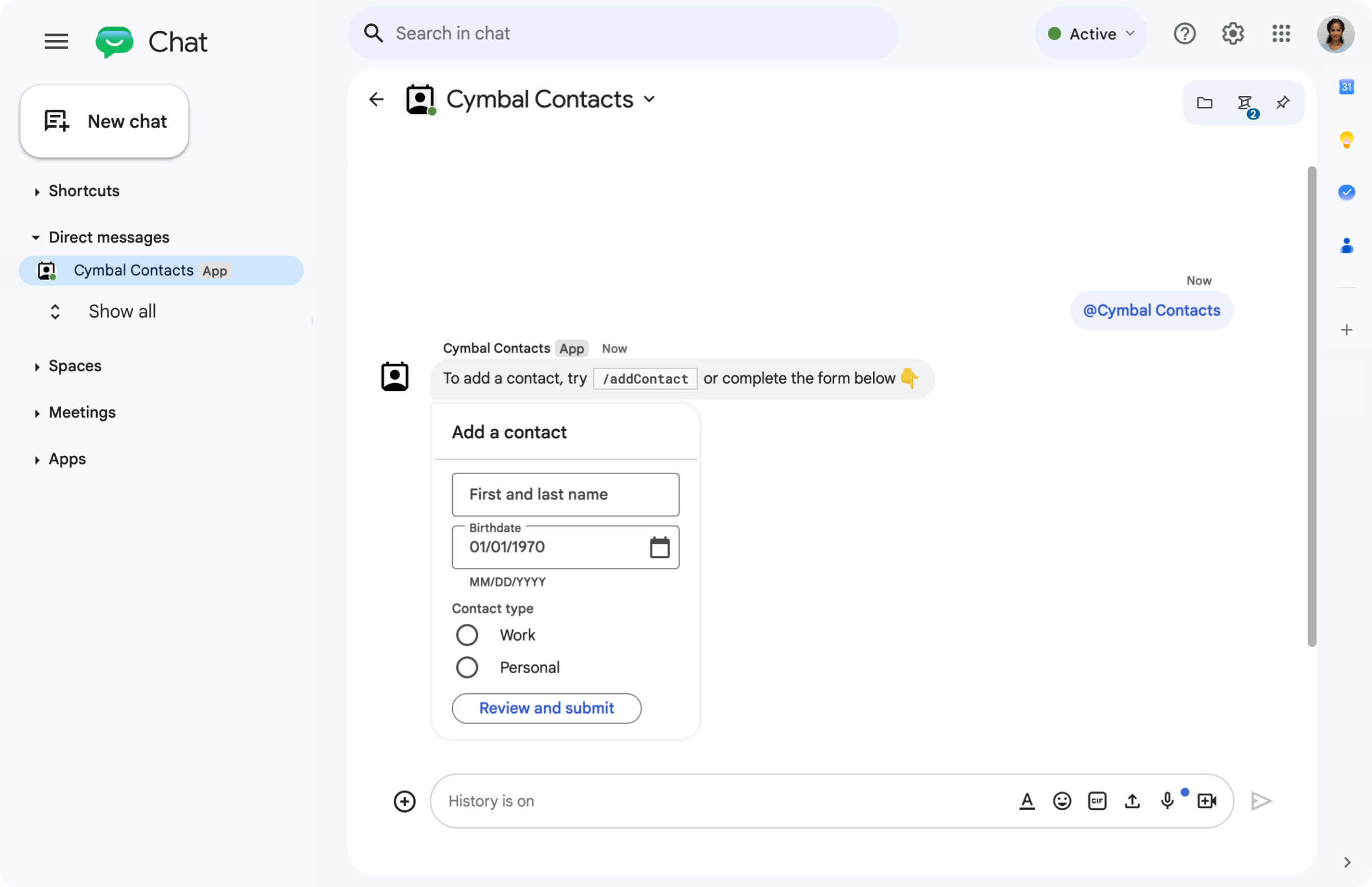
Chat 앱은 텍스트와 양방향 카드가 포함된 메시지를 보냅니다.
기본 요건
HTTP
Google Chat을 확장하는 Google Workspace 부가기능입니다. 부가기능을 빌드하려면 다음을 완료하세요. HTTP 빠른 시작
Apps Script
Google Chat을 확장하는 Google Workspace 부가기능입니다. 부가기능을 빌드하려면 다음 Apps Script 빠른 시작을 완료하세요.
메시지 설계
Chat 앱은 메시지에 다음 중 하나를 포함할 수 있습니다.
- 하이퍼링크, @멘션, 그림 이모티콘이 포함된 텍스트
- 메시지에 표시되거나 새 창에서 대화상자로 열릴 수 있는 카드 하나 이상
- 메시지의 텍스트 또는 카드 뒤에 표시되는 버튼인 보조 위젯 하나 이상
메시지 설계에 대한 자세한 내용은 다음 Google Chat API 문서를 참고하세요.
메시지로 응답
Chat 앱은 다음 트리거 또는 상호작용에 메시지로 응답할 수 있습니다.
- 메시지 트리거(예: 사용자가 Chat 앱을 @멘션하거나 채팅 메시지를 보낼 때 )
- 사용자가 Google Workspace Marketplace에서 Chat 앱을 설치하거나 스페이스에 추가할 때와 같은**스페이스에 추가됨** 트리거
- 메시지 또는 대화상자의 카드에서 버튼을 클릭합니다. 예를 들어 사용자가 정보를 입력하고 제출을 클릭합니다.
그렇지 않으면 Chat 앱은 Google Chat API를 호출하여 사전에 메시지를 보낼 수 있습니다.
메시지로 답장하려면 작업 DataActions에
CreateMessageAction 객체를 포함하여 반환합니다.
{ "hostAppDataAction": { "chatDataAction": { "createMessageAction": {
  "message": MESSAGE
}}}
MESSAGE를
Message
Chat API의 리소스로 바꿉니다. 작동 방식에 대한 자세한 내용은
Chat 작업을 참고하세요.
다음 예에서 Chat 앱은 스페이스에 추가될 때마다 문자 메시지를 만들고 보냅니다. 사용자가 Chat 앱을 스페이스에 추가할 때 문자 메시지를 보내려면 Chat 앱이 작업 DataActions를 반환하여 스페이스에 추가됨 트리거에 응답합니다.
Node.js
/**
 * Sends an onboarding message when the Chat app is added to a space.
 *
 * @param {Object} req The request object from Google Workspace add-on.
 * @param {Object} res The response object from the Chat app.
 */
exports.cymbalApp = function cymbalApp(req, res) {
  const chatEvent = req.body.chat;
  // Send an onboarding message when added to a Chat space
  if (chatEvent.addedToSpacePayload) {
    res.json({ hostAppDataAction: { chatDataAction: { createMessageAction: { message: {
      text: 'Hi, Cymbal at your service. I help you manage your calendar' +
        'from Google Chat. Take a look at your schedule today by typing' +
        '`/checkCalendar`, or schedule a meeting with `/scheduleMeeting`. ' +
        'To learn what else I can do, type `/help`.'
    }}}}});
  }
};
Python
from flask import Flask, request, json
app = Flask(__name__)

@app.route('/', methods=['POST'])
def cymbal_app():
  """Sends an onboarding message when the Chat app is added to a space.

  Returns:
    Mapping[str, Any]: The response object from the Chat app.
  """
  chat_event = request.get_json()["chat"]
  if "addedToSpacePayload" in chat_event:
    return json.jsonify({ "hostAppDataAction": { "chatDataAction": {
      "createMessageAction": { "message": {
        "text": 'Hi, Cymbal at your service. I help you manage your calendar' +
        'from Google Chat. Take a look at your schedule today by typing' +
        '`/checkCalendar`, or schedule a meeting with `/scheduleMeeting`. ' +
        'To learn what else I can do, type `/help`.'
      }}
    }}})
자바
@SpringBootApplication
@RestController
public class App {
  public static void main(String[] args) {
    SpringApplication.run(App.class, args);
  }

  /*
   * Sends an onboarding message when the Chat app is added to a space.
   *
   * @return The response object from the Chat app.
   */
  @PostMapping("/")
  @ResponseBody
  public GenericJson onEvent(@RequestBody JsonNode event) throws Exception {
    JsonNode chatEvent = event.at("/chat");
    if(!chatEvent.at("/addedToSpacePayload").isEmpty()) {
      return new GenericJson() { {
        put("hostAppDataAction", new GenericJson() { {
          put("chatDataAction", new GenericJson() { {
            put("createMessageAction", new GenericJson() { {
              put("message", new Message().setText(
                "Hi, Cymbal at your service. I help you manage your calendar" +
                "from Google Chat. Take a look at your schedule today by typing" +
                "`/checkCalendar`, or schedule a meeting with `/scheduleMeeting`. " +
                "To learn what else I can do, type `/help`."
              ));
            } });
          } });
        } });
      } };
    }
  }
}
Apps Script
/**
 * Sends an onboarding message when the Chat app is added to a space.
 *
 * @param {Object} event The event object from Chat API.
 * @return {Object} Response from the Chat app.
 */
function onAddedToSpace(event) {
  return { hostAppDataAction: { chatDataAction: { createMessageAction: { message: {
    text: 'Hi, Cymbal at your service. I help you manage your calendar' +
          'from Google Chat. Take a look at your schedule today by typing' +
          '`/checkCalendar`, or schedule a meeting with `/scheduleMeeting`. ' +
          'To learn what else I can do, type `/help`.'
  }}}}};
}
코드 샘플은 다음 문자 메시지를 반환합니다.

메시지로 응답하는 방법에 관한 추가 예는 다음 가이드를 참고하세요.
메시지 업데이트
Chat 앱은 전송하는 메시지를 업데이트할 수도 있습니다. 예를 들어 사용자가 대화상자를 제출하거나 메시지에서 버튼을 클릭한 후 메시지를 업데이트합니다.
Chat 앱 메시지를 업데이트하려면 다음 예와 같이
UpdateMessageAction이 포함된 작업
DataActions을 반환합니다.
{ "hostAppDataAction": { "chatDataAction": { "updateMessageAction": {
  "message": MESSAGE
}}}}
MESSAGE를
Message
Chat API의 리소스로 바꿉니다.
작동 방식에 대한 자세한 내용은 Chat 작업을 참고하세요.
Chat 앱은 사용자가 보낸 링크의 미리보기를 반환하도록 사용자 메시지를 업데이트할 수도 있습니다. 자세한 내용은 Google Chat 메시지의 링크 미리보기를 참고하세요.
Google Chat API를 사용하여 상호작용에 답장하거나 사전 메시지 보내기
부가기능 작업을 반환하는 대신 Chat 앱에서 Google Chat API를 사용하여 상호작용에 응답해야 할 수 있습니다. 예를 들어 Chat 앱은 다음 중 하나를 실행하기 위해 Google Chat API를 호출해야 합니다.
- 일정에 따라 또는 외부 리소스 변경사항에 관한 메시지를 보냅니다. 예를 들어 새로운 문제 또는 케이스에 관한 알림입니다.
- 상호작용 후 30초 넘게 답장합니다. 예를 들어 장기 실행 작업을 완료한 후 메시지로 응답합니다.
- 상호작용이 발생한 스페이스 외부에서 메시지를 보냅니다.
- Chat 사용자를 대신하여 메시지를 보냅니다.
Chat API를 사용하여 메시지를 보내려면 인증을 설정하고 Message 리소스에서 create() 메서드를 호출해야 합니다. 단계는
Google Chat API를 사용하여 메시지 보내기를 참고하세요.
관련 주제
- Google Chat 인터페이스 빌드
- 빠른 명령어에 응답
- 슬래시 명령어에 응답
- 양방향 대화상자 열기
- Google Chat 사용자로부터 정보 수집
- Google Chat 메시지의 링크 미리보기
- Google Chat API를 사용하여 메시지 보내기