

Develop on Google Workspace
Learn how to enhance and interact programmatically with Google Workspace.

Connect AI agents with MCP servers
The Google Workspace Model Context Protocol (MCP) servers let AI agents securely access and act on Google Workspace data.
- Send emails and Chat messages.
- Schedule Calendar events.
- Update Google Docs, Sheets, and Slides.
Configure Google Workspace MCP servers
Connect MCP-compatible AI clients and agents to Google Workspace MCP servers like Gmail, Drive, Calendar, Docs, Sheets, Slides, and Chat.
Configure security for MCP servers
Protect user data and enforce security best practices when connecting AI agents to Google Workspace MCP servers.
Handle user approvals with form elicitation
Prompt users with interactive confirmation forms before AI agents complete sensitive actions in Google Workspace.
Let agents search across Google Workspace
Use the Universal Search MCP server to let AI agents search and retrieve context across Google Workspace apps.
# Install the Google Workspace CLI
curl -fsSL https://dl.google.com/workspace-cli/install.sh | bash

# Install packaged skills for AI agents
gwscli skills install --dir ~/.agents/skills

# Discover supported services and actions
gwscli --help
Connect AI agents and terminals with the Google Workspace CLI
The Google Workspace command-line interface (CLI),
gwscli, connects AI agents and interactive terminals to Google Workspace services. - Equip AI agents with packaged skills and dynamic command discovery.
- Interact with Gmail, Drive, Calendar, Chat, Docs, Sheets, Slides, and Tasks.
- Process structured JSON output with human-in-the-loop verification.
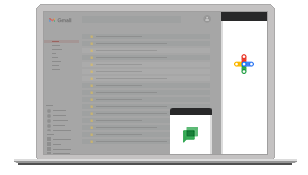
Enhance Google Workspace apps
Whatever your coding experience, you can empower Google Workspace users.

Automate tasks with simple code
Use Apps Script to create a custom Sheets formula, automate actions based on Form responses, and more.

Build your own Chat apps
Create custom Google Chat apps to get information, send reminders, or automate tasks.

Extend Google Workspace apps
Create Google Workspace add-ons to display relevant information alongside a user's email, files, or calendar.

Share your solutions with the world
Use the Google Workspace Marketplace to reach millions of users and organizations with your solutions.
Connect to Google Workspace
REST APIs let you programmatically interact with Google Workspace.

Manage files & sharing
Use the Drive API to programmatically search files, upload documents, and manage file permissions.

Optimize your admin work
Use the Admin SDK API to programmatically manage new and existing users, audit activity, or get alerts about your account.
Manage Gmail settings & messages
Use the Gmail API to programmatically send emails, update email signatures, and manage other settings.
Manage calendars & events
Use the Calendar API to programmatically add or update Calendar events.