
نمای کلی
The Actions Center enables Google users to make appointments, reservations and order food at local businesses. Data feeds that are submitted by partners need to include the following:
- نام و آدرس فروشندگان.
- Services offered by each merchant, which includes their pricing information.
- دادههای در دسترس بودن.
گوگل تلاش میکند تا دادههای فروشنده شما را با مکانهای نقشههای گوگل تطبیق دهد. پس از اینکه دادههای فروشنده با یک ویژگی نقشه مرتبط شد، فروشندگانی که دادههای خدمات و در دسترس بودن دارند، واجد شرایط نمایش در مرکز اقدامات هستند. برای اطلاعات بیشتر به معیارهای واجد شرایط بودن فروشنده مراجعه کنید. به منظور تضمین تجربه کاربری بهینه، مرکز اقدامات تلاش خواهد کرد تا تطابقها را اصلاح کند. با این حال، در صورتی که اطلاعات کافی برای تطبیق با فهرست نقشههای مناسب وجود نداشته باشد، مرکز اقدامات، فروشندگانی را که تطابقهای نامناسبی دارند، حذف خواهد کرد.
If an error occurs while matching and there is nothing to do to resolve it, contact Actions Center Support and include the Merchant ID.
دستورالعملها
Use the following suggestions to make sure you properly match your merchant with the correct location:
Ensure that the name, address, and business category match between your merchant and the suggested map location.
نام فروشنده نباید شامل نام محصولات یا محتوای نامربوط باشد (مثلاً «برگرهای باب» به جای «بهترین رستوران دنیا!! برگرهای باب» یا «پیشغذای رایگان با خرید غذای کامل در برگرهای باب»).
Minor differences in addresses and names do matter. Something as simple as a mismatched suite or apartment number might indicate that the matched location is incorrect.
Always click the Map link, provided at the end of each suggested feature, to verify that it's a correct match. You can also use Street View to help verify that certain locations are correct.
For more information on how to use Google Maps, see Google Maps Help Center .
چگونه میتوانم از تطابقهای نادرست اجتناب کنم؟
An incorrect match might prevent the appearance of a Reserve a table or Order online button or might surface the button for the wrong merchant.
یک آدرس فیزیکی میتواند چندین کسبوکار داشته باشد. در مقایسه با کسبوکارهایی که آدرسهای فیزیکی متمایزی دارند، این نوع از بازرگانان احتمال بیشتری دارند که به طور نامناسب تطبیق داده شوند.
- برای مثال، رستورانها و اسپاهای درون یک هتل ممکن است کسبوکارهای مجزایی باشند که آدرس فیزیکی یکسانی با هتل مادر دارند. به همین ترتیب، کسبوکارهای درون یک مرکز خرید یا ساختمان بزرگتر ممکن است همگی آدرس فیزیکی یکسانی داشته باشند.
Use the category of the Maps feature to help determine whether the suggested match is correct. The following examples show how you can determine the place category of a business:
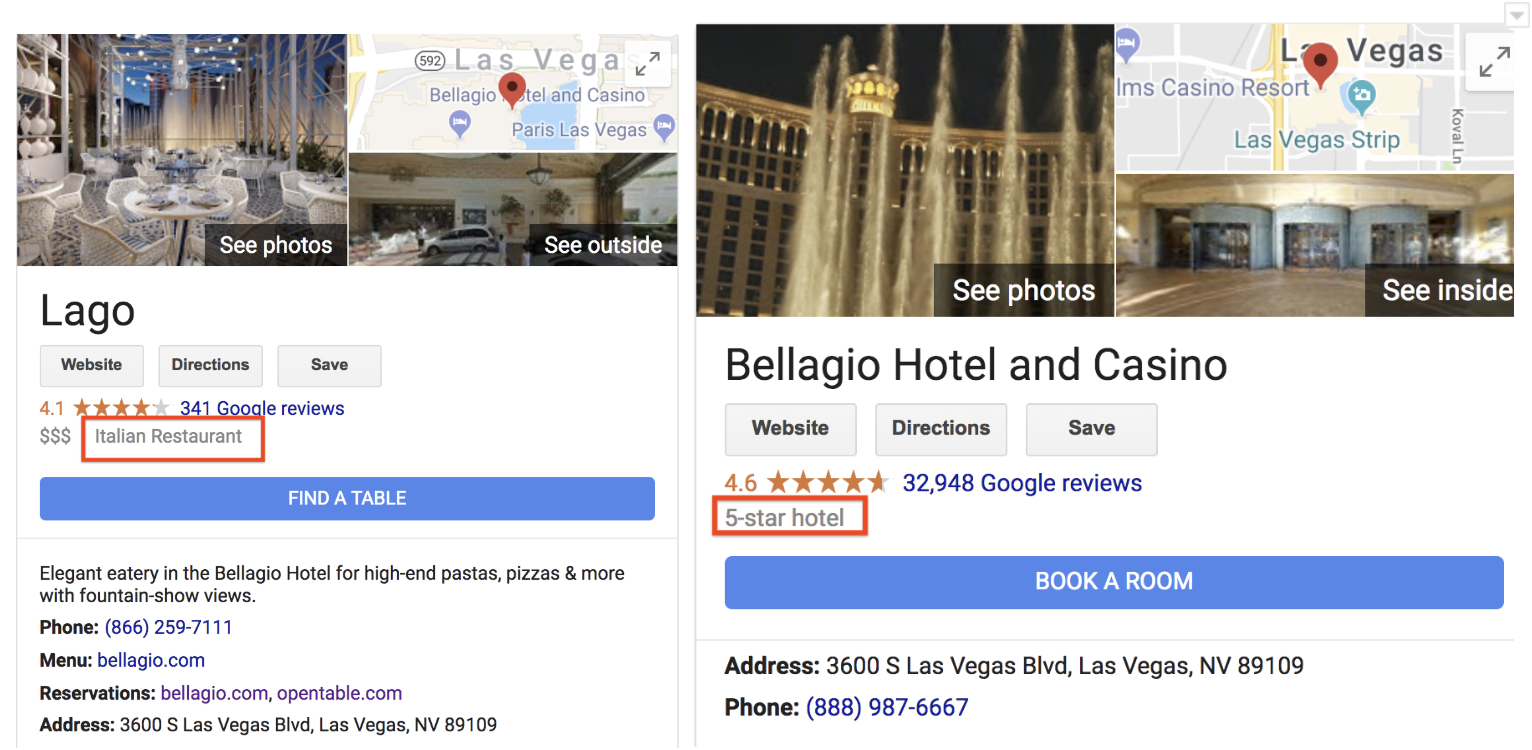
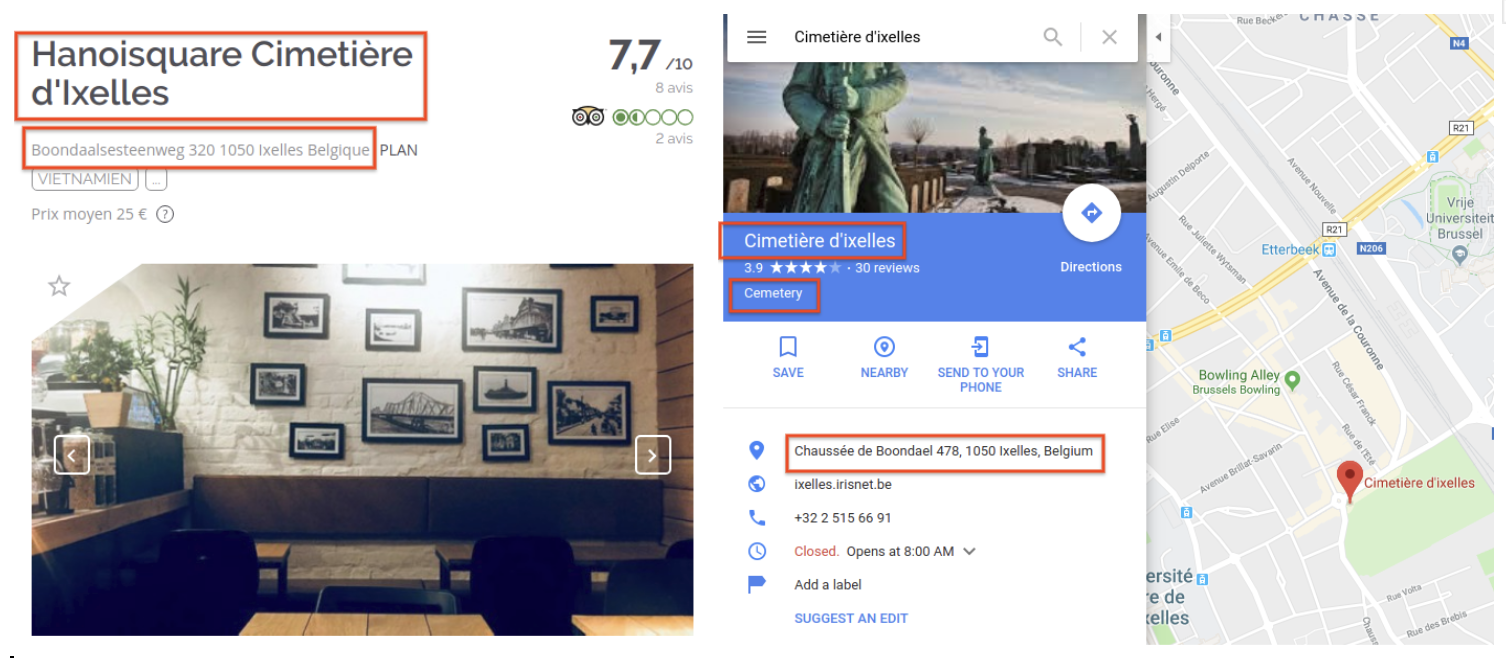
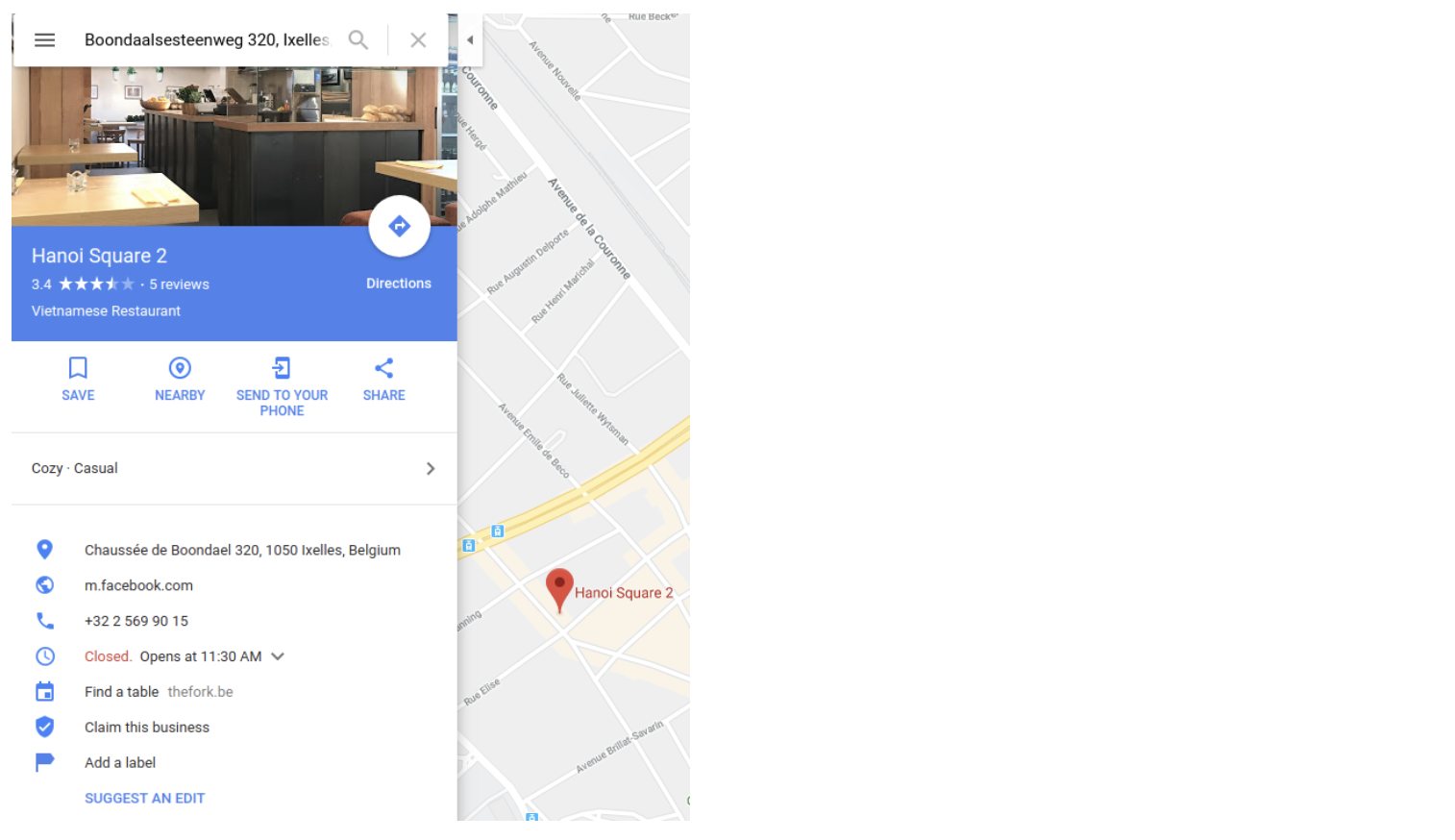
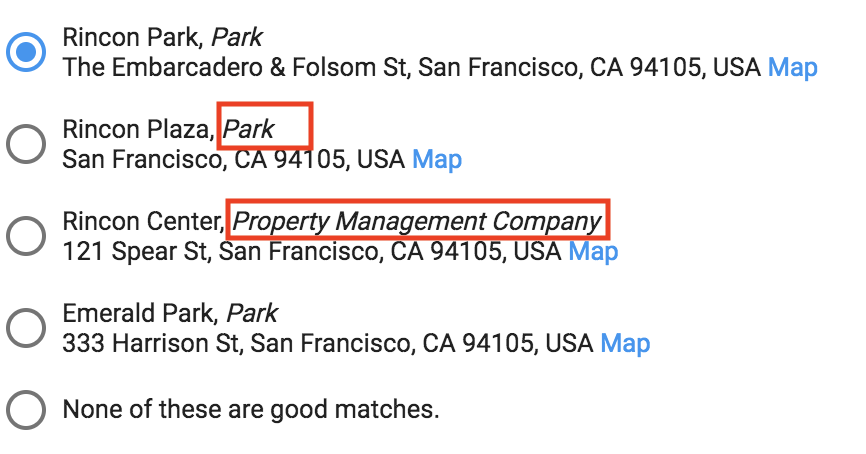
Within the matching dialogue, the category of a merchant is also explicitly shown in italics after the name of the merchant.
چگونه میتوانم نرخ تطابق را بهبود بخشم؟
If you have locations that are unmatched, you may be able to improve matching by:
Being as accurate and specific as possible with the name (eg "Bob's Burgers Restaurant" instead of "Bob's Burgers")
url،telephoneوcategoryفروشنده را اضافه کنیدEnsure the address provided includes the street level definition (eg 1600 Amphitheatre Pkwy, Mountain View, CA 94043)
What if none of the places Google suggests are correct, but I find a correct feature on Google Maps?
- یک پرونده در مرکز عملیات شامل شناسه شریک (که به آن شناسه تجمیعکننده نیز گفته میشود)، شناسه فروشنده و همچنین یک URL به ویژگی نقشههای گوگل که به نظر شما صحیح است، باز کنید. گوگل از طرف شما تطابق را ایجاد میکند.
What if none of the places Google suggests are correct, and I can't find a correct feature on Google Maps?
Although rare, Google might not yet have your merchant on Google Maps. In this case, the corresponding feature must be created.
Feel free to create the missing merchant on the map yourself and earn Local Guide points .
اگر پیام خطایی دریافت کنم چه؟
- Merchants must meet the merchant eligibility criteria , and an error message might result if the criteria aren't met.